importing G8F into Blender question
 Drekkan
Posts: 460
Drekkan
Posts: 460
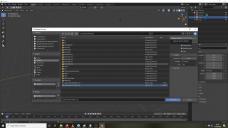
Am trying to use Blender to import and play around and morph G8 characters from Daz. I have saved my G8 character on desktop in 'WaveFront Object (obj)' but when I try to import it into Blender I see the 'Daz' option is not there under the 'operator presets' (pic) Why can I not select it please? is there anyone who may know why its not there? thx,
blen.jpg
1920 x 1080 - 356K
Post edited by Drekkan on

Daz 3D is part of 
Connect
DAZ Productions, Inc.
7533 S Center View Ct #4664
West Jordan, UT 84084
Licensing Agreement | Terms of Service | Privacy Policy | EULA
© 2026 Daz Productions Inc. All Rights Reserved.
Comments
What are you trying to use? The plugin offered at daz or diffeomorphic?
Oh, in order to get any kind of daz import options in blender, you need to install one of the plugins. I prefer diffeomorphic personally. If you want to import just a obj, you are gonna have to do all the material hookups manually, I am not good enough to do that. http://diffeomorphic.blogspot.com/p/daz-importer-version-15.html ; Thats the diffeo site, there is a release candidate being offered for testing https://www.daz3d.com/forums/discussion/436402/diffeomorphic-daz-importer-version-1-5-0-release-candidate#latest too. Then there is sagan here, https://www.daz3d.com/forums/discussion/428856/sagan-a-daz-to-blender-alembic-exporter#latest, it's an alembic export import, that leverages the great material conversion in the diffeo plugin system.
oh, this is news to me I thought it was just as simple as importing a WaveFront obj of G8F from a folder which you saved there from Daz. This is what it looks like in Blender anyway (pic) would I still be able to use this to morph a new character from it do you know?!
second pic is from the tutorial and it has the 'daz' I didn't have but other than that option not being its the same process as mine it would appear.
You are trying to bring it into blender, to create a morph to import back into DS then? I thought you were looking to bring it into blender for rendering in eevvee or cycles, that's what the plugins are for. I think the way you want to do that is to make sure subdivision is set to base for g8f. Delete any extras like eye lashes and fibermesh brows etc. Export that as obj, then imort it into blender. I think the preset shown there was just something the tutorial maker set up, to make sure the axis and size are correct. The only morphs I have ever done was through the GoZ bridge, so I am not an expert at that for sure. One thing I know for sure is that keep vert order needs to be checked, or else it will fail to load as a morph. Can only move geometry around, never change the poly count or vertex count or vertex order.
Oh I forgot about something, look in your library for a folder called developer kit(I hope I didnt change that in my library) there should be something called "Export Base Resolution OBJ" inside there, that obj should work as a morph mannequin.
your mention of operator preset and that tutorial screenshot, this is a video by sickleyield ?
the operator preset is something they saved to speed up their process, this is mentioned in the video, when they select it, it automatically sets the other settings.
as long as the option "keep vertex order" is selected you should be fine.
edit: attached my import screenshot