

• Daz 3D
  • Shop
  • 3D Software
    • Daz Studio Premier
    • Daz Studio
    • Install Manager
    • Partnerships
    • AI Training data
    • Exporters
    • Daz to Roblox
    • Daz to Maya
    • Daz to Blender
    • Daz to Unreal
    • Daz to Unity
    • Daz to 3ds Max
    • Daz to Cinema 4D
  • 3D Models
    • Genesis 9
    • Genesis 8.1
    • Free 3D Models
  • Community
    • Gallery
    • Forums
    • Blog
    • Press
    • Help
  • Memberships
    • Daz Premier
    • Daz Plus
    • Daz Base
    • Compare
  • Download Studio
ADVANCED SEARCH
  • Menu
  • Daz 3D
ADVANCED SEARCH
Add image
  • Shop
  • 3d Software
    • Daz Studio Premier
    • Daz Studio
    • Install Manager
    • Partnerships
    • AI Training data
    • Exporters
    • Daz to Roblox
    • Daz to Maya
    • Daz to Blender
    • Daz to Unreal
    • Daz to Unity
    • Daz to 3ds Max
    • Daz to Cinema 4D
  • 3D Models
    • Genesis 9
    • Genesis 8.1
    • Free 3D Models
  • Community
    • Our Community
    • Gallery
    • Forums
    • Blog
    • Press
    • Help
  • Memberships
    • Daz Premier
    • Daz Plus
    • Daz Base
    • Compare

Notifications

You currently have no notifications.

Loading...
    • Categories
    • Recent Discussions
Daz 3D Forums > 3rd Party Software > Blender Discussion

Daz3d to Blender Workflow

«1…45678910»

Comments

  • benniewoodellbenniewoodell Posts: 1,999
    June 2020
    marble said:
    benniewoodell said:
    TheMysteryIsThePoint said:
    benniewoodell said:

    I'm very excited right now, I finally completed the animated short I've been working on in Blender using the Diffeomorphic tool to bring over characters and environments. If anyone would care to watch it, you can do so here! This is all rendered in Eevee as well.

    https://www.youtube.com/watch?v=STigHE8PjrE&t=9s

    That was awesome. I guess you figured out the kimono simulation that was giving you a hard time because it looked great as she climbed onto the bridge.

    Thank you so much for checking it out and thinking it was awesome :D And yeah, I finally did figure it out after so much trial and error. Everything just clicked at one point in my mind at what I was doing wrong, I'm so glad with how that turned out! It was all in the weight painting as I misunderstood how exactly that worked. 

    Hope it isn't too nit-picky to mention a couple of things that caught my eye although I need to run the video again when I have more time to watch it properly. For example, I did notice her hair disappearing into his neck around the 8:20 mark. Also the teeth on both characters look wrong to me. None of which takes away from a truly impressive achievement using free software. I wouldn't know where to start on a project like that.

    By the way, that quote - I think you mean Elisabeth Kubler-Ross (not Kugler).

    Thanks for pointing out Kubler, that's a typo I don't know how I missed that! And I do appreciate the comments, comments always welcome, especially as this is the third thing I've ever animated. But yeah, I couldn't get the hair to work right with the pose and the other character standing there, and figured with the camera moving quickly around them it'd maybe hide it just enough. There's always more to learn and get better in the future. I've been making films for 20 years now, directed 10 feature films, and the one thing I've learned is that perfection is the killer of creativity. I know so many people who have never completed a film because they can't move on from a small detail that really the only people that will notice are other filmmakers, or in this case folks like yourself who do this and notice those little details because we're so trained to look for that stuff. Which you should look for that stuff. I actually have to shut off the filmmaker part of my brain off when watching movies and TV for that reason. Hell, the shots I did first was the shootout sequence and now I look at them after working with Blender for two months and I see how much better I can make them, but then it's a constant back and forth and I just want to move on to the next thing quite honestly and try and make that one better!

    The teeth, I think that's one of the things that Padone was talking about the other week with the difference between the stable and developmental version of the diffeomorphic tool being the teeth not transferring right, as well as something having to do with Eevee. For this short, I was using the stable version and rendered in Eevee. I tried to go back and render in cycles the shots, and the lowest I could get the renders was like 9 minutes a frame and I said forget it, I wanted a more anime look anyways lol. But thanks for checking it out, I really do appreciate it! 

  • marblemarble Posts: 7,500
    June 2020
    benniewoodell said:
    marble said:
    benniewoodell said:
    TheMysteryIsThePoint said:
    benniewoodell said:

    I'm very excited right now, I finally completed the animated short I've been working on in Blender using the Diffeomorphic tool to bring over characters and environments. If anyone would care to watch it, you can do so here! This is all rendered in Eevee as well.

    https://www.youtube.com/watch?v=STigHE8PjrE&t=9s

    That was awesome. I guess you figured out the kimono simulation that was giving you a hard time because it looked great as she climbed onto the bridge.

    Thank you so much for checking it out and thinking it was awesome :D And yeah, I finally did figure it out after so much trial and error. Everything just clicked at one point in my mind at what I was doing wrong, I'm so glad with how that turned out! It was all in the weight painting as I misunderstood how exactly that worked. 

    Hope it isn't too nit-picky to mention a couple of things that caught my eye although I need to run the video again when I have more time to watch it properly. For example, I did notice her hair disappearing into his neck around the 8:20 mark. Also the teeth on both characters look wrong to me. None of which takes away from a truly impressive achievement using free software. I wouldn't know where to start on a project like that.

    By the way, that quote - I think you mean Elisabeth Kubler-Ross (not Kugler).

    Thanks for pointing out Kubler, that's a typo I don't know how I missed that! And I do appreciate the comments, comments always welcome, especially as this is the third thing I've ever animated. But yeah, I couldn't get the hair to work right with the pose and the other character standing there, and figured with the camera moving quickly around them it'd maybe hide it just enough. There's always more to learn and get better in the future. I've been making films for 20 years now, directed 10 feature films, and the one thing I've learned is that perfection is the killer of creativity. I know so many people who have never completed a film because they can't move on from a small detail that really the only people that will notice are other filmmakers, or in this case folks like yourself who do this and notice those little details because we're so trained to look for that stuff. Which you should look for that stuff. I actually have to shut off the filmmaker part of my brain off when watching movies and TV for that reason. Hell, the shots I did first was the shootout sequence and now I look at them after working with Blender for two months and I see how much better I can make them, but then it's a constant back and forth and I just want to move on to the next thing quite honestly and try and make that one better!

    The teeth, I think that's one of the things that Padone was talking about the other week with the difference between the stable and developmental version of the diffeomorphic tool being the teeth not transferring right, as well as something having to do with Eevee. For this short, I was using the stable version and rendered in Eevee. I tried to go back and render in cycles the shots, and the lowest I could get the renders was like 9 minutes a frame and I said forget it, I wanted a more anime look anyways lol. But thanks for checking it out, I really do appreciate it! 

    Understood. So long as you don't take my comments as being negative because I really am impressed, as I said.

    I know what you mean about watching TV shows ... I recently decided to start using Davinci Resolve and followed a few tutorials. Before I knew it I was seeing all those techniques in the professional media and was wondering whether they also use Davinci Resolve (probably not as these techniques are almost certainly universal). I wish I could pick up Blender as quickly as DR but I guess that with Blender I can always fall back to relying on DAZ Studio and put off trying to do it in Blender. Fortunately, DAZ Studio can't do video editing (although Blender can, and I used that for a long time).

  • PadonePadone Posts: 3,999
    June 2020

    @jcade Those portraits are amazing. For the "fire girl" I'd go with more light from the flames and hair and less from the environment to make the fire more believable. As for editing materials in blender you can use the principled option with the diffeomorphic plugin that's easier and faster than using nodes. Also diffeomorphic gets a mini material editor to help with editing multiple materials together.

    @benniewoodell I love your short it is incredible to me that you realized it in just a few months. Very well done. I'm not sure about your comments on cycles and the teeth. In my opinion for that manga style eevee is good enough you don't need cycles that obviously gets longer render times. Also the teeth are a subdivision fix in the development version so you can use either eevee or cycles as you like.

    @JClave It's nice to hear from you again please keep us up to date with your work.

  • DaremoK3DaremoK3 Posts: 798
    June 2020 edited June 2020

    Hey all...

    I have been watching this thread since the beginning, but since I have yet to try the workflow I have refrained from commenting  --  I am taking it all in, and it will help me immensely when I am ready for the Diffeomorphic addon.  Thank you all who are contributing.

    Since this is the active Blender thread right now, I need to ask a favor of you Blender users who are currently running the B2.83 release version  --  If so, do any of you have any addons that either have some form of a thumbnailed assest library, or any custom icons?

    All mine work in B2.82 - but are broken in B2.83 (including beta builds).

    I am trying to troubleshoot the issue, but there are a couple of variables that need to be isolated (including if others are experiencing this - which I can find no evidence of in bug reports, or anywhere on internet so far).

    One being the introduction of a new bl_icon code for Nodes (which could be affecting the bpy.utils.previews [for custom icons/images]).

    Another being the B2.82 viewport bug where they broke interactive wire topology usage ( * see my posts half-way down thread page here:  https://www.daz3d.com/forums/discussion/8736/who-said-blender-was-hard/p55  ), but custom icons/asset management thumbs work.  I was going to report the viewport issue, but it is fixed in B2.83

    There could be other varialbes that pertain to my PC alone, but without other's confirmation of this issue one way or another, it is hard to tell if a bug report needs to be submitted.

    Thank you...

    Ken

    * EDIT :  Update -- I at least confirmed all custom icons/asset management images work with B2.83_beta of PyClone build by Andrew Peel (FluidDesinger_BlenderBuilds) -- They all work with his PyClone Asset Management custom template, but do not work with the default, so I can conclude there is something wrong with the B2.83 series with regards to the preview images code (Andrew added custom C code along with his addon in his template for his custom Asset Manager -- Supercedes B2.83 default code).

    * Still would like to know if anyone else is having issues...

    Post edited by DaremoK3 on June 2020
  • nicsttnicstt Posts: 11,715
    June 2020

    what's the plugin you're having issues with?


  • DaremoK3DaremoK3 Posts: 798
    June 2020

    My own, for starters with custom icons : https://www.daz3d.com/forums/discussion/385796/blender-bridge-for-daz-studio    --  Which will be an issue for release.

    But, also, any addon I own that has an asset library which depends on thumbnail images :

    ClothWeaver

    Garment Tool

    Simply Cloth

    Just to name a few I am working with for my Marvelous Designer Clone...

  • nicsttnicstt Posts: 11,715
    June 2020 edited June 2020

    I uploaded this image in another thread; I was trying to work-round not being able to transfer strand-based hair into Blender - because my attempts are most miss and not hit frown.

    Set up the character in Studio; Simtenaro Randomizer; Virginia Textures, which (like all textures), I tweak.

    Apply the desired pose,

    https://www.daz3d.com/dforce-soft-curls-for-genesis-8-and-genesis-3-females

    https://www.daz3d.com/virginia-hd-for-genesis-8-female

    https://www.daz3d.com/simtenero-randomizer2

    I'm sure everyone recognises the Bikini, it seems to be featured in just about every product released. Looks good and great for showing off skin textures (and blender materials).

    I simmed the hair before exporting as an object in the required pose (I don't believe this would work for animations - too much geometry); if the hair isn't showing, which it doesn't for PhilW's hairs, then make them visible first; I also export the hair and any scalp objects separately.

    Import into Blender. It should be in the position required.

    Go into edit mode, and select all the hair; E to extrude. X, and when the wheel has stopped spinning enter something like: 0.00015, then enter. This might be too wide, but it can be adjusted before hitting enter.

    Create a vertex group and add the selected verts to it; just incase.

    Add a shader to the hair; A strand one will work, but wont look quite right. This one I did worked on two different hairs with some tweaks.

    The skin, cloth, beads and hair are my own materials. I'm happy to share if anyone interested. The cloth is meant to reflect how real cloth behaves; the best way of seeing that in real life, is to look at velvet, and how it behaves, and how the light changes as it curves and bends; it's an exagerated reaction to how other cloths behave. Light both scatters and transmits in cloth - and simply passes through - and then potentially reflects back.

    Virginia Ver5 07.png
    1526 x 2160 - 6M
    Post edited by nicstt on June 2020
  • Leonides02Leonides02 Posts: 1,379
    June 2020

    That's a very impressive image, @nicatt! Especially the cloth, which is far more realistic looking than 90% of the cloth on the Daz store.

    I'd love to be able to loom at those shaders!

  • j cadej cade Posts: 2,310
    June 2020
    nicstt said:

    I uploaded this image in another thread; I was trying to work-round not being able to transfer strand-based hair into Blender - because my attempts are most miss and not hit frown.

    Set up the character in Studio; Simtenaro Randomizer; Virginia Textures, which (like all textures), I tweak.

    Apply the desired pose,

    https://www.daz3d.com/dforce-soft-curls-for-genesis-8-and-genesis-3-females

    https://www.daz3d.com/virginia-hd-for-genesis-8-female

    https://www.daz3d.com/simtenero-randomizer2

    I'm sure everyone recognises the Bikini, it seems to be featured in just about every product released. Looks good and great for showing off skin textures (and blender materials).

    I simmed the hair before exporting as an object in the required pose (I don't believe this would work for animations - too much geometry); if the hair isn't showing, which it doesn't for PhilW's hairs, then make them visible first; I also export the hair and any scalp objects separately.

    Import into Blender. It should be in the position required.

    Go into edit mode, and select all the hair; E to extrude. X, and when the wheel has stopped spinning enter something like: 0.00015, then enter. This might be too wide, but it can be adjusted before hitting enter.

    Create a vertex group and add the selected verts to it; just incase.

    Add a shader to the hair; A strand one will work, but wont look quite right. This one I did worked on two different hairs with some tweaks.

    The skin, cloth, beads and hair are my own materials. I'm happy to share if anyone interested. The cloth is meant to reflect how real cloth behaves; the best way of seeing that in real life, is to look at velvet, and how it behaves, and how the light changes as it curves and bends; it's an exagerated reaction to how other cloths behave. Light both scatters and transmits in cloth - and simply passes through - and then potentially reflects back.

    Have you tried converting it to a curve (i dont know what the shortcut is I just do search "convert") and then adding some geometry in the curve options? I find that method works better for me. Also there are tools that can convert the edges to hair: HairNet should, but its very fiddly HairTool definitely does but its not free.

  • nicsttnicstt Posts: 11,715
    June 2020 edited June 2020
    j cade said:
    nicstt said:

    I uploaded this image in another thread; I was trying to work-round not being able to transfer strand-based hair into Blender - because my attempts are most miss and not hit frown.

    Set up the character in Studio; Simtenaro Randomizer; Virginia Textures, which (like all textures), I tweak.

    Apply the desired pose,

    https://www.daz3d.com/dforce-soft-curls-for-genesis-8-and-genesis-3-females

    https://www.daz3d.com/virginia-hd-for-genesis-8-female

    https://www.daz3d.com/simtenero-randomizer2

    I'm sure everyone recognises the Bikini, it seems to be featured in just about every product released. Looks good and great for showing off skin textures (and blender materials).

    I simmed the hair before exporting as an object in the required pose (I don't believe this would work for animations - too much geometry); if the hair isn't showing, which it doesn't for PhilW's hairs, then make them visible first; I also export the hair and any scalp objects separately.

    Import into Blender. It should be in the position required.

    Go into edit mode, and select all the hair; E to extrude. X, and when the wheel has stopped spinning enter something like: 0.00015, then enter. This might be too wide, but it can be adjusted before hitting enter.

    Create a vertex group and add the selected verts to it; just incase.

    Add a shader to the hair; A strand one will work, but wont look quite right. This one I did worked on two different hairs with some tweaks.

    The skin, cloth, beads and hair are my own materials. I'm happy to share if anyone interested. The cloth is meant to reflect how real cloth behaves; the best way of seeing that in real life, is to look at velvet, and how it behaves, and how the light changes as it curves and bends; it's an exagerated reaction to how other cloths behave. Light both scatters and transmits in cloth - and simply passes through - and then potentially reflects back.

    Have you tried converting it to a curve (i dont know what the shortcut is I just do search "convert") and then adding some geometry in the curve options? I find that method works better for me. Also there are tools that can convert the edges to hair: HairNet should, but its very fiddly HairTool definitely does but its not free.

    Yeh, couldn't get it too.

    haha; i forgot to check and the curve panel had appeared, so it did convert. Haven't used curves since model the car (and others) in my profile. Thanks for that.

    Post edited by nicstt on June 2020
  • PadonePadone Posts: 3,999
    June 2020

    @jcade HairTool is very similar to what diffeomorphic already does. You can use geometry with a strands uv map to create particles hair.

    https://www.artstation.com/artwork/rRkOVL

    http://diffeomorphic.blogspot.com/p/hair.html

  • nicsttnicstt Posts: 11,715
    June 2020 edited June 2020

    btw, it didn't work for me, when I tried the diffemorphic hair conversion; I tested on the G8F freebie hair Studio comes with.

    2.83, is what I'm using. I downloaded the latest build.

    Post edited by nicstt on June 2020
  • jacksparrow661jacksparrow661 Posts: 4
    June 2020
    I'm having trouble exporting fibermesh hair properly to Blender 3.83. And there seems to be trouble importing non driven custom character morphs.
  • DaremoK3DaremoK3 Posts: 798
    June 2020

    Nevermind  --  Found issue...

  • j cadej cade Posts: 2,310
    June 2020
    Padone said:

    @jcade HairTool is very similar to what diffeomorphic already does. You can use geometry with a strands uv map to create particles hair.

    https://www.artstation.com/artwork/rRkOVL

    http://diffeomorphic.blogspot.com/p/hair.html

    I was talking specifically about converting strand hair from DS, which was what nicstt was talking about, and which does not have the uvs uvs diffeo requires

  • aelghaziaelghazi Posts: 45
    June 2020
    j cade said:
    Leonides02 said:

    Thanks for the opinions. I was mostly interested in Blender because I've heard (anecdotally) that it handles human skin SSS far better, especially with "random walk."

    As someone who has remdered portraits of pretty ladies in both I think I can give a good rundown.


    Chromatic SSS vs Random Walk. Both are aproximating the same thing. Random walk should be faster and is, in my exprirence, less fiddly. But in terms of "realism" one isnt necesarily better (random walk is better for the eyes as you can actually blend it with a glass shader for the cornea, but again this isnt more "realistic" per se, just easier to get looking good)

    DS' ubershader vs nodes: It is infinitely faster to set up your materials in DS. full stop. even just editing multiple material zones in blender is less than fun. you want to change the settings for the torso and head at the same time? its going to be fiddly. (you set up a nodegroup. all the things within the nodegroup can be edited together across materials, but this requires much more planing than just selecting multiple materials) That said cycles and nodes give a level of control and abilities Iray absolutely lacks: glass that refracts properly but doesnt cast shadows is an obvious example, using the noise texture to add some nice microbump is another. nodes are fun and theres all sorts of nifty things you can do

    hair instances and memory allocation: Blender is better at this hands down. With the advent of the strand editor DS is probably equal or better for short hair and has made massive improvements in terms of realism (hair is one of the main reasons I semi-switched to cycles for a bit) the DS strand editor is still a bit fiddly for long hair and as end users you can only see it in its editor interacting with 1 object Blender is more full featured (although ease of use is still less than ideal) and requires so much less memory its not even funny. Seriously Cycles has infinitely better memory allocation for particles and hair (also in the viewport)


    some examples (bearing in mind all thse renders are 2 years old or so)

    long hair with lots of detail its made up of multiple particle systems. In DS it world be impossible to edit these while seeing the others (also this is the most recent so It definitely is using random walk not christiensen-burley)

    hair + a sweater also completely covered in fuzz I am 100% confident trying to do this in daz would make my computer cry I rendered this on my old laptop with a 2gb memry card and it didnt even stutter

    yeah try getting hair where the tips change to an emmission shader in Iray (seriously can someone better at the shader mixer than me try this? because I did and had no luck) also flame balls were created using the smoke simulator which is a thing that does not exist in DS

    and a really old render but that moss is made up of a couple hundred thousand instances I still have the scene so I briefly ran it (the textures I would need to refind) and the max memory used was 98 MB. add to that the setup was easy and I could have 50000 visible right in the viewport and pan around like its nothing (also the bg behide the moss is a photo I faked deph with by sculpting and projection mapping again something that cant be done in DS) some of the weird shadow on the moss is that theres an invisible figure casting a shadow because the scene was composited with the character rendered in Iray and the hair rendered in 3delight

    Now the key here is despite all this I still have gone back to mostly using Iray because setting up in Cycles to make the most of it takes much more time per scene. there are no presets to click. you spend a lot of time manually loading texture maps. If your're doing anything where you are reusing the same character many times: animation or sequential art the math might change, as there are ways to set up for that, but If you have to set up materials ets for every scene your render output will drop. dramatically

    Beautiful, Could you make a tutorial for us how to achieve this resulls and how to make that fuss and hair particle system with skull cap, is it rendered in eevee or cycles?

  • PadonePadone Posts: 3,999
    June 2020 edited June 2020

    @nicstt Just did a quick test and it seems to work fine here. What's not working for you ?

    hair.jpg
    1160 x 375 - 93K
    Post edited by Padone on June 2020
  • nicsttnicstt Posts: 11,715
    June 2020 edited June 2020

    I get a few stands of hair scattered about the place.

    Does the character have to be rigged?

    Can I take in the hair as an object, and not part of the original character import?

    Post edited by nicstt on June 2020
  • nicsttnicstt Posts: 11,715
    June 2020

    Anyone having trouble transfering correctives?

    Latest build and studio 4.12.2.6

  • PadonePadone Posts: 3,999
    June 2020

    @nicstt You have to separate the scalp from the hair as described in the docs. If you can post a step by step of what you do with pictures of what you get may be I can help better.

    1) export the hair

    2) separate the scalp

    3) select the hair as hair and the scalp as base figure

    4) generate hair with the options in my picture above

  • TheMysteryIsThePointTheMysteryIsThePoint Posts: 3,216
    June 2020
    nicstt said:

    Anyone having trouble transfering correctives?

    Latest build and studio 4.12.2.6

    Did you enable automatic execution of Python scripts?

  • nicsttnicstt Posts: 11,715
    June 2020
    TheMysteryIsThePoint said:
    nicstt said:

    Anyone having trouble transfering correctives?

    Latest build and studio 4.12.2.6

    Did you enable automatic execution of Python scripts?

    Yes. It works in 1.4.1

    Padone said:

    @nicstt You have to separate the scalp from the hair as described in the docs. If you can post a step by step of what you do with pictures of what you get may be I can help better.

    1) export the hair

    2) separate the scalp

    3) select the hair as hair and the scalp as base figure

    4) generate hair with the options in my picture above

    Ahh, didn't see 2.

  • marblemarble Posts: 7,500
    June 2020
    benniewoodell said:

    Hey! I wanted to have this done last week for a different thread on here, but got caught up with work during the middle of the week and then when I was making the actual video my mouse broke for my PC! I still don't have it fixed so I used my iMac to do it this evening. I hope this makes sense, I've never done a tutorial before and I don't know if I helped me worse lol. But if this did help and anyone wants to see like a lip syncing tutorial with papagayo, what I do for cloth sim, or anything you want to know that I might not have covered, please let me know because you absolutely can lip sync characters with diffeomorphic. At the end of this, I have like 2 minutes of my animated short I've been working on, and one clip you'll see her speak with lip sync, it's in Japanese, but you can see it matches. Otherwise, I may or may not be able to help because I just started learning Blender like two months ago and had to figure out all this diffeomorphic stuff on the fly, but I have a good handle on it now. 

    https://www.youtube.com/watch?v=3HnvxP05vjM&feature=youtu.be

    @shavonnew I show it in the video above, but just shift click on everything in the hierarchy of the character to highlight it all and click merge rigs, eyebrows and all. Some props might not merge, like the ninja outfit, the sword and sheathe don't stay with the character so you have to manually parent that, but for the most part everything will become merged with the character perfectly. 

    Oh, and as you'll see in my video the clothes breaks a lot, if you do cloth sim, that fixes that problem completely as the cloth moves with the body, but if you don't do cloth sim, then you just have to scale the X or Y axis a tad, don't scroll just click once or twice on the arrow. I don't think I explained that well enough. 

    Hope this helps! 

    @benniewoodell - Sorry to come back to this but in the YouTube comments you mention an upcoming tutorial on using the Blender cloth sim with your imported characters. I was wondering how that is coming along?

  • SasquatchIsCoolSasquatchIsCool Posts: 262
    June 2020
    aelghazi said:

    this is the character I am trying to face mocap, I am getting inspired by the movie Alita , if I can facemocap this ill be very happy to track it inside a real footage and see the effects as I have blackmagic camera that records 12 bits raw video.

    The FACECap APP plus FACE Mojo X helps remap the blend shapes.   If you ask  the guys for a blender vs a maya version they may make one.  

    I think you can also bake the animations with facemojo as well into an FBX and bring it in to blender.


  • SasquatchIsCoolSasquatchIsCool Posts: 262
    June 2020
    j cade said:

    So have all y'all animation folks tried this out? Its a pretty basic retargeting plugin


    The target figure in the example is even a Daz figure.


    I tried it out and got it to work pretty well despite knowing next to nothing about animation. I now have Gen 8 dancing to a animation from Mixamo. Blender 2.9 has also improved strand dynamics apparently so I'm having all sorts of fun experimenting


    Behold the majesty!

    I'm calling it a skirt posessed

    What about the face thought?

  • pan.master_2cedf49808pan.master_2cedf49808 Posts: 17
    February 2021

    as  far as I can see Daz to BLENDER bridge dont work  with rigify,,,, YES you get import do daz, Yes   you get to controll Rigg with Rigif,  however the CONTROL rigg is  BROKEN  in arms with  FK setting to 1..... its  the  same for  3,8 figures

  • gocuzerogocuzero Posts: 72
    July 2021

    How can I do mirror pose in blender with daz exported character  I try but it doesn't work  after expor geneis 8  to blender.   but work correctly with original  blender figures.  its just me.   i am usig copy pose and paste x flipped pose like in this tutorial 
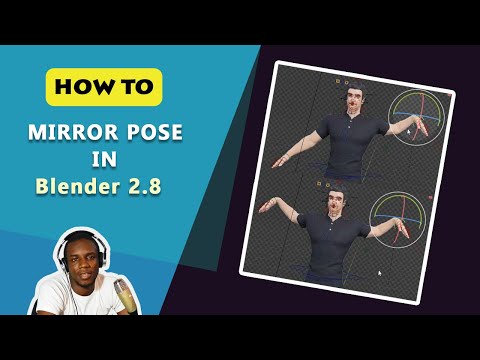
    but the command dont work  in genesis 8  figure in blender.  

  • juvesatrianijuvesatriani Posts: 561
    July 2021

    JClave said:

    I don't see the "effort" to replicate IRay in Blender as being worthwhile either, but if @JClave's work is going to give it to me with no effort, I would certainly like to use in Blender many assets that look great in IRay. Sure, Daz Importer will get me reasonably close, but who would not prefer to have one less thing to think about having to perfect once in Blender?

    Just to be clear, the material transfer work I'm doing will only translate Iray Uber Shader to Blender Cycles.

    I noticed some Daz assets use Shader Brick materials instead of Iray Uber.

    With my approach, those Shader Brick materials will have to be converted to Iray Uber Shader in Daz before being exported to Blender.

    This means that, those materials (which comprise a minor subset of total materials in Daz store) may look somewhat different to the original materials in Daz. (though should be much more of acceptable quality than materials created using existing methods)

    Once the Iray Uber Shader implementation in Blender is successful, I will try my luck contacting Daz to see whether they would be willing to help me figure out all the Shader Bricks so they can be translated.

    @wolf359 - rendering in Daz Iray is great if you are happy with the feature sets provided.
    But if you want to do even just 5% more especially when extracting useful render passes for postwork / non-photorealistic rendering, you will have to do a lot of manual work for each time you generate render passes, or pray to Daz and Nvidia to provide extra features.

    My ultimate goal with Blender is to customise Cycles further to generate purpose-built render passes that will be used for non-photorealistic rendering

    I`m interesting about Your "  render passes for NPR" Goals .  I would love to hear the progress

«1…45678910»
Sign In or Register to comment.
Adding to Cart…

Daz 3D is part of Tafi

Connect

DAZ Productions, Inc.
7533 S Center View Ct #4664
West Jordan, UT 84084

HELP

Contact Us

Tutorials

Help Center

Sell Your 3D Content

Affiliate Program

Documentation Center

Open Source

Consent Preferences

JOIN DAZ

Memberships

Blog

About Us

Press

Careers

Bridges

Community

In the Studio

Gallery

Forum

DAZ STORE

Shop

Freebies

Published Artists

Licensing Agreement | Terms of Service | Privacy Policy | EULA

© 2025 Daz Productions Inc. All Rights Reserved.