Cutout Opacity
 abiflash
Posts: 108
abiflash
Posts: 108
I want to put a logo on a surface (a tire) and the cutout opacity don't work as I wish. The pattern is repeated. The logo and the tire are two separate surfaces, not diffuse overlay or L.I.E. Does anyone know how to fix it? Thank you for your answers.
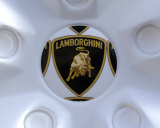
01.png
600 x 480 - 397K

Daz 3D is part of 
Connect
DAZ Productions, Inc.
7533 S Center View Ct #4664
West Jordan, UT 84084
Licensing Agreement | Terms of Service | Privacy Policy | EULA
© 2026 Daz Productions Inc. All Rights Reserved.
Comments
That isn't an opacity issue, it's that the surfces iss et to tile - you need to use an Iray Decal node to project the logo, or you need a map with the logo correctly placed on the UVs for the part you are applying it to.
Yes, of course. I think the problem is created by being a circular surface.
Or you could also give your textured logo a bit more breathing room or padding (empty space around it). That way the tiling won't show.
Thank you, Richard. Iray Decal node has been useful to me.