(Solved) Moved library to diff drive, updated pathing everywhere, DIM still looking at old location.
 Lissa_xyz
Posts: 6,116
Lissa_xyz
Posts: 6,116
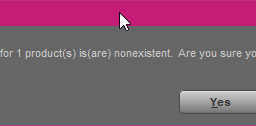
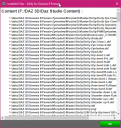
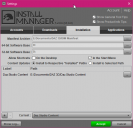
A while back, instead of probably going the right way and uninstalling from the old location and reinstalling to the new ( F: to E: ), I simply copied my library folder and changed all of my pathing. This seems to have created a situation where I cannot uninstall items properly via DIM as it thinks the folders are missing. Is there any way to correct this without completely redoing my library?
/edit
Decided to crack open VSCode and took a peek at the *.dsx manifests. If I do a find/replace across all files of the line
<UserInstallPath VALUE="F:/DAZ 3D/Daz Studio Content"/>to
<UserInstallPath VALUE="E:/Documents/DAZ 3D/Daz Studio Content"/>will that do the trick?
/edit 2
Because I'm too curious for my own good, this seem to have worked flawlessly. Leaving post here in case anyone else should need it.

Daz 3D is part of 
Connect
DAZ Productions, Inc.
7533 S Center View Ct #4664
West Jordan, UT 84084
Licensing Agreement | Terms of Service | Privacy Policy | EULA
© 2026 Daz Productions Inc. All Rights Reserved.
Comments
They're actually both right, as in, they'll both work, and the manifest fix you worked out is actually what you're supposed to do when you do the copy/move. There are very few things in DAZ|Studio that can only be done in one way.