Viewport :-(
 McRenArt
Posts: 67
McRenArt
Posts: 67
in The Commons
Hi ,
I can't find a way to get my viewport to change resolution ... enclosing a screenshot to make it clear :-)
happy new 2019 ! :)
Ren
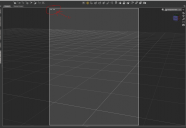
viewport.png
1654 x 1137 - 120K

Daz 3D is part of 
Connect
DAZ Productions, Inc.
7533 S Center View Ct #4664
West Jordan, UT 84084
Licensing Agreement | Terms of Service | Privacy Policy | EULA
© 2026 Daz Productions Inc. All Rights Reserved.
Comments
It is in render settings, general, dimensions.
Thank you ,this is where it used to be ... but I'm using version 4.10 pro ... and when I click render settings I get this ( attached file )
I might just be dumb, but I can't finf it .. please bear with me :-)
There's a row of tabs at the top, just above All Files - you need to be in the Editor tab (where you can edit individuals ettings), rather than the Presets tab (for aplying a pre-defined set of values) as now.
Thank you :-) :-) (y)
Found it ^_^ happy 2019
You're in the wrong tab; try Editor tab
Found it :-) Thank you