Flash Sale alerts
This discussion has been closed.

Daz 3D is part of 
Connect
DAZ Productions, Inc.
7533 S Center View Ct #4664
West Jordan, UT 84084
Licensing Agreement | Terms of Service | Privacy Policy | EULA
© 2026 Daz Productions Inc. All Rights Reserved.
Comments
If I felt confident enough about using them then I'd totally snap them up right now. But as it is I don't think I could use them with any kind of skill without a thorough video tutorial to accompany them.
Edit: I picked up the space one to experiment with because I think it also comes with 15 pre-made space background images which will be useful no matter what.
Perhaps someone in Daz marketing read my forum comments about wanting to try these out, or maybe this promotion was just a big coincidence - In any case, thank you Daz!
They are no where near as difficult as it looks. Once you know where to install them, and how to select them, that really is all there is to it. Here I have added some smoke to a campfire image, and it took just 5 mins or so to add the smoke, though I might have got it to look better with more time.I have attached the before and after image, so you can see what the original looks like before the smoke was added. I can highly recommend any of Ron's brushes. I added the smoke using Gimp, but it is just as easy with Photoshop and other imaging software.
I have a quite few of Ron's brushes, having bought a couple of bundles. I don't use them very often as I don't do a lot of post work, but the quality is top notch.
And the sets I can recall using had dozens of brushes. Brush sets I've bought elsewhere generally have far fewer brushes. Definitely a good value, especially at 70% off!
Thanks Havos, its good to see an example of them being used. I already know how to import them into Gimp and where to access them; its just my artistic talent, or lack thereof, that I'm concerned about . I've seen people talk about having to use them with layers etc and at the moment thats all gibberish to me. I need to learn a bit more I think.
L'Adair - I'm not calling their quality into question, just my ability to use them effectively with my limited Gimp skills. Thanks for the recommendation though.
Edit: Decided on the strength of this to pick up the slime too. I've had my eye on that one for a while and $4 is nothing really.
I grabbed the flame one ('cause I haven't been able to do actual flames well in Iray) and puzzled out converting his Photoshop step-by-step instructions into GIMP instructions. Worked out fine. So I picked up the Smoke and Fog brushes also.
It's weird that they're in fast grab instead of being a flash sale o.o Good quality stuff though.
So, are they basically... high rez clip art?
Flash sales are usually not 70% off. Although I have already seen one flash sale that was 85% off... :)
In a way, but Photoshop brushes (especially Ron's) can have some very hig-definition transparencies and, of course, the trick to using them is to place them on layers. Then, not only could you recolour/resize/angle the individual brush effects, but you can tell Photoshop to give those individual layers a glow and so forth. It's very easy to get some tremendously realistic space and flame effects with them.
Have also used things like powder and smoke effects to stand in for mists of blood and ink. Also, vice versa. They can be unexpectedly useful.
Well, I'm using GIMP, but it seems ... at least comparable.
I decided to jump on a bunch of them and give it a shot. Can always return if I'm really unsatisfied, but comparing, say, generated smoke/fog, filterforge procedural stuff, vs. high quality brushes? There are definitely times a REALLY good image is going to be king.
I've used the birds for background groups and I used the flames for texturing a bodysuit (in Gimp), they work well ...
They work fine in Gimp. This quick vid shows you where you need the files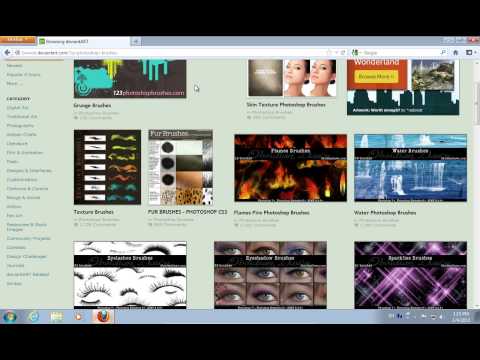
@DAZ_Steve any chance of having http://www.daz3d.com/nature-lake-and-forest and/or http://www.daz3d.com/nature-lake in fastgrab in the next few days?
Wait, what? We can make requests?
LOL, was thinking the same thing.
It's worth a try...
LOL. Much as I love you guys, I don't take requests :)
New flash sale: http://www.daz3d.com/mad-vehicle-sale
Too bad...
Interesting category, looks like quite a few vehicles are not included in the sale, even the heli in the promo ad, LOL.
I hope it wasn't my imagination, but I was only seeing PC+ items in the vehicle sale before... and now it seems like there's more vehicles added?
Did anyone else notice this or was I just silly and forgot to uncheck the PC+ only box? :3
I think you forgot to uncheck the box.
Sort of flash sale... http://www.daz3d.com/daz-originals
At first I thought it was an extra discount on top of the typical DO discount :D This discount is still good, but I almost choked on my afternoon coffee :P
edit: And I just found a bug with the sale: it doesn't work on PC+ items despite them showing up on the sale page.
Fast Grab has changed.
I only ever buy poses when they are versatile and a heavy discount is offered. The DM poses in Fast Grab today qualify on both counts :)
RE: Ron's Brushes
Ron's brushes are pretty amazing and I just wanted to share that I used the Apocalypse brush set to create the cover for my post-apocalyptic novel. Definitely worth a purchase, whether on sale or not!
New day and a new fast Grab is up
Just saw this when I went to look at Fast Grab
http://www.daz3d.com/3d-universe 2hr 65% blink sale - no idea when it started.
Edit: requires purchase of MM item