-
RRRR Render Contest - Turn the tide
tag: luci45 #2
Making the Most Of A Boring Vacation Spot
While vacationing in the Cynax System, the Higbys, Lewises, and Boyntons flew to the second moon of Ardoon to visit the 'haunted' grave of Laura Lewis' great Uncle Buckley. To their surprise, it was a desolate spot with a four-hour wait for the shuttle to return. Fortunately Fred Boynton had anticipated the situation and arranged for a satellite to provide cell phone coverage. The Higby boys claimed to have seen some 'spooky' things.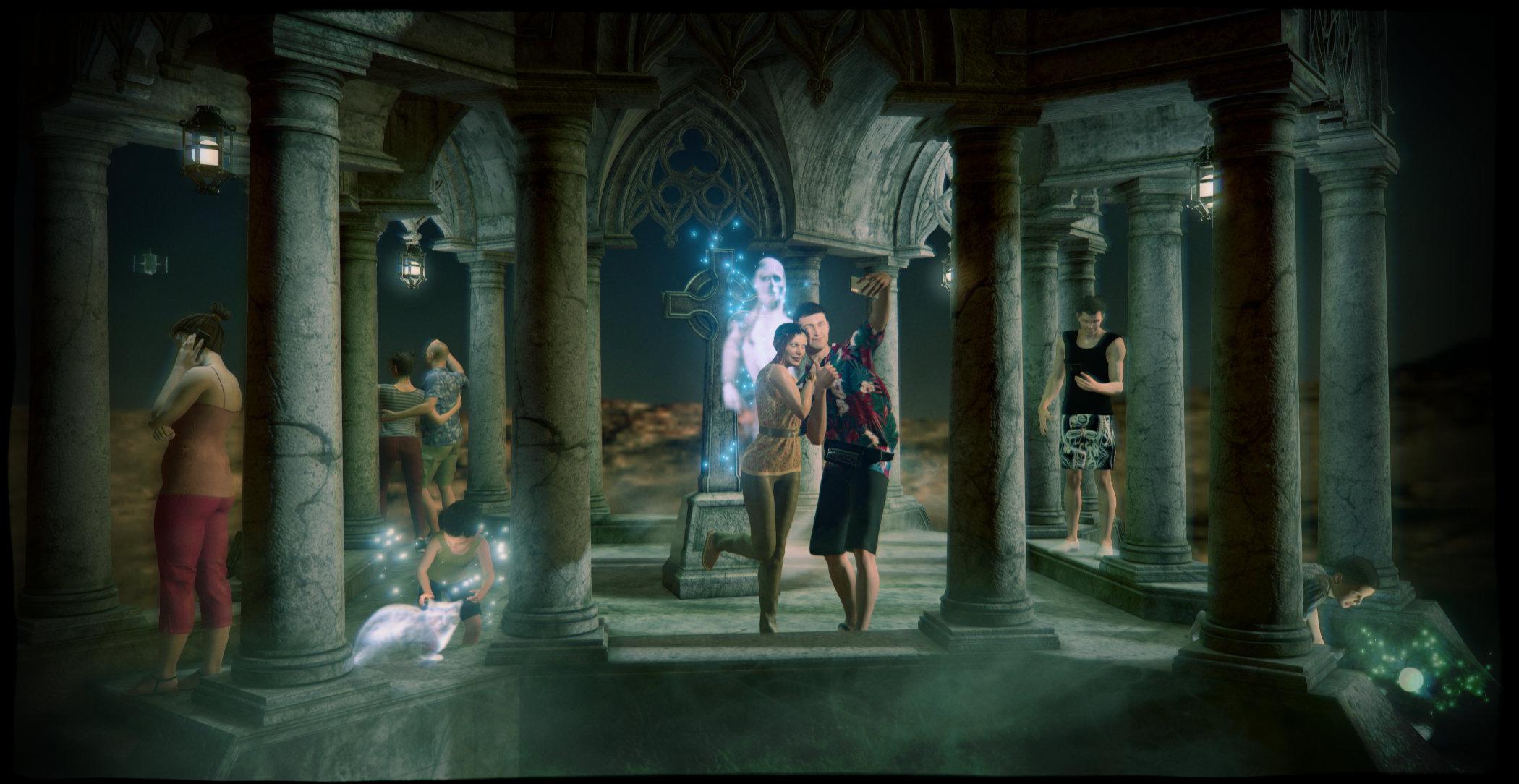
Pull:
6015 Z Mega Set For Genesis 8 And 8.1 G8 Poses Props
4928 Summerwear For Genesis
2316 i13 Lost and Found g3 poses
4182 Reparation envr arch
3658 OOT HDR 360° Environments Space for DAZ Studio Iray (LB)Also used
dForce Collection 01 - Casual Pants & Blouse for Genesis 8 Female(s)
Toon Generations 4 Hair for Genesis 8 Female(s)
VYK Ghostly Plane for Iray
XI Sci-Fi Satellites
Just Josh and Texture Pack for Genesis 3 Male(s)
Upscale Shopper Outfit for Genesis 3 Female(s)
Antique Lanterns
Lil Devil Tails for Genesis 3 Female(s)
Jonathan 8
Alexandra 8
Blooming Outfit for G8F
dForce On Vacation Outfit for Genesis 8 Male(s) + Textures
Secret Service Hair for Genesis 8 and Genesis 3 Male(s)
Capri Hair for G8F
Ethereal VDB Fx
Atmosphere for Filament
Tyler Hair for Genesis 2 & 3 Male(s)MimicMolly's Renders & WIPs
Since this is Genesis 9, RawArt's Hoss could help with that, if you have him. https://www.daz3d.com/hoss-for-genesis-9dennisgray41 said:MimicMolly said:
One final render for the day, because I wanted to use another "Christmas in July 2025" Freebie, before it vanished. (So another render where one of the items used is labeled as "Inactive" in the DAZ 3D Items Used section. Though, I think this one will most likely pop up later, elsewhere.) DAZ Galleries link [x].
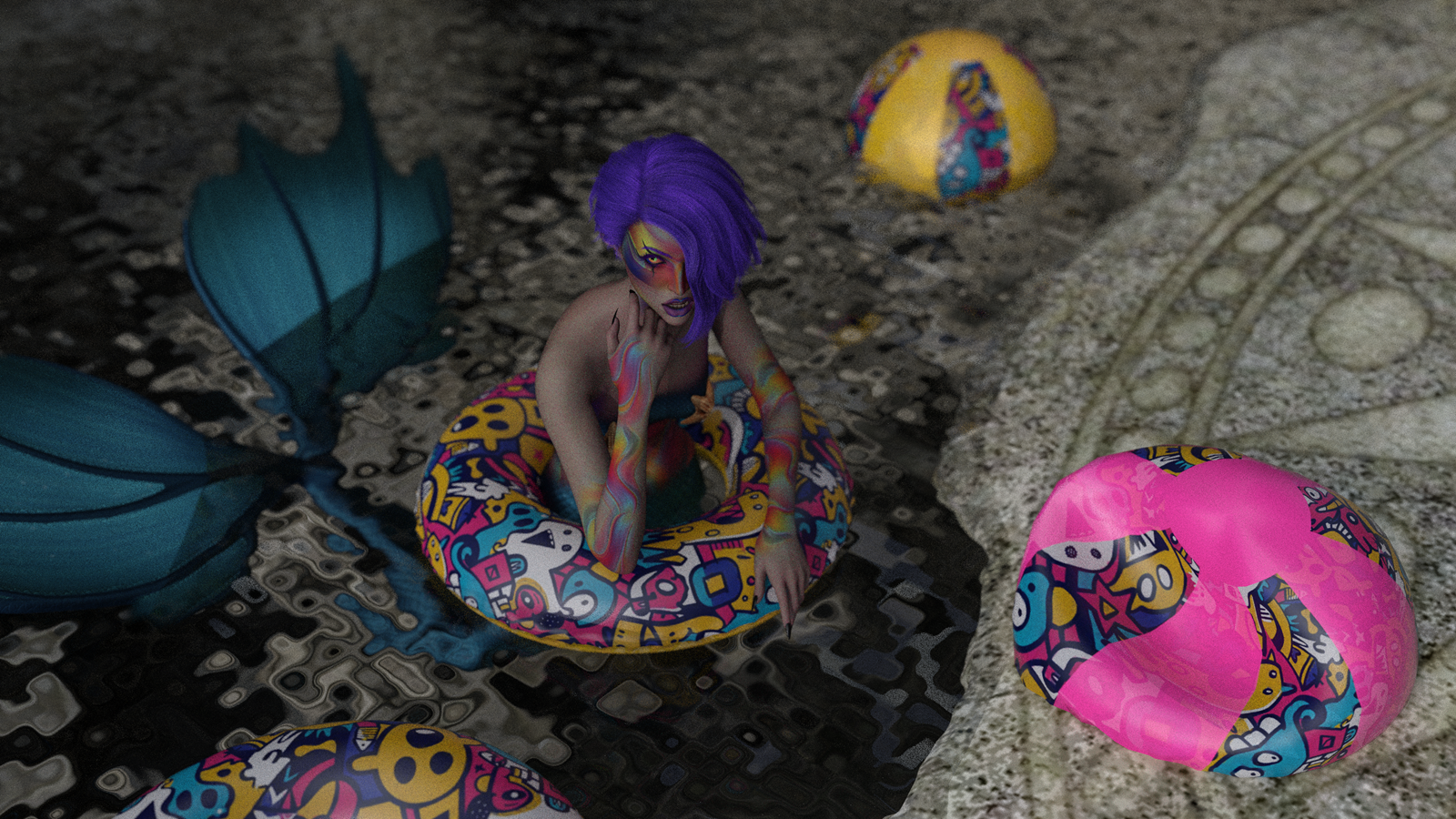
Unlike my OC or Braxus or even Caius, I will not be doing a photoset of Calypso!Kelpie. The scene never wanted to light up no matter how many lights I kept trying to fit into The Alchemy Chasm.
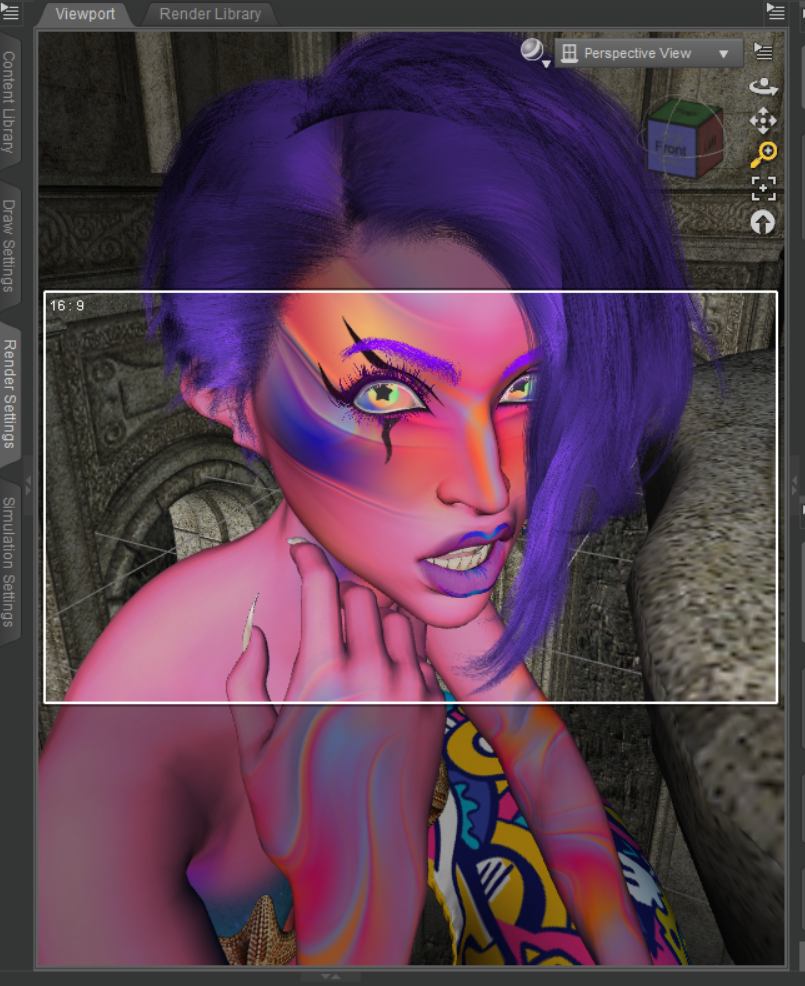
I also noticed that TMHL Kelpie for Genesis 9, has no forum topics, before my comment. So I might as well use this forum post of mine as a review. I had her on my wishlist for a while, because I sometimes feel like I need an extremely colorful character. She "base" character shape also reminded me of an AprilYSH character, who tend to be very pale. She's one of those characters who's download files are very compressed (184 MB) and then get bigger once installed (218.7 MB, according to DIM.) It's something to keep in mind, if you're concerned about space, like I am. It's why Caius lives in my SSD now, but he's nearly 1 GB. Kelpie's only flaw is that her fantasy ears are a part of her head shape, so they cannot be applied to other characters. But, she comes with a nearly identical head shape that has normal ears (the only difference). The one thing that surprised me, because I wasn't expecting it, is that her fantasy looks hot pink in the Texture mode and Filament mode of the Viewport. (The attached screenshot just shows the Texture view. It also shows the star-shaped pupils that can hardly be seen in the finished render RIP.)
I first noticed that other than the eyes, she has no realy kelpie like qualities. (shapeshifting Scottish water spirit-horse)
MimicMolly's Renders & WIPsMimicMolly said:
One final render for the day, because I wanted to use another "Christmas in July 2025" Freebie, before it vanished. (So another render where one of the items used is labeled as "Inactive" in the DAZ 3D Items Used section. Though, I think this one will most likely pop up later, elsewhere.) DAZ Galleries link [x].
Unlike my OC or Braxus or even Caius, I will not be doing a photoset of Calypso!Kelpie. The scene never wanted to light up no matter how many lights I kept trying to fit into The Alchemy Chasm.
I also noticed that TMHL Kelpie for Genesis 9, has no forum topics, before my comment. So I might as well use this forum post of mine as a review. I had her on my wishlist for a while, because I sometimes feel like I need an extremely colorful character. She "base" character shape also reminded me of an AprilYSH character, who tend to be very pale. She's one of those characters who's download files are very compressed (184 MB) and then get bigger once installed (218.7 MB, according to DIM.) It's something to keep in mind, if you're concerned about space, like I am. It's why Caius lives in my SSD now, but he's nearly 1 GB. Kelpie's only flaw is that her fantasy ears are a part of her head shape, so they cannot be applied to other characters. But, she comes with a nearly identical head shape that has normal ears (the only difference). The one thing that surprised me, because I wasn't expecting it, is that her fantasy looks hot pink in the Texture mode and Filament mode of the Viewport. (The attached screenshot just shows the Texture view. It also shows the star-shaped pupils that can hardly be seen in the finished render RIP.)
I first noticed that other than the eyes, she has no realy kelpie like qualities. (shapeshifting Scottish water spirit-horse)
Reminder To Myself: Never again SBH HairWendyLuvsCatz said:
Torquinox said:
WendyLuvsCatz said:
Filament is actually the main render engine I do use it tessalated in as cutout opacity hair doesn't work well there, but I don't use Filatoon
that doesn't work well thanks to its geometry shell based shading, so double the mesh and too fine
There must be a trick to it, then because when I've loaded strand hairs, they've been invisible in filament. Don't know what to say. It would be great if I could get it to work!
Card hair, I've figured out that I can selectively shut off cut out opacity on parts of the hair and as long as transparencies aren't layered, results can look pretty good. The cards on the tips of a hair tend to be rectangular and look bad without cutout opacity. That's true in filatoon as well as normal filament.
The best choice there may be the solid-modeled anime hairs, though they always look cartoonish and stylized.
generate PBR hairs must be checked and line tesselation of 3
PR hairs.
Reminder To Myself: Never again SBH HairTorquinox said:
WendyLuvsCatz said:
Filament is actually the main render engine I do use it tessalated in as cutout opacity hair doesn't work well there, but I don't use Filatoon
that doesn't work well thanks to its geometry shell based shading, so double the mesh and too fine
There must be a trick to it, then because when I've loaded strand hairs, they've been invisible in filament. Don't know what to say. It would be great if I could get it to work!
Card hair, I've figured out that I can selectively shut off cut out opacity on parts of the hair and as long as transparencies aren't layered, results can look pretty good. The cards on the tips of a hair tend to be rectangular and look bad without cutout opacity. That's true in filatoon as well as normal filament.
The best choice there may be the solid-modeled anime hairs, though they always look cartoonish and stylized.
generate PBR hairs must be checked and line tesselation of 3
Reminder To Myself: Never again SBH HairWendyLuvsCatz said:
Filament is actually the main render engine I do use it tessalated in as cutout opacity hair doesn't work well there, but I don't use Filatoon
that doesn't work well thanks to its geometry shell based shading, so double the mesh and too fine
There must be a trick to it, then because when I've loaded strand hairs, they've been invisible in filament. Don't know what to say. It would be great if I could get it to work!
Card hair, I've figured out that I can selectively shut off cut out opacity on parts of the hair and as long as transparencies aren't layered, results can look pretty good. The cards on the tips of a hair tend to be rectangular and look bad without cutout opacity. That's true in filatoon as well as normal filament.
The best choice there may be the solid-modeled anime hairs, though they always look cartoonish and stylized.
Reminder To Myself: Never again SBH HairTorquinox said:
All this sounds like I need to stay away from strand hair. It works poorly in filament, too. Sorry to say, I've bought some in the past.
Filament is actually the main render engine I do use it tessalated in as cutout opacity hair doesn't work well there, but I don't use Filatoon
that doesn't work well thanks to its geometry shell based shading, so double the mesh and too fine
Reminder To Myself: Never again SBH HairAll this sounds like I need to stay away from strand hair. It works poorly in filament, too. Sorry to say, I've bought some in the past.
3d printing best practicesI've owned a Creality Ender 3 Pro filament printer for quite a few years now and it worked well from day one. I have only made figure prints of 10 - 16 cm high with PLA filament and haven't tried making anything that would take tens of hours to print.
The model has been superceded with printers (not just from Creality) seemingly being ready for use out-of-the-box these days. Bed levelling and getting prints to stick to the bed until completion used to be issues for beginners. I believe that most, if not all, modern printers have automatic bed levelling.
As I write this, I realize that I'm behind the times with latest features such as monitoring prints remotely and having a camera record the print. Also, I think some models seem to be linked or 'logged in' in some ways to the manufacturers' home sites. Maybe I'm wrong there but I think the need for firmware updates and such is monitored by the makers.
So far, I've been talking about filament printers. I have no experience of resin. Resin prints are superior in terms of fine detail but but the printers need to be used with great care - especially in the home. The chemicals used are a health hazard, the prints need to be washed in isopropyl alcohol and then cured in UV light. (I've heard of water-soluble resins - something to check out)
Painting PLA prints doesn't give great results because of the visible banding of the print layers but resin prints can be painted in fine detail.
Filament printers are easy to use with PLA. For tougher prints which could withstand sanding with abrasive paper ABS could be used. (ABS is the material used in LEGO bricks.) ABS needs higher nozzle temperatures and apparently the smell is not nice or safe in enclosed spaces - remember that most prints take hours to complete. There are other filaments which I know nothing of but you could print squeezy toys with some filaments apparently.
Nothing will print without thickness. Also If a model has distinct parts such as eyes or teeth they need to be fixed to the main model. Clothes on a 3d figure need to have thickness. Strands of hair are almost impossible.
My workflow goes through a number of steps: I simplify the model in Hexagon by deleting eyelashes.and anything else that might be problematic. I export the figure without hair as .OBJ.
I bring the object into 3d Coat and convert it to voxels. This makes one item to print. I sculpt my own hair, which gets better with practice. Nomad sculpt or Blender are alternatives to 3d Coat.
No printer can print on thin air. Support structures need to be placed on the model where needed. A standing figure with outstreched arms needs structures printed all the way from the base to the arms. The same applies to anything overhanging - sometimes a structure in the form of a thin rod needs to be place from the base of the chin to the upper chest. Otherwise the printer will be printing the neck OK until the point of the chin which is hanging in space at that layer. It is the same for hair, which is why I sculpt my own.
Slicing software helps with support structures and programs such as 3dCoat allow the model to be broken up with locating pins to match up the parts.
3d printing best practicesOh wow, you have no idea how deep the rabbit hole goes. I would recommend doing a web search on each of those questions.
Your choice of printer depends on your budget--resin printers give you great detail for figures, but resin can be toxic and hard to work with. Good results can be had with filament or FDM printers, anything new from Bambu Labs, Prusa, or other brands are a good option, though Bambu Labs tends to have a closed ecosystem and some are wary of not being able to use 3rd party software with them.
I have gotten good results with an enclosed Bambu Labs printer using a PLA Meta filament. You can print Daz characters, but you may have to tweak them a little. They need to be "water tight" models, so to speak, and have thickness so they can be printed as a real object.
Maybe start with the printer and then go from there.
Daz Studio 6 - Viewport Display Issue (Texture/Smooth Shaded Mode)ruel said:
Has anyone experienced an issue in Daz Studio 6 where props, characters, and environments fail to render in Texture Shaded or Smooth Shaded modes after updating? Everything displays fine in Wireframe, Filament, and NVIDIA Iray modes.
I’m running Windows 11 with an AMD Radeon RX 580 series graphics card. The issue persists even after updating my graphics card drivers. How can I fix this?
I have the same problem. And I have a Radeon card... it seems to be the origin of the problem. It's very frustrating.
AI in DAZ studio what makes sense what are the fears?
I stand corrected. (I MAY have skimmed over most of the explanations as I was super excited to get started!)Leana said:
Gogger said:
You set up your scene in DAZ exactly like you always would (so 3D scene setting skills are still relevant!), then it is rendered by AI instead of IRAY.
Not exactly. Your scene is still rendered by Iray (or Filament or OpenGL if you prefer), but the resulting image is then automatically sent to AI for processing, instead of you doing that afterwards outside of DS.
AI in DAZ studio what makes sense what are the fears?Gogger said:
You set up your scene in DAZ exactly like you always would (so 3D scene setting skills are still relevant!), then it is rendered by AI instead of IRAY.
Not exactly. Your scene is still rendered by Iray (or Filament or OpenGL if you prefer), but the resulting image is then automatically sent to AI for processing, instead of you doing that afterwards outside of DS.
Artini's experimentsBut there's nothing new in terms of rendering.
There are some viewport changes that have value but overall the viewport is slower.
There's Depth View. Not sure why one would use that.
There's Universal View, which allows you to have some assets in texture shade and some in wire texture shade and others in filament, etc in the viewport at the same time. I'm sure changing a forest to bounding box view would save processing the viewport.
As for Artini's "toon view"? It's not a Daz technical term. Most likely it's just Artini's name for something else.
Artini's experimentsyeah I know its not filament the reflections are not possible like that in filament, i use it all the time, but it also might not be iray which is why i asked. It looks slightly different to me and the fact it was stated as "experiment with the toon view" and the next image clearly labeled as "daz studio 4.24 iray", made me think it is a diffferent render option.
Artini's experimentsdonniekeidic said:
Artini said:
Experiment with the toon view.
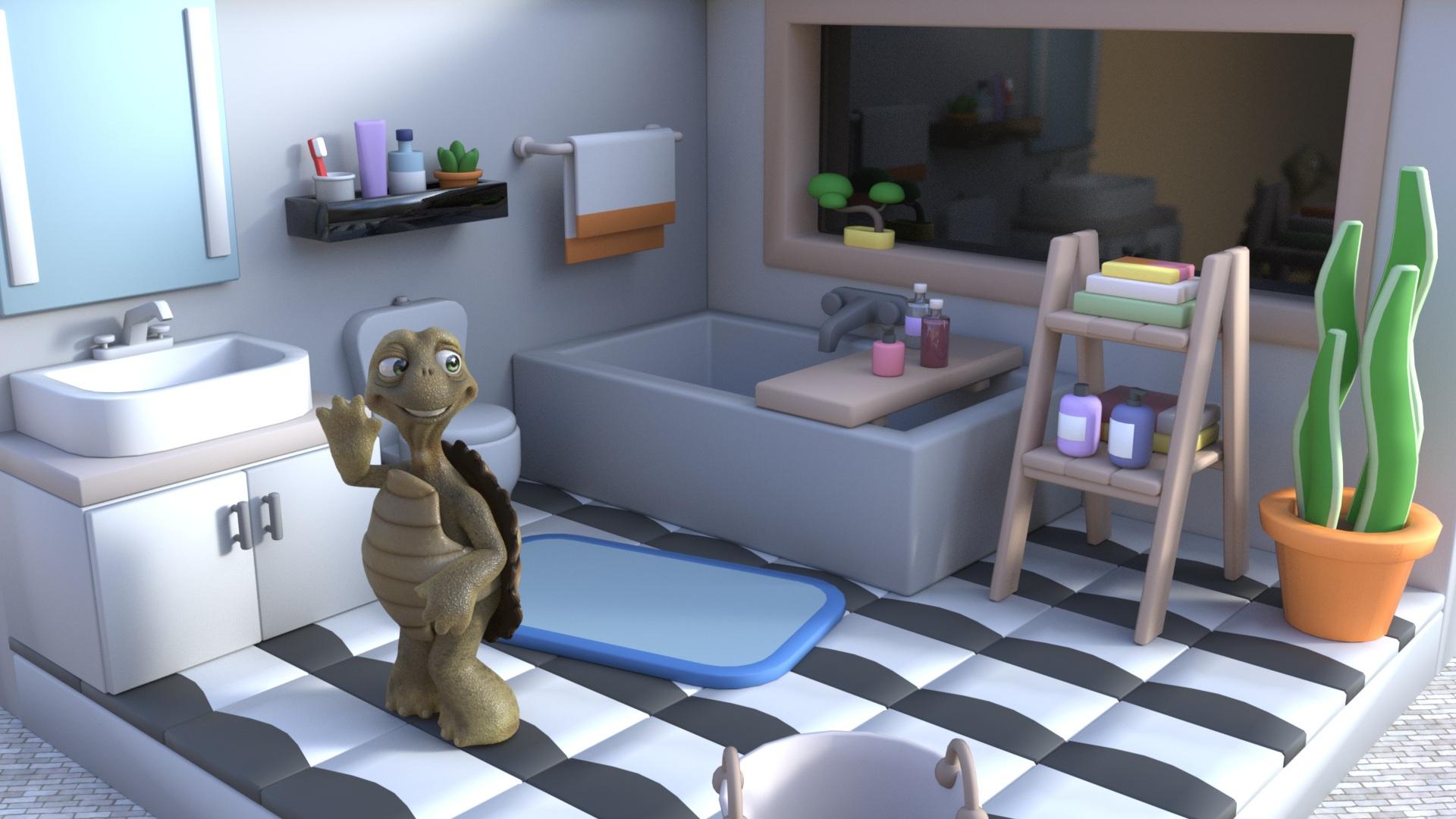
When you say "toon view" is this some new render option in DS6? (I haven't tried DS6 yet so dont know if this is a thing), but it looks like iray to me.
Filament view is in DS4. This image is IRAY, like you said.
Daz Studio 6 - Viewport Display Issue (Texture/Smooth Shaded Mode)Has anyone experienced an issue in Daz Studio 6 where props, characters, and environments fail to render in Texture Shaded or Smooth Shaded modes after updating? Everything displays fine in Wireframe, Filament, and NVIDIA Iray modes.
I’m running Windows 11 with an AMD Radeon RX 580 series graphics card. The issue persists even after updating my graphics card drivers. How can I fix this?
Looking for modeled effect propsHmmm... The only thing I can recall that comes ready-made with modeled beam effects for Filatoon are the ones with https://www.daz3d.com/spacewatchers-guns-for-filatoon and as you can see, only one of them is really more than just a tubular shape. Beyond that, you're probably going to have to:
1.) go back to some really basic stuff from back when modeling was the only option... things like some of the really early light saber models for Poser and then convert those to Filatoon using the emmissive and opacity sections in the surfaces tab
2.) take some existing shapes, be they parts of existing props, primatives, or whatever and "beam-a-fy" them by scaling them up multiple times on one axis and scaling it down to like 10-15 percent on the other two for a laser-like beam and/or using emmissive textures and opacity maps to give them mass. I used to do this a long time back, and you'll find that things like a basic ground terrain can pass as an enery field with the right texture applied, while things that are vaguely pear shaped, like a vase or the body of a lamp work pretty well for beams. Things like streams of water, spash effects, etc., are logical choices, as are some of the morphing primative packages like https://www.daz3d.com/everyday-morphing-primitives/3.) just use an existing beam or energy effect for Iray and render your scene twice: once with the filatoon scene rendered in Filament minus the ray beam and another rendered in Iray with all of the lights out and only the emissive portion of the beam turned on. This method has the two advantages of 1.) requiring no additional work beyond a second render pass and b.) creating an interactive lighting effect on the items nearest the beam when the two passes are combined in post.
4.) do it the way most animated films do it and just draw the entire effect in in post.
RRRR Render Contest - Turn the tideGood to see a new RRRR up! (Even though it's too hot to render, so might have to use Filament. Ugh)
Pull #1:
808 Charlotte 8
4130 REAL Hairy G2M
1341 dForce Koralyn FrizzPonytail Set for Genesis 9
1417 East Asia for Genesis 2 Females
5608 Vignettes for Poolside (LB)I need to clean out my Runtime again.
BJ Cycles - Cycles Renderer in Daz StudioI would like to see more options for rendering for Daz Studio. I still wish Daz Studio was Open Source but people who own things have a hard time letting things go. They think >>>Maybe I can sell it later<<< When software does not make any more money >> they don't invest in programmers to update the software because closed source means the owners are the only one's who can. They think holding on to this will make them money later, and maybe it will but the problem is the Open Source 3D software is not the best but it is free and this drives people from spending money on very expensive software. I have not renewed my LightWave, and a bunch of other expensive software I used to work with because it was too expensive, and there are free alternatives. So, No money = no development. >>Catch 22<< This is killing Adobe (Krita, Gimp), Microsoft (Linux,LiberOffice) and 3D software (Blender I use this alot but the fork Blender for Artists). Now we have AI and this is giving people tools that does not need to render to create images. This is like Publishers not realizing that print was dying because the creation of the E-Reader. Daz sould Open Source their Software and just sell 3D models that work in everything. Valve learned that writing software is expensive >> So they stopped making games and decided >> we will just host games and sell other peoples creations. Consequently, we will never get Half Life 3. LOL Oh as a side note >>Dreamlight has a plugin that lets you use a limited but easy to use version of ComfyUI inside of Daz Studio. The plugin script uses OpenGL or Filament (fast render) for original render and then sends it to CompyUI {slower render} to do a Qwen Image Edit AI alteration of the render locally. I should mention that ComfyUI locally needs a 16gb RTX Nvidia at least to do your AI renders locally on your own metal. I purchased it from render hub because I use Comphy all the time. You can do this for free if you want to, by just rendering a simple Opengl render and setting up Comphy and using the Qwen Image Edit template for free, the script just makes it easy and convienent to use in Daz Studio for those that don't want to run Iray.The script is called AIRE - AI Render Engine DAZ Studio it is being sold on RenderHub. I should also mention I bought the script because. I don't rent software. Good luck to all the developers it is a jungle out there.
Daz 3D is part of

Connect
DAZ Productions, Inc.
7533 S Center View Ct #4664
West Jordan, UT 84084Licensing Agreement | Terms of Service | Privacy Policy | EULA
© 2026 Daz Productions Inc. All Rights Reserved.