-
Free Genesis 1 Animation Helpers
I must say: I feel that Generation 4 is still a fine set of articulate figures. I also really like a lot of the content made for them, and for previous generations. Rosie's metal bikini was made for Victoria 3, and I still have a lot of Generation 3 clothing that I always consider when building a new costume - Generation 4 clothing as well.
Rosie 8 CyberCity Girl's costume - the pants, bracers, guns and goggles are all Generation 4 (Complicated Eve pants, boots, holsters and guns, V4 Brazen goggles, AS_Onslaught Sisterhood for V4 bracers)
Render your buys! Use buys from the current month and the previous month of salesFrom October sale:
Eye Of The Lotus Genesis 9 Eye Makeup Builder
Emotions Expressions for Victoria 9
fh apartment corridor
ColorWerks Extreme: Hair Texture Blending for Iray and dForce Hair
All That Glitters PBR Merchant Resource ►►► aniMate 2 - Real aniMating Power for Daz Studio!
aniMate 2 is a great animation tool for Daz Studio that I like to think of as "Carrara NLA (non-linear animation) for Daz Studio", but with some really fun automated features built into it.
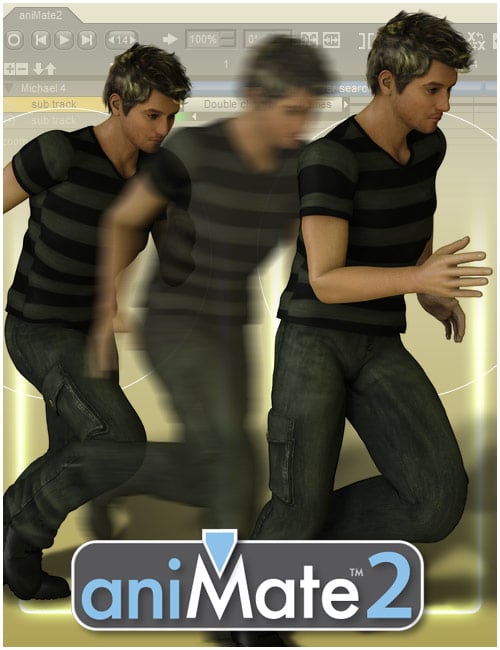 Of course we all know that we can use it to add aniBlocks to our figures to have them... well... move around. aniBlocks are very much like the NLA Clips of Carrara as they contain whatever motion data we decide to store into them. We'll get more into that later, but the paid version of aniMate 2 allows us to write data from our Daz Studio Timeline into new aniBlocks that we can conveniently store to our libraries. These can be whole-figure animations or just - what I like to call "Partials" - aniBlocks that only contain motion data for, say, arms or legs or head and neck or... well, you get the idea.
aniMate 2 +, which is the paid version available at the store (now simply called aniMate 2) and was introduced somewhere around 13 years ago in it's newer form - has a Lot of additional functions and features that are often overlooked. I'm not entirely sure what the free version has or doesn't have because aniMate 2+ was one of my very first purchases at Daz 3d.
In the next many posts we'll explore some of these "hidden features and functions" so that we can all start getting more beneficial workflows toward making our characters really stand out as something special - breathe life into them.
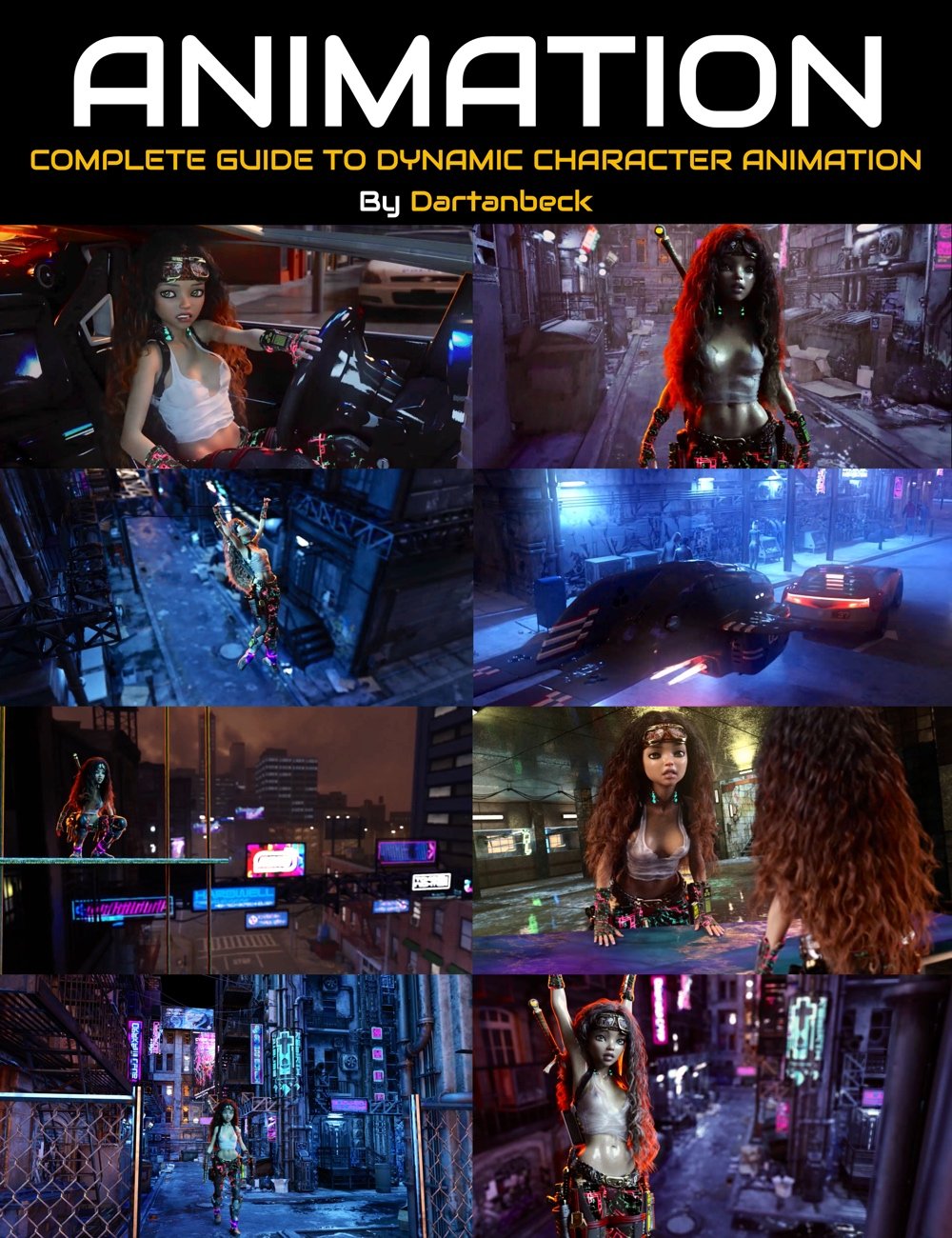 In my Dynamic Character Animation Course for Daz Studio, I go through an entire workflow of my typical customized animation process from start to finish. So if you want to see how I work between aniMate 2+ and the Daz Studio Timeline to get my custom "Living" animations set up, that's been put together in a way that drives us through an entire workflow first - a process that spans three full videos from an unposed character through the entire animation workflow in both aniMate 2+ as well as Daz Studio's Timeline, setting up for dForce simulations, rendering the whole thing out and a basic job compositing the character render over a separate rendered backdrop (using DaVinci Resolve's Fusion - Free version).
After the three workflow videos are a second set of six videos covering these techniques in greater detail and two Bonus Behind-the-Scenes looks at the making of this video:
I did the course in that order because I felt it would be the quickest way to grasp how to Easily Animate in Daz Studio - since it really isn't set up like any of the other traditional animation solutions. My workflow takes the unfriendly aspect of animation woes out of the equation and actually makes animating fun, efficient and powerful.
Why? Because I like Daz Studio and all that it offers for Daz 3d content. Being able to Enjoy animating is paramount for me because I don't really render still life images, but moving pictures.
Being able to have fun animating and rendering those animations using Daz Studio is really powerful! No more compatibility issues with content - it's all made to work in Studio!
-
dForce Rocks!
-
Iray Rocks!
-
OctaneRender Free Tier for Daz Studio - with the OctaneRender ToolKit ROCKS!!!
So let's take a look at our friend aniMate 2 and have some fun doing things on a bit more of an advanced level, without having to hurt ourselves with crazy workarounds!
Buckle up my friends!
►►► Handy Helpful Links
Dartanbeck's workflow tips:
- Creating Partial aniBlocks
- aniBlock Importer for Carrara
- Using aniBlocks for entirely different motions
- Cross-Generation Animation Translation using Bone Minion
- LimbSick and Bone Minion videos
- Animation Four Wheeler Template Promo and Tutorial Videos
- My Mixamo Workflow
Added the User Guide to my aniMate 2 page
Using zaz777's amazing animated pose conversion script along with the necessary rsg's "Updated: Daz Studio Posing Scripts (now for G3F)" available on sharecg.com has brought great results for me over the couple years I've been working in Daz Studio for animation.
If using Mixamo animation FBX
3D Universe's Daz Studio Animation Tools Set 1 includes a tool called Body2Hip
Run this on the FBX result Before saving the animated pose, and you'll enjoy Massive Improvements!!!
Use is simple: Select figure (I just select the imported FBX figure) then run Body2Hip
I had converted a lot of my Mixamo FBX downloads to Victoria 7 using Zaz777's conversion script (see below), and they work great. But they're for Victoria 7, so to use them on Rosie 8, I'd either use the G3F to G8F World's Greatest Pose Convertor pose dials or run a Bone Minion. (there's also G3M to G8M World's Greatest Pose Convertor for our male figures)
Rather than using the Victoria 7 conversions I already made I decided to just use my new Genesis 2 Pose Bone Minion to start from scratch with the original Mixamo FBX downloads. (I purchased the Genesis 2 Pose bone Minion Bundle so that I can easily translate my Mixamo FBX downloads to Any of my Daz 3d Figure generations from M4 and V4 through Genesis 8.1)
LimbStick is a Great Way to get even more custom, believable edits to your aniMations!
Linday's amazing aniMation four-wheeler template system brings Life into our vehicles in Amazing Ways!!!
Some Daz 3d aniBlock/Animated Pose Vendors
Visit Dartanbeck.com for a Whole World of CG Filmmaking topics and articles!

The Power of aniMate 2
A new page at my website
A truly wonderful experience of animating in Daz Studio awaits, and this page will help you delve right in with ideas, links, images and videos
Along with the actual User Manual for aniMate 2 viewable/downloadable right on the page!
Links to products specifically designed with animation in mind as well as direct links back to this forum thread if you need help with any of it - I monitor this thread manually and I also get an email if someone responds - so you can expect to get answers in a timely manner.
I'll also be adding subpages to this one that will expand our learning experience within the realms of aniMate 2 and animating in Daz Studio in general - because in my world, animating in Daz Studio almost Always involves aniMate 2.
The Power of aniMate 2
A new page at my website - Come on in an Join the Fun!!!
Can't bend move multiple joints in DAZ 4.22crosswind said:
Seems Genesis 1 does not support Consolidate... you have to multi-select the items in the list of Parameters pane.
I've tried it with Genesis 1, Genesis 9, and Victoria 4. The same problem persists.
Again, I had DAZ on another machine, and I did not experience this problem with Genesis 1, 9, or Victoria 4. It seems like there may be a generalized setting causing the issue after a fresh in stall of the latest version.
Daz Studio 4.22[.0.x] Pro, General Release!metalisthename said:
Richard Haseltine said:
metalisthename said:
OOT hairs and Victoria 8 gentalia doesn't work for some reason.
I have victoria 8 yet her genetallia is not applied, and some characters demand it.
OOT hairs are a known issue, many have been updated and it is simple to fix those that haven't - though if you are using Daz central, Install manager, or a manual installation try reisntalling a recent hair as the issue is a shared file, so the update should overwrite the older file. The fix, if needed, is to remove any map from the Transmitted Colour proerpty in the Editor tab of the Surfaces pane.
You do have the Anatomical Elements, and you are loading them before aplying the materials preset or character preset?
no, I load them with the character or preset.
Ah, I never do that as it has, at least in the past, been vastly slower on my system than loading the base character anda pplying the shaping and materials presets. Still, I was not aware that many character presets were set up to load the Anatomical Elements - do you have some examples of ones that are failing, and worked before?
Solved: Need help with Genesis 9 eyes issues - behaving wildly and out of syncHello!
I have a problem that is driving me mad.The eyes of my Genesis 9 figure are going all over the place during posing.
I've started with Victoria 9 and applied partial morphs from other figures, such as MSO models and few others
Now it looks great, but when I start posing the model, in many cases, out of the blue, the eyes will just stop being synchronized.
There will be one particular Side-Side parameter that gets applied to one eye and not the other.
Sometimes there will also be issues with Up-Down eye parameter.
This happens not only with expressions, but even with some poses.
Here in image 1 I have an example from Victoria 9 emotions pack, where some expressions inexplicably make her eyes go wild.
And in image 2 is an example from a completely different pack of expressions, where again some expressions cause here eyes to go up-down and left-right, out of sync,
And in image 3 we see her left eye - Side-Side completely missing
Does anyone here have any clues/ ideas on what the hell is going on and how to fix it?
I mean, I can manually go to the eye controllers each time and zero in the morph (btw alt-clicking doesn't do it, so I guess its treated as default or something?)But its extremely time consuming and bothersome.
And if I use a product (Look at me) or manually point eyes toward camera, they go wild if I change the position of the model.
Any help/tips are greatly appreaciated.Daz Studio 4.22[.0.x] Pro, General Release!Richard Haseltine said:
metalisthename said:
OOT hairs and Victoria 8 gentalia doesn't work for some reason.
I have victoria 8 yet her genetallia is not applied, and some characters demand it.
OOT hairs are a known issue, many have been updated and it is simple to fix those that haven't - though if you are using Daz central, Install manager, or a manual installation try reisntalling a recent hair as the issue is a shared file, so the update should overwrite the older file. The fix, if needed, is to remove any map from the Transmitted Colour proerpty in the Editor tab of the Surfaces pane.
You do have the Anatomical Elements, and you are loading them before aplying the materials preset or character preset?
no, I load them with the character or preset.
Daz Studio 4.22[.0.x] Pro, General Release!metalisthename said:
OOT hairs and Victoria 8 gentalia doesn't work for some reason.
I have victoria 8 yet her genetallia is not applied, and some characters demand it.
OOT hairs are a known issue, many have been updated and it is simple to fix those that haven't - though if you are using Daz central, Install manager, or a manual installation try reisntalling a recent hair as the issue is a shared file, so the update should overwrite the older file. The fix, if needed, is to remove any map from the Transmitted Colour proerpty in the Editor tab of the Surfaces pane.
You do have the Anatomical Elements, and you are loading them before aplying the materials preset or character preset?
Daz Studio 4.22[.0.x] Pro, General Release!OOT hairs and Victoria 8 gentalia doesn't work for some reason.
I have victoria 8 yet her genetallia is not applied, and some characters demand it.
Celebrity Look-a-Likes for 3D figures Part 4AbrahamRockwell said:
I know this isn't the right place to ask this, but seeing as how its a 'Celebrity' focused thread, I could get a quicker answer here, so......
Doees anyone know where to find a outfit like the one Rey 'Skywalker' wore in "The Force Awakens"?
I'm certain I saw one at either here or Renderosity, but I can't remember what it was named (doing a generic search for 'Star Wars' didn't help)
Looking for something for either Genesis 3 or Genesis 8 female, although Auto Fit can work with Genesis/2 or even Victoria 4 if necessary.
Rebel Star for Gen2 Female by RPublishing (and, for the character, in case you may also need it, Rachael For Genesis 3 Female by Kadaj15; both available @ Renderosity).
Render your buys! Use buys from the current month and the previous month of salesI like browsing the galleries and commenting when I have time. I post an artwork in my gallery occasionally but most of what I render are works in progress and not polished enough to post. I get inspiration from seeing the art others create, and it's fun when I look at a beautiful artwork where the products used are credited and I realize I have several of the items. It makes me think how I could use those products in my own art.
@Llola Lane You post so many delightful renders it's hard to choose a favorite, but of this batch I like #31 Secret Garden best because it reminds me of the Lord of the Rings trilogy movies.
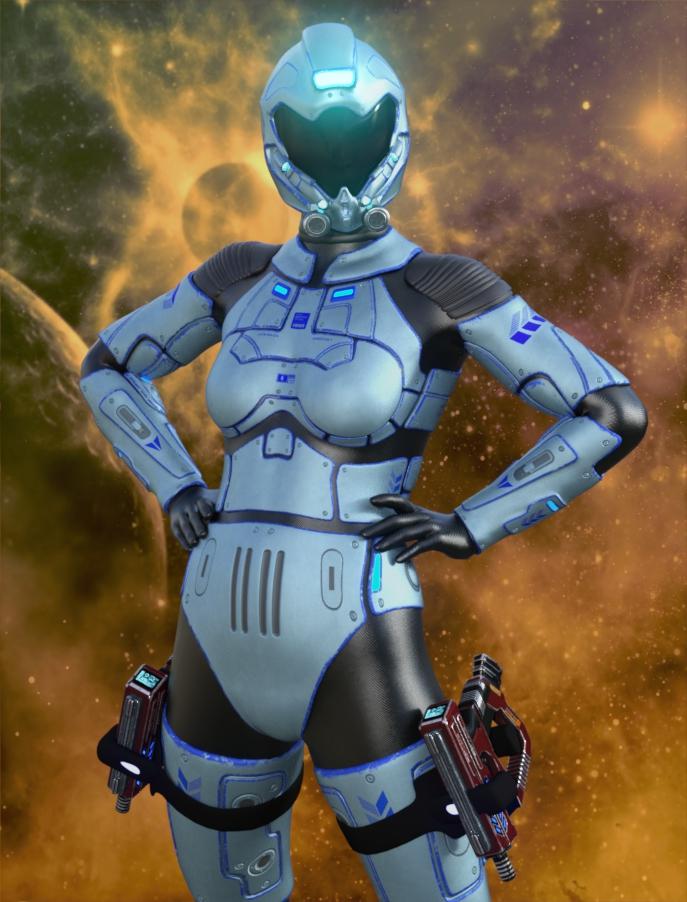
This is a test render of the pilot outfit from https://www.daz3d.com/sci-fi-pilot-outfit-with-starship-for-genesis-8-female modeled by https://www.daz3d.com/victoria-8-1. I used a pose from this set: https://www.daz3d.com/z-super-heroine--poses-and-partials-for-genesis-3-and-8-female
 The older generation: Victoria 2/3, Michael 2/3 and their children renders
Victoria 2, Cybors Need Guardian Angels Too
 Render your buys! Use buys from the current month and the previous month of sales
Neo-Luddite
or Rage Against Cyberpunk Corridor
Another Interior that my computer does not want to render, so...
Kat (new essential G9 character) is making it renderable.

New, also used:
dForce Angie Cuffed Jeans Outfit for Genesis 9
Curly Top Updo Hair for Genesis 9
Emotions Expressions for Victoria 9
Also - Ron's Embers, FSL Rigged and Morphing Deep Magics Iray, Photoshop and Filter ForgeRender your buys! Use buys from the current month and the previous month of salesThis artwork got me using something I'd been thinking about for a while and finally bought it... ENJOY!
Finally got a chance to purchase Atmocam for Iray... YAY... Mixed it with Planet Alpine and I am hooked. Gonna use it more often... rendered pretty fast too.
#28... "Androids Ready"
NEW USED (2023-10-22): https://www.daz3d.com/atmocam-for-iray ... https://www.daz3d.com/planet-alpine-ready-to-render ... https://www.daz3d.com/planet-alpine
CHARACTER: https://www.daz3d.com/victoria-5
CLOTHING: https://www.daz3d.com/liquid-halo-on-sky-16-for-genesis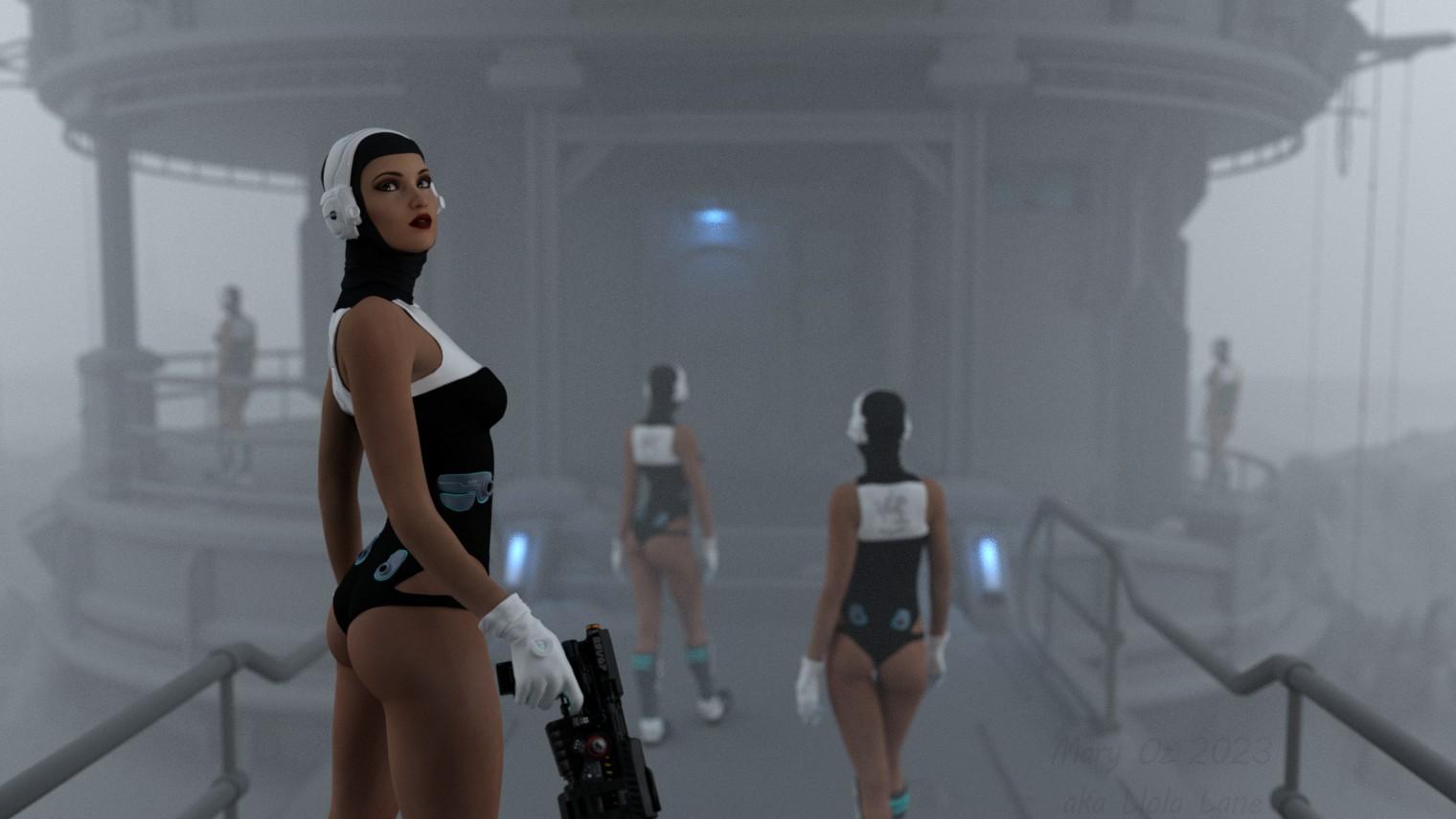 IRAY Photorealism?
lilweep said:
crosswind said:
But as for the latter, only a good render engine is not enough, it depends lots of requisite and factors, like the above Rey Skywalker's portait: hight quality head shape, anatomical elements and scupted details, HD textures, nearly perfect groomed hair / vellus, proper SSS VE, not bad lighting, etc. This is "humanreal" or at least a "character-real".
Artists on artstation made these with Wrap, ZB, texturing.xyz, Pt, Maya-XGen...to bring the renders to a higher level. Well, it's not easy for us to directly get such similar "assets" from Daz... I won't babble more on that..
I guess the good thing is we can theoretically have all such things in Daz, on the proviso that PA's stop resting on laurels and that Tafi/Daz as a company works more to secure licenses to quality assets for PAs. They used texturing.xyz assets for Michael and Victoria 8.1. They should be building relationships with 3D scanners or creating their own assets as merchant resources. I worry they will be completely left behind. And it's not because of Iray limitations or whatever that poster keeps referring to, although maybe that is limiting too, but seems like less consequential than asset quality.
Not to say there arent some people making good quality assets, there are some.
Agreed...
One of my friends told me he bought a product from HLME3D and IM package is 3.3GB... I, eh.. am looking forward to having the renders from him...
3D Comic Book Tips And PicturesLinwelly said:
mike_42547761 said:
BrashFink said:
I just wanted to sound off, say "Hi" and share what I have been working on.
Coming from a comic art background when I was younger, life got in the way and I more or less lost my skills at drawing over the years. I got into Daz around the time of Victoria 4 but went away a bit after Genesis came out. I am back and have been working on a graphic novel I hope to release next year.
This is a "test cover" or maybe just a promo poster for the work. I am about 15 pages into the work and will post more soon.
The work is rendered out then run through a few filters (Filter Forge) and then about 70% or so of the art is "re-inked" inside of Procreate on an iPad with an Apple Pencil.

This ios the debate I have with myself with all of my work. Is it too CGI? Should I redraw or ink more of it? Is it too flat? Is it too cartoony? Is it too realistic? Should I hide more? Am I hiding too much? In the end I always find the look I want for easch piece or project, but the minutae consumes me. I like what you did here with the filters and inks with the CGI together, the blacks make the colors around them pop.
I don't think there is a wrong or a right way on how much you leave it in the originaly rendered looks or rework it completely with the render only as the reference to work with or anything in between. It's a decision to make and then to keep it consistent within itself and I've seen people do amazing things here.
I know there are some prejudice against comics in fully rendered style out there, I still went that way because it pleases me to work with that style. In the end it's the story that will draw you in and the art should be supporting what you want to transport in the story
I absolutely agree about the prejudice against CGI, but I've never fit in with people in the comics industry anyway, so I decided to stop wasting time worrying about them and just make my art.
Tutorial: Making TriAx Figures from Old Parametric CharactersTutorial about using Group Morph Dials by Dimension 3D
Recently RichardandTracy have published a tutorial about updating the classic Generation 3 parametric characters to use as Triax weight-mapped characters based on fan-favourite Aiko 3.
Unfortunately their way to bring the classic Aiko 3 morphs was tedious as hell. As an old grognard of Daz Studio, having started all the way back to one of the last Beta versions, I remembered an old Poser freebie that could help with the process.
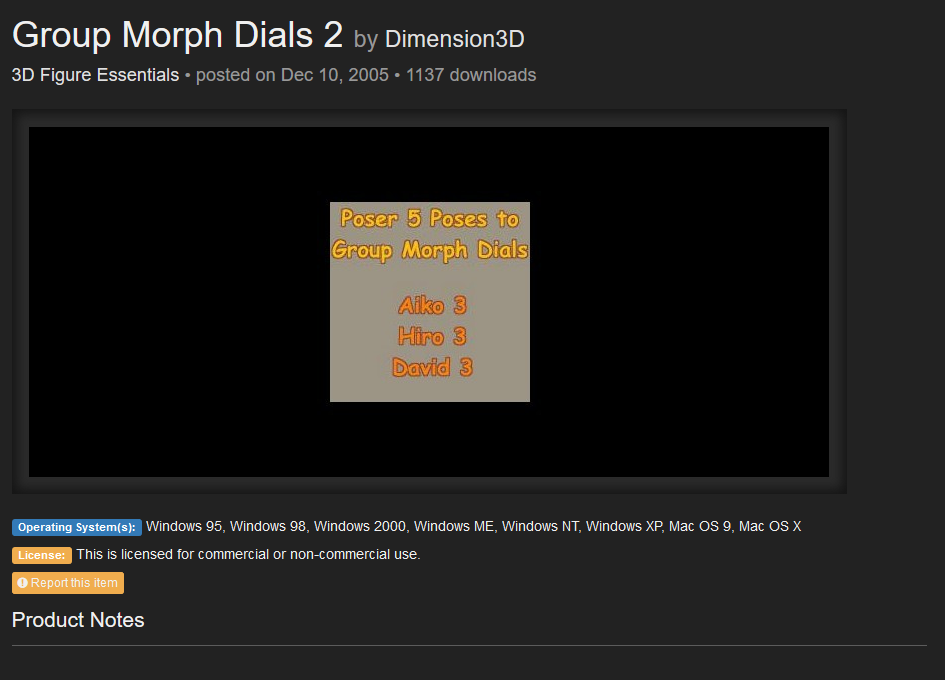
https://www.renderosity.com/freestuff/items/31148/group-morph-dials-2
Dimension3d Group Morph Dial 2, does exactly what it says, grouping the morph dials into groups similar to the ones in Victoria 4.
But let’s go step by step.
-
Download the zip file from R-osity.
-
Unzip it in a Poser directory, preferably in the one where you have Aiko 3 installed.
-
Run Daz Studio
-
Load Aiko 3
-
Zero the figure as seen in Richardandtracy tutorial
-
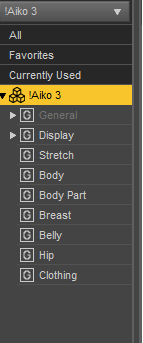
Go to parameters and highlight the Aiko 3 part of the figure. For some reason, that’s where the Aiko Morphs ended when we loaded the figure, it’s just to illustrate the mess we’re dealing with.
-
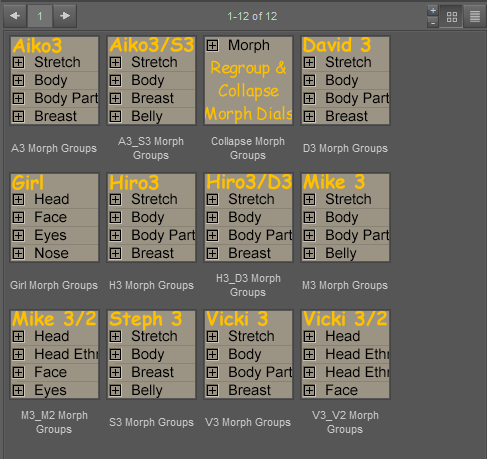
Now, go toward where the poses are installed, runtime/pose/Morph Dial Groups/. You should see something like this, just with less icons (I have installed the other Morph Dial Groups freebie, you don’t need that).
8)Keeping Aiko selected use A3 Morph groups on her, you should see that now the morphs are neatly grouped.
9)Now follow Richardandtracy tutorial for converting it to Triax, and the morphs should work now.
And this is the tutorial. If you have any problem understanding it, I’ll modify it or add further images.
3D Comic Book Tips And Picturesmike_42547761 said:
BrashFink said:
I just wanted to sound off, say "Hi" and share what I have been working on.
Coming from a comic art background when I was younger, life got in the way and I more or less lost my skills at drawing over the years. I got into Daz around the time of Victoria 4 but went away a bit after Genesis came out. I am back and have been working on a graphic novel I hope to release next year.
This is a "test cover" or maybe just a promo poster for the work. I am about 15 pages into the work and will post more soon.
The work is rendered out then run through a few filters (Filter Forge) and then about 70% or so of the art is "re-inked" inside of Procreate on an iPad with an Apple Pencil.
This ios the debate I have with myself with all of my work. Is it too CGI? Should I redraw or ink more of it? Is it too flat? Is it too cartoony? Is it too realistic? Should I hide more? Am I hiding too much? In the end I always find the look I want for easch piece or project, but the minutae consumes me. I like what you did here with the filters and inks with the CGI together, the blacks make the colors around them pop.
I don't think there is a wrong or a right way on how much you leave it in the originaly rendered looks or rework it completely with the render only as the reference to work with or anything in between. It's a decision to make and then to keep it consistent within itself and I've seen people do amazing things here.
I know there are some prejudice against comics in fully rendered style out there, I still went that way because it pleases me to work with that style. In the end it's the story that will draw you in and the art should be supporting what you want to transport in the story
IRAY Photorealism?crosswind said:
But as for the latter, only a good render engine is not enough, it depends lots of requisite and factors, like the above Rey Skywalker's portait: hight quality head shape, anatomical elements and scupted details, HD textures, nearly perfect groomed hair / vellus, proper SSS VE, not bad lighting, etc. This is "humanreal" or at least a "character-real".
Artists on artstation made these with Wrap, ZB, texturing.xyz, Pt, Maya-XGen...to bring the renders to a higher level. Well, it's not easy for us to directly get such similar "assets" from Daz... I won't babble more on that..
I guess the good thing is we can theoretically have all such things in Daz, on the proviso that PA's stop resting on laurels and that Tafi/Daz as a company works more to secure licenses to quality assets for PAs. They used texturing.xyz assets for Michael and Victoria 8.1. They should be building relationships with 3D scanners or creating their own assets as merchant resources. I worry they will be completely left behind. And it's not because of Iray limitations or whatever that poster keeps referring to, although maybe that is limiting too, but seems like less consequential than asset quality.
Not to say there arent some people making good quality assets, there are some.
3D Comic Book Tips And PicturesBrashFink said:
I just wanted to sound off, say "Hi" and share what I have been working on.
Coming from a comic art background when I was younger, life got in the way and I more or less lost my skills at drawing over the years. I got into Daz around the time of Victoria 4 but went away a bit after Genesis came out. I am back and have been working on a graphic novel I hope to release next year.
This is a "test cover" or maybe just a promo poster for the work. I am about 15 pages into the work and will post more soon.
The work is rendered out then run through a few filters (Filter Forge) and then about 70% or so of the art is "re-inked" inside of Procreate on an iPad with an Apple Pencil.
This ios the debate I have with myself with all of my work. Is it too CGI? Should I redraw or ink more of it? Is it too flat? Is it too cartoony? Is it too realistic? Should I hide more? Am I hiding too much? In the end I always find the look I want for easch piece or project, but the minutae consumes me. I like what you did here with the filters and inks with the CGI together, the blacks make the colors around them pop.
Daz 3D is part of

Connect
DAZ Productions, Inc.
7533 S Center View Ct #4664
West Jordan, UT 84084Licensing Agreement | Terms of Service | Privacy Policy | EULA
© 2026 Daz Productions Inc. All Rights Reserved.