-
Question about purchases
SofaCitizen said:
If you have purchased that bundle you linked to then the four items listed as part of the bundle should also be set as purchased when you view them while being logged into your account.
If not then you should raise a sales support ticket (https://bugs.daz3d.com/hc/en-us) referencing the order that contains the purchase of the bundle.
It say's that i've bought the full package under my account purchase history but the store itself doesn't recognise it. When I go to the Install Manager, it says that all the packages has been installed, but yet I can't find them anywhere in Daz3d. For example face expressions, they don't appear anywhere within Daz3d wile they are installed. I also bought the Victoria 9 HD model as a base model, which should be compatible with the Genesis 9 Essential Expressions.
When I also select my Genesis 9 model, go to smart content and disable "Filter by context" the expressions still doesn't show up.
November 2023 - Daz 3D New User Challenge - Materials and next level KitbashingTitle: Say Cheese
Challenge: Beginner
Notes:
When I saw this challenge, I had just bought https://www.daz3d.com/dforce-shy-girl-outfit-for-genesis-8-and-81-females, thinking it might be a good dress for a child character if I could make it look cute instead of creepy by changing the materials. I wished to make the doll less creepy too. I never intended to make it into a full scene, but it reminded me of the photos my parents took of me back in the sixties. So I added some props and a random sky HDRI and this image was born.
Yes, she’s standing right smack dab in the middle of the picture, the lighting is meh (but looks like the sunny days in Florida I remember so well), and the camera angle is uninspiring, It looks exactly like what it is: a noob render. But there is a method to my madness. It resembles those old pictures from my childhood, though this render would never be mistaken for an actual photograph.
The shaders on the doll, the stockings, and the shoes come from https://www.daz3d.com/fabric-basics-mix-and-match-for-iray, which I am finding invaluable for changing materials on all sorts of things. The shaders on the dress were purchased elsewhere, as were the props. Other Daz products I used are:
shape: https://www.daz3d.com/growing-up-for-genesis-8-female-s
skin: https://www.daz3d.com/mrl-brienne-for-victoria-8
hair: https://www.daz3d.com/mnn-hairs-for-genesis-8-and-81-females
hair flower: https://www.daz3d.com/mrl-dforce-fantasy-hair-pack-2-for-genesis-8-and-81-females
stockings: https://www.daz3d.com/pastel-goth-outfit-for-genesis-8-female-s
shoes: https://www.daz3d.com/dforce-fiona-outfit-for-genesis-8-and-81-females
This is the first render I have ever posted anywhere. Though far from perfect, it is a start. Constructive criticism is always welcome.
When did you come to DAZ?Man... This is going to make me feel old.
It was 2008. Victoria 4 was new(ish). Michael 4 wasn't even made yet. Daz3D was Digital Art Zone (I think). Daz Studio was just a small "viewer" more than it was a complete rendering software package, but it was free - and getting better...

I stumbled into it when I went looking for free 3D modeling software (which it wasn't) and was amazed that I didn't actually *have* to learn to model to create 3D images...
The rest is a long story no one wants to hear... LOL

 Conversuion of Poser clothes to DAZ clothes?
Poser clothes, or any other Poser items for that matter, work in Daz Studio natively. You will probably need autofit clone/s or a converter like these offered by Riversoft Arts & Sickleyield, if the clothing was made for an older generation than you want to use the items on. For example, if the Poser clothing was for Victoria 4 or Michael 4 and you use Genesis 8 figures. When it comes to shaders/textures, older Poser content usually has optimized DS MATs for 3DL render engine & you may need to apply the base Iray shader at the least.
When installed with DIM (unsure about Daz Central), you will find the content in a separate main directory. I can't recall the exact name but it includes Poser in the name.
File structure is different; look under Figures/Clothing/Artist or Figures/Clothing/Model name for the mesh. Materials are usually found in either separate Materials or Poses folder (often with MAT in the file name to distinguish from figure poses).
Note on Poser dynamic clothes: I recall reading here that these items often dForce well, but you'd have to experiment with settings, since of course it won't have any built in.
►►► aniMate 2 - Real aniMating Power for Daz Studio!Having Fun again, like always.
You see, I had converted a lot of my Mixamo FBX downloads to Victoria 7 using Zaz777's conversion script (see below), and they work great. But they're for Victoria 7, so to use them on Rosie 8, I'd either use the G3F to G8F World's Greatest Pose Convertor pose dials or run a Bone Minion. (there's also G3M to G8M World's Greatest Pose Convertor for our male figures)
I'm working on some motions that I wanted to also save "In Place" aniBlocks for them, so I could set my own world translations for Z and X travel, while keeping all of the limbs motion capture intact.
Rather than using the Victoria 7 conversions I already made I decided to just use my new Genesis 2 Pose Bone Minion to start from scratch with the original Mixamo FBX downloads. (I purchased the Genesis 2 Pose bone Minion Bundle so that I can easily translate my Mixamo FBX downloads to Any of my Daz 3d Figure generations from M4 and V4 through Genesis 8.1)
So I load my Bone Minion for Genesis 2 Female, which is the figure I exported to FBX for use in Mixamo (upload my Genesis 2 Female FBX export into Mixamo) and start translating the animated DUF pose files I had saved from my FBX downloads over to Rosie 8 and turn them into aniBlocks. (see below for the full workflow)
I run my Bone Minion translations as described above and, as soon as the translation is complete I run 3DU's Body2Hip script - which is absolutely essential for creating aniBlocks to get the X, Y and Z translations correct because it moves the translation data from the body of the figure to the hip, which is how aniMate 2 prefers to track translation properly - allowing multiple aniBlocks to be combined into a single animation.
This time, after I create my new aniBlock and save it, I bake it to the Timeline, select the hip and open the hip's hierarchy in the timeline to Properties > General > Transforms > Translation > and I select and delete all of the Z axis key frames except for the one on frame 0, which is marked with a "c". That one has to stay.
Now that I've verified that I still have the same animation but without the world movement in the Z axis, I go back to aniMate 2 while it's still locked out - set to Daz Studio Timeline use, and right-click in an empty area and Create aniBlock from Studio Keyframes. It is only then when I delete the other aniBlock and re-activate the aniMate timeline (Click the Open Eye icon by the Figure's track on the left of the aniMate timeline) and save this new one under the same name as the first one but with "IP" as a suffix meaning "In Place". A naming convention I picked up on from Mocap Online's animation packs I bought.
So for each of these motions, I have one with the original world translation motions and one that has the same motion capture data on all of the limbs, but no world translation in the Z axis. I could just as easily remove the X translation as well, if that makes for a better result. In the case I'm working on right now, it's much nicer leaving the X axis in motion.
Prepping for future animation work like this is just as fun to me as the part that comes next, applying these motions to my figures and then tweaking them to what I need. So cool. So freaking Fun!
I must say, however, when it comes to Mixamo animations, the Body2Hip tool turns the resulting FBX download into the same exact animation that we see in Mixamo before we download it. Without the Body2Hip script, the world translation movement turns out all wrong for aniMate - and for me aniMate 2 is an Essential part of making this all work.
Getting my Mixamo FBX Downloads
- In Daz Studio, load in Genesis 2 Female
- I reduced mine to Base Resolution
- Export to FBX in a folder organized specifically for working with Mixamo downloads - this file is for Uploading, so it's in a folder within my Mixamo folder titled "G2F FBX Upload", and I named the file itself "G2FMixamo"
- In Mixamo, upload G2FMixamo. In a short while I see her in an idle animation, seeing that she's been properly retargeted. I've never seen a targeting issue when using Genesis 2 Female - it just works
- Go through the bazillion animations, picking out what I want and working with any additional possibilities they offer for tweaking parts of the motion
- When they offer various changes, I'll often download the base motion that comes up without any changes, then make some changes that I like and save several of those as variants, using naming conventions like "Breathing A" Breathing B", that sort of thing. I enjoy having a lot of variants to choose from when they offer these in the Mixamo panel
- When I'm done downloading for the session, I go to the folders that i saved my animations into. I make many folders to catalog what the poses are about, like "Sword Two Handed", "Weapon Pistol", that sort of thing.
- The first time I go to work with them, I right-click on one of the files (the first one I want to work with in DS) and choose "Open With > " and select Daz Studio
- Now I can simply double-click the files and they open an animated G2F FBX rig into Daz Studio
- Run the motion to make sure it's good. If not, delete it and move the file to a different folder called "Failed" so that I can try again in Mixamo next time
- I haven't had one fail yet, but the next step was Not done to my current files because i didn't have the tool when I did these, so I perform this step after I Bone Minion them to Genesis 8 Female
- Select the G2F FBX character in the scene pane > Scripts > 3DU Body2Hip (from Daz Studio Animation Tools Set 1) and run the script
- This is an essential step to get working aniBlocks so we can work with them with other aniBlocks and aniMate tools - it moves the Translation data from the Body to the Hip, which is what Daz Studio prefers
- With the character still selected File > Save As Pose Preset > Set to All Frames and save them to an organized folder structure under People > Genesis 2 Female > Poses > Mixamo Animations
- I purchased the Genesis 2 Pose bone Minion Bundle so that I can easily translate my Mixamo FBX downloads to Any of my Daz 3d Figure generations from M4 and V4 through Genesis 8.1
Don't have Bone Minion Yet? This can at least get you to Genesis 3
zaz777's amazing animated pose conversion script along with the necessary rsg's "Updated: Daz Studio Posing Scripts (now for G3F)" available on sharecg.com has brought great results for me over the couple years I've been working in Daz Studio for animation. Bone Minion does a much better translation, but if you can't get that yet, this is an Excellent system to get earlier generation animated pose data onto your newer (up to Victoria 7 that comes standard in the pack) figures.
Also - the required RSG pose conversion script package comes with excellent instructions that just might help you create your own addon that supports new generations. I haven't tried that and probably won't since I already have many Bone Minion Bundles and will eventually own them all. I am a Completely Satisfied and Overjoyed customer of Riversoft Art's Bone Minions!!!
Sexy / flirting poses got G2Fhttps://www.daz3d.com/boudoir-poses-for-v6-and-genesis-2-female
https://www.daz3d.com/bwc-centerfold-poses-for-genesis-2-female-and-lilith-6
https://www.daz3d.com/bwc-cute-n-smexy-poses-for-victoria-6-and-keiko-6
All these poses and more were released as freebies over the last few years.
►►► aniMate 2 - Real aniMating Power for Daz Studio!Using zaz777's amazing animated pose conversion script along with the necessary rsg's "Updated: Daz Studio Posing Scripts (now for G3F)" available on sharecg.com has brought great results for me over the couple years I've been working in Daz Studio for animation.
So zaz777, Thank You So Much!!! Fantastic!!!
However, if we Really want a more True conversion that includes the new rig joints for rotation and all, Bone Minion does a much more accurate job.
This was never an issue for me - the dials I make, make this pretty much unnecessary. However, I must say that since I started using Bone Minion for my conversions to be saved as new aniBlocks, the outcome aniBlocks are much better, making them easier to work with.
If you don't want to, or cannot spend the money on the Bone Minion you need, however, do go and download both zaz777's script and the pose conversion package it requires. It's free and it's an excellent solution for getting those excellent aniBlocks and animated poses from earlier generations forward.
One thing, however, is that I didn't have a means to use zaz777's script for Genesis 8. The required product, rsg's "Updated: Daz Studio Posing Scripts (now for G3F)", does have instrauction on how to create the retargeting files for the script. If it is able to convert to G3F, I have a feeling that we could make the necessary file for G8 as well.
Keep in mind that this script doesn't work going from, say V4 to Genesis 3F, it only works going from V4 to V7, for example. They have to be Victoria or Michael figures, not the base figure. But it does include conversion scripts for A3, V3, H3 and M3 and 4 version for all of those. Check zaz777's thread for better explanations of how this all works - but it's easy for the figures already supported - just click the older generation figure that the poses were made for, then Ctrl+click the target figure, and run Zaz's script and it starts plugging through the animation.
I have the full workflow along with things to watch out for in my course, but you can get this!
Last night I spent some time with Bone Minion converting and saving a bunch of my Reisormocap files to Genesis 8 aniBlocks. When I'm tired and really need a break, this is a fun excercise that gives me time to just sit back and wait for conversions, create new aniBlock and move on to the next, etc., while I enjoy a nice cup of coffee or a glass of scotch... whatever.
Just this morning I loaded up some of my new aniBlocks and it's just as if they were made for my character. Very freaking cool!
So I took a little time with my morning coffee making a few partials that I need for what I'm working on now. When I finish making the partial that I know I need right now, I often go through and keep making more that might come in handy. I really like having and working with partial aniBlocks. It allows me to use actual motion capture data made by professional motion capture studios on the bulk of the changes I want to apply to the original aniBlock.
The use of partials to get closer to what I want can almost always allow me to leave the entire range of motion capture intact on the timeline, and just alter certain joint rotations using my dials to perfect it - making for a much better result in my honest opinion.
Gen 9 & GoldenPalace geograft texture issueHi!
So I've got this issue where texture stretches horribly when the figures legs are open.
I've removed the naughty parts so there's no nudity here. The stretching in question occurs around the labia majora and toward where the graft ends and meets the thighs. It's very noticeable and it would be a major pain to edit in post when you're doing an animation at 30+fps.Arrows point to the stretches.
external link here since I can't seem to post a full image:
Mod edit: image and link removed. Please edit your post and add a tight cropped image showing the stretching.
This happens even on a stock Victoria 9 + fresh Golden Palace apply.
The legs aren't even that spread out. left thigh is at (twist 25, side-side 25), right thigh at (bend -70,twist 18, side-side 42)
The UV set on the graft is automatically set to Default UVs. I tried switching to the GP/GP2 UV sets but those look totally off.
Any ideas?
I would really appreciate any bone you can throw me, on how I could fix this in Daz?
Are there maybe better G9 alternatives for poseable, customizable female genitals?Do Daz Animations only work well in Daz or can they work in Unity?I'm talking about exporting animations as FBX( i did this in 4.17 or 4.15 with the opton 2014 binary) . I exported some walks for females( and males too) but specifically the females ones became useless because in Unity you apply them to characters and the legs walk through eachother essentially looking like the character has one leg. That's one example of things, Idle animations are also weird in Unity, the animation that originally in Daz worked, in Unity has the character hip tilted way more and looks very bad and unnatural.
I want to ask anybody who knows, is there a way to make Daz Animations work in Unity when exported as FBX?
Or are they mean to work in Unity only For Daz characters sent to unity with original rig? Wont work with 3rd party characters or with Daz characters rigged with mixamo?
The packs i tried are for example, this one.
https://www.daz3d.com/walks-animation-collection-victoria-8
and the male version of that too.
Then this one
https://www.daz3d.com/genesis-8-female-s-flat-foot-walk-aniblock
and i think another one out there. And all of them have the same problem. When i use them in Unity the legs come together as one, they do walk, but they blend as 1 for each step.
A really dumb search. Could use help (Solved)Richard,
I don't think the hair textures product will work unless one has Sweet Angela hair installed.
I loaded Victoria 4 and a V4 compatible hair. With the hair selected in the Scene tab and in the Surfaces tab, clicking on the textures produced no response in Daz Studio. Looking at the product page again, I noted that Daz Studio was not listed as Compatible Software but that Poser was. I loaded Poser Pro 11 and the same hair product that I loaded in Daz Studio. I tried to load color preset Color 01 and after a long wait, I got a Poser dialogue window that I needed to locate a particular jpg file. I opened in Notepad++ the .dsa file for the color preset and searched for the file name. It’s a file in the Sweet Angela hair product:
"/Runtime/Textures/SWAM/2011_SweetAngela/SWA_TR2.jpg" .
I selected to skip the file and let the search process continue in Poser. The next file needed was another Sweet Angela hair file:
"/Runtime/Textures/SWAM/2011_SweetAngela/SWA_TR1.jpg" .
Genesis 9 and Male ChestsMasterstroke said:
G9 is like Victoria 4.
It is a Head-Only figure.And just like Victoria 4, it seems to take quite some time before we get figures that don't look like Victoria 9 or her brothers and sisters.
I can see Vicky 9 even in Wang 9
Wang 9I actually don't think the unisex mesh is the issue with the chest, it is simply a design flaw. The idea can work, but it needs execution.
Frankly execution for products has been off in general. Victoria 9 looked nice, and with a few exceptions, most of the core 9 line has been quite weak. It doesn't feel like things are headed in the right direction here. If Daz wants better sales, they need better products. I don't understand how anyone can recommend Wang at all. He has way more problems than just his chest. The very plain skin, the oddly small head, and freaky neck. What is going on with this dude's neck? Did he swallow a pyramid?
Any vampire that tries to bite Wang could potentially lose an eye! That Adam's Apple is dangerous!
I can get buying something and customizing. I pretty much do that with everything. But we are seeing wholesale changes here, using another character's skin, trying to fix the body morph, and so on. At that point...why? I don't understand.
Genesis 9 and Male ChestsMelissaGT said:
It seems the base figure should have been made without boobs because they're easier to add than remove.Easier doesn't automatically mean easy.
Sure, adding boobs is fairly trivial if the figure is nude, but when you consider clothes, I had to take many hours and create new tools to make projection morphs to stop one of my bustier (G8F) characters loading shirts like this:

... and instead load them like this:

And I've had to make different versions of this projection morph to address clothing of different tightnesses. (Fortunately I've now got my process fairly refined so I can adapt it to new character shapes reasonably quickly, but alas I don't have the scripting skills to automate it entirely).
Sure, dForce can somewhat handle this problem if you do a timeline simulation to bring the shape in, but that's tedious and requires dForce compatible shirts (which are comparatively uncommon). Fit Control is a port in a storm, but it's also imperfect, trying to work out what combination of shapes can best cancel out the deformation.
Getting a good fit on clothes the further you move away from the base shape is a challenge - and I say that as someone who is really good at making clothes fit things far from their original base shape:
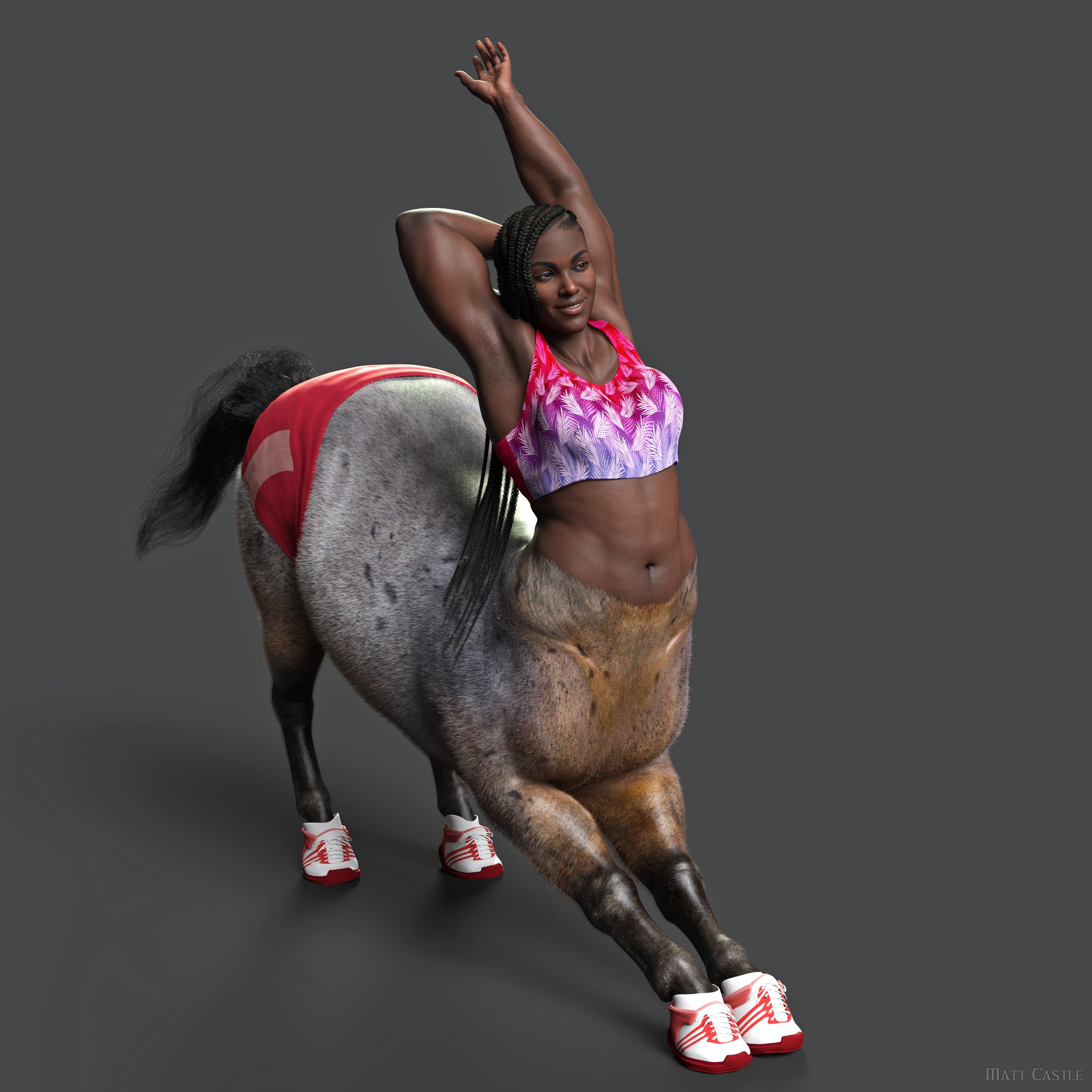
So making G9's base shape completely flat chested definitely does not magically make all the challenges go away.
We can argue then that perhaps there is a need for separate base figures... but the concept of a unisex base is meritorous. The number of times I've needed matching outfits for men and women, or needed to share morphs to make characters look like brother and sister, or turned down buying a monster because the PA only made it available on one of the bases... it's not a small number. And while sorting those kinds of things is within my skill set, I know my skill set is uncommon.
At least with G3 and G8 (and G2, but I've never used G2) there were separate base figures for males.
Actually, if we've brought up G2 - the G2 figures share exactly the same topology, as do (I believe) all the Victoria era figures. You can export Girl 6 to a mesh file and then reimport that shape on G2M just fine. (There's minor differences in the actual rigging, but ultimately G2 is a unimesh base, and splitting it into two mostly has the advantage of needing less clothing morphing).
Entirely separate geometries for the male and female bases is actually an exception rather than the rule amongst Daz figures.
We're perhaps in a position where the vendors haven't needed to work with the constraints of a unimesh base in a while, particularly with the changes to how rigging and correctives are done since those eras, but nothing fundamentally means that the same geometry for the male and female base is a problem. If anything, the way it was done with G3 and G8 could be seen as a bodge that replaced one set of problems with another.
Blender 4.0 - OOT Long Hair issueBlender 4.0
DAZ 4.21 Pro
Diffeo 1.7.2.1906
After importing to Blender 4.0 Victoria 9 with OOT Long Hair no color is appied to the hair. This is because there is a new Principled Shader on Blender 4.0 and Diffeo connects the Specular of the hair - Image Layer - to the IOR input of the PS. Just click on the Specular input of the PS and connect the Specular - Image Layer - to IOR Level input and problem solved. (see file attached)Genesis 9 and Male ChestsG9 is like Victoria 4.
It is a Head-Only figure.
For posing G9 charcters the mesh is unusable without HD subdividing.
Because of missing edge loops some overlaping polygon edges are creating artefacts on the surface.
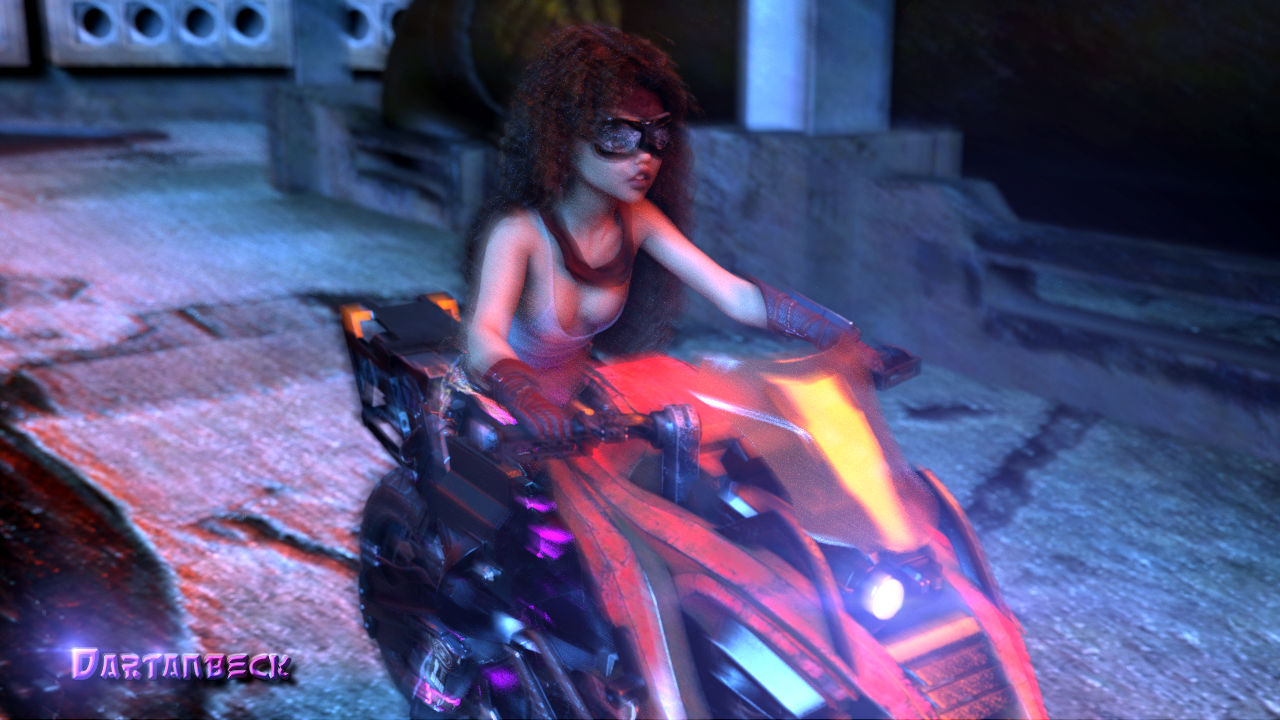
The mesh design still looks better on male characters than on female characters.►►► aniMate 2 - Real aniMating Power for Daz Studio!Here's the fourth frame
►►► Handy Helpful Links
Dartanbeck's workflow tips:
- Creating Partial aniBlocks
- aniBlock Importer for Carrara
- Using aniBlocks for entirely different motions
- Cross-Generation Animation Translation using Bone Minion
- LimbSick and Bone Minion videos
- Animation Four Wheeler Template Promo and Tutorial Videos
- My Mixamo Workflow
Added the User Guide to my aniMate 2 page
Using zaz777's amazing animated pose conversion script along with the necessary rsg's "Updated: Daz Studio Posing Scripts (now for G3F)" available on sharecg.com has brought great results for me over the couple years I've been working in Daz Studio for animation.
If using Mixamo animation FBX
3D Universe's Daz Studio Animation Tools Set 1 includes a tool called Body2Hip
Run this on the FBX result Before saving the animated pose, and you'll enjoy Massive Improvements!!!
Use is simple: Select figure (I just select the imported FBX figure) then run Body2Hip
I had converted a lot of my Mixamo FBX downloads to Victoria 7 using Zaz777's conversion script (see below), and they work great. But they're for Victoria 7, so to use them on Rosie 8, I'd either use the G3F to G8F World's Greatest Pose Convertor pose dials or run a Bone Minion. (there's also G3M to G8M World's Greatest Pose Convertor for our male figures)
Rather than using the Victoria 7 conversions I already made I decided to just use my new Genesis 2 Pose Bone Minion to start from scratch with the original Mixamo FBX downloads. (I purchased the Genesis 2 Pose bone Minion Bundle so that I can easily translate my Mixamo FBX downloads to Any of my Daz 3d Figure generations from M4 and V4 through Genesis 8.1)
LimbStick is a Great Way to get even more custom, believable edits to your aniMations!
Linday's amazing aniMation four-wheeler template system brings Life into our vehicles in Amazing Ways!!!
Some Daz 3d aniBlock/Animated Pose Vendors
►►► Back to Main Menu ►►►

The Power of aniMate 2
A new page at my website
A truly wonderful experience of animating in Daz Studio awaits, and this page will help you delve right in with ideas, links, images and videos
Along with the actual User Manual for aniMate 2 viewable/downloadable right on the page!
Links to products specifically designed with animation in mind as well as direct links back to this forum thread if you need help with any of it - I monitor this thread manually and I also get an email if someone responds - so you can expect to get answers in a timely manner.
I'll also be adding subpages to this one that will expand our learning experience within the realms of aniMate 2 and animating in Daz Studio in general - because in my world, animating in Daz Studio almost Always involves aniMate 2.
The Power of aniMate 2
A new page at my website - Come on in an Join the Fun!!!
►►► Back to Main Menu ►►►
A Day in the Year of a Life - GalleryThe bodysuit is a bit older from generation 2 Super Hero Suit for Genesis 2 Female(s) and Victoria 6 | Daz 3D and needed some tweaking for the surfaces to be iray compatible, and is being worn by a Genesis 3 figure character, which was chosen due to the need for an appropriate hair, that had the material zones for the bleached highlights. It is interesting how creative meandering informs our render choices.
The older generation: Victoria 2/3, Michael 2/3 and their children rendersThank you.
Well, the character both is & isn't V3. It's actually Jim Burton's take on V3 'Glamorous Vicki' (effectively a morph of V3 even though there is a different CR2 file) then I have added Iray shaders and made the character into a TriAx character (no mesh changes) and added autofit clones and autofollow to the morphs as per my Aiko 3 tutorial in Freestuff. Eventually I would like to learn enough to be able to modify the weight maps for the joints and improve the elbow, thigh and knee bends in particular.
Regards,
Richard
Dartanbeck's Journey - CG Filmmaking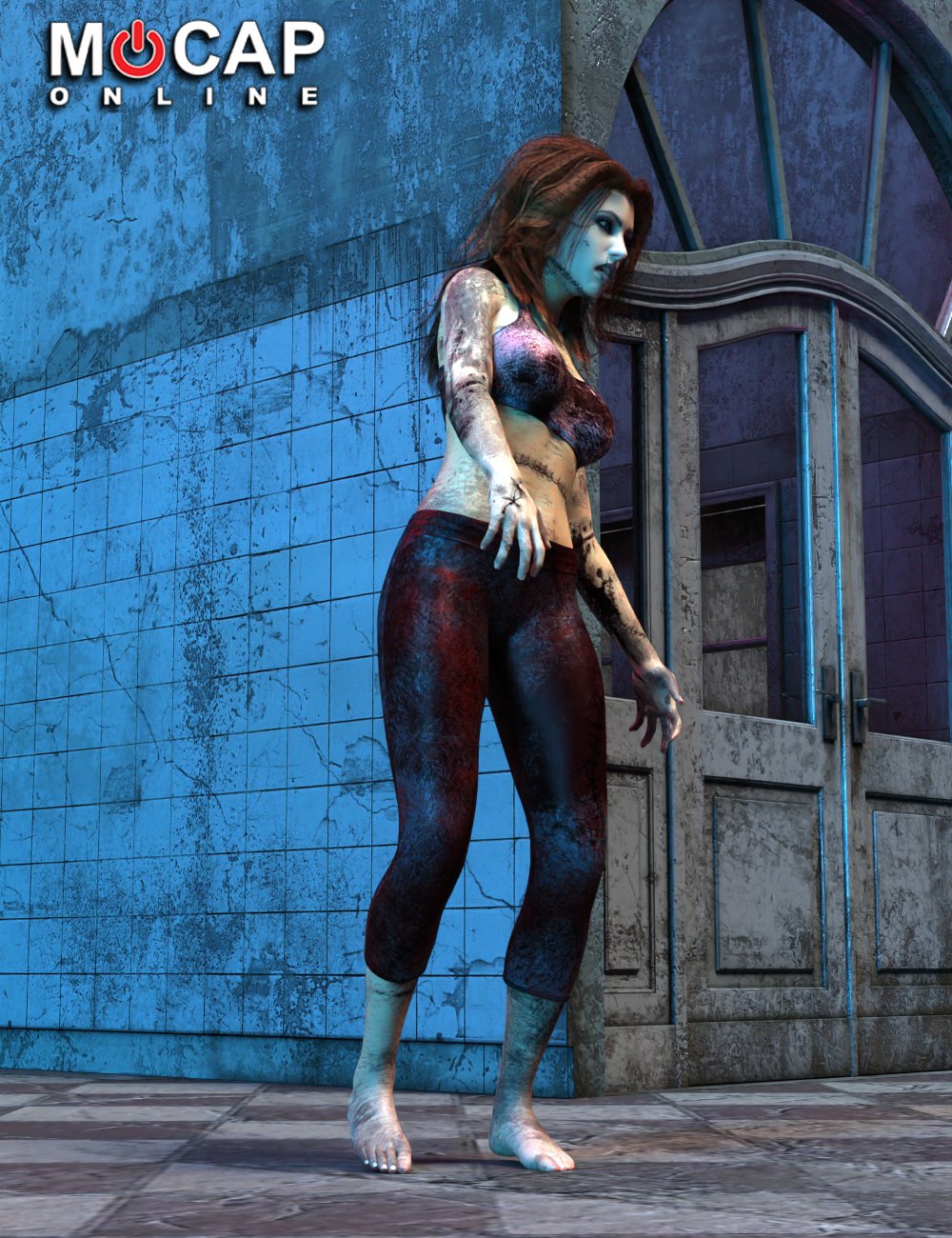
Zombie Animation Collection P1 for Victoria 8
This is So Cool!!!
Check out the SketchFab Preview of this product! These are some Excellent Motions! I couldn't take it. I stopped my render, cleared my scene, and built a new animation using one of these. After previewing them all on Rosie, I can verify that they are really well-made aniBlocks!!!
►►► aniMate 2 - Real aniMating Power for Daz Studio!I'm all fired up because I just got the Zombie pack that I really wanted by Mocap Online. Rosie wanted me to buy something small to test out a new credit card - make sure it works before we need it tomorrow.
When not on sale, this pack is over $40 and worth every penny. But with the Wishlist sale, I got a Massive discount!
I couldn't take it anymore. I paused the animation I was rendering, cleared the scene and built a really cool animation. It's nothing like the actual motion anymore but it looks Fantastic so far. Simulating the hair as I type this.
Seriously, after reading through the above post, check out the SketchFab preview of this pack. While you're in 3D mode watching these motions, try thinking outside the box. Imagine that it's not a Zombie, but one of your favorite characters. Now what could you do differently to the motion (if anything at all) to make it work on that character? Thinking along these lines... you'll start to see something. The more you start putting these techniques to use, the more your mind will open up as you look at motions.
You'll start seeing partials in the motions that could really benefit you - so you'll take a break from what you were doing, save your work, load in a base figure and start applying the aniBlocks, Bake to the Timeline, select all of the keys for the partial you want to make and copy them. Clear the figure - Paste. Go back to aniMate 2 and Create New aniBlock from Timeline. Get rid of the original aniBlock, re-enable the aniMate timeline, right-click > Save As New, and put it in your Partials folder! Harder to type and/or read than it is to do!
You don't have to be working on a superhero movie to find good use from a superhero pack. Just saying! ;)
Daz 3D is part of

Connect
DAZ Productions, Inc.
7533 S Center View Ct #4664
West Jordan, UT 84084Licensing Agreement | Terms of Service | Privacy Policy | EULA
© 2026 Daz Productions Inc. All Rights Reserved.