-
HeadShop OneClick Submitted to DAZ - Best in Class! (Commercial)
Sorry, the pictures were removed after posting. The Error message is attached. It says: "HeadShop closed before it could create the necessary files".
HeadShop OneClick Submitted to DAZ - Best in Class! (Commercial)Hey, I encountered a bug while using headshop 13 and I hope somebody can help. So I load Daz Studio, start Headshop, drop a Photo and let headshop do its thing. Then I immediatly press "Export", which seems to be successful.
But then in DAZ Studio I get the following message and the transfer obviously did not work.
I found the files created by Headshop in the folder
C:\Users\Public\Documents\My DAZ 3D Library\Runtime\FaceShop\fs\SmoothedModelTexturesIn another comment I found someone suggested, that the DAZ Library is in the wrong folder, but the "correct" folder was not mentioned.
Thanks for any tip.
Appreciation Post: Thanks PAs for the Instruction tips, PDFs, and scripts!!SlimerJSpud said:
The BOSS Pro Light Set has a pretty detailed PDF that covers general topics on lighting. I should refer to that more often. The asset converter products from RSSY have PDFs that explain the process quite well. The Headshop PDFs also do a good job.
Take the BOSS light set, throw some props in there and instant portrait studio!
I completely forgot about how useful that one was! Definitely one I need to look back on as it was the first light set I think I bought on Daz and it was really helpful then but some of it just flew by I was trying to remember all the stuff I was learning about Daz. Thank you for the reminder to look back at that one :)
Appreciation Post: Thanks PAs for the Instruction tips, PDFs, and scripts!!The BOSS Pro Light Set has a pretty detailed PDF that covers general topics on lighting. I should refer to that more often. The asset converter products from RSSY have PDFs that explain the process quite well. The Headshop PDFs also do a good job.
Take the BOSS light set, throw some props in there and instant portrait studio!
Face Transfer - Custom 'base' textures?credford said:
So I tried the steps in the tutorial and I'm having the exact same issue as the OP. I replaced all the original G8 textures with my own textures but Face Transfer is still using the original G8 textures somehow. I have no idea where it is getting them.
Also, just like the OP, newly created G8 models are using my textures, not the original G8 textures. But Face Transfer either has the old textures hard-coded or is pulling them from some other folder.
argh,,, change the textures after you create the facetranfer morph. if you use a picture in face transfer that has hair over the face that will be part of what facetransfer uses ... same for a black and white image
---
I can't show you what the facetransfer skin looked like because I replaced it.
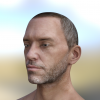
first shot is the image I did the face transfer from ... it was created in a game with third party public domain morphs and skins and then taken as a screenshot .. (not bad for a 1/60 of a sec render, heh)
second image shows the fastransfer face but the character after creation with facetranfer had another skin in this case 3du gayle characters skin.
---
third picture shows two characters done with headshop ... but same issue obviously the face creation process was for shape not the skin.Eyelashes not lining up with eyes on Face Transfer characters.Well with Headshop as I recall, one has to check the morph that one is making to be sure that the "auto-follow" is selected. Remove the eyelashes, check the face morph that auto-follow is selected, then try applying a fresh set of eyelashes.
Face Transfer - Custom 'base' textures?Catherine3678ab said:
alan bard newcomer said:
face transfer.... face gen ... headshop aka faceshop.
when you say face transfer are you talking about face transfer the program or transfering a face from facegen?
===|
I've used both face transfer and head shop and either create a new skin in skin builder or just copy/paste a skin from a compataible character.
---
could you acccomplish what you want by creating a character in face gen ... and then adding the custom skin you have on an existing character?
This older thread was resurrected to ask for my tutorial for the Face Transfer plugin. It does not cover Headshop or Facegen.
"Hi, i wonder if there is a way to change 'the base' textures for my Face Transfer attempts?
I mean using custom genesis 8 textures to blend the face and color hue-brightness to the body on them, instead of G8F base. I know FaceGen can do that."
---
they switched from face transfer to facegen..
And what I thought I saw was he wanted to have face transfer produce skins that he could use...or something like that.
And I thought that was a tad hopeful from programs that are basically for copying a face shape from a photograph..
and was wondering if they missed they can do the face transfer and the place the custom textures on that body?
heck most of mine have been from b&w pictures. so just making a skin or transfering in to the face transfer body is necessary,.
--
Face Transfer - Custom 'base' textures?alan bard newcomer said:
face transfer.... face gen ... headshop aka faceshop.
when you say face transfer are you talking about face transfer the program or transfering a face from facegen?
===|
I've used both face transfer and head shop and either create a new skin in skin builder or just copy/paste a skin from a compataible character.
---
could you acccomplish what you want by creating a character in face gen ... and then adding the custom skin you have on an existing character?
This older thread was resurrected to ask for my tutorial for the Face Transfer plugin. It does not cover Headshop or Facegen.
Face Transfer - Custom 'base' textures?face transfer.... face gen ... headshop aka faceshop.
when you say face transfer are you talking about face transfer the program or transfering a face from facegen?
===|
I've used both face transfer and head shop and either create a new skin in skin builder or just copy/paste a skin from a compataible character.
---
could you acccomplish what you want by creating a character in face gen ... and then adding the custom skin you have on an existing character?
is there a Face Transfer threadGonna try Face Transfer. My results with Facegen, even when using FG files from a modller version, are not great. It has issues with the eyes and overall face shape. The FG model came out great, the facegen to Daz, not so much. And headshot did at times give really good results in its progream but BARELY made any realy changes to the actual model. Again still an issue with eye size, even with Headshop. (If I encounter big eye issues with Face Transfer, I'll have to assume my DAZ is corrupt and reinstall it completley). And some Headshot results are just weird....
Does DAZ Make A Lot Of Log Entries?
Interesting info. I don't own that, but I've read in the forum about a lot of installation and usage issues with it. Thanks for adding that warning here.Catherine3678ab said:IF one has Headshop, one has to [or had to] leave the Temporary Files location at default.
Does DAZ Make A Lot Of Log Entries?IF one has Headshop, one has to [or had to] leave the Temporary Files location at default.
any facegen users around? could really use some help...if it continues to bug you .. I've been please with Headshop and it's on sale at times
---
didn't mess with dots etc... just loaded the picture and told it to go.
biggest problem is it doesn't produce a head morph but a full body morph
so you can't just apply it to a character that otherwise is set the way you like but have to morph the body to what you want.March 19: First Ever HeadShopPRO at DAZ! (Commercial)info_b3470fa520 said:
HeadShopPRO comes with 20 sets of topo libraries ($100 value) to make face topography (Nose, Lips, Creases, Chins, etc) a breeze.
Laslo
Yes, but I not only already own Headshop 14 (no longer in the store) but also the four available autosculpt add-ons (Schnoz, Teeth, Lips, and Chin). So, since I also own the available autosculpt add-ons is there still any real advantage to purchasing HeadshopPro? (For example are there additional topo libraries that are not in the available autosculpt add-ons?)
HeadshopPro DS Plugin QuestionI already own Headshop 14 (no longer in the store) and the four available autosculpt addo-ons (Schnoz, Teeth, Lips, and Chin). Is there any advantage to purchasing HeadShopPRO - DAZ Studio Plugin (WIN) ?
AIUTO...CHI CONOSCE L’ITALIANO? PARTE TREDICIAnfy said:
@Tiziano: ho provato tutti e tre le "app" (FaceGen, Face Transfer, Headshop) e quasi paradossalmente quella che mio piace di più è Face Transfer integrata in DAZ Studio, però con l'acquisto da un lato del modulo per creazioni illimitate e senza watermark (Face Transfer Unlimited) e - dall'altro - del per me fondamentale Face Transfer Shapes for Genesis 8 che "corregge" in qualche modo la vista laterale che Face Transfer - basandosi su una sola immagine frontale - non può interpretare.
Magari dico cose ovvie per te, in tal caso scusami!
Nono, grazie a tutti delle info. Cercherò di fare qualche esperimento.
AIUTO...CHI CONOSCE L’ITALIANO? PARTE TREDICI@Tiziano: ho provato tutti e tre le "app" (FaceGen, Face Transfer, Headshop) e quasi paradossalmente quella che mio piace di più è Face Transfer integrata in DAZ Studio, però con l'acquisto da un lato del modulo per creazioni illimitate e senza watermark (Face Transfer Unlimited) e - dall'altro - del per me fondamentale Face Transfer Shapes for Genesis 8 che "corregge" in qualche modo la vista laterale che Face Transfer - basandosi su una sola immagine frontale - non può interpretare.
Magari dico cose ovvie per te, in tal caso scusami!
AIUTO...CHI CONOSCE L’ITALIANO? PARTE TREDICI@Tiziano
Non penso che esistano.. potresti ricrearli con Face Transfer o Headshop.
Prova prima a vedere se riesci a trovare le foto di reference per poter usare i plugin
FaceGen Pro versus Headshop ProActually Headshop does make a full texture set too ... one has to find its storage location and manually apply all the new textures. The one that loads on the face can also be replaced by the better one it saves over in its special location.
FaceGen can apply the same head morph to ALL of the Genesis clan whereas Headshop is geared more for G8 and/or G8.1.
FaceGen Pro versus Headshop ProHeadshop can cope with smiling faces, and heads that are at an angle. I hides the eyelashes ( and puts them in the wong place ) . It only changes the texture of the head.
Facegen need a face which is straight at the camera, and with a neutral expression. It works for the eyelashes. Facegen tints the whole body texture to match the head. and you can choose which body texture you want to put the head onto.
Daz 3D is part of

Connect
DAZ Productions, Inc.
7533 S Center View Ct #4664
West Jordan, UT 84084Licensing Agreement | Terms of Service | Privacy Policy | EULA
© 2026 Daz Productions Inc. All Rights Reserved.