-
Daz Studio 6 Beta - version 6.25.2026.19821! (Updated July 23, 2026)
DoctorJellybean said:
WendyLuvsCatz said:
yes, I see it and can use it but I have a 2080Ti
she was surprised when I showed a similar screenshot as she didn't have that
Are her drivers up to date? Filament requires at least OpenGL 4.1, which basically covers graphic cards released during the past 5 years. I have a 5090 myself.
I suggested asking on the forum
I cannot diagnose someone elses PC since she dioes have Filament in 4.24 AFAIK I don't really know what's going on
I wasn't even using this beta hence just discovered the new drawstyles
deptn is very useful except it sadly ignores cutout opacity
Daz Studio 6 Beta - version 6.25.2026.19821! (Updated July 23, 2026)WendyLuvsCatz said:
yes, I see it and can use it but I have a 2080Ti
she was surprised when I showed a similar screenshot as she didn't have that
Are her drivers up to date? Filament requires at least OpenGL 4.1, which basically covers graphic cards released during the past 5 years. I have a 5090 myself.
Daz Studio 6 Beta - version 6.25.2026.19821! (Updated July 23, 2026)WendyLuvsCatz said:
I only actually looked at this build because a Facebook friend with a 5### card couldn't use Filament on her machine
she says she doesn't have it in he dropdown
I still cannot help her there other than to say she can still use Filament in 4.24 without her Nvidia GPU
I'm not sure why it isn't in her dropdown.
Daz Studio 6 Beta - version 6.25.2026.19821! (Updated July 23, 2026)Totte said:
I could see a use for someone making a product much like the Old 3Delight LPR Render ( or what it is called ), where you render a bunch of layers and masks and generate a Photoshop file where you easily could merge those different layers using the masks to do some advanced render postprocessing...
first one would need to understand what it is

as a PA you also likely have a glimpse at the new SDK (not that it would be any use to me)
and therefore understand a bit more about it's purpose and functions
I only actually looked at this build because a Facebook friend with a 5### card couldn't use Filament on her machine
she says she doesn't have it in he dropdown
I still cannot help her there other than to say she can still use Filament in 4.24 without her Nvidia GPU
Daz Studio 6 Beta - version 6.25.2026.19821! (Updated July 23, 2026)DoctorJellybean said:
WendyLuvsCatz said:
I tried reading through if this had been answered
what is Universal Drawstyle?
a compromise between Textured and Filament or something new?
I noticed Depth been added too
https://docs.daz3d.com/public/software/dazstudio/6/change_log#6_25_2025_15923
But where is the explanation of what they do? A link to the change log is not very helpful.
Daz Studio 6 Beta - version 6.25.2026.19821! (Updated July 23, 2026)DoctorJellybean said:
WendyLuvsCatz said:
I tried reading through if this had been answered
what is Universal Drawstyle?
a compromise between Textured and Filament or something new?
I noticed Depth been added too
https://docs.daz3d.com/public/software/dazstudio/6/change_log#6_25_2025_15923
I see it's been added but it doesn't tell me what it is

looks the worst
Daz Studio 6 Beta - version 6.25.2026.19821! (Updated July 23, 2026)WendyLuvsCatz said:
I tried reading through if this had been answered
what is Universal Drawstyle?
a compromise between Textured and Filament or something new?
I noticed Depth been added too
https://docs.daz3d.com/public/software/dazstudio/6/change_log#6_25_2025_15923
Daz Studio 6 Beta - version 6.25.2026.19821! (Updated July 23, 2026)I tried reading through if this had been answered
what is Universal Drawstyle?
a compromise between Textured and Filament or something new?
I noticed Depth been added too
Remixing your art with AIwsterdan said:
Tomorrow marks 21 days since I've been experimenting with using AI for animation; I'd been using it for comic art for a little while longer than that, as well as for helping me make 3D models from sketches and artwork for 3D printing and for animated game characters.
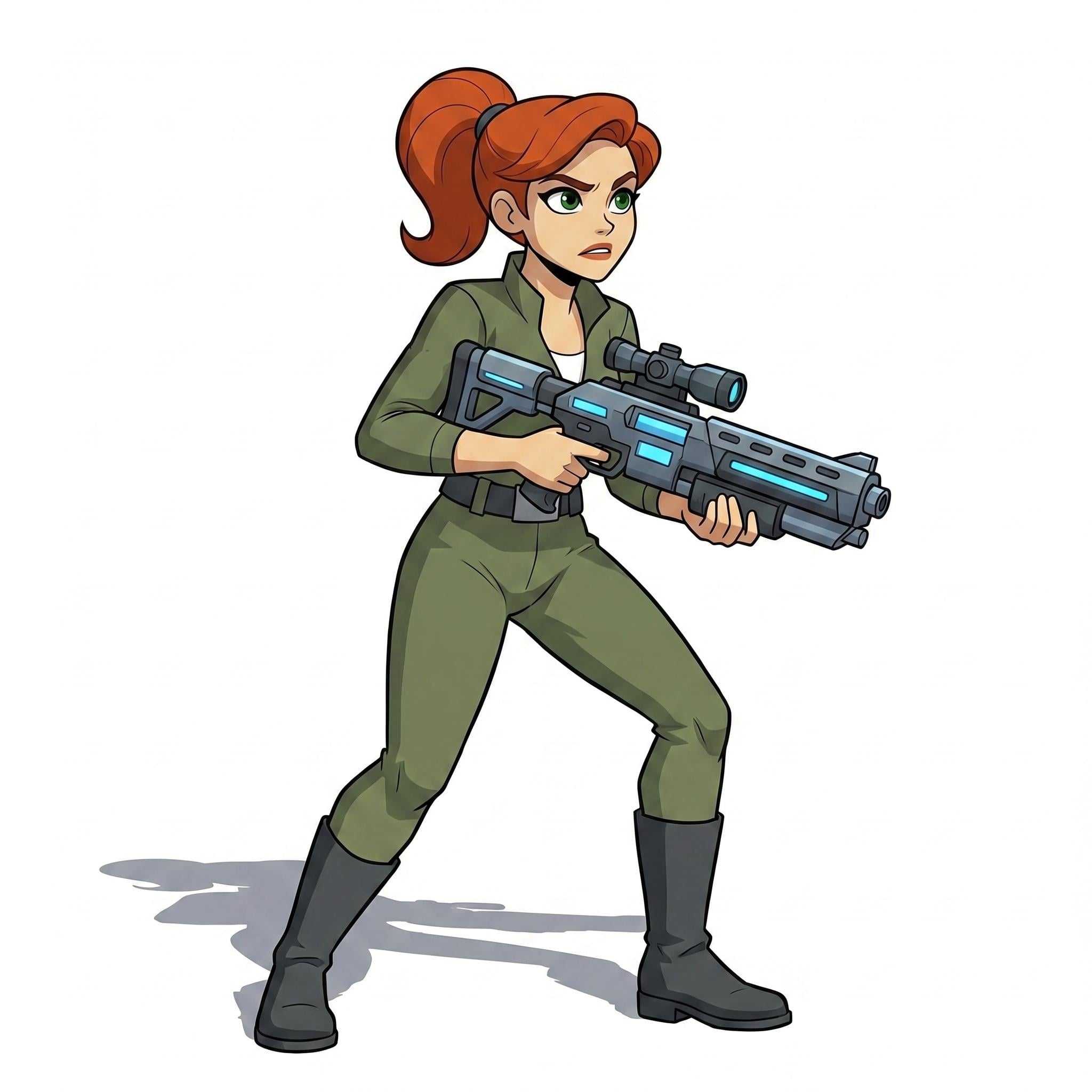
Yesterday I tried something a little different. I started with my character, "Moira", captain of Freya's Folly (Moira started out as one of my DAZ-format Webboid characters with 3D hair and clothing). I wanted to make a 3D print of her so I came up with this one:
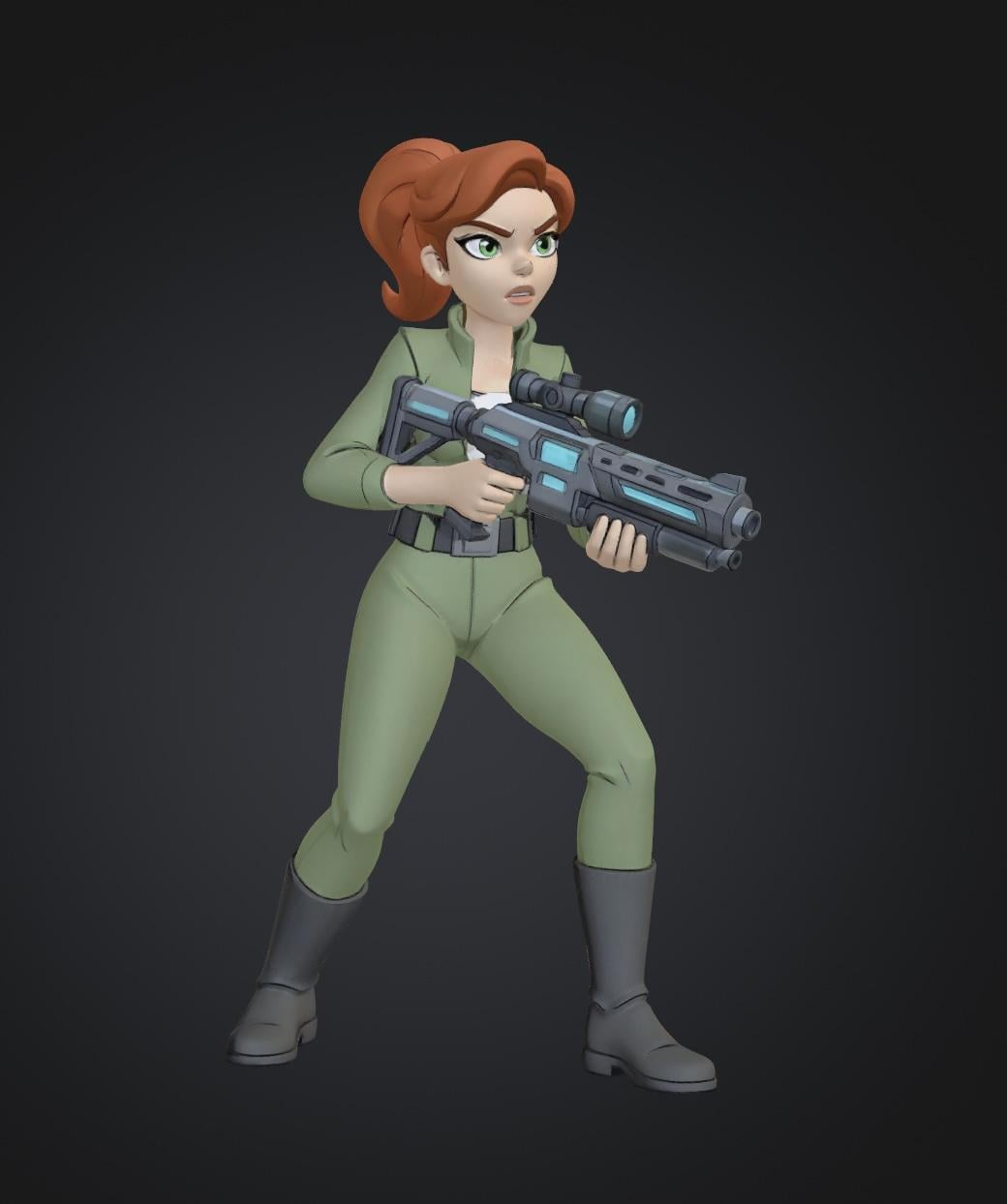
I used that in Meshy to get a nice, clean little mesh:
Then moved that to Anycubic Next, where I'm limited to 8 colours of filament (without swapping spools during printing):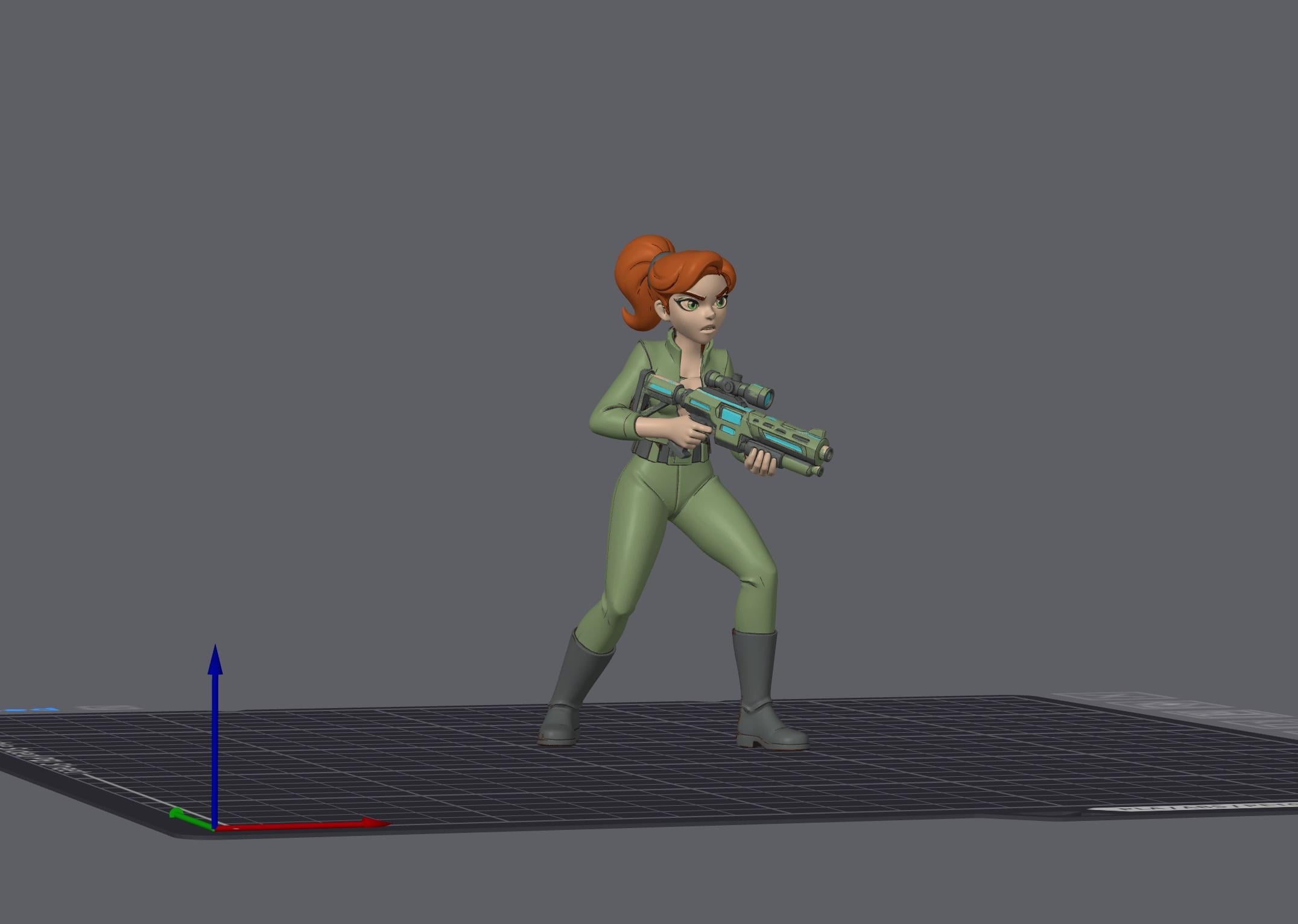
I kind of liked the 3D look of her in Meshy, so I took that preview and did a quick animation. I didn't take the time to tidy up the Meshy preview and I only made a quick, low-res test animation but I had a lot of fun doing it.
If pressing on the image doesn't launch the video, it's available here: https://sterdan.com/wp-content/uploads/2026/04/Moira-3D-test.mp4Nothing Earth-shattering, but a quick bit of fun, from 3D to 2D and back again...
Wow that turned out great. I like where you are going with Moira's story. Thanks for sharing.
Remixing your art with AITomorrow marks 21 days since I've been experimenting with using AI for animation; I'd been using it for comic art for a little while longer than that, as well as for helping me make 3D models from sketches and artwork for 3D printing and for animated game characters.
Yesterday I tried something a little different. I started with my character, "Moira", captain of Freya's Folly (Moira started out as one of my DAZ-format Webboid characters with 3D hair and clothing). I wanted to make a 3D print of her so I came up with this one:
I used that in Meshy to get a nice, clean little mesh:
Then moved that to Anycubic Next, where I'm limited to 8 colours of filament (without swapping spools during printing):
I kind of liked the 3D look of her in Meshy, so I took that preview and did a quick animation. I didn't take the time to tidy up the Meshy preview and I only made a quick, low-res test animation but I had a lot of fun doing it.
If pressing on the image doesn't launch the video, it's available here: https://sterdan.com/wp-content/uploads/2026/04/Moira-3D-test.mp4Nothing Earth-shattering, but a quick bit of fun, from 3D to 2D and back again...
Point Lights, Ghost Lights, and VolumetricsCompletely invisible in what way?
Do you mean that you see them in the viewport? If this is the case, you can select the item, go to the parameters tab and switch off "visible in viewport". This will hide it from view, it won't show in your final render anyway (anything that is just an off-white skeleton doesn't show in a render).
Or if you want to hide their light output, just click the eye icon next to the item in the scene tab to switch it off. Bear in mind that if you are using the texture shaded preview option, your viewport will go dark and you may need to switch to filament view.
Sorry if I've not understood what you meant but it may help if you specify what you are trying to achieve
 Wet Look
Wasn't sure where to put this as I don't know if such a product exists or not.
I need something that I can apply to any hair or clothing to give a wet look for G8 both M and F. The body I have no isue with using Wet Body Filament.
I have various products such as Iray WetFX 2 and WetFX Decal & Shader Kit but none of them seem to work properly, unless I'm completely screwing things up when applying them. I mean, I can apply the decals but they don't seem to affect translucency of the clothing (in this instance it's Pack Leader shirt).
Anyone have any links, tips or advice?
TIA.
Can Skin Color Changes Be Seen in Viewport or Only in Iray?I dont think it should be very important what a preset that was made for Iray looks like while viewing in an OpenGL viewport drawstyle. Texture mode is not really supposed to be a 1-to-1 of what it is going to look like in Iray, only an indicator.
If you intend to have your "final render" using OpenGL or Filament, it is probably better to just manually change the skin color settings on the Surfaces tab so you can dial in the effects you want.Daz Studio 4.24[.0.x], General Release!A 50 series GPU will supposedly work with DS 4.24 if rendering in Filament and greatly increase render speed according to AI (I haven't been able to verify as I only have an RTX 2060). Has anyone tried this and seen an improvement in render speed? I realize Filament is already very fast, but as an animator that is great news if true. Depending on complexity of the scene my current 4K animations rendered with an RTX 2060 take anywhere from 2 to 5 seconds per frame. According to AI, a 50series card could drop that time down to 1 second or less per frame. Thats a big deal when doing thousands of frames. I hope somone will test and respond. That would mean I can use 4.24 indefintely.
There's Always Another Sale Thread -- Discussions Only Pt 6Ah, a toon sale. Surely there will be filament offerings today... Nope
Ah, well. surely the filament shop items in my wishlist will be part of the sales promotion... Nope.
Sigh.
[Released] Content Wizard [Commercial]gwalla_2536c3a4a6 said:
RiverSoft Art said:
gwalla_2536c3a4a6 said:
RiverSoft Art said:
gwalla_2536c3a4a6 said:
SonixUK said:
gwalla_2536c3a4a6 said:
Nice catch! Changing the directory structure like that did the trick. Daz did crash in the process, but it successfully installed and now I can put this cutie pie into some ridiculous fantasy adventures.
Was your viewport in Filament mode by chance?
If I use CW in filament mode, it crashes DAZ 85% of the time (although DAZ crashes and closes, CW remains open and can sometimes complete the process)
I always switch to Texture Shaded before launching CW. I've never had a single crash in that viewport mode.
It probably was. I tend to default to that.
I had high hopes that maybe you'd cracked the code with this suggestion, so I switched to wireframe and...the first two products I tried crashed at the end. Oh well.
Still, it does seem to be more stable overall, so even if that isn't a total fix it seems to have helped.
I am curious - did you try switching to Texture Shaded? Or only wireframe?
Since then I've been in Texture Shaded and have not been having any problems. It's baffling that that would make a difference, but I guess it does!
Thanks. Another good data point.
I'm going to have to amend that. Just got a crash. And before that I had a couple of script lockups of the mildest type (New Product button doesn't work, have to close and reopen the script).
The crash happened when installing a character, Nonomi for Genesis 8 Female by RIZAL3D. The first attempt had an error when trying to install smart content, saying it could not open a file (Install Content had worked fine) and left behind an empty product that I deleted. I rezipped her (she comes in three zipfiles but I rezipped as one) and tried again, which successfully installed her but crashed Daz afterward.
That said, I've been having a lot fewer problems since switching to Texture Shaded. Maybe just coincidence (there have been extended streaks without problems before) but I'm hoping not.
Ok, thanks.
[Released] Content Wizard [Commercial]RiverSoft Art said:
gwalla_2536c3a4a6 said:
RiverSoft Art said:
gwalla_2536c3a4a6 said:
SonixUK said:
gwalla_2536c3a4a6 said:
Nice catch! Changing the directory structure like that did the trick. Daz did crash in the process, but it successfully installed and now I can put this cutie pie into some ridiculous fantasy adventures.
Was your viewport in Filament mode by chance?
If I use CW in filament mode, it crashes DAZ 85% of the time (although DAZ crashes and closes, CW remains open and can sometimes complete the process)
I always switch to Texture Shaded before launching CW. I've never had a single crash in that viewport mode.
It probably was. I tend to default to that.
I had high hopes that maybe you'd cracked the code with this suggestion, so I switched to wireframe and...the first two products I tried crashed at the end. Oh well.
Still, it does seem to be more stable overall, so even if that isn't a total fix it seems to have helped.
I am curious - did you try switching to Texture Shaded? Or only wireframe?
Since then I've been in Texture Shaded and have not been having any problems. It's baffling that that would make a difference, but I guess it does!
Thanks. Another good data point.
I'm going to have to amend that. Just got a crash. And before that I had a couple of script lockups of the mildest type (New Product button doesn't work, have to close and reopen the script).
The crash happened when installing a character, Nonomi for Genesis 8 Female by RIZAL3D. The first attempt had an error when trying to install smart content, saying it could not open a file (Install Content had worked fine) and left behind an empty product that I deleted. I rezipped her (she comes in three zipfiles but I rezipped as one) and tried again, which successfully installed her but crashed Daz afterward.
That said, I've been having a lot fewer problems since switching to Texture Shaded. Maybe just coincidence (there have been extended streaks without problems before) but I'm hoping not.
[Released] Content Wizard [Commercial]gwalla_2536c3a4a6 said:
RiverSoft Art said:
gwalla_2536c3a4a6 said:
SonixUK said:
gwalla_2536c3a4a6 said:
Nice catch! Changing the directory structure like that did the trick. Daz did crash in the process, but it successfully installed and now I can put this cutie pie into some ridiculous fantasy adventures.
Was your viewport in Filament mode by chance?
If I use CW in filament mode, it crashes DAZ 85% of the time (although DAZ crashes and closes, CW remains open and can sometimes complete the process)
I always switch to Texture Shaded before launching CW. I've never had a single crash in that viewport mode.
It probably was. I tend to default to that.
I had high hopes that maybe you'd cracked the code with this suggestion, so I switched to wireframe and...the first two products I tried crashed at the end. Oh well.
Still, it does seem to be more stable overall, so even if that isn't a total fix it seems to have helped.
I am curious - did you try switching to Texture Shaded? Or only wireframe?
Since then I've been in Texture Shaded and have not been having any problems. It's baffling that that would make a difference, but I guess it does!
Thanks. Another good data point.
[Released] Content Wizard [Commercial]RiverSoft Art said:
gwalla_2536c3a4a6 said:
SonixUK said:
gwalla_2536c3a4a6 said:
Nice catch! Changing the directory structure like that did the trick. Daz did crash in the process, but it successfully installed and now I can put this cutie pie into some ridiculous fantasy adventures.
Was your viewport in Filament mode by chance?
If I use CW in filament mode, it crashes DAZ 85% of the time (although DAZ crashes and closes, CW remains open and can sometimes complete the process)
I always switch to Texture Shaded before launching CW. I've never had a single crash in that viewport mode.
It probably was. I tend to default to that.
I had high hopes that maybe you'd cracked the code with this suggestion, so I switched to wireframe and...the first two products I tried crashed at the end. Oh well.
Still, it does seem to be more stable overall, so even if that isn't a total fix it seems to have helped.
I am curious - did you try switching to Texture Shaded? Or only wireframe?
Since then I've been in Texture Shaded and have not been having any problems. It's baffling that that would make a difference, but I guess it does!
[Released] Content Wizard [Commercial]gwalla_2536c3a4a6 said:
SonixUK said:
gwalla_2536c3a4a6 said:
Nice catch! Changing the directory structure like that did the trick. Daz did crash in the process, but it successfully installed and now I can put this cutie pie into some ridiculous fantasy adventures.
Was your viewport in Filament mode by chance?
If I use CW in filament mode, it crashes DAZ 85% of the time (although DAZ crashes and closes, CW remains open and can sometimes complete the process)
I always switch to Texture Shaded before launching CW. I've never had a single crash in that viewport mode.
It probably was. I tend to default to that.
I had high hopes that maybe you'd cracked the code with this suggestion, so I switched to wireframe and...the first two products I tried crashed at the end. Oh well.
Still, it does seem to be more stable overall, so even if that isn't a total fix it seems to have helped.
I am curious - did you try switching to Texture Shaded? Or only wireframe?
Daz 3D is part of

Connect
DAZ Productions, Inc.
7533 S Center View Ct #4664
West Jordan, UT 84084Licensing Agreement | Terms of Service | Privacy Policy | EULA
© 2026 Daz Productions Inc. All Rights Reserved.