-
DS Cadichon - yay, donkey! But requirements?
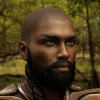
Well, here's Cadichon and Horse 2 with the donkey morph. See if you can guess which is which.
 Path Length vs performance ?
smaker1 said:
Thanks PerttiA ,
yes path length limit is also a topic .I don't know how DS4 react if it happens , no morph loading ? ...
"D;\Daz3D" is a good idea!
as I use turboboost loader, I imagine I must reinitialize all my morphs before changing the path.
If you duplicate all the original data and then change the path to address it .. it will be transparent to daz..
I have a data drive G I also have a backup of it H... if G dies I change H's drive letter to G and daz thinks it's the same drive.
Likewise if your new drive is X and it's a copy of your old data drive... just changing the pointer to X will access all the old dataDS Cadichon - yay, donkey! But requirements?Fishtales said:
WendyLuvsCatz said:
DAZ might have one of those bundle sales again where you only pay for missing items if you are fortunate
I don't have any missing items from the bundle. They were all bought separately and the morph wasn't included with any of them.
The morphs (at least some of them) and some skins were only available with the Pro Bundle and there is no other way to get them.
Eyelashes not lining up with eyes on Face Transfer characters.Well with Headshop as I recall, one has to check the morph that one is making to be sure that the "auto-follow" is selected. Remove the eyelashes, check the face morph that auto-follow is selected, then try applying a fresh set of eyelashes.
Face Transfer - Custom 'base' textures?As I recall, I do show how to switch out the G8 textures used in Face Transfer for any base textures one wants to use. The tutorial should be available if not sometime today, then tomorrow if they make such decisions over the weekend. While the first time is a bit of work, I found just leaving zipped folders at the ready in the concerned folders works well enough. 7zip has the unzip "here" feature.
DS Cadichon - yay, donkey! But requirements?Fishtales said:
WendyLuvsCatz said:
DAZ might have one of those bundle sales again where you only pay for missing items if you are fortunate
I don't have any missing items from the bundle. They were all bought separately and the morph wasn't included with any of them.
It's like the gens in the pro bundles - you can't buy them seperately...
More Non-photorealistic Renders (NPR III)Looking at the RealToon product page, the shader looks very promising. It offers a lot of room to creatively find a unique NPR look. I'd try it myself ... except that I'm neck deep in Blender.
From what I've learned, transferring assets from Daz means updating the shaders/materials in the target system. Fortunately, as with RealToon for Unity or any of the excellent NPR shaders for Blender, people have made this task a lot easier at an affordable price. But apart from one-shot still images, attempts at producing *a number of NPR images consistently* for comics or animation leads to shader translation fatigue. This is where some form of scripting or automated workflow makes the transfer from Daz more manageable.
I think you're on the right path if you stick with RealToon. Hope to see more of your work.
Cheers!
Artini said:
Thanks a lot for the comments, @3Diva and @Gordig.
That is what i have suspected. Switching to RealToon shaders is not sufficient to get a NPR look.
One need to change the textures, as well.
At least the black outlines looks good, so it is some positive with RealToon shaders.
Still need to confirm, that the interior lines are there.
Back to more tests.
Face Transfer - Custom 'base' textures?alan bard newcomer said:
heck most of mine have been from b&w pictures. so just making a skin or transfering in to the face transfer body is necessary,.It sounds like you have a very different, less demanding use case than I do. Switching out the face texture would be completely unacceptable for my application. I am trying to create a 3D version of the subject in the photograph.
The problem is, the rest of the body textures generated from the base Genesis 8 model are of horrible quality, at least after having their color changed to match the face. They are covered with patches that look like severe skin disease.
The face texture itself, however, is often perfect or close to perfect when good photos are chosen and the Main Fix from Face Transfer Shapes is applied. Simply swapping out the body textures after the face is generated creates a color mismatch between face and body. Thus why I need to swap out the body textures before the Face Transfer as Catherine3678ab's tutorial tells how to do.
My Genesis 8 and Genesis 8.1 Female Figures Are Loading with Custom MorphsPerttiA said:
Epic82 said:
I’ve done the process of zeroing all the dials that shouldn’t be dialed up on the base Genesis 8 female, and I saved the modified assets for Genesis 8 female. But it still loads with the custom morphs.
It isn't enough just to zero the dials, one must also memorize the figure, which makes the zero the default value for the dials.
Working instructions;
To fix any ill-behaving (non-zero default value) morphs, do as follows;
1. Open DS and load "Genesis 8.1 Basic Female" (to an empty scene)
2. Right Click at Parameters Tab->Preferences->Choose "Show Hidden Properties" (part 3 zeroes only 'visible' dials)
3. Right Click at Parameters Tab->Zero->Zero Figure (Zeroes the value of all the 'visible' dials)
4. Right Click at Parameters Tab->Memorize->Memorize Figure (Sets the current value of all the dials as their default value)
5. Edit->Save As->Support Asset->Save Modified Assets (Writes the changed default value to the morph files that were changed)When saving "Modified Assets" DS shows a dialog and asks for confirmation;
"The following file(s) will be permanently modified:" - "Accept/Cancel" - Choose "Accept"
Thank you so much PerttiA! Your instructions helped me solve the problem.
My Genesis 8 and Genesis 8.1 Female Figures Are Loading with Custom MorphsEpic82 said:
I’ve done the process of zeroing all the dials that shouldn’t be dialed up on the base Genesis 8 female, and I saved the modified assets for Genesis 8 female. But it still loads with the custom morphs.
It isn't enough just to zero the dials, one must also memorize the figure, which makes the zero the default value for the dials.
Working instructions;
To fix any ill-behaving (non-zero default value) morphs, do as follows;
1. Open DS and load "Genesis 8.1 Basic Female" (to an empty scene)
2. Right Click at Parameters Tab->Preferences->Choose "Show Hidden Properties" (part 3 zeroes only 'visible' dials)
3. Right Click at Parameters Tab->Zero->Zero Figure (Zeroes the value of all the 'visible' dials)
4. Right Click at Parameters Tab->Memorize->Memorize Figure (Sets the current value of all the dials as their default value)
5. Edit->Save As->Support Asset->Save Modified Assets (Writes the changed default value to the morph files that were changed)When saving "Modified Assets" DS shows a dialog and asks for confirmation;
"The following file(s) will be permanently modified:" - "Accept/Cancel" - Choose "Accept"
Mid-way through 2022 a new Sales Thread:Report Issues Here "There's Always Another Sale™"Rod Wise Driggo said:
j_jobs_5aed5ee339 said:
Blando Calrissian said:
It's... um... not much of a Mystery Box if you're told beforehand what's inside the Mystery Box...
I think eve 2022 morphs is this one
https://www.artstation.com/artwork/d0gXlQHmm, I would not spend $30 only knowing I will get 10 products with one from xtrart-3d and one from Allesandro_AM. Knowing that a Mousso lady is involved plus that Morph from daveyabbo changes things and I am strongly considering to get it. Especially as most discounts on older stuff tend to still not work properly.
What blocks me is the fact that the items will be added Sep 5th. The demigod bonus item should have been added on Sep 1st, and in my case it did not. I am not keen on creating yet another support ticket...
My Genesis 8 and Genesis 8.1 Female Figures Are Loading with Custom MorphsWhen I load both Genesis 8 and Genesis 8.1 Female figures, Daz, for some reason, loads these figures with custom morphs on them. The morphs are from Priya for Genesis 3 Female and a few other details, that I converted to Genesis 8 Female with Discobob and Zev0’s XTransfer - Genesis 3 to Genesis 8 Converter. I converted this character a long time ago. You can see the corrupted figure in the first screenshot I’ve uploaded. This morph has merged with other Genesis 8 and Genesis 8.1 figures, as you can see in the second uploaded screenshot. The figure on the left is Gia 8, and the figure on the right is Victoria 8. Priya is such a unique character the difference between the original characters and the corrupted characters in the screenshot is easy to see.
However, some of the Genesis 8 female figures that I have saved as actors, like the Freja 8 and a Rune 7 figure I transferred to Genesis 8, load fine without any of the Priya for Genesis 3 morphs on them. I read this thread and I’ve done the process of zeroing all the dials that shouldn’t be dialed up on the base Genesis 8 female, and I saved the modified assets for Genesis 8 female. But it still loads with the custom morphs. I went to My Library\data\DAZ 3D\Genesis 8\Female\Morphs/Daz3D/Base and found XT Priya Body, and I deleted it. You can see this file in the third screenshot. But deleting this file does nothing to fix the problem. Does anyone know how I can fix this? I think this problem began only a few days ago when I attempted, for the first time, to change a wearable, a dagger from Britech’s Aten Weapons Collection, into a prop, and vice versa. But I’m not sure.
I’m sending this early in the morning, and I might be asleep by the time someone responds. But I’ll definitely respond later today.
Mid-way through 2022 a new Sales Thread:Report Issues Here "There's Always Another Sale™"Rod Wise Driggo said:
j_jobs_5aed5ee339 said:
Blando Calrissian said:
It's... um... not much of a Mystery Box if you're told beforehand what's inside the Mystery Box...
I think eve 2022 morphs is this one
https://www.artstation.com/artwork/d0gXlQHmm, I would not spend $30 only knowing I will get 10 products with one from xtrart-3d and one from Allesandro_AM. Knowing that a Mousso lady is involved plus that Morph from daveyabbo changes things and I am strongly considering to get it. Especially as most discounts on older stuff tend to still not work properly.
I like Mousso too, the problem is that most of his models look VERY MUCH alike. I already have a few, and with the 200+ head and body morphs product I am covered for almost anythink I would need in my renders. xtrart-3d products are good also but no need to buy right at release, since they will get cheaper soon after. The eve morphs however is something i was looking for, for a long time. Not sure i would spend 30$ for that one though...
Mid-way through 2022 a new Sales Thread:Report Issues Here "There's Always Another Sale™"j_jobs_5aed5ee339 said:
Blando Calrissian said:
It's... um... not much of a Mystery Box if you're told beforehand what's inside the Mystery Box...
I think eve 2022 morphs is this one
https://www.artstation.com/artwork/d0gXlQHmm, I would not spend $30 only knowing I will get 10 products with one from xtrart-3d and one from Allesandro_AM. Knowing that a Mousso lady is involved plus that Morph from daveyabbo changes things and I am strongly considering to get it. Especially as most discounts on older stuff tend to still not work properly.
DS Cadichon - yay, donkey! But requirements?Fishtales said:
WendyLuvsCatz said:
DAZ might have one of those bundle sales again where you only pay for missing items if you are fortunate
I don't have any missing items from the bundle. They were all bought separately and the morph wasn't included with any of them.
well then you will get it for free if they have one of those sales again
I got a few free previous ones where I owned all the bits
DS Cadichon - yay, donkey! But requirements?WendyLuvsCatz said:
DAZ might have one of those bundle sales again where you only pay for missing items if you are fortunate
I don't have any missing items from the bundle. They were all bought separately and the morph wasn't included with any of them.
AOBB's Sweetheart (and v2)head morph for G8.1F inspired by Marilyn Monroe. No materials or textures.Really good, now need 2 morph for the Kennedy brothers.
Face Transfer - Custom 'base' textures?Catherine3678ab said:
alan bard newcomer said:
face transfer.... face gen ... headshop aka faceshop.
when you say face transfer are you talking about face transfer the program or transfering a face from facegen?
===|
I've used both face transfer and head shop and either create a new skin in skin builder or just copy/paste a skin from a compataible character.
---
could you acccomplish what you want by creating a character in face gen ... and then adding the custom skin you have on an existing character?
This older thread was resurrected to ask for my tutorial for the Face Transfer plugin. It does not cover Headshop or Facegen.
"Hi, i wonder if there is a way to change 'the base' textures for my Face Transfer attempts?
I mean using custom genesis 8 textures to blend the face and color hue-brightness to the body on them, instead of G8F base. I know FaceGen can do that."
---
they switched from face transfer to facegen..
And what I thought I saw was he wanted to have face transfer produce skins that he could use...or something like that.
And I thought that was a tad hopeful from programs that are basically for copying a face shape from a photograph..
and was wondering if they missed they can do the face transfer and the place the custom textures on that body?
heck most of mine have been from b&w pictures. so just making a skin or transfering in to the face transfer body is necessary,.
--
[Released] Legacy Set Converter * Commercial *Havos said:
I real shame this will not convert the pz2 material files to duf, as that is what I wanted the most. I would not have cared if they remained with the default shader, but just being able to apply them via the DS content library tab would have been great. I have converted a lot of older hair to G8, and being able to store the hair shaders in the same directory as the duf for the converted item would have been very helpful.
As pz2 files as a starter are not really materials, but poses, the use of them to set matrials is and has always been, a clever hack.
Whan I saw it the user interface nightmare defining which .pz2 files for which .cr2/.pp2 that are to be applied to be converted without ending up with a ton of "materials" that does nothing was the were really poses or morph injectors, not marerial settings at all i kind of back off the whole idea.
default g8m face morph to g8fThat's quite possible.
How were you trying to transfer the morph?
From G8F to G8M is here: https://www.daz3d.com/forums/discussion/520226/transferring-morphs-from-g8f-to-g8m
I would think it could work the other way around too.
Daz 3D is part of

Connect
DAZ Productions, Inc.
7533 S Center View Ct #4664
West Jordan, UT 84084Licensing Agreement | Terms of Service | Privacy Policy | EULA
© 2026 Daz Productions Inc. All Rights Reserved.