-
Genesis 8.1 bug?
It's not a pose triggering it, nor a morph, it's there in both G8F and G8.1F when they are set to base resolution, using a pose or pose control makes it easier to see.
It does stand out a bit more with 8.1 than it does with 8.
Convert Genesis 8.1 model morph to 8.0PerttiA said:
cprc4080 said:
How do you transfer 8.1 to 8 I need to know please.
What do you want to transfer, morph, textures, wearables and why?
I am also interested in trasferring Genesis 8.1 to Genesis 8. Just morph, head and body shape and details (muscles etc...)
Saved Morph Assets Load On Default, Help!Nudity is not allowed. Show your character in smooth shaded draw style or remove the textures. Moderators will likely remove your attached image. As to your problem, did you save the morph assets while they were dialed to 100%? You should dial them to 0 before saving.Genesis 8.1 M&F Anatomical Elements?Richard Haseltine said:
Make a UV mapping, or select which UV set to use?
Before, one could transfer the torso material to the G8F anatomical elements using Zev0's Skin Builder for GF8.
It's been made abundantly clear that this tool will not be updated for G81F.
However, is there currently any tool which would allow the user to assign the G81F Body surface to the G8F anatomical element, and get the correct UV so it will display properly?
Thanks in advance!
Saved Morph Assets Load On Default, Help!I dont know what to call this problem.
Upon even loading a regular zero/default Genesis 8 figure, saved Morph Assets I made from Zbrush are loading at 100%.
I used the File > Save As > Morph Assets
Then I used, Paramiters > Memorize > Figure/ShapeNow these morphs load with every single default, saved character, so on.
How do I stop this from happening?
In the Attachments Below is a Visual Screenshot of the issue at hand.
Any help is much, much appreciated. As I cannot figure this out.
Adjust rigging to shape in dress doesn't work for auto-generated height morphI'm at a complete loss, because I made a dress/trench coat for Genesis 2 Male (I don't like the newer figures) and added custom bones to control the lower part (the skirt part) of the dress/coat and it works perfectly on the base character. But I made it specificially for a custom character for a book I'm writing and he uses the height morph, in the negative value (making him taller). He's only a bit taller than the base figure, however that doesn't matter, because the custom bones I made for the "skirt" section of the dress/coat do not follow that morph, so the rigging I did is useless now. I have followed all of the tutorials on how to adjust rigging to shape and ERC freeze it, but instead of working, it just messes up the rigging entirely and makes the bones shorter, instead of taller, (I'm assuming because the Height morph goes in negative values to make them taller, instead of positive, which honestly doesn't make sense). I am pretty good at doing JCMs at this point, but I have obviously not figured out how to do morph controlled fixes, because I can correct rotation (bend, side to side, twist, ect) just fine with morphs, but I can't figure out how to fix rigging in a morph that is for comformed clothing. I can do it in a figure that is not conformed to someone else or a morph that doesn't go to negative values, but I can't figure it out for something like this and it's making me feel like I'm am missing something or just incable of figuring it out, but there are no results that I can find that discuss this specific thing. I hope what I'm saying is making sense and I hope someone knows what I'm doing wrong, if there's an extra step for morphs that go in the negative value or something? Please help me and thank you in advance.
Suddenly, all my G3F Characters are "Deflated"We are assuming, from the description, that the issue is a morph (from a charcater or shape set) kicking in when it shouldn't - this would be a bug with whatever the bad morph is from, or is being driven by; each figure has its own data, so all only those characters derived from the affected figure will show the distortion. Some things should load with non-zero defaults, so there is no way for Daz Studio to know what the issue is - but Edit>Figure>Zero>Zero Figure Shape should remove all shpes.
Suddenly, all my G3F Characters are "Deflated"I'm so confused. I'm not tech savy in the least so I stand a good chance of messing everything up if I tamper with it too much. I just don't understand
A) What I did to create a G3F-wide character mutation. Beyond double-clicking on a character morph and applying it to a base G3F, I've not touched a slider or tweaked any individual morph settings.
B) How is it that only the females are effected
C) Why there's no "RESET DEFAULTS" that will put everything back to the original character settings before I inadvertently threw a wrench in the works. Daz is an amazing program but when something goes wrong, it's like a 4-alarm fire!
Exporting rig morph movements when exporting to BlenderSo, I've been trying to avoid asking this question by doing workarounds for a while, however, at this point, I should just ask;
How do I export the bone movement from a morph to Blender? Whenever I export to Blender, the morphs stay in the form of Shape Keys, but the rig movement does not follow long.
In Daz3 the bones are clearly shown to follow the morphs of the Dwarf shape. However, in Blender. The bones stay in the form of the original Gen8 model, not the shape of the dwarf.
This is quite the issue since I am working in Unity, and if the characters change shape to something bigger or smaller, any "addons" I create will either be floating off the body or be stuck half way through it instead.
I've been working on some work arounds, like creating a red dot on the material and then having the game object use that to find its position.. But it just seems like such a huge workaround to something that I'm sure should work out of the box?
I mean, it makes little sense why the bones wouldnt follow the morphs in Blender since they do in Daz3d?
If anyone could help me out, that would be amazing, though, please keep in mind. I am not a 3D artist, I am a programmer, slowly learning to use Blender through trial and error, so, if I have to do something special to get it working, then please tell me where to find it or give me a keyword to Google :)Stability issues of the "Face Transfer" function and updates/tipsI found the Face Transfer function in Daz Studio could be very unstable under some circumstances:
1. Some standard photos (even standard ID photos like Visa Photos with white background) could fail to transfer (crash/error)
2. Same photo could be transferable at one time but fail to transfer at another time
Does anyone encounter the same issue as me? How do I contact the author about the issues? ()
I don't see the updates for this product (or is it updated with Daz Studio?)... How would you guys use the Face Transfer pluggin? Do you pre-process the photo before use?
----------------------------
It might be inappropriate to post any real person photos here for illustration, but I guess thoes who use Face Transfer a lot know what I am saying,,,
there used to be a move by ten foot increment tool for the toolbarOkay, I can upload images via Opera. (which is chrome based ... so what the heck?)
Now if I can find the better set of icons and if I can add my own for things like using my curtains morphs which I only need occasionally so an add/close toolbar system will work great.
---
I now have curtains that morph six ways... open close horizontal, open close tie back, hang with skew to either side, droop where the cat bent the curtain rod, wind blowing to side, wind blowing back.
being able to add these to the toolbar while seting up the windows on a tenement with 20 windows would be create, likewise open/closing sashes and shades and turning on and off the lights.
For the building fronts (of which I have many) just clicking to change a window would be great but need to quickly move one set of scripts in then out for another rather than adding one at a time to the toolbar
1) toolbar with colored items from McCleans room creator, 2) set of curtain morphs (although they can all be used together as they are moprhs on one object) and 3) a building front with twenty windows to fine tune.
---
interesting just noticed that some years (like 2014) you can't even spell copyright correctly, duh.What program do I need to edit DAZ .dse files?thanks Richard...
---
being lazy (like all good programmers) I was looking for code to reuse.
I asked about the dse because the one that adds the scripts to the toolbar for that set of items obviously simple tells the F3 activated interface to add the listed scripts to the toolbar and it's companion removes them.
I redid the scripts to one foot nudges ... that worked fine because the matched in name png triggers any script with the same name but the dse script is specific in adding the scripts to the toolbar by name in the coding.
So what I'm looking for is basically that script in dsa format that I can just stick the names of the scripts I create to.
Or even better a script that would just load any scripts in the same folder to the toolbar --- I tried that added an extra script and the dse to add the items to the toolbar didn't see it ... so it must specifically call them by name.
----
I do models of buildings and include working windows shades and curtains with each casement.
the curtains were a simple open/close morph ...but I realised last night I needed more so I made a new set that open/closes horizonally (the one I had before) a tieback the middle of the sides, having one side or the other drag at the bottom being askew, one set the droop in the middle where the cats climbed them and ones that blow sideways in the window or back into the room
I realized that being able to add a toolbar the curtain morphs would be a timesave when adjusting the 20 windows on the front of a NYC walkup just click the curtain and then click the icon without ever having to find the morph slider.
Then the same to open / close the sash and to raise lower the shade -- and turn the lights one and off
But you would only want to run these when setting up the building.Genesis 8 takes forever to load...Daz Studio must load the morph channels and links, otherwise it won't knoww hich sliders to show or which other morphs they should trigger (well, in the latter case it could parse the property files on a morph being set, which would make setting a morph about as slow as loading the whole figure, or compile an index of links that it could check when a property was first set, which would slow using a morph but not as much as the figure load but would take us back to the fourth generation days of having to run some kind of updater to make the list current every time we installed new content. It is all very well saying the slowdown is a pain, and wishing for an improvement, but you need to have some understanding of what needs to be done to support the desired features (and ideally some idea of how it might be implemented) before saying the application is outdated or blaming the developers for not providing a fix.
Genesis 8 takes forever to load...The Gen 4 don't have morph channels in their CR2s, instead they have dozens of readscript lines, DS and Poser have to read and process thousands of PZ2 files, just to create the empty morph channels and all of the ERC links.
That is a different system to what we have with the Genesis series in DS4, but it's technically doing the same thing, DS4 reads and processes thousands of DSF files in the figures Morphs folder, creating the channels and all of the ERC links.
It's those ERC links in G8F content that cause most of the long load times, as your average G8F character has roughly 1600 of them.
Basically the more of the ERC links DS fails to create the longer the load times tend to get.
But for it to take an hour to load usually means something else is adding to it, one file with bad parent data for instance can add upwards of 5 minutes to an already long load time.
With long load times it's always best to ask for help on forums and to attach the log file to your post, that way some of us can track the time stamps and see where the issues are.
Genesis 8 takes forever to load...It's time Daz Studio came of age.
While we have had sucessive upgrades to the base male and female models, the underlying structure of Daz Studio has not kept up.
I have seen so many complaints about the long loading times of Genesis 8 and 8.1 it's not funny anymore. Nor is it acceptable to say "well just load less characters, or install only the characters you need".When Daz loads it loads every character morph you have installed. If you have a vast content library it can take up to a hour to load a basic genesis 8 female character.
Daz is in the business of selling product. It makes no sense to encourage us to use less products because the only way you can maintain a vast library of characters, as it stands, is to load the basic morphs you need and creat your own characters (why maintan a large library when you can't load it?).When you browse your content library Daz does not load it all. It only references content from it's database.
Why can't Daz intellegently do the same for morphs and only load those that are needed for the particular character you want to use?
It used to be like that with V4, only you had to load the morphs yourself. Even that would be preferable to the current system.There is a script that creates a selectable list of morphs that you can save and load by default but each time you buy a new character you must make a new, unique profile for that character and save it. Then, if you want to use that character again, you must reload that profile first. It becomes more complicated if you want to have moe than one character in you scene. So this is not a real answer.
Come on Daz people, empower us to buy more content by giving us a method of loading a character without all the distortions (as with genesis 8 males combining several character morphs by default) and long loading times (up to an hour in some cases).
New! Novica & Forum Members Tips & Product Reviews Pt 14Gordig said:
memcneil70 said:
@Gordig, Jun-fan has two skin material, and a Human and a Warlock Head to apply.
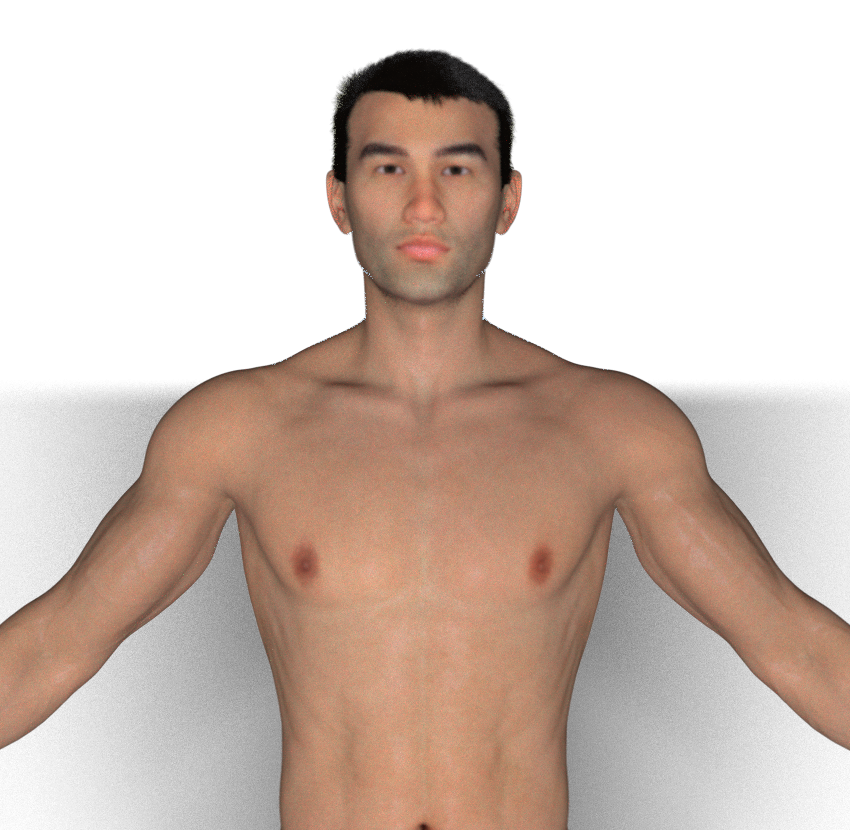
Yes, but all the promos show the morph as exceptionally - dare I say superhumanly - veiny and with almost Liefeldian musculature. JunJi is a realistic human character that can be made into a vampire, where JunFan looks like a vampire character that can be made slightly more human.
Well, for what it's worth, his musculature isn't that intense -- it really does look more like a guy who works out a lot. You know, like warlock vampires do.
Honestly, the only things I would fault him on are that his head is very veiny -- that can mostly, but not entirely, be hidden by hair. The one thing that can't be hidden -- and which is apparent in the promos -- is that his lips are very very very very very very very very PINK. Very. It's not a translucency thing; that's his texture. I may pull him into an editor to see if that can be pulled down a little.
 Celebrity Look-a-Likes for 3D figures part 3
Haruchai said:
magikhs said:
Vicey3D's Jessica, I've been saying is Olivia Holt from the start (look up previous pages). She played Dagger (Tandy Bowen) from Marvel's "Cloak and Dagger".
The morph looks slightly overdone and could use a dial back, but also it's my understanding that Olivia has been getting (subtle) procedures like lip injections and such, which is why she looks a little different compared to some of her earlier photos.¯\_(ツ)_/¯
Unfortunately it turns out we were all wrong, she is an original creation of Vicey's. Not to say that she can't be used as any of the suggestions with tweaking but she's not actually based on a celebrity.
Well, this thread isn't called "Characters that are based on more or less well-known celebrities (categories A+ to Z)" so having a figure coming out that does resemble a certain living human being, when the lighting is right and one uses a morph slider or whatnots should qualify it to be posted here, shouldn't it?
And, to be honest, the amount of pretty blond lookalikes in hollywood (and all over the movie industry) is so big, that even without the intent an "original creation" of a PA is cursed to look like a celebrity quite often
 Morph Dials Reset After Loading Saved Presets
PerttiA said:
Right Click at Parameters Tab->Memorize->Memorize Figure (Sets the current value of all the dials as their default value)
After a few attempts using this method, it has not solved the issue and the morph dial values still reset upon loading the figure after Saving + Memorizing. Thanks for trying to help.
If you think of any other solutions for me to try, let me know!
Celebrity Look-a-Likes for 3D figures part 3magikhs said:
Vicey3D's Jessica, I've been saying is Olivia Holt from the start (look up previous pages). She played Dagger (Tandy Bowen) from Marvel's "Cloak and Dagger".
The morph looks slightly overdone and could use a dial back, but also it's my understanding that Olivia has been getting (subtle) procedures like lip injections and such, which is why she looks a little different compared to some of her earlier photos.¯\_(ツ)_/¯
Unfortunately it turns out we were all wrong, she is an original creation of Vicey's. Not to say that she can't be used as any of the suggestions with tweaking but she's not actually based on a celebrity.
[SOLVED] Custom Sliders -> Presets loads a default G8Richard Haseltine said:
I suspect your custom morphs don't have their type set to Modifier/Shape
Damn... What you wrote on one of the dozens of similat threads finally solved it. I forgot one step, setting the morph type. Amazing how one can loose hours on little things sometimes ;)
Thanks Richard for your help... from another thread ;)
Daz 3D is part of

Connect
DAZ Productions, Inc.
7533 S Center View Ct #4664
West Jordan, UT 84084Licensing Agreement | Terms of Service | Privacy Policy | EULA
© 2026 Daz Productions Inc. All Rights Reserved.