-
virtual penny 4 yor carrara thoughts ?
Very cool!
 I've bought this Genesis 2 Cross-Figure Resource Kit so that I can convert Genesis clothing to Genesis 2 Female clothing.
Converting meshes from one male to another can be really easy in Carrara, then exporting the OBJ to bring into Daz Studio and using those fun Content Creation Tools to make it work with the intended figure.
Where I was having difficulty, however, was trying to get Genesis (Victoria 5) clothing to work with Genesis 2 Female - since Genesis started by making everything fit a male figure while also having breaks in the cage for other shapes afterwards - but they all begin as a basic male.
With this thing, I can add a Genesis 2 Male to Genesis 2 Female morph dial right onto the figure!
I could also see a lot of other potential with the tool, but the biggest reason I bought this was to get HongYu's "Shirt for Victoria 5" to work on my Genesis 2 Female figure - and it worked very well!
Once I had the morph to convert it from Genesis 2 Male to Female, I took it a step further by exporting that result as a separate OBJ and redid the whole thing in Daz Studio for Genesis 2 Female base - which works better for me in the end.
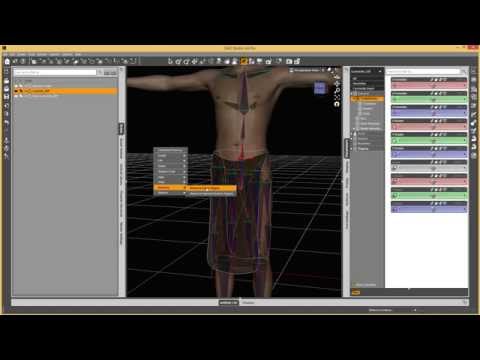
Here, Josh explains how it works
 Genesis: Olimpia, Gia, Mei Lin, Ninive... I can't understand!!
Another thing to keep in mind:
With the invention of Daz Studio 4.0 and Genesis came the ability (in Daz Studio) to swap UV Mapping layouts for the actual mesh - better termed: a SubDivision 3D Cage.
Without getting too heavy into the technology of that - basically it allows the mesh shaping (Morph) artists to remap the UV coordinates of the mesh to better fit the shape they've made, which helps to eliminate stretching and shrinking of the texture maps for a more accurate looking model in the end.
This is what made it possible of Genesis to become a child and/or a Mountain Gorilla, a Troll, a Giant Behemoth Monster - and still look real at render time.
Just know that Carrara doesn't have the UV Swapping abilities like that - so we would need to load in the correct Character for the maps we intend to use.
Example:
I really liked the base texture that came with The Girl 6 and wanted to use that.
Even though I'm not using the Girl 6 shape, I begin with the Girl 6 Character preset to get the proper UVs for those maps on my Genesis - so I don't get strange oddities showing up on her.
Once I have my Girl 6 Character into Carrara, I can remove all Girl 6 morphs and build my shape from scratch using any of the shape dials I have.
==================================================
It helps to pick a texture map collection whose character shape resembles the final shape we want to create to help eliminate texture stretching and so on - but we don't really have to if we don't want to.
For some of my Genesis creatures I'll load in the Troll preset for Genesis 1 and remove the Troll shape by dialing down the Troll morphs and build my own Orc or Goblin from there, knowing that the maps will follow the mesh properly - even if I stretch or shrink it in places.
I hope this makes sense.
That all said - that's why Daz3d had to create more names than Victoria.
Genesis 2 Female has her Base UV mapping
Victoria 6 has her own, and so do all of the other "Named" characters.
They all have optimized UV Mapping coordinates which make their own texture maps fit perfectly, as if their shape is the Base shape of the mesh - if that helps make any sense.
So each named character attempts to fill a Role from the realms of people. Victoria has always been their Cover Girl as well as their every day woman. So she often gets two versions - a base woman and a super model. Aiko is a Action Hero and Girl is a stylized pin-up art girl. Olympia is a Fantasy Heroine while Lillith has more of a dark under-current.
All of these different names are made to identify the base shape - even though the true base for the People 6 characters is Genesis 2 Male or Female.
Black Is Beautiful II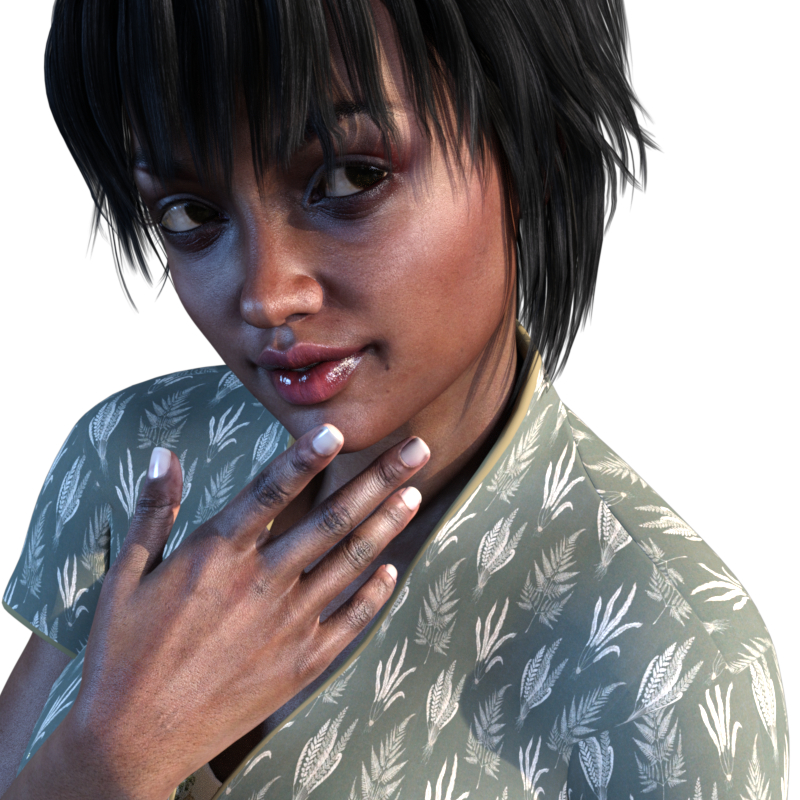
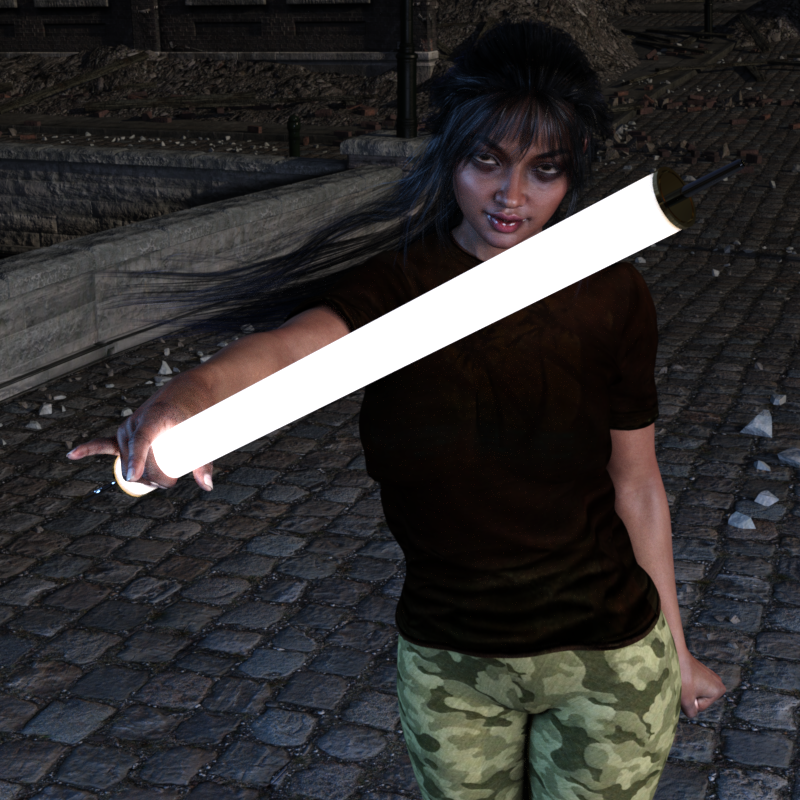
Working on a character with skin that is mix of Monique 7 mats, Victoria 7 mats, and the base G3F mats.
I think the shader might need some tweaking though. Any suggestions on decent Iray skin shaders for darker skin characters?
How to use Safyrana hair with V4Are you sure you are loading the Victoria 4 version, not the Genesis 2 Female version?
Strange error message when load the V4.2I would suspect the database reset has somehow doubled up fiel references, or found a duplicate, and that that is the root of the issue. Look at the log file immediately after loading Victoria 4, scroll to the very end, scroll back up until you get to the line telling you it is loading Victoria 4, and copy everything from that line down to a post here (or attach as a text file).
Selbsthilfegruppe DAZ Studio - Beispiele, Fragen, Diskussion und sonstiges GequatscheHier nochmal mein Beitrag mit den besseren Bildern:
Hallo,
bevor ich mit DAZ angefangen habe, hab ich mir viele Tutorials usw angesehen. Da ging es darum, dass man für viele Erweiterungen usw eines der Basemodels braucht anstatt das G3 Standardmodel, da sonst die Erweiterung die man kauft vom Aussehen nicht dem Produktbild entspricht das man kaufen möchte.. Also habe ich mir die verschiedenen Basemodels und die Erweiterungen der Models angesehen, wobei ich mich auch DAZ Orginals beschränkt habe.
Es hieß Victoria 7 wäre das meist genutzte. Daneben habe ich noch Monique 7, Lilith 7, Sunny 7, Mei Lin 7, Olympia 7, Aiko 7, Karen 7, Rune 7, The Girl 7 gefunden (hab nur female gesucht).
Da mir weder das Basemodell Victoria 7 noch die Erweiterten Models von Vicoria 7 (Agnes for Victoria 7 usw.) zusagten, habe ich mich für Nathalie for Olympia 7 entschieden und das benötige Basemodell Olympia 7 zusammen gekauft.
Jetzt zu meinem Problem:
Wie erstelle ich mir jetzt Nathalie?
Habe folgendes probiert:
-
Genesis3female base geladen, dann Olympia 7 drüber geladen,
-
dann Nathalie drüber geladen
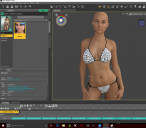
-
Wenn ich nun in Materials von Nathalie gehe kann ich zusätzliche Dinge wie Makeup, Skin usw. wählen, gut und schön.
-
Ich hab noch die Option Shaping, wo ich Nathalie Head und Nathalie Body implementieren oder löschen kann. Wäre aber doch Nathalie komplett geladen müsste ich diese Dinge doch gar nicht einfügen.
-
Also hab ich sie erst mal von der Figur entfernt = keinerlei Veränderung.
-
Dann hab ich sie implementiert (was ja eigentlich unnötig sein sollte) und plötzlich verändert sich die Avatar.
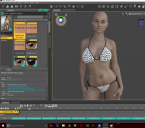
-
Neue Szene: Lade direkt Olympia 7 und setze Nathalie drüber
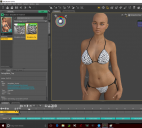
-
Auf Nathalie setze ich noch Kopf und Body
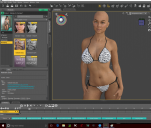
-
Neue Szene: Direktes aufsetzen von Nathalie ohne irgend ein Base vorher zu laden:
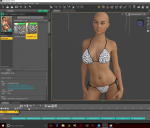
-
Zusätzliches aufsetzen von Head und Body
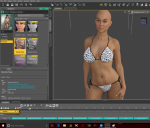
-
Nahaufnahme nachdem alle Iray items aktiviert wurden und Anatomy und skin zusätzlich geladen wurden (obwohl auch dort die Zuordnung verwirrend ist)
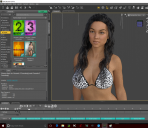
Fazit: Egal welches Setup ich wähle, ich schaff nicht an das Original ran zukommen. Kann mir jemand sagen wie ich jetzt genau in welcher Reihenfolge laden muss? Soll ich einfach Olympia 7 laden und dort nur Kopf und Body von Nathalie implementieren, oder muss ich einfach nur das Gen3 Model laden und den Rest rechts mit den Shapereglern selbst regeln und dann am ende noch Head und Body drübersetzen?
Orginal Aussehen von Nathalie:
Derzeit sehe ich keinen Sinn das Basemodel gekauft zu haben, hätte da nicht direkt Nathalie gereicht wenn man sie eh so nicht hinbekommen kann trotz Basemodel?
Bitte Hilfe!!
Genesis 3 Female And MaleHello,
I have been looking for the Genesis Female and Male sets and morphs. Is there such set like this as there is like Victoria 7, and where do I find it? Because in the Victoria 7 character requirements it states "Compatible Figure: Genesis 3 Female". This maybe a stupid question but I need some clarity the this subject. Please help
Cheers,
Pat
Legacy UVs for Genesis 3 [Commercial]Apologies do not not wish to "hijack" thread, but this product brought up the subject.
Is there any way to adapt the actual head morph for the v3 character to fit genesis 3.
If purchasing something else would do it...no problem.
Thank you
You can use Dimension3D's Genesis Generation X2. But bear in mind:
a) You will need an additional 3 add-ons: GenX2 AddOn for Genesis 2, GenX2 AddOn for Genesis 3, and (to be safe) GenX AddOn Gen3 Bundle;
b) Dimension3D's store is not currently on Sale; EDIT: You can get 60% off Genesis Generation X2 (2014 bestseller) when bought with a new release.
c) The morph transfers from Generation 3 to Genesis 3, in my limited experience, are of variable fidelity. This is not a fault of Dimension3D's product, but a limitation of the underlying technology and the fact that Victoria 3, for example, has 72,000 vertices and G3F has 17,000. You may be able to refine or amend any aberrations using some custom morphs, or even a modeller.
I am no expert in any of this, but I believe you can use the Transfer Utlility alone to transfer the morphs, though it is a bit of a procedure. There are tutorials about, if you can find them!
"tranfering head morphs"Embarasssing quesiton perhaps.
Have been creating my own morphs for awhile in Zbrush.
Have purchased all sorts of products that adjust head, etc.
But.
Years ago I created a head morph for Victoria 4.
What I wish to know is if my morph ( or for that matter any head morph) created for V4/M4 can be applied to either
genesis 2 or genesis 3.
If there is a product that will do this, no problem as to expense etc.
Thank you
Genesis: Olimpia, Gia, Mei Lin, Ninive... I can't understand!!Hello. The Daz human figures have a base, and then each base has a set of named presets. The presets for a generation of base figures use the same number. The figures released before the first genesis are numbers 1-4. For example, there is a Victoria 3 and a Stephanie 3 released in similar time using similar rigging technology. Then Victoria 4 and Stephanie 4 took it a step further and used the same mesh. Then Genesis took it a step further by using the same base mesh for all figures in that generation. The original genesis figures are number 5, such as Victoria 5 and Stephanie 5. Genesis 2 figures are number 6. Genesis 3 figures are number 7. Figures with number 7 do not work natively in Carrara.
Ninive 6, Gia 6, and Mei Lin 6 would indicate a preset using the genesis 2 base mesh. I own Mei Lin 6 and can load it directly in Carrara from my content browser.
Mei Lin 7 indicates that it is a preset for the genesis 3 base mesh. I don't own it, but if I did, I would not be able to load it direcly in Carrara from the browser. Carrara would crash. There are ways to import 7s using another file method, like collada, but there are additional disadavantages to doing so.
Hope that explanation was not too confusing.
Anthro modelsok can stuff for victoria 4 like this http://www.daz3d.com/melody-2-0 be made to fit the newer models
Note that Melody 2 isn't really "for V4", it's a prop head that can be parented to any figure. The tricky bit is going to be getting textures that will fit both the figure and the head without too many awkward seams showing.
Victoria 4 is 10; Still a Looker...I just realized that Victoria 4, arguably the most widely used Poser figure ever, was relased ten years ago this past week...
https://www.thefreelibrary.com/DAZ+3D+Launches+Victoria+4.0.-a0155882831Thanks to weightmapping and Snarlygribley's EZSkin, she still works well.
For those who don't yet have the weightmapped version, I have the Poser Place open-source weightmapped V4 (a Python script to add a new WM rig to V4) and the Outfitter Clothing utility to transfer the weight maps to clothing on my Google Drive...
https://drive.google.com/drive/folders/0B9_I3V6UTuuXcGlDMkdYVVhtd3c
Snarly's EzSkin 3 for Poser 11 is here, which will add sub-surface scattering to any texture for either Firefly or Superfly...
http://snarlygribbly.org/snarlyspace/ezskin.html
EZSkin2 for Poser 9 and 10 here...
http://snarlygribbly.org/snarlyspace/legacy/ezskin2.html
Anthro modelsok can stuff for victoria 4 like this http://www.daz3d.com/melody-2-0 be made to fit the newer models
Yes. I've used it without mods on G1 and G2F as well as G2M. The head isn't a morph of the figure's head, it's a prop that fits over the figures head with it's own morphs for expressions. I would assume it will work on G3 as well, although I haven't tried it.
On Genesis 1:
Anthro modelsok can stuff for victoria 4 like this http://www.daz3d.com/melody-2-0 be made to fit the newer models
Can GEOGRAFTING attach a V3 head to a Genesis2 Female Body?Does anyone remember that there was some kind of figure that came with Victoria 4.2 that was something like V4.2 to V3? What was that about? Was it Victoria 4s head on Victoria 3s body?
Not quite - it was the V4 mesh with the body shaped like and given the joints of Victoria 3. But it did amount to much the same thing - it allowed, to an extent, the use of Victoria 3 clothing on Victoria 4. I can't recal if this was the version that, rather oddly, used the previous generation maps or if that was V3 to V2.
Can GEOGRAFTING attach a V3 head to a Genesis2 Female Body?Does anyone remember that there was some kind of figure that came with Victoria 4.2 that was something like V4.2 to V3? What was that about? Was it Victoria 4s head on Victoria 3s body?
I Would Like To Introduce Myself.......and would like you opinion on The Freebie Contest!!!Victoria 2 was the same figure as Victoria 1 with additional morphs.
Using autofit to use V4 clothing on G3?If you have the Victoria 4 shape for Genesis 2 female, but not for Genesis 3 Female, then you need to use AutoFit to convert the clothing to G2F then again to covnert the G2F result to G3F.
Infinite Insanity - There's ALWAYS Another Sale! (Daily Sale Talk)I noticed just now that my discount has gone up from 5% to 25% even though I've only spent about $5 since beginning of December!
I've therefore just gone and bought FWSA Tempie HD for Victoria 6 for the bargain price of $1.80 and got the free earrings too!
Wish this had happened before the 3D Universe discount expired!
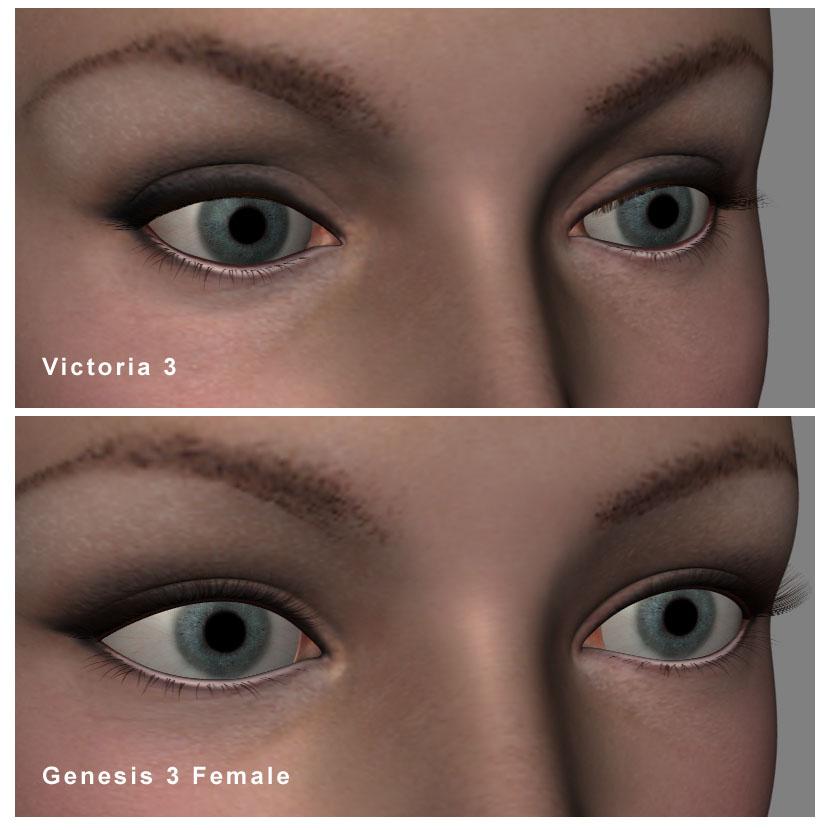
Legacy UVs for Genesis 3 [Commercial]I have had a look at the original texture on Victoria 3 herself and have attached a comparison of the Viewport captures for both figures.
The light area is also visible on Victoria 3. The difference, perhaps, lies in the difference between the shapes of the two geometric meshes around the eyes and the fact that the lashes are positioned marginally differently on the two figures. This is always a limitation when you put a texture designed for one shape onto another shape.
I have also found, when doing these UV conversions, that occasionally a seam or the texture itself does not look right on the new figure, only to discover that it didn't look right on the old figure either!
Daz 3D is part of

Connect
DAZ Productions, Inc.
7533 S Center View Ct #4664
West Jordan, UT 84084Licensing Agreement | Terms of Service | Privacy Policy | EULA
© 2026 Daz Productions Inc. All Rights Reserved.