-
Getting on the 9 train, or not
daveso said:
MelissaGT said:
Masterstroke said:
MelissaGT said:
Thank you, guys! I will be sure to post him when I finish the final tweaks and put some clothes on him. He's a little young for my tastes, but we don't really have much way of making our "weathered warriors" yet, haha. Vicky 9's skin is really the only base skin that is decent for a pale guy right now. I tried the one from Michael 8.1 but good lord whoever though it was a good idea to have a painted scalp/hairline on that texture needs to be banished to the corner...
Might be just an Illusion, but he looks familiar.
I started out using the randomizer with the G9 morph pack and then tweaked manually. Haven't transferred over any morphs from older generations.
there's a randomizer with G9?
This works just fine on G9 morphs - https://www.daz3d.com/simtenero-randomizer2
There is a newer one out there by Zev0 (I think?) that only work swith G8. I bought that one in the past and could never get the hang of it. The SimTenero one though, I had that up and running fast and it did exactly what I wanted it to do.
Getting on the 9 train, or notMelissaGT said:
Masterstroke said:
MelissaGT said:
Thank you, guys! I will be sure to post him when I finish the final tweaks and put some clothes on him. He's a little young for my tastes, but we don't really have much way of making our "weathered warriors" yet, haha. Vicky 9's skin is really the only base skin that is decent for a pale guy right now. I tried the one from Michael 8.1 but good lord whoever though it was a good idea to have a painted scalp/hairline on that texture needs to be banished to the corner...
Might be just an Illusion, but he looks familiar.
I started out using the randomizer with the G9 morph pack and then tweaked manually. Haven't transferred over any morphs from older generations.
there's a randomizer with G9?
Blender Noobie having issues with morphs (shape keys). Please help?DaremoK3 said:
@Ryuu@AMcCF :
First, versioning is everything with 3D software -- What version of Blender are you using?
Sure. Version is 3.1.0. It's fairly new, but I think it's been around enough for most bugs to have been worked out. I've been working with it ever since it was released, and although I've not done anything with the morphs/shapekey before, it does seem to work identically to 3.0.0 and 2.90.
It could be something as simple as a new introduced bug in a newer version of Blender, or you might, as you suspect, be doing something incorrectly based on your understanding of how to use the software for this type of work.
I tried to follow the advice that I saw from a tutorial--
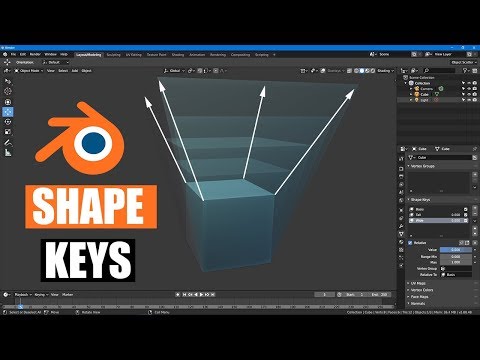 from MrTriPie on Youtube. I made sure that when I created the first set of morphs that the "Basis" was made, ensured the "Relative" was checked for the individual morphs--and all the slots have their appropriate "Vertex Group" filled in as well as "Relative To" is filled in with "Basis" .
So, my goal is to give the spinal ridges and belly scales each to have their own individual morph targets. With three rows for each body segment along the dragon's spine, there are slots for 204 total spinal ridges and 111 belly scales. So far, however, only morphs for the first row of 3 spinal ridges and 2 belly ridges have been made so far (all for Neck8). When I was working on each one, I was ensuring to move only the verticies related to the morph I was working on. At this moment, none of the other slots have any changes from "Basis" to create those morphs yet.
All my pictures in my post above are focused on the Neck8-Left Spinal Ridge. I also made sure to not move the viewport's position when switching between the Edit and Object modes, since the Object modes don't show the position of the verticies, so I had to take screen shots of several different angles to illustrate what is going on. The problem is definitely appearing with every morph, even the belly scales where the verticies on the dragon's throat on the edges of the lateral scales are only moving a small amount on the Z-axis.
Second, by comparing your images, I surmise that you might possibly have previous morphs mingling with newer morphs you are creating if you are not setting only one shape key active per morph creation, or you have vertex group data issues.
So, while in Edit Mode, you see a fresh canvas to create your new morph, but in reality, Object Mode shows the true state of the mesh-to-object, and you have unseen morph data being included/excluded in your current shape key data.
So, after reading this paragraph, I played around to see if any of the other morphs that I have created were affecting the one I was focused on, but I'm not seeing anything. If there is another morph(s) that is causing this, they're not something I created.
The tenets of working on shape key morphs is only one key active and set to 1.000 (which you seem to have done) working against a default (usually 'Basis' -- Also, being done). Secondary, would be working with specific vertex group data (again, which you seem to have done -- But, are you sure all vertices you are morphing in Edit Mode are truly included in the shape key data?).
Now, for a visual aid help solution to help you as you are creating your morphs -- Add one more 'click' to your work-flow; You see the line of parameters (mostly icons) above the 'Value' setting starting with the checkmark toggle 'Relative' -- Check the second box to the right (the square with four verts/lines with one vertex lit up). This is the 1-to-1 visual pairing for Edit/Object mode which will allow you to see correctly the true state of the object-to-mesh data presented to you in Edit Mode -- Without it, your mesh in E.M. appears as 'Basis' (default object shape) which can lead you to believe your new morph creations are without impurities. Also, double-check that your desired vertex displacement is encompassing all vertices in your active vertex group.
Okay, so I clicked on that icon while in Object mode, and there is no change between them. But when I switched over to Edit mode and clicked on it, it IS toggling between the full value of the morph I created and the value that it seems to stop at in Object mode.
Give that a shot, and let us know if you are successful.
Personal Note: I never use vertex groups for base morphing -- I only employ them when needed for specific morph work such as inclusions/exclusions of mesh areas within already established morph targets for advanced morph work such as shape key joins/separations, symmetric to asymmetric work, and morph blending.
Hope this helps...
So, I just want to confirm my understanding, does this mean I should ensure that "Shape Key Edit Mode" icon is lit up when making my morphs? If so, that will be extremely helpful, indeed! Fortuntately, I actually recored the XYZ info for each of those morph verticies in Excel :D
* EDIT: Since you are new to Blender -- Blender works differently then most 3D software when it comes to object/mesh data which usually trips newbies up (I know, been there/done that). Both Object/Edit Modes (and by extension, all modes) are independent of each other, but all supply the main mode (Object) which show the true state of the objects.
Why is this important? Because, for morph target work, anything you do to the raw mesh data state (Edit Mode) will be propagated to the default object data (shape) including, but not limited to scale, translation, displacement, and rotations (within the confines of morph target rules).
However, anything done in Object Mode does not propagate to morph target data.
So, in other words, you can do anything you want to the object in Object Mode such as rotation, translations, and scale. These will not affect the morph target transfer data to other software -- they are not recorded in the raw vertex delta data.
If, you are transferring morph data to 3D software such as Daz Studio, make sure you select 'Selection Only' (if multiple objects in scene), and 'Use Modifiers' (or some wording to that effect) which the Shape Keys use (but, make sure any modifiers in the modifier stack are inactive, or they will be included in the data as well), and of course, 'Keep Vertex Order' in your OBJ export settings. All other settings are superfluous, and not needed.
It is one of my goals to build this guy and export and rig for DAZ, but I've been running into issues with that attempt, so that effort is currently on hiatus until I can figure out the fixes to rig him in Blender first (Weightmapping is the problem I'm having with DAZ).
Blender is giving me a very steep learning curve, but I DO recognize how supremely versitile and powerful Blender truly is, so I'm very eager to challenge to learn it!

Please let me know if setting that icon should fix this. And thank you very much for your advice!!
Getting on the 9 train, or notMasterstroke said:
MelissaGT said:
Thank you, guys! I will be sure to post him when I finish the final tweaks and put some clothes on him. He's a little young for my tastes, but we don't really have much way of making our "weathered warriors" yet, haha. Vicky 9's skin is really the only base skin that is decent for a pale guy right now. I tried the one from Michael 8.1 but good lord whoever though it was a good idea to have a painted scalp/hairline on that texture needs to be banished to the corner...
Might be just an Illusion, but he looks familiar.
I started out using the randomizer with the G9 morph pack and then tweaked manually. Haven't transferred over any morphs from older generations.
Genesis 9 Males?Thank you plasma_ring for the morph! I had auto-converted G8 clothes that were mostly a good fit, but even after running a dforce simulation had the crease in the chest. I still have to play around with getting it exactly right (I just put it in at 100% here) but this already looks much better with minimal effort on my part.
what are the main fundamentals you need for G8.1 to work?MimicMolly said:
PerttiA said:
MimicMolly said:
If you have a bunch of G8 stuff already, you just need to be running DAZ Studio 4.15, and it can use everything but certain facial expressions. (If a character morph gets saved on G8.1, it cannot be used on G8. Same can be said about clothing.)
All the G8 expressions can be made to work on G8.1
Isn't that, that technique that involves dummy folders? As is, the non-morph expressions won't work like that "out of the box," unless you move files around yourself.No moving necessary, just delete the dummy expressions that have been installed to G8.1 morph folders for the sole purpose of disabling the G8 expressions on G8.1.
what are the main fundamentals you need for G8.1 to work?
Isn't that, that technique that involves dummy folders? As is, the non-morph expressions won't work like that "out of the box," unless you move files around yourself.PerttiA said:MimicMolly said:
If you have a bunch of G8 stuff already, you just need to be running DAZ Studio 4.15, and it can use everything but certain facial expressions. (If a character morph gets saved on G8.1, it cannot be used on G8. Same can be said about clothing.)
All the G8 expressions can be made to work on G8.1
Blender Noobie having issues with morphs (shape keys). Please help?@Ryuu@AMcCF :
First, versioning is everything with 3D software -- What version of Blender are you using?
It could be something as simple as a new introduced bug in a newer version of Blender, or you might, as you suspect, be doing something incorrectly based on your understanding of how to use the software for this type of work.
Second, by comparing your images, I surmise that you might possibly have previous morphs mingling with newer morphs you are creating if you are not setting only one shape key active per morph creation, or you have vertex group data issues.
So, while in Edit Mode, you see a fresh canvas to create your new morph, but in reality, Object Mode shows the true state of the mesh-to-object, and you have unseen morph data being included/excluded in your current shape key data.
The tenets of working on shape key morphs is only one key active and set to 1.000 (which you seem to have done) working against a default (usually 'Basis' -- Also, being done). Secondary, would be working with specific vertex group data (again, which you seem to have done -- But, are you sure all vertices you are morphing in Edit Mode are truly included in the shape key data?).
Now, for a visual aid help solution to help you as you are creating your morphs -- Add one more 'click' to your work-flow; You see the line of parameters (mostly icons) above the 'Value' setting starting with the checkmark toggle 'Relative' -- Check the second box to the right (the square with four verts/lines with one vertex lit up). This is the 1-to-1 visual pairing for Edit/Object mode which will allow you to see correctly the true state of the object-to-mesh data presented to you in Edit Mode -- Without it, your mesh in E.M. appears as 'Basis' (default object shape) which can lead you to believe your new morph creations are without impurities. Also, double-check that your desired vertex displacement is encompassing all vertices in your active vertex group.
Give that a shot, and let us know if you are successful.
Personal Note: I never use vertex groups for base morphing -- I only employ them when needed for specific morph work such as inclusions/exclusions of mesh areas within already established morph targets for advanced morph work such as shape key joins/separations, symmetric to asymmetric work, and morph blending.
Hope this helps...
* EDIT: Since you are new to Blender -- Blender works differently then most 3D software when it comes to object/mesh data which usually trips newbies up (I know, been there/done that). Both Object/Edit Modes (and by extension, all modes) are independent of each other, but all supply the main mode (Object) which show the true state of the objects.
Why is this important? Because, for morph target work, anything you do to the raw mesh data state (Edit Mode) will be propagated to the default object data (shape) including, but not limited to scale, translation, displacement, and rotations (within the confines of morph target rules).
However, anything done in Object Mode does not propagate to morph target data.
So, in other words, you can do anything you want to the object in Object Mode such as rotation, translations, and scale. These will not affect the morph target transfer data to other software -- they are not recorded in the raw vertex delta data.
If, you are transferring morph data to 3D software such as Daz Studio, make sure you select 'Selection Only' (if multiple objects in scene), and 'Use Modifiers' (or some wording to that effect) which the Shape Keys use (but, make sure any modifiers in the modifier stack are inactive, or they will be included in the data as well), and of course, 'Keep Vertex Order' in your OBJ export settings. All other settings are superfluous, and not needed.
Getting on the 9 train, or notAlso depends on the ethnic mix where you are.
Now that it's finally out, I wanted to show my corgi mouth... no HD. The entire corgi? No HD. (Toward the 'you have to have HD to do anything')
Here's a basic morph for the mouth:
what are the main fundamentals you need for G8.1 to work?MimicMolly said:
If you have a bunch of G8 stuff already, you just need to be running DAZ Studio 4.15, and it can use everything but certain facial expressions. (If a character morph gets saved on G8.1, it cannot be used on G8. Same can be said about clothing.)
All the G8 expressions can be made to work on G8.1
Getting on the 9 train, or notBasically you use a similar technique as is used to port over the morphs from G8 to G9. Export a G8F/G8M obj in base resolution, then import them back in as obj. I deleted the eye and internal mouth polygons before I exported. Use the Transfer utility to fit this to G9 (taking advantage of the G8 clone), then Sub divide the fitted item. You can either load the G3/G8 skins on to this "clothing" item on G9, or geo shell attached to it. Hide the G9 base, but not the eyes etc. Finally save this G8 skin as a G9 asset like you would with any autofitted clothing item.
It works, but there are some major snags. First is the nipples don't line up, as was mentioned above, but worse than that is when the mouth is opened the lips don't follow G9's lips properly and the result looks horrible. I guess an edit of the UV map would overcome the first issue, and a weight map to make the lips move properly should overcome the second. Either way it is a compromise, and ideally the skins need to be converted to G9 UV maps. It is however a stop gap solution to give G9 more variety in skins now, since not many have been released up to now. Anyway, judge the result for yourself. Below is V9 wearing Bridget 8's skin. Note that only Bridget's skin is used, the eyes and lashes are still those of V9.

 Genesis 9 support?
I also noticed that for nipple morphs you have to have around sublevel 2 or 3 (400k or 1M2 polys). I'm currently staying Genesis 8 or 8.1 with my hobby projects.
I may "study" how to apply hires morphs. I may first need to do sub-d in unity side or calculate that morph to displacement map.
Getting on the 9 train, or not
Good then more likely to get decent long haired dogs with cute pony tails, up dos and braided tails . . . or mohawks. Big grin.Gordig said:
ArtAngel said:
nonesuch00 said:
It also means that infants to about age 3 or 4 will be much easier to make realistic shaped. I know lots of people have complained about past efforts being down right scary.
Hopefully some decent infants/toddlers come down the pipeline . . . or better still, some long hair breeds, like Shih Tzus, Yorkies and Maltese pups for the Daz Dog . . . then I'd be hopping on the train in a heartbeat.
Daz Dog has nothing to do with G9. Even if someone adventurous (looking at you, @Oso3d) made a dog morph for G9, that wouldn't implicate Daz Dog at all.
what are the main fundamentals you need for G8.1 to work?If you have a bunch of G8 stuff already, you just need to be running DAZ Studio 4.15, and it can use everything but certain facial expressions. (If a character morph gets saved on G8.1, it cannot be used on G8. Same can be said about clothing.)Blunt QuestionVictoria 4 and Michael 4 are very good Poser figures sold here at DAZ, with an incredible amount of content available. Keep an eye out for Legacy sales; there was recently a 90% off sale on a lot of this content. Buy at least the base and Morph++ packages for each.
If you have them, I could point you to improved weightmapped versions of each which give improved bending......
macOS VenturaI am using DAZ (latest Release) in Ventura (latest Release) for about two and a half weeks. It runs O.K. but you cannot drag & drop in the whole Programm. I noticed it, when I want to use the "Map Transfer Tap".
No "Drag & Drop" possible!
Skin body G8 to G9GRFK DSGN Unlimited said:
And therein lies my problem because even with the Genesis 8 Male clone morph dialed up the mouth and eyes don't align well with Genesis 8. Not without some more manipulation. The genitals I did get to align somewhat, but that's a fairly easy map to clean up.
? maybe the reverse would help. Dial the G9 clone [we make our own] into G8.
AOBB's Luminous v4 for G8.1F (aka Audrey Hepburn). No materials nor textures included.Oh, thank you, BronzeDragon! Both for your praise and the beautiful render you just made!

 It is gorgeous and I like it even more than its first version which was a bit too dark for the luminous Audrey. You are very talented!
I have a morph named "Neck Length" - I think it was among the "200 Plus" set of head morphs and I used it to elongate Audrey's neck. Those morphs round out nicely the base set of morphs. I have plenty of morph packages, because they are very useful to me of course. If you don't plan on going deep into shaping head or body morphs then I would still encourage you to get the 200 Plus morph kits. They aren't an answer to every need but they are indeed very useful...
You did some beautiful work and it made me very happy. Thank you again!
Edit: I have double-checked the "Neck Length" morph - it is in the basic morph package (red sliders) under Actor/Head/Neck. Still, having those 200 Plus morphs won't hurt.

Cheers,
AOBB
New Release: Bringing Daz figures To Life in UE5dave_0aa47f5a80 said:
Ellessarr said:
since we are talking about "geograft elements" any chance for this pluging to fix the issue of "double mesh" from geografts?, it's a really old and annoying issue which when you create a geograft element in daz this generate 2 extra meshes", instead of a single one, it's a old issue which never got worked on the bridge and maybe it could be fixed here
https://www.daz3d.com/forums/discussion/433892/geografts-elements-help
basically when using geograft attachments and exporting to daz you ending get a second copy of the "geograft" which normally comes without any mats, and normally the best way to "maybe fix it would be create a invisible material to make this mesh "hidden", but still a "extra mesh" and extra polygons which the right way to fix would be to "remove it, then any way this tool would find a way to proper fix it and only export "one version" of the tool", like the "right one", because when you export it one of the meshes come "bugged" leaving "holes"(seams) between the geograft and the main mesh, while the other proper attach it without any hole or seamless,
DTL already does this. The first part of the Maya script deletes any 'ghost' geografts leaving the underlying mesh (complete with any merged geografts) intact. This has been tested with a variety of geografts. DTL does not support any sort of colour / effect shells so those are deleted at the same time; so whatever is seen in DazStudio when any shells are hidden / disabled is exactly what is seen when the final fbx is imported into UE.
another thing which i would love to see addressed would be for the geoshell stuff which when exported to the unreal it become a sort of "plain non rigged mesh" like a obj and if you animate the main mesh it will remain in the same place not following the mesh, the "workaround for it normally would be if the geoshell use the same uv as the main mesh like for exemple a underwear geoshell which use the main character body uv as base then you can apply the geoshell direct to the main body material, however the right way would be turn the geoshell into a proper rigged mesh.
and for the last the non rigged props which are attached to the character instead of rigged, you have a workaround inside daz to convert most of then to "rigged" however it not work 100% all times some objects when converted they are moved to a different place like for exemple some "props shoulders" you have one left and one right then when you convert let's say the left instead of it remain in the "left" when you conver it goes to the right like it was just a clone of the right a good way to proper convert those objects to rigged if needed" like some outfits acessories which are supposed to be rigged but are added as props.
another variation for the props are the rigid props or stuffs whcih are "attached" to the outfit or body part which are props which when exported to unreal they fall apart from the main body, would be good see a way to fix it and make then get rigged into they right place.
The geografts I have tested with DTL (various anatomical elements) are merged into a single mesh by the DTL Maya script, along with eyelashes, tears and any clothes / accessories. All morphs (including JCMs) act on this single mesh perfectly. This includes any exported morphs that were specific to geografts or clothes / accessories - e.g. there will be a morph called 'Shirt__ExpandAll' in the list of morphs for the character in UE that will do the exact same thing as it did in DazStudio before the meshes were merged.
The exceptions are meshes attached to rigid follower nodes (e.g. buttons, some jewely) and any other meshes attached to regular joints within the joint hierarchy (e.g. props, some jewelry). DTL keeps both of these separate from the single mesh. As part of the pipeline, I export higher subdivision fbx files to feed into DTU via the DazToUnreal plugin. Some rigid follower nodes seem to get displaced by the DazToUnreal plugin fbx export process, so the DTL Daz script saves their positions when exporting from Daz and repositions them correctly in Maya. Once imported into UE any rigid follower meshes or other embedded meshes display correctly on the DTL figure. The only remaining issue is that they are not affected by JCMs or other morphs.
I'm currently working on a feature that would move rigid follower meshes in the way they should when morphs are applied in UE (e.g. buttons on a shirt move forwards and rotate slightly when the 'heavy' morph is applied). Additionally, some morphs change the regular joints transforms when applied (e.g. facial bone positions change when opening the mouth or character head morphs are applied). These joint position changes would be applied when the morphs are applied in UE. This feature is not planned for the initial release of DTL though, it will be in a later version as it's quite a lot of work and I want to get DTL released asap.
the geoshell i was talking about are products like this one:
https://www.daz3d.com/dforce-wet-and-dry-dark-fantasy-outfit-for-genesis-8-females or this one
https://www.daz3d.com/gloves-and-mitten-fashion-for-genesis-8-females
the geo shell is a sort of "fake mesh" which when exported to unreal it become a "prop" which works like the others props when exported like not being rigged and they can't be turned in a rigged mesh in daz, normally the way to deal with then is use they "texture applied direct to the character in the cases where they use the same uv as the character body part and allow it.
in some cases like this one
https://www.daz3d.com/jepes-body-hair-project-81
use the texture direct to the body mesh is really the right option, like tatoos but some cloths are made in this way and can make those cloths "not proper work since they work in a totally different way in daz.
yeah the rigid follow node is one of the big issue many outfits which have buttoms and others parts "attached aways ending being a issue and being exported as a "prop"(not rigged) to the character and in some cases is hard to make it proper work i really hope it can be fixed on this tool.
still too much time until the tool release????, any estimate date to release like: still this year, or maybe in 3 or 4 months???
Getting on the 9 train, or not
Yeah we all have different needs. Just bought the initial DO morphs, expressions, 'essentials extension' and stopped, AND started converting my G8 characters LOL. G9 could be my closeup goto though.Pendraia said:CHWT said:
Pendraia said:
RAMWolff said:
So with this new mesh set to be "inbetween" folks will be able to make small breasted women, trans folks, little kids and all that with no issues with how the clothing fits. That's the idea any ways. I've read this thread and a couple of others and folks seem so upset that nipples and navels are now just a morph and hi def map. SO WHAT! I think what it boils down to is folks don't like change but are intrigued enough to check it out and then complain about X Y & Z until they get used to the new way! LOL Cracks me up!
Agreed Ram...happens with every new figure.
Whether someone likes a change depends on whether that person thinks the change is good or bad. Just like everyone has the right to say something and we might not like what they say. G9 will always be the apple of some people's eyes...
I don't disagree that everyone has the right to say what they want. I merely said that I find it amusing that this happens everytime there is a new figure. Personally I didn't like it when they went back to separate genders. It stopped me from buying into any generation since to the same degree as I did for V4 and Genesis. I have bought some things but I only bought the rare item that I could either use on other figures or liked enough to fork out cash for it. My buying reduced drastically...Genesis 9 has reversed this trend somewhat. I don't know that I would call G9 the apple of my eye though as I use many figures including older ones like Nursoda's. I've gotten very good at transferring clothing manually where there isn't an autofit clone.
Daz 3D is part of

Connect
DAZ Productions, Inc.
7533 S Center View Ct #4664
West Jordan, UT 84084Licensing Agreement | Terms of Service | Privacy Policy | EULA
© 2026 Daz Productions Inc. All Rights Reserved.