-
G8F Base Skin = Karen 7 Skin
wow. that seems a bit.....lazy.
I'm guessing it was expedient. Some theorize that both the 4.9.4 release of Daz Studio and the release of G8F/Victoria 8 were a tiny bit rushed, maybe, to meet the traditional, bi-annual, June release of the next Genesis generation...
Daz's campaign to promote mass transit (City Bus Stop freebie)Ah OK, sounds fun, Think it might be a bit difficult to model though.
Where I live we don't tend to have many fancy bus stops. The first time I went out to get on the bus I looked on the bus map, and it told me the bus stopped "On Jones Street, near Rees Street" So I walked down the road, round the corner into Jones Street, walked up towards Rees Street, not seeing any sigh of a bus stop. There was a lad leaning against the wall on the corner of Rees Street, so I asked him where the bus stopped, and he said "about here normally". Was about the same coming back, the map said the bus stopped "On Victoria Street, near Mount Pleasant Street, near Bruce Hotel " so I asked in the shop and was told to wait on the corner outside the Green painted shop that was closed down. Fun it is. Basically if you see a few people standing around at the side of the road, chances are they are waiting for the bus.
Looking for a demon skin for V4!Hi there,
I hope you can help me out. I'm looking for a demon skin for the old but gold Victoria 4 Model. I was close to buying the Demona package (might end up buying it anyway), until I realized that the dark red skin is not included. Where can I find this skin? Or something similar?

Thanks for helping (I hope this is the right forum to post this request...if not, sorry)!
EYEdeas 5 G8F@ALLIEKATBLUE Please don't take my findings as definitive. However, I merely loaded and rendered. I got the same results on G8F Base, although I did not post them. This is why I was hoping someone else who owned the product could try it. One thing I liked about this product was that the sclerae are not mirrored or duplicated, like Victoria 8's (and most other characters). The iris colours are too vibrant for my tastes, but I prefer photos of actual irises, and too much is always better than not enough.
Why the jump from Genesis 3 to Genesis 8?Lots of people shorten the words generation and genesis into both "Gen" or "G". So if DAZ had used Genesis 4 for the new range, its shortened versions would end up being confused with Gen4 or G4 when used by people refering to the generation 4 figures (Victoria 4, Michael 4, etc).
Whatever DAZ chose would cause some confusion; their final choice will cause less confusion. Everybody will know what Gen8 or G8 refers to, even if they are curious about the "missing" numbers.
Of course, if DAZ had used the word "Teapot" instead of "Genesis", none of this would have happened. But would they listen? No.
Morphs from G3 to G8I transferred Girl 7 to G8F. :)
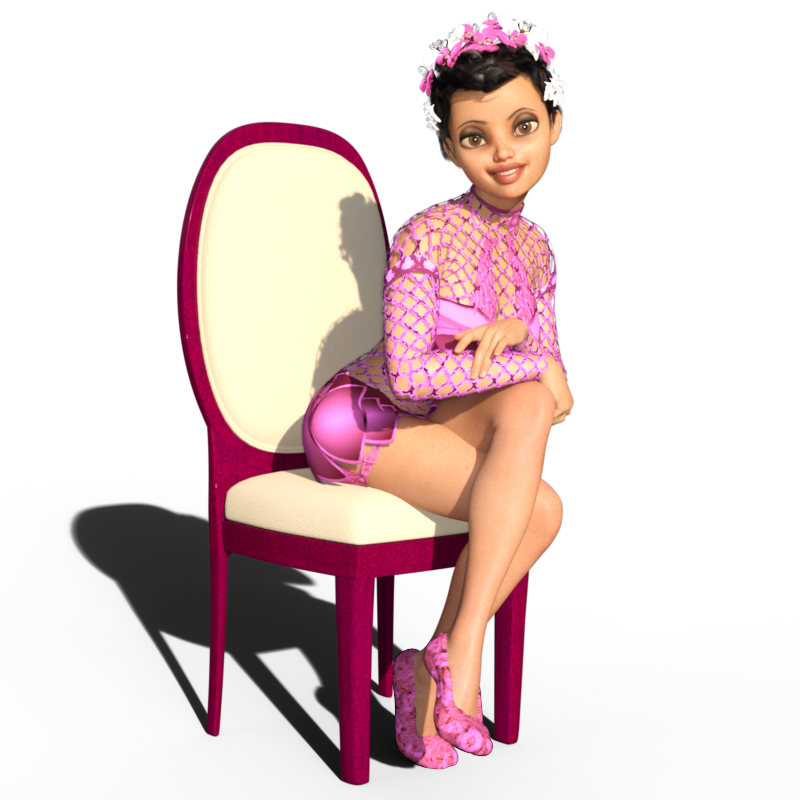
I then mixed Girl 7 in with Victoria 8 which I think turned out pretty nice:
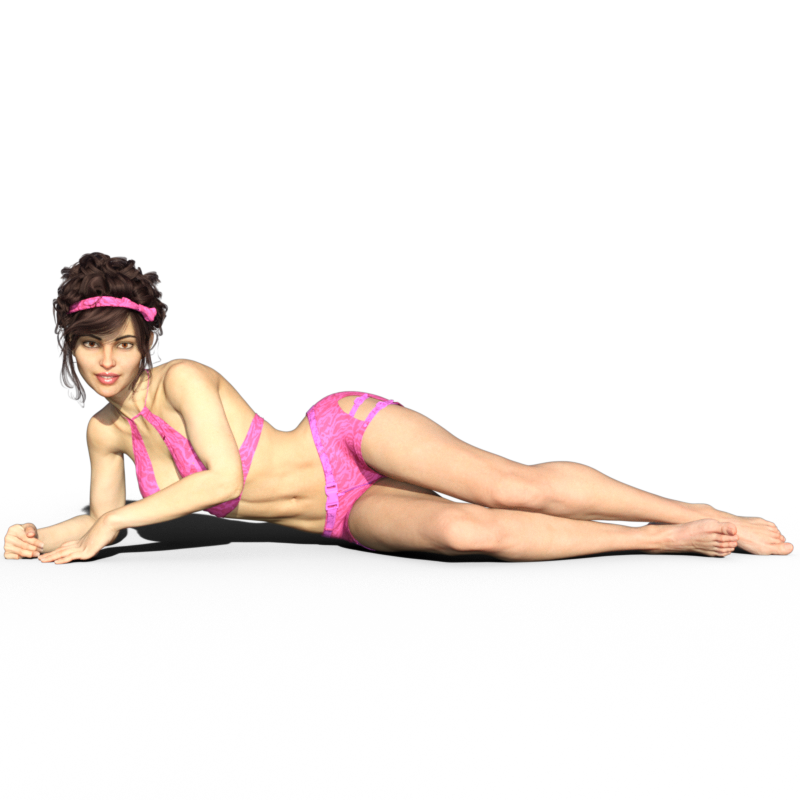
That's Victoria 8 at 100% and The Girl 7 at 25%.
I'm really having a lot of fun transferring older figures to G8F! :)
SOLUTION INSIDE: Using G3F skins on G8F - Xparent PixelsI read somewhere on the forum about the black speck phenomenon occurring using a user-made dual lobe script, but evidently there is more to using G3F skins on G8F than simply applying them. I've been reading so much forum stuff in the last two weeks that I cannot remember where/what/how this is done.
Specifically, I was applying Raiya's G3F skins to G8F to mimic her promo settings so I would have a quick access default render for comparisons. But I get tiny black specks around the mouth most noticeably, but elsewhere as well. The black specks appear white on the included images. Any tips, detailed instructions would be much appreciated.
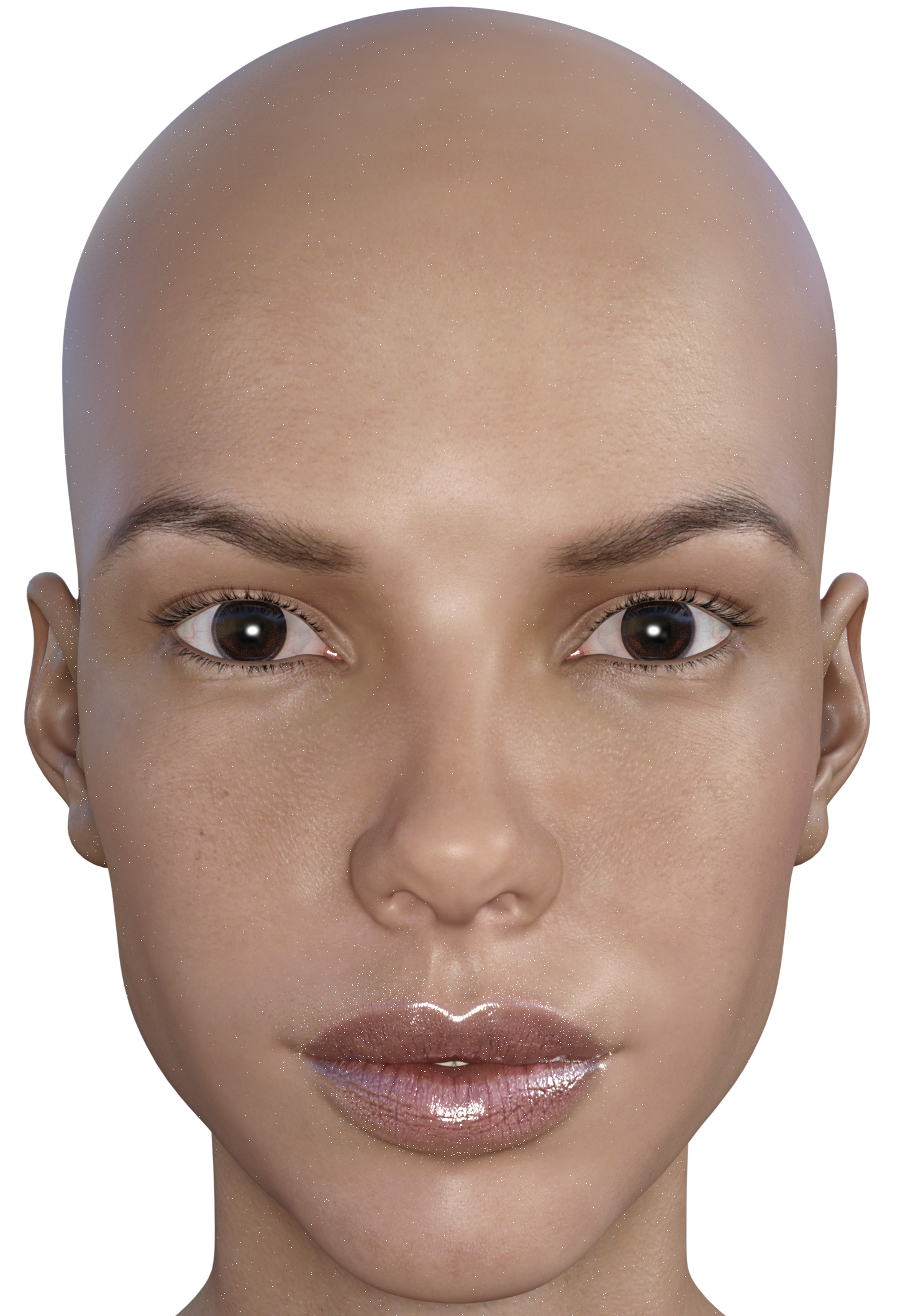
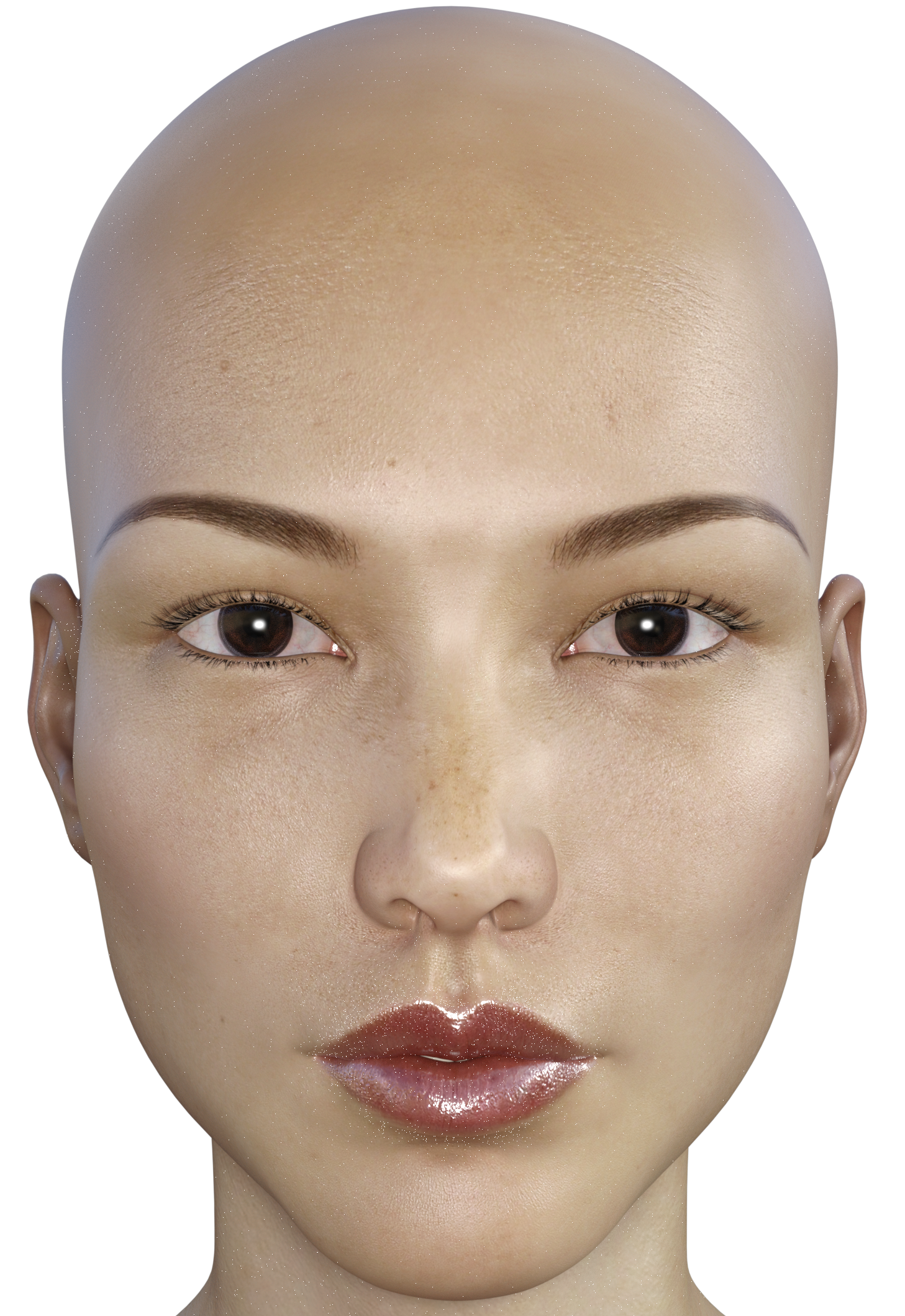
Not by much.
I've been copying textures over; but then, I never just apply them when I'm using them on G3.
My process is:
Load the G3 character I have saved with the texture set on it.
Save a shader preset (I select the torso).
Save the material preset (excluding eyelashes)
Save the material preset (eyelashes and moisture only)
Apply them to G8
I also have a default G8 character saved without textures and shaders setup to be close to what I start with.
- I'll just load the appropriate textures here, but it is a little more work than just clicking.
This is one I just finished transferring.
An older Teen Josie7 textures, which are great textures; they need converting to base female first.
Next post contains three images of one I transferred by saving and loading as described above
Why the jump from Genesis 3 to Genesis 8?So it keeps in line with Victoria 8, Michael 8 and the rest of generation 8 characters.
EYEdeas 5 G8FEYEdeas 5 Extended for Genesis 8 Female(s) had dark outside corners when rendered. I've changed the sclerae, used the presets, but I'm still getting this look. Anybody know anything about this? This is V8 with First Class Faces 02 and Jolina skin. The first render is EYEdeas 5, and the second is Jolina eyes sans G3 workaround. If anyone else has this product, could you try it out and see what you get?
Arki suggested that I reduce the Refraction to remove the shadow.
SOLUTION INSIDE: Using G3F skins on G8F - Xparent Pixelsnicstt gave me his solution, which I have copied and pasted here for other wayward travelers:
Load the G3 character I have saved with the texture set on it.
Save a shader preset (I select the torso).
Save the material preset (excluding eyelashes)
Save the material preset (eyelashes and moisture only)
Apply them to G8
I also have a default G8 character saved without textures and shaders setup to be close to what I start with.
Here is my original post: I read somewhere on the forum about the black speck phenomenon occurring using a user-made dual lobe script, but evidently there is more to using G3F skins on G8F than simply applying them. I've been reading so much forum stuff in the last two weeks that I cannot remember where/what/how this is done.
Specifically, I was applying Raiya's G3F skins to G8F to mimic her promo settings so I would have a quick access default render for comparisons. But I get tiny black specks around the mouth most noticeably, but elsewhere as well. The black specks appear white on the included images. Any tips, detailed instructions would be much appreciated.
Victoria 4.2 missingI had problems getting DIM install Victoria 4.2 so I just downloaded the files manually and installed now they show up. Tried uninstalling and reinstalling via DIM but I think Studio is not talking with DIM.
Morphs from G3 to G8Isn`t it V8 and G4.............
Nope.
It's Genesis 8.
Because, ever since Genesis, G4/Gen4/Generation 4 has been used to refer to the Victoria 4 series figures.
It seems Daz wanted to avoid confusion.DAZ - PLEASE finish off the Ophelia 7 releaseWell I honestly feel if DAZ included the gen meshes as part of the body morphs it would increase sales of the body morphs, make anatomical and logical sense, and not hurt the Pro character bundles sales in the least although they could of course continue to include them in those Pro bundles too. Of course free with the free base makes the most logical sense but they have their sales numbers so I can't argue with that.
As far as educational aspects well the 'embarrasing' education material is rendered in drawing, paintings, pictures, sculptures and is available and yet 6th grade boys aren't lined up to ogle all that naughtiness. DAZ is sort of irrelevant except I can see that an enterprising curriculum creator might combine Unity 3D (or UE4 etc), DAZ models (or MakeHuman, etc), and intelligent instructional UI creation to create teaching aid apps that are a bit more engaging. However, such institutes are so flush with money they'd likely completely reinvent the wheel to accomplish those aims.
Particularly given that the gens have nothing to do with the individual character morphs that the character bundles are supposedly about.
Actually, while it obviously works for the company, I'm not sure that the sort of scattershot approach to the bundles is the most useful model for the users. I suspect that in the main, more people will buy a scattershot bundle with an all-over-the-map assortment of content if it comes with a DAZ O character morph. But I know that I would definitely consider a bundle of 4-6 outfits, two pose packs, and a hair which were targeted at a specific genre, or age group. Not just the big categories, like Fantasy, or SciFi, but things like Mid-Victorian/Female or Back to School, or Your Granparents Closet, or something like that. Particularly if the content is something that can be used to kitbash.
Mind you, I'm an illustrator, so that is going to affect how I evaluate things. I've usually got a pre-existing set of characters that I'm shopping for.
But, yeah. The Genesis base (all of them) is free with the program. Well, a version of Victoria 4 (with a painted on purple bikini) used to b free with the program. So was a dragon.
Why *not* offer a bundle of the Body, Head, and Expression morphs for the base and call that the Genesis # Starter bundle. Maybe throw in a pose pack and another hair. For a Genesis # Pro pack throw in the gens, a set of HD morphs which are built for the base UVs, a set of hand poses, and maybe a set of more extreme morphs.
Or, for all that this market doesn't do a lot with coupons, maybe the Pro pack should offer a one-time, one use, coupon which the user could build their own bundle of anything in the PC+ collection at PC+ price, even if they are not a member? And if they are a member, let them have another $6 DAZ O coupon that month. Or let one of their regular coupons be good on new items if they use it before the end of that month.
I mostly agree. I'd be more interested with the character models being sold independent of any bundle and instead clothing genre bundles, hair style bundles and the like. Hair is still the product I own the least of from the DAZ Store both because I find it so uninspiring and ridiculously overpriced. I'm essentially being asked to buy the same hair styles over and over using the same mediocre techniques in use since the 90s with minor re-fitting and style variations. Clothing too although I'm building up a pretty good collection of clothing. My character collection is also somewhat sparse because it seems no matter which characters I buy I wind up with a middle of the road bland skin tone when I render despite the ad copy unless I spend hours and days setting up & starting and stopping testing renders to test the effects of my changes. Yes, I know about floodlights and adjusting the Surfaces but hey, I see the ad and what it looks like, I buy the product and it's not dumb-dumb simple with presets like I'd expect a consumer product oriented to ignorant hobbytime folk to be.
Anatomical ElementsI believe Genesis 2 anatomy only works with Genesis 2 characters, etc. I do not know if Genesis 8 will have new anatomy, or if Genesis 3 anatomy will work.Yes, the Anatomical Elelements are specific to each generation - and yes, Genesis 8 female has a set (currently available only in the Victoria 8 Pro Bundle).
DAZ - PLEASE finish off the Ophelia 7 releaseWell I honestly feel if DAZ included the gen meshes as part of the body morphs it would increase sales of the body morphs, make anatomical and logical sense, and not hurt the Pro character bundles sales in the least although they could of course continue to include them in those Pro bundles too. Of course free with the free base makes the most logical sense but they have their sales numbers so I can't argue with that.
As far as educational aspects well the 'embarrasing' education material is rendered in drawing, paintings, pictures, sculptures and is available and yet 6th grade boys aren't lined up to ogle all that naughtiness. DAZ is sort of irrelevant except I can see that an enterprising curriculum creator might combine Unity 3D (or UE4 etc), DAZ models (or MakeHuman, etc), and intelligent instructional UI creation to create teaching aid apps that are a bit more engaging. However, such institutes are so flush with money they'd likely completely reinvent the wheel to accomplish those aims.
Particularly given that the gens have nothing to do with the individual character morphs that the character bundles are supposedly about.
Actually, while it obviously works for the company, I'm not sure that the sort of scattershot approach to the bundles is the most useful model for the users. I suspect that in the main, more people will buy a scattershot bundle with an all-over-the-map assortment of content if it comes with a DAZ O character morph. But I know that I would definitely consider a bundle of 4-6 outfits, two pose packs, and a hair which were targeted at a specific genre, or age group. Not just the big categories, like Fantasy, or SciFi, but things like Mid-Victorian/Female or Back to School, or Your Granparents Closet, or something like that. Particularly if the content is something that can be used to kitbash.
Mind you, I'm an illustrator, so that is going to affect how I evaluate things. I've usually got a pre-existing set of characters that I'm shopping for.
But, yeah. The Genesis base (all of them) is free with the program. Well, a version of Victoria 4 (with a painted on purple bikini) used to b free with the program. So was a dragon.
Why *not* offer a bundle of the Body, Head, and Expression morphs for the base and call that the Genesis # Starter bundle. Maybe throw in a pose pack and another hair. For a Genesis # Pro pack throw in the gens, a set of HD morphs which are built for the base UVs, a set of hand poses, and maybe a set of more extreme morphs.
Or, for all that this market doesn't do a lot with coupons, maybe the Pro pack should offer a one-time, one use, coupon which the user could build their own bundle of anything in the PC+ collection at PC+ price, even if they are not a member? And if they are a member, let them have another $6 DAZ O coupon that month. Or let one of their regular coupons be good on new items if they use it before the end of that month.
How to get rid of character morph saved in base genesis 8I uninstalled genesis 8 Female Starter Essentials using the DAZ Install Manager. The I reinstalled. The problem morph is still there. And it exists in the Victoria 8 character that I also own.
Any other thoughts?
Thanks
How Do I Make a Morph that Correctly Effects an Already Morphed Figure?OK "reverse defomation" and "blender shape keys" are just two different methods. Lets discuss the Pros and Cons.
Reverse defomation is at first an easy to use instant exchange but you can only work on one morph at a time and the exported OBJ file is more like a temporary exchange file that you can't reuse later once you change the current character shape it is based on. In the worst case DS crashes before you have saved the current character shape with your custom property settings - I mean not just one character shape out of your library but many custom property settings - you better first save the scene file or at least a shaping or a character preset to your DS library and don't use different shaping/posing settings on different key-frames in the timeline (like I tend to do often - to fix this select the figure - go to Parameters pane and use Memorize Figure then Clear Figure) otherwise it will make the reverse defomation dont work probably if you can't remember the source shape you have exported.
The advantage of the blender shape keys is that you can seperate your morph-shape from the character-shape directly in blender - also you can work on more than one morph-shape stored in different blender shape keys parallel to see if they all work together so you have more options to fix and smooth out unwanted deformations but this needs some extra steps to setup.
Both will lead to the same result in DS and yes reverse defomation is easy to use - just select the OBJ file with the morph-shape you just created in morphloader pro - right-click the "no" behind reverse defomation and set it to "yes".
@ kitakoredaz
Reverse Defomation
I understand that it is like a filter that filters out any morph-shapes that are allready applied to the base shape of the figure and only saves the difference of the current figures character-shape in the DS scene and the new morph-shape you load in with the morphloader pro.
Your description with looking at one vertex postion and the delta transformation is a good example. Please let me explain to all readers what to take care of while using reverse defomation.
So Position 0 (X0, Y0, Z0) is the figures Base-Shape.
Postion1 (X1, Y1, Z1) is the vertex position after you applied some morphs like a character shape and/or maybe a pose in DS (usefull to create JCM-JointControlledMorphs I think).
Positon 2 (X2, Y2, Z2) is the new vertex position of the morph shape you add on top of the character-shape with the external editor like blender.
If you now use morphloader pro and you load your newly created morph-shape with the vertex Positon 2 (X2, Y2, Z2) make shure you have the exact character shape with the vertex Postion1 (X1, Y1, Z1) of the figure in the DazStudio scene like you have exported it in first place, otherwise the reverse defomation can't filter out all the shape difference.
Its easy if you make an additional morph for lets say the 100% Victoria 7 for Genesis 3 shape. But if you have first dialed in some of this and some of that and created some custom character with allot of shaping morphs and propertys its a good advice to first save a shaping or a character preset to your DS library. So you don't run into trouble shaping your perfect morph for hours in blender and try to load it back into DS the next day with the reverse deformation and have to realise that you don't remember the source shape of the character you have exported.
Using Smoothing Modifier as morph-target
I know what you mean with the smoothing modifier as morph-target.

I also used this method I would call "shrink-wrap" - this is where you need to use reverse defomation at the end otherwise it don't work and this is where I start to make use of reverse defomation more often lately.
So you can use the smoothing modifier as a shrink-wrap on clothes and hair with "Collision Item" set to the figure its fitted to - it does automaticly set the Collision Item to the figure it is fitted to. (you can tweak the Collision Iterations and Smoothing Iterations settings to higher values in the parameters pane to get a better fitting)
Then I also add some D-Formers here and there scale down and tranform or even rotate the D-Former a bit and also scale and tranform the D-Former-Field you can also use different setting for the x-y-z-Scale (for shrink all down first scale up the D-Former-Field until all vertex dots are red showing the infuence is at maximum value on all then scale down the D-Former itself - the scaling center is the position of the D-Former Base)
You can tweak the D-Formers until the cloth or hair somehow "shrink-wraps" around the figure shape and because of the collision settings it dosn't intersect with the figure - if it does start poke through set the Collision and Smoothing Iterations even higher or tweak the D-Former settings - depending on your CPU power it can take a while to update with realy high settings but don't worry we are creating a morph shape.
After that you can hide everything in the scene but the cloth or hair you are working on - as you hide the figure you can see the smoothing modifier and the collision will still calculate. Next export this clothes or hair shape as an OBJ file and make shure "Ignore Invisible Nodes" is on in the export dialouge. Now disable the smoothing modifier and disable or delete the DFormers. Than load the OBJ file back as a morph with morphloader pro and use "reverse defomation: yes".
For my taste most of the new Genesis 3 hair has to much volume to it and I start scaling it down a bit but by shaping the hair with D-Formers the scullcap sometimes disapears bacause it gets pushed into the head but I don't want to set the Collision and Smoothing Iterations to high. So first I ignore this and continue to create the smoothed shrink-wrap morph until I have it in the parameters pane. Then to fix that scullcap problem I use the Geomerty Editor to select the scullcap surface and then I use Morph Editing>Remove Selected Deltas from Favourites - see this Morph editing thread for more info about that.
There you have it a hopefully perfect fitting shrink-wrap morph and remember you have to save this new morph-property as a Morph-Asset so it loads up with the cloth or hair figure if added to a new scene from the library.
This girlShe I think is just a quick goth makeup job. She looks like they might of started with LY Stormy (who is a 100% dialed in character using G3F body and head morph packages with new skin texture set) I don't think that is a product exactly like that picture in the store.
There are however many like that character sans goth makeup - pale and black hair, in the DAZ Store, the latest being Elizabeth for Victoria 8 / Genesis 8 Female.
Generally you have to buy the hair and clothing seperately.
Out with the old, In with the new V8You really are not getting what EcVh0 and others have been trying to tell you. The real advancement is the changes to the IrayUber shader and Iray render engine. Genesis 8's and Victoria 8's texture sets are just taking advantage of those changes, you can apply them yourself to earlier figures and get the same amazing results. And it does take hours of work to learn to light your scenes properly.
No doubt 'it does take hours' ... Never been disputed for a moment... Since this is product suggestions, I always suggested that it shouldn't and that the smart program creator makes certain that enough packages fall into place to make it so that nobody has to spend hours doing anything.. we can simply make the engines smarter and everything adapting to plug and play enviroments. It should be so simple my drooling idiot of a cousin in law should be able to pick up a copy, follow a few easy steps and crank out something briliantly well composed because we design consumer products in that way... I believe in making software accessable to everybody which in turn creates bigger markets for all of our products. To me.. it's just good business sense and the only limitations that we have are the ones we self impose. Peace
Out with the old, In with the new V8You really are not getting what EcVh0 and others have been trying to tell you. The real advancement is the changes to the IrayUber shader and Iray render engine. Genesis 8's and Victoria 8's texture sets are just taking advantage of those changes, you can apply them yourself to earlier figures and get the same amazing results. And it does take hours of work to learn to light your scenes properly.
Daz 3D is part of

Connect
DAZ Productions, Inc.
7533 S Center View Ct #4664
West Jordan, UT 84084Licensing Agreement | Terms of Service | Privacy Policy | EULA
© 2026 Daz Productions Inc. All Rights Reserved.