-
Recreating a Victoria 5 Character with Victoria 8
I'd like to take a character I've been using since Genesis/Victoria5 and remake her with G8/V8. There is a product that should cover me on converting the skin (daz3d.com/legacy-uvs-for-genesis-8-victoria-5), although I do wonder if it will work wit the G8 Female Anatomical Elements. I've modified the skin for this figure using Skin Builder Pro for Gensis and G2. I also modified some parts of it in Paint Shop.
I am at a loss though as to remaking the body shape with G8. I can set all the dials the same, use Shape Shift for Genesis 8 Females, but it is not the same body in several key ways. The primary thing missing is the character morph. I'm using Brianne as a base (daz3d.com/brianne). Something that could take all of the morphs and dials from Genesis and make for 1 dial added to G8 would be ideal, or an imported file.
Is there something in the store that can help me? I don't want to learn how to make my own models; that's likely well beyond my skill level. I don't want to make own merchant resources. I just want to keep using my character in still images or finished videos with newer clothes and poses. I may just have to work with what I have.
Cyberpunk for M4 Question and more...VERY insightful! and well done and chosen, sir. I tried with one of those cyber sets, where the whole body is chromed-out. I used some editor to make limbs dissapear, but everytime I saved, the invisible parts came back.,I gave up and grabbed that cyber arm...at full price, dang-it. There's an armor from Aeon Soul called...can't remeber...that's next on the list to try.
I'll eventually be using cyber-brushes to add wires and details....
But I wish there was a solid cyber bot.
That's the problem with Generation 8's arrival.
We're going to get relatively the same products, translated for the new figure.
All the same morphs....
Let me guess...."Demoness for Victoria 8" cause you gotta start with the demonic influence first. lol
Sexy everything and then right at the end of her life cycle, we'll get the interesting stuff - like pregnant victoria or blood covered victoria or wound-filled....
I'm just hoping for a new Wear Them All to arrive so I can stop looking at the generation number before I let myself get excited.
Novica & Forum Members Tips & Product Reviews Pt 9Preparing and Applying Material Presets for GenX2 Characters
EDIT: This has been totally updated to reflect more experimentation and the best way I've found to do it (my opinion)
So, now you have the morphs- what about the skin? How do you apply the skin materials from your V4 source to the Genesis 3 target?
You can load them onto V4 and save as a material preset (a duf) then use Cayman's Legacy UVs for Genesis 3 Volume 2: Victoria 4, from Rendo, or Draagonstorm's Batch Converter. I'm using Cayman's.
1. First, I go to Daz Studio Formats > Daz > Materials > Genesis 3 Female and make files for the V4 characters I am doing material presets for. I do the (name) REN (for Renderosity/store) V4 (the Source generation it is coming from)
2. So load the V4 materials on V4
3. IMPORTANT: Get the view you want in the viewport because Studio is going to use that for the thumbnails. Get it brightly lit. For eyes, ZOOM IN! TIP: Create a camera, select it in Scene, go to Parameters, select Camera, and change the focal length to 110-125 so your face won't distort with the extreme closeup. Thumbs are only 91 x 91 (square) so don't waste render time doing large ones.
4. I use V3Digitimes Iray Converter for Generation 4 to apply Iray materials. I just do the one click option of applying the materials, I don't tweak the skin at this point. TIP: If you right click the first image icon (NOT THE FOLDER) and choose Create Custom Action, it will appear in Scripts up in the top menu area. Very speedy for applying Iray materials, go ahead and do that for your V4.
Location of the converter: Daz Studio Formats>Daz>People>Generation 4>MaterialsHere's more information- You have all those makeups, lips, and eye colors. I recommend saving only a few, definitely get the lightest lip color, because lips are SO easily done in the Surface pane by simply adding a darker color. Don't waste a lot of time on getting every lip option, you've got all those eye colors and makeups to do! Eyes and makeup are more complicated than lips. The vendors do a lot more with the eyes than simply darkening them. Here's some tips.
BASIC SKIN:
Load the materials. Name the file !(whatever. Default Mats or Default Skin) Having !Default Mats puts it at the very beginning of your choices.(!) keeps it at the front.THEN CREATE>CAMERA>EYE CAMERA and use that to zoom in for the eyes and makeup.
EYES:
TIP: Before you start, view each color and write down their colors. Some may be so similar you don't want to bother getting both. It's also a time saver because you can also write down what they are and compare, and not have to go back and re-name colors. You might wish you hadn't named one gray when it's blue compared to the other options.1. Apply the color.
2. Find the NO Reflections if offered (you don't want those baked in.) Your Iray eyes will appropriately show the light in the scene, you don't want those on top of fake highlights!3. Click the Iray Converter* (EVERY TIME YOU CHANGE COLORS. Otherwise you're applying non-Iray materials!)
Then Save As >Material Preset and the popup appears to choose what areas I want, I click the submenu and "Uncheck All." Then for eyes I select everything relating to eyes. (tear, lachrimal, cornea, pupil- everything.) You're going to have to do this for EVERY EYE COLOR.
*You get really speedy IF you have that Iray Converter as a custom action and in the Script section up at the top of your studio. Here's that thread.
I don't bother using the Surface Tool. Once I change the eye color, with Victoria selected in Scene, I click the Iray converter, the entire body is done but it only takes seconds. It's lightening fast and it takes a LOT longer to make sure things are correct in Surfaces, than just clicking and doing everything. (When you Surface Tool and click on the eye, it only gets "Eye Surface." You have to go and manually select everything else in Surfaces. Trust me, just change your eye colors the way I told you, then click the script.)
Now go to File>Save As>Material Preset so it's a duf. (again, mine goes to Daz Studio Formats > Daz > Materials > Genesis 3 Female) How to name them- You can name them the same (Makeup 04) or Makeup Brown W Liner (which is what I do) in case your image thumbnails are hard to see.
MAKEUPS
When the popup happens, I select Skin Head, Skin Face, and Skin Neck, just to be on the safe side. Ever applied a makeup, only to find then the skin didn't match the head? It didn't match the neck? I play it safe. Remember, you have to reapply the Iray converter every time you change makeups, just like you did with the eye color.Again, go to File>Save As>Material Preset so it's a duf. (again, mine goes to Daz Studio Formats > Daz > Materials > Genesis 3 Female)
So after you do all your eye colors and makeups, if you're thinking you've got the presets and you're all set, no you aren't. You can't plop those materials on another generation. You need to buy the appropriate UV product to do that, Cayman Studios over at Renderosity has the V4 one to go onto G3F. If you've bought it, Cayman's product is located in Daz Studio formats>Daz>People>Genesis 3 Female>Anatomy>Legacy UVs.
5. Load up Genesis 3 Female. Select in Scene. Click the Prepare G3F, that only takes a couple seconds.
Apply your legacy duf materials that you made. (Mine were Daz Studio Formats > Daz > Materials > Genesis 3 Female)
If the maps are wonky, click the Apply V4 UVs from the Caymen product. TIP: Make this a custom action too (right click on the Apply V4 UVs image.) Then it's right up there in scripts and easy to click!And then you're done! Here's Dublin, a Victoria 4.2 character from Rendo, on Genesis 3. I darkened her skin from the original, she is VERY pale, added more gloss, etc. Rendered with Mitchell filteration of 1.25. She is wearing Anjou Hair, and Isidora Dress for Genesis 3 Females. Very simple, classy, and elegant all at the same time. I increased the bump.
So I tackled GenX2 doing a legacy figure up to Genesis 3, and Irayed it. Wheee! And keeping my notes as to where all of this is so I can breeze right to it.
CLICK TO ENLARGE. 1400px tall

 Morphs from G3 to G8
Here's another render using a shape morph created using Redz tutorial, with converted skins via the Map Transfer utility. This is Victoria 7 on G8F.

I ended up buying the shoes, for G8F. I just couldn't get SY's method to work. Of course, the next day it occurred to me, I was using a G8F figure with the V7 morph. I suspect that might have affected the outcome...
Show Us Your Iray Renders. Part VI
This is a render of Genesis 8 Female. She uses the shape morph of Victoria 7, created via Redz latest tutorial in the Morphs from G3 to G8 thread, with Victoria 7's materials converted to Base Female UVs using the Map Transfer utility. (There's a step-by-step tutorial on how I did this, From Map Transfer to Material Presets, in the Art Studio forums.) She's wearing the Classic Tuxedo (G3M) . The buttons are separate, parented objects, and they didn't fare well with auto-fit. But they were relatively easy to move around. The jacket was too loose in the arms for this pose, so I had to leave it out of the scene. It fit well enough in standing poses, though. Last, but not least, is the expression. It took me a few minutes to get used to power pose, but I'm loving the control it gives me over facial expressions.
I'm getting an errorThe Lainey character requires Victoria 8
I'm getting an errorI'm brand new. I have had the software a while but had no time to learn it. Now, I am on it. I bought the Lainey bundle for Genesis 8 and when I try to apply her, I get an error that says I am missing files and it's the Victoria morph... I don't understand why I need those when I dont own Victoria.
Libby
Novica & Forum Members Tips & Product Reviews Pt 9TIPS ON USING GENX2
I'm going to do a "may wanna try this" post for those who are getting back to GenX2 from a prolonged absence (me) and who need some refresher tips. I also got tired of trying to remember WHERE to find WHAT.
But first, to mention a generation you will definitely want to transfer up:
The V4 to Genesis 3 is not sold here, it's over at Rendo. So if you're wondering how I am doing Victoria 4, head over there to find it (at least as of July 2017.) Cayman Studios is the vendor, and it's Legacy UVs for Genesis 3: V4.
There's a lot of videos but here's one that really nails it and moves right along, with perhaps a couple areas which you can tweak. So, using my frustrating experiences last night, before you watch the video and get started, DO THIS:
1.) First make sure you have GenX2 installed. I did, but somehow when I went from studio 4.8 to 4.9, only GenX was installed. I KNOW I had GenX2 installed previously, because I discussed what I was doing on the GenX2 thread with Ralf, and in PMs- and posted my results in my threads! So whacky. How do you check? If you use DIM, just go type in Genesis Generation X2 and be sure it's installed.
2.) In the studio, go to Help>About Installed Plug Ins> and click on Genesis Generation X2. At the bottom, it will tell you the version number. 2.1.1.0 is the latest.
3.) I recommend this Black Sun Comics video: and start at 3:15 Here's a helpful tip when watching that- where to find GenX-
You find the GenX tool in Window (Panes/Tabs) then after you click on it, you can drag it wherever you want.4.) He doesn't change settings at the bottom. If you're going to do that, do it first so you don't forget. I changed Resolution to a lower number, which means sharper details. The official thread said not to get that ultra low (You can go to 0) and last time I used this, I had 30 and the results were very good. Default is 50, but the pdf mentions lowering it. What do you folks use? I also changed the limits to -20 and 20. I also compress the files, as per the discussion in the Commons.
5.) Note your generation 4 figures probably won't be in the dropdown for source, you can Load Source and track it down, or drag and drop. After you do it once, they will appear in the source choices.
For dragging over the first time for V4 and M4:
Content Library>Poser Formats>Daz>Figures> DAZ People then get the cr2 (base model)
Content Library>Poser Formats>Daz>Pose>DAZ's Victoria 4 (or Michael 4) >Morph Injections>INJ Morphs+++ (get the morphs you need. See Tip, next line.)TIP: Check all your characters BEFORE YOU START to see if they need addtional morphs, some of your muscular ones may need those. Just go to Product Library and the individual product pages, it's fast and easy. WHAT I DID: I loaded up the muscularity and the Morphs+++ because those two are common. If you're doing aged people or fantasy, you'll need the others, but I picked the two I think will be most commonly used, then I don't have to worry about it.
If loading the source and doing it from Load Files, in my studio it's Content>Runtime>Libraries for both of these, then:
Character>DAZ People>(Victoria 4, etc) for the base
Pose>(DAZ's Victoria 4,etc) >Morph Injections>INJ Morphs++ for the morphs.After you do these Generation 4 people once, they now appear in the Source dropdown list.
6.) Generally speaking- Select Edges if you are using a Generation 4 as the source. Use Smooth for the others. The explanation for this is in the official thread.
7.) Don't forget to use Select and choose Transfer On for all Non-Zero Values
8.) Doing complete figures, vs head then body: after watching the video, I'm a firm believer in doing heads and bodies separately, due to getting a separate slider for the head and really maximizing morphs- you get sliders for each head and mixing morphs with other ones is SOOOOO easy.
The way I named mine was to identify:
a) character Tiffany (which would be the body one) OR TiffanyHead
b) where it came from REN (Renderosity)
c) what figure it came from V4
So the identifier would be Tiffany_REN_V4 for the body
OR TiffanyHead_REN_V4 for just the head. Then the Name would be the same, without the underscores (_)Choose Actor for the body (in Region) and don't forget to choose HEAD for the head!
So now you have your morphs. Load up your target figure (the figure you're putting this on, such as Genesis 3) and now to apply those morphs, using the Shaping pane. (First, remember to dial in your Source figure to 1.0. For example, Victoria 4. If you are putting that source onto the Genesis 3 Female target, you would select Genesis 3 in Scene. In Shaping, Genesis 3 Female > Actor > Generation X > Victoria 4 OR you can just type Victoria 4 in the search of the Shaping pane. )
9.) Make sure you have Genesis 3 or your target selected in the Scene. Then choose it in the Shaping pane. Your morphs will then be > Actor > Generation X
10.) And also in the Shaping pane, the head will be: Genesis 3 Female (whatever your target is) > Head > Generation X> VIctoria 4 (whatever your source was)
EDIT: This will also help you- Let's say you messed up and want to delete the morphs. I didn't try the morphs tab, I used (and this is when transferring a V4 onto a G3F)
Content > Data > Daz 3D (note the space) > Genesis 3 > Female > Morphs > D3D Gen X > Victoria 4
Hope this helps, you should breeze right along! Once you get the morphs, then you need to do the materials. See the next post, you don't just apply materials, you may have to convert to Iray, and you definitely need to apply the UV's. A Victoria 4 skin won't just plop onto G3F.So Glad I Bought All Those VICTORIA 3 Characters!With the conversion products coming out now - I can use Victoria 3 characters and skins and clothes on Genesis 3 Female. When the Victoria 3 products started to disappear from the stores after V4 came out I bought everything I could for V3. I prefer the V3 faces to anything created with any other figure - the V3 body was terrible, but the faces were beautiful. And the skins - which were probably all made for some old versions of Poser - work perfectly in the latest DAZ Studio - in fact - they work better in DStudio than they did years ago in Poser.
Support folder is missingMake sure that your Poser-format content folders include one and only one with a Runtime > Libraries > !DAZ > Victoria 4 folder. If the Runtime where V4.2 base was installed doesn't have that folder, go to Runtime > Libraries > !DAZ and run DzCreateExPFiles-V4.bat (.command on MacOSX)
If your content is installed inside the Program Files hierarchy, it won't work on WIndows Vista or newer.
[Tutorial] From Map Transfer to Material PresetsOk! That's an amazing and very detailed tutorial. Thank you for take your time to us.
You're welcome.

Anyway, I would like to make one question: why should we create the Materials presets in the Genesis 3 Female?
Seems more logical and easy create them over Genesis 8 Female. After all, the UV layout won't be changed when you apply Victoria 7 All MAT over G8F. So, you just need change the maps and save the Material preset again.
I use G3F throughout the tutorial for several reasons. First, to use the Map Transfer, the figure must have both the source and target UVs. G8F does not have V7 UVs, nor the UVs of any other "7" figure, so Map Transfer cannot convert "7" figure materials directly on G8F. Second, G8F now has the eyelashes and EyeMoisture (Tear) as an anatomy add-on. By using G3F to create the presets, we can continue to include the eyelashes in the Full Materials preset. Instead of applying the "All MAT" preset to the figure and then applying an Eyelashes preset to the Eyelashes add-on, you can select both the figure and the add-on and apply the "All MAT" preset to both at the same time. Third, I thought it would be easier to follow along if I didn't suddenly jump from one figure (G3F) to another (G8F) in the middle of the instructions.
In fact, I just copied all Victoria 7 presets to my new folder in Genesis 8 and applied the presets over G8F from there. Changed the Maps and resave the presets overwriting those copies. The partial maps are a little bit faster if you just reset all surfaces and apply those partial presets. After changing the Maps you save the preset and choose Check Modified OnlyDoes it make sense?
Yes, I think I understand what you did.
With the tutorial, I tried to keep things as basic as possible. I wanted people who had no idea what they were doing to come out of the tutorial with a good grasp of both the Map Transfer and the Material Preset dialog. While what you describe might be easier, (I haven't tried it yet, but I sure will!) the steps I used in this tutorial will give a newbie a solid base for creating other material presets in the future.
Definitely not convinced on Genesis 8 yet.Will somebody finally name at least one damn thing that cannot be built into G3?
One thing?
Just one thing?
So all it takes it one thing and you'll agree? Okay. One thing. That A Pose. Because porting that back to G3 would make G3 effectively G8 with respect to all of the clothing and shoes and poses made for G3. Adding the A pose to G3 breaks the skeleton model that all of the G3 stuff relies on.
One of your own key complaints is the autofit is not perfect, and the only way to connect this hypothetical G3 will of G8's features back to the existing G3 library of products would be autofit. Which is not perfect. Port the A pose and suddenly G3 has no clothes.
But hey, I'll give you two things that can't be ported back. Improved, reduced poly subd mesh. First of all, because different mesh. Nothing in the authoring tool will allow you replace a geometry with a different on that has a different vertex order. But hey, it's thier program, so lets pretend they can hack around that, somehow. Great! Now all the geografts are bsted, because the vertex order has changed. V order is not something they can hack around. It needs to be stable on export, and forcing the G8 mesh to adopt g3's vertex order to preserve compatablity with little things like morphs (which will all break badly if you don't hack around), will break the ability to export the mesh to create new morphs. SInce Daz's business model relies on independent contractor artists doing just that, you aren't simply positing a figure upgrade, you are assuming a whole new file interchange function and supporting model. A new extension of the Studio API, just so one can claim this new figure is still Genesis 3.
No doubt you will respond that you don't care about those features. Again, Daz doesn't care what you care about.
Beyond those one things, you make even less sense. I'm expecting the next complaint is going to be about shoes, which makes exactly zero sense. Because G8 shoes, you would have to buy anyway. And G3 shoes can go on G3. Since G3 can look like G8, excepting the HD morphs and shoulder bending, and vice versa, you don't need to have the shoes on the other figure. Use the Match pose scripts on share CG and just hide the figure actually wearing the shoe and set any smooting mods to collide with the other figure. Shoes solved.
I'd think a 3D pro like you would have seen that.
I figure a master of mesh topoplogy like you would have figure out that you can transfer any shaping or untility morphs from g3 to g8. I figured it the day G8 was launched. I have flex helper on G8 that was made for Victoria 4. (I like it. I had it on G3. It was the very first thing I transfered, before I figureout how to do mass transfers. I transfered 500 morphs at once to G8 just be sure it would work. It does, but it's really bad idea to do it that way. Better to do it one product at a time. If one product happens to be 500 morphs, it's all good. It more a problem of folder integrity and having a sensible parameters pane at the end than it is the volume in a single transfer.) This can't be an issue for a 3D pro who knows it all. Because I am not a pro and I solved it in 2 days in my limited spare time. And I did most of the solving in a few hours on launch day, while I was doing something else.
I'll cop to being a clever guy, but I'm not that clever. I'm not an titan of 3D, like you. I'm just a guy who noticed the meshes were the same as soon as I loaded the model and considered the implications of that. Since you know so much about 3D, being a pro, and I know nothing because you said so, you should have this figured out, right?
But it's the heart of your gripe. You don't have it figured out. My guess is you can't. Which is fine. You just have to rely on the generosity of others to point the way. Just like me and everyone else when we walk into things we don't know. But knowing what I know, I do know that it would be a matter optimizing a mesh, making a clone for another Daz figure and transfering the helper morphs in studio's authoring tools to make a new figure. That's really all it would take. And yes, I could do that in a couple of weeks, and have a pretty decent figure. Maybe not Pro, but the point is, if I could (and I could) have a basic working figure built with Genesis DNA in weeks, imagine what Daz could do with 2 years since, unlike hypothetical me, they would be violating no licence agreements. They own Genesis. Canabalizing the Genesis line to make the next Genesis is what they do.
You think this would be hard for them and you can't solve the issue of transfering utility morphs. I just explained how it would be easy them, and I can transfer any morph I chose from G3 to G8. I don't think I'm right about all the things, but I still think it's safe to say Daz really doesn't care what you do with your money, and all you have to do to win your private litte war is keep you wallet closed.
I suspect we're done here. You can't see your argument is absurd. My guess is you don't want to know how to solve your complaints, and if a free product to transfer between G3 and G8, both ways was handed to you, you'd throw it in the givers face. Because you're just mad. And robbed of a justification for being mad, you'll either get more angry, or you'll pretend you didn't hear it. I'm basing this off your behavior this far.
There are plenty of valid reasons not like any product. Perfection is impossible, so nothing will measure up for all the people. But the bottom line here remains that No amount of new figure launches can give Daz the power to make you spend money, and all you have to do is wait, and you can have all the bells you have on G3 on G8 for one product price or even free. So the idea that Daz wants your money being a reason to be upset with them is odd, to say they least. I mean, your money is how they can afford to give G8 away free. Sure, it's a ploy to get more of your money, but without already having your money, they couldn't have paid to make G8. And all this time, like Dorothy in Oz, the power to stop Daz taking your money has been in you all along. You can buy your morphs from Renderosity, after all.
I mean, I could understand if you thought G3 was not improved on enough. That's sufficient reason. But this added claim that Daz is trying to rob you, personally, is bizarre. Just weird. All you gotta do is not buy. Just like me. That is, I've reached the end of logic, and I'm not buying from you any more. Not coming back. Do the same, Don't buy Daz stuff. That's the end of it. You win. If you do buy, you've no one blame but you. Especially given what you believe they are up to. Again, Rendo exists. You have a choice.[Tutorial] From Map Transfer to Material PresetsOk! That's an amazing and very detailed tutorial. Thank you for take your time to us.
Anyway, I would like to make one question: why should we create the Materials presets in the Genesis 3 Female?
Seems more logical and easy create them over Genesis 8 Female. After all, the UV layout won't be changed when you apply Victoria 7 All MAT over G8F. So, you just need change the maps and save the Material preset again.
In fact, I just copied all Victoria 7 presets to my new folder in Genesis 8 and applied the presets over G8F from there. Changed the Maps and resave the presets overwriting those copies. The partial maps are a little bit faster if you just reset all surfaces and apply those partial presets. After changing the Maps you save the preset and choose Check Modified Only
Does it make sense?
Novica & Forum Members Tips & Product Reviews Pt 9I found the problem, after hours of frustration. I don't know how, but the X2 version didn't load in the 4.9 studio. It was still showing the X version. And I used it (going through the threads, I chatted with Ralf about the issues I was having when X2 first came out, and my thread has a lot of conversions from that time period. So go figure. Anyway, if you have trouble selecting a Victoria 4.2, that may be your problem. See that you have the X2 version.
oldie/newbieWelcome back, jeeperz!
"will my poser items work in DAZ Studio?"
Since you are using Poser 8, the short answer is Yes. Any content designed for that version of Poser should load and work fine in the most recent version of DAZ Studio. I routinely use Aiko 3 and Victoria 4, for example. However, there are a few caveats.
Issue # 1: Shaders. The shaders designed for use in Firefly will usually not work well in 3Delight (the biased DAZ Studio render engine). Most products obtained from DAZ should include DAZ Studio shaders either built-in or available as a separate download. So, the older base figures and characters should be fine, although you may need to remember to use the DAZ Studio shaders and not the Poser ones. Newer figures and other content shouldn't be a problem if from the DAZ Store, but content purchased elsewhere will require you to confirm 3Delight (or Iray) compatibility. The latter is also worth mentioning. If you intend to use Iray as your render engine rather than 3Delight, older content will not have Iray shaders. However, all is not lost, as DAZ Studio will attempt to convert 3Delight shaders to Iray. The results may or may not be to your liking, however.
If you have content for which 3Delight or Iray shaders are unavailable, you could always adjust the shaders to correct them yourself manually, saving the results for future use as a shading preset. There are also various shader products available for both 3Delight and Iray, both free and paid, that are designed for various types of surfaces such as satin, leather, latex, etc. If the products use texture maps they should work fine in conjunction with the shaders mentioned, with the exception of bump maps. The latter need to be adjusted to account for differences between Poser and DAZ Studio.
Issue # 2: Rigging. Here again, content that was designed for Poser 8 should work fine in DAZ Studio. More recent content designed for more recent versions of Poser that use Poser's flavour of weight mapping will not work properly in Studio. For some figures there are DAZ Studio-specific versions available (i.e. the Hivewire figures). Again, if the content worked in Poser 8, I wouldn't expect issues, as I believe that weight mapping wasn't introduced until Poser 9, if memory serves.
So you may have a little work to do with your existing content in order to get it all working exactly as you would want it in DAZ Studio, but it is certainly do-able.
Legacy UVs for Genesis 8 [Commercial]Legacy UVs for Genesis 8: Victoria 5 and Legacy UVs for Genesis 8: Victoria 6 are released today.
https://www.daz3d.com/legacy-uvs-for-genesis-8-victoria-5
https://www.daz3d.com/legacy-uvs-for-genesis-8-victoria-6Here is the link to the PDF Documentation:
http://docs.daz3d.com/lib/exe/fetch.php/public/read_me/index/45907/45907_legacy-uvs-for-genesis-8-victoria-5.pdf
http://docs.daz3d.com/lib/exe/fetch.php/public/read_me/index/45909/45909_legacy-uvs-for-genesis-8-victoria-6.pdf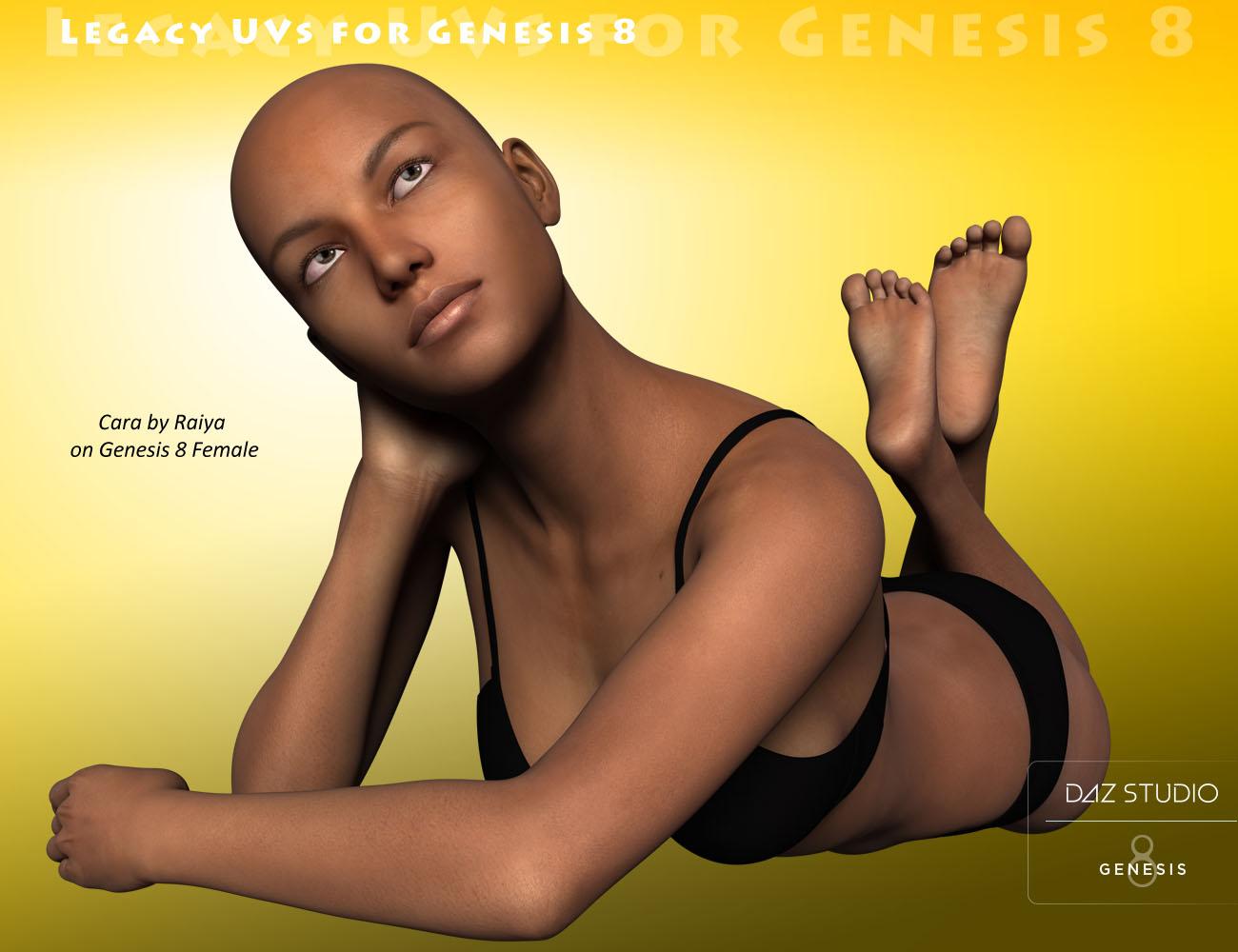 Novica & Forum Members Tips & Product Reviews Pt 9
Oh, here we go. I remember having trouble with this the first time I tried GenX2. No matter what I do, dragging Victoria over (the cr2) nothing shows up in the source. All the files flash and it says "finished" but no source. So I used the Load Figure, same thing. Source text box stays blank. What the heck? (For anyone trying to use Load Figure, that's Content>Runtime>Libraries>Character>DAZ People>Victoria 4.2) So if it won't drag, and won't load figure, what else can I do?
Have you tried to export the Victoria 4.2 figure as a Poser cr2 file (File>Export - save as type Poser CR2 file), then load the exported figure to see if it works ? Thats my workaround.
Novica & Forum Members Tips & Product Reviews Pt 9Okay, in that popup that flashes with "Finished" it says
GenX - Loading figure: Victoria 4.2
Loading figure file ...
Resolving script calls ...
Loading geometry file ...
D:/Daz/Content/Runtime/Geometries/DAZPeople/blMilWom_v4b.obj (Is a cr2 file an object?)
Poser figure not supported.and I'm doing it the same way as two videos do it.
EDIT: I looked ahead and the problem is probably that Genesis 3 Female is auto filled as the target. Can't take Victoria 4.2 t o Genesis 3, IIRC I have to go to Genesis. Going to watch the video to get past step one, but it's probably due to the target being auto filled that way. EDIT: But it won't let me go back any further than Genesis 2 for the target. So again, now what???
Novica & Forum Members Tips & Product Reviews Pt 9Oh, here we go. I remember having trouble with this the first time I tried GenX2. No matter what I do, dragging Victoria over (the cr2) nothing shows up in the source. All the files flash and it says "finished" but no source. So I used the Load Figure, same thing. Source text box stays blank. What the heck? (For anyone trying to use Load Figure, that's Content>Runtime>Libraries>Character>DAZ People>Victoria 4.2) So if it won't drag, and won't load figure, what else can I do?
Definitely not convinced on Genesis 8 yet.With this approach my full-packed G3 will definitely win over hollow G8 each time in every aspect :)
Seems like you don't understand my point. It's clear:
1. G8 is not 'new generation' of figures. Everything it has 'new' could be done as addons to G3 and many such addons already exist and are even superior to what G8 has in base: HD expressions, HD muscles, conforming eyelashes, realistic eyes. Nails might be implemented as geografts. In fact, most of products of these kinds do exist in numbers and many users have them already bought (I do).
2., Instead of extending existing figure or making real innovations DAZ decided to give 'next gen' name to what really is just 'service release' (remember Vicky3 SR1, V4.1 and V4.2 - good old times... ?). And now people start to wait Lilith 8, Gia 8 or what their favourite figure was and will eagerly empty their wallets when said figures will come like they did for 5, 6 and 7 generations.
3. So they changed default pose to make it difficult for average Joe user to use new clothes and other stuff on G3. (Even after excelent tutorial from SY you still need make manual corrections as transfer is never 100% accurate). Yes, A pose is better for those who model clothes but at the same time it's worse for shoes so 'aid to devs' is not an argument here.
4. Doing all above mentioned DAZ almost lost me as customer. Everything I bought after G8 release are PC+ items and some old stuff. And interesting old stuff is quickly coming to an end.
This really doesn't make sense.
Let me break it down.
1. Genesis 8 certainly isn't a massive tech change from Genesis 3, and while most of what it has could have been built into G3, all of what has could not. And those things that could not are, technically, important. This means Daz had a reason of some sort to consider those things important. Otherwise, they'd have been equally served updating G3.
2. Given that Genesis 8 is not really a huge tech change over Genesis 3, something about those tech changes that could not be retrofitted into G3 had to be compelling for Daz. Something about them had to mean either zero or negative revenue growth if they did not do those things, according to their market projection. Otherwise they would not have done G8.
3. Here you go off the rails. Because, for some reason, your instinct is to consider what Daz is doing to be a personal attack. They are out to get you, as opposed to possibly having a more logical reason. Because somehow, you seem to surmise that by attack people like you, Daz will make money. This really doesn't make sense. Daz is in a position hwere, being the dominant force in its market, it need not coddle you, but it is not so huge as to actively antagonize "the average Joe." It makes no sense for them to do so, even from a dirty money grubbing point of view. In this case, exactly because G3 and G8 share so much basic structure. It has been trivial to convert between them, with vendors and hackers dropping conversion tech into the market from day one. To argue that one must be super special, while a member of this forum especially, to use the conversion items is silly. No Daz figure has worked to some extremely high degree of utility without addons. The fact that conversion can be done so easily potentially makes Genesis 8 LESS profitable for Daz, as a great many products for one will work for the other. Perhaps they do hope the new shiny will blind people to that, or they hope the converts will lead people to retrofit G8 products to G3 to keep pipe flowing, but whatever their aim here, the A pose is not a personal attack, or a means of creating difficulty for "the average Joe." The A pose is, effectively, the industry standard for 3D humans outside the world of Daz and Poser. It's far more logical to consider that, especially given Daz's other products that a meant to connect the Studio product ecology to Games and Animation, that the switch to A pose was designed to increase market share. Since people using Daze stff in those areas often have to rerig daz figures to have them work within the frame work of the game engines. This is not different from Genesis 3 abandoning Daz's pet Triax weight system for the more standard general weight map. Triax, as tech, is superior to basic weight mapping, but it takes more time to set up. A lot more. (Yes, I know it doesn't have to take more time, but if you don't, it is just a general weight map that takes up more space.) Being more complex, and being that Daz was pretty much the only vendor to implement it, Triax was of no use beyond the existing Daz/Poser world which made Daz prodcts harder to use in Games and Animation. G3 was designed to be easier for Games and Animation. Similarly, the change from morph expressions to bone controlled expressions. G8's new power pose face template and A pose are directly in line with changes from G2 to G3. G3 was more friendly to Games via lower poly count, General weights, and face bones. Beyond that, the two figures aren't very much different. G8 is more friendly to Games still via a more subdividion friendly mesh, (slightly) lower poly count, better access to the rigging, and industry conforming rest pose.The fact that you don't need these things is irrelevant, because you dollars aren't going to keep Daz in business. Sooner or latter the bottom will drop out of the hobbist market. To continue to exist, Daz has to make it's products viable across as much to the 3D worl as possible.
It is almost sensible to view a corporate entity as parasitic. After all, they are designed in a way consistent with anti-social personality disorder. That said, they aren't all sociopathic, and you can often glean quite a bit about their motives from what they do. Daz, if it did not purse the wider market of 3D beyond posing stuff, would have no other option but roll out non-update figures as new shinies and hope to suck cash out of the unwary. If they had done this here, G8 would be no different from G3, except maybe the subd mesh, because that, alone make it harder to trans fer morphs. Instead, all of the changes to G8 suggest, strongly, that the figure is a bid to open or expand a new market.
4. Given what it seems clear that Daz is after, which is a whole new market segment, Daz can probably afford to risk losing you as customer. The thing of it is, on a long enough timeline, they can't afford to not risk it. The fact is, without expansion to new market segments, their endgame would be the same non-update release death spiral you already believe G8 to be.
5. None of this is meant to make you happy. Be as unhappy as you like with the new figure. The fact that an entity needs to do a thing to survive doesn't make that thing easier for everyone else. So by all means, be unhappy. This rebuttal is simply meant to point out that your interpretation of events is inconsitent with reality. It only holds up in a frame work where the only actors are Daz and people like yourself. I, my self, am not super impressed with Genesis 8 because so much of it is Genesis 3. But I can recognize the compelling business case behind, "G3 would be a lot more appealing to new markets if it worked like so." And I can understand that technical issues that would make retrofiting those specific things to G3 difficult, if not impossible. I can recognize enough of what makes these things work to have a fair idea of G8 would look like if it were what you believe it to be, and understand enough basic economics to know that it simply would not work the way you think it would. That, as G8 is right now, it represents a pretty big gamble on Daz's part, because so much of it can be retrofit to G3. Daz is trying to bury Victoria 4 (in part), not create a whole new version of that ecosystem by driving people to Genesis 3.
6. It probably wouldn't have been overly difficult to make a whole new mesh for Genesis 8, which would have totally killed backward compatability. More difficult, yes, but I could probably do it in a couple of weeks, all alone, and I don't have a day job doing this stuff. That would, perversely, be better evidence for your theory than mine. By completely ending all direct connection between G3 and G8 they really do make a new shiny with "hostage" type lock in. That they didn't suggest that that G3/G8's basic mesh is as nearly optimized as they can make it. They could have invented a new one, but it wouldn't provide any benefits. Which would make a compelling argument that they only did it to make life harder for the average Joe. The simple fact that they didn't suggests that making life harder for Joe was not, in fact, a priority. (I figure the complexity built into the Clone shapes and added clone data that allows G8 to interface with all of the Genesis line of wearables, if not perfectly, is at least 50% as much effort as making a new mesh. I could be over estimating that, I admit, they could have done it with a script. My thoughts of how they could fairly quickly have made a new mesh run in a similar direction, though, so I suspect it would even out. In short, they could have spent effort making things more difficult. Instead, they added tools to make things easier. They fact that it's not easy enough for you is irrelevant. Somebody was going to complain. I suppose you get to be somebody. In 2019, it'll be somebody else. If it isn't, that would be ironic.)Daz 3D is part of

Connect
DAZ Productions, Inc.
7533 S Center View Ct #4664
West Jordan, UT 84084Licensing Agreement | Terms of Service | Privacy Policy | EULA
© 2026 Daz Productions Inc. All Rights Reserved.