-
Knittingmommy's Laboratory
So, instead of working on my entries for the New User Contest, I've been playing in 3Delight. I know that might shock some of you, but I have. I was inspired. There have been all of these great images in the Non-photorealistic Renders (NPR) thread. I, especially, love the things that @algovincian manages to create. He does some amazing work! However, there are some other really talented people showing their stuff off in that thread, too. I love the images even though I don't usually do that sort of render. Which, of course, makes one wonder why I have managed to collect a lot of utilities and tools for making them! I have no idea why I collect some things despite their not being exactly in my wheelhouse. Anyway, with the new sale today, I happened to see the Poodles and Soxs by SilverElf on sale in the stuff that was 80% off. Since I was already getting DraagonStorm's new Motion Blur for Iray, I picked it up. I thought it would be perfect for a render in Miranda's Ice Cream Parlor by SloshWerks. I love that set. @Slosh did a great job with it. And I've actually been working on a couple of different images using it. Nothing is ready for my gallery yet, though. I think the set is amazing and I plan to have lots of fun with it. Anyway, the Poodles and Soxs outfits are for Toon Girl Sadie and Toon Boy Sam, the original ones, by 3D Universe. While I have Sam and Sadie for Genesis, I thought I would challenge myself with the original figures as I have practically nothing in the way of morphs or expression packs for them. All I have are what come with the basic packs. I also have Toon Gramps and I threw him into the ice cream parlor, too.
Anyway, I thought I would experiment with the toon stuff that I have. Here is the basic image that I started with:
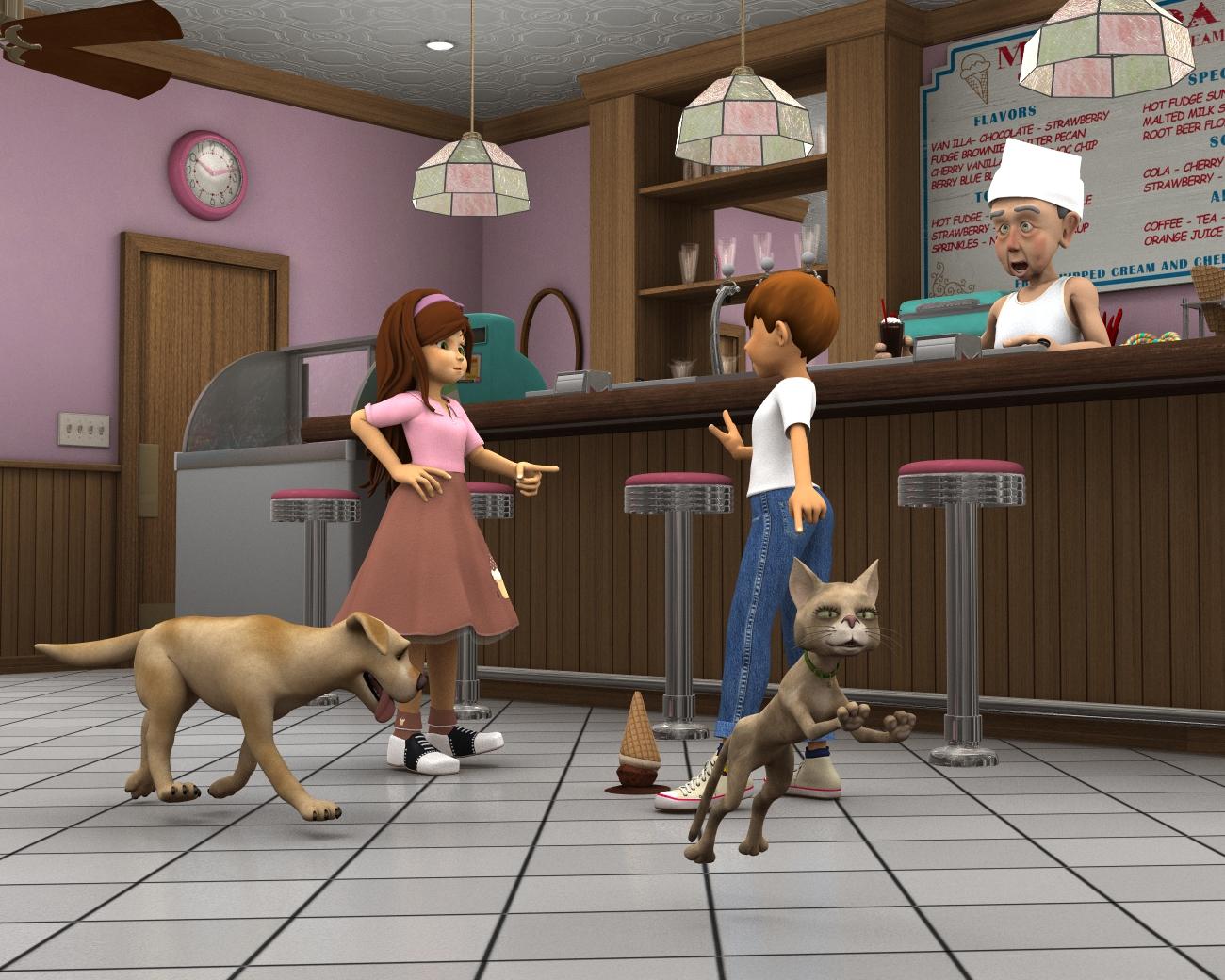
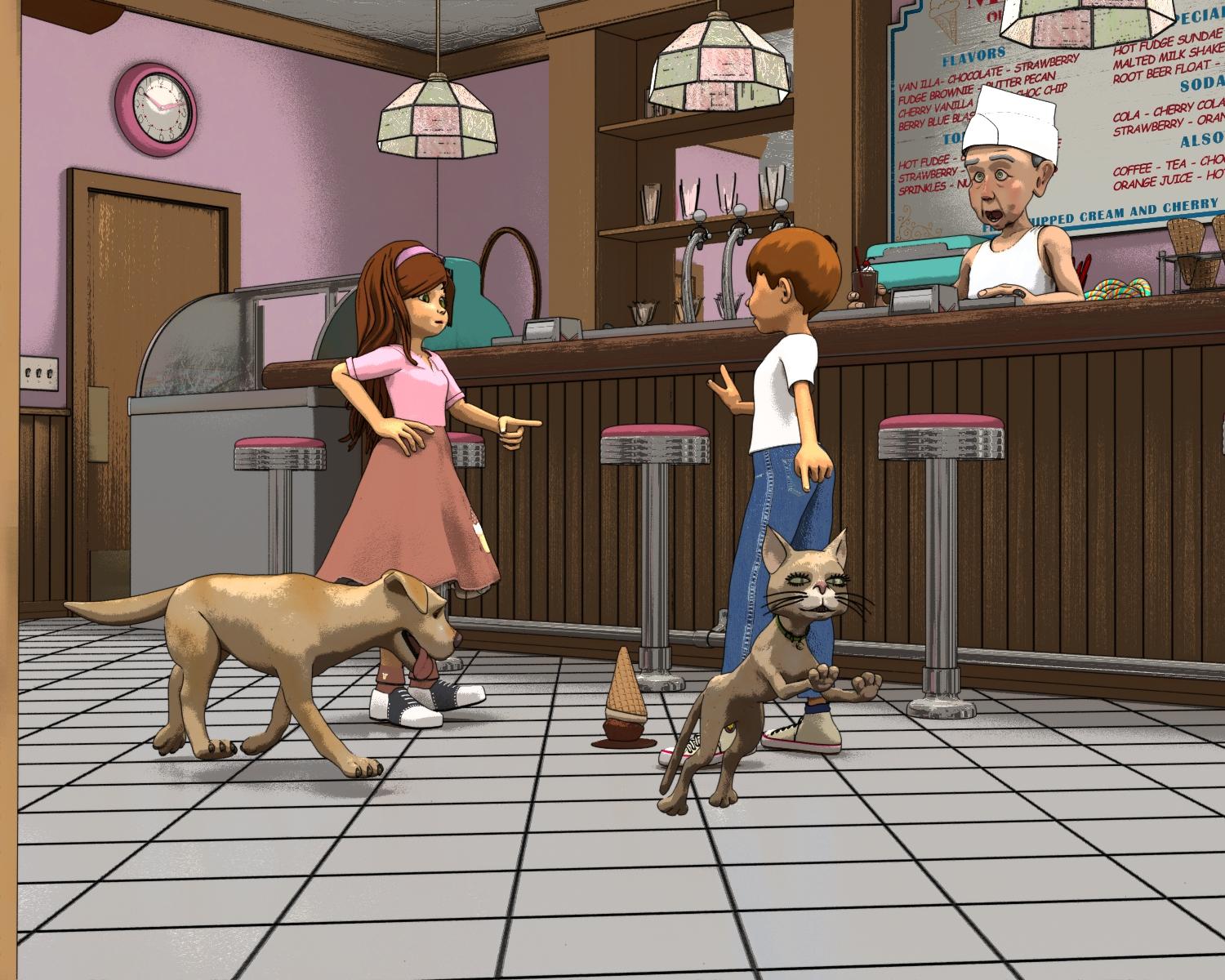
This image is just with the regular 3Delight camera. I like it and it's a good render, but I wanted to play with some of the toon stuff. So, first up was Camera Magic: ToonyCam Pro by Zigraphix. I liked the results and there are a lot of options. I just ended up trying a lot of them to see what they looked like. Somewhere along the way I broke the cameral. I'm not sure what I did, but it stopped working and I got a lot of shader brick errors. I have no idea what a shader brick error is. Luckily, I had saved so I just closed out DS and reloaded my scene. I went on to do PWtoon which is a DAZ Originals and then came back to the ToonyCam later and it was working again. I, also, took that first image that was done in just a regular 3Delight camera and took it into FilterForge and played with some of the toon shaders in there. I got a couple of interesting looks. Anyway, it was an interesting experiment. I liked some of the results I got. I don't know if I'll be doing anymore NPR type images, but it is nice to know I can get some cool effects.
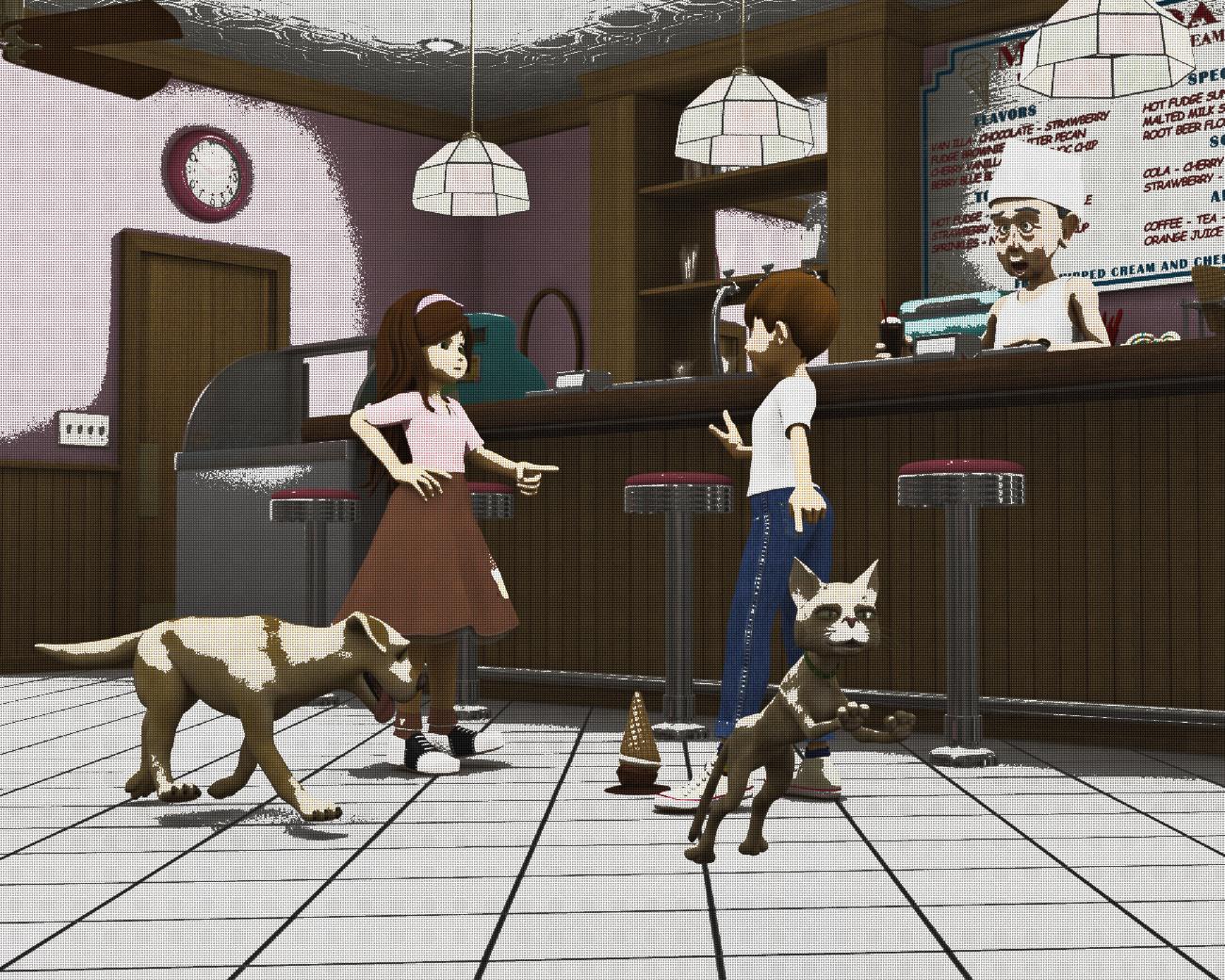
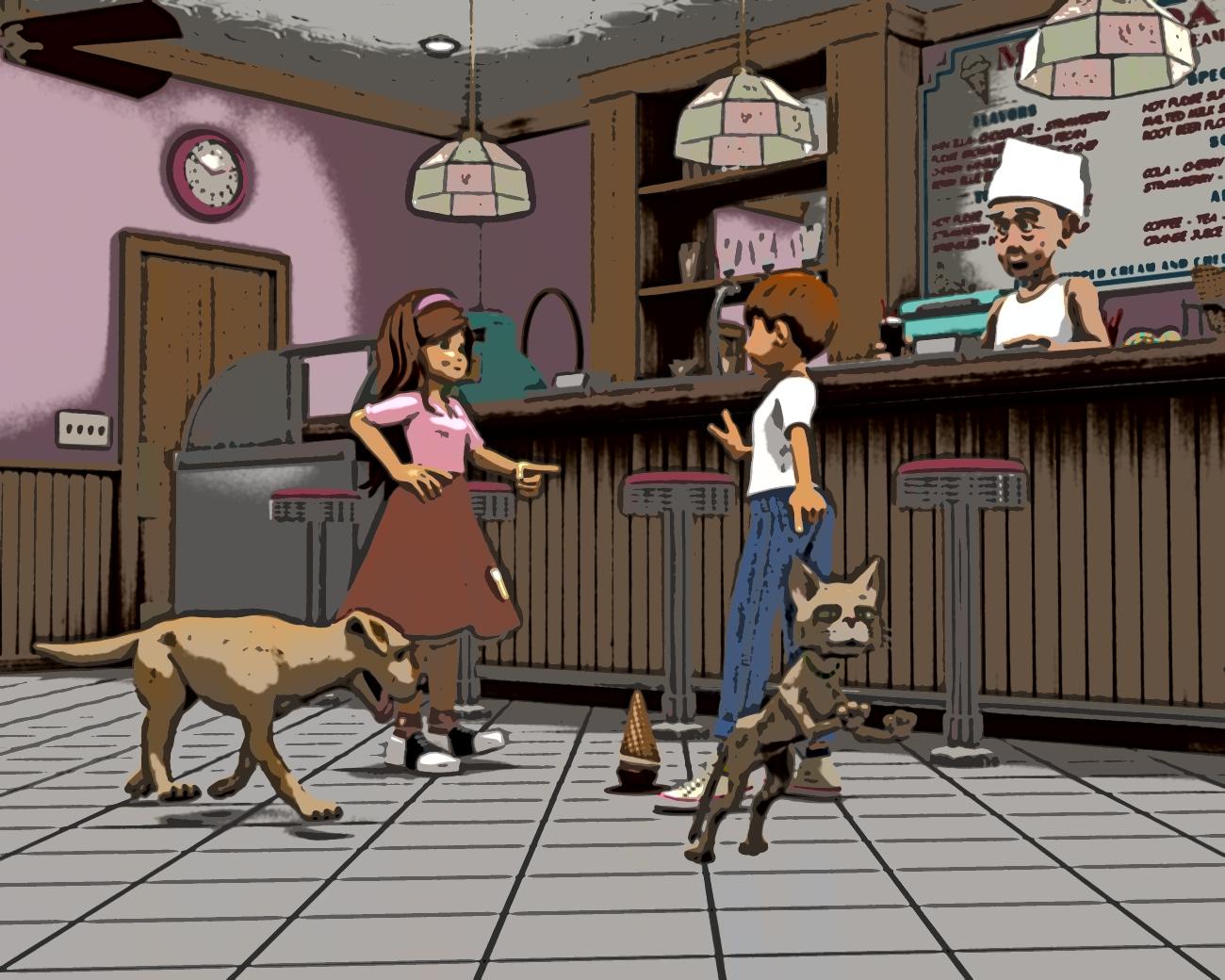
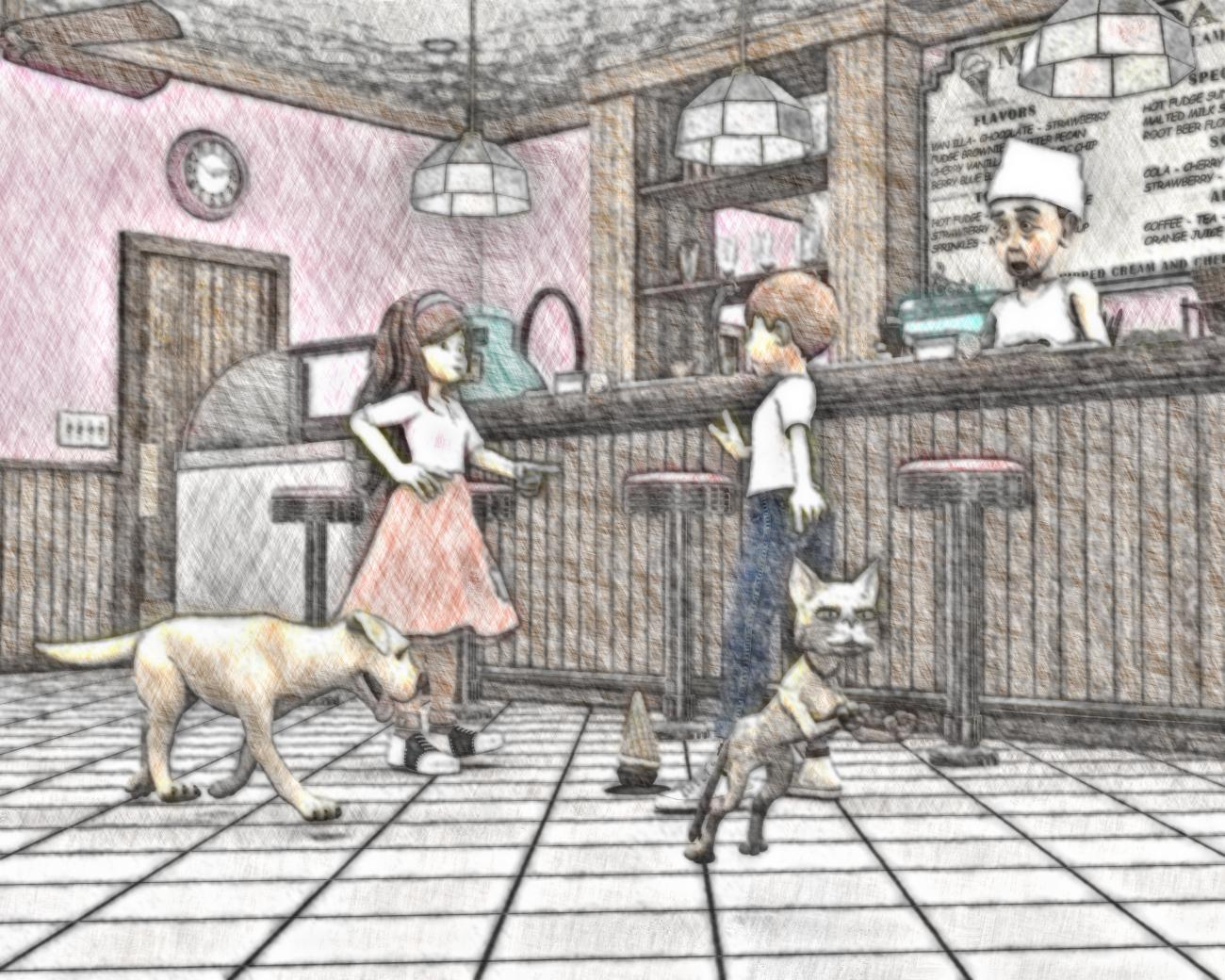
So here are the images I got and the tool I used to create each.:
Camera Magic: ToonyCam:
FilterForge: 21st Century Pop Art
FilterForge: Comic Book:
FilterForge: Crosshatch Drawing:

FilterForge: Crayon Master v2:
FilterForge: Comic Stylize:

If you want to see the full image, just click on it. I made the images smaller than usual because I wasn't sure how the forums would react to so many pictures in one post at the usual 800 px. I think my two favorites are the Crosshatch Drawing and the Comic Stylize. This last one is the one I'm going to put up in my gallery. I noticed that Comic Stylize and Camera Magic: ToonyCam both have similar styles. However, I like the way the Comic Stylize in FilterForge turned out just a little bit better.
I might have to do this again sometime. It was fun. One nice thing about Slosh's set is that I didn't actually have to do much in the way of lighting. He did it all for me. I just had to reduce the intensity of the lights a bit because they were rather bright for the comic effect I was going aiming at. I do have to say that I love a set that can make me look good in 3Delight!
Cartoon lookThought it'd be useful to start a kibbitzing thread here about how to get good anime and cartoon looks.
Things I've worked out:
PWToon I'm happy with. Getting a two-tone shadow/regular look can be achieved by setting the shader's Diffuse Upper and lower Bound to the same value. 0% seems to work pretty well, but if you want more shadow coverage you can increase it.
Use ambient lighting to, effectively, set how dark that second shadow tone is.
Anime Eyes or something like it is useful to get a drawn look to the eyes. The most useful thing is the reflections, to artificially plop in stylized eye reflections. Possibly also the eyelash effect, but I haven't figured out how to add that.
Hiro 3/4/5, Aiko, Keiko, and other anime style characters can be useful to get the right 'look.' But not strictly necessary -- increasing eye size and nudging the face with standard morphs can get you to good anime looks, depending on what particular style you are going for - anime is broad, not to mention more western cartoons. The biggest thing is getting a drawn look to the eyes.
Hair can be tricky, but this freebie is awesome:
http://nekketsukyoujin.deviantart.com/art/Anime-Hair-Set-1-for-Animedoll-89485450
The final clue to my puzzle/look came to me after watching Archer... no highlights! OOooooooh.
Consider:

First side is what I was getting earlier and being frustrated by. Simply setting specular strength to 0, and bam.
(Click for full size)
Non-photorealistic Renders (NPR)For some strange reason the idea lodged in my brain to take another stab at anime-style stuff. Which is weird, since I'm not a huge anime buff.
http://willbear.deviantart.com/gallery/58535802/Anime
The last image (which is the first of this series) was done with core content (and PWToon).
After that, picked up Anime Eyes and Legacy shapes to get Hiro 4 and Aiko 4 (though I'm not 100% sure either is necessary)
Please Bring Back "HIRO"!No postwork, and yeah, those are PWToon.
What I've been doing is setting decent ambient light and also for skins setting 'shadow' colors to something more than flat black (admittedly, I'm not sure I really need to be doing BOTH, but the look has been decent)
Good tutorial. I probably could make them better with some actual drawing (despite terrible drawing skill). I might experiment with that down the road.
Please Bring Back "HIRO"!PWToon. I'm pretty happy with it. It's not perfect, but I have a decent grasp of it. I think I also picked up Toonycam pro, but I haven't gotten around to trying it.
Here's another attempt, trying to see how well I can do something other than 'heart-shaped boy' look. I'm not sure the vascularity on the arms 'works,' but... again, anime is a broad thing and at least I'm in the ballpark.

This is G2M, Hiro 4 + Freak 4 + ... Bruno, I think? Plus aging and vascularity and a few other tweaks. Having decent eye models and eyeliner and a few other things from anime eyes helps a bunch.
Please Bring Back "HIRO"!Amusingly you can do the reverse easily in 3dl. Like, make the figures very toon like (PWToon et al), but then have highly realistic backdrops, like I've seen in a number of shows. (I think at least some are hand drawn over cgi or rotoscoped) I'm also weak willed and have spent the rest of Mays budget on Anime eyes and some legacy shapes...Please Bring Back "HIRO"!Which reminds me, what's the cheapest/easiest package to do decent 'anime eyes' morph/style for Genesis or Genesis 2?
My own Animeyes set in the store here is probably the cheapest when it's on sale. It was made for Aiko and Hiro 4, but most of the textures should still work on the Genesis 1 and 2 series.
Here are two show previews from this year that I've been told are made in full 3D
That...is actually hard to believe. The only 3D anime thing I've seen come close to looking like 2D are the recent Guilty Gear video games, and even they still have pokethough and such.
There's actually a lot of difficulties in making 2D-looking renders that don't come to mind at first. I spent years attempting to find a solution, but the only real way is to do hand-drawn postwork over a render. Shading is probably the biggest hurdle because rendering engines will not create cel-shaded shadows like a human would. A renderer's is based entirely on physical accuracy, and will have rough edges and shade where a human would not for aethestic reasons. Other things like the mouth and teeth, hair, and expression range just make it so difficult with a figure that was originally designed to be realistic. I think we would need a custom figure, specifically designed to be one character and one character only in order to get anything close to the results in those screenshots.
Getting the linework to actually look drawn is probably the hardest thing - that's what makes most 3D anime look wrong to me at least. Two other examples that come to mind that I found were Street Fighter 5 and Naruto whatever it's called 4 as recent "want to look cel shaded" games. But yes, there's also the problem that even if you get the colour depth right, the shaders (at least the toon ones I have) still tend to do the shadows differently to the way a human would.
Is there much difference between PWToon from the DS toon shaders? Or does it just use the same shaders with its own settings?
p.s. For Ajin, I meant the violence wasn't too extreme in the trailer; watch the actual show at own descretion.
Please Bring Back "HIRO"!I think you can get pretty close to those looks by using PWToon (and possibly ToonyCam, though I haven't played with it).
Just a matter of getting the actual figure right.
Please Bring Back "HIRO"!I'll point out that given things like ToonyCam, PWToon, and similar, at least some of the market isn't aiming for photorealistic yet stylized anime.
Please Bring Back "HIRO"!Inspired by this thread, I made an anime-style thing. Cranked up eye size as much as I could, tweaked other things. It's not suitable for all anime, but it's at least in the ballpark.
(Uses PWToon for the general style)
 Converting "Lecture Hall with Props" to 3Delight - Doable?
From what I'm seeing, you will probably have to re-do all the surfaces. Many of the surfaces use Iray-specific shader.
You first have to reset the shader to 3Delight. What I would do, is make note which textures are used on each surface, and then reinsert them into the surface tabs.
I've attached an image of how the room looks in 3Delight, without any conversion:

EDIT: Here's a rather quick PWToon Conversion. It seems that for some reason, all the diffuse maps end up as bump maps, so you'd have to fix that manually for every surface. I did the exchange for a handful of the wooden chair surfaces. This is a lot of handiwork, but absolutely doable within a reasonable amount of time. You'd probably looking at two hours, or something along that timeframe, depending what other adjustments you need to do. The process was: select all surfaces, then apply PW-Toon surface to it, and then locate the diffuse image and load it into the diffuse slot of the surface tab.
 Converting "Lecture Hall with Props" to 3Delight - Doable?
Can anyone guestimate how much work it would be to make this set work with 3Delight? And/or have a link to a tutorial for how to go about it?
I'm creating extensive 2D artwork of a futuristic city and its inhabitants for a senior project my daughter must complete over the summer (a 2D educational game). Because I want the environment stylized - not quite toony, but not so much CGI/3D-looking and more hand-drawn/toon-ish if that makes sense, I plan to use a combo of Visual Style Shaders, Subsurface Toon Shaders, Toon Style Hair Shaders, Subsurface Gummy & Plastic Shaders, pwToon, ToonyCam, etc. (And any other helpful shaders I can find!)
I have very carefully been buying new items that have 3Delight materials and not buying anything that was Iray only.
However, "Lecture Hall with Props" by Tesla3dCorp fits right into the whole future city theme somehow with the ampitheatre design and I adore how it looks --- but it's Iray only. While I have the computer power for Iray and might go there someday, for this project it's unusable, as I wouldn't be able to apply all my "toon" render options.
But I REALLY like the Lecture Hall and wonder if converting the materials to 3Delight equivalents is a reasonable alternative and process.
I'm a bit of a newbie with Daz, although I have collected models for years, with a huge investment in Genesis and Genesis 2. Sadly, life interfered and I'm just now starting to use all these cool things. (I was feeling a bit like an OCD collector "just in case" some day I'd have the time, health, and energy to trying working with Daz again.) So pardon if this is a REALLY newbie question and the answer should be obvious...
Any and all help and advice is GREATLY appreciated!!!
Is There A Way to decrease detail in a skin texture for a more toonish look using PWtoon?So I have alot of great textures but some of the ones I would like to use for a toon-ish scene have more detail than I would like, even when applying the PWToon shader. Is there a way to remedy this that I'm missing?
intentionally (mis)using iray shaders in 3DLI bought UberSurface2 a little while ago, and it does most of what I want. That, AoA lights, and AoA Atmospheric camera does 90% of what I want (with PWToon for unrealistic cool effects, and then PWEffects for a few other things).
Iray shaders are great because they provide cool texture maps, which are easily used in 3DL. It might take some finesse to figure out where to slot some maps for things that are unusual, though.
Pro-tip: most of 'metallicity' in Iray can be handled well using Reflection. Most Iray metals will translate to Reflection weight 1 (ray traced, of course) and a Reflection Roughness of 10% (or .1? Whatever the scale is)
Disabling shadows from objectsI worked very hard to do 'drawn style' in Iray, over a bunch of months.
I gave up on it and switched to 3DL. First of all, 3DL gets a bad rap for being 'unrealistic.' 3DL can look VERY realistic, if you want. It can ALSO do some gonzo unrealistic stuff, waaaay easier than in Iray. I like Iray a lot, don't get me wrong, but I finally grabbed PWToon and felt silly for resisting it for so long.
The problem with trying to filter an image to look drawn is that algorithms can't easily figure out that this dark bit is part of an object and that dark bit is a shadow. You can jump through a lot of hoops with canvasses or render passes per object or whatever, but... toon shaders in 3DL are waaaaaaaaaaaaaaaaaaaaaaaaaay easier.
Experimenting with black/white Graphic novel, need suggestions.Are the samples you posted in your second post the kind you want to achieve, or the kind you're getting now and want to improve? If the former, these are easily done. If the latter, you can do better.
Start by checking out Toony Cam Pro, Visual Style Shaders, PWToon, and the many other alternative shading tools available for the 3Delight renderer in D|S. Also see if there are filters you can use in Photoshop and/or Filter Forge. You will *very likely* not be able to use just a single filter (or Photoshop action) that will entirely give the look you're after. You may need to process your images through multiple filters.
You say you already draw into the renders. If so, that's how to achieve the look you want. I prefer a graphics tablet for this. Even the best of filters may not yield what you want. Not knowing your experience level, just know that with a couple of Saturdays you can get a good start on learning how to trace over your renders and give them a true drawn look. As you likely already know, often you will mix several filtered and/or drawn layers together, or add in as a layer a hint of the original render as a base. Use layer masks to control the parts of each layer you want to show. Given time and experience you might well be able to achieve a look similar to Berserk Manga, but it will require you to become proficient in repainting/redrawing. It's doable, but does take practice.
Selbsthilfegruppe DAZ Studio - Beispiele, Fragen, Diskussion und sonstiges GequatscheHallo.
Frage: Kann ich "normale" Shaders" auch in Iray benutzen?
Und wenn ja, wie macht man das?
Meine "normalen" Shaders die ich in 3DeLight benutze, werden in Iray nicht gerendert.
Danke!
Das hängt vom Shader ab. Wenn es sich um Texturen handelt, kann man vieles konvertieren, aber andere, insbesondere Funktionsshader wie Snowshader und sowas funktionieren nicht in Iray. Das ist dann quasi als ob zwei Leute in unterschiedlichen Sprachen miteinander sprechen, und keiner den andren versteht.
Also, z.B. http://www.daz3d.com/fabulous-fabrics-combat-preset-shaders-for-daz-studio kann man reltaiv einfach konvertieren, entweder von Hand oder auch mit sowas wie http://www.daz3d.com/da-iray-fabric-shaders-leather-and-cloth
Im Vergleich dazu funktioniert z.B. http://www.daz3d.com/pwtoon oder http://www.daz3d.com/pwghost gar nicht in Iray.
Welche Shader bereiten Dir denn genau Probleme, könntest Du mal einige Beispiele geben?
Toon Renders in Daz Studio?I left it at default. I've experimented with Cartoon-style render settings, but was never quite happy with it -- not enough control, and I have mixed feelings about the 'limited number of color shades' approach (similar with DzToon, which comes with Daz pro, so you have it, but does similarly).
For the sci-scene toon image, the shirt is a simple red color with Diffuse Upper/Lower bound set to 0%. (The bounds set how shaded it is -- setting both to 0% removes all the lighter shading it would normally have)
The skin has the same upper/lower bound thing, but also has a texture map, so the texture does show through but the skin is a bit 'blown out' (IE: the highlights/white dominate and wash everything out)
The result is that texture shows through a little bit, but it's dominated by simple colors and outlines, which is a neat effect.
For my webcomic I ended up deciding I liked fully shaded stuff better, so I have Upper Bound 100%, Lower Bound 0%, and it has this sort of semi-realistic but illustrated look to it that I enjoy.
Also, a note: in PWToon, if you want the effect of 'ambient' color, treat Shading Color as equivalent -- wherever the diffuse color darkens, it will then revert to shading color (which could be brighter, or a medium color, or a texture, or whatever).
Other notes: I find it necessary to adjust outline thickness depending on the image size and how far various figures may be from the camera, or the effect I want by character. Sometimes you want thick lines on clothing and thinner lines on characters.
Stuff seen 'edge on,' like floors or the tops of crates, can screw up outline and 'fill' solidly black. Dropping outline thickness should help.
Also also:
There's a free Geoshell outline shader available here: https://dl.dropboxusercontent.com/u/12960659/Daz3DWork/Freebies/TNP_GeoShellOutline_FreebieShader.zip
It adds outlines to various objects using geoshell, and you can adjust thickness by changing offset.
Now, PWToon does a lot of cool things that this shader doesn't, but there are times you can pull stuff with the geoshell shader that don't work quite right with PWToon. Like, for example, you have a table and want thick outlines, but the top keeps turning flat black. You can use a geoshell, reduce it's height so only the sides are outside, and apply the geoshell shader to it, and voila.
Toon Renders in Daz Studio?A good starting point for the B&W is to go with 'draft diagram' preset and switch blues to white or black.
There are a bunch of presets that set various effects, although for my webcomic I've moved to simply converting to PWToon, turning on outlining/interior lines, and then maybe changing line size, but I'm emulating a semi-realistic style.
Do you use the 3Delight >General>Style>Cartoon or do you leave it at Default? many thanks!
Toon Renders in Daz Studio?Some of my PWToon renders:
http://willbear.deviantart.com/art/Colo-584676679?q=sort:time gallery:Willbear&qo=92
http://willbear.deviantart.com/art/SciScene-Toon-585241043
http://willbear.deviantart.com/art/Falling-Home-584280250
Great renders, Will !!
On the sci-scene toon image, it has a kind of TROn quality where his skin looks more real than the rest. Did you use a different shader on his skin?
Excellent work!
Daz 3D is part of

Connect
DAZ Productions, Inc.
7533 S Center View Ct #4664
West Jordan, UT 84084Licensing Agreement | Terms of Service | Privacy Policy | EULA
© 2026 Daz Productions Inc. All Rights Reserved.