-
No Genesis 8 Male?
I really like the base G8F. V8 is a bit on the masculine side...still a good character, just not what I consider a successor for Victoria. Of course, I felt the same about Aiko 7. She went from being an anime style teenish character to just a sort of exaggerated realistic female. I guess it's a lot like the car companies do...just retain the name even if the model is entirely different.
realistic female
realistic
:|
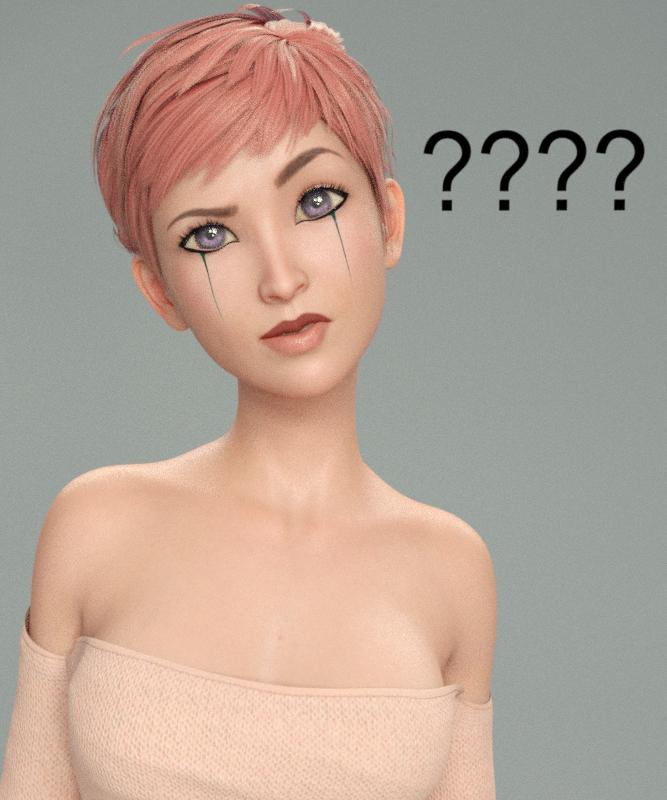
Compared to what Aiko is supposed to be known for, that IS pretty realistic. Seriously, deflate her head and shrink her eyes and she'll look exactly like a real life woman.
Daz to WhateverI like working in Maya and jumping between Maya and Mudbox for texturing, but I'm not a fan of setting up materials in Maya, so I end up using OBJ exports to move between Daz and Maya. What would be the main benefit of a Daz-to-Maya plugin?
There are no materials to setup. The plugin converts them for you. Your Daz figure will be a normal Maya HumanIK rig. If you are an animator, this is invaluable because now you can take Victoria anywhere in the 3D world. Arnold shaders, so full compatible with PBR. It seems there is an option to convert the materials to Vray too. I haven't confirmed it because I don't have Vray.
That sounds interesting, though so far I've been going in the opposite direction (Maya to Daz), so the stuff I've created in Maya can be used in my "Daz universe".
Daz to WhateverI like working in Maya and jumping between Maya and Mudbox for texturing, but I'm not a fan of setting up materials in Maya, so I end up using OBJ exports to move between Daz and Maya. What would be the main benefit of a Daz-to-Maya plugin?
There are no materials to setup. The plugin converts them for you. Your Daz figure will be a normal Maya HumanIK rig. If you are an animator, this is invaluable because now you can take Victoria anywhere in the 3D world. Arnold shaders, so full compatible with PBR. It seems there is an option to convert the materials to Vray too. I haven't confirmed it because I don't have Vray.
How to save a Layer Image Editor (L.I.E.) Preset?Hey Diva, I think you have at least one character set that uses LIE for eyebrows. Check my Iray Toon Styles for Genesis 2. I did the eyebrows using LIE on that, and the way I dealt with Mac's issue of LIE images stacking was to make a face (or character skin) reset preset to turn off all the LIE settings and go back to blank base. Be sure to put the eyebrow image in both the base color and translucency color, or you'll end up with red eyebrows.
If you want to use the diffuse overlay for the eyebrows, you would need a .png image with transparency in the Diffuse Overlay Weight, and Diffuse Overlay Color. I'm guessing you had a .jpg with a white background in there, and that is why the face turned white?
I'm looking at Daz's texture folder and it appears for Victoria 8 that they did diffuse overlays for eyebrow or no eyebrows for each makeup option, because the makeup is also changed on the diffuse overly. I'm not sure how that would affect your desire to cut down on the amounts of maps needed if you have to basically do one for every combination.
One other thing I just thought of is that maybe you want to do the eyebrow presets on a geometry shell. That would give you an extra layer to work with.
Using LIE or Diffuse overlay both have pros and cons.There isn't any one ideal combination that will work for every user, so there will come a point where you just have to decide how you want to proceed, and go with it.
Good luck!
Edit: You know, the more I think about it, the more I like the geometry shell idea for the eyebrows. That would make it really easy for the end user to switch in their own favorite eyebrow package, if desired, just by deleting the geometry shell. No fuss. I'd put a note on the .tip image to make sure you have the geometry shell selected when using the eyebrow presets, and it should be pretty straight forward. PM me if you'd like someone to give your thing a quick once over before you try to submitt it.
I love these ideas. I played around with the Geo Shell but I couldn't get it to behave right as I'm really new to geoshells and couldn't figure out what I was doing wrong. lol I then abandoned that idea and went with the Diffuse channels. The solution I found was to do all four eyebrow options on the makeupless face option, then use the Diffuse Overlay Weight and Diffuse Overlay Chanels to add the makeup. At first I couldn't get the Diffuse channels to work and kept getting white face instead for some reason. I finally tried a work around and used Victoria 8's mats then one by one changed all the maps and settings and that allowed me to use the Diffuse channels without them turning white.
I'd love for you to test my character before submitting it! I was worried about finding someone who could test it for me (someone who knows what Daz is looking for and who has experience with this sort of thing), so I really appreciate the offer! I'll PM you once I get the material files finalized and set up and everything saved properly. :)
Novica & Forum Members Tips & Product Reviews Pt 9@jakiblue Thanks! Will give it a look.
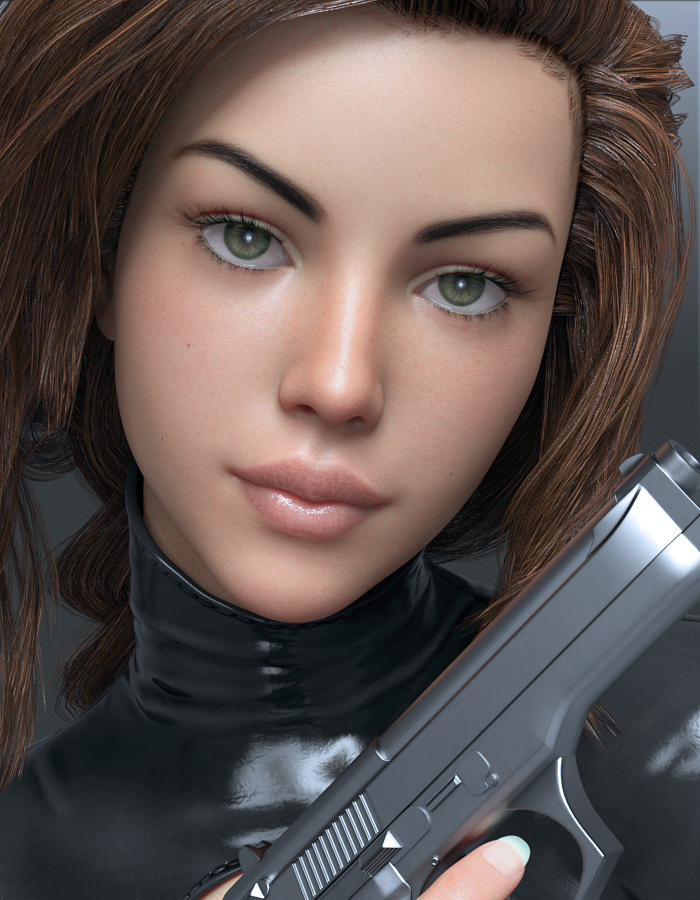
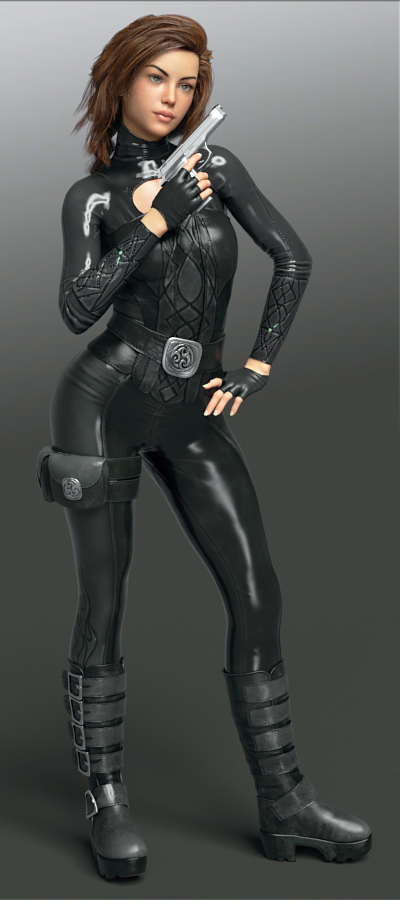
Here's FWSA Analia for Victoria 8 in Perrin Hair and Lethal Rogue Outfit for Genesis 8 Female(s) The skin is tweaked a bit with more reflectivity, a touch of metallicity, more saturation (due to the lights.) The lips have more gloss.
This is interesting- did you notice the sleeves have a mini green streak in the middle of the forearm? And it's not just me. Look at the promos. You have to go to the thumbnails and click and click again to enlarge. I was looking at mine going "What the heck is poking through? There's no green under there." So get this- when you hide the character, the green disappears. I was going to render a closeup of it, and turned off everything not needed in the scene, and when the figure is hidden, POOF goes the green. Is this what's called a firefly?
 How to obtain anatomical elements for Genesis 8 Female? Francophone.
Il faut acheter un des bundle PRO. Je pense qu'il n'y a que ces deux pro bundle a ce moment. Alors un ou l'autre est bon.
https://www.daz3d.com/victoria-8-pro-bundle
https://www.daz3d.com/olympia-8-pro-bundle
New guy full of questionsAndby default, most characters use auto-follow since G3 ?
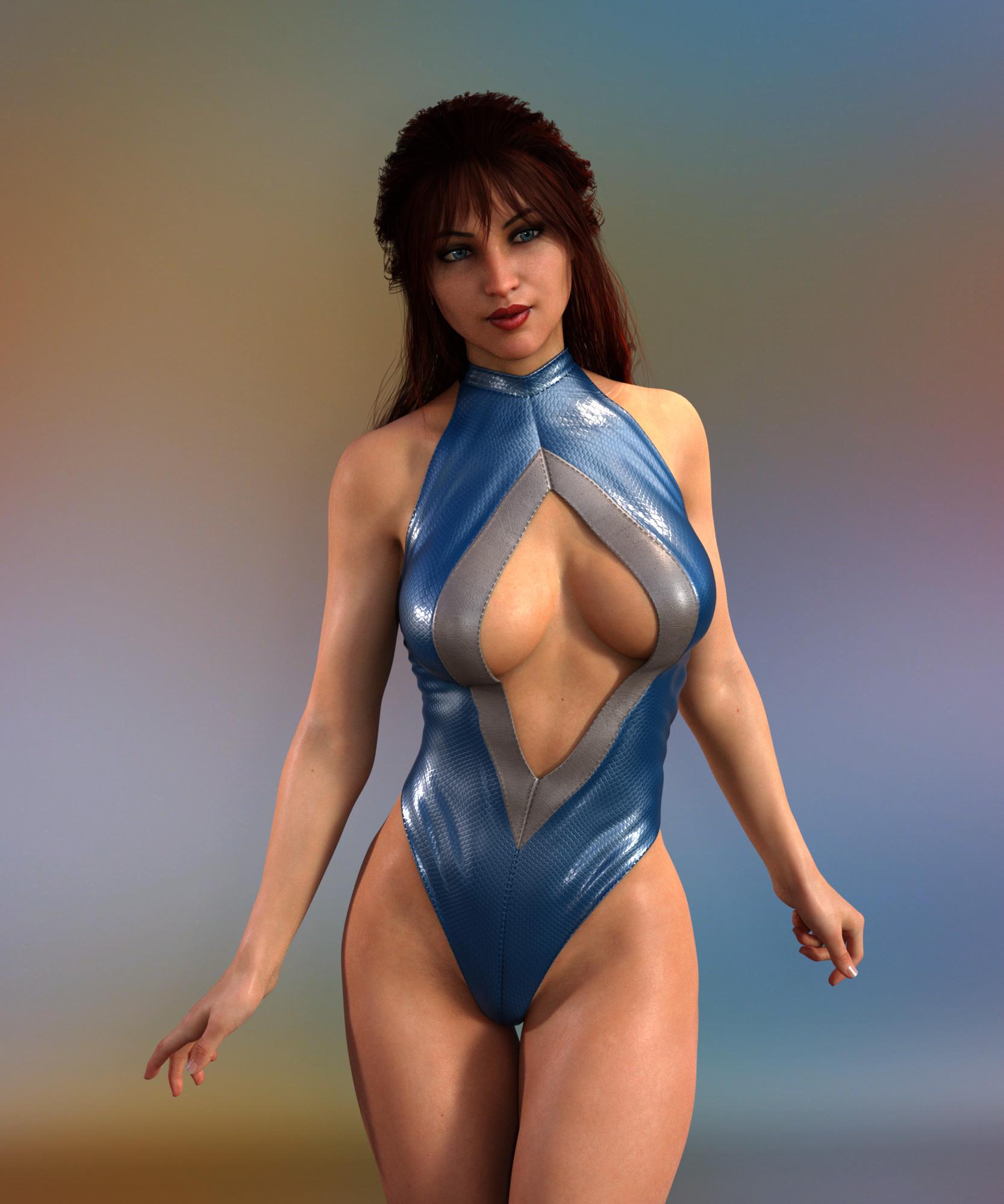
Auto-follow, or also called autofit, has been available since the first fersion of Genesis. So all Genesis versions use it, but you may need to get other utilities to make it easy, like Wear Them All (or follow SickleYield's tutorial to do it yourself). For example, the image below is the Rhomb Suit for Genesis 3 on Victoria 8, you'll note that in the description for the suit it says noting about V8, but it fits thanks to auto-follow/autofit (if you have G8F/V8 selected when you load the suit, a dialoge comes up that allows you to select the figure the suit was designed for, and the type of item it is (in this case you would select "Genesis 3 Female", and "Full Body").
 Novica & Forum Members Tips & Product Reviews Pt 9
Well, Victoria 8 isn't exactly the same figure as Genesis 8 Female, is she? Different curves, etc? I'm just guessing that's may the issue with the boots.
Novica & Forum Members Tips & Product Reviews Pt 9I don't understand why an outfit for Genesis 8 Female wouldn't fit Victoria 8 properly - V8 is a character for G8F, there shouldn't be a difference.
Released: Expressive Faces- One-Click Morph expressions for Victoria 8 (Commercial)Hello!
I would like to show you my third product "Expressive Faces - One-Click morph expressions for victoria 8", It contains 40 One-Click Expressions and 40 Morph dials to give you the chance to choose the best face for your rendering, making them soft or strong, it`s up to you!! The expressions are divided into categories: Angry, Happy, Sad and Surprised.
I hope you like it and enjoy this big pack of expressions.
Novica & Forum Members Tips & Product Reviews Pt 9This is out of the box, using someone else's poses, just to be sure it wasn't the pose set (even though I knew it wasn't, I do double check. These are from vendors I use all the time, such as Capsces. This is a Genesis 8 gal, Eris, not Victoria 8.
Too much crumpling for a simple twisting pose, so I did a standing one. In that one, while the sides are okay, you can see the outlines for the breasts emphasized and that's not the problem. To me, the lines for the breasts are forced, if that's what those are supposed to be? It doesn't seem to be naturally fitting the breast area.
Overall, it seems like too much wrinkling/morphing- which shows extra effort by the vendor- but there's no built in adjustments for the user to fix it the way they want it. If those were present, this would be a versatile jacket.
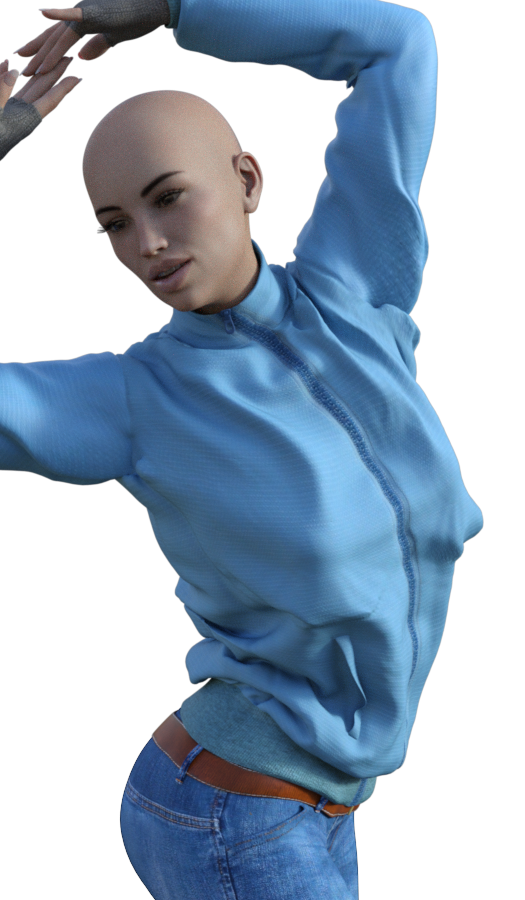
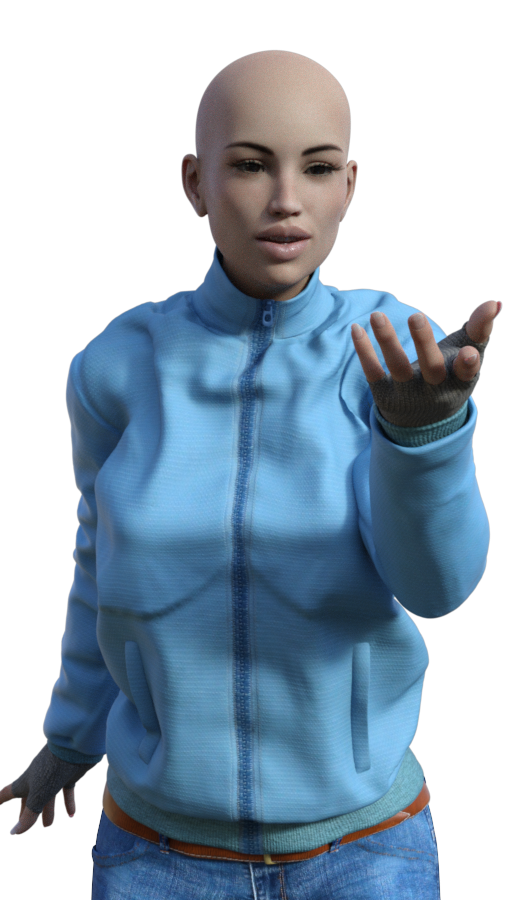 Novica & Forum Members Tips & Product Reviews Pt 9
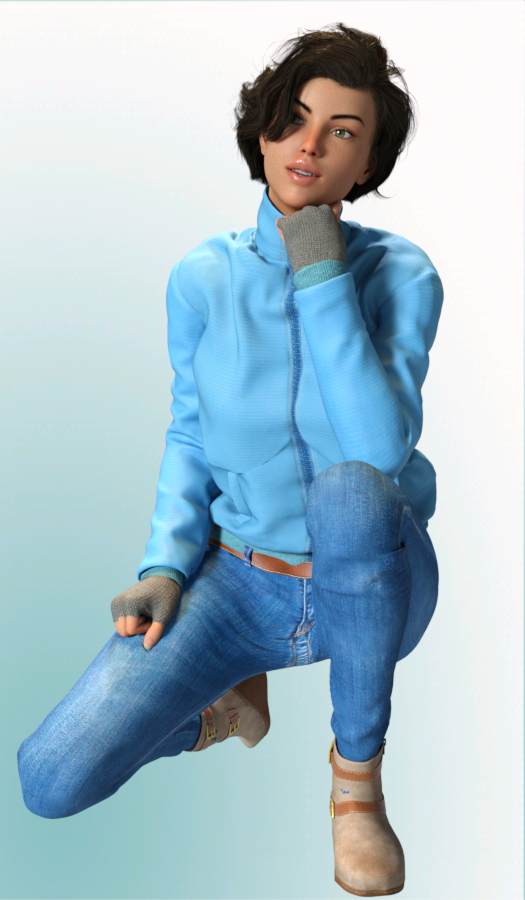
FWSA Analia HD for Victoria 8 is the figure. More on her later, this is about the Cold Weather Outfit.
Whether it's for V8 or G8F- In a kneeling pose, there's not many options for adjustments for the jeans on Cold Weather Outfit. You only have Jeans Into Boots and the Expand All. This outfit is designed for G8F, and it fit well, so it's not really an issue for those. But for Victoria 8 characters, read on.
I don't like to Expand All to do just the bottom of the leg. I tried to undo the Parameters to go negative with the Jeans Into Boots so they could be outside the boot, it didn't look good to me (which is why the vendor had the limit set. ) So if you get this outfit, be aware you have two options for the jeans. If you are using a Victoria 8 character, this may mean poke-through. I did not have any issues with the Genesis 8 characters.
To be fair, although I do not like the lack of morphs (making everything bigger in the pants) the rest of the jeans fit nicely, even in the kneeling pose.
Be aware the outfit is for Genesis 8, and this character is for Victoria 8. I tried the slider for jeans in the boots, up to 143.9% and still have some poke-through. I tried a lot of intervals, and no matter what I did, there was still some poke-through for this pose on the V8 character. Then, to do jeans outside the boots, I had to undo the limits and go a whopping -174.6 and again, still a sliver of poke-through. (See image) And to me, the jeans look too splayed out horizontally, whether it's V8 or Gen8F- but you might like it.
So in my opinion, for a Victoria 8 character- be prepared for some poke through if you're going for outside the boot. Inside the boot, you may be really cranking it up but it will go inside. No problems with the Genesis 8 gals, which is what the outfit is designed for.
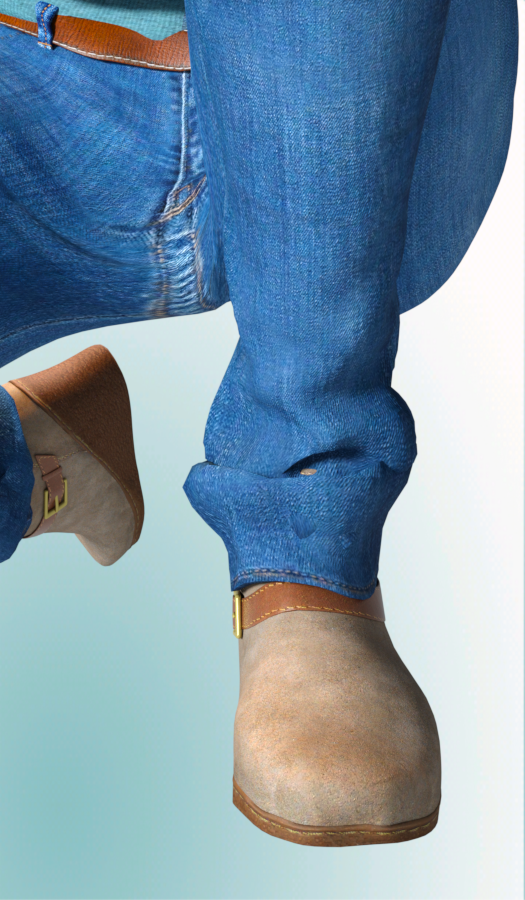
There's nice attention to detail, such as the stitching on the straps of the boot.
The chest folds- didn't do as well on the Victoria 8, compared to the Genesis 8 Female- the breast area seems a bit stiff in the way it outlines them. I like that to be more subtle. She is bending forward so that influences it. But the number of folds in the jacket is really, really nice.
If you're wondering on the fiber hair speed- this was only a 525 x 900 pixel, it took 30 minutes for 97%, and I have a fast computer.
Without the hair on the figure- 5 minutes and 32 seconds for 97%.Left the poke-through of the boot deliberately.
 Alfaseed Alice Body Shape and Genx
What exactly do you mean by 'get her into Daz', Alice is a morph for victoria 4.2 if you have the original Alice, and Victoria 4.2 just load V4 from the Poser Figures library and then from the Pose library inj the Alice, if you want to use Alice on one of the Genesis range uyou will need GenX and the relevant plugins, or you can do the transfer yurself there are different sets of how tos around the forums. If you want to use the textures again you will need the correct UV set, or for G3 the relevant add on.
How to-expressions on Victoria 4.2?Ok this is driving me nuts. I'm trying to redo one of my earlier renders and it's on a Victoria 4.2. I can't for the life of me figure out how to change expressions..do I have to have expression packs? I am redoing one of the first renders I did and trying to change her expression a bit..
Daz Studio's Render Engine Not relevant???I'm really so happy I was able to break out of Daz Studio. That being said, I really hope Studio 5 has some real improvements. One of the drawbacks of Daz characters being out of their own natural environment is that I have to create my own JCMs. That's not fun, but the developer is working on that problem and he thinks it can be solved.
Is this a plugin that is availlable somewhere?? It would be great to be able to easily use Genesis figures in Maya.
http://www.3dtoall.com/products/daztomaya/
It hasn't been officially released yet, but I bet if you contact the developer, he will sell you the beta. It's not finished yet but it transfers Daz figures just fine. If you want to break Victoria out of Daz Studio, this is your tool.
How to obtain anatomical elements for Genesis 8 Female? Francophone.Split to new thread as it had no connection with the original.
Anatomical Elements are included with the pro bundles for Victoria 8 and Olympia 8, and would seem likely to be included with the Pro Bundles for other adult iconic characters, as was the case with previous generations.
Pose Converter for Genesis to Genesis 2 or 3Hello,
I' trying to convert some poses that are generic Genesis poses to either Gensis 2 or 3 with the end goal of using them on Victoria 8. I have the Genesis 2 to 3 converter and the 3 to 8 converted but I can't find a way to convert these Genesis poses to Gen 2 or 3. Does anyone have any suggestions?
Thanks
Cammy
Will there be auto fit for Genesis 8?Well, you already can by AutoFitting to an earlier figure (Genesis comes with a Victoria 4 clone) and then AutoFitting that to Genesis 8 Female.
Cat people tail with several textures or texture transfer?Don't know if it's any help, but Oskarsson has a G3 tail set:
https://www.renderosity.com/mod/bcs/easypose-tail-for-genesis-3-females/120299/
There's also this Cheetah girl, but it doesn't seem to have any tail.
https://www.daz3d.com/catalog/product/view/id/31559
Thanks, but the EasyPose Tail is the one I wrote about. It only comes with materials for daz character default skins (Victoria, Olympia, Aiko and such).
Update on using Agent Unawares idea: I tried the workaround with big cat and overall it is working pretty nicely (even stays in place after posing), but I still suck at manually adjusting skins, so I can't figure out right now how to match brightness and reaction to scene light. Since I also found out that the character I use doesn't really have good fur bump/displacement map settings, I have to look into that anyway, so not gonna bother anyone here and instead gonna look up tutorials for that.
When you do get your character's skin shader right, you'll just have to copy the shader to the tail and replace the tail diffuse and bump textures with the correct ones again. That'll make them react pretty much the same to light.
Will there be auto fit for Genesis 8?Hey,
I was wondering since Genesis 8 is getting a little popular now, will there be a way to fit victoria 4 clothes, shoes on Genesis 8? Cuz I really want to play around with her with some of clothes I got that only for V4 like the wonder woman costumes and female thor.
Daz 3D is part of

Connect
DAZ Productions, Inc.
7533 S Center View Ct #4664
West Jordan, UT 84084Licensing Agreement | Terms of Service | Privacy Policy | EULA
© 2026 Daz Productions Inc. All Rights Reserved.