-
Making Clones of G9 - Tutorial
riuken1 said:
Hello, and thanks for the tutorial Catherine, I have a questiong. is any way to minimize strange deformations that happen wen we autofit clothign and use pose in the character? what I mean some times using s pose, the cloting streach like is glue to a part of the bodie.
Yes, the 'new' clothing may require some adjustment morphs to deal with the Partial Joint Control Morphs in the target figure. I have a tutorial on how to make those too. Plus there are video tutorials made by others on YouTube. Or for a quick fix, one scene type thing, one can make a quick morph to address the issue.
If the figure is an extreme morph character [i.e. a Gorilla], then it may also require a Full Body Morph to be made. And yes I have a tutorial for that as well.Using auto-fit to make clothing is a starter. All the same issues as one encounters when making clothing from scratch can start at this point too. There are some products in the store to help with these issues for the previous generations, but not yet for Genesis 9. Sickleyield might be working on something, we hope.
For some clothing items, it can be better to export out an .obj file. For eg. load G9, load the one piece of clothing, dial in the clone shape of the target figure, hide all except that one clothing piece - export that out as .obj. Load target figure and import in the .obj file. Make the clothing. [n.b. .obj must be landing exactly where it should be - if it is not, make it so it does]
In making 'new' clothing, one then may have some options [depending upon whether or not various products were purchased] to use Projection Templates which may contain some morphs, etc. to help the new clothing get a good start.In making clothing from an .obj -- I recall near the beginning of these features being available, that one had to use one of the template options [at the bottom of the dialog] in order to get ANY bones into the clothing. Better late than never I guess, I've recently discovered that no we don't have to use one of those templates SO if anybody is trying to make gloves or footwear requiring toe bones -- don't use the templates and then the clothing should have 'all' the bones [except the face ones of course] of the Source figure.
n.b. Before saving ANY morphs, etc. for the 'new' clothing item, FIRST SAVE the clothing item [use different name, folders, not to overwrite the original product].
Häufig gestellte Fragen (FAQ) zu DAZ Studio (Übersetzungen, Fragen)Acceptable Ways of Handling Nudity
A morph is loading with a non-zero value, this is a content issue so reinstalling Daz Studio wouldn't help.
Try this:
- Load the DevLoad version of Genesis 8 Female
- Edit>Figure>Zero>Zero Figure Shape
- Edit>Memorise>Memorise Figure Shape
- File>Save As>Support Assets>Save Modified Assets
One of the items listed in the options dialogue in the last step will be the cause of the issue.
Genesis 9 we are back in the game Carrara usersMy biggest use for the Hexagon bridge is to tweak clothing on the fly, and turn that tweak into a morph. Of course I have to do that with the Base figure shape - not Rosie's. Found that out the hard way, but it only makes sense.
I also used it to add morphs to things that otherwise don't have morphs. For example I turned a flashlight into a lightsaber. Didn't turn out as good as I'd have liked, so I didn't save it. But it was a fun experiment.
Like you, I prefer to just use the Carrara modeler.
Yes, I saw you're results from Blender Guru's tutorial! He's awesome, eh?
If I did more modeling stuff like you do, I'd totally devote more time to Blender. But for now it'll just be something that I might dabble with from time to time between projects. But not much more. But I used to say that about Daz Studio, so we never really know, do we?
Diomede's Notepad, Sketchpad, and Chilling PadUse Transfer Utility to Rig Skirt
- Select G9 development figure before bringing up transfer utility so can use templates (note - my G9 texture changed in picture, ignore)
- Bring up transfer utility (Edit Object Transfer Utility)
- G9 as 'source' and skirt OBJ as 'target'
- For this skirt OBJ, I am going to try a loose dress template
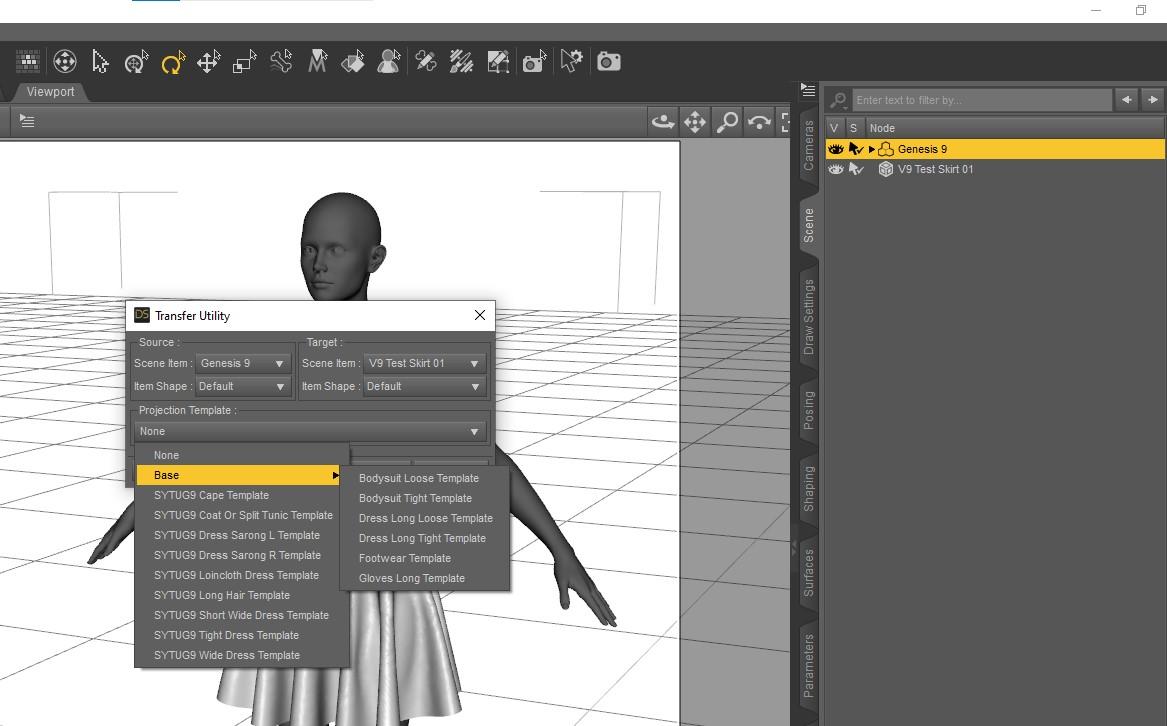
- Use Reverse Source Shape to Target because the G9 Figure is morphed, not in base shape
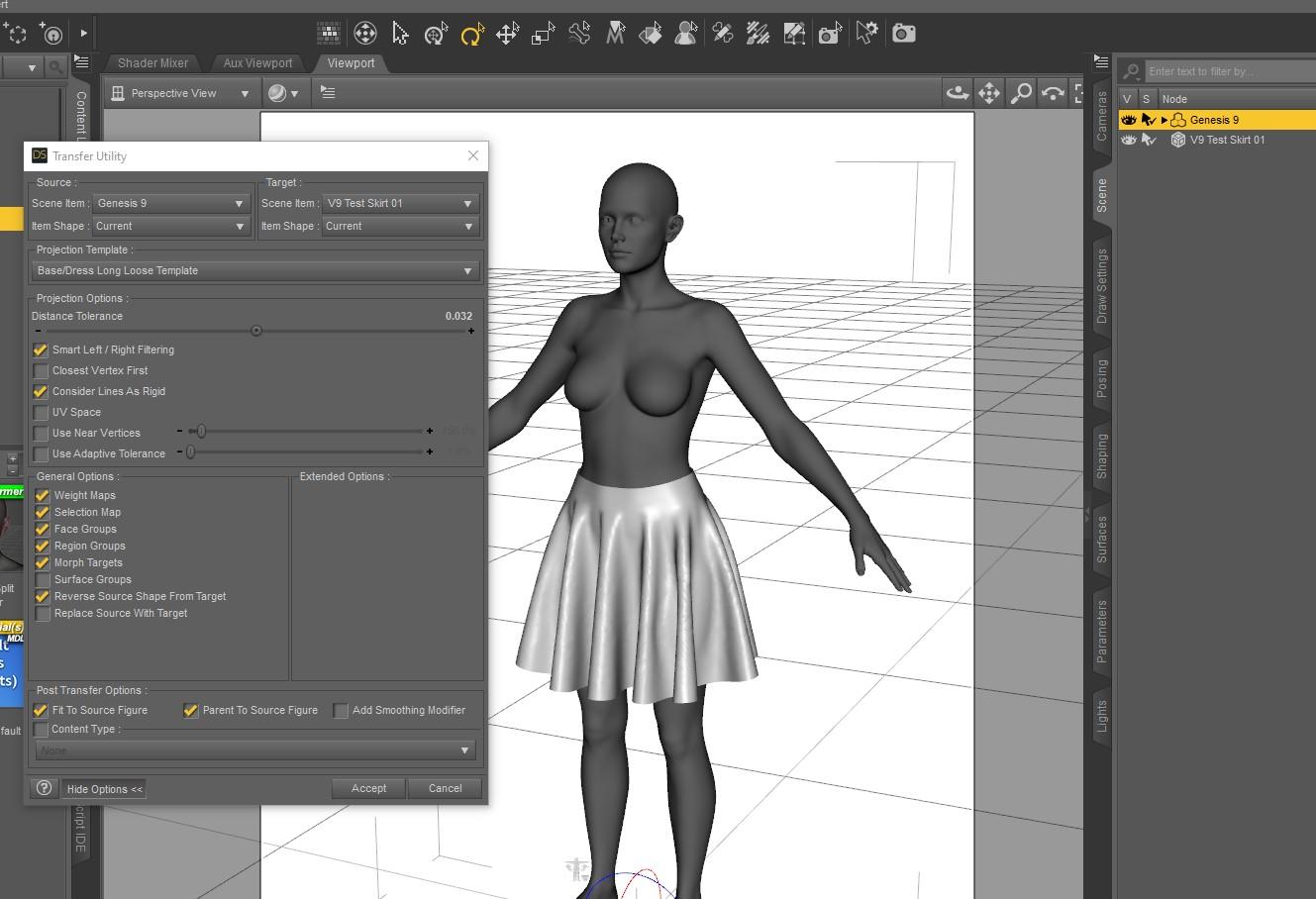
- In this result, the skirt is rigged and parented to G9. Might be better to uncheck the parent option.
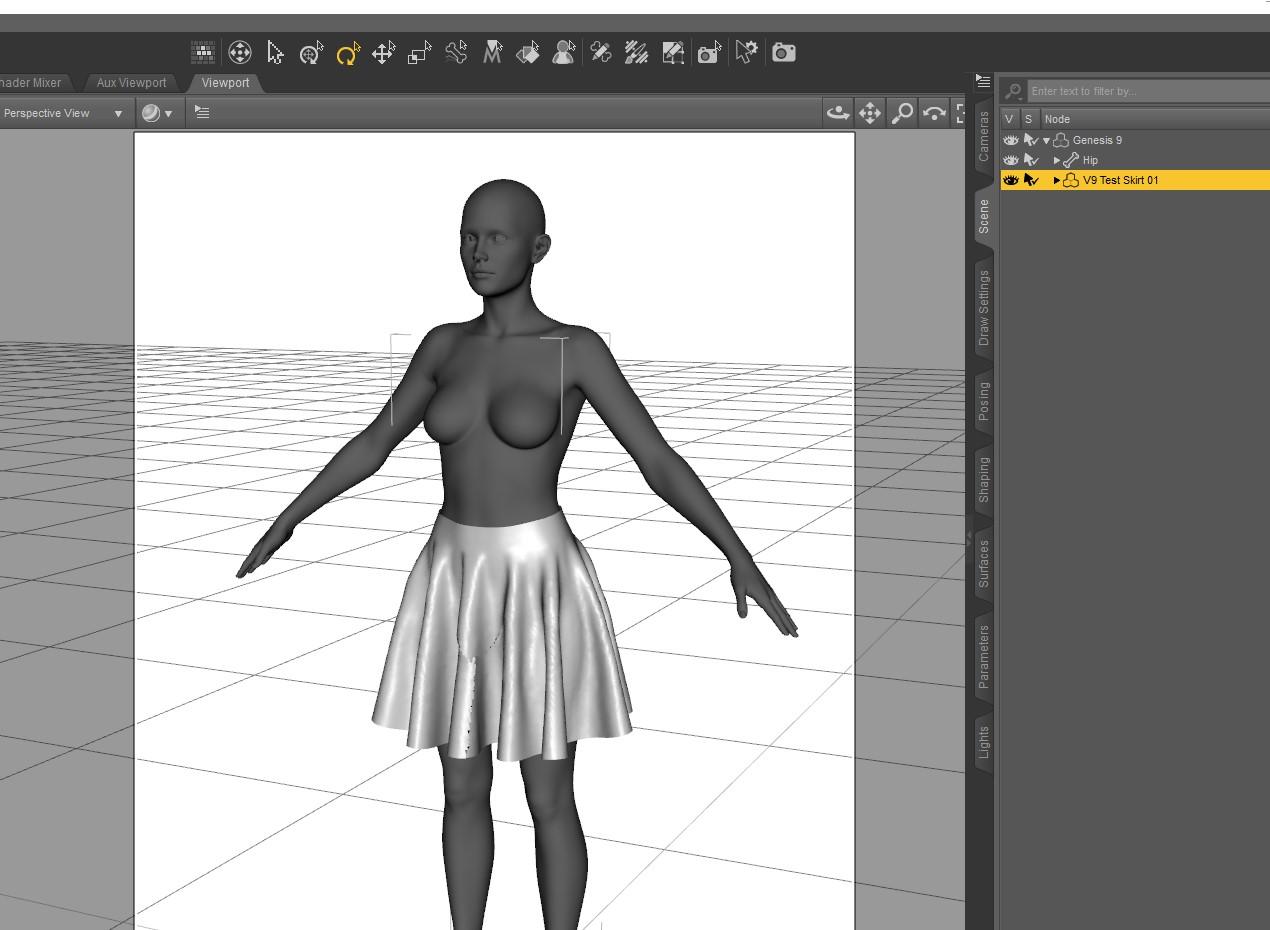 Let's Solve The Noodle Neck Issue
Fair point. Could be solved with a morph that comes on when the neck moves.
any news on the hd plugin?? :DDiomede said:
One of the most annoying things is the inconsistent use of terminology. I am not even sure that the term HD Morph is being used the same way by Daz for Genesis 9 torso details as the term HD morph is being used more generally in the 3D community.
Daz 3d uses it as such:
The base figure can have x number of actual polygons, and then it has standard SubD levels that it uses and can use by default.
HD Morphs are morphs that are created specifically to add higher density (HD) details to the base mesh.
It's a genius system that allows a base mesh to be less cluttered by density that it doesn't need in its default state - but may be anticipating for the future. Now these HD morphs can be used to apply the extra density only if the end user requires it.
Animated Dynamic Clothing Technique (proof of concept)Dartanbeck said:
The Jay Man!!! Do you go to his webinars at all? They're excellent! I learn a lot of DS tricks from our dear friend! He's a Peach!!!
Jay Versluis is great! I used one of his video tutorials to turn the Genesis 8 Mummy into a Genesis 9 Full Body Morph. I was then able to use that figure in Carrara for one of my Egypt Challenge (#64) entries.
For method, see - https://www.daz3d.com/forums/discussion/comment/7800841/#Comment_7800841
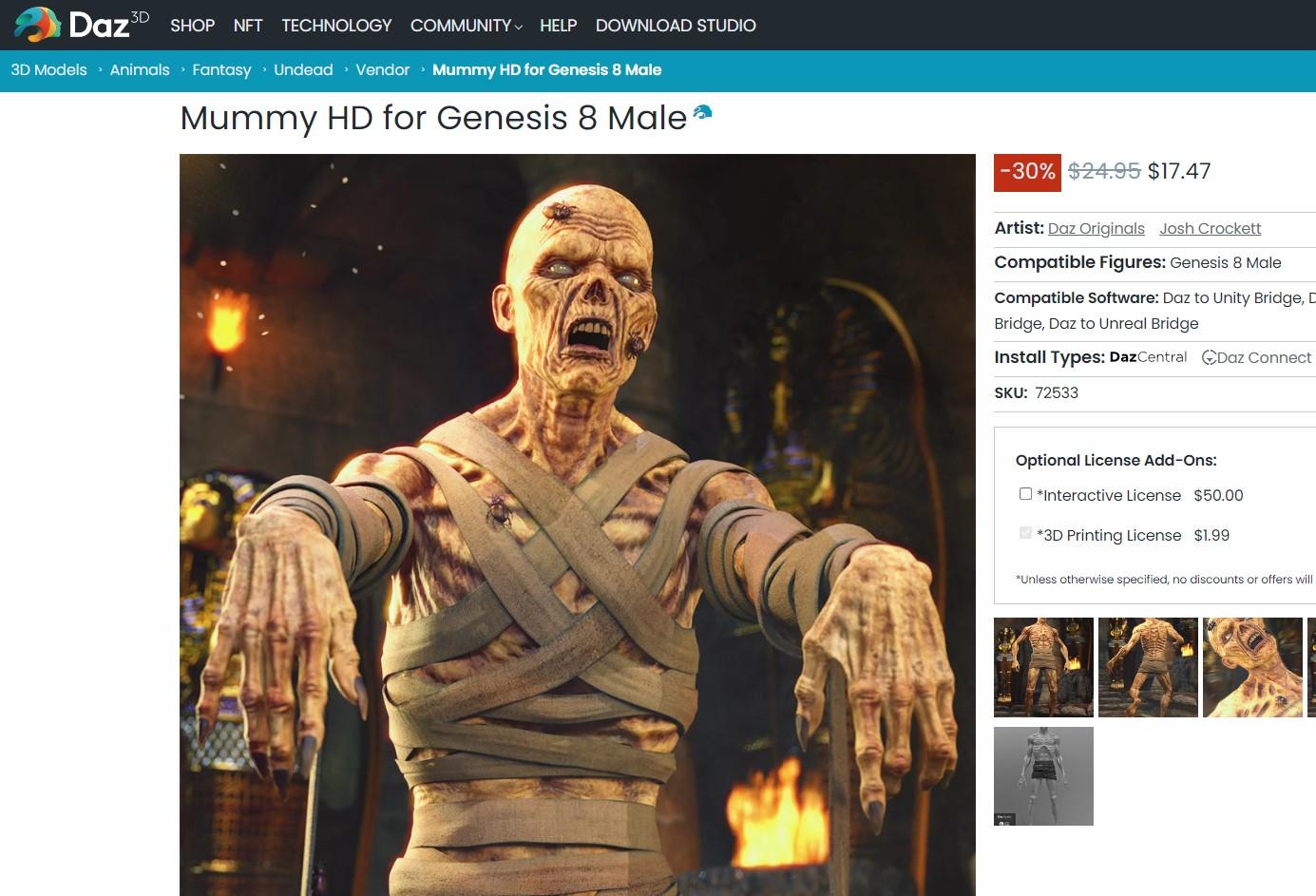
which led to this entry
 Diomede's Notepad, Sketchpad, and Chilling Pad
Adding V9 Avatar to Marvelous Designer
- Start up Marvelous Designer.
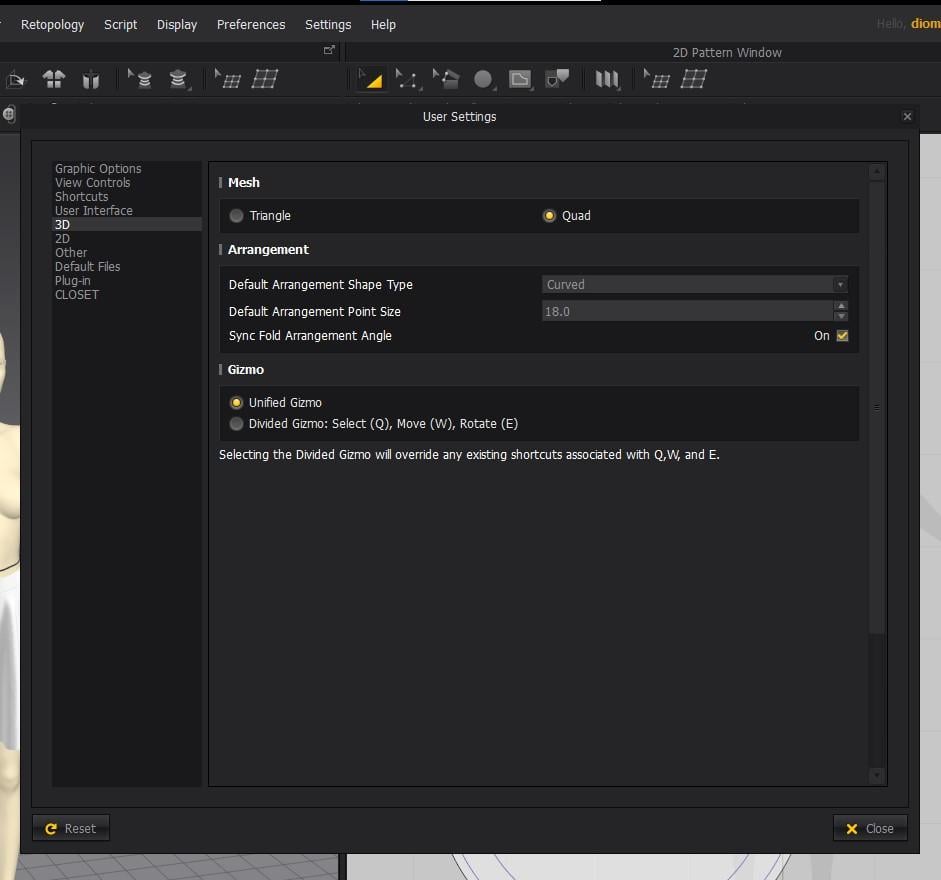
- Quads! Use settings menu for 3D to quads before do anything else.
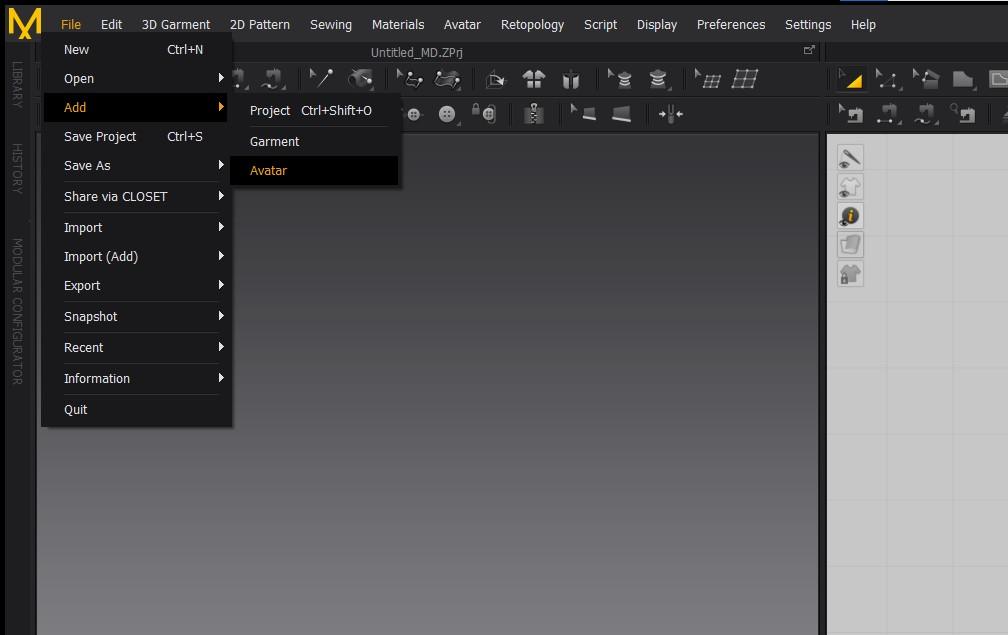
- Use the Add menu to load the avatar.
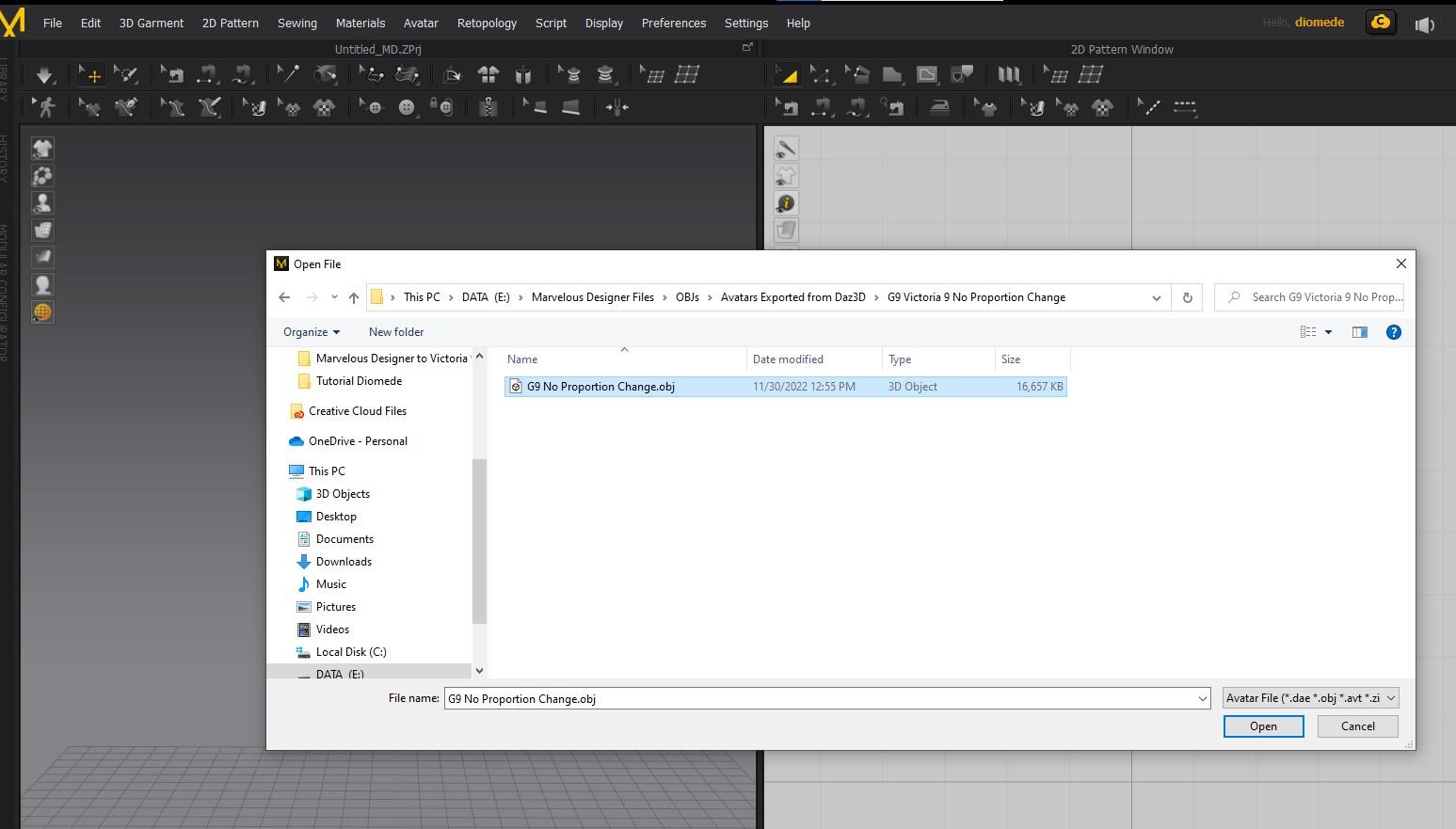
- Navigate to where you saved your G9 developer OBJ with V9 morph dialed up
- In settings, make sure same scale as exported from Daz. In my case, Daz scale. Your more recent copy of MD may have other useful settings for automatic arrangement points, etc.
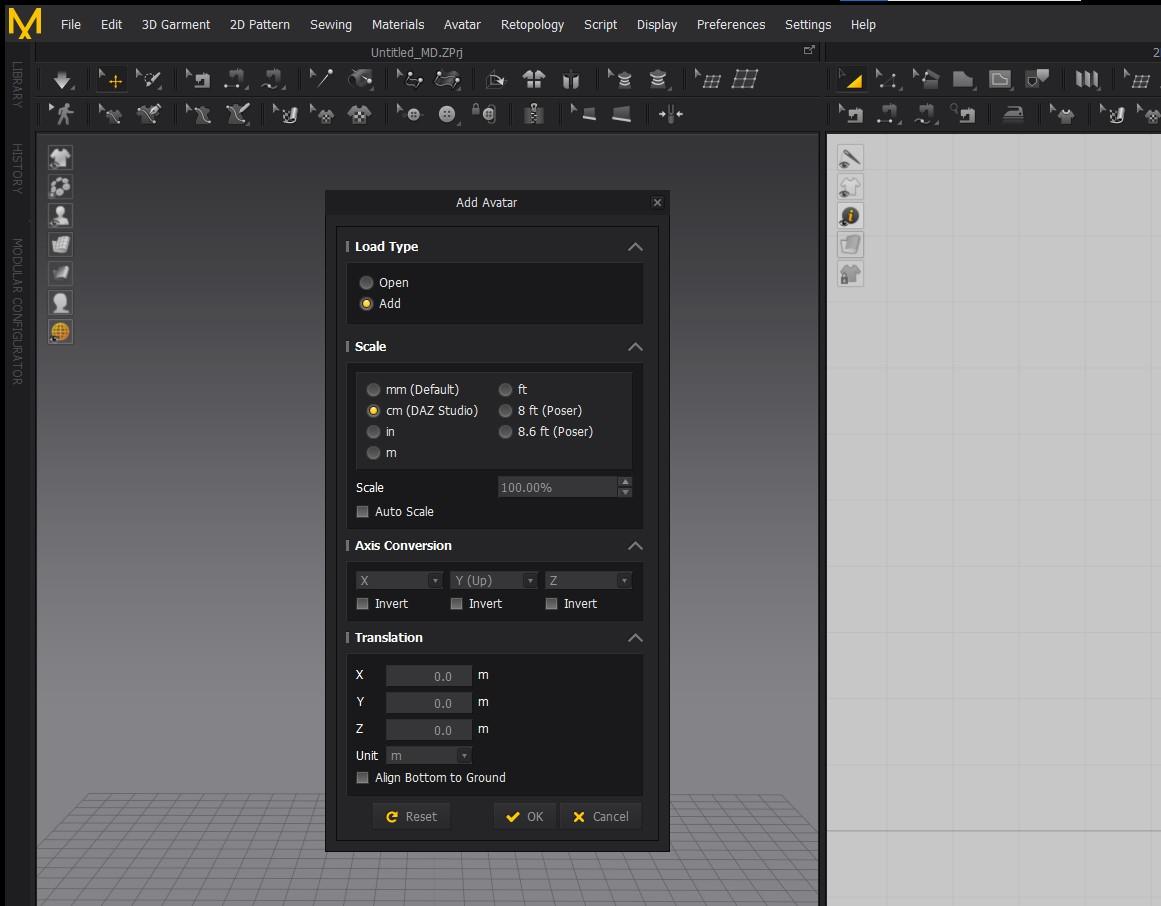
- V9 avatar loads on the left hand side
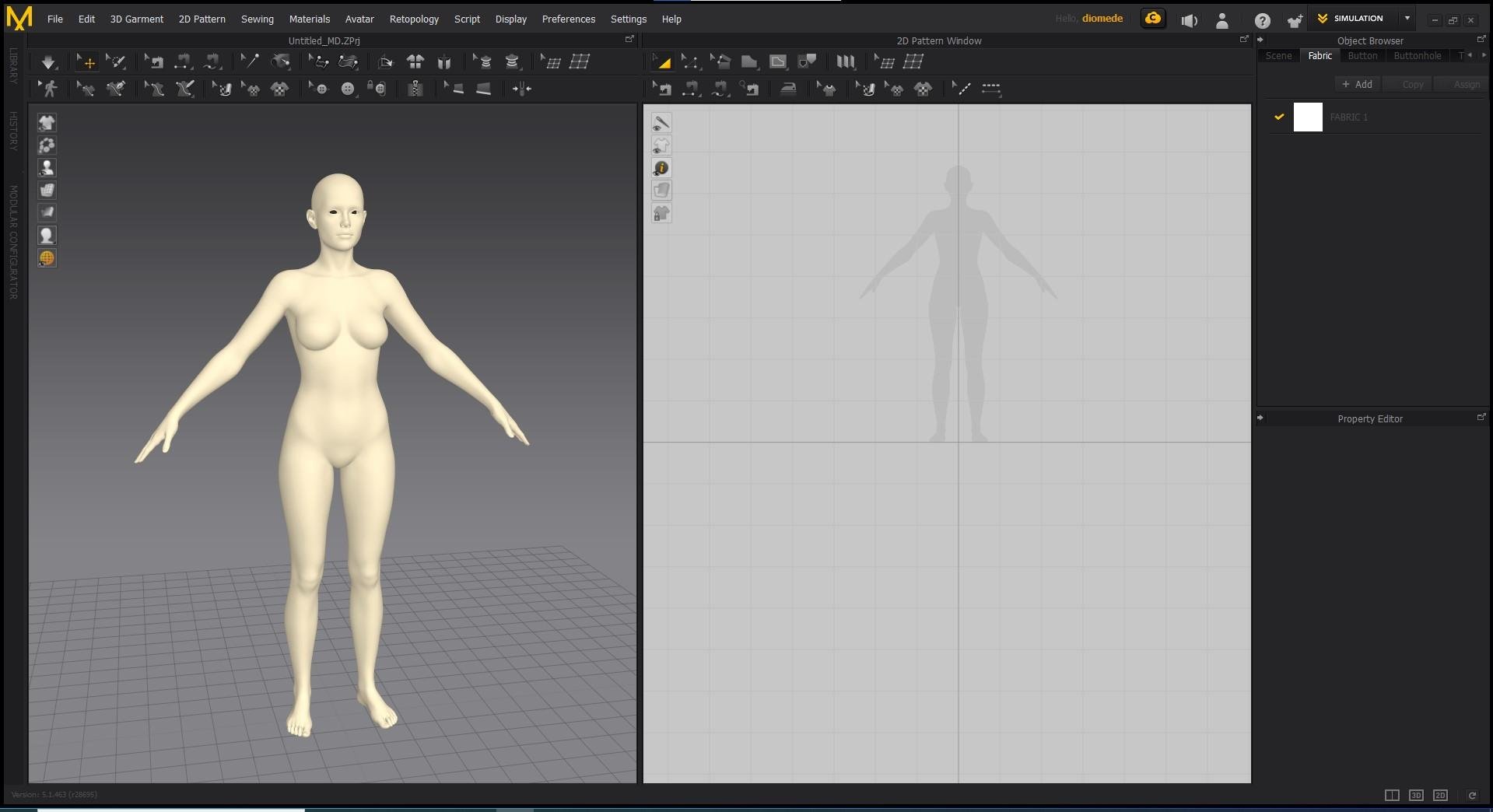 Diomede's Notepad, Sketchpad, and Chilling Pad
Victoria 9 Loose Folds Skirt Marvelous Designer to Daz Studio Workflow
Create an Victoria 9 Avatar for Use in Marvelous Designer (note, my version of MD is not the most current)
- Start a Daz Studio Scene and Load the Genesis 9 Development Rig (not Victoria 9 character because that has some scaling). I applied the material for body references but not necessary.
-- Mods! This is not a naked Genesis 9. This is a textureless G9 weariong a bodysuit with detail references.
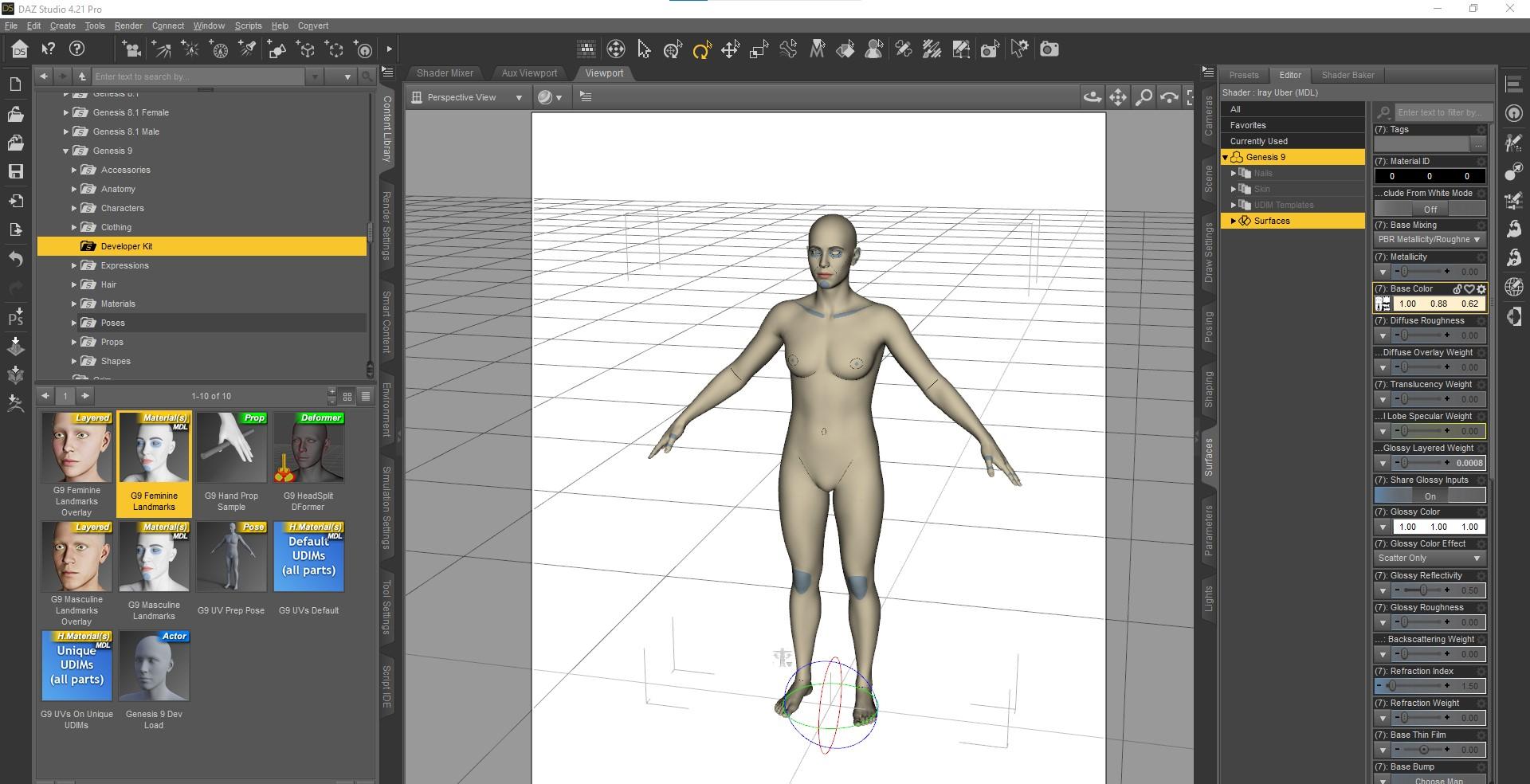
- In parameters tab, dial the Victoria 9 morph to 100, but do not touch the Victoria 9 proportion dial.
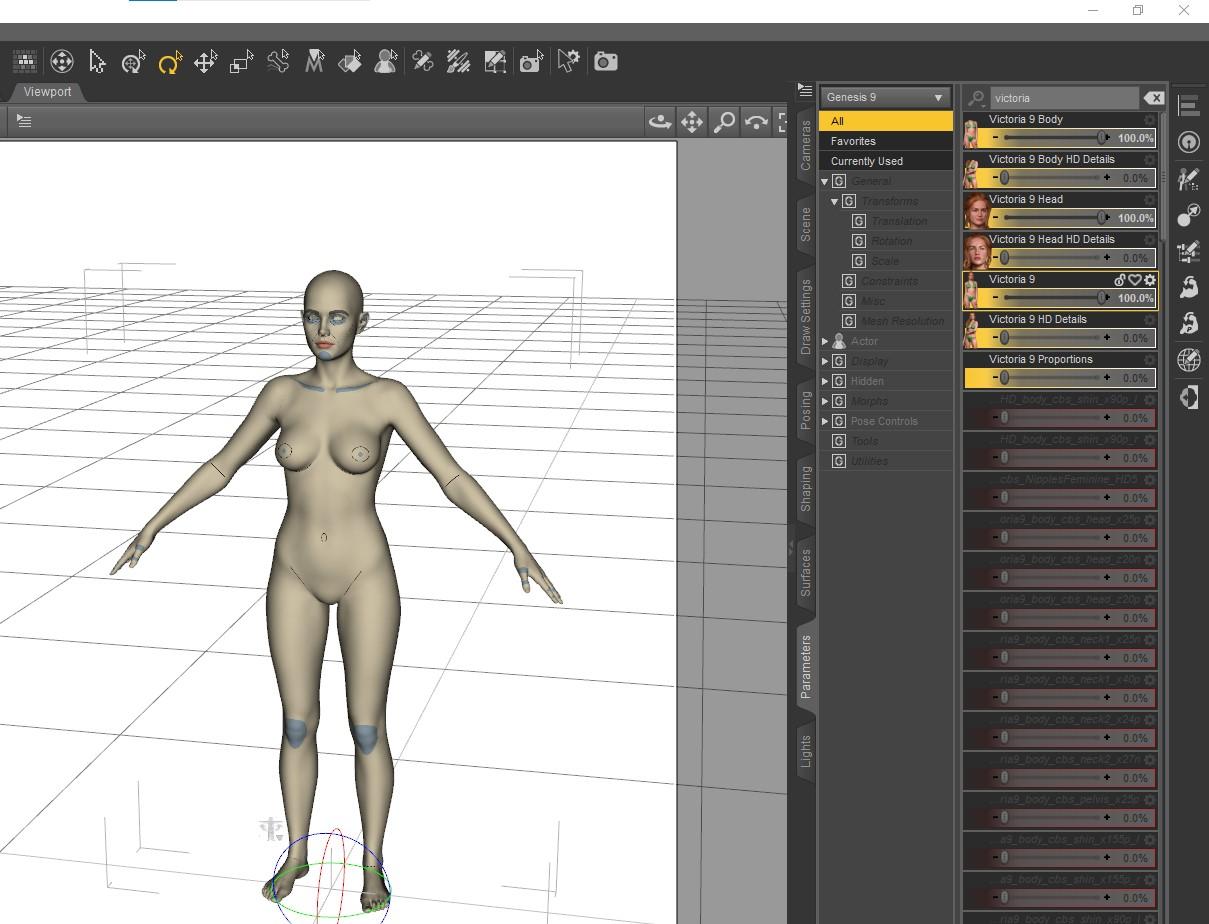
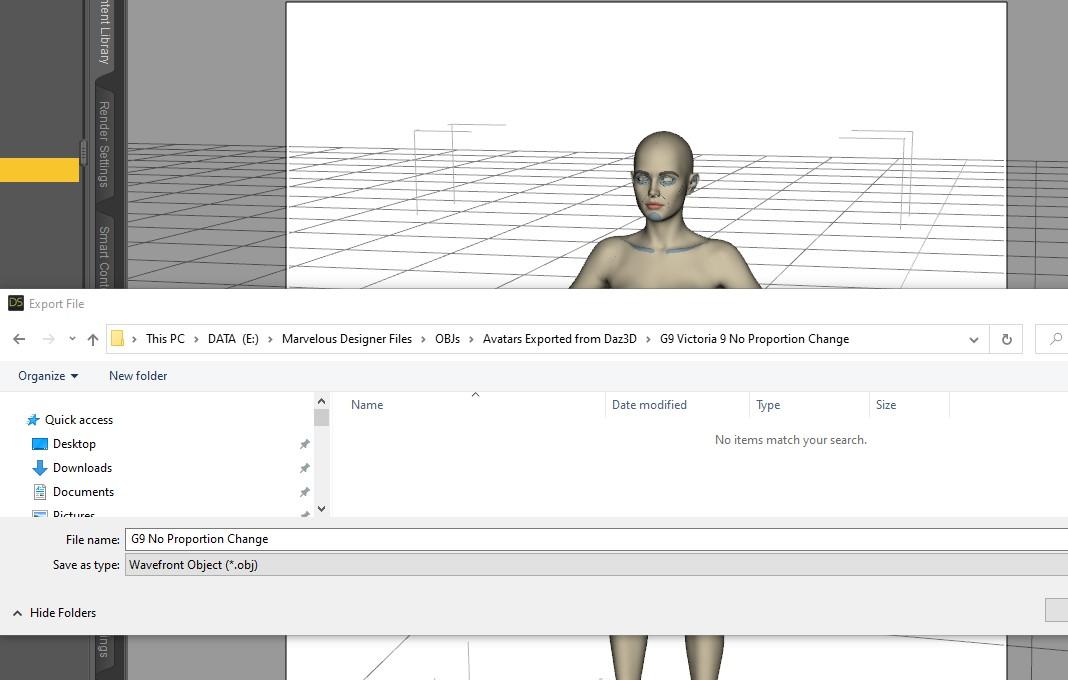
- Use File Export to save out the obj. I am using the daz Studio scale because Marvelous Designer has an option for the same scale. Just be consistent.
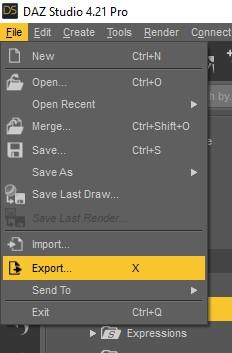
- Save to a place where you can find your Marvelous Designer Avatars. I save to my MD dedicated Avatars folder where MD looks by default but just make sure wherever you save you don't forget.
 Diomede's Notepad, Sketchpad, and Chilling Pad
Diomede said:
Practice Workflow for Upcoming Genesis 9
Return to Genesis 1
Genesis 9 and Genesis 1 each uses the same base for both the female and the male figures. This is different from Gensis 2-8 which had separate figures for male and female. In anticipation of release of Genesis 9, I am revisiting the original unimesh genesis 1. I have an old copy of Marveous Designer before they went subscription so I don't have all the tools, but I can use it to make a quick loose skirt for the Genesis 1 Basic Female shape morph. Will then use reverse deformation in the transfer utility when rigging the for Daz.
I am loosely following the very generous Jay Versluis and John Holden (Fugazzi) who held a webinar shortly after the announcement of G9 release. I will provide a link to their video with an edit. But for my own memory aid, I will be posting a series of screenshots on a Marvelous Designer to Daz Studio unimesh workflow. So here we go.
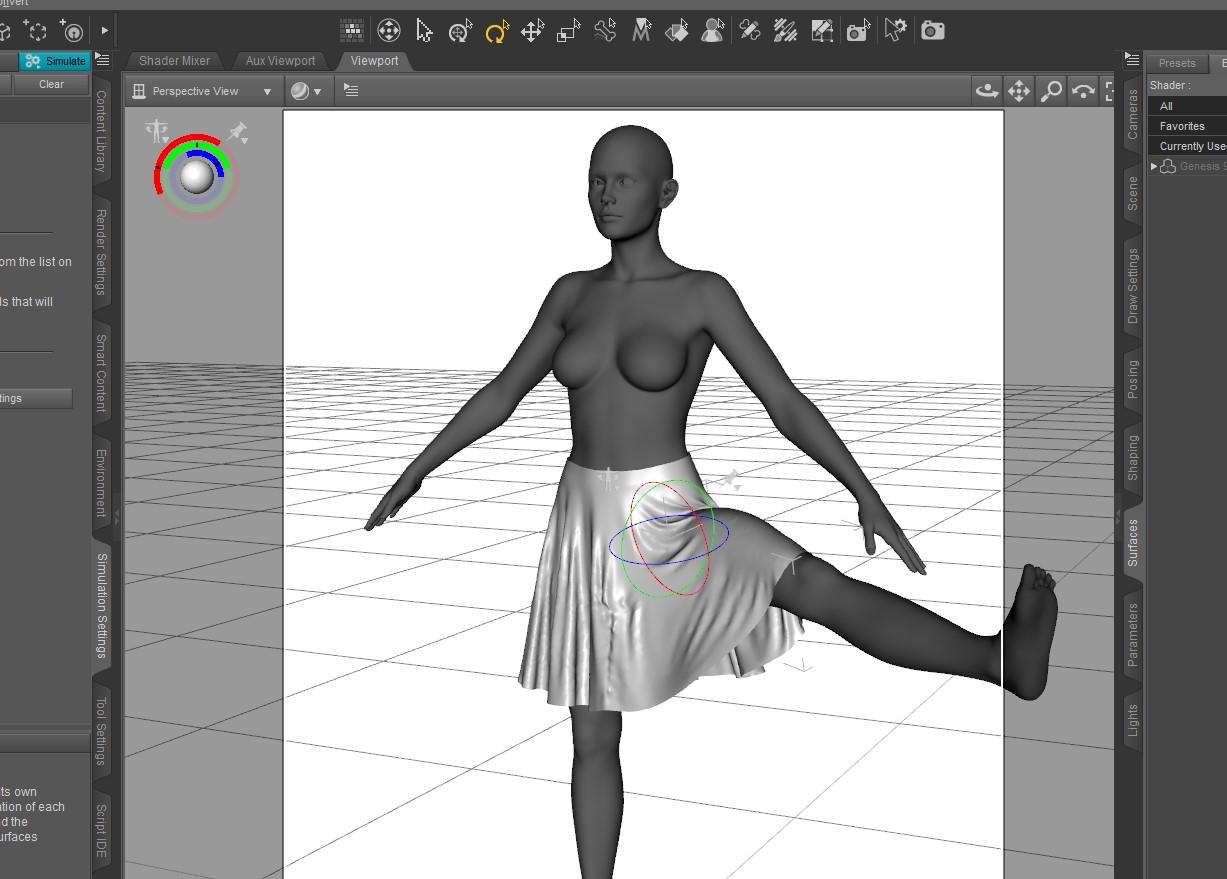
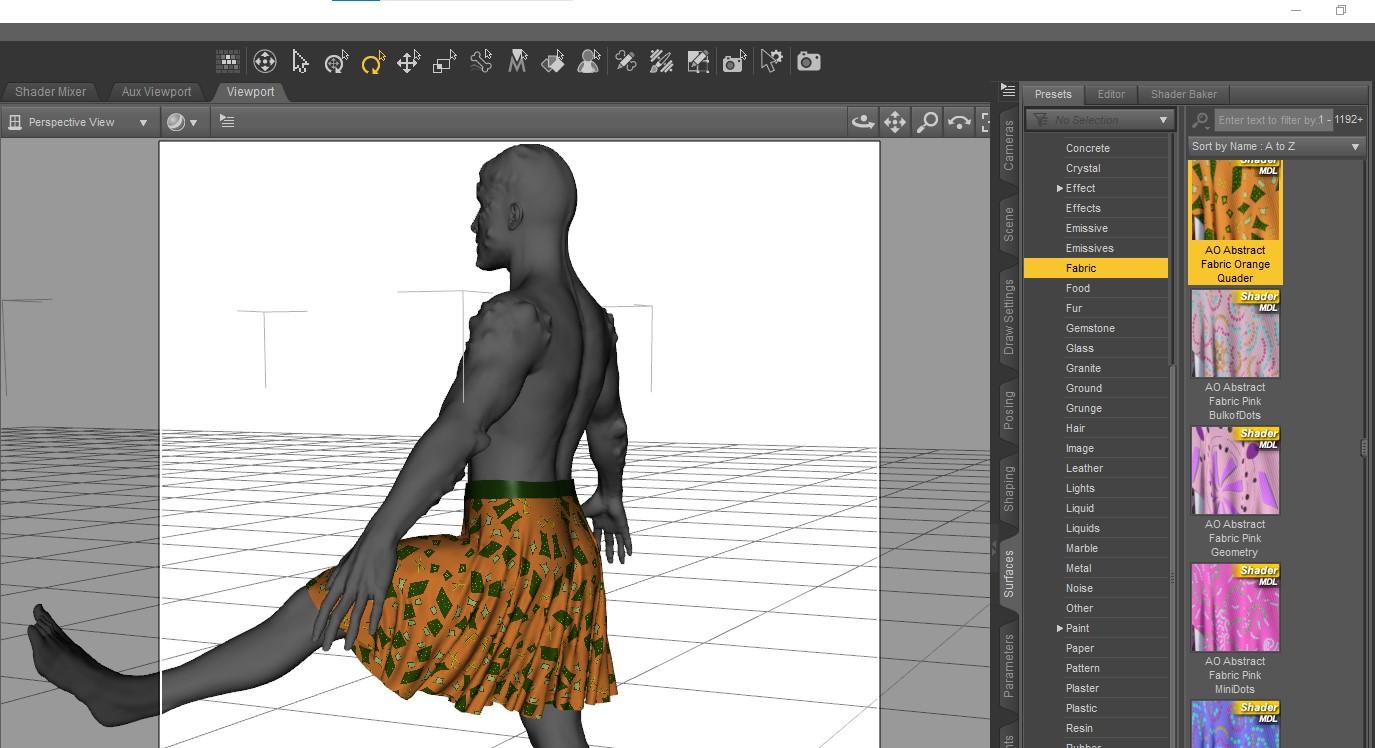
Update - they did release Genesis 9 (obviously), it is Gender-bob-ulous, the aforementioned Genesis 1 workflow did indeed have lots of useful info. I went ahead and created similar loosely folded skirt in Marvelous Designer designed for the Victoria 9 shape, turned it into a conforming figure, and applied DForce for Victoria 9 and for a mixed up G9 Male+Monster shape. I think the results are a good starting point. The steps are outlined below.
Results Victoria 9 Shaped Textureless G9 Dummy and Male Mix Monster Wearing Skirt
Note that UVMap allow 3rd party pattern applied
 any news on the hd plugin?? :D
One of the most annoying things is the inconsistent use of terminology. I am not even sure that the term HD Morph is being used the same way by Daz for Genesis 9 torso details as the term HD morph is being used more generally in the 3D community.
G8.1F Fingernails too longPerttiA said:
"Currently used" shows only dials that have their value at something else than the default value. If a morph/dial has it's default value set at 100%, it will not show up on currently used.
To fix any ill-behaving (non-zero default value) morphs, do as follows;
1. Open DS and load "Genesis 8.1 Basic Female" (to an empty scene)
2. Right Click at Parameters Tab->Preferences->Choose "Show Hidden Properties" (part 3 zeroes only 'visible' dials)
3. Right Click at Parameters Tab->Zero->Zero Figure (Zeroes the value of all the 'visible' dials)
4. Right Click at Parameters Tab->Memorize->Memorize Figure (Sets the current value of all the dials as their default value)
5. Edit->Save As->Support Asset->Save Modified Assets (Writes the changed default value to the morph files that were changed)
When saving "Modified Assets" DS shows a dialog and asks for confirmation;
"The following file(s) will be permanently modified:" - "Accept/Cancel" - Choose "Accept"
Thanks! It seems to have worked; however, in your step 5. Edit->, there's no "Save As", so I assume you were meant 5. "File"->Save As.... is that correct?
Josie 9
Yeah it's unfortunate that you have to dial in her proportion morph to correct the wild head exaggeration because the morph also adjusts her heights/size.billyben_0077a25354 said:I got her and her head is way out of proportion. She looks much better after dialing her head down by dialing in -20% on the proportion head size dial.*
Genesis 9 we are back in the game Carrara users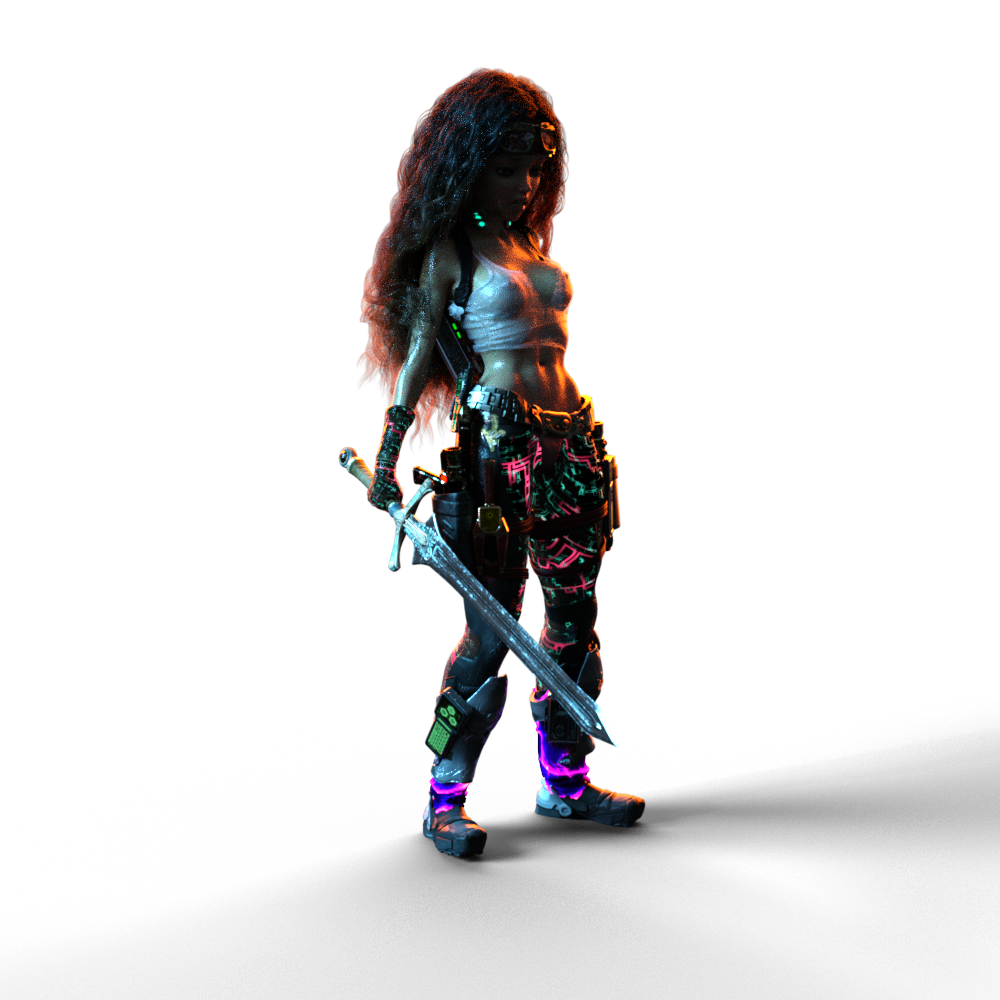 I completely understand. I do a Lot of concept testing. In fact, that's what I consider my last eleven or so years!
VWD Rocks!!! Everything that can't be glued to the collision actor needs to be welded, but I think all of your models are one mesh, right?
I've done a quite a bit of modeling for dForce and for VWD. When it comes to costumes for my hero actors, I buy from the store and edit the mesh and do it that way - so instead of modeling, it's more like un-modeling. DS Rocks for converting mesh to conforming... anything!
That cyberpunk costume Rosie is wearing is mostly Complicated Eve for V3, but it's been tweaked.
I love how both dForce and VWD help me make cloth more convincing that it's raining, and she's wet. I've been finding that even tight(ish) fitting clothes still look better in animations if their simulated by one or the other. I've also found that, what works really good in one might not work so good in the other, but if it doesn't work at all in one, chances are the other will be able to solve it - so I've been having tremendous sucess.
For cloth, I really like how VWD works in Carrara. Since it has to write a new OBJ morph for each frame, and that gets stored in the CAR file, not only do the simulations survive being saved, closed and reopened, but we can also finish one simulation and then do another, and another. Can't do that as easily in DS with VWD, but dForce relishes it.
I have a start with Genesis 9 and I'm a big fan of the new figure. Big Time! I love the new geometry. Did you notice the way the FACS is built into the figure's pose controls? I did that for Rosie 7 using the Genesis 3 & 8 Face Controls product. That was money well spent for me. I made a full set of body animation controls for Genesis 3 Female. Adding FACS to it really makes it complete. I'll likely do a better, cleaner product-like version for Genesis 9, but I won't need to add the FACS.
Making clothing and other simulation objects actually got me to try Hexagon a bit while my Carrara was broken. I'm still lost in a lot of ways in Hex, but it's a nice little modeler. I have yet to try the UV Mapping with it. Looking forward though. I'm also excited that they're dusting it off again and it's back in development - or so I've heard somewhere.
Josie 9The space/bend between the nose & the philtrum has always bugged me with this type of head morph. It's difficult to remove that bend sometimes regardless of how many septum/philtrum morphs I have. And I have very few since this is Genesis 9.
 Genesis 8.1 Tear misaligned
Catherine3678ab said:
Promos look fine. I did buy that one but haven't used it yet. Can't check it tonight though.
The morph that you are using - check it on the Parameters Tab that it has "auto-follow" enabled.
n.b. Not all morph poses and the like work well with all characters.
Thanks. Just checked, auto-follow is enabled. I just find it strange that the morph was made for this character and has this issue. Again though, I barely notice the difference with it off. If there's no easy fix, it's 100% fine.
Genesis 9 we are back in the game Carrara usersDartanbeck said:
Diomede said:
Yup. You can use the method in the tutorial to create any neckline you want. Just download the above starter mesh. Delete the existing collar. Delete further down the neckline to taste. Then select the edges of the hole and extrude a collar inward to taste.
This comment demonstrates with screenshots.
No one asked me - Diomede posts screenshots on whatever - Page 40 - Daz 3D Forums
That was the first thing I saw when I got back to the forums. You do such excellent tutorials! Brilliant, Diomede!
Thanks. I am on the Genesis 9 train at the moment. There are several forum regulars providing in depth instruction on how to create content for conforming and draping clothing. Mada and Bohemian3 in particular, and there are others as well. Thank you, Mada! Thank you, Bohemian3! They post videos, which is great. I like written manuals or similar. Therefore, I have been documenting for myself the steps I take to try to follow along. The conformers should work in Carrara using the 'blended' rigging, and saving as character presets. I think VWD should be able to substitute for DForce. Unfortunately, my VWD has been broken since my hard drive failure. I had backups of all the files but the drive references are screwed up somehow. Bottom line, I will be posting another screenshot tutorial on using Marvelous Designer to make clothing for a specific Genesis 9 full body morph, and then conforming and draping in Studio. The result should also work as a conformer and VWD item in Carrara.
Here is a basic loose skirt that I made specifically for the shape of Victoria 9.
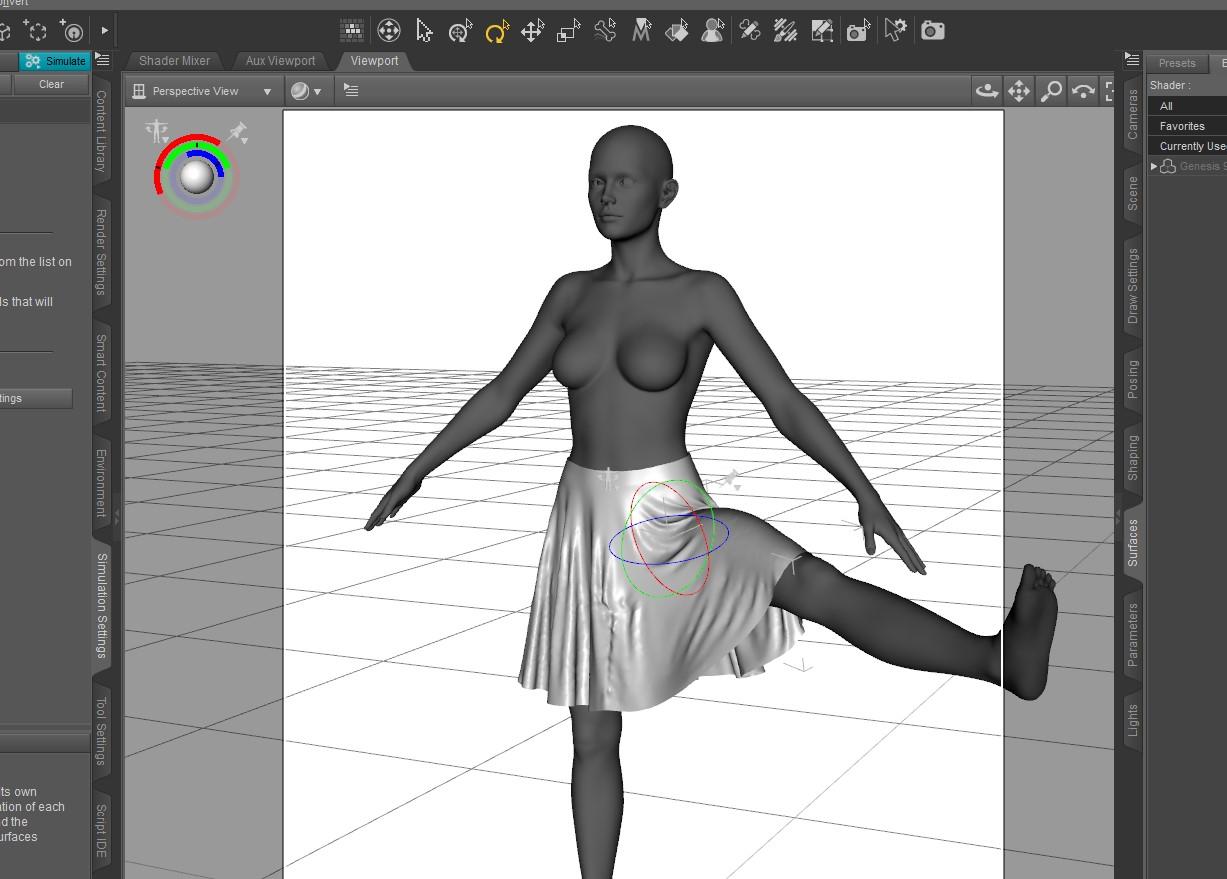
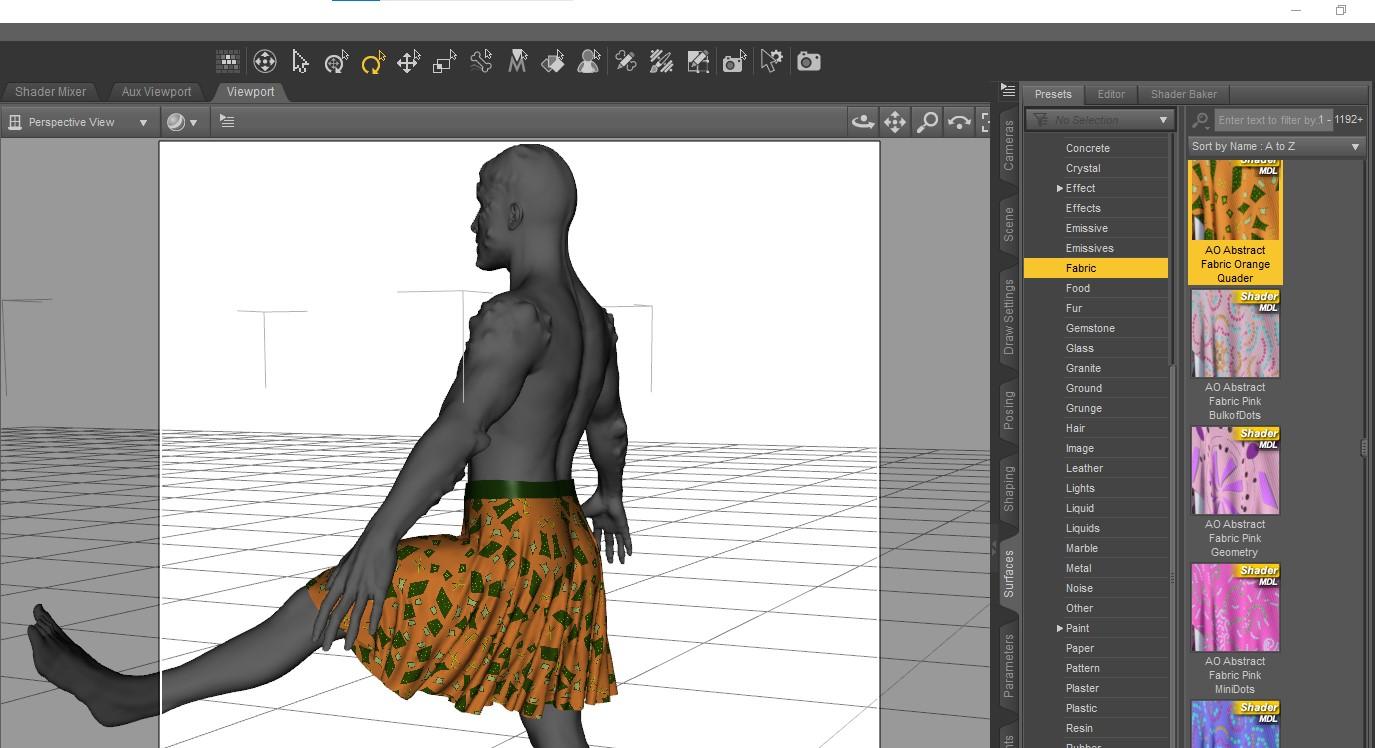
Here is the same skirt with a pattern applied the G9 morphed to a mix of a demon, Michael 9, and Toon. I am particularly happy with the UVs. It needs some additional work, such as creating a DForce Add-On for thickness.
 Genesis 8.1 Tear misaligned
Promos look fine. I did buy that one but haven't used it yet. Can't check it tonight though.
The morph that you are using - check it on the Parameters Tab that it has "auto-follow" enabled.
n.b. Not all morph poses and the like work well with all characters.
Genesis 8.1 Tear misalignedCatherine3678ab said:
Which character morph is this?
Quick fix would be to hide the tears until it can be ascertained what is going on there.
It's Sharon HD for Genesis 8 and 8.1 Female by Mousso. I will admit I don't see much of a difference between the tear on and off in renders but just checking in case I want to do any close-ups.
G8.1F Fingernails too long"Currently used" shows only dials that have their value at something else than the default value. If a morph/dial has it's default value set at 100%, it will not show up on currently used.
To fix any ill-behaving (non-zero default value) morphs, do as follows;
1. Open DS and load "Genesis 8.1 Basic Female" (to an empty scene)
2. Right Click at Parameters Tab->Preferences->Choose "Show Hidden Properties" (part 3 zeroes only 'visible' dials)
3. Right Click at Parameters Tab->Zero->Zero Figure (Zeroes the value of all the 'visible' dials)
4. Right Click at Parameters Tab->Memorize->Memorize Figure (Sets the current value of all the dials as their default value)
5. Edit->Save As->Support Asset->Save Modified Assets (Writes the changed default value to the morph files that were changed)
When saving "Modified Assets" DS shows a dialog and asks for confirmation;
"The following file(s) will be permanently modified:" - "Accept/Cancel" - Choose "Accept"
Daz 3D is part of

Connect
DAZ Productions, Inc.
7533 S Center View Ct #4664
West Jordan, UT 84084Licensing Agreement | Terms of Service | Privacy Policy | EULA
© 2026 Daz Productions Inc. All Rights Reserved.