-
More pre-made poses available for download?
There are free poses available from a number of sources, but not usually here. You might check the Freebie forums for locations where you can find what you are looking for. Note that poses tend to be base figure-specific, i.e. Victoria 4, Genesis, Genesis 2, Genesis 3, Genesis 8, etc. Although sometimes poses made for one figure may work for others, there can be problems that would require manual correction. Making your own poses (or modifying existing ones) isn't that difficult using the various posing sliders found under the Parameters tab - it just requires a little practice.
Many thanks. Ill have a go at pose creation myself today. :)
Novica & Forum Members Tips & Product Reviews Pt 9Collective3D Movie Sets Home Interior BD Aspen for Victoria 8 Denim Jumper Outfit for Genesis 8 Female(s) Anita Hair for Genesis 8 Female(s)
The Movie Sets Home Interior is just perfect for a two room scene. The door jam makes an interesting frame for renders shooting from another room, and going back the other way, you then have that room in the background. This is using Pro-Studio Lighting, 14R. Plus one Ghost Light, the reason for my post.
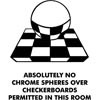
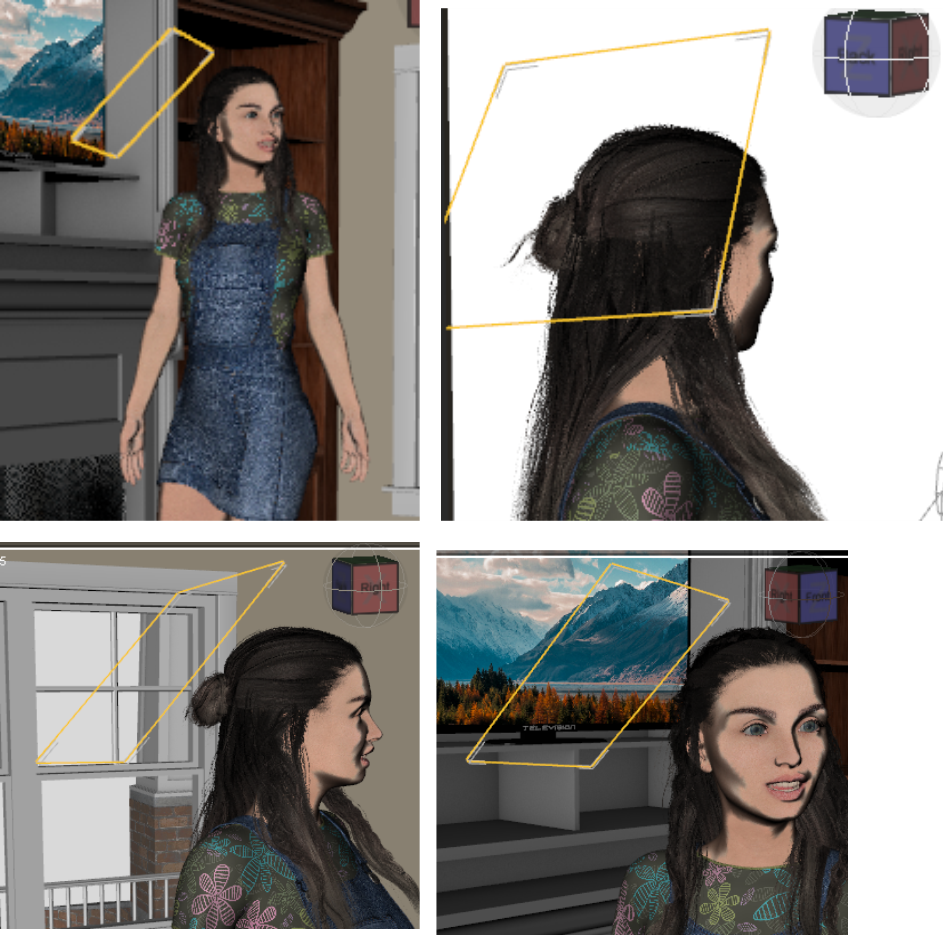
For anyone who hasn't tried Ghost Lights, or even those who do, a tip. As you know, you click and make the light (that black and white checkered plane) invisible BEFORE you do the presets. TIP: Have it selected with the Surface Tool (the three sheets of paper icon, above the viewport) and it will be outlighted in orange. So when you move it around to make changes, you see it easily!
To save yourself some testing time, when you first place the Ghost Light, start at the TOP. If it isn't right from the top, it won't be right anywhere else. I've shown the different views so you can see where this light was located to get the final result.
I don't put dark hair in front of a dark background without at least a dim rim light. Ghost Lights are perfect for that. I would, of course, first rotate the camera slightly to see if that will get the dark hair in front of a lighter background. If that isn't possible, add light to the hair. I prefer from the back and off to the side. I also don't like it when faces seem to float because not only is the dark hair/background together, but the neck too! I try to do a bit of cheek and neck when I add a Ghost Light.
TIP: Don't just do a thin line for a rim light, it looks very staged, or even hand drawn. When outlining a head/hair against a dark background, experiment and light more than a teeny line. It may look better with a wider strip, and if you are highlighting hair, get it so the lighting hits strands unevenly. Even if there's just small in and outs, it keeps it from looking hand drawn.
Second TIP, don't rim light all the way to the top, or all the way to the bottom. The mind will do "closure" and see the head without it being half-semi circled in rim lights. And it looks more natural. When you do light it, consider if you want a really strong rim, or just one to make a difference. And let those characters' heads get noticed instead of blending into the background!
Before and after: here's the before, rendering the after. This room doesn't render fast, there's only one character, and no props were added to the scene for the shelves. They open in new windows, click back and forth.
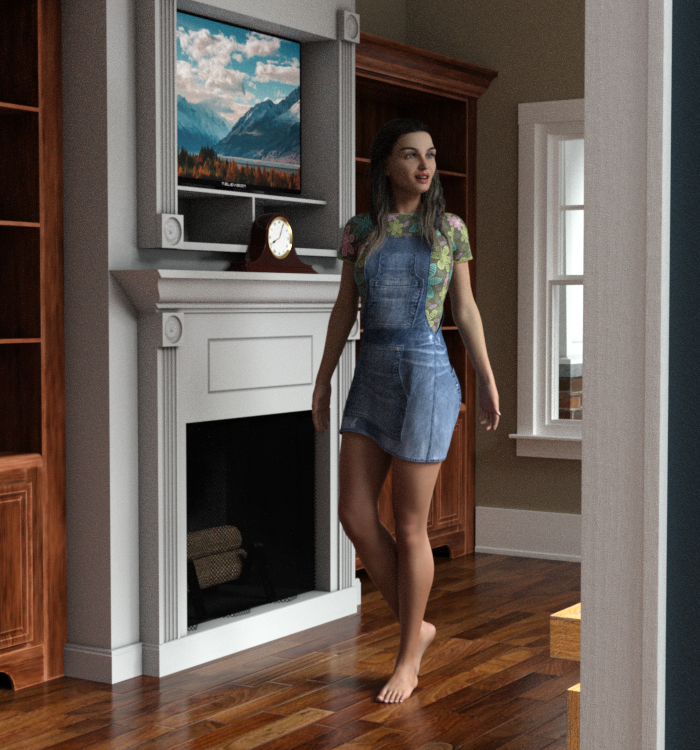
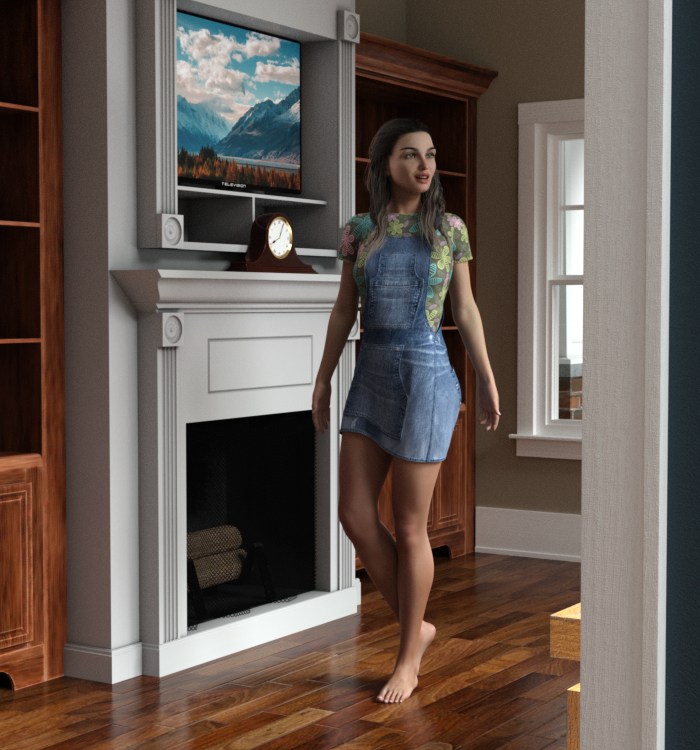
Screenshots of viewport. The orange outline makes the Ghost Light easy to find as it's selected by the Surface Tool.
 More pre-made poses available for download?
There are free poses available from a number of sources, but not usually here. You might check the Freebie forums for locations where you can find what you are looking for. Note that poses tend to be base figure-specific, i.e. Victoria 4, Genesis, Genesis 2, Genesis 3, Genesis 8, etc. Although sometimes poses made for one figure may work for others, there can be problems that would require manual correction. Making your own poses (or modifying existing ones) isn't that difficult using the various posing sliders found under the Parameters tab - it just requires a little practice.
Novica & Forum Members Tips & Product Reviews Pt 9Artemis3D indeed became Bellazines, we discussed it on the thread at the time when it happened. My favorite character is Caitlyn and have showcased her. Somehow I overlooked Duncan (love the brows) and I have Lorna (would replace those eyebrows) and Cleo wishlisted.
And I think Bijou is from Bellazines, she's not quite Silver's style.
Fast Grab changed (don't know when exactly) and Arabian Royalty Bundle is offered. A lovely set, two characters, and two outfits- and remember i did Makoa and quite a few people wishlisted him? (Edit- oh wow, I am the ONLY person who did Makoa in the galleries? According to the app. I do love it that my image shows up when you click for the gallery images.)
Novica & Forum Members Tips & Product Reviews Pt 9Just some old-timer info about the convos on the previous page about Michael 1:
If you own Michael 2, you also own Michael 1 - just turn off the "Michael 2" base morph. They took the same clothes, poses, materials, everything, because M2 was just an expansion.
@valandar That' interesting! So I assume when M3 came out it was a different mesh and not just an expansion?
Basically, yes.
Michael 1 / Victoria 1 : The first.
Michael 2 / Victoria 2 : The first, with morphs
Michael 3 / Victoria 3 : New geo, new figures
Michael 4 / Victoria 4 : New geo, new figure, now with annoying magnets and boatloads of morph injections!
Etc etc etc
Only V4 had the magnets, M4 just used JCMs. Victoria/Michael 3 also used injections, but they had to be in the CR2 from the outset (which is why all the big morph expansions had to have their own CR2, and if we wanted to mix-and-match between sets we had to use Morph Manager or hack the files in a text editor).
Daz 3D Introduces dForce Physics EngineHula skirt for Victoria 4 on Corina for Genesis 8 Female.
https://www.daz3d.com/corina-for-genesis-8-female
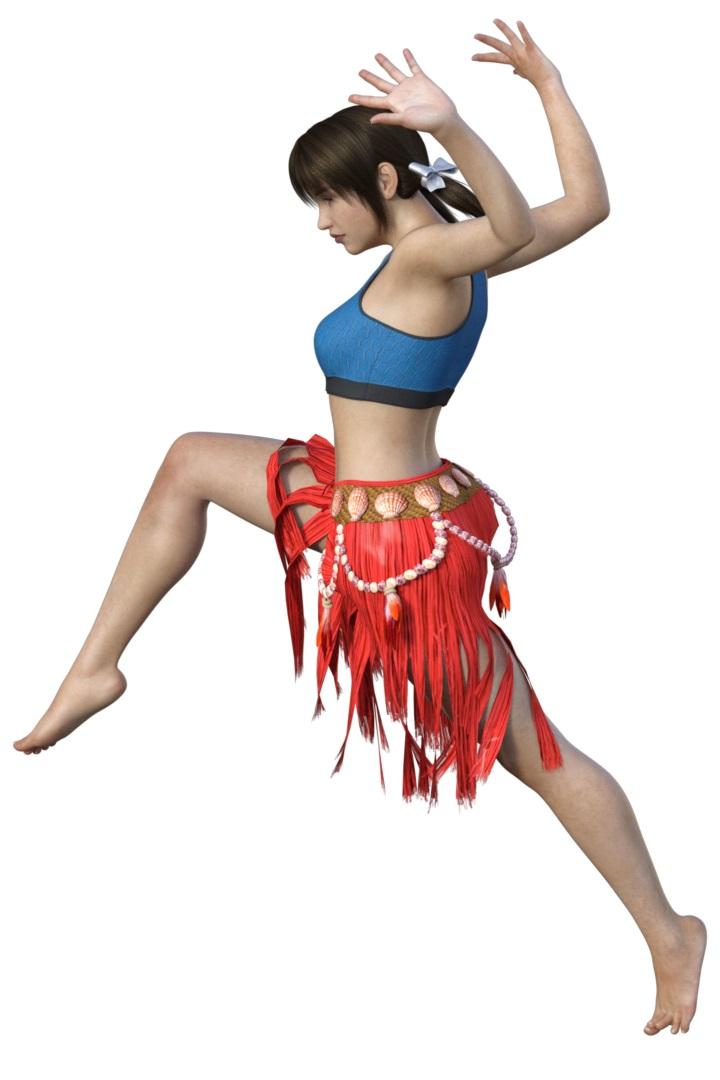
Aloha adorbs! :-)
Well, now I'm dejected...There are times when I really miss the "old days"....Batlab, ISOP - there were a lot of quality Japanese sites back in the day that don't exist anymore, especially from the Victoria 2 and 3 days. I used to look forward to the clothing exhibitions they had. I think that's where I got most of my clothing before I started making my own things. LOL.
Anatomy for Genesis 2 People, please?I see products such as the Anatomy Bundle for Michael 4 and Victoria 4.
Could DAZ Studio please build a 3D model of the Human Anatomy for Genesis 2 People?
Thanks.
njs
Novica & Forum Members Tips & Product Reviews Pt 9Just some old-timer info about the convos on the previous page about Michael 1:
If you own Michael 2, you also own Michael 1 - just turn off the "Michael 2" base morph. They took the same clothes, poses, materials, everything, because M2 was just an expansion.
@valandar That' interesting! So I assume when M3 came out it was a different mesh and not just an expansion?
Basically, yes.
Michael 1 / Victoria 1 : The first.
Michael 2 / Victoria 2 : The first, with morphs
Michael 3 / Victoria 3 : New geo, new figures
Michael 4 / Victoria 4 : New geo, new figure, now with annoying magnets and boatloads of morph injections!
Etc etc etc
I have a friend ...detailing figureHmm... how authors makes "HD addons", for example https://www.daz3d.com/victoria-8-hd-add-on? They are draws details in L.I.E.?
Problem with Christina hair by OOTI keep getting this terrible wide part in both Victoria 4 and Genesis 2 female. What am I doing wrong? I've tried moving it slightly up on the y axis, enlarging it slightly, nothing works. Anyone else having this problem?
Celebrity Look-a-Likes for 3D figures Part 2This character looks so much like Famke Janssen.. https://www.daz3d.com/p3d-fara-for-victoria-8 The creator said that's what she was going for, so pretty!
So that's who she reminded me of! It's a great likeness.
it is..gorgeous figure..
Celebrity Look-a-Likes for 3D figures Part 2This character looks so much like Famke Janssen.. https://www.daz3d.com/p3d-fara-for-victoria-8 The creator said that's what she was going for, so pretty!
So that's who she reminded me of! It's a great likeness.
Problems in Daz Studio 4.9I've just made the transition from daz studio 3 to daz studio 4.9 and have 2 big issues i need help with. Bear in mind that I imported all my daz studio 3 content into daz studio 4.9, so i'm wondering if maybe that could be what's causing these issues. The first one is not being able to pose multiple figure nodes when selecting them in the scene tab (e.g. selecting both of Victoria 4.2's eyes and only one moves). The Second is objects that were made hidden in a scene in daz studio 3 cannot be made visible in daz studio 4.9. I readlly want to get into 4.9, but I can't as long as these issues continue. Please Help!
Celebrity Look-a-Likes for 3D figures Part 2This character looks so much like Famke Janssen.. https://www.daz3d.com/p3d-fara-for-victoria-8 The creator said that's what she was going for, so pretty!
I have a friend ...That looks a lot like the Victoria 8 shape with perhaps a different skin.
V8? Really? Doesn't look a thing like Victoria 8 to me. lol
That's not V8 at all, her eyes and lips are huge.
Daz 3D Introduces dForce Physics EngineHula skirt for Victoria 4 on Corina for Genesis 8 Female.
https://www.daz3d.com/corina-for-genesis-8-female
FBX issues when exporting genesis 3 female - please helpExport to what? What settings are you uisng in the FBX dialogue? I can't really decide what the issue is from your screenshot -the importted figure will not have SubD applied, so it will be lower resolution (by one step) than Victoria 4, if that's your issue you just need to reapply SubD in the destination application (assuming it supports it).
8 models vs. 7I just started using DAZ last year and have purchased a lot of Michael 7 and Victoria 7 type things but now the version 8 has come out and I'm wondering, is it really worth my time and cash to switch gears and get the 8 models and clothing instead? Or is this just an opportunity to get 7 gear cheaper.
What does the 8 model have that the 7 model doesn't?
Thanks.
Daz 3D is part of

Connect
DAZ Productions, Inc.
7533 S Center View Ct #4664
West Jordan, UT 84084Licensing Agreement | Terms of Service | Privacy Policy | EULA
© 2026 Daz Productions Inc. All Rights Reserved.