-
AQ Jenna Glasses problem
I have been working with AQ's Jenna model and specifically the glasses. Dow anyone know how to fix the problem of the glasses distorting with HD facial expressions that appear to have come with the Victoria 8 model? If I have my figure raise her eyebrows, the glasses will distort accordingly, same with squinting or just about any HD expression whatsoever. Better yet, does anyone know how to get ahold of Aquarius to see if they can get their product to work with Victoria 8?
rendering noiseOn a secont thought i got noise even on the close one i dont know how did i lied my self the first time i think i am missing some option on the rendering i did not touch anything there i left them as default. I just load Victoria 7 model add a hair and load a pose this is some of the results i manage to do so far. When you zoom in there is a lot noise cant be anything be done ?
Link removed
Black Is Beautiful IINew simple Smacky pic, color correction in Photoshop. I don't worry too much about how dark skin looks straight out of Studio when I'm going to use Curves and NIK Tools on it anyway. :)
She should be the default Victoria 9 character...I effin' love smacky!
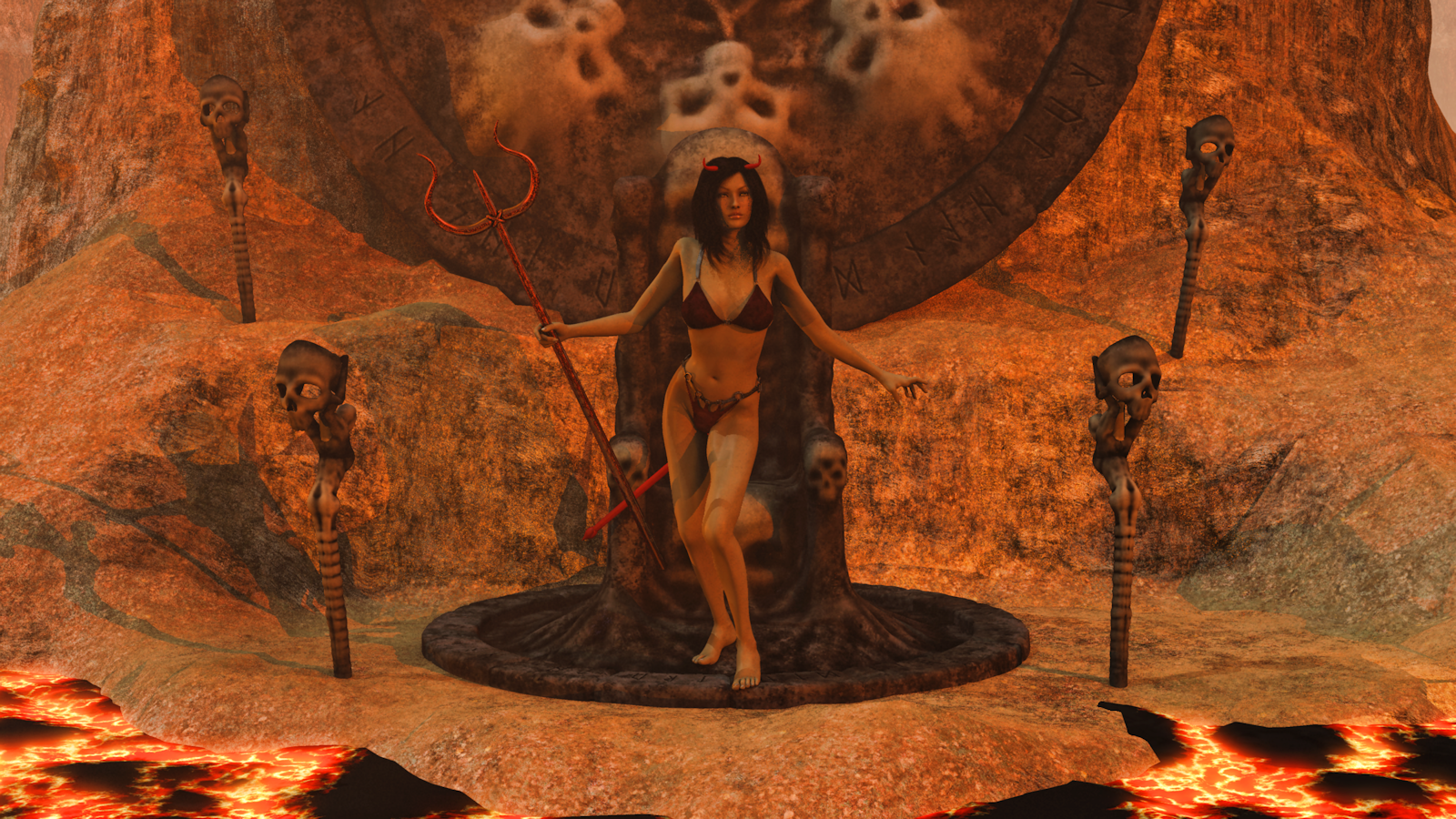
Carrara Challenge #36 - Pinups and Cheesecake and Hunks - Oh My! ..voting closed, WINNERS ANNOUNCEDEntry: # 26
Title: Bad Vicky
Artist: Bunyip02
PR/ NPR/Halloween: Halloween
WIP Links: https://www.daz3d.com/forums/discussion/comment/2944746/#Comment_2944746
https://www.daz3d.com/forums/discussion/comment/2949661/#Comment_2949661
https://www.daz3d.com/forums/discussion/comment/2950761/#Comment_2950761
Products Used: https://www.daz3d.com/victoria-4-2-base
https://www.daz3d.com/sin-character-and-outfit-for-v4
https://www.daz3d.com/gregoria-hair
Bikini from the Death Bringer Outfit https://www.daz3d.com/death-bringer-mega-bundle
https://www.daz3d.com/mort-augur
Badlands - Dartanbeck
Additional Notes:
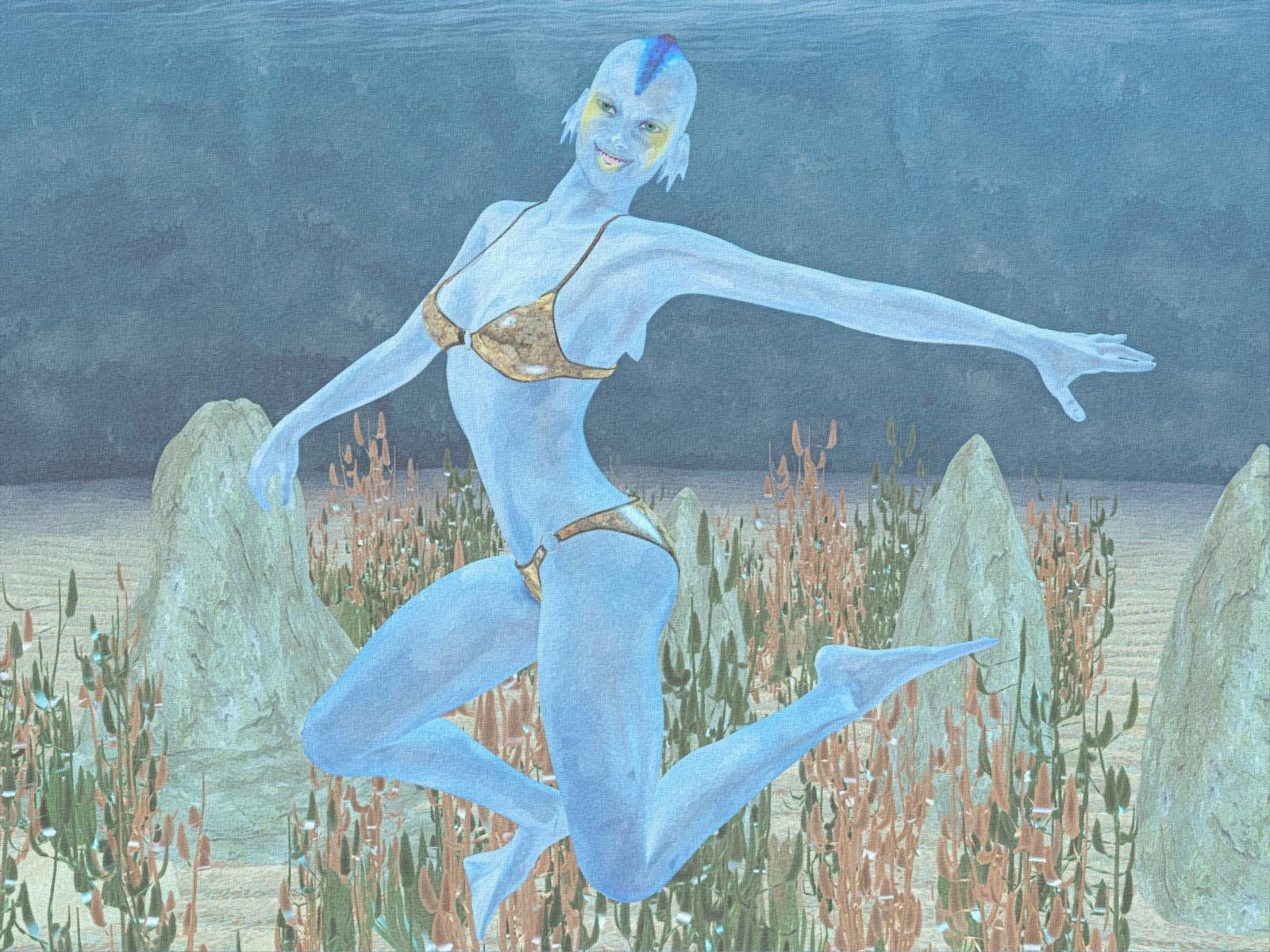
 Carrara Challenge #36 - Pinups and Cheesecake and Hunks - Oh My! ..voting closed, WINNERS ANNOUNCED
Entry: # 24
Title: Atlantis Girl
Artist: Bunyip02
PR/ NPR/Halloween: NPR
WIP Links: https://www.daz3d.com/forums/discussion/comment/2923556/#Comment_2923556
https://www.daz3d.com/forums/discussion/comment/2925686/#Comment_2925686
https://www.daz3d.com/forums/discussion/comment/2926571/#Comment_2926571
Products Used: https://www.daz3d.com/victoria-4-2-base
V4 Base Bikini
https://www.daz3d.com/atlanteans-delphine
https://www.daz3d.com/ultrumarine-ocean
https://www.daz3d.com/gardens-of-poseidon-plants
Morphing Rocks And Formations
Additional Notes: Used Topaz Adjust for colour correction, NPR work is a combination of the FotoSketcher Water Colour painting 5 filter blended with Filter Forge Chinaware painting filter, finally GMIC was used to provide a canvass look to the render.
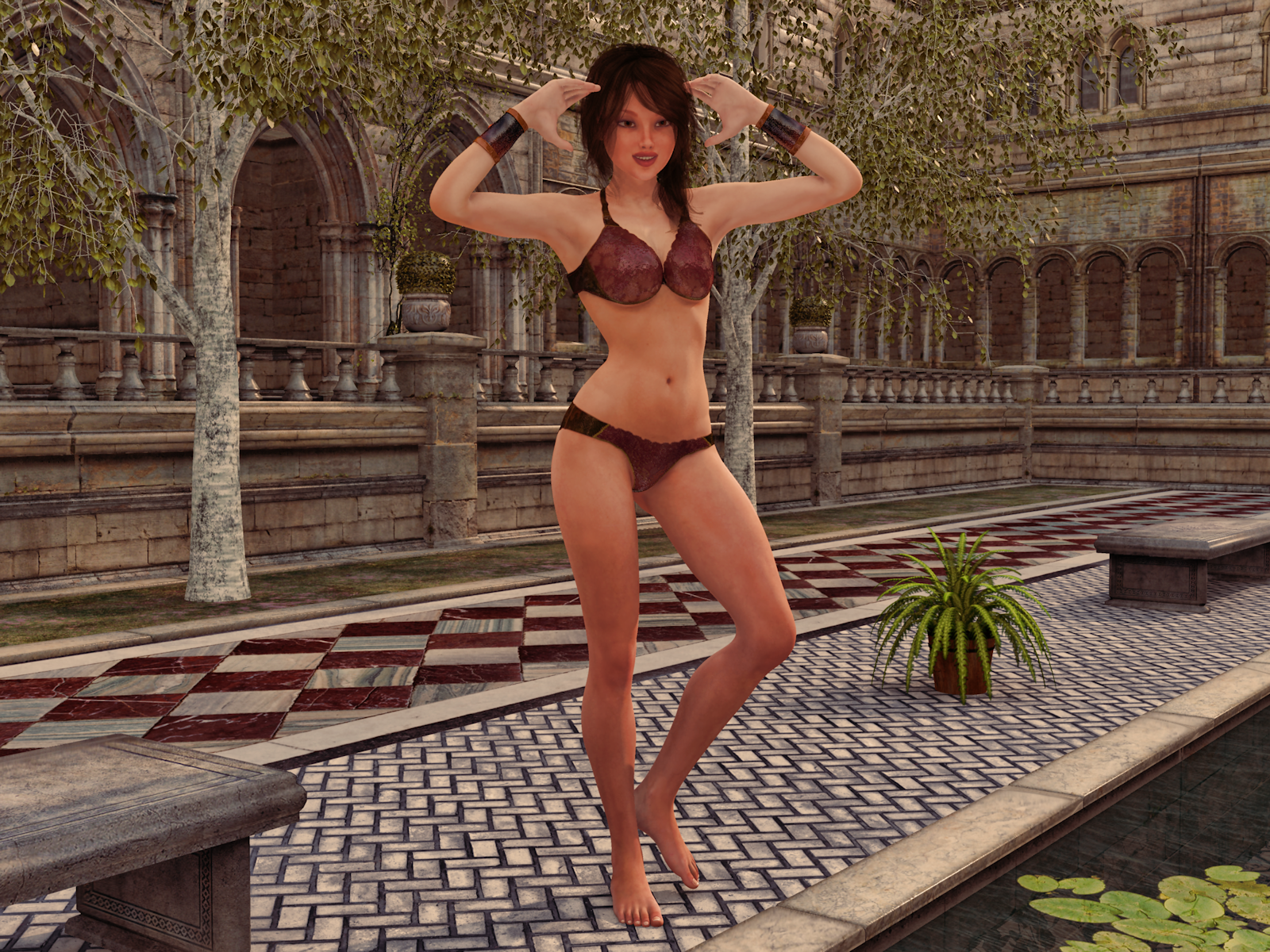
 Carrara Challenge #36 - Pinups and Cheesecake and Hunks - Oh My! ..voting closed, WINNERS ANNOUNCED
Entry: # 23
Title: Bikini Time
Artist: Bunyip02
PR/ NPR/Halloween: PR
WIP Links: https://www.daz3d.com/forums/discussion/comment/2923176/#Comment_2923176
https://www.daz3d.com/forums/discussion/comment/2925856/#Comment_2925856
https://www.daz3d.com/forums/discussion/comment/2927891/#Comment_2927891
Products Used: Genesis 2F
https://www.daz3d.com/dp-victoria-6-carrara-shaders
https://www.daz3d.com/belinda-hair-for-genesis-3-female-s-and-genesis-2-female-s-and-victoria-4
https://www.daz3d.com/alphakini-for-genesis-2-female-s
https://www.daz3d.com/the-courtyard-pool
Silver Birch - Predatron
https://www.daz3d.com/carrara-skies-lightdomes-1
Additional Notes:
 November 2017 - Daz 3D New User Challenge - Materials
@ everyone!
Am a bit under the weather, so hopefully I can offer individual replies when not zonked out on decongestants. : /
Hopefully this will make sense.

(In no particular order)
@ Shinji, didn't you have an Orc? Liked him because it reminded me of role playing. Everyone likes monster slaying orcs! For new ones, like the action/adventure guy with twin plasma guns.
@ Highelf, glad you got your files back. Last month weren't you having techical difficulties? I'm still learning names. : )
@ Ricwika, lots of detail in there. Just now noticed a baby dragon or something in cage. I'd assumed it was a bird of course..
@ Chameo, thanks for link. And yes, finding a place to put "Monique 7" where not in the shadows will be next step. Glad you noticed though. : )
@ Barbult, sound advice (along with others) to go with "Darius 7" project since it has more to do with learning textures and how to use DS. "Darius" project it is then!
@ Daybird, as others have probably said, wouldn't worry about your English. Able to get your point across and that's whole idea isn't it? As for being an "artist" -- I'm not one either! Only met one person I'd call an actual "artist" and I guess it comes down to what we think of as an "artist." I met a woman who could get out sketch pad & pencils, and not very long before she'd have what looked like a B&W photograph! For me, that's an artist! I just scribble cartoons & play around with DSLR cameras. Oh, and thanks for giving me green light to offer critique. Will do so when not on 'Day-Quil.' : )
@ itsCeo, yes I've noticed Victoria 8 seems very tall & maybe exaggerated length on thigh/shins? That's what distracts? Shoe does seem at an odd angle. Plenty to tweak in that one too if I have the time.
I hope that's everyone who has been kind enough to reply or has entered this month's challenge. If left anyone out, my mistake & not intentional.
Now it's off to bed. Thanks for reading!
--Bruce
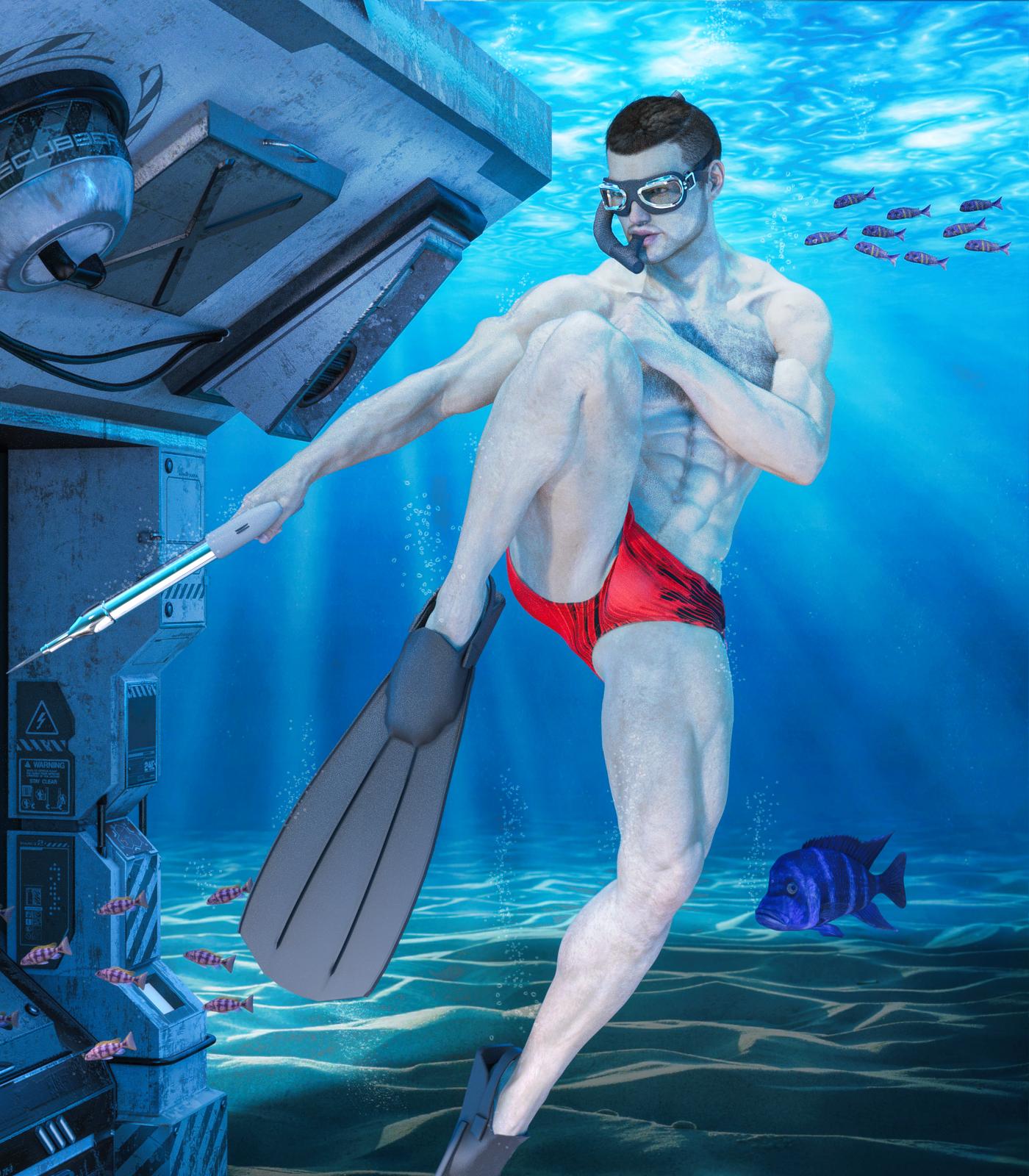
SereneNight's Sci-fi FunOwen goes diving! I had to try to kitbash some gear for him, since most of the diving gear belongs to Victoria- And I don't own the recent stuff.
 Knittingmommy's Laboratory
Shadows are tough to get exactly right. The back shadow looks right but there is something slightly off about the leg shadows, but I can't figure out what it is. I feel like the way you did it should be right but for some reason...lol. That kind of stuff can drive you insane!
For the shadows, you take your figure and duplicate her. Turn the copy solid black and then move it off to the side and a little lower. Add some gaussian blur ( I might have blurred it too much and the legs sort of went wonky when I did that) and then adjust the opacity so it isn't quite as black. I'll work on it. Once I'm done with my book and can work on a few Gimp tutorials, this will definitely be one of them because it uses a tool that I haven't covered in tutorials, yet, to select the copy so that it can be filled in with black.
I'm playing catchup, so if this has been mentioned already, I apologize. Your shadow is on a separate layer, so you can remove the shadow under her feet. Then it will look like she is planted on the floor. Also, the shadow should lie on the floor until it reaches the wall. As an example, here's an image I did a couple of years ago showing, (for the contest with the 3D Print of Vicky,) where I added the print and shadow in Photoshop:

The image links to the gallery page, if you want to see it larger.
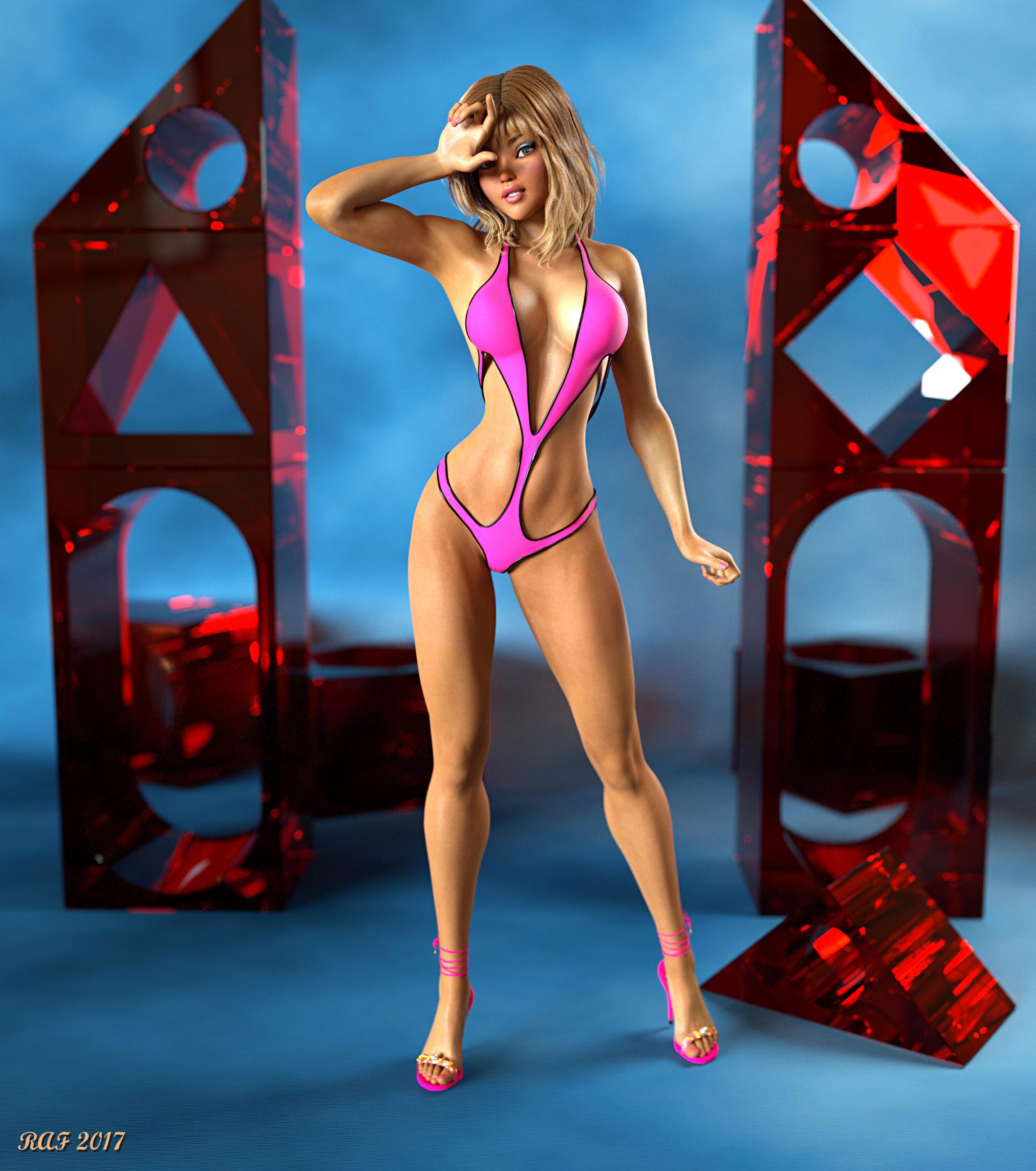
Carrara Challenge #36 - Pinups and Cheesecake and Hunks - Oh My! ..voting closed, WINNERS ANNOUNCEDEntry: # 20
Title: Oh ...... how many more shots?
Artist: Dustrider
PR/ NPR/Halloween: PR
WIP Link:
https://www.daz3d.com/forums/discussion/comment/3009236/#Comment_3009236
Products Used:
Octane for Carrara Plugin
Ysabeau 6 https://www.daz3d.com/ysabeau-6
Karma for G2F https://www.daz3d.com/karma
Victoria 6 https://www.daz3d.com/victoria-6
The Girl 6 https://www.daz3d.com/the-girl-6
Genesis 2 Female Morphs Bundle https://www.daz3d.com/genesis-2-female-morphs-bundle
Muscularity Morphs for Genesis 2 Female https://www.daz3d.com/muscularity-morphs-for-genesis-2-female-s
Poke Away 2! for Genesis 2 Female https://www.daz3d.com/poke-away2-for-genesis-2-female-s
Superhero Monokini for Genesis 2 Female https://www.daz3d.com/superhero-monokini-for-genesis-2-female-s
DM's Blox 'n Poses https://www.daz3d.com/dm-s-blox-n-poses
Additional Notes:
This project used Genesis 2 Female, with a lot of dial-spining to make a unique character based on Ysabeau 6, with the texture set for Karma. I think I modified every texture to optimize/improve it for Octane except for the mouth/teeth/tongue. The lighting is fairly simple, just 2 emitter planes for lights and a very low intensity HDRI (5% intensity - just enough to give dark areas some light to resolve faster). The skin and the hair are both mixed shaders using a glossy node and a specular node, the "blocks" are a specular shader (I'm a sucker for volumetrics). Please zoom to full resolution to see the details.
 Daz 3D Introduces dForce Physics Engine
I've just been trying a few dynamic props made for V4 with Genesis 3 Female with a Victoria 4 morph applied so that they fit (it is important that the draping object does not intersect the figure at the start). I didn't even conform the dynamic object to the figure via Transfer Utility, just applied the dynamic modifier and ran the sim, and it worked fine. I was using the animated drape with the pose set at frame 20.
Gen 8 / Victoria 8 Poses to Gen 3Does anyone know if poses made for Vic 8 / Gen 8 work for Gen 3 / Vic 7 models?
I tried to search for this but have had no luck. Thanks
Daz 3D Introduces dForce Physics EngineHas anyone tried DForce with V4 clothes? I'm trying to play with a cloak to see if I can hang it nicely on a V4 character, but it just exploded on me. I know I'm not the only one with a large V4 clothes library, Should there be a thread dedicated to making different V4 clothes work so we can share our findings?
I use a Genesis figure (eg. Victoria 5) if I want to sim V4 clothes since I'm too lazy to figure out weight maps for the older products when worn by a V4. I only have two V4 clothes (Domino and Juggling Act) currently installed in my PC and they work with dForce with minor tweaking.
Rendering EyesHi
Hope you can help. How do I avoid the problem with the eyes when rendering (screnn capture below) everything else is fine. This eye is from Julia for Victoria 8
Thanks
Pete
November 2017 - Daz 3D New User Challenge - MaterialsTextures/materials good 'challenge' since I’m having trouble with them. ; )
Couple of thumbnails...
"Darius & Freinds"
“Garret” and the cat look horrible. Skin (and fur) looks plastic & cheesy compared to updated Darius & Vicky 8. (Grateful to a couple of members here who helped me correct Darius, or would’ve been a return.)
Goals if decide to pursue:
1.) Correct skin on Garret so it looks more like.. Skin & not plastic.
2.) Have cat’s fur look more like hair & not a wax cat mannequin!
3.) Learn how to make things like sunglasses semi-transparent while still being reflective.
"50's Advert"
Second thumbnail might need a bit of background. Came across a vintage calendar at an estate sale. “Bryant Plumbing & Electrical Company” had the “Bryant Girl” posing with products each month. She had on roll up jeans, and a red plaid shirt. Even B&W shoes! So I copied one pose where she’s showing off a sump pump or some piece of machinery. The copy is fun. “Your basement will never flood again-- Guaranteed!”
50’s trailer was on sale, so “Trailer Girl” model just needs two tone shoes and a plaid shirt. No luck at store, so if anyone knows where poor Vicky might get these items. “What’s a poor super fashion model to do!”
Goals:
1.) Improve textures on things like tires.
2.) Texture on grasses that look fake and placed.
3.) Anything else to improve composition. (Her hand needs adjustment. The trailer needs to be moved to left, or close door a bit so it isn't growing out of her head.)

@Tynkere what render engine are you using (Iray? 3Delight? other?). Knowing that will help people offer suggestions for improving the look of skin, tires, grass, etc. Which generation of Vicky are you using (Victoria 4,5,6,7, or 8)? Knowing that will help people offer suggestions for that plaid shirt and saddle shoes you are looking for.
I'd recommend adjusting the girl's eyes to look at the camera or at the item she is demonstrating. Right now, it looks like she is looking off to the left side (her right) out of the picture.
It is a good idea to set goals for yourself. I like that you've done that and listed them in your post. It looks like you've done a good job on the pose.
Getting Victoria 4 Shape/Morph onto Genesis 8Does anyone know how to get the Victoria 4 shape/morph onto Genesis 8? Is there a product someone has created like Generation X or is there a tutorial I am missing?
Thanks so much!
Not To Worry, Friend, "There's Always Another Sale™"You need a NEW item, not a still new item.
Then you need 3 items from Stonemason's catalog that are NOT in category A or B...
Here is a sample cart that should work.
Saree for G8 Female and Victoria 8 (New item)
Dark Places, Black Alley 2k9 (free item) Cat A
Dark Places, Industrial 2k9 (free item) Cat A
Dark Places - Sewer 2k9 (free item) Cat A
Greek Ruin (Free Item) Cat A
The Dark Star (Free Item) Cat B
The Treehouse Paid item... not in Cat A or B $2.39
Jungle Ruins 2 Paid item... not in Cat A or B $3.98
Jungle Ruins Paid Item... not in Cat A or B $3.98
Cart total $12.74
Which, honestly... for a bunch of Stonemason sets... it isn't the nice expensive ones in my wishlist... but they'll have to wait... if you're not willing to drop $50-$60 for a few hundred dollars worth of Stonemason's sets... then $12 for $100 of his stuff is still a decent deal...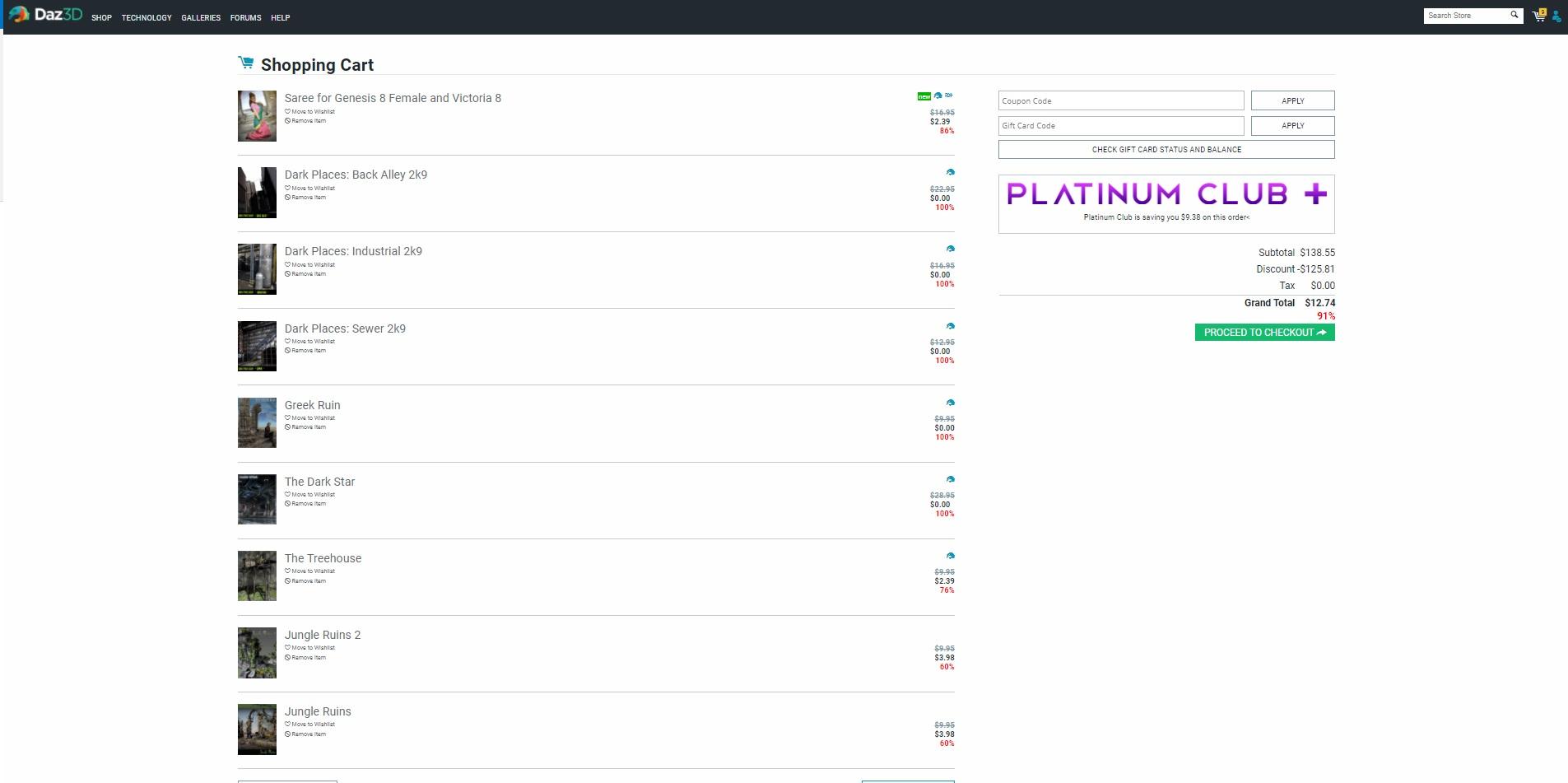 November 2017 - Daz 3D New User Challenge - Materials
Textures/materials good 'challenge' since I’m having trouble with them. ; )
Couple of thumbnails...
"Darius & Freinds"
“Garret” and the cat look horrible. Skin (and fur) looks plastic & cheesy compared to updated Darius & Vicky 8. (Grateful to a couple of members here who helped me correct Darius, or would’ve been a return.)
Goals if decide to pursue:
1.) Correct skin on Garret so it looks more like.. Skin & not plastic.
2.) Have cat’s fur look more like hair & not a wax cat mannequin!
3.) Learn how to make things like sunglasses semi-transparent while still being reflective."50's Advert"
Second thumbnail might need a bit of background. Came across a vintage calendar at an estate sale. “Bryant Plumbing & Electrical Company” had the “Bryant Girl” posing with products each month. She had on roll up jeans, and a red plaid shirt. Even B&W shoes! So I copied one pose where she’s showing off a sump pump or some piece of machinery. The copy is fun. “Your basement will never flood again-- Guaranteed!”
50’s trailer was on sale, so “Trailer Girl” model just needs two tone shoes and a plaid shirt. No luck at store, so if anyone knows where poor Vicky might get these items. “What’s a poor super fashion model to do!”
Goals:
1.) Improve textures on things like tires.
2.) Texture on grasses that look fake and placed.
3.) Anything else to improve composition. (Her hand needs adjustment. The trailer needs to be moved to left, or close door a bit so it isn't growing out of her head.)
I like your starts here - your photography/layout background definitely shows. I'm not artistic at all - and that shows, too. I just like playing with virtual paper dolls
. That said, I always appreciate feedback and critique. I can be resistant to itl, but it always pushes me to try things outside my comfort box. For your questions:Semi-transparent but still reflective glass - there are some awesome iRay glass shaders out there. I personally love this one: https://www.daz3d.com/iray-glass-workshop. You can also use the Surfaces tool to select the glass in the glasses and go into the Surfaces tab to play with the settings. You may have to apply the Uber shader first to get all the shader options, but I've gotten some pretty good glass surfaces just playing with the reflection, refraction, and cutout opacity settings.
Plaid flannel shirt: I picked this one up really cheap earlier in the PC+ sale - it's bundled in several other products, inclulding Carrara: https://www.daz3d.com/town-and-country-for-genesis. You may also find something if you search for flannel shirt at ShareCG
Two-tone oxford shoes: I get a LOT of mileage out of Everyday 1950 for Genesis (with maps for Victoria 5). Not just the shoes, but a nice circle skirt, a plain, non-sexy blouse, serviceable socks and a nice, loose cardigan. There are a couple of texture add-ons that expand the options further - and if you're a PC+ member, they're just $1.99 each.
Transferred Morphs from V4 Don't WorkVictoria 4 doesn't use weight mapping, it uses the old parametric rigging system (angles and speheres, the position of a vertex relative to which determines its weighting). I would not expect the transfer utility to work at all, I suppose it may be baking the weights from the parametric rigging and projecting those into the clothing. In any even, try right-clicking and select transfer Active Morphs to get the morphs across.
Transferred Morphs from V4 Don't WorkOkay. I've made some freebie clothing items for the Genesis series of clothing, etc. But I've had people asking me to convert them to V4 (don't ask me why; far as I'm concerned, Generation 4 figures became obsolete as soon as the Genesis series of figures hit the scene). But in any case, I've been working on it. I've managed to rig the clothing with the Transfer Utility, even managed to transfer all of the morphs. But whenever I use the morphs on Victoria 4, the clothing doesn't morph with it. Any ideas what I'm doing wrong?
Daz 3D is part of

Connect
DAZ Productions, Inc.
7533 S Center View Ct #4664
West Jordan, UT 84084Licensing Agreement | Terms of Service | Privacy Policy | EULA
© 2026 Daz Productions Inc. All Rights Reserved.