-
SereneNight's Sci-fi Fun
Owen goes diving! I had to try to kitbash some gear for him, since most of the diving gear belongs to Victoria- And I don't own the recent stuff.
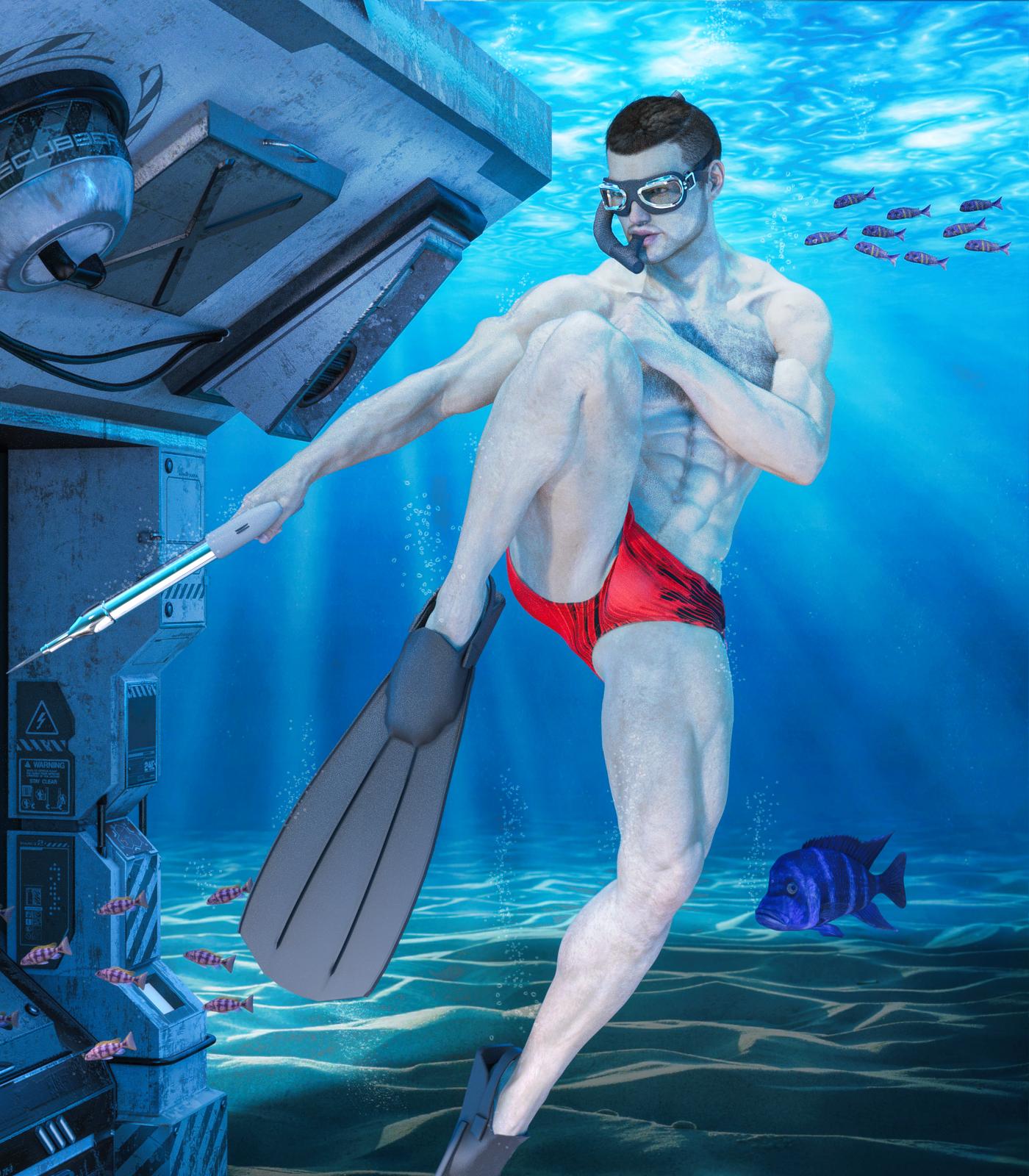
LOL I love the look on that fish's face! Like, "Don't turn around dude, please don't turn around..."
Creating new morph channels with scriptHi,
I've been playing around on an idea of creating new morph channels on the fly, much like Poser's PMD files do. Sadly the PMD plugin AFAIK died off as of DS 4. I think I'll give it a shot using a script.
As a test, I setup/modify Victoria 4 cr2 file to add a channel to accept one of NGM morph, and compare it to a plain Victoria 4 with the same channel created by script.
As far as my test go, it seems that when loaded to DS4.9, only the root object (DzSkeleton) has a DzObject. All other bodyparts doesn't have DzObject. All the morphs/magnets loaded (like Morph++) has a corresponding DzModifier contained in the root's DzObject. All of them has the name/label with "MorphChannelName_BodyPartName" format, i.e. "FBMVoluptuous_chest". In closer inspection, the DzModifiers will have 1 DzFloatProperty with the same name of the DzMorph, and path with "/Morphs/Imported/[BodyPartName]" format, i.e. "/Morphs/Imported/chest". Setting several of the default morphs property hidden flag to false will cause those morphs listed in V4's BODY part in the "Morphs/Imported" group. With the editor's parameters tab in edit mode, such morphs will have an "M" icon in front of it.
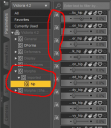
All those familiar morphs in the "Morphs | Shapes" group have a corresponding DzFloatProperty in their respected DzNode. However, with the parameters tab in edit mode those morphs will have a "P" icon in front of it.
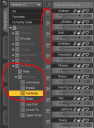
Curiously, if I select a bodypart other than root, the icon in front of the morphs is "A" instead of "P".
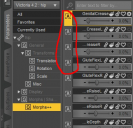
Upon opening the parameter settings, I found that the "P" and "A" will refer to the "M" in the root. With that info, I wrote this script
// DAZ Studio version 4.9.1.30 filetype DAZ Script

var oRootNode  = Scene.getSelectedNode( 0 ).getSkeleton();
var oObject    = oRootNode.getObject();

// Create new morph
var oMorph = new DzMorph;
oMorph.setName( "NGM_0_chest" );
oMorph.setLabel( "NGM_0_chest" );

// Create new property to replace the one already exist
var oMorphProp = new DzFloatProperty( "NGM_0_chest", true, false);
oMorphProp.setLabel( "NGM_0_chest" );
oMorphProp.setPath( "/Morphs/Imported/chest" );

oMorph.insertProperty( 0, oMorphProp);

// Add modifier to root
oObject.addModifier( oMorph );

// Create new property for the root node
var oNewProp = new DzFloatProperty( "NGM_0", true, false);
oNewProp.setPath( "/Morphs | Shapes/NGM_V4" );

oObject.addProperty( oNewProp );
Running the script to a plain V4 will a new "M" parameter in "/Morphs/Imported/chest" as well as a "P" parameter in "Morphs | Shapes/NGM_V4". However, after injecting the morph data from the PZ2 file, the sliders of those 2 new parameters / morphs don't have effect. In contrast, if I use the cr2 where the corresponding channel already edited in, sliding "M" parameter do have effect / the morph works.
How can I fix this problem?
THX
Rendering EyesFor the Victoria 8 make-up - are you rendering or at least using the Iray preview mode? The make-ups use Diffuse Overlay which doesn't show in Texture Shaded preview mode.
No but will give it a try
thanks
Rendering EyesFor the Victoria 8 make-up - are you rendering or at least using the Iray preview mode? The make-ups use Diffuse Overlay which doesn't show in Texture Shaded preview mode.
Rendering EyesTry selecting the eye surface and turning Thin Walled on - though that will affect the way the eye looks when rendered it should reduce the noise. You can also try rendering larger and downsampling, or upping the render quality so thast the rest of the scene doesn't converge while the eyes are far from converged. Spot Render the eyes to a new window, possibly with higher settings, and overlay that image on the regular render is also an option.
No still didn't work after many hours trying, so in total frustration I uninstalled all relating to 4.10. Tried to redownload through the "download and install" just opened the dim and nothing else, so manually downloaded it, whilst doing so checked the download history and discovred that the first download, despite saying download complete actually only downloaded part of it as was seen by size downloaded compare to actual size. (no it is not my firewall preventing it)
Sucessfully reinstalled it, and now again after many hours trying, and providing I use IRAY surfaces only for the make-up eyes etc it seems to work ok. Except Victoria 8 the make up, skin eye surface doesn't want to load. So I hope someone from Daz Tech. Department reads this
Thanks
Pete
GENERAL FREEBIE REQUESTS Part 2I am wondering if there are any animation poses for Victoria 4 where the figure can kick doors open, like in action movies?
Maybe you could use or modify something from this freebie: http://www.sharecg.com/v/74016/gallery/21/DAZ-Studio/capoeira-aniblock-sampler
or a paid one: https://www.renderosity.com/mod/bcs/rhapsody-karate-kicks-aniblocks-for-v4/98203 or https://www.daz3d.com/animate-cheerleading-pack
I'll probably consider karate kick poses from Renderosity as early as next week when I have some extra funds.
GENERAL FREEBIE REQUESTS Part 2I am wondering if there are any animation poses for Victoria 4 where the figure can kick doors open, like in action movies?
Maybe you could use or modify something from this freebie: http://www.sharecg.com/v/74016/gallery/21/DAZ-Studio/capoeira-aniblock-sampler
or a paid one: https://www.renderosity.com/mod/bcs/rhapsody-karate-kicks-aniblocks-for-v4/98203 or https://www.daz3d.com/animate-cheerleading-pack
GENERAL FREEBIE REQUESTS Part 2I am wondering if there are any animation poses for Victoria 4 where the figure can kick doors open, like in action movies?
AQ Jenna Glasses problemI have been working with AQ's Jenna model and specifically the glasses. Dow anyone know how to fix the problem of the glasses distorting with HD facial expressions that appear to have come with the Victoria 8 model? If I have my figure raise her eyebrows, the glasses will distort accordingly, same with squinting or just about any HD expression whatsoever. Better yet, does anyone know how to get ahold of Aquarius to see if they can get their product to work with Victoria 8?
rendering noiseOn a secont thought i got noise even on the close one i dont know how did i lied my self the first time i think i am missing some option on the rendering i did not touch anything there i left them as default. I just load Victoria 7 model add a hair and load a pose this is some of the results i manage to do so far. When you zoom in there is a lot noise cant be anything be done ?
Link removed
Black Is Beautiful IINew simple Smacky pic, color correction in Photoshop. I don't worry too much about how dark skin looks straight out of Studio when I'm going to use Curves and NIK Tools on it anyway. :)
She should be the default Victoria 9 character...I effin' love smacky!
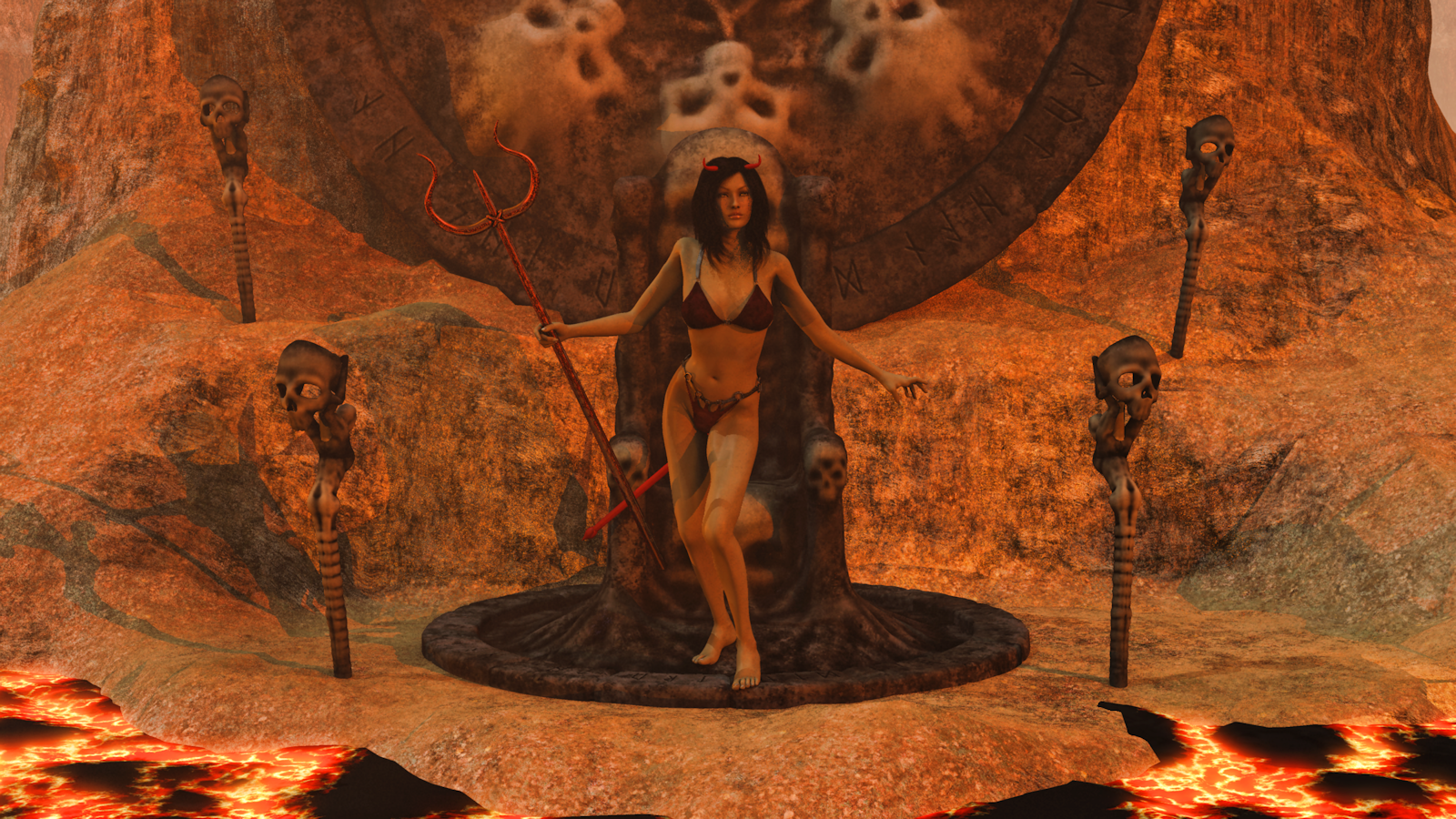
Carrara Challenge #36 - Pinups and Cheesecake and Hunks - Oh My! ..voting closed, WINNERS ANNOUNCEDEntry: # 26
Title: Bad Vicky
Artist: Bunyip02
PR/ NPR/Halloween: Halloween
WIP Links: https://www.daz3d.com/forums/discussion/comment/2944746/#Comment_2944746
https://www.daz3d.com/forums/discussion/comment/2949661/#Comment_2949661
https://www.daz3d.com/forums/discussion/comment/2950761/#Comment_2950761
Products Used: https://www.daz3d.com/victoria-4-2-base
https://www.daz3d.com/sin-character-and-outfit-for-v4
https://www.daz3d.com/gregoria-hair
Bikini from the Death Bringer Outfit https://www.daz3d.com/death-bringer-mega-bundle
https://www.daz3d.com/mort-augur
Badlands - Dartanbeck
Additional Notes:
 Carrara Challenge #36 - Pinups and Cheesecake and Hunks - Oh My! ..voting closed, WINNERS ANNOUNCED
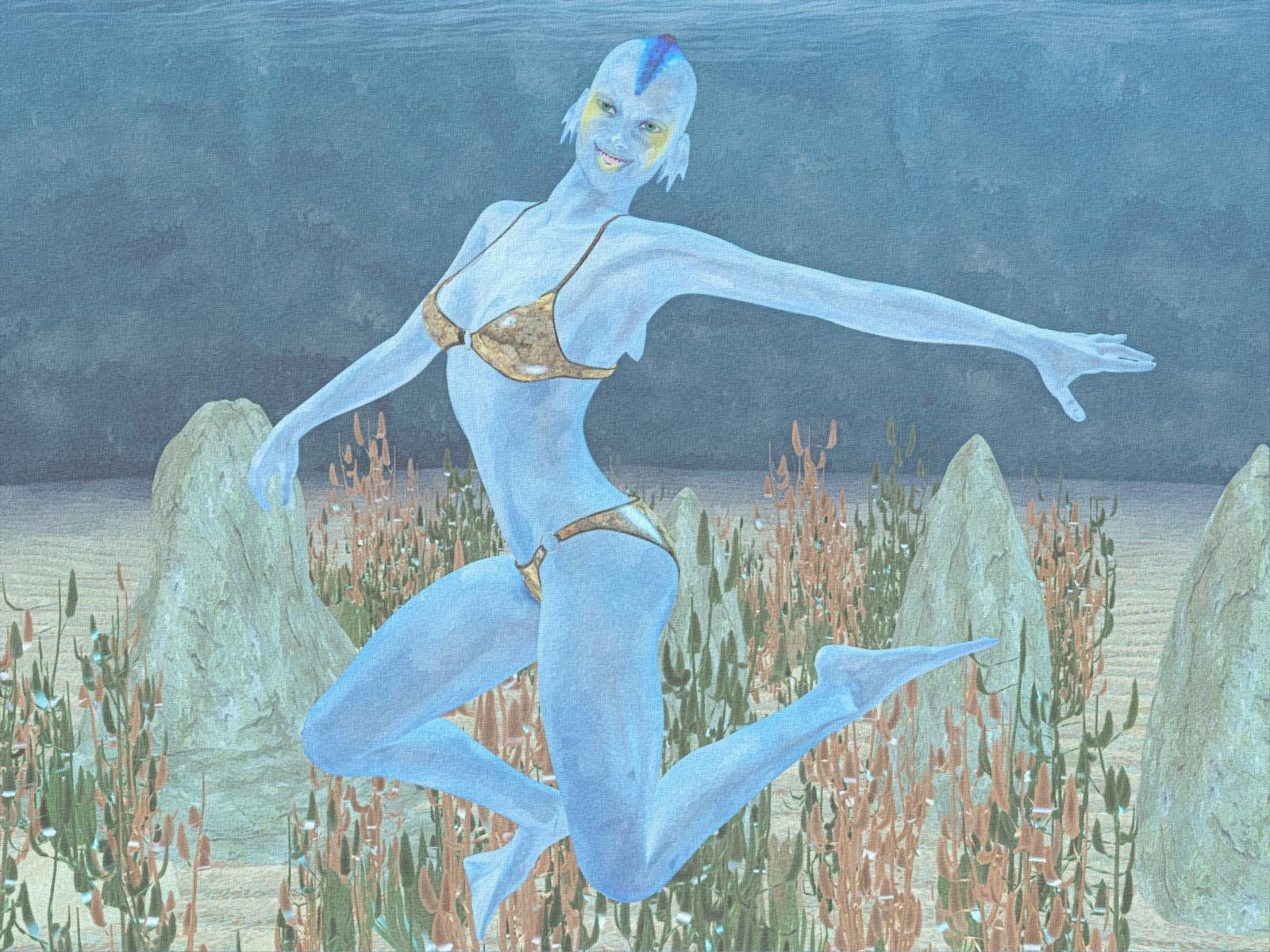
Entry: # 24
Title: Atlantis Girl
Artist: Bunyip02
PR/ NPR/Halloween: NPR
WIP Links: https://www.daz3d.com/forums/discussion/comment/2923556/#Comment_2923556
https://www.daz3d.com/forums/discussion/comment/2925686/#Comment_2925686
https://www.daz3d.com/forums/discussion/comment/2926571/#Comment_2926571
Products Used: https://www.daz3d.com/victoria-4-2-base
V4 Base Bikini
https://www.daz3d.com/atlanteans-delphine
https://www.daz3d.com/ultrumarine-ocean
https://www.daz3d.com/gardens-of-poseidon-plants
Morphing Rocks And Formations
Additional Notes: Used Topaz Adjust for colour correction, NPR work is a combination of the FotoSketcher Water Colour painting 5 filter blended with Filter Forge Chinaware painting filter, finally GMIC was used to provide a canvass look to the render.
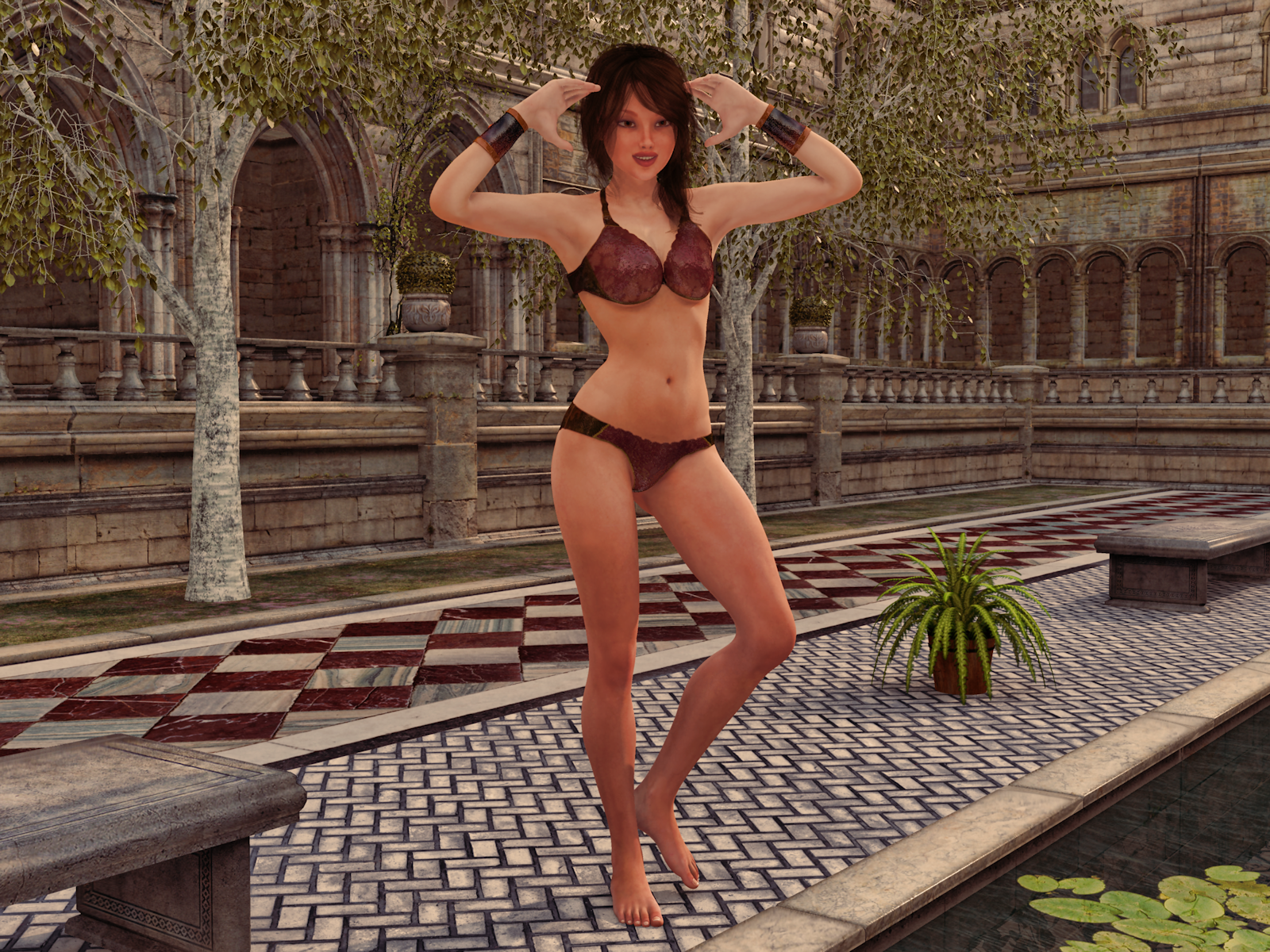
 Carrara Challenge #36 - Pinups and Cheesecake and Hunks - Oh My! ..voting closed, WINNERS ANNOUNCED
Entry: # 23
Title: Bikini Time
Artist: Bunyip02
PR/ NPR/Halloween: PR
WIP Links: https://www.daz3d.com/forums/discussion/comment/2923176/#Comment_2923176
https://www.daz3d.com/forums/discussion/comment/2925856/#Comment_2925856
https://www.daz3d.com/forums/discussion/comment/2927891/#Comment_2927891
Products Used: Genesis 2F
https://www.daz3d.com/dp-victoria-6-carrara-shaders
https://www.daz3d.com/belinda-hair-for-genesis-3-female-s-and-genesis-2-female-s-and-victoria-4
https://www.daz3d.com/alphakini-for-genesis-2-female-s
https://www.daz3d.com/the-courtyard-pool
Silver Birch - Predatron
https://www.daz3d.com/carrara-skies-lightdomes-1
Additional Notes:
 November 2017 - Daz 3D New User Challenge - Materials
@ everyone!
Am a bit under the weather, so hopefully I can offer individual replies when not zonked out on decongestants. : /
Hopefully this will make sense.

(In no particular order)
@ Shinji, didn't you have an Orc? Liked him because it reminded me of role playing. Everyone likes monster slaying orcs! For new ones, like the action/adventure guy with twin plasma guns.
@ Highelf, glad you got your files back. Last month weren't you having techical difficulties? I'm still learning names. : )
@ Ricwika, lots of detail in there. Just now noticed a baby dragon or something in cage. I'd assumed it was a bird of course..
@ Chameo, thanks for link. And yes, finding a place to put "Monique 7" where not in the shadows will be next step. Glad you noticed though. : )
@ Barbult, sound advice (along with others) to go with "Darius 7" project since it has more to do with learning textures and how to use DS. "Darius" project it is then!
@ Daybird, as others have probably said, wouldn't worry about your English. Able to get your point across and that's whole idea isn't it? As for being an "artist" -- I'm not one either! Only met one person I'd call an actual "artist" and I guess it comes down to what we think of as an "artist." I met a woman who could get out sketch pad & pencils, and not very long before she'd have what looked like a B&W photograph! For me, that's an artist! I just scribble cartoons & play around with DSLR cameras. Oh, and thanks for giving me green light to offer critique. Will do so when not on 'Day-Quil.' : )
@ itsCeo, yes I've noticed Victoria 8 seems very tall & maybe exaggerated length on thigh/shins? That's what distracts? Shoe does seem at an odd angle. Plenty to tweak in that one too if I have the time.
I hope that's everyone who has been kind enough to reply or has entered this month's challenge. If left anyone out, my mistake & not intentional.
Now it's off to bed. Thanks for reading!
--Bruce
SereneNight's Sci-fi FunOwen goes diving! I had to try to kitbash some gear for him, since most of the diving gear belongs to Victoria- And I don't own the recent stuff.
Knittingmommy's LaboratoryShadows are tough to get exactly right. The back shadow looks right but there is something slightly off about the leg shadows, but I can't figure out what it is. I feel like the way you did it should be right but for some reason...lol. That kind of stuff can drive you insane!
For the shadows, you take your figure and duplicate her. Turn the copy solid black and then move it off to the side and a little lower. Add some gaussian blur ( I might have blurred it too much and the legs sort of went wonky when I did that) and then adjust the opacity so it isn't quite as black. I'll work on it. Once I'm done with my book and can work on a few Gimp tutorials, this will definitely be one of them because it uses a tool that I haven't covered in tutorials, yet, to select the copy so that it can be filled in with black.
I'm playing catchup, so if this has been mentioned already, I apologize. Your shadow is on a separate layer, so you can remove the shadow under her feet. Then it will look like she is planted on the floor. Also, the shadow should lie on the floor until it reaches the wall. As an example, here's an image I did a couple of years ago showing, (for the contest with the 3D Print of Vicky,) where I added the print and shadow in Photoshop:

The image links to the gallery page, if you want to see it larger.
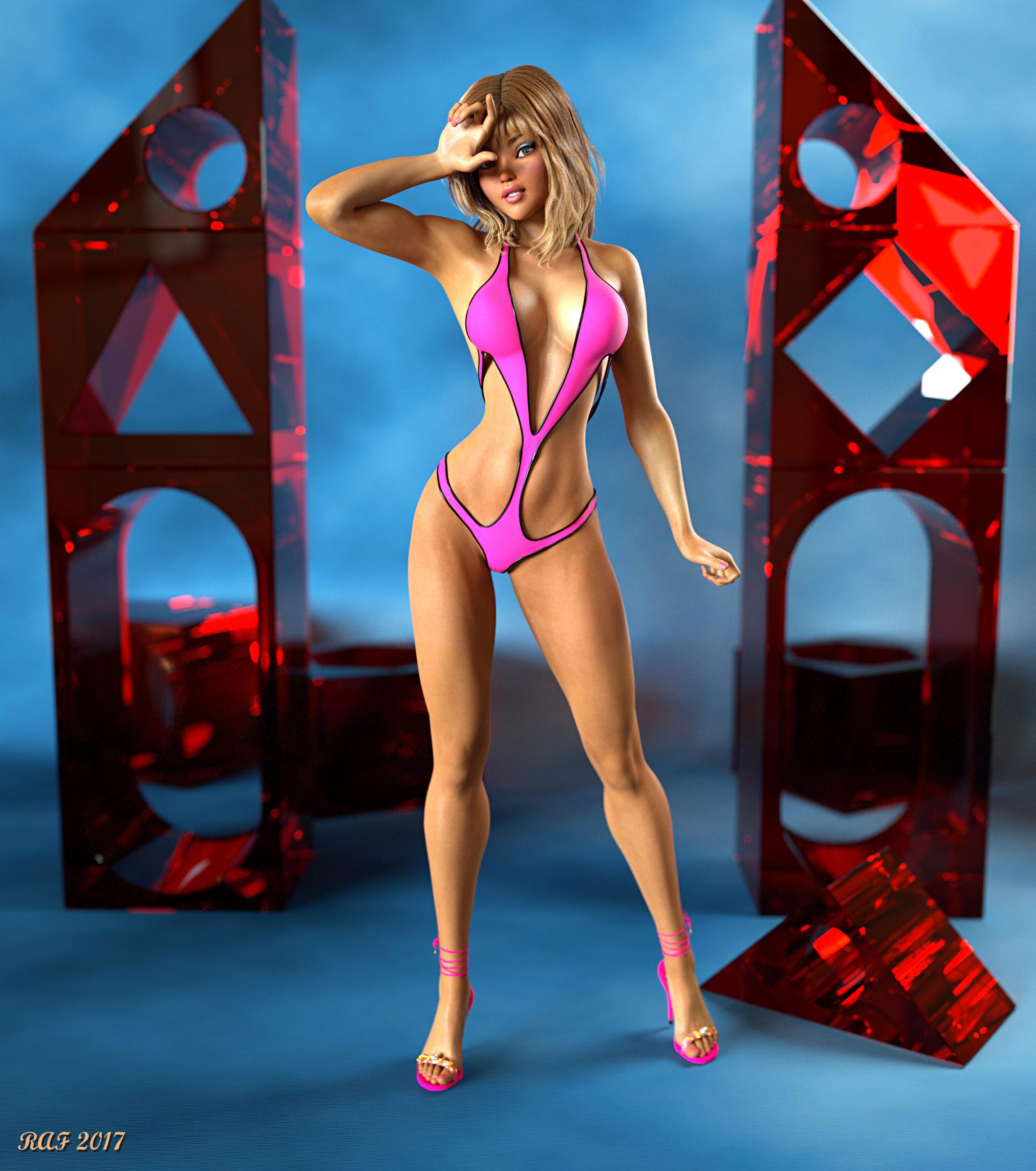
Carrara Challenge #36 - Pinups and Cheesecake and Hunks - Oh My! ..voting closed, WINNERS ANNOUNCEDEntry: # 20
Title: Oh ...... how many more shots?
Artist: Dustrider
PR/ NPR/Halloween: PR
WIP Link:
https://www.daz3d.com/forums/discussion/comment/3009236/#Comment_3009236
Products Used:
Octane for Carrara Plugin
Ysabeau 6 https://www.daz3d.com/ysabeau-6
Karma for G2F https://www.daz3d.com/karma
Victoria 6 https://www.daz3d.com/victoria-6
The Girl 6 https://www.daz3d.com/the-girl-6
Genesis 2 Female Morphs Bundle https://www.daz3d.com/genesis-2-female-morphs-bundle
Muscularity Morphs for Genesis 2 Female https://www.daz3d.com/muscularity-morphs-for-genesis-2-female-s
Poke Away 2! for Genesis 2 Female https://www.daz3d.com/poke-away2-for-genesis-2-female-s
Superhero Monokini for Genesis 2 Female https://www.daz3d.com/superhero-monokini-for-genesis-2-female-s
DM's Blox 'n Poses https://www.daz3d.com/dm-s-blox-n-poses
Additional Notes:
This project used Genesis 2 Female, with a lot of dial-spining to make a unique character based on Ysabeau 6, with the texture set for Karma. I think I modified every texture to optimize/improve it for Octane except for the mouth/teeth/tongue. The lighting is fairly simple, just 2 emitter planes for lights and a very low intensity HDRI (5% intensity - just enough to give dark areas some light to resolve faster). The skin and the hair are both mixed shaders using a glossy node and a specular node, the "blocks" are a specular shader (I'm a sucker for volumetrics). Please zoom to full resolution to see the details.
 Daz 3D Introduces dForce Physics Engine
I've just been trying a few dynamic props made for V4 with Genesis 3 Female with a Victoria 4 morph applied so that they fit (it is important that the draping object does not intersect the figure at the start). I didn't even conform the dynamic object to the figure via Transfer Utility, just applied the dynamic modifier and ran the sim, and it worked fine. I was using the animated drape with the pose set at frame 20.
Gen 8 / Victoria 8 Poses to Gen 3Does anyone know if poses made for Vic 8 / Gen 8 work for Gen 3 / Vic 7 models?
I tried to search for this but have had no luck. Thanks
Daz 3D is part of

Connect
DAZ Productions, Inc.
7533 S Center View Ct #4664
West Jordan, UT 84084Licensing Agreement | Terms of Service | Privacy Policy | EULA
© 2026 Daz Productions Inc. All Rights Reserved.