-
3D Art Freebie Challenge-November 2017-Winners Announced-Remembering the Fallen -Entries Thread Only
A piece of my heart
Janis Joplin - First Lady of Rock'n'Roll. (1/19/1943 - 10/4/1970)
We lost her way too soon.No Count: Genesis 2, Michael 4, Lumberjack shirt & vest - DAZ free content
Paid: Amarseda hair, Genesis boots
Free items:
Janis:
Mini skirt #
Tights#
Shoes #
Glasses #
Bangles 1 #
Bangles 2 #
Microphone & cable row 4Guy 1:
Koz Messy hair - downloads - 6 down
MMBlousonSetForM4 part 1 & 2
Shoes #
guitar pose #
mcjstrat guitarGuy 2:
Kaz Longhair evo - downloads - 3 down
shirt #
pants #
Gibson guitar row 6Stage: Rock-Stage #
Poses from several sets adjusted with some dial tweaking.
# free site registration required.Software Used:
PoseRay
Paint Shop Pro 7
Rendered in DAZ Studio 4.8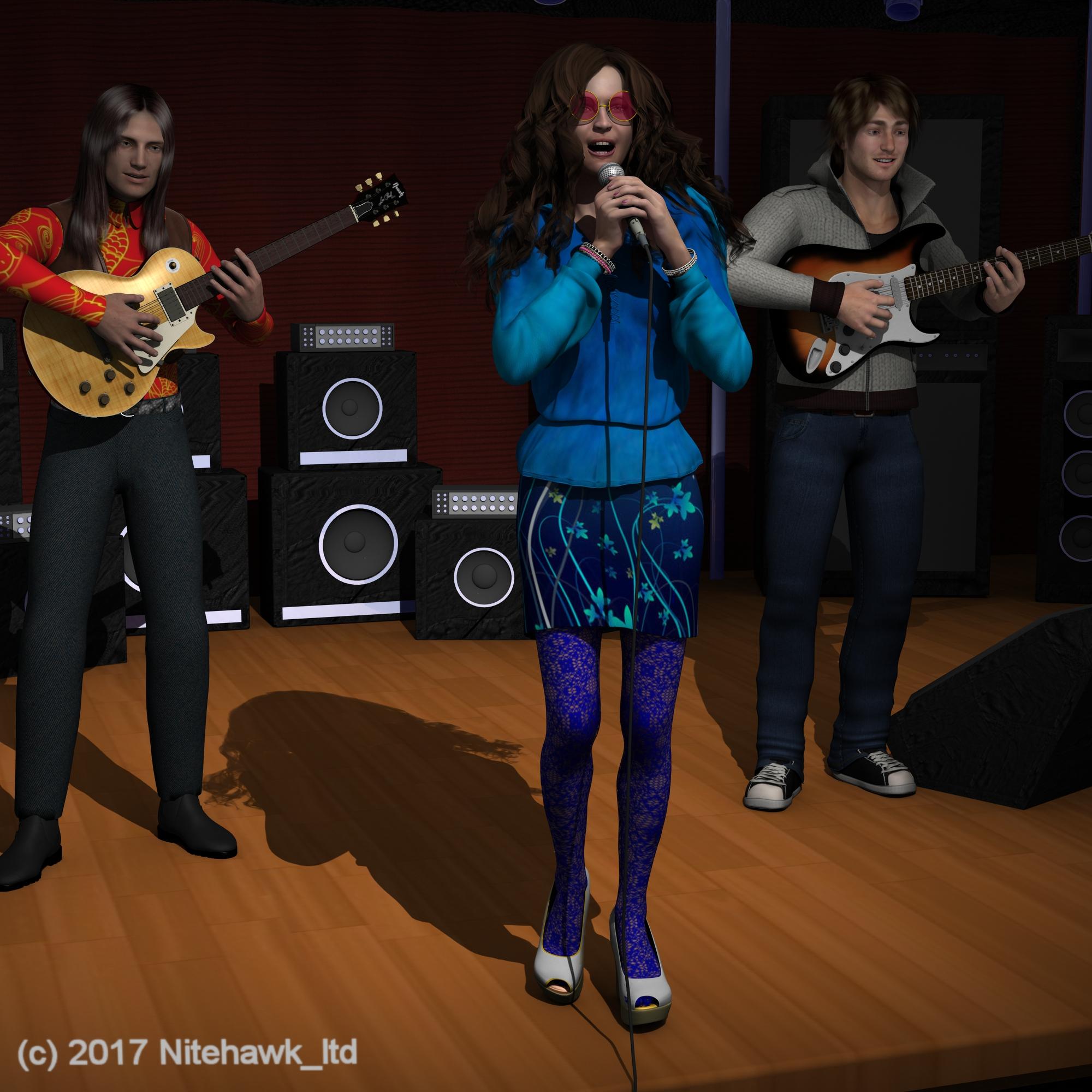 Carrara Challenge #36 - Pinups and Cheesecake and Hunks - Oh My! ..voting closed, WINNERS ANNOUNCED
Entry: #32
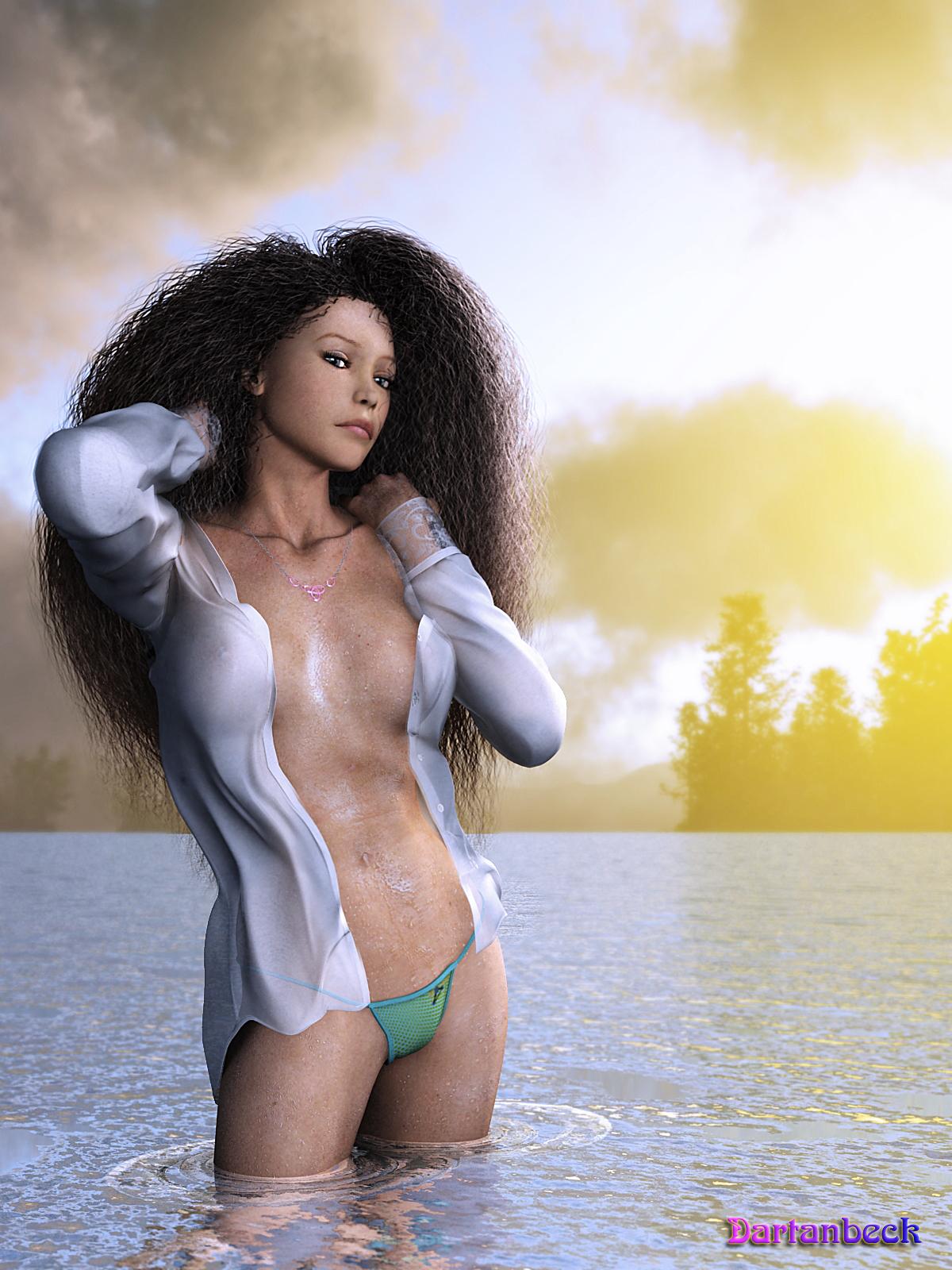
Title: Water Sport Monthly - Issue November 2017
Artist: Dartanbeck
PR/ NPR/Halloween: PR
WIP Links: Comment_3025891
Products Used:
Victoria 4.2, Arki's EYEdeas 3+, Carrara Hair (set up myself), Shirt by Supernova, Panties from Aery Soul, Used both Ringo and GKDANTAS shaders to help construct V4's materials - the rest is all Carrara - I used my EnvironKits and Carrara to create the HDRI for the surrounding background and main lighting
Additional Notes:
Postwork done in Affinity and Howler 11
 Getting skin to look more realistic. Maps?
You really don't need an expensive program. The texture maps that Daz creates are often detailed enough. Occasionally they need slight adjustments with Photoshop or Gimp or pretty much any photo editing program - but most of them are detailed enough "out of the box". The problem is their Iray settings are usually pretty bad, imo. You just have to learn how iray settings affect the look of the textures and adjust accordingly.
It depends on your definition of "detailed enough". The DAZ tex maps I've seen are jpg (!), so you are already talking about a lot of loss of fidelity from the start. JPG files are lossy and only 8 bit, so you are already starting out on the low end of the spectrum. But a good knowledge of how textures work in relation to realistic skin is a must.
That sounds a bit condescending. I think my definition of "detailed enough" would cover many (most?) people's idea of "detailed enough".
This is Victoria 7's textures - with no changes made to the texture maps (click for full size):
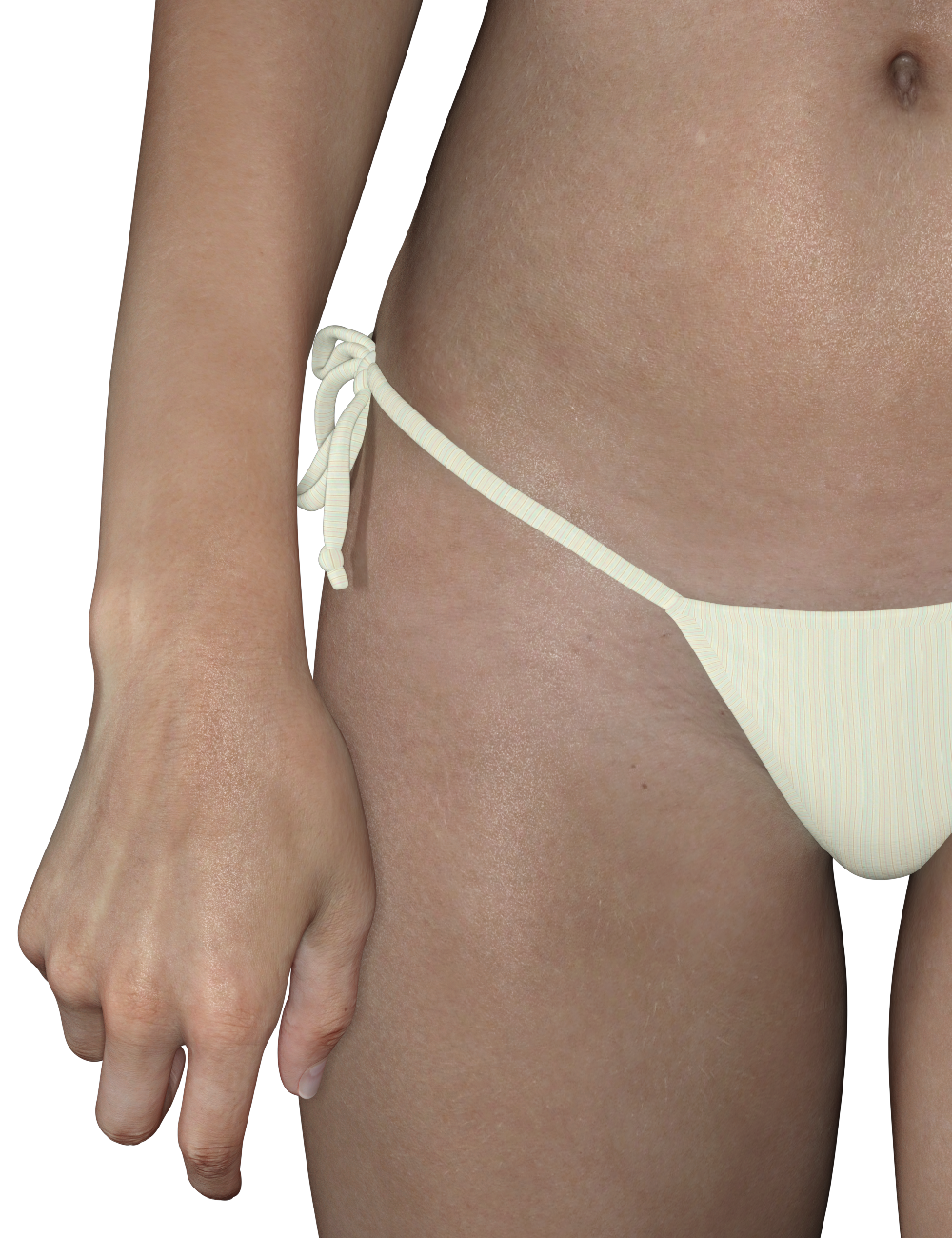
Most people aren't going to need more detail than that. The only things I changed where her Iray settings, added displacement maps, and Duel Lobe Specular bumps.
And as I said earlier, lighting and render settings can play a big role in adding realism.
Purchasing Old/New ContentTo help you avoid confusion (or maybe add to it...)
Victoria 4 and Michael 4, aka "generation 4."
Genesis 1 aka Victoria 5 and Michael 5.
Genesis 2 Female aka Victoria 6. Genesis 2 Male aka Michael 6
Genesis 3 Female aka Victoria 7. Genesis 3 Male aka Michael 8.
Apparently that was just too confusing so they made the numbers match. There is no Genesis 4, 5 or 6.
Genesis 8 Female aka Victoria 8. Genesis 8 Male aka Michael 8.
As for older content -
There currently is no converter for clothing between V4/M4 and Genesis 8. So until one is offered (i.e. Wear Them All), you won't be able to use those. Certain things don't convert well -
Long billowy sleeves, especially for generations older than Genesis 3. Some G3 long sleeve will work fine (Medieval Princess Dress for Genesis 3 Female) while others won't (Sorceress for Genesis 3 Female). Shoes, especially high heels, don't convert well. Most of my high heel shoes for G1 and G2 won't work for G8 (I don't have any heels for G3). FLAT shoes will convert (Flat Boots 2 for Genesis 2 Female).
I created a tutorial for fitting older high heels to Genesis 8. This works for closed shoes where the skin of the foot is not showing. You can find the link in my signature below (Fitting Old Shoes to Genesis 8).
[About a Product] Wow Brow ( Lyoness & DraagonStorm)M4 and V4 have an "eyebrow" bodypart so you would just need texture / transparency for that. Some V4 characters use the brow part rather than painted-on brows, for example Surrealiry's characters, so those brows could be used on other characters.
Here's a free set for M4: http://www.sharecg.com/v/65650/browse/21/DAZ-Studio/Marieahs-1-Click-M4-Brows
There are certainly other packs but I don't remember any right now.
For Genesis 1: https://www.daz3d.com/genesis-eyebrows has an eyebrow bodypart with different transparency options. There's an alternate set of icons for them here: http://www.sharecg.com/v/75324/gallery/21/DAZ-Studio/Alternate-Icons-for-Genesis-Eyebrows
This could work for Genesis 1 and 2 when using V5 UVs too: https://www.daz3d.com/skin-builder-basic-for-genesis-and-genesis-2-female-s
Another option is to use fibermesh eyebrows. Here are a few sets:
For G1: http://www.sharecg.com/v/62327/gallery/21/DAZ-Studio/Free-Genesis-Fibermesh-Eyebrows
For G2M: https://laticis.deviantart.com/art/Laticis-Imagery-FREE-LI-G2M-Eyebrows-552435961
For G2F: https://laticis.deviantart.com/art/Laticis-Imagery-Free-Genesis-2-Female-Eyebrows-530979387
For G3: http://www.sharecg.com/v/85718/view/5/3D-Model/G3-Morphing-Fibermesh-Eyebrows-and-Pubic-Hair
There's also the "Oh my brows" product at Renderosity.
That's nice from you to give me an answer like precise on what I asked !
Thanks again @Leana !
Hello artist!
Now I want purchase the Zev0 brow's remover product " https://www.daz3d.com/brow-remover-for-daz-studio "
I want know if the product Wow Brow which the link is " https://www.daz3d.com/wow-brow " will work also with:
[ ] Victoria 4.2 (or older, or Michael 4.2) ?
[ ] Genesis 1 series (both Male/Female/Basic Child (as a possible bonus?)
[ ] Genesis 2 series (both Male/Female)
[ ] Genesis 8 series (both Male/Female)
If I ask that it's because, Wow Brow only exists at this page: https://www.daz3d.com/wow-brow
There is no other same product labelled as working as identical :(
(or I haven't found at least!)
So, can someone answer me :) ?
Thanks by advance and have a nice day !wow brow works for genesis 3/8 really well, but not for the other incarnations.
Yeah thanks Lyoness for your package along with DraagonStorm !
Also @Leana answered too to my questions !Overlays but not L.I.E.Diffuse overlay can be used to add one color or many colors using a texture. If you have Victoria 8, apply one of her makeups and look at the channels (any of the 8th gen figures actually). It's used to add color that will also block out some translucency (so perfect for makeup or body paint, eyebrows, not so great for tattoos). You can make separate maps for the mask to put in the Weight channel and the color to put in the color channel, or you can just do a color map (on a transparent background) to put in both (which is what I think they've been doing with the base figures). I was going to link a gallery image... but she used the all black makeups so it doesn't show you the color possibilities :D But here's a link to an image on DA that uses diffuse overlay with color maps in the color channels https://changelingchick.deviantart.com/art/Sssshhhh-710782549 The eyeliner, blush, eyeshadow, lip color and nail color are all using diffuse overlay.
[About a Product] Wow Brow ( Lyoness & DraagonStorm)Hello artist!
Now I want purchase the Zev0 brow's remover product " https://www.daz3d.com/brow-remover-for-daz-studio "
I want know if the product Wow Brow which the link is " https://www.daz3d.com/wow-brow " will work also with:
[ ] Victoria 4.2 (or older, or Michael 4.2) ?
[ ] Genesis 1 series (both Male/Female/Basic Child (as a possible bonus?)
[ ] Genesis 2 series (both Male/Female)
[ ] Genesis 8 series (both Male/Female)
If I ask that it's because, Wow Brow only exists at this page: https://www.daz3d.com/wow-brow
There is no other same product labelled as working as identical :(
(or I haven't found at least!)
So, can someone answer me :) ?
Thanks by advance and have a nice day !wow brow works for genesis 3/8 really well, but not for the other incarnations.
3D Art Freebie Challenge-November 2017-Remembering the Fallen -Main Thread OnlyA piece of my heart
Janis Joplin - First Lady of Rock'n'Roll. (1/19/1943 - 10/4/1970)
We lost her way too soon.No Count: Genesis 2, Michael 4, Lumberjack shirt & vest - DAZ free content
Paid: Amarseda hair, Genesis bootsFree items:
Janis:
Mini skirt #
Tights#
Shoes #
Glasses #
Bangles 1 #
Bangles 2 #
Microphone & cable row 4Guy 1:
Koz Messy hair - downloads - 6 down
MMBlousonSetForM4 part 1 & 2
Shoes #
guitar pose #
mcjstrat guitarGuy 2:
Kaz Longhair evo - downloads - 3 down
shirt #
pants #
Gibson guitar row 6Stage: Rock-Stage #
Poses from several sets adjusted with some dial tweaking.
# free site registration required.Software Used:
PoseRay
Paint Shop Pro 7
Rendered in DAZ Studio 4.8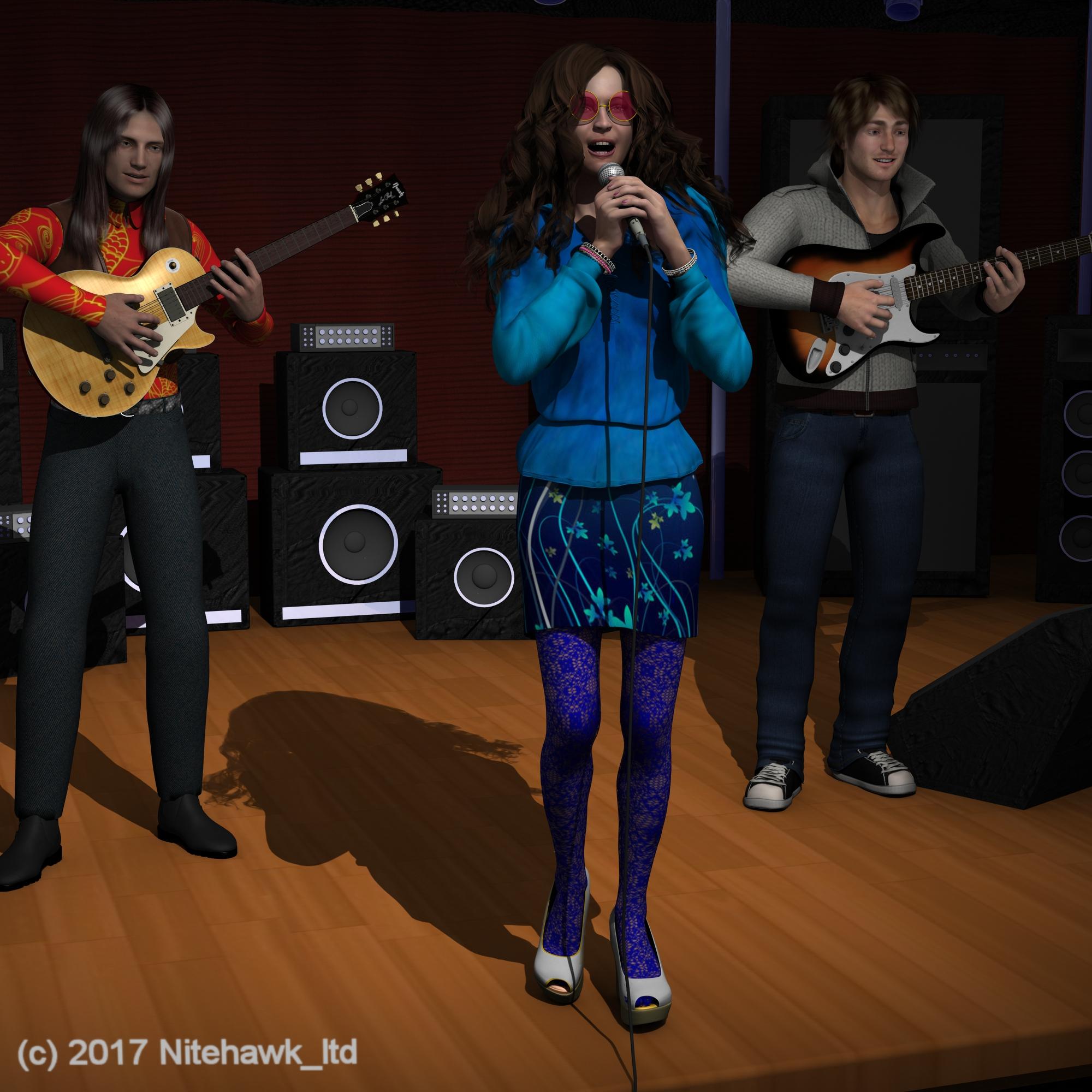
ALL LINKS CHECK OUT PLZ MOVE TO ENTRIES THREAD
Ice Dragon Art WIP'sThis is Zyanya for V4. Anagennisis on her skin - @Marshian 's rim light rig. Full sixe is definitely recommend. The original is double the size I loaded here.
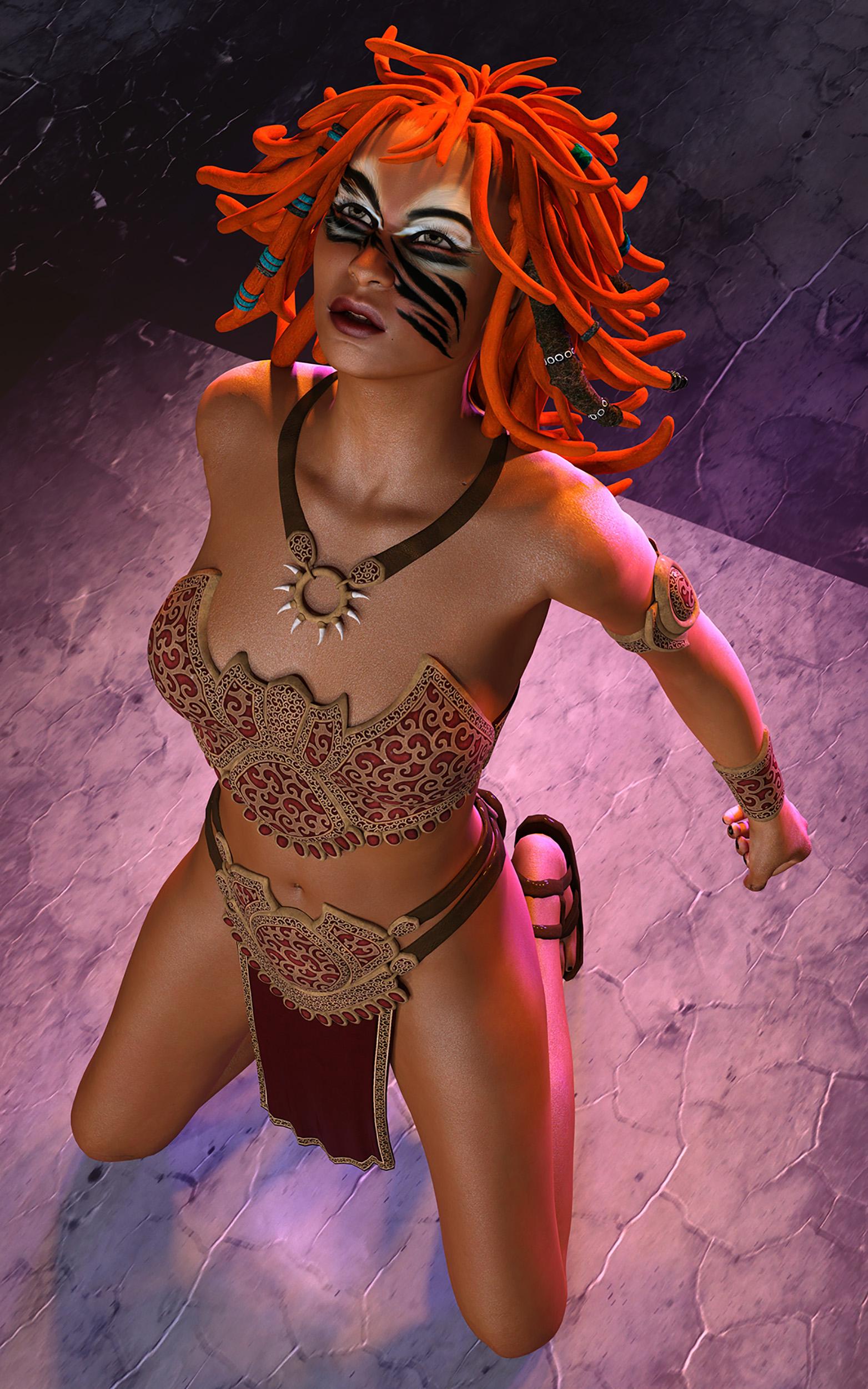
I already said that over at dA, this is lovely. I always think that hair is fun :D
I love this hair too. Its a great hair for anytime you want that wild look lol.
@Dracorn, that does look better! I don't have a clue what the new stuff in the surfaces tab does, I was just coming to grips with what was there before lol!
I've been playing around with creating custom skins for my characters and am learning a lot about the Iray surfaces. I look at Victoria 8 plus the PA characters (G3 and G8) and deconstruct them. I learned so much by looking at how other people did it. Takes time and LOTS of test renders (some of them are really ugly).
Never enough time in the day to learn everything I want to learn!
Ice Dragon Art WIP's@Dracorn, that does look better! I don't have a clue what the new stuff in the surfaces tab does, I was just coming to grips with what was there before lol!
I've been playing around with creating custom skins for my characters and am learning a lot about the Iray surfaces. I look at Victoria 8 plus the PA characters (G3 and G8) and deconstruct them. I learned so much by looking at how other people did it. Takes time and LOTS of test renders (some of them are really ugly).
PRODUCT INFO NEEDED PLEASE?Can some one tel me what jeans these are and where I can find them? Please and thank you as always, Mickey
 [About a Product] Wow Brow ( Lyoness & DraagonStorm)
The product is intended for G3F and G3M and uses LIE. Since G8 includes G3 UVs by default it should work on G8 when using the G3 UVs.
It won't work with earlier figures.
Hello there!
Ah that's great !
Thanks @Leana !
Anyway, do you know any products that can work for earliers figures like:[ ] Victoria 4.2 (or older, or Michael 4.2) ?
[ ] Genesis 1 series (both Male/Female/Basic Child (as a possible bonus?)
[ ] Genesis 2 series (both Male/Female)Thanks by advance.
GENERAL FREEBIE REQUESTS Part 2I purchased Michael 4 base recently, and i'd like to ask, are there any free clothing and hairstyles for Genesis 3 Male and Michael 4 to download, other than those listed in the PoserDAZResources Wiki?
Also, are there any free dancing, running and walking animations (preferably AniBlocks) for Victoria 4, Michael 4, and Genesis 3 Male and Female?
[About a Product] Wow Brow ( Lyoness & DraagonStorm)Hello artist!
Now I want purchase the Zev0 brow's remover product " https://www.daz3d.com/brow-remover-for-daz-studio "
I want know if the product Wow Brow which the link is " https://www.daz3d.com/wow-brow " will work also with:
[ ] Victoria 4.2 (or older, or Michael 4.2) ?
[ ] Genesis 1 series (both Male/Female/Basic Child (as a possible bonus?)
[ ] Genesis 2 series (both Male/Female)
[ ] Genesis 8 series (both Male/Female)
If I ask that it's because, Wow Brow only exists at this page: https://www.daz3d.com/wow-brow
There is no other same product labelled as working as identical :(
(or I haven't found at least!)
So, can someone answer me :) ?
Thanks by advance and have a nice day !Turning Daz 3D models into 3D Printable and hand painted figures.Day 5: Close up of the painted face horns, and eyeshadow details.
CakeGirl paid great attention to the makeup of her demon lady, and our artists did their best to stay faithful to how she envisioned her character
Hi guys
Just for Info, the model used here is this one : https://www.daz3d.com/tara-2-hd-for-victoria-7-victoria-8
Kayleyss's models are just some of the best i have seen since i started 3d characters on poser or Studio :)The textures, bump map, normal maps etc are incredibely detailed and i think the GamePrint team did an amazing job on both sizes.
Here is a picture i took of both models side to side.
I added a 50 euro cents coin as scale. (yes, i am THAT rich ^^)I don't know if i'll ever be able to try another print, but having made one already makes you wanna do more, WAY MORE :).
I would love to try a bust if that is doable, or a dragon.
I think a dragon would be cool...
What do you think?C.
Dracorn's Render ThreadHow I got the Victoria 4 Brows to Work on G8F - Dance the Faery Ring and Steam Queens
I tried several approaches -
Loading the brow into Diffuse Overlay Weight. Note - this didn't work on Victoria 8 with her materials - it appeared faded. I had to turn down Translucency Color for it to appear.It did work with GDN Sarah, but the detail was lost. I fiddled around with the settings, but the detail remained faded.
I then tried Layered Image Editor on GDN Sarah. It worked but it was flat and had no separate adjustments.
Next I went to Photoshop and added it to the face texture. While this worked, it appeared flat and I could not make any adjustments to it as a separate texture. It still didn't work with Victoria 8's settings.
Finally I had an idea - I loaded it to MRL Mutations geoshell. It requires a little deconstruction to figure out the presets, but it works. I also added Bevel to the texture in Photoshop to make appear more 3 dimensional. I could then add Glossy Reflectivity to it for a shine. Metal Flakes Weight removed the detail and replaced it with a flat metallic color.
You also have to use a no brow texture to make it work. Brow Remover works wonders for this. Brow Remover also creates a browless normal map - something that not every 3rd party character comes with. Most of them use the normal from Victoria 8.
Note that this also works for Michael 8 as well. I made presets for each brow I'm using, plus one with no maps loaded as a base to add other maps.
If you want to use your own maps, you will need both the map and a transparency map (white texture on black background) as a mask.
GDN Sarah with a Dance the Faery Ring brow.
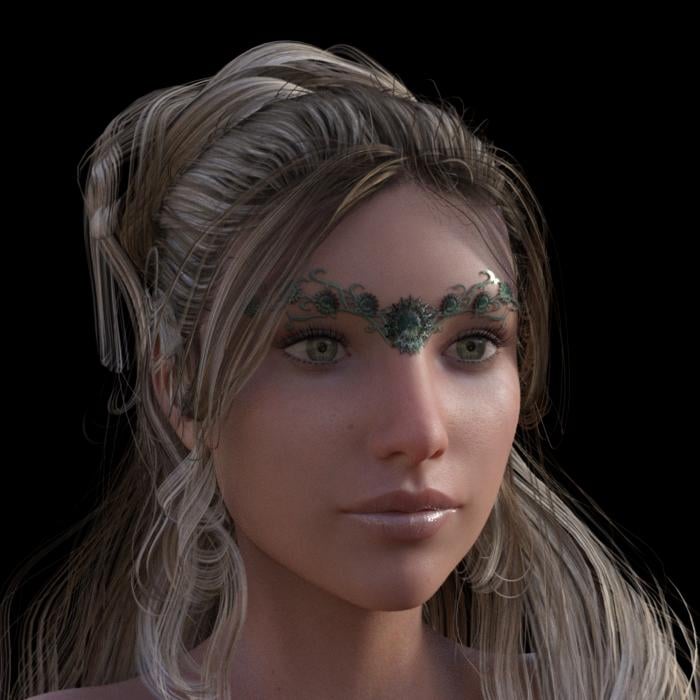
I was able to add emission color to this one - basically following the example of MRL Mutations' flaming tattoos. Turned off Glossy Color.
GDN Sarah with lava brows from Dance the Faery Ring.
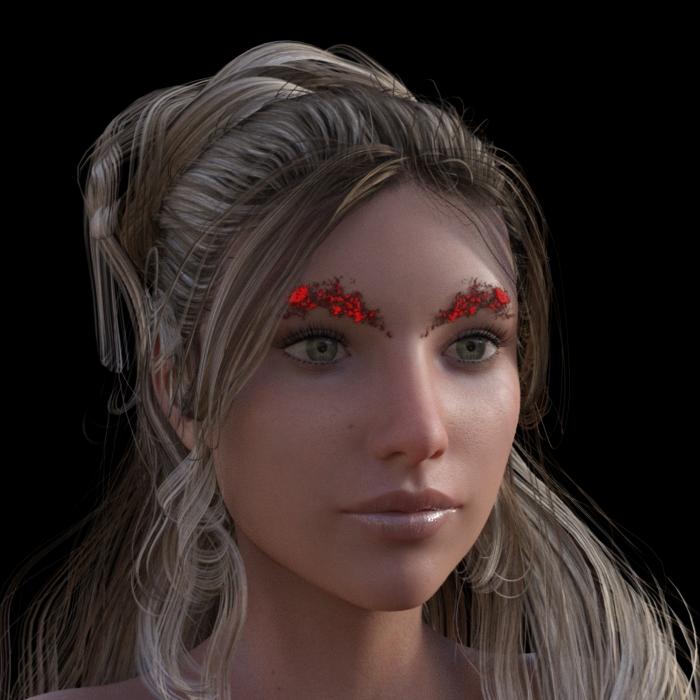
By the way, you can load more than one geoshell onto your character with a separate texture for each. The brows move with the expressions, too.
November 2017 - Daz 3D New User Challenge - Materials@ Everyone,
Thanks everyone for suggestions, tips & encouragement.
Think this will do it, although I think Daybird called it right in saying the grass texture is horrible. Looks like green linoleum tile-- not grass at all.
“Sugar in Gas Tank” done in DS 4.10
Major resources used:
1961 AM Roadster
Darius 7 - Diesel Hair
Garrett for M8 - Buzzed Hair for G2/G3
Millennium Cat
Modern Bungalow
Monique 7 - Karissa Hair
Terradome3
Victoria 8 - Whitney Hair for G3 & G8Daz 3D Introduces dForce Physics EngineDoes it not work on Genesis 2 or older?
I just tried to Dforce on Platinum Cocktail with Victoria 6, https://www.daz3d.com/platinum-cocktail-for-genesis-2-females it simply did not work at all. It just ran 1% then DAZ froze.
If I recall correctly, Platinum Cocktail consists of two parts, a lace dress and an opaque slip. It could be that during the simulation, they intersect. If you simply applied the dForce modifier, both parts would have the same "Collision Layer" designation. Setting the dress to a higher layer might make them work together. I've got some other ideas, too. I have that dress. I'll give it a try and get back to you here.
Daz3D dose not display installed posesHello i have a zip.file of poses for Victoria 7, when i open and drag the file in to the C:/Users/Public/Documents/DAZ 3D/InstallManager/Downloads, DazIM dose not found anything to install. So i tried to locate it manually and unzip the files and paste them in to the C:\Users\Public\Documents\My DAZ 3D Library\People\Genesis 3 Female\Poses\Victoria 7\SynfulMindz\Don't be shy Poses. But in the content tab in DAZ3D the poses are missing. However if i drag a single file pose in to the model loaded in DAZ the program load the pose without a problem. Any suggestions ?
Purchasing Old/New ContentGenesis 1 has one base figure for male and female. All figures based on Genesis 1 have a 5 in their name, like Victoria 5, or require a figure that have a 5 in their name. But they are all just morphs of that G1 mesh.
Genesis 2 comes in male and female separate figures, though the mesh is pretty much the same between them. All figures based on them have a 6 in their name (Victoria 6), or reference to them. You can't use morphs and skin between male and female directly starting with G2.
Genesis 3 and Genesis 8 basically have the same arrangement as G2, but they have much different bones and UV map, so downward compatibility for poses and materials is not so good.
Another thing to keep in mind when buying older content is that it was made for 3Delight, and while you still have the 3DL render engine in Studio, the new default engine is Iray. Materials are converted on the fly, but will usually win from a proper conversion. Some will look entirely too glossy, so you'd have to dial that down in the surface tab.
That said, using older content and generations is not so bad. I have G2 as my main work horse in renders, and even though most skins will need a bit work, It's doing what I want it to do.
Daz 3D is part of

Connect
DAZ Productions, Inc.
7533 S Center View Ct #4664
West Jordan, UT 84084Licensing Agreement | Terms of Service | Privacy Policy | EULA
© 2026 Daz Productions Inc. All Rights Reserved.