-
Victoria 6 Base Very Free - EXTENDED
I sort of want Victoria 6 but strictly because Victoria 6 and Victoria 1/2 are the only Victorias I haven't bought. I need Michael 1/2 and Michael 3 too.
Victoria 6 Base Very Free - EXTENDEDThis upcoming June will be Victoria 6's fifth birthday. Do you think she will be free during that time so others might get a chance to obtain that figure?Maybe even before that — Generation 6 Starter Bundles have begun popping up in the free page, so it's probably only a matter of time until V6 gets her turn.
Hmm I wouldn't really say that. In the two years I've been here I've only seen two Genesis 2 starter bundles in the freebie section, I think. So I wouldn't hold my breath on V6 starter bundle being in the free section anytime soon.
Victoria 6 Base Very Free - EXTENDEDThis upcoming June will be Victoria 6's fifth birthday. Do you think she will be free during that time so others might get a chance to obtain that figure?Maybe even before that — Generation 6 Starter Bundles have begun popping up in the free page, so it's probably only a matter of time until V6 gets her turn.
Victoria 6 Base Very Free - EXTENDEDThis upcoming June will be victoria 6's fifth birthday. Maybe she could be free for a short period like her first birthday!"Get Them While You Can!" If Not… Well… "There's Always Another Sale™"At $66, Owen thinks he is worth almost twice the early discounts on Victoria and Michael 8 combined - and if I remember right - if you got the pro packs on those early discounts that were around $35 - You got several old pro-packs with each, too.
DAZ must think some of you ladies and gentlemen are going to *really* open your pocketbook up for Owen. Not me, until they can animate him and make him do my house chores and fix my car. :)
I gota a banner with an extra 30% off..if you purchased "Elijah 7 or Lucian 7, as well as one of our recent Genesis 8 Male Daz Original characters.To show our appreciation for your support, please accept an additional 30% OFF of Owen 8 or Owen 8 Pro Bundle." Still don't know if he's different enough from Elijah and Lucas for me to buy..
Yep banner finallyf showed up for me also.
"Get Them While You Can!" If Not… Well… "There's Always Another Sale™"At $66, Owen thinks he is worth almost twice the early discounts on Victoria and Michael 8 combined - and if I remember right - if you got the pro packs on those early discounts that were around $35 - You got several old pro-packs with each, too.
DAZ must think some of you ladies and gentlemen are going to *really* open your pocketbook up for Owen. Not me, until they can animate him and make him do my house chores and fix my car. :)
I gota a banner with an extra 30% off..if you purchased "Elijah 7 or Lucian 7, as well as one of our recent Genesis 8 Male Daz Original characters.To show our appreciation for your support, please accept an additional 30% OFF of Owen 8 or Owen 8 Pro Bundle." Still don't know if he's different enough from Elijah and Lucas for me to buy..
"Get Them While You Can!" If Not… Well… "There's Always Another Sale™"At $66, Owen thinks he is worth almost twice the early discounts on Victoria and Michael 8 combined - and if I remember right - if you got the pro packs on those early discounts that were around $35 - You got several old pro-packs with each, too.
DAZ must think some of you ladies and gentlemen are going to *really* open your pocketbook up for Owen. Not me, until they can animate him and make him do my house chores and fix my car. :)
Genesis productsAnother FYI you might be interested in.
For using Texture maps:
V4 maps work on Genesis 1 Basic Female preset (bring Base Female into Carrara and use V4 maps in the shaders)
M4 maps work on Genesis 1 Basic Male preset (bring Base Male into Carrara and use M4 maps in the shaders)
K4 maps work on Genesis 1 Basic Child preset (bring Base Child into Carrara and use K4 maps in the shaders)
Once the appropriate preset Genesis 1 is loaded, we can make the shape anything we want and the textures will still work, although extreme changes will cause at least some degree of stretching or constricting. But since so many Generation 4 maps were made by so many people for so many things (like creatures by RawArt, for example) it can be a handy way to make custom characters and creatures.
Knowing that, you should also know that:
Stephanie Petite 4, The Girl 4, and Aiko 4 maps fit V4, so use Basic Female (Genesis 1) to use those maps
Freak 4, Hiro 4 and David 4 maps fit M4
The main Generation 4 shapes were based off of the Michael and Victoria base shapes using the same UV Mapping. So if it's an adult male generation 4 character, use the Genesis 1 Basic Male preset and the texture maps will fit the UVs. If it's an adult female generation 4 character, use the Basic Female.
Example:
For a new monster, we can load in Basic Male Genesis 1 preset, Edit > Remove Unused Masters > Consolidate Duplicate Shaders, and then switch out the texture maps for one of our M4 maps - perhaps RawArt's M4 Tin Man?
Then dial off the Basic Male shape and dial up the Gorilla morph, or the Troll... perhaps Undead Fiend. I like to mix and match shapes, so I've collected almost all of the various monster shapes for Genesis 1. The cool part about that (aside from the main content of this post!) is that, with Genesis, we can very easily individualize all of the various monsters in a scene. Grenol can be an entirely different looking Zonkrog than Bonmur, his shorter, uglier (looks more human) brother.
My WIP and ReviewsDelicious Delilah
Delilah for Genesis 3 and 8 Female
Lainey Hair for Genesis 3 Female(s) and Genesis 8 Female(s)
Collective3d Portrait Vignettes Contemporary 5
InaneGlory's Photo Studio - Point and Shoot Iray
This is the Genesis 8 version of Delilah.
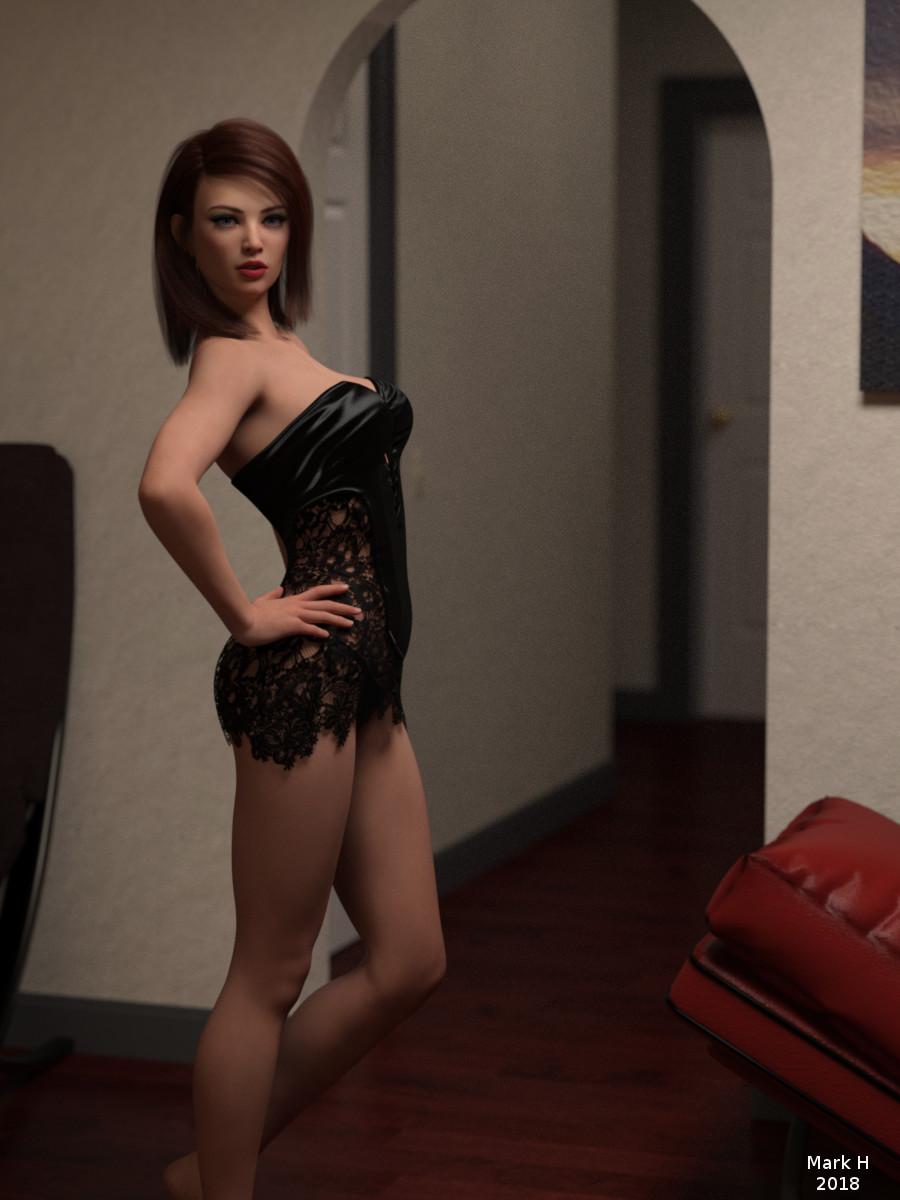
Gallery image: https://www.daz3d.com/gallery/#images/502461/
3D Printing Plugin for Daz Studio - GamePrint [Commercial]POLL - If you could 3D Print a Daz Character which one would it be?
That's a tough one. A DAZ base character would probably be either one of the Girl Characters (either Girl 7, or Girl 4), Sapphire HD for Victoria 7, or FWSA Tiami for Callie 6.
Now if I could (afford to) print my own DAZ character, I would rework one (or all) of the characters below to be a 3D print.
Based on Sapphire

Based on Tiami

Based on The Girl 7

Hmmm .... I'd also like this one based on V6
 a problam
Also, MAT (material applicating pose files) are located in the "Pose" category for Generation 4 (M4, K4, V4, etc.,) and earlier and most Poser stuff.
So load the clothing onto V4 as normal, then with the clothing selected, do to the Pose part of the library and find the product's name in there. Note that it used to be the norm to have those sort of folders begin with "MAT_" and V4's are under "Daz's Victoria 4" for example. So that's where DIM or the downloaded zip file can help to know wich folder under Poses to find.
Genesis productsGenesis 8 was a jump from Gensis 3 to make it match Genesis 8/Victoria 8, there are no Genesis 4/5/6 or 7, people got confused with G3/V7 relationship.
Short answer, no you cannot mix G1/G2/G3/G8 things, longer answer, sometimes you can and there are tools to allow you to use things between generations also, older->newer is easier compared to newer->older, I am not sure about G3->G8 because I don't use G8 but it's possible that many things work flawless between G3<->G8 because G8 is a small upgrade of G3.
Difference, have a peek here: https://www.daz3d.com/technology/
later version offer "better" character, lower base resolution, facial rigs, better joint bending and so on.
Morphs do not work between generations, hair can often/sometimes be used between generations, poses can be converted with scripts.
Timeline: M4/V4 -> G1 -> G2 -> G3 ->G8
G1 share the same base for female/male character, G2 went back to separate male/female and lower resoution, G3 got even lower resolution and facial rig so you can make changes without needing a morph and a morph just move the bones, G8 is tweaked G3 no big revolution there.
If you want to reuse something between generation it may or may not work or it may require additional tools or scripts, but you can always try, older generations cloth often works fine on later generations.
Genesis productsI am currently working with V5 and Bree skin from the Genesis starter kit. Daz products appear to be for specific characters or specific versions of Genesis which is quite confusing to someone who recently graduated from Victoria 4.
• What are the differences between Genesis, Genesis 2 and Genesis 3?
• Will hair products for Genesis 3 characters be OK for Previous Genesis characters?
• If I buy Morphs for Genesis 3 will they work on Genesis 2
• Some products are for Genesis 8. Is there also Genesis 4,5,6 and 7?
V4 Male UV maps for Genesis 3/8 MaleBut V4 for only Genesis 8 female, I already own this product.
I don't mean to do it alone but it would be nice if a product could include this feature.
About Texture Transformer 2, Victoria 4.2 to Genesis 2/3 Female it seems to be impossible to convert to male.
Is a texture converter able to convert V4 male Anatomical Elements (M3 genital) ?
V4 Male UV maps for Genesis 3/8 MaleWell, this exists: https://www.daz3d.com/legacy-uvs-for-genesis-8-victoria-4
However, V4 for G3M would be a really niche market with fairly little interest, so it may not be profitable enough to develop for G3M.
The other alternative is to get something like Texture Transformer 2 from Renderosity to rewrite the maps. There's also a method somewhere in the forum for using Blender and other free tools to do it, which requires far more knowledge of things than I posess.
V4 Male UV maps for Genesis 3/8 MaleHi,
There are some Victoria 4 male textures I would like to use on Genesis 3/8 Male figures.
 What are the advantages of purchasing other Genesis figures?
I'm not sure if anyone else has posted about this subject, but I have been playing around with Daz for about 3 years. I had never messed with any kind of digital art, until I came across Daz. So I'm still learning a lot. Ive been using Genesis 2 figures for everything. I did purchase a few Genesis 3 figures, but I always find myself going back to Genesis 2 figures. Now I see that they have Genesis 8.
My question is, what are the advantages of purchasing other Genesis figures? Is it a preferance thing or are they actually better? Also will they ever stop creating things, like clothes and poses to use with Genesis 2?
To get back to the topic at hand...
One benefit of newer figures is that older ones typically start coming down in price, especially for the Bundles which usually include some clothes, hair, alternate textures, and even character presets. Then the associated add-ons such as head and body morphs go on sale for deeper discounts, and on and on, so you can build a considerable library of content for a fair price.
As for newer figures being "better", that's somewhat subjective. The comment about "more realistic skin textures" is a bit of a misnomer: photographs of human bodies as skin textures has always been a viable option, even with figures that pre-date Victoria and Michael. Those figures could have new UV maps generated at a higher resolution, and be retextured. The meshes could also be passed through a modeler and had their poly counts increased to give them higher resolution and smooth them over.
Free programs like Hexagon and Blender can do these things, though I'm not aware of any one-click solutions to do it. But then, not everyone who downloads Daz Studio has quit their lucrative "day job" to focus on being a paid Content Creator as their sole source of income, so hobbyists do have the time to look into that sort of thing.
V4 is the oldest figure that is still actively supported with new content of good quality, though most of that content is found on other sites, as Daz, understandably, largely focuses on the newer generations of figures.
There's nothing wrong with using V4 or even Genesis or Genesis 2. These figures may eventually lose "official" support, but they will continue to function and their libraries of content will not diminish. It's easy to fall into the "me too!" trap of buying the newest figures just to "keep up with the Joneses", but if you go to the main Store page and scroll all the way down to the bottom and click the last page number, there is still quite a bit of V3 stuff you can buy, so Genesis 2 stuff isn't going away anytime soon.
As well, V4 has proven that it's not what you have, it's what you can do with it.
DAZ Studio to Cinema 4D export with pose morphsDAZ Studio to Cinema 4D export with pose morphs
Am trying to export Victoria 7 (a Genesis 3 Female) from DAZ Studio 4.9 to Cinema 4D R18 with the pose morphs through FBX 2012 Binary format.
Until now I did not succeed.
For reference see Export.jpg and Import.jpg.
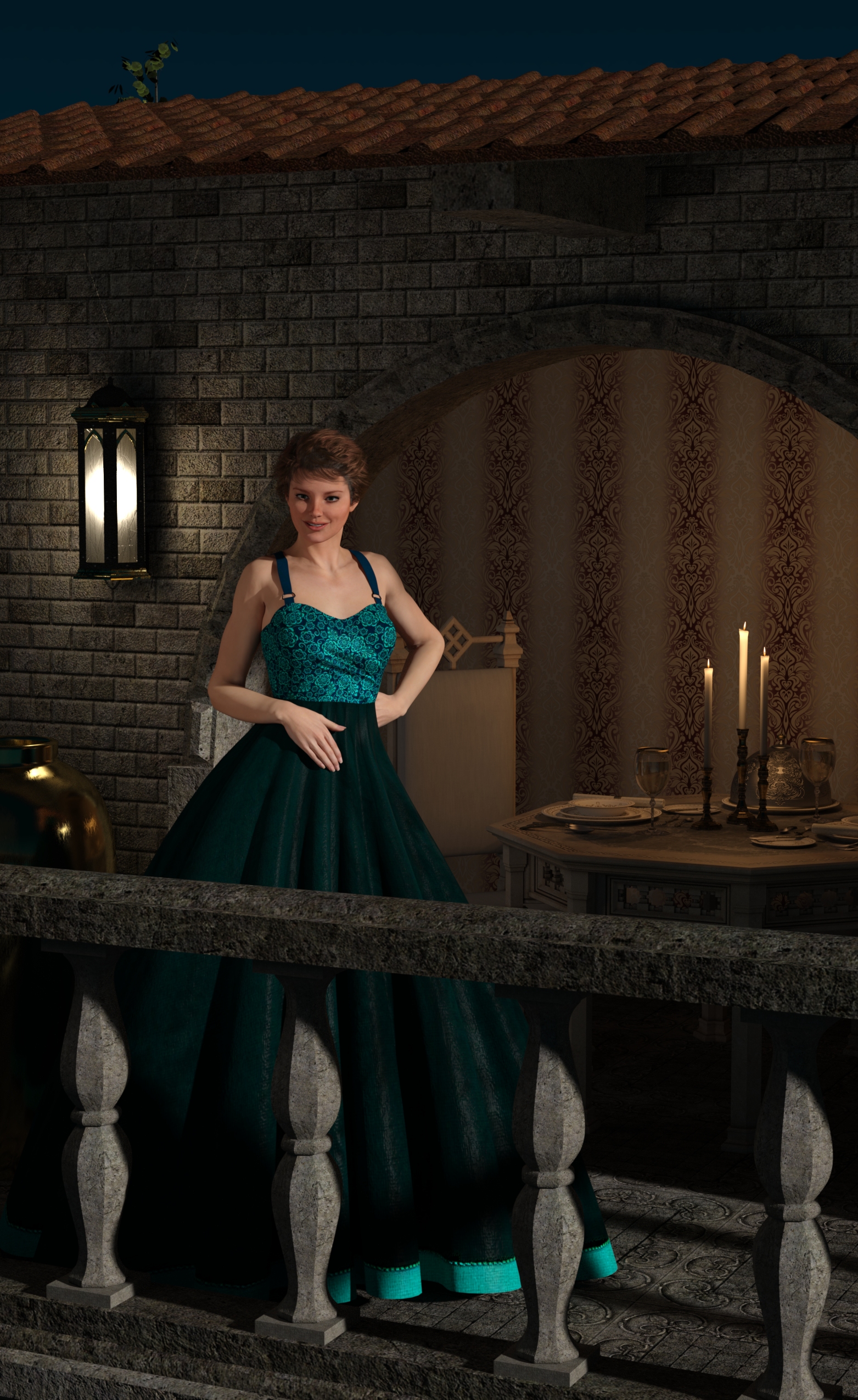
Any helping ideas?L'Adair's WIPsJust for fun, I decided to revisit my first completed scene from 2014, back when I first got started with Daz Studio. Here's the 3Delight render from Oct. 21, 2014:
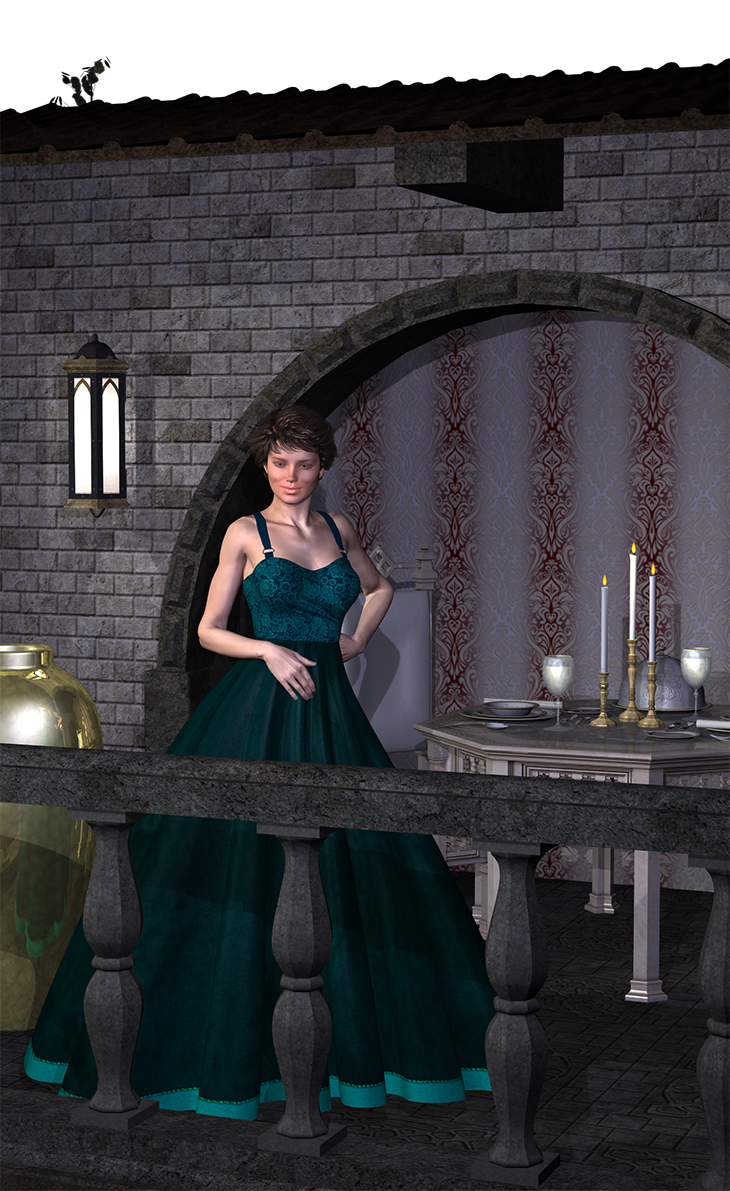
When I opened the original file, I discovered I had not created and saved the camera for this view, so I had to recreate it for the shot. After creating the new camera, I applied the Iray Uber Base to everything and rendered:
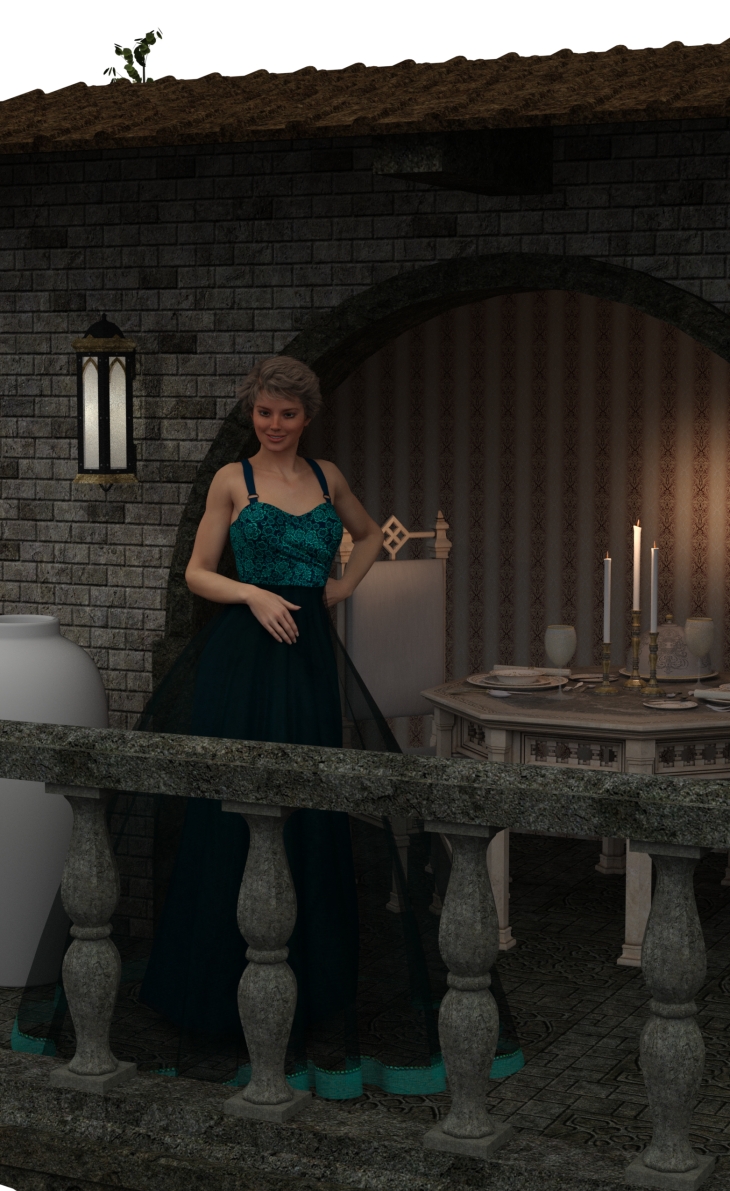
It's actually not too bad. Though not set to photometric, Iray recognized and used the point lights and spot lights still in the scene. I realized after rendering that there were some changes I'd added in Dec 2014: the semi-opaque skirt, with the skirt from the MFD underneath, the small pattern of the wallpaper in the back. There were roses added in front of the balcony, but I did hide those before rendering.
I made changes to make the scene as close to the original as possible, and then went about changing material settings to take full advantage of Iray. Some materials are my own, and some are from Iray shaders I've invested in over the past several years. I did a major 3DL-to-Iray overhaul on the balcony for a render shared in the Hidden Treasures thread, so I applied those material settings to this scene. And here is the new, Iray version of the scene.
Iray Makeover: On The Balcony, featuring Victoria 6
 How could I modify the height of the head of Genesis figures?
I'm using Genesis (G-G8) for the rough sketch for my illustration.
I have a question.
How could I modify the height of the head of G figures like the attached image?
In Poser, I use "Magnet" tool to slightly dent the head of Michael and Victoria.
How about in DAZStudio?
Any tools to do this in DS?Since this is just for the rough draft process, I don't need to worry about hair or hats attach to the modified figures.
Daz 3D is part of

Connect
DAZ Productions, Inc.
7533 S Center View Ct #4664
West Jordan, UT 84084Licensing Agreement | Terms of Service | Privacy Policy | EULA
© 2026 Daz Productions Inc. All Rights Reserved.