-
How do I convert female poses to male?
I'm not interested in the females at all but, I want to use their items like their clothes, hair, and shoes. I want to feminize my males to make them look more girly like the anime guys. I want to make yaoi couples (gay couples).
I understand that, but there's stopping you from using a female model with male morphs and skin. People do that, I've done that. I made Dr. Frank-N-Furter for that reason, to wear a dress and heels. Just because the base is male or female does not limit you in any way from using them as the opposite sex. Its only a mesh, you can define that mesh as male or female as you like. You just need the right tool for the job. Genesis 1 is good for this, but the amount of content available for Genesis 1 is much more limited compared to more recent models. All am I trying to do is give you more options.
I forgot to mention there are male-to-female UV swaps for Genesis 2 and 3 as well. Some free, some paid. So again, you can use Genesis 2 or 3 female, but with male morphs and skin, meaning nobody would know the difference.
Like this, this lets you use Genesis 3 male skin on Genesis 3 female: https://www.daz3d.com/genesis-3-uv-swap-male-and-female-base
Additionally, you could use GenX to transfer shape morphs between sexes (and between generations.) So if you don't see a shape that makes you happy, you could actually use GenX to transfer a male shape you do like over to that female base. Then you could use the UV swap to use a male skin on that model as well. So this is a good option, because with this option you now have a Genesis 3 male, who can wear all G3M content, and a Genesis 3 female version of this character who wear all the female content. The benefit to this is that you gain all of the advances that Genesis 3 has over Genesis 1...better posing, Iray out of the box, and a much larger content library to pull from. There are also great products that allow Genesis 3 to wear clothing from previous generations much easier, like "Wear Them All."
https://www.daz3d.com/wear-them-all-autofitting-clones-and-clothing-smoothers-for-genesis-3-female-s
Take note of the description in that product, it adds male and female autofit clones for Victoria 4, Michael 4, Genesis 1, Genesis 2 Male and Female all to the Genesis 3 Female. This product quite literally lets you "wear them all." (Though high heels can still be a pain, it just depends on the particular high heel.) There is also a version of this for Genesis 3 Male.
And that is yet another option. You could try the "Wear them All" for Genesis 3 Male and see how well that works for you. However, I believe high heels will still pose a problem sometimes.
And one last thing, Daz has a generous 30 day return policy, so if you invest on some of these and they just don't work for you can return them and try something else.
Alright, thank you. That was very informative and helpful. I'm really interested in "Wear Them All" product.
Genesis 8 Female has a male shape (the clone that's needed for clothes to fit) you have her free, download Genesis 8 Female starter essentials from your product library. It's a hidden morph but perfectly usable, you'll need to show hidden in the hamburger menu (the three little lines) in the upper corner of the parameters tab for it to be visible. I don't have it open right now, someone who does figure out where it's located for the OP. If you use that then all clothes, shoes, painted faces, etc, for Genesis 8 Female will work nearly perfectly on "him". You might need to increase smoothing itteration on shirts/dresses to account for the flat chest, or if you want you could buy the genesis 8 female body morphs and dial up some breasts size/implants to give him breasts again. Sorry I don't have time to do a demonstration at the moment, but hopefully someone hanging around will.
Oh wow! I didn't know Genesis 8 female has a male shape. That's cool. That might come in handy. Since there aren't that many male stuff in the market. The females have way more items than their male counterparts.
I'm not interested in the females at all but, I want to use their items like their clothes, hair, and shoes. I want to feminize my males to make them look more girly like the anime guys. I want to make yaoi couples (gay couples).
Okay, I'm a great fan of yaoi (I'm writing a novel and have two gay couples in it), I definetely wanto to see your works! I think good model bases for that kind of images could be Teen Jayden 6, Kenji 7 and Elijah 7. I made some renders of one my couples, if you want I can send you them, just to have an idea of the effect it turns out to with 3D graphics
Awesome! Glad to know I'm not the only one that is a fan of yaoi. I do really like those guys Teen Jayden 6, Kenji 7, and Elijah 7. They're really cute guys. They will be perfect for my kind of art style! And yeah, I would like to see your renders!
Novica & Forum Members Tips & Product Reviews Pt 10Divamakeup's TOP 10 FOR 2017
- While it's not a "product" I used it BY FAR the most of anything else in Daz Studio this past year - dForce!
- Giovanni for Genesis 3 and 8 Male by @DarwinsMishap
- Kallisto for Genesis 3 and Genesis 8 Female by @Mousso
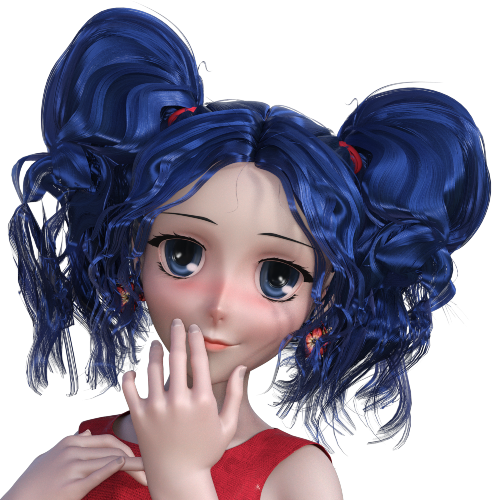
- Charlotte 8
- Sakura 8
- https://orig00.deviantart.net/89c4/f/2017/360/d/e/shy_flower___sakura___shy_girl_2_by_divamakeup-dbxv693.png
- https://orig00.deviantart.net/4b33/f/2017/360/3/6/shy_flower_sakura_poses_4_by_divamakeup-dbxv4g9.png
- https://orig00.deviantart.net/59e4/f/2017/359/7/9/shy_flower___sakura_expression_1_by_divamakeup-dbxv3o2.png
- Facegen Artist Pro - While I don't have the full product yet, I used the demo and it's AWESOME. I'm looking forward to buying the full product.
- Victoria 8
- https://orig00.deviantart.net/2d9a/f/2017/181/9/7/g8f___victoria_8___with_my_shader_by_divamakeup-dbelxsv.png
- https://orig00.deviantart.net/1447/f/2017/194/b/1/g8f___v8_w_red_hair_by_divamakeup-dbg7owx.png
- https://orig00.deviantart.net/3cf3/f/2017/238/3/7/v8_skin_w_light_and_render_settings_adjustment_by_divamakeup-dblg5oo.png
- Lee 6 - One of my all time favorite male characters.
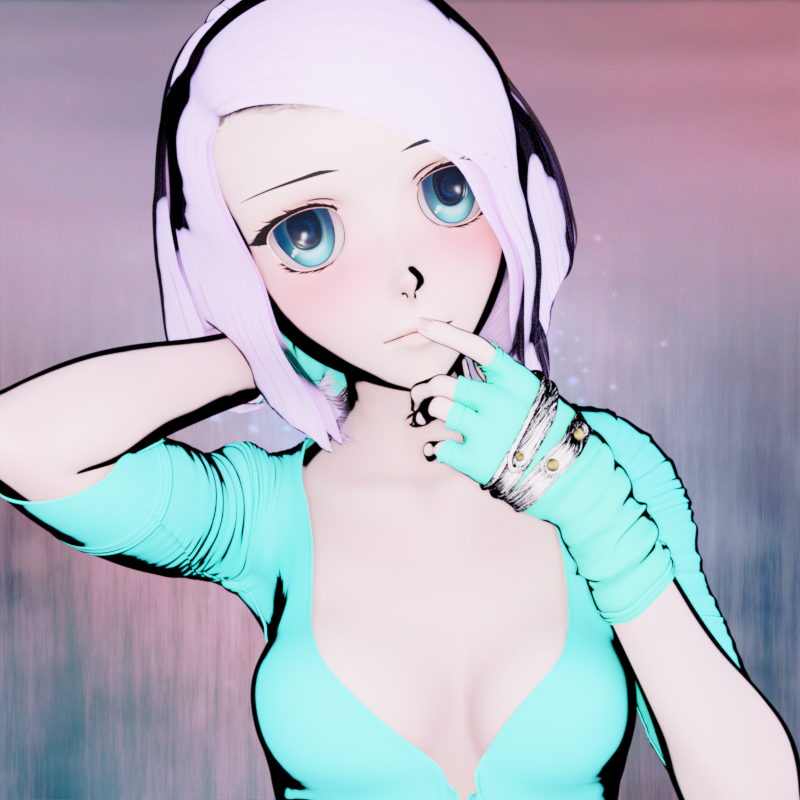
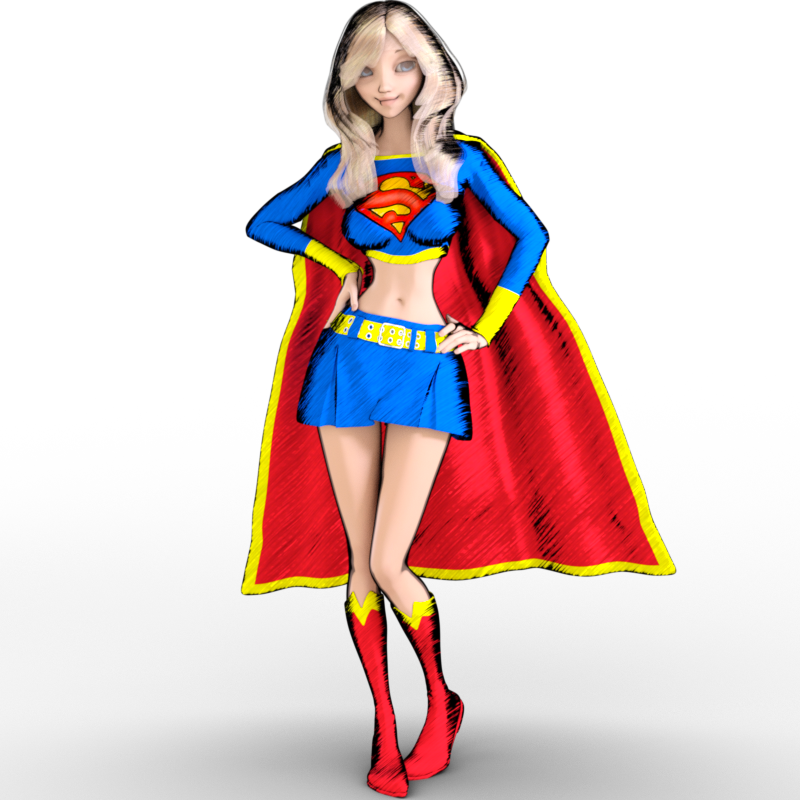
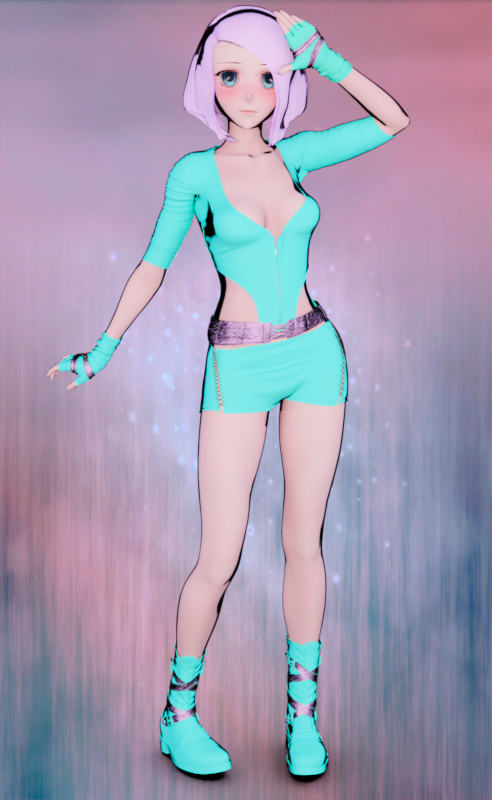
- Sketchy - Toon Edge and Art Style Shaders for Iray
- https://orig00.deviantart.net/7879/f/2017/360/7/c/g8f___sakura_8___w_dms_toony_shader_2_by_divamakeup-dbxxw2c.png
- https://orig00.deviantart.net/be94/f/2017/063/f/8/g3f___atg___toon_supergirl_by_divamakeup-db17iwa.png
- https://orig00.deviantart.net/c910/f/2017/360/b/1/g8f___sakura_8___w_dms_toony_shader_3_by_divamakeup-dbxy33g.png
- This space reserved for a character I created that should be out soon. I LOVE HER! lol She's adorable (am I allowed to say that about my own character? lol). So I'll try to remember to come back and update this space once she's been released in the Daz store.

Where is my Victoria 8?Note that Victoria 8 Base does not include the anatomical elements (it just has textures for them). To get the anatomical elements you need the Pro Bundle.
Where is my Victoria 8?I’m new to Daz, and I am using it to create poses for illustrations. I wanted characters that had full anatomy and had clothing options. I figured the newest versions of Victoria and Michael (8) would work. I acquired Victoria 8 and installed her manually, but she doesn’t show up as a Person, character, etc. I can see my Genesis 2,3 and 8 male and female people, but no Victoria. I assume there must be a specific location she needs to go, but I must have gotten it wrong. I’m on a Mac running the latest version of High Sierra.
I've added a few other download (body builder for either genesis 2 or 3. Can’t remember right now) and it works. I assumed Victoria and Michael would show up with the other Genesis characters.
Thank you!
anyone have any suggestions here?Content Library pane, Daz Studio Formats>My Daz 3D Library>People>Victoria 4>Materials>V4 Hi-Res (or V4 Sample-Res if you don't have the hi-res maps) and apply !All_Natural or !All_Natural_NG as desired (which will also remove the painted on bikini, so you'll have to give her some clothes)..
Is there a way to get autofit options for Victoria 4 for Genesis 3 female?Whenever I try to fit an old piece of clothing on a Genesis 3 female, it only gives me the option for Genesis 3 male or Genesis 2 female, which doesn't really work that well. Is there a way to get the V4 options for autofit? I was thinking that it was like that in the past, but now I cannot for some reason.
How do I convert female poses to male?I'm not interested in the females at all but, I want to use their items like their clothes, hair, and shoes. I want to feminize my males to make them look more girly like the anime guys. I want to make yaoi couples (gay couples).
I understand that, but there's stopping you from using a female model with male morphs and skin. People do that, I've done that. I made Dr. Frank-N-Furter for that reason, to wear a dress and heels. Just because the base is male or female does not limit you in any way from using them as the opposite sex. Its only a mesh, you can define that mesh as male or female as you like. You just need the right tool for the job. Genesis 1 is good for this, but the amount of content available for Genesis 1 is much more limited compared to more recent models. All am I trying to do is give you more options.
I forgot to mention there are male-to-female UV swaps for Genesis 2 and 3 as well. Some free, some paid. So again, you can use Genesis 2 or 3 female, but with male morphs and skin, meaning nobody would know the difference.
Like this, this lets you use Genesis 3 male skin on Genesis 3 female: https://www.daz3d.com/genesis-3-uv-swap-male-and-female-base
Additionally, you could use GenX to transfer shape morphs between sexes (and between generations.) So if you don't see a shape that makes you happy, you could actually use GenX to transfer a male shape you do like over to that female base. Then you could use the UV swap to use a male skin on that model as well. So this is a good option, because with this option you now have a Genesis 3 male, who can wear all G3M content, and a Genesis 3 female version of this character who wear all the female content. The benefit to this is that you gain all of the advances that Genesis 3 has over Genesis 1...better posing, Iray out of the box, and a much larger content library to pull from. There are also great products that allow Genesis 3 to wear clothing from previous generations much easier, like "Wear Them All."
https://www.daz3d.com/wear-them-all-autofitting-clones-and-clothing-smoothers-for-genesis-3-female-s
Take note of the description in that product, it adds male and female autofit clones for Victoria 4, Michael 4, Genesis 1, Genesis 2 Male and Female all to the Genesis 3 Female. This product quite literally lets you "wear them all." (Though high heels can still be a pain, it just depends on the particular high heel.) There is also a version of this for Genesis 3 Male.
And that is yet another option. You could try the "Wear them All" for Genesis 3 Male and see how well that works for you. However, I believe high heels will still pose a problem sometimes.
And one last thing, Daz has a generous 30 day return policy, so if you invest on some of these and they just don't work for you can return them and try something else.
Content directories and mass confusion. Really need helpDonnect is the system for installing within DS, the fils for each product - as you've found - end up in the /data/cloud/1_SKU folder, so each is entirely separate (which is why ExP products can't be installed with Connect yet).
DIM (by default) uses the public My Daz 3D Library.
The non-public \Daz 3d\Studio\My Library folder is the original DS 4 default location, and is still the default for user-created files.
Content does not, in general, need to be in a single content location - the exception being ExP figures (Victoria 4 etc.) where each base figure and its morph expansions must be in the same directory.
so theoritcally , at least, i should be able to combine most of the directories into the My Library folder.
If I use other directories, would I need to add them to the preferences content manager ?Growing Up for Genesis 8 (Commercial)Hi
I got your product some time ago, but it's doing weird things to the hair used. I appolagise if it's something that has a commonly known fix, but it is troubling me for a while now. I attached some pic samples for your view. Figure used is Victoria 8 and the age 9-10 preset. If you noticed on the preset pic, the hair seems to be bend inwards.
Thank you
Hair and clothes will pick up the changes to the figure to which they are fitted. That's how clothes follow the shape, but it can produce odd results in some cases. You may find the only fix is to use a dForm to gently straighten the hair.
Content directories and mass confusion. Really need helpDonnect is the system for installing within DS, the fils for each product - as you've found - end up in the /data/cloud/1_SKU folder, so each is entirely separate (which is why ExP products can't be installed with Connect yet).
DIM (by default) uses the public My Daz 3D Library.
The non-public \Daz 3d\Studio\My Library folder is the original DS 4 default location, and is still the default for user-created files.
Content does not, in general, need to be in a single content location - the exception being ExP figures (Victoria 4 etc.) where each base figure and its morph expansions must be in the same directory.
Growing Up for Genesis 8 (Commercial)Hi
I got your product some time ago, but it's doing weird things to the hair used. I appolagise if it's something that has a commonly known fix, but it is troubling me for a while now. I attached some pic samples for your view. Figure used is Victoria 8 and the age 9-10 preset. If you noticed on the preset pic, the hair seems to be bend inwards.
Thank you
Sakura 8Evidently I feel oposite of a lot of folks here, I like making the nose even pointier and more triagle-y :)
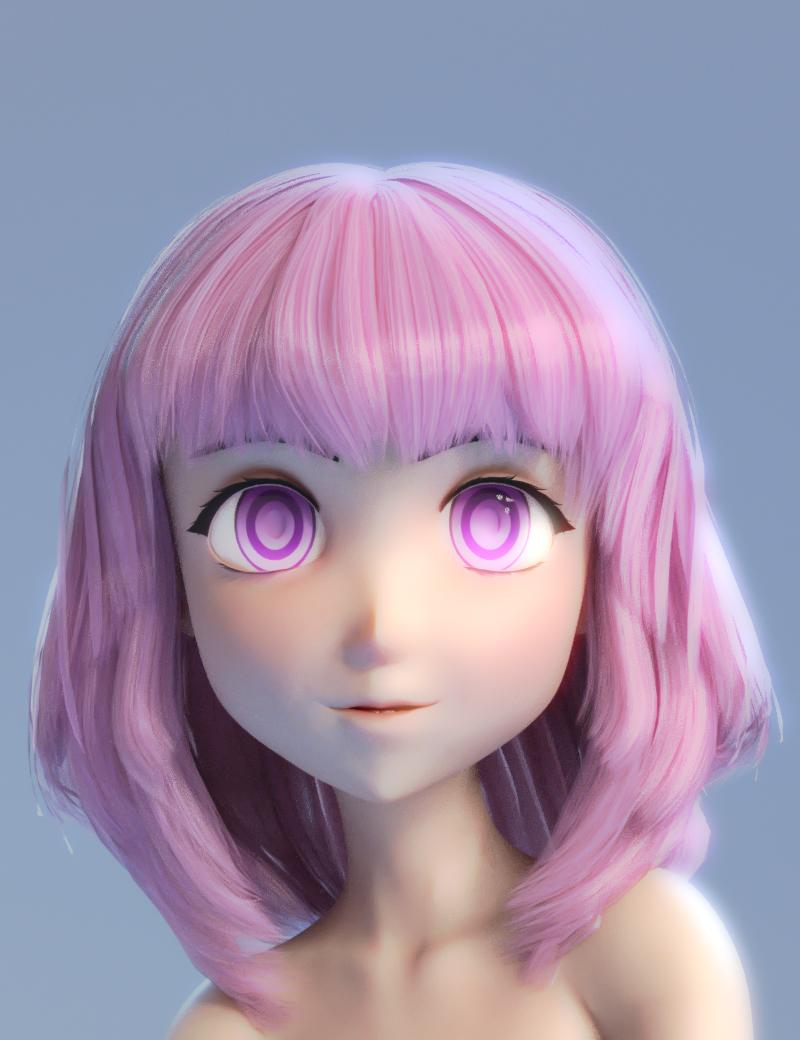
Moar of my using my Sakura eye morph helper. the character has the sakura head morph dialed in 72% a transferred Aiko 7 about 45% Tofusan's really great anime head morph about 12% plus a bunch of other morphs.
Also featuring another thing I whipped up which is a very, very basic geograft to remove the nostrils, a geograft works way better for this than a morph if you're wondering, morphs have way more difficulty blending smoothly
This is another thing I probably should release, but ugh, packaging it up. If I do stick it up somewhere It will probably be as is, no smart content, nothing to apply textures (its really simple to get the textures)
Darling, so cute. Is this the hair you used? https://www.daz3d.com/janna-hair-for-genesis-2-female-s-and-victoria-4
Show us your 3Delight rendersThat turned really nice!
Thanks, much appreciated. I only purchased the Victoria 4 character in the render 2 days ago, and felt a V4 'flapper' outfit suited her well.
 Content Wishes for 2018
I would also like to see more dforce clothing for earlier figures (G3 and G2 particularly, but even V4/M4).
Also, a broader range of historical clothing and sets for earlier historical periods, say Bibical Times back to Bronze Age or earlier. Particularly for Middle East and UK regions. I would like to see some sets from UK region with brochs, crannogs, hill forts, and maybe a chambered passage tomb. There are some pretty good megalithic sets for standing stones, but more are always welcome. A very detailed celtic longhouse with interior would be great (something of an earlier period then Mog Ruith). Of course, I realize that in many cases we don't really know what some of these things looked like in detail, but historians have attempted reconstructions and depictions based on what is known (I like the depictions of the Brochs, round stone tower forts in the Northern UK, with big wooden conical roofs, but there is no proof that they had them.)
More furry creatures always welcome.
More urban/suburban sets from early 1900's to present.
More realistic, practical, historical armor, both male and female. Female skimpware armor from Frederick's of Londinium or Queen Victoria's Secret is great for some projects, and I have bought plenty of it (ok, maybe most of it : ) ), but some of a more practical and historical nature is needed for other projects.
More Mechs! While there are a lot of fine mech models available, more is always good, particularly power-armor, piloted types that don't resemble too much those in games or Manga, etc.
And one that is probably too specialized: A set with Karst Towers, like near Guilin and along the Lee River in China, and in Ha Long Bay in Vietnam.
Novica & Forum Members Tips & Product Reviews Pt 10So I was surfing through my purchases from the past week, today and tonight, (and then I looked at some I already owned from these same vendors and expanded my recommendations) and evaluated how practical I was. How much was utility? What were some of the fun to have items? You might want to take a look at these. I had a new release in my cart and with everyone having different loyalty rewards, you'll just have to see what the pricing is. (The loyalty is still in place, btw. In case you hadn't shopped today.)
Barriers and Barricades Practical
Wireframe and Hologram Shaders for Iray Practical
Impossible Objects Hmmm, both. Practical for futuristic, but just fun to play with.
3D Toon Clouds for Iray and 3Delight Practical, if you're doing toons why ruin it with real clouds?
The Void Who cares, this is just awesomely mind blowing!
High Tech Scuba Diva (Gen8) Practical for water scenes, even if they're not IN the water. Like on a boat. Even if you're not into Gen8 yet, take a look.
Angel Armor and Demon Armor for Genesis 3 Female Get the set. Good price.Fantasy Eggs Well, thought those could be fun to use for a scene. Practical? Probably not.
A Place Along The Creek Practical I think adding some different vegetation to what's there would be neat. I'm always looking at water scenes.EJ Arena and Water Nymph (Gen3f) Practical. Look at the different skins offered.
EJ Vera Delux Pack (etc) Practical. Character, outfit. Unusual eye option. Good brows.
EJ Nina and Ella (Gen8f) Practical. Two characters, heavyset option, and dark skin characters. I did not check out EJ's hair products as I own so many, but you may want to take a look at those also.Contemporary Garage Very practical.
Misty River Gorge Practical as a set. Stonemason and gorgeous.
Riona Hair (Gen3/8) Practical, two generations. So is Kim HairBenita for Victoria 8 Very practical- aged character and materials.
Everyday Coffee Well, can't get more practical than this!
Royal Garden and The Forgotten Park Practical for outdoors scenes.
Does Universal Horns for G3F work on G8F?Has anybody tried the universal horns for G3F on Victoria 8?
Does it work?
How do I convert female poses to male?I know it's old tech at this point, but you may want to look at the original base Genesis figure, which could morph into male and female characters. Since it could morph into either easily, the clothing fit either gender equally well without needing autofit.
The Genesis starter essentials should be available as part of your Daz Studio content downloads, so you can at least check out the base shapes without investing anything. There are also a fair number of freebies still around for Genesis 1 as well (may be noted as for Victoria 5, which is the Victoria shape for the original Genesis figure.)
Yeah, I think Genesis 1 might be better for this kind of stuff.
How do I convert female poses to male?I know it's old tech at this point, but you may want to look at the original base Genesis figure, which could morph into male and female characters. Since it could morph into either easily, the clothing fit either gender equally well without needing autofit.
The Genesis starter essentials should be available as part of your Daz Studio content downloads, so you can at least check out the base shapes without investing anything. There are also a fair number of freebies still around for Genesis 1 as well (may be noted as for Victoria 5, which is the Victoria shape for the original Genesis figure.)
The No Complaint too Trivial Complaint ThreadGrocery ordering day, I got my final paycheck as predicted. Coconut milk, red and green Thai curry paste, chicken thighs, bleu cheese stuffed olives, sun-dried tomatos, artichoke hearts, and of course Tums Smoothies Extra Strength! KK has inspired me to try my hand at making air frter Thai curry! Run away!
Looking for a split of champage for New Years Eve. If I can't find one it's going to be beer instead, something fancy in a large bottle, like Fin Du Monder or such.
Judt polished off an entire jar of ranch dip... uuuurrrrrpppppp. I need to stick to salsa, honestly.
Other than that, watching 'The F Word', a Gordon Ramsey cooking show. Geebus does he cuss a lot! And he's mean as a rabid pit bull! But he sure can cook..
Forum spamming done for now.
Sitting next to a half a fridge full of Fosters Lager and Victoria Bitter, best not to drink it all at once :)
Instructions about what each option in the FBX export does?Export Options:
Selected - Export what's selected in the scene vs everything, including what's not selected.
No Hidden - Do not export hidden items
Props - Export props whether they're selected or not
Lights - Export lights you've added to the scene
Cameras - Export cameras you've added to the scene
Animations - Export animations that you've applied to each item to be exported
Base Figure Pose Only - Export only the base figure pose, no matter the current pose
Maya Helper Scripts - Scripts which help Maya import the FBX
Locks - Refer to Edit>Figure>Lock when a figure is selected
Limits - Retain whatever rotational limits you've set on the figure, so the arms can't twist like a Twizzler
Morphs - Keep whatever morphs have been applied (Check this box if you want to export Victoria 6 and not Base Genesis 2 Female)
Export Morph Rules0 CTRLVS Export - Export the control elements so the target program has some idea of what the figure is and what it can do.
Final Anything Bake - If it's applied to the figure, it gets baked into the mesh. This means if you export Victoria 6, you get Victoria 6, not Base Genesis 2 FemaleOutput options - various FBX spec revisions, pick the one your target program adheres to, because not all are backwards compatible
Embed Textures - add them to the FBX file, similar to how 3DS models contain texture data
Collect Textures to Folder - You want this. Unless you like hunting through your Daz Content/Data/Textures/Artist Name/Figure Name/Textures tree for the diffuse, specular, bump, and trans maps for each body part.
Merge Diffuse and Opacity textures - For those times when you only need one to do two jobs.
Merge Clothing into Figure Skeleton - Make clothes a part of the figure, because clothing actually has its own skeleton.
Convert clothing to Static Geometry - just in case you're making it dynamic elsewhere with weight maps or not at all. It also strips the clothing's skeleton and morph data so you can't tweak the fit later on.
Allow Degraded Skinning / Scaling- Not sure of the exact definitions, but this thread may hold a clue. They appear to go along with the above clothing options.
SubD Information - include the subdivision surface information. If you intend to decimate the mesh or to edit certain areas for higher resolution, I don't think you want this shell overlay. I know Poser doesn't like it much.
Collapse UV tiles - this may refer to stacking identical UV tiles, like one eyeball instead of two, one hand instead of two, etc.
And yeah, that Docs link is outdated AF.Daz 3D is part of

Connect
DAZ Productions, Inc.
7533 S Center View Ct #4664
West Jordan, UT 84084Licensing Agreement | Terms of Service | Privacy Policy | EULA
© 2026 Daz Productions Inc. All Rights Reserved.