-
animation on Gen8.0/8.1 is unbearably slow now but was ok 2 years ago?
I'm talking about the slowness when load/play a single aniblock just on stock figure with 0 morph in viewport(gen8/8.1 stock figures can hardly replay any anilock properly) or tried to editing or adjust character's pose from single keyframe, on gen8/8.1 it's completely unbearably slow on my i9 10900k/RTX4090/64G ram/SSD. it's so slow on a single character let along doing 2-3 characters at once, but it wasn't like this before, funny that gen3 or gen9 have no problem whatsoever, especially gen 9 it's faster than gen 3 even for doing animation
I remember well when i 1st started using Daz studio 3 years ago, among 1st few things I did was jumped into animation tab and played around with the animation system, as annoying as the UI was, the whole thing was still relatively easy to work with and I did all my animation on gen8, handled 2 -3 characters with no problem whatsoever, back then I had a much slower computer... now with multiply Daz update, hardware upgrade, now gen8/8.1 animation is so slow to the point that is completely uneditable in viewport.... many may say, well then just using gen 9, yea I'd love too, but most of my gen8's morph doesn't exist on gen 9 yet and probably won't be anytime soon.
So what happened? anyone constantly doing animation on DAZ found this same problem and how do you overcome it?
Question about adjusting character's heightI always use the morph 'Height' from https://www.daz3d.com/genesis-8-female-body-morphs, proportional and accurate...
Cthuloid tentacle posing dials?nemesis10 said:
I looked in the wiki for the product and it lists the tentacle shaping as a morph rather than a pose so go to the Shaping Tab, search for G8MCthuloid and see if you see the morphs:
-
/data/RawArt/G8MCthuloid/Cthuloid Tentacles/Morphs/RawArt/G8MCthuloid/All_Curl_Side/Side.dsf
-
/data/RawArt/G8MCthuloid/Cthuloid Tentacles/Morphs/RawArt/G8MCthuloid/All_Curl_Up/Down.dsf
-
/data/RawArt/G8MCthuloid/Cthuloid Tentacles/Morphs/RawArt/G8MCthuloid/All_Hang_Down.dsf
-
/data/RawArt/G8MCthuloid/Cthuloid Tentacles/Morphs/RawArt/G8MCthuloid/All_Twist.dsf
-
/data/RawArt/G8MCthuloid/Cthuloid Tentacles/Morphs/RawArt/G8MCthuloid/L1Curl_Side/Side.dsf
-
/data/RawArt/G8MCthuloid/Cthuloid Tentacles/Morphs/RawArt/G8MCthuloid/L1Curl_Up/Down.dsf
-
/data/RawArt/G8MCthuloid/Cthuloid Tentacles/Morphs/RawArt/G8MCthuloid/L1Hang_Down.dsf
-
/data/RawArt/G8MCthuloid/Cthuloid Tentacles/Morphs/RawArt/G8MCthuloid/L1Twist.dsf
-
/data/RawArt/G8MCthuloid/Cthuloid Tentacles/Morphs/RawArt/G8MCthuloid/L2Curl_Side/Side.dsf
-
/data/RawArt/G8MCthuloid/Cthuloid Tentacles/Morphs/RawArt/G8MCthuloid/L2Curl_Up/Down.dsf
-
/data/RawArt/G8MCthuloid/Cthuloid Tentacles/Morphs/RawArt/G8MCthuloid/L2Hang_Down.dsf
-
/data/RawArt/G8MCthuloid/Cthuloid Tentacles/Morphs/RawArt/G8MCthuloid/L2Twist.dsf
-
/data/RawArt/G8MCthuloid/Cthuloid Tentacles/Morphs/RawArt/G8MCthuloid/L3Curl_Side/Side.dsf
-
/data/RawArt/G8MCthuloid/Cthuloid Tentacles/Morphs/RawArt/G8MCthuloid/L3Curl_Up/Down.dsf
-
/data/RawArt/G8MCthuloid/Cthuloid Tentacles/Morphs/RawArt/G8MCthuloid/L3Hang_Down.dsf
-
/data/RawArt/G8MCthuloid/Cthuloid Tentacles/Morphs/RawArt/G8MCthuloid/L3Twist.dsf
-
/data/RawArt/G8MCthuloid/Cthuloid Tentacles/Morphs/RawArt/G8MCthuloid/L4Curl_Side/Side.dsf
-
/data/RawArt/G8MCthuloid/Cthuloid Tentacles/Morphs/RawArt/G8MCthuloid/L4Curl_Up/Down.dsf
-
/data/RawArt/G8MCthuloid/Cthuloid Tentacles/Morphs/RawArt/G8MCthuloid/L4Hang_Down.dsf
-
/data/RawArt/G8MCthuloid/Cthuloid Tentacles/Morphs/RawArt/G8MCthuloid/L4Twist.dsf
-
/data/RawArt/G8MCthuloid/Cthuloid Tentacles/Morphs/RawArt/G8MCthuloid/R1Curl_Side/Side.dsf
-
/data/RawArt/G8MCthuloid/Cthuloid Tentacles/Morphs/RawArt/G8MCthuloid/R1Curl_Up/Down.dsf
-
/data/RawArt/G8MCthuloid/Cthuloid Tentacles/Morphs/RawArt/G8MCthuloid/R1Hang_Down.dsf
-
/data/RawArt/G8MCthuloid/Cthuloid Tentacles/Morphs/RawArt/G8MCthuloid/R1Twist.dsf
-
/data/RawArt/G8MCthuloid/Cthuloid Tentacles/Morphs/RawArt/G8MCthuloid/R2Curl_Side/Side.dsf
-
/data/RawArt/G8MCthuloid/Cthuloid Tentacles/Morphs/RawArt/G8MCthuloid/R2Curl_Up/Down.dsf
-
/data/RawArt/G8MCthuloid/Cthuloid Tentacles/Morphs/RawArt/G8MCthuloid/R2Hang_Down.dsf
-
/data/RawArt/G8MCthuloid/Cthuloid Tentacles/Morphs/RawArt/G8MCthuloid/R2Twist.dsf
-
/data/RawArt/G8MCthuloid/Cthuloid Tentacles/Morphs/RawArt/G8MCthuloid/R3Curl_Side/Side.dsf
-
/data/RawArt/G8MCthuloid/Cthuloid Tentacles/Morphs/RawArt/G8MCthuloid/R3Curl_Up/Down.dsf
-
/data/RawArt/G8MCthuloid/Cthuloid Tentacles/Morphs/RawArt/G8MCthuloid/R3Hang_Down.dsf
-
/data/RawArt/G8MCthuloid/Cthuloid Tentacles/Morphs/RawArt/G8MCthuloid/R3Twist.dsf
-
/data/RawArt/G8MCthuloid/Cthuloid Tentacles/Morphs/RawArt/G8MCthuloid/R4Curl_Side/Side.dsf
-
/data/RawArt/G8MCthuloid/Cthuloid Tentacles/Morphs/RawArt/G8MCthuloid/R4Curl_Up/Down.dsf
-
/data/RawArt/G8MCthuloid/Cthuloid Tentacles/Morphs/RawArt/G8MCthuloid/R4Hang_Down.dsf
-
/data/RawArt/G8MCthuloid/Cthuloid Tentacles/Morphs/RawArt/G8MCthuloid/R4Twist.dsf
-
/data/RawArt/G8MCthuloid/Cthuloid Tentacles/Morphs/RawArt/G8MCthuloid/Raw Cthuloid-HD.dhdm
-
/data/RawArt/G8MCthuloid/Cthuloid Tentacles/Morphs/RawArt/G8MCthuloid/Raw Cthuloid-HD.dsf
Thank you! Yes, I did find them (see above comment).
Cthuloid tentacle posing dials?I looked in the wiki for the product and it lists the tentacle shaping as a morph rather than a pose so go to the Shaping Tab, search for G8MCthuloid and see if you see the morphs:
-
/data/RawArt/G8MCthuloid/Cthuloid Tentacles/Morphs/RawArt/G8MCthuloid/All_Curl_Side/Side.dsf
-
/data/RawArt/G8MCthuloid/Cthuloid Tentacles/Morphs/RawArt/G8MCthuloid/All_Curl_Up/Down.dsf
-
/data/RawArt/G8MCthuloid/Cthuloid Tentacles/Morphs/RawArt/G8MCthuloid/All_Hang_Down.dsf
-
/data/RawArt/G8MCthuloid/Cthuloid Tentacles/Morphs/RawArt/G8MCthuloid/All_Twist.dsf
-
/data/RawArt/G8MCthuloid/Cthuloid Tentacles/Morphs/RawArt/G8MCthuloid/L1Curl_Side/Side.dsf
-
/data/RawArt/G8MCthuloid/Cthuloid Tentacles/Morphs/RawArt/G8MCthuloid/L1Curl_Up/Down.dsf
-
/data/RawArt/G8MCthuloid/Cthuloid Tentacles/Morphs/RawArt/G8MCthuloid/L1Hang_Down.dsf
-
/data/RawArt/G8MCthuloid/Cthuloid Tentacles/Morphs/RawArt/G8MCthuloid/L1Twist.dsf
-
/data/RawArt/G8MCthuloid/Cthuloid Tentacles/Morphs/RawArt/G8MCthuloid/L2Curl_Side/Side.dsf
-
/data/RawArt/G8MCthuloid/Cthuloid Tentacles/Morphs/RawArt/G8MCthuloid/L2Curl_Up/Down.dsf
-
/data/RawArt/G8MCthuloid/Cthuloid Tentacles/Morphs/RawArt/G8MCthuloid/L2Hang_Down.dsf
-
/data/RawArt/G8MCthuloid/Cthuloid Tentacles/Morphs/RawArt/G8MCthuloid/L2Twist.dsf
-
/data/RawArt/G8MCthuloid/Cthuloid Tentacles/Morphs/RawArt/G8MCthuloid/L3Curl_Side/Side.dsf
-
/data/RawArt/G8MCthuloid/Cthuloid Tentacles/Morphs/RawArt/G8MCthuloid/L3Curl_Up/Down.dsf
-
/data/RawArt/G8MCthuloid/Cthuloid Tentacles/Morphs/RawArt/G8MCthuloid/L3Hang_Down.dsf
-
/data/RawArt/G8MCthuloid/Cthuloid Tentacles/Morphs/RawArt/G8MCthuloid/L3Twist.dsf
-
/data/RawArt/G8MCthuloid/Cthuloid Tentacles/Morphs/RawArt/G8MCthuloid/L4Curl_Side/Side.dsf
-
/data/RawArt/G8MCthuloid/Cthuloid Tentacles/Morphs/RawArt/G8MCthuloid/L4Curl_Up/Down.dsf
-
/data/RawArt/G8MCthuloid/Cthuloid Tentacles/Morphs/RawArt/G8MCthuloid/L4Hang_Down.dsf
-
/data/RawArt/G8MCthuloid/Cthuloid Tentacles/Morphs/RawArt/G8MCthuloid/L4Twist.dsf
-
/data/RawArt/G8MCthuloid/Cthuloid Tentacles/Morphs/RawArt/G8MCthuloid/R1Curl_Side/Side.dsf
-
/data/RawArt/G8MCthuloid/Cthuloid Tentacles/Morphs/RawArt/G8MCthuloid/R1Curl_Up/Down.dsf
-
/data/RawArt/G8MCthuloid/Cthuloid Tentacles/Morphs/RawArt/G8MCthuloid/R1Hang_Down.dsf
-
/data/RawArt/G8MCthuloid/Cthuloid Tentacles/Morphs/RawArt/G8MCthuloid/R1Twist.dsf
-
/data/RawArt/G8MCthuloid/Cthuloid Tentacles/Morphs/RawArt/G8MCthuloid/R2Curl_Side/Side.dsf
-
/data/RawArt/G8MCthuloid/Cthuloid Tentacles/Morphs/RawArt/G8MCthuloid/R2Curl_Up/Down.dsf
-
/data/RawArt/G8MCthuloid/Cthuloid Tentacles/Morphs/RawArt/G8MCthuloid/R2Hang_Down.dsf
-
/data/RawArt/G8MCthuloid/Cthuloid Tentacles/Morphs/RawArt/G8MCthuloid/R2Twist.dsf
-
/data/RawArt/G8MCthuloid/Cthuloid Tentacles/Morphs/RawArt/G8MCthuloid/R3Curl_Side/Side.dsf
-
/data/RawArt/G8MCthuloid/Cthuloid Tentacles/Morphs/RawArt/G8MCthuloid/R3Curl_Up/Down.dsf
-
/data/RawArt/G8MCthuloid/Cthuloid Tentacles/Morphs/RawArt/G8MCthuloid/R3Hang_Down.dsf
-
/data/RawArt/G8MCthuloid/Cthuloid Tentacles/Morphs/RawArt/G8MCthuloid/R3Twist.dsf
-
/data/RawArt/G8MCthuloid/Cthuloid Tentacles/Morphs/RawArt/G8MCthuloid/R4Curl_Side/Side.dsf
-
/data/RawArt/G8MCthuloid/Cthuloid Tentacles/Morphs/RawArt/G8MCthuloid/R4Curl_Up/Down.dsf
-
/data/RawArt/G8MCthuloid/Cthuloid Tentacles/Morphs/RawArt/G8MCthuloid/R4Hang_Down.dsf
-
/data/RawArt/G8MCthuloid/Cthuloid Tentacles/Morphs/RawArt/G8MCthuloid/R4Twist.dsf
-
/data/RawArt/G8MCthuloid/Cthuloid Tentacles/Morphs/RawArt/G8MCthuloid/Raw Cthuloid-HD.dhdm
-
/data/RawArt/G8MCthuloid/Cthuloid Tentacles/Morphs/RawArt/G8MCthuloid/Raw Cthuloid-HD.dsf
anyone ever used Branchdur The Tree on DS? [solved]mding said:
usually poser items (apart from some materials types/files types) work fine in DS, albeit with some easy tweaking, but sometimes everything morph etc just doesn't budge at all. didn't happen very often to me, but when it does it's annoying..
I didn't know you already had experience with old poser stuff, that is why i wanted to show that with .cr2 it is at least possible this information is included and transferable to daz. Now I see you need somebody who really owns this product to be sure...
it's ok now, i ended up messaging the person who commented, as there was this review i missed, and apparently the trees works perfectly in DS morph-wise. should have changed the title here, fell asleep ^^. thx again for looking out! ^^
Question about adjusting character's heightHi everyone, I have a quick question about adjusting my character's height. Right now she's about 5 feet 6 or so and I'd like her to be 6 feet tall. I'm not exactly going for realism here, a bit more of a stylized approach so I have two options here, one of them is a morph called, "9foot11" which works to increase her height but it also seems to adjust the rest of the proportions on her body too such as the arms and torso etc.
The second option I have is to simply increase the length of her legs until she meets the height requirement as well, which simply extends her legs but keeps the rest of her body's proportions intact. Now I'm not sure what might be the better solution here, I'm wondering if anyone has any thoughts on this or how they might approach this scenario? Thanks!
RELEASED: Next Generation Strand Hair. dforce Feisty Feather Bun *Commercial*Blonde with a few hair morphs dialed in. There is a "rogue" morph called Left Ear CleanA in a Morphs path. Does that belong there?
Export a figure covered in hair as an OBJ (with hair included)You can't. Why the obj file format nominally includes line objects that can be used for hairs no program actually implements it in a way that allows you to transfer hair (if it is implemented at all)
Daz crashing - Solved!THAT WAS THE CULPRIT! I thought I had deleted that folder, but evidently I had deleted the main XTransfer folder. Opened a generic G8F asset, no prob. Opened one of my character assets, no prob. It did reference not finding something in the XTransfer folder, but that morph was never used in this file. Who cares! It works!
I would buy y'all many beers if you were close by.
I was about to write off over a year of learning Daz, hundreds of dollars of assets, hundreds of hours of character and scene development and switch to Blender. Y'all rock!
Daz crashing - Solved!Uninstalling XTransfer is not enough. The morph folder for XTransfer is still there.
For Genesis 8 Female, the location is "...\Data\DAZ 3D\Genesis 8\Female\Morphs\XTransfer\", you need to remove that folder and everything in it.
You can make a zip-file of the folder and contents before deleting it, so you can get it back if you want.anyone ever used Branchdur The Tree on DS? [solved]usually poser items (apart from some materials types/files types) work fine in DS, albeit with some easy tweaking, but sometimes everything morph etc just doesn't budge at all. didn't happen very often to me, but when it does it's annoying..
I didn't know you already had experience with old poser stuff, that is why i wanted to show that with .cr2 it is at least possible this information is included and transferable to daz. Now I see you need somebody who really owns this product to be sure...
Geometry Editor - hiding/deleting edge strands?crosswind said:
Hm, yes looks like you're right. It looks like DS is having an issue with in some cases not hiding polygons in the viewport even if they technically are hidden, which has been confusing me. If you look at the video here you can see that if I select some polygons on the sphere and then select Hide Selected Polygons, the do indeed hide visually.However, if I do the same with the hair strand the polygons do not hide visually. But if I select Delete Hidden Polygons anyway, they actually delete so they must be hidden technically. I just discovered this by accident - I haven't tried it before since I didn't see any point in trying using Delete Hidden Polygons since hiding them didn't seem to work in the first place.
https://www.screencast.com/t/aPuox29k
Yeah, it's a 'feature' of Ds
 there's a trick (maybe sometimes), you set the resolution level to Base first...
https://mega.nz/file/jS4XBTAQ#krHpfzlByDtkpUkpb7qkTQ8aPURiX1I6VgmbMZKgL3I
Yes, polygon selection of these thin strands works in Base resolution actually.
I can see that in Blender there is a black line connected to the polygon group like a rubber band when you move it, is that an edge or a polygon that connects it to the rest of the mesh, so that it actually is connected?
No, in fact I happened to partially select it. You're right... I just tried again. If I selected the Linked polygons, it is not connected.
OK
https://mega.nz/file/OCZRXDJQ#xo1upKHrpc2LJj85GmG7qgAl7VHBCeXxa0iQniskFjY
But I really don't understand why the morph you made in Hexagon finally brought you a 'deformed' hair...
Looks like a bug in one of the programs, or the bridge - if I send the hair to Hexagon and then right back to DS again without making any changes to it, DS offers to create a morph anyway, and it causes the same distortion when applying it.
anyone ever used Branchdur The Tree on DS? [solved]mding said:
I don't own it so can't tell for sure, but i own the also quite ancient "weeping willow" from lisa's botanicals (RIP), and the tree is also a *.cr2 file and the poses are also *.pz2 and both work in DAZ (i don't own poser).
Unfortunately, i don't know what ERC means, so maybe this screenshot can help you (i think i used Pose 04):

i really don't think you can extrapole the properties of one product to the other, especially not by another PA, just because it's a cr2. i'm not an expert and i'm not even sure ERC is the right word, what i meant were just morphs, movement stuff. usually poser items (apart from some materials types/files types) work fine in DS, albeit with some easy tweaking, but sometimes everything morph etc just doesn't budge at all. didn't happen very often to me, but when it does it's annoying..
anyways, thanks a lot for replying and helping out with all the pictures ^^
Growing Up for Genesis 3 [Commercial]I just tried it. it worked fine. I used the Age 9-10 preset. I dialed out Monique 7's body morph (as recommended by Zev0), because the muscularity looks inappropriate on a child.
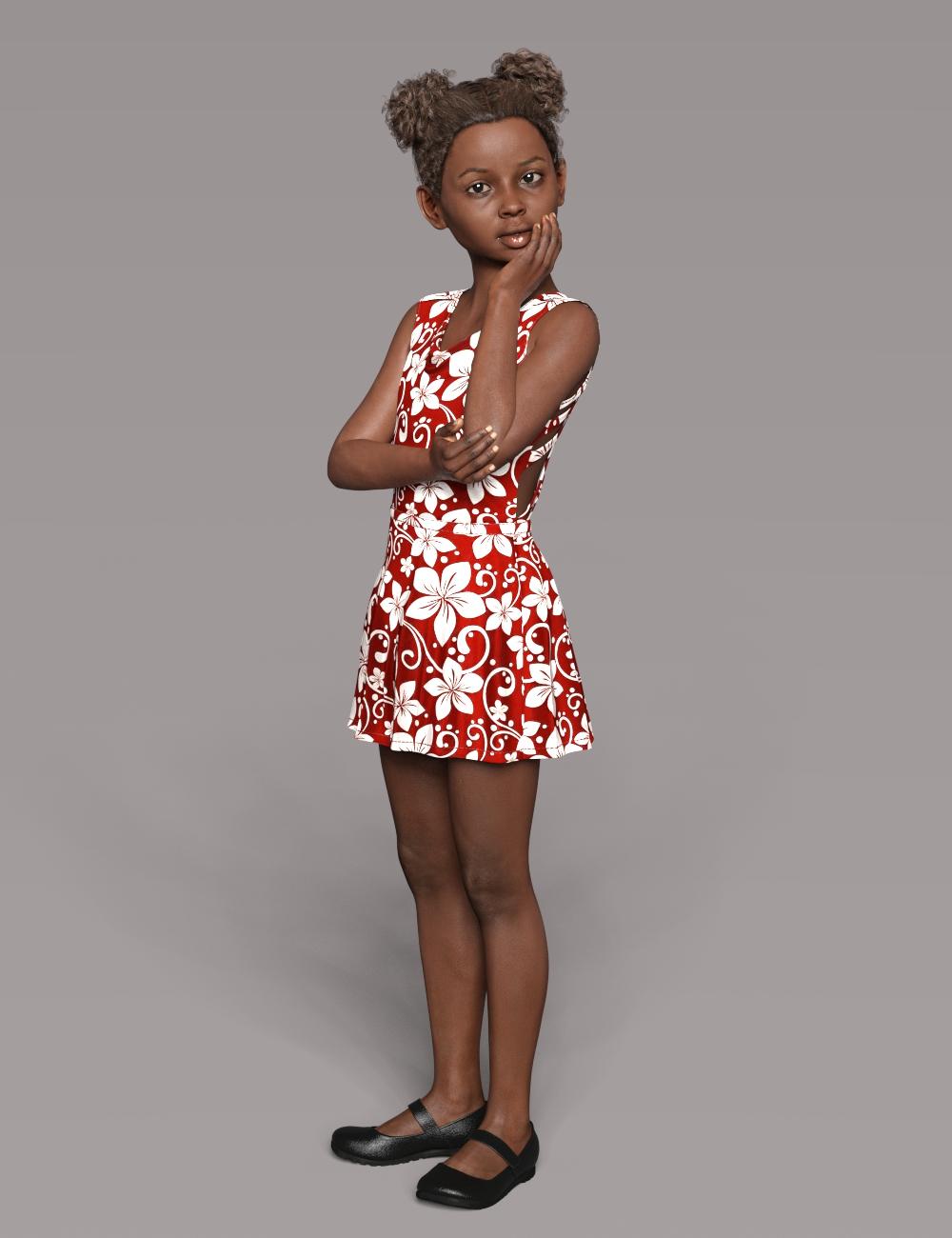 Daz crashing - Solved!
XTransfer doesn't seem to be very 'nice' utility, when for example one has Crowing Up for G3 and G8, and then a character using Growing Up is converted from G3 to G8, XTransfer brings the necessary Growing Up files from G3 to G8 and at the same time creates duplicate formulas...
For troubleshooting purposes I would remove the XTransfer folder with everything inside from the G8 morph folder and uninstall the Auto Face Enhancer as well (one source of conflicts)
Morph Dial Suddenly Defaults to 100%PerttiA said:
To fix any ill-behaving (non-zero default value) morphs, do as follows;
1. Open DS and load "Genesis 8 Basic Female" (to an empty scene)
2. Help->Troubleshooting->View Log File (clear the log, close it and select "Save" when asked)
3. Left Click at "Active Pane Options" tab->Preferences->Choose "Show Hidden Properties" (part 4 zeroes only 'visible' dials)
4. Right Click at Parameters Tab->Zero->Zero Figure (Zeroes the value of all the 'visible' dials)
5. Right Click at Parameters Tab->Memorize->Memorize Figure (Sets the current value of all the dials as their default value)
6. Edit->Save As->Support Asset->Save Modified Assets (Writes the changed default value to the morph files that were changed)When saving "Modified Assets" DS shows a dialog and asks for confirmation;
"The following file(s) will be permanently modified:" - "Accept/Cancel" - Choose "Accept"Close DS and wait -> Open DS again and load "Genesis 8 Basic Female"
Help->Troubleshooting->View Log File (Save the logfile somewhere you can easily find it)
If the above procedure didn't fix the problem, attach the saved logfile to your post.
Ok, mind showing step by step via images. What's the "active pane options" tab?
DForce Clothcsteell_c2893e4ab6 said:
Can I also convert the DForce cloth I have made from a primtive to a prop or figure? If so how? Cheers
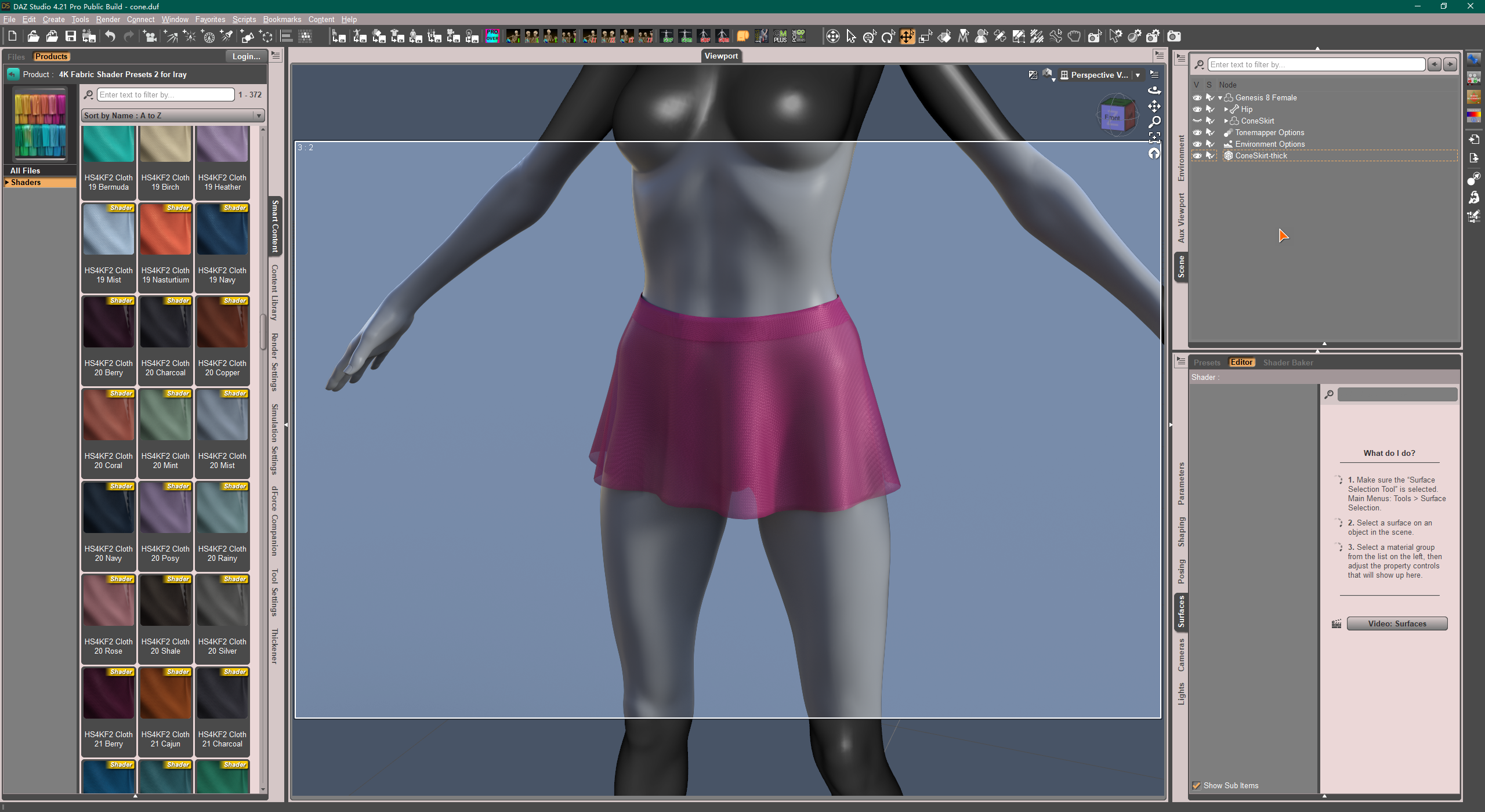
Actually you 'can't convert it' in that way, as the dForce Modifier (dynamic surfaces) and simulated result will be removed after you convert it from a Primitive Prop to a Figure (vice versa) , or after you conform it to a Genesis figure by using Transfer Utility...
For example, I used a Primitive - Cone to make a 'simple skirt'. The typical SOP should be: Create a Primitive - Cone > Geometry Editing (Cut top & botttom, Create surfaces, etc.) > Positioning > Export to obj and Import Back > Transfer Utility > Add dForce Modifier > Tweak params on dynamic surface > Add Shaders.. > Simulate it > Thicken it... (Optional: Convert to SubD, Add Smoothing Modifier...)
PS: You also can Thicken the object first before using Transfer Utility, but more tweaking on dynamic surfaces might be needed.
 Queen Isadora Hair
Apparently there's no dForce... I checked the morph list (http://docs.daz3d.com/doku.php/public/read_me/index/88510/file_list), there's no specific 'Wind Morphs' but quite a few 'Move Morphs'. You can either use these morphs or add dForce modifier by yourself...
Diffeomorphic - does a step by step tutorial exist?I am attempting to get a g8f model with geografts into blender - with Diffeomorphic 1.7.0 I am able to use the easy import with merged geografts, all of the textures transfer correctly and all of the geometry appears to be correct, I am just completely lost on the process of making morphs accessible/applying morphs and then finishing a mesh in a way which allows me to modify the morphs after. As it stands, I can see and access baked morphs, but attempting to modify them produces no visible results on my mesh, and importing morphs directly (from golden palace, for example) also results in morphs in the settings which seem to produce no visible results when adjusted. I have both downloaded the Diffeomorphic manual and read it online, and although I definitely appreciate how detailed the descriptions of each of the features are, I am still really missing a more step-by-step idiot guide and am just wondering if anyone knows if such a thing is available. Thanks!
RELEASED: Next Generation Strand Hair. dforce Feisty Feather Bun *Commercial*LOL Im glad you are enjoying the hair :)
Under the parameters tab of the hair( it's parented to the scalp, so you will have to expand it in the scene), there should be a morph for "hair neaten" i believe. Dialing that in, should really reduce the fluffiness. There is also a "sides depoof" morph too i believe.
Daz 3D is part of

Connect
DAZ Productions, Inc.
7533 S Center View Ct #4664
West Jordan, UT 84084Licensing Agreement | Terms of Service | Privacy Policy | EULA
© 2026 Daz Productions Inc. All Rights Reserved.