-
Applying Dforce to older, lower poly clothing?
Product https://www.daz3d.com/tactical-pants-for-genesis-3-male-s
I don't have them.
You can't increase mesh density used for dForce. Increasing subD will make the mesh smoother, but it is still the base mesh that is used for dForce (you can do collision detection on subD mesh).
You could take it into a modeller and increase mesh resolution there, and import back. In Daz Studio it would be considered a new item, so you would have to transfer rigging and materials.
I am a bit surprised though, that it should be necessary. My prime concern would be that the pants fell apart, due to missing seams.
Can you describe what happens (or a picture) when you simulate?
SereneNight’s Sci-Fi Fun Thread 3Serene Night said:
Okay, here, this looks better without the cleavage and the nipple depth morph.
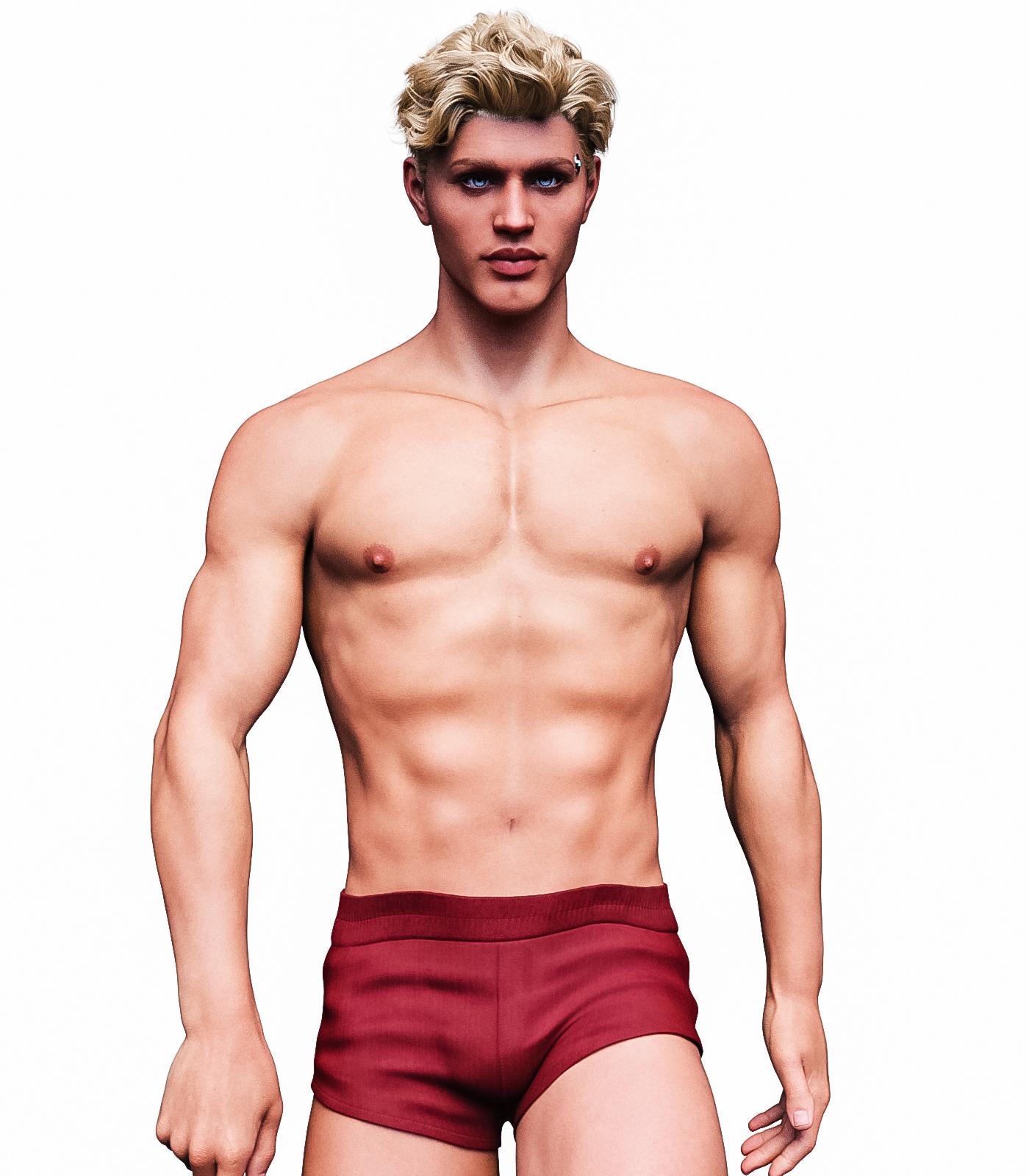
Wow, making my way backwards thru this thread and so impressed with this one! If he were for sale as is I would buy this character as this is one of the most appealing g9's I've seen so far! Great job on him :)
Hitchens: A DAZ Studio to Blender Live LinkTheMysteryIsThePoint said:
Thanks for that.
But no, the networking works fine, I just need to change the method for clients to discover the server. Right now I have the server multicasting its address, and just need to change that so that clients multicast a request, to which the server responds. That's for the initial connection. For the actual data transfer, everything works except for an edge case where the server won't accept new commands until the current connection times out when it should continue to use the current connection for subsequent commands. It's something simple; I'll find it.
And when the client and server are on the same computer, I do have a proof of concept that can transfer data between DS and Blender via shared memory, but neither plugin uses it yet. I'm not even convinced it's even worth it for the amout of data that needs to be transferred. Certainly not for single frames. For Sagan, it might be useful to be exporting the current frame concurrently with advancing to the next, and for LotP, it's just a few kilobytes per figure per frame. Given that I think the Win32 socket layer is smart enough to use a loopback optimization that just copies from one process to the other, I don't think I'm going to use shared memoy at all.
Thanks for the suggestions... hardly anyone ever talks tech with me about either plugin.
So as of this morning I think I've tried pretty much everything to get animation back into Daz. Nothing works. I just want you to know you're the last hope with your quaternion manipulations. So no pressure.
Transfer mesh to ShapekeyRichard Haseltine said:
try exporting two versions - one before simulation, one after. Load both as shape keys, but set the ebfore one to -1 and the after to +1. That should just layer the simulation effect on top of the base pose (it's what Reverse Deformations in Daz Studio does, in effect).
Thanks for the advice, Richard Haseltine. That sounds like the way to go. The second Shapekey puts the clothes back where they belong, but the Shapekey doesn't match the morph 100%. There is still mesh distortion.
I've tried disabling the other Shapekeys, but to no avail. It seems that these distortions are caused by the Armature modifier. When I create Shapekeys on clothes without an Armature, everything works perfectly with no distortion at all.The only workaround I've found is to copy the clothes and remove the Armature modifier from them.
Then, I create Shapekeys on the clothes with the Armature and save them as OBJ files. Finally, I apply them to clothes without an Armature. It's quite a painful process, but it works.Still, I have to find a way to make it work with the Armature modifier
TheMysteryIsThePoint said:
Hi @JovanniIf I am understanding you correctly, I made a Blender addon that can load the simplest morphs (the ones that are just vertex deltas, and don't more bones or reference other morphs) and create a shapkey.
It is fairly untested and has never run on any system other than mine, but I just tried it on a piece of clothing (I had only used it on G8F before), and it worked with the vendor's morphs for it.
You might give it a try... it'll be under the Misc tab in the N-panel, called "Partial Morph Loader". Select your object, ignore all the other settings, and just set the first option, "Morph File" and browse to the morph dsf or duf. It may try to use a relative path, so make sure the path is correct. I run Blender on Linux, so if you use Windows, you may encounter some Linux-isms that don't work on Windows. I tried in on 3.4.1 and the created shapekey works perfectly.
Hope it works for you.
I tried to install your add-on but for some reason, the checkbox isn't checked after installation in my version of Blender, which is 3.3.1. I have to stay with this version until I finish my project. As I understand from your comment, your add-on imports the morph from the .duf file. However, I only have one obj file that I want to morph into another object.
Help with troubleshootingMaking the G8 base expressions (and any expressions that are using them) work on G8.1 requires removing dummy/placeholder expressions that are installed to G8.1 morph folders - These dummy/placeholder expression files have no other function than to prevent the base G8 expressions from loading.
The dummy/placeholder files are located in;
...\Data\DAZ 3D\Genesis 8\Female 8_1\Morphs\Daz 3D\Base Pose Head\ (255 files, can be more if you have additional DAZ expression packs)
...\Data\DAZ 3D\Genesis 8\Female 8_1\Morphs\Daz 3D\Expressions\ (24 files, can be more if you have additional DAZ expression packs)
...\Data\DAZ 3D\Genesis 8\Male 8_1\Morphs\Daz 3D\Base Pose Head\ (255 files, can be more if you have additional DAZ expression packs)
...\Data\DAZ 3D\Genesis 8\Male 8_1\Morphs\Daz 3D\Expressions\ (24 files, can be more if you have additional DAZ expression packs)Please make sure you are removing the files from G8.1 morph folders and not G8 morph folders.
Note 1; If you are logging in to DS and letting DAZ Connect (within DS) to install/update your content, you may have these also in an other location that has "\Data\Cloud\" in it's path
Note 2; Do not remove any files from "FACS" or "FACSExpressions" foldersIt takes too long to go through Genesis 9 people, looking for male or female characters.nonesuch00 said:
murgatroyd314 said:
nonesuch00 said:
All you need do is log into the store and there are check boxes for Genesis 9 near the left margin about a quarter down from the top.
That gives you EVERYTHING that is compatible with G9. Can you find a filter that will give G9 characters, but not G9 clothing?
No, it includes wearables. I agree they need a 'character' filter only, exclusive of clothing, props, add-ons, morph packs, hairs, and textures.
But they do already, it's called 'People'
WF Dalila Hair issuefelis said:
crosswind said:
Normally the figure's head morph (FHM) will be triggered in the conformed hair by Auto Follow. Setting the auto-generated FHM... back to 0 (or a lower value) in the hair's hidden properties will be fine in most cases.
Parenting the hair to figure's head is not a good method esp. for such a long hair as the 'unconformed hair' will have no JCM projected when you change figure's head/neck poses. The hair will penetrate into the body even if you give it a high smoothing iteration + collision...
On the other hand. Long hair often have custom bones, and these will be removed as part of the autofit process.
I have seldomly have issues with parenting instead of autofit, it just requires a bit more wotk from the user, but often a better solution.
It depends on users' preference and understanding of all these mechanism.. Besides, this case is not a 'auto-fit' which will remove bones weight, at least for this Dalila Hair. Totally different~ I myself never use the way of parenting... If only a parenting can work in all ways, most of PAs would not spent time on making hairs well conformed plus JCMs modifications...
WF Dalila Hair issuecrosswind said:
Normally the figure's head morph (FHM) will be triggered in the conformed hair by Auto Follow. Setting the auto-generated FHM... back to 0 (or a lower value) in the hair's hidden properties will be fine in most cases.
Parenting the hair to figure's head is not a good method esp. for such a long hair as the 'unconformed hair' will have no JCM projected when you change figure's head/neck poses. The hair will penetrate into the body even if you give it a high smoothing iteration + collision...
On the other hand. Long hair often have custom bones, and these will be removed as part of the autofit process.
I have seldomly have issues with parenting instead of autofit, it just requires a bit more wotk from the user, but often a better solution.
How to make Genesis 9 Male models more muscular...superhero muscular?apprentice said:
https://www.daz3d.com/sy-hero-bodies-for-genesis-9
there is muscle morph package, too.
anything that's free?
It takes too long to go through Genesis 9 people, looking for male or female characters.murgatroyd314 said:
nonesuch00 said:
All you need do is log into the store and there are check boxes for Genesis 9 near the left margin about a quarter down from the top.
That gives you EVERYTHING that is compatible with G9. Can you find a filter that will give G9 characters, but not G9 clothing?
No, it includes wearables. I agree they need a 'character' filter only, exclusive of clothing, props, add-ons, morph packs, hairs, and textures.
WF Dalila Hair issueNormally the figure's head morph (FHM) will be triggered in the conformed hair by Auto Follow. Setting the auto-generated FHM... back to 0 (or a lower value) in the hair's hidden properties will be fine in most cases.
Parenting the hair to figure's head is not a good method esp. for such a long hair as the 'unconformed hair' will have no JCM projected when you change figure's head/neck poses. The hair will penetrate into the body even if you give it a high smoothing iteration + collision...
d-force hair unconforms when i reload the saveRichard Haseltine said:
How did you transfer the hair, AutoFit dialogue?
I know I didn't start this topic but I can't find any answers on google about this issue and this is the only link I could find. I'm having the exact same problem using Wilona Hair for G8 on G9 using the auto fit short hair option. The scalp stays in the same place but the hair upon file reload sinks below the scap.
Transfer mesh to ShapekeyHi @Jovanni
If I am understanding you correctly, I made a Blender addon that can load the simplest morphs (the ones that are just vertex deltas, and don't more bones or reference other morphs) and create a shapkey.
It is fairly untested and has never run on any system other than mine, but I just tried it on a piece of clothing (I had only used it on G8F before), and it worked with the vendor's morphs for it.
You might give it a try... it'll be under the Misc tab in the N-panel, called "Partial Morph Loader". Select your object, ignore all the other settings, and just set the first option, "Morph File" and browse to the morph dsf or duf. It may try to use a relative path, so make sure the path is correct. I run Blender on Linux, so if you use Windows, you may encounter some Linux-isms that don't work on Windows. I tried in on 3.4.1 and the created shapekey works perfectly.
Hope it works for you.
What are the default settings for Genesis 9 eyes?bahaasuleiman said:
Ascinct said:
When loading the base Genesis 9 figure, I notice that the eyes are being loaded in with the following morphs set by default (see attached image):
Pose control morphs:
- Eye Look Out Left: 10.0%
- Eye Look Out Right: 10.0%
General misc morph:
- Eye Resting Focal Point: 100%
I was just wanting to know if this is correct or if I should set these to '0' if I am wanting to create my own custom character and export the morphs?
Any help would be greatly appreciated.
Kind regards,
Grant
seems to be the default value its for me the same thanks for the post i was woundering too :D
Thank you bahaasuleiman for confirming this. Greatly appreciated!
Have a good day!
Transfer mesh to ShapekeyHello everyone. Many Daz Studio users know that we can simulate clothing in Marvelous Designer and then load it as a morph in Daz Studio for existing clothing in the scene.
The morph is loaded relative to the current position of the vertices. But how can we achieve the same result in Blender? When I copy the mesh as a shapekey, the clothes fly off to the side and deform significantly.
I assume this is due to the Armature modifier. The shapekey seems to be created from the base shape rather than the current vertex positions. I'm not entirely sure. Is there a way to accomplish this in the same way it works in Daz Studio?How to make Genesis 9 Male models more muscular...superhero muscular?https://www.daz3d.com/sy-hero-bodies-for-genesis-9
there is muscle morph package, too.
WAGONS AND MORE WAGONS. How to hook up horses?felis said:
3djojl should be working on one, but apparently still work in progress https://www.daz3d.com/forums/discussion/543001/a-work-harness-for-the-daz-horse-2-and-another-for-the-centaur-but/ ;
So sorry to announce that this project is definitively closed and may be replaced by another one in the next few monthes. It is a question of time spend on it to make the three harnesses compatible with all the basic morph of the horse. Another approach should be done to realise a simplier design. Keep in touch.
Christopher Reeve for G9 WIPI know I could probably just transfer my G8M morph, but then the redistribution would get tricky, since it relies partially on Daz-owned morphs. They can't be used themselves because it's a new figure, but they can't be baked into the character shape either, because I think that would violate copyright. Plus, I suspected that I might be able to improve the likeness even further on the latest figure.
Anyway, after a couple days of dial-spinning and custom morphing, I have a draft that I consider worth sharing. As I continue to tinker with it, I welcome any comments, be they positive or constructively critical.
 Raised cornea for G9?
Timbales said:
You could try making a geoshell of the eye and apply a deformer morph to the shell to create the bulge effect. Applying the Daz Iray thin water shader that comes with Studio may give a good look. It's a theory, I'd have to try it when I have time.
A Geometry Shell is a copy of the base geometry, it cannot be acted on apart from that other than scaling/push modifier and materials.
Raised cornea for G9?You could try making a geoshell of the eye and apply a deformer morph to the shell to create the bulge effect. Applying the Daz Iray thin water shader that comes with Studio may give a good look. It's a theory, I'd have to try it when I have time.Daz 3D is part of

Connect
DAZ Productions, Inc.
7533 S Center View Ct #4664
West Jordan, UT 84084Licensing Agreement | Terms of Service | Privacy Policy | EULA
© 2026 Daz Productions Inc. All Rights Reserved.