-
G8 PowerPose Template on G8.1
PerttiA said:
marth_e said:
benniewoodell said:
I don't remember offhand, but if you search on google 8.1 power pose face controls, you'll find a thread here in the forums that outlines exactly how to get it to work. You have to go and take out certain folders that are installed and it works perfectly fine. And don't use Daz Central to install or if it asks you if you want to install something when you load Daz because it would put those files back, found that out the hard way and had to search for the thread again lol. But it works, it's just been like 8 months since I had to do it so I don't remember the exact process. Or hang tight for NorthOf45's way, I'd love to give that a try too!
Thanks for the tip Benniewoodell. I think I have seen that thread you mention but if I'm not mistaken that was a trick to make G8 expressions work with G8.1. Maybe I'm wrong... But what I wish I could do, besides that, is to be able to tweak the expressions directly with powerpose.
Cheers,
Same trick gets you the G8 powerpose templates for G8.1
Making the G8 base expressions (and any expressions that are using them) work on G8.1 requires removing dummy/placeholder expressions that are installed to G8.1 morph folders - These dummy/placeholder expression files have no other function than to prevent the base G8 expressions from loading.
The dummy/placeholder files are located in;
...\Data\DAZ 3D\Genesis 8\Female 8_1\Morphs\Daz 3D\Base Pose Head\ (255 files, can be more if you have additional DAZ expression packs)
...\Data\DAZ 3D\Genesis 8\Female 8_1\Morphs\Daz 3D\Expressions\ (24 files, can be more if you have additional DAZ expression packs)
...\Data\DAZ 3D\Genesis 8\Male 8_1\Morphs\Daz 3D\Base Pose Head\ (255 files, can be more if you have additional DAZ expression packs)
...\Data\DAZ 3D\Genesis 8\Male 8_1\Morphs\Daz 3D\Expressions\ (24 files, can be more if you have additional DAZ expression packs)Please make sure you are removing the files from G8.1 morph folders and not G8 morph folders.
Note 1; If you are logging in to DS and letting DAZ Connect (within DS) to install/update your content, you may have these also in an other location that has "\Data\Cloud\" in it's path
Note 2; Do not remove any files from "FACS" or "FACSExpressions" foldersThat's the one! I don't use premade expressions, I do everything with power pose, what PerttiA wrote here will work for you.
G8 PowerPose Template on G8.1marth_e said:
benniewoodell said:
I don't remember offhand, but if you search on google 8.1 power pose face controls, you'll find a thread here in the forums that outlines exactly how to get it to work. You have to go and take out certain folders that are installed and it works perfectly fine. And don't use Daz Central to install or if it asks you if you want to install something when you load Daz because it would put those files back, found that out the hard way and had to search for the thread again lol. But it works, it's just been like 8 months since I had to do it so I don't remember the exact process. Or hang tight for NorthOf45's way, I'd love to give that a try too!
Thanks for the tip Benniewoodell. I think I have seen that thread you mention but if I'm not mistaken that was a trick to make G8 expressions work with G8.1. Maybe I'm wrong... But what I wish I could do, besides that, is to be able to tweak the expressions directly with powerpose.
Cheers,
Same trick gets you the G8 powerpose templates for G8.1
Making the G8 base expressions (and any expressions that are using them) work on G8.1 requires removing dummy/placeholder expressions that are installed to G8.1 morph folders - These dummy/placeholder expression files have no other function than to prevent the base G8 expressions from loading.
The dummy/placeholder files are located in;
...\Data\DAZ 3D\Genesis 8\Female 8_1\Morphs\Daz 3D\Base Pose Head\ (255 files, can be more if you have additional DAZ expression packs)
...\Data\DAZ 3D\Genesis 8\Female 8_1\Morphs\Daz 3D\Expressions\ (24 files, can be more if you have additional DAZ expression packs)
...\Data\DAZ 3D\Genesis 8\Male 8_1\Morphs\Daz 3D\Base Pose Head\ (255 files, can be more if you have additional DAZ expression packs)
...\Data\DAZ 3D\Genesis 8\Male 8_1\Morphs\Daz 3D\Expressions\ (24 files, can be more if you have additional DAZ expression packs)Please make sure you are removing the files from G8.1 morph folders and not G8 morph folders.
Note 1; If you are logging in to DS and letting DAZ Connect (within DS) to install/update your content, you may have these also in an other location that has "\Data\Cloud\" in it's path
Note 2; Do not remove any files from "FACS" or "FACSExpressions" folders[Released] Character Converter from Genesis 2 Female to Genesis 8 Female [Commercial]Hello @RiverSoftArt
I'm somewhat new to Daz, so this is likely an oversight on my part. I have the same/similar issues with the eye area as many others have pointed out, however I am not sure about the process of deleting the head morph to try the conversion again and get it down to an acceptable level. In my "Vendor Name/Product Name" folder, there are no files starting with FHM. I only have a CTRL-RSC file and a RSGF file. Deleting those and trying again with different conversion options/lower tolerance values does not fix the issues with the conversion.
I am using the Custom Character Converter script, as this is the only character I have in my library. Following the exact process on the PDF manual. I have attached a few screenshots as well.
Thanks in advanceWhere are the Hexagon morph files sent to in Daz Studio?Delete morphs manually when D/S is closed. Then open D/S, load the concerned figure/prop and the deleted morphs should not be appearing anywhere.
IF you saved the morphs with them under "Hexagon Bridge" AND then resave them under [for eg.] Actors > Head or whatever, but to different folders -- then you have 2 morphs to delete, not just the one. They both should have been saved in the same location, under your handle and product name, all of these under Morphs for the concerned figure/prop under the handle/name of whoever made that figure/prop.
If you save a morph, make changes to that morph, it is important to save it again to the very same folder as the original morph IF you want the new save to overwrite the old one.
Is there a Genesis 8.1 UV for Genesis 8?Thanks. Yes I read that and it appears they were having problems with it. I guess it's not just different UVs but different maps entirely. Easier to morph an 8.1 to the 8 figure.
Face Transfer Unlimited - g8 expressions/morphs?I just bought it but have tried the demo that comes inbuilt
it creates a morph shape shape and texture based on a front photo
and yes all other morphs still work though as with any morph dialing up extreme settings can cause conflicts
that said Poserecorder worked fine with the one I just did
Lipsync uses bones in Genesis 3 and 8 so should not cause issues
(well it's for Genesis 8 but I reckon one could easily transfer it to 3 also using a clone shape, the texture will work)
Face Transfer Unlimited - g8 expressions/morphs?Face Transfer Unlimited | Daz 3D
How does this work? Can you "transfer" face into daz and then use g8 expressions/morphs on the item or is it a static model?
Thanks
Daz to Blender fails with this modelI have used Daz 2 Blender for some models, but this one comes out totally warped. https://www.daz3d.com/eve-3022-hd-morph-for-genesis-8-females I tried checking "Export Morphs" but it didn't seem to help. How can I fix this?
Smooth Animation playback on DAZ Studio timelinembh1729_1bc220806c said:
The simplest and most accurate way is to just make a test render.
I also wrote a little program that I integrated into explorer to right click on a folder and have ffmpeg join all the images inside it into an .mp4. I don't think you need code actually, you can probably do it by adding a registry entry. This is the best "full fps preview" I know of. Otherwise in later Daz versions there's a Play All Frames option, but it's obviously not full speed. Daz is super slow compared to anim playback in, say, Blender. Probably all the morph work it's doing. Blender also slows down once you've got all the JCM etc. hooked up.
How to copy existing menus and workspace from DAZ3d to DAZ3d Public Build?Where are the Hexagon morph files sent to in Daz Studio?We have used Hexagon to make a number of morphs for the Genesis 2 Female for Daz Studio. Unfortunately, we also have made some morphs that we are no longer happy with. We have attempted to delete them by going to C:\Users\Public\Documents\My DAZ 3D Library\data\DAZ 3D\Genesis 2\Female\Morphs\PureHearts\Product and deleting the morphs there, as well as deleting them using Edit Mode, but neither attempt removed the morphs that were saved under Morphs/HexagonBridge, and they remain there, cluttering up our other morphs.
Where exactly does Hexagon save the morph files when they are imported to Daz? Also, we did save the morphs as Morph Assets, but we left them in the HexagonBridge section when we did, so we don't know if that changes anything.
It would be very helpful if anyone could tell us how to delete these morphs under HexagonBridge so we can clean out our morphs.
Save numerous morphs as a single morph?Cool! Thank you very much for the detailed instructions!
Richard Haseltine said:
You don't want to bake them down to a literal sigle morph as that will break all links to other properties (e.g. makign joints ben in anicer manner or making sure that the lips and eyes close without leaving gaps or crossing over). What you can do, as FSMCDesigns says, is make a single control slider that will apply all the parts of your shape.
To make a cotnroller right-click in the Parameters pane and enable Edit Mode 9assuming ti isn't). Now right-click in the group you want to contain your slider and select the option to create a new property. A dialogue will open allowing you to name and label the sldier, set limits, set type (Modifier/Shape) an adjust colours as desired. Once you have the slider, set it to 100%, and right-click on it - select ERC Freeze. A dialogue will open, check that the things listed under Subcomponents are just the shapes you want (no poses you hadn't cleared), uncheck anything that shouldn't be there, and click Accept. Make sure the new slider works, then save or - if you want to have the slider available on other characters using the figure - go to File>Save As>Suport Assets>Morph Asset; the names you enter here will determine where the .dsf file goes within the figure's Morphs folder in the data folder.
My hopes for a G8 Skeleton are gone ...Just need to address one further question you asked. A G8M to M4 pose converter or pose transfer script will pose the M4 skeleton correctly with a G8M pose. Regards, RichardSave numerous morphs as a single morph?You don't want to bake them down to a literal sigle morph as that will break all links to other properties (e.g. makign joints ben in anicer manner or making sure that the lips and eyes close without leaving gaps or crossing over). What you can do, as FSMCDesigns says, is make a single control slider that will apply all the parts of your shape.
To make a cotnroller right-click in the Parameters pane and enable Edit Mode 9assuming ti isn't). Now right-click in the group you want to contain your slider and select the option to create a new property. A dialogue will open allowing you to name and label the sldier, set limits, set type (Modifier/Shape) an adjust colours as desired. Once you have the slider, set it to 100%, and right-click on it - select ERC Freeze. A dialogue will open, check that the things listed under Subcomponents are just the shapes you want (no poses you hadn't cleared), uncheck anything that shouldn't be there, and click Accept. Make sure the new slider works, then save or - if you want to have the slider available on other characters using the figure - go to File>Save As>Suport Assets>Morph Asset; the names you enter here will determine where the .dsf file goes within the figure's Morphs folder in the data folder.
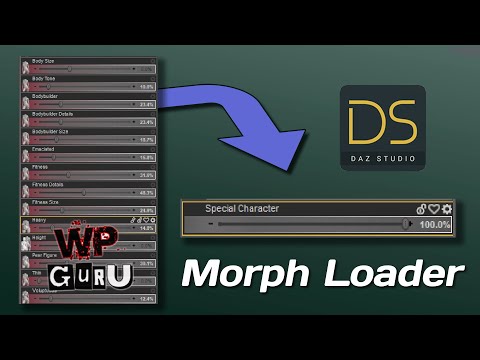
Save numerous morphs as a single morph?You could save the character as obj an reimport it via morph loader pro.
 Animation Converter
I'm pretty sure this does animations Bone Minion for Genesis 8 and 8.1 Poses for Genesis 9 | Daz 3D I want to say it does because I bought it and didn't return it, which I would have if I couldn't transfer animations. I've only picked up like one or two G9 characters, was very meh about them and haven't revisited it but have this as a just in case.
Problems converting Michael 4 male clothes to Gen 8cr2 (format for rigged figures in poser) would be the actual clothes.
pz2 would be a poser preset file, to apply a pose, morph settings or materials.
pz3 would be a poser scene file.Any duf file for a M4 item would most likely be a DS material preset for the clothes.
Depending on the item, it might be normal that it loads without textures as some clothes were made to load without them. Another possibility would be that they use a kind of poser materials which don't work in DS at all, like procedural materials.
How to reset ALMOST all the settings?I have a character that I wish to re-use keeping the face / head but completely revamping the body. Other than going one morph at a time (there are several hundred of them), is there some way to reset all of the body setting back to zero or the default? Or is there some way to capture the head / face settings and easily install those morphs on a fresh new character?
Thanks in advance.
Save numerous morphs as a single morph?Are you sure you want to do that? Then you'd lose the ability to later adjust them individually if, say, one particular morph doesn't look right from a particular camera angle. I think what you want is a character preset, like Pickle Renderer pointed out.
Soft Expressions for Genesis 9
Totally agree with the mixed approach. The V 100 Expressions The Gold Collection for Genesis 8 Female and V 100 Expressions The Gold Collection 2 for Genesis 8.1 Female are fantastic for sure.Frinkky said:The problem with a complete morph based approach is that it can conflict with the underlying character morph/s - causing pinching and other deformations, especially around the corners of the mouth and eyes. This can be compounded by a poorly constructed morph - if a vertex is moved too far out of it's base position in relation to its weights. The ideal solution, in my opinion, is a mix of joint and morph based expressions; somewhere along the lines of 66/33 to 75/25 joints to morphs. The joints do the raw, bulk lifting and the morphs tweak the end result to blend in surrounding features. The morphs, however, should really be character dependent for best results - moreso for more extreme character shapes.
That said, the best out of the box expression pack I've seen so far is Valery3D's V 100 Eye Catchy Expressions for Genesis 8.1 Females - it seems to just use 8.1's facs morphs and in my experience is the one expression pack that has only required minor adjustments depending on the character.
Regarding teeth positioning - I think that's less the expression's 'fault' and more the character. It can take a while for me to determine the best vertical position for a character's teeth after experimenting with several expressions.
Daz 3D is part of

Connect
DAZ Productions, Inc.
7533 S Center View Ct #4664
West Jordan, UT 84084Licensing Agreement | Terms of Service | Privacy Policy | EULA
© 2026 Daz Productions Inc. All Rights Reserved.