-
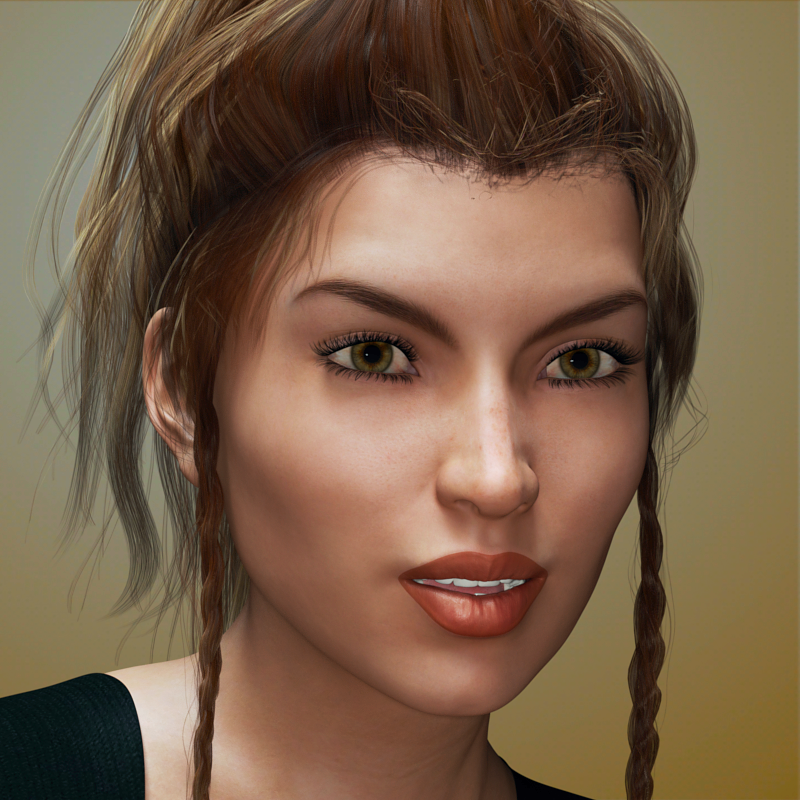
Anyone know what morphs was used for this character?
She looks like an aging Victoria 8 so I assume she has some component of Victoria 8.
Good luck
"Get Them While You Can!" If Not… Well… "There's Always Another Sale™"In my Pose directory I have a folder called !Daz's Skeleton which contains materials and transperency settings for the M4 skeleton and V4 skeleton prop.
So... where would the actual SKELETON object be?
In "Figures\Daz Skeleton".
I don't know for sure if I actually have any figures in the Pose library, or the Materials library. I don't completely understand the archane and mystical reasons why some content was put in some places at some time in the legacy of Poser and DAZ development that got us to where we are today. If I knew for sure that things were in a certain place, I wouldn't be ranting like this. I just sacrifice a chicken under a full moon and then click blindly in my content library and then render whatever shows up in my Viewport.
Or you know, doing what @Divamakeup taught me to do... spending hours creating a Favorites database where I've manually organized the Pose\!Daz's Skeleton and Figures\Daz Skeleton directories into a folder structure Figures\M4\Anatomy and Figures\V4\Anatomy...
On ReadMes... who knows if a readme is actually part of the installed files? Look at Installed files and scroll through a list looking for the one file that has .pdf, .html or .txt after it...
I just dug through my DIM Installed Files lists for 10 minutes before I found content that includes a readme...
NGS Anagenessis 2, which includes:
"\ReadMe's\35273_n.g.s.-anagenessis-2-revolution-user-guide.pdf"
Maybe there is a Read Me file... and maybe I just have to click the "i" information icon in DIM, and maybe I can launch the documentation right from within DAZ3d, or maybe those options will generate a "page not found" or placeholder that no documentation exists, or it is a WIP, depending on when the content was made... and that is just for DAZ3D store content. If it is a freebie or content from one of the other stores... well... that might be in Documents, or Dokument, or Read ME or read_me or docs or...
http://docs.daz3d.com/doku.php/public/read_me/index/12276/start
Just... for example...Well, the skeleton is old - but I think there were a few Daz main items which did the !Daz thing (not sure Victoria 4 and Michael 4 didn't too). However, for the most part they don't and certainly shouldn't on anything at all recent (files may have the !, or leading numbers, to promote them within a folder).
Nowadyas the readmes are online, accessed via the i in DIM or right-click in DS, but when they were part of the isntall package the main read me had a name derived from the product and all documentation would be in readme's or a subfolder (and that apostrofly made me twitch every time).
Novica & Forum Members Tips & Product Reviews Pt 10Okay, here is FWSA Adaline from a few posts back, the old render. Shown with the Pro-Studio lights. Her lip to me could be better, it looks like a few vertical up and down lines for the bump. It may just be the lighting but even the promos look that way I think. Overall, however, I like Adaline. On a positive note, her eyelashes on top do go to the end of the outer eye, something to watch for in other characters. I've seen several through the years which stop way short of the corner of the eye or to the end of the eye. You'll note on this one it doesn't go to the corner of the eye either. Bugs me.
This is out of the box. She's wearing Calista Tails Hair, which has also already been showcased.
 [Solved] wet skin problem
hi
i have this problem when im using https://www.daz3d.com/skin-doctor-wet-wild-for-genesis-8-and-3-female-s on my genesis 3 female character it doesnt apply on the characters new genitalia for victoria 7. it becomes grey. does anyone know what to do?
Novica & Forum Members Tips & Product Reviews Pt 10The Genesis 3 females I have are:-
Aiko 7
CB Liliana
Eva 7
FW Sushmita
Grace
Karen 7
Kande
Musoke
Shangrila
Star 2.0
Teen Josie 7
Victoria 7I also have some from the other place
I am on a limited budget which is why I don't have many
Wonder Woman OutfitSorry for jumping in here folks, but I was SO desperate for this after seeing the character posted on Daz. As a relative newbee who doesn't own V4, are you saying there is some kind of addon that will allow me to convert V4 stuff to Gen 3 or 8? I'd love to do that, not only with this, but with other clothing items I see offered.
You can use autofit to convert V4 clothes to newer figures.
You can do it in steps using the various versions of Genesis as each one has a clone for the previous figure: so to go from V4 to G3F you would do V4 to G1, then autofit the result to G2F, then autofit the result to G3F. For V4 to G8F you could do V4 to G1 then autofit the result to G8F.
If you want a more direct method you will need a V4 clone for your G3F or G8F figure:
This will give you autofit clones to convert items for some older figures (including V4) to G3F: https://www.daz3d.com/wear-them-all-autofitting-clones-and-clothing-smoothers-for-genesis-3-female-s
This one give you V4 and M4 clones for G8: https://www.daz3d.com/sy-victoria-4-and-michael-4-clones-for-genesis-8
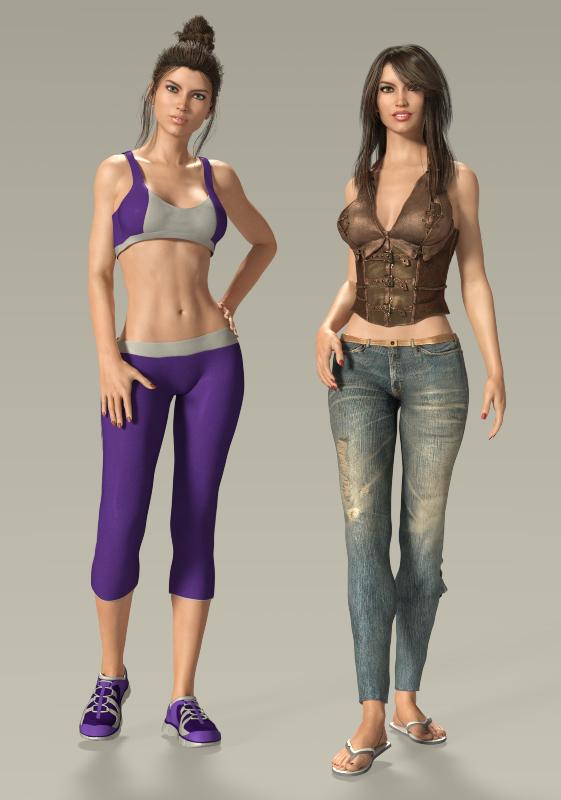
Novica & Forum Members Tips & Product Reviews Pt 10This is Adaline.
In the left hand image the hair is Bluebell and she is wearing Cardio Gear for Genesis 3.
In the right hand image the hair is Long Shag Hair and she is wearing sandals from Casual Summer for Genesis 3 and the skinny jeans and corset from Skinny Jeans and Corset for Genesis 3.
I haven't used any of these items before.
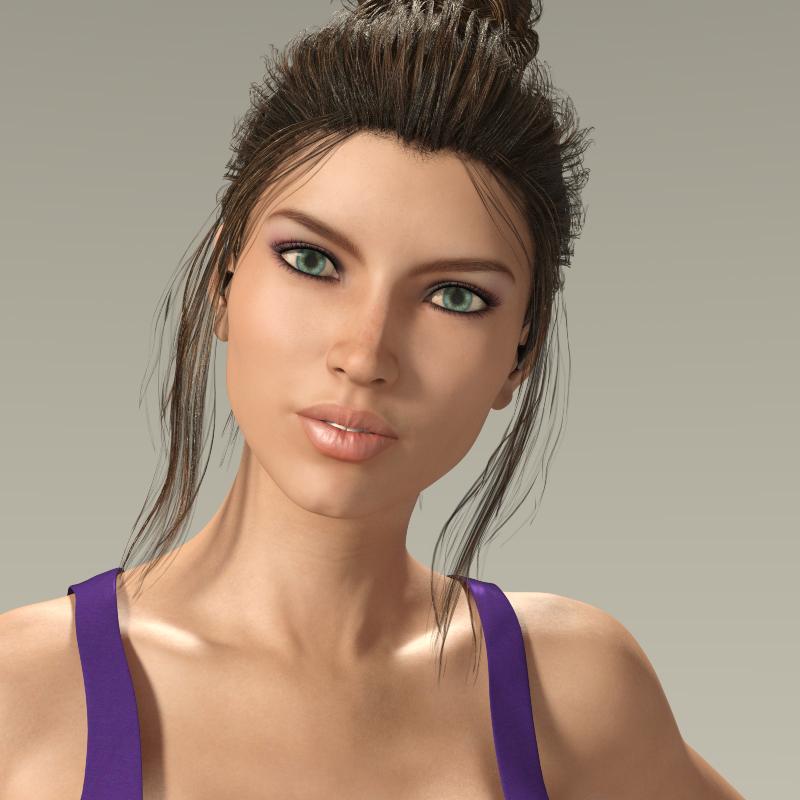 Mollytabby's Art Workshop
Your Victoria 6 is quite lovely! Glad you took up the challenge, looking forward to seeing other renders (overall, not from the challenge.) Love your lighting!
Custom Tan Line Using Bikini Model G3FI've been googling for a solution for a while now, and while normally I can find one. I couldn't for this.
Using Daz 4.10.
I've tried using the bathsuit as a geoshell with a nice shader I made, but because its not touching the body in all spots it has blotches all over. Sorry I can show pics here.
I know I could do it using L.I.E. But I don't know a way that I could impose or copy the bathingsuit to the skin. I'm not explaining that right, but I know that if I could get the bathsuit template/layout on the skin. I can black everything out, and make the bathsuit white, and I can use that as a diffusion.
But I'm not sure how to go about getting the bathingsuit on the skin. Maybe there is a product here that will let me do that? That would be awesome. I read in this post something about shader baker but couldn't find it anywhere, or maybe I misunderstood the concept.I have a few other products like a crop top which are All Limited to the Torso texture.
I am of course open to other suggestions on how to do this. I have a beginners knowledge of using Blender (I use this for morphs) and Blacksmith (I use for tattoo's on seems, mostly the back) if these can be used, but I'm not sure how.
Necro
Difference between Sickleyield's Ultra Templates and Clones?Could someone familiar with these products help me out? I'm new to Daz and just figuring things out.
I'm trying to discern the difference between these two products:
https://www.daz3d.com/sy-victoria-4-and-michael-4-clones-for-genesis-8
https://www.daz3d.com/sy-ultra-templates-genesis-8-female-s
I get that one is a clone for male and female V4/M4 to Gen8, and the other is specifically for Gen8 females, but other than that, how does the functionality differ? The bulk of my products are either Gen8 or V4/M4, so being able to use the older clothes on the newer models would be fantastic. A few clothing items I can finagle with fitting to the model, but most leave a lot to be desired.
But I can't puzzle out what's different between the two products, from a functional standpoint. Or is it just that one is for the female version of everything prior to Gen8, while the other is male and female specifically for V4/M4, making it a question not of what the product does, but who it's for?
Thank you for any expertise you can offer!
GEN 4 CharactersJust wondering why you cannot install GEN 4 characters like Victoria/Michael 4 from the DAZ Studio Install Tab but your can GEN 3 or Michael/Victoria 5 etc? Thanks!!
Mollytabby's Art Workshop@Novica currently has a challenge to look a the first ten Genesis 3 characters in our runtime and do a render of those we haven't used yet. I plan to do this, but I got thinking about all the freebie or very low cost figures I've never used because they added in as part of buying a Genesis 8 Pro Bundle. I've never rendered with 3Delight and wouldn't know where to start and so I approached this as a learning curve for converting to Iray.
This is Victoria 6 HD with the Viking Hair for Genesis 1 & 2 and wearing the Aether Outfit. I'm not sure I've used Beautiful Skin properly, I need to experiment more, but I'm quite pleased with the result overall.
 Stephanie 4 S4 in Poser 9 installation/usage
What Leana was saying earlier about the injection pose file was that the morph for Stephanie 4 is "injected" into the V4 base figure in Poser, but it is not dialed-in - it gets injected with the morph set to zero. This is normal behaviour for morph injections. If the file is working as it should, you should see a morph dial for Stephanie (Body) when Victoria 4.2 is selected in your scene, and a morph dial for Stephanie (Head) when Victoria 4's head is selected in your scene. Dial them both to 100% and there she is. If that is not working as described, then we'll need to see what issue there might be.
DIM and installing old V4/M4 bundlesHi. I finally decided to install stuff I bought from the recent V4 sale and the M4-V4 massive one from a few weeks ago. If DIM lists the bundle and has separate listing for the individual items, would I be fine if I just install the bundle? Or do I need the individual products to avoid getting errors? Some examples are:
The Malaik Bundle, The Malaik Wings, The Malaik Outfit, The Malaik Characters
Dragonbraid Bundle, Dragonbraid for Victoria 4, Dragonbraid addon - Tails
Bandage Bundle for Victoria 4 and 10 individual V4 bandages
etc.
Recent Genesis 3 and Genesis 8 products do not have this problem since DIM doesn't list the big bundle and just lists the indiviual items.
Novica & Forum Members Tips & Product Reviews Pt 10I used Anna's skin in this image but not the morphs.
@melaniel Is Ali this one? I don't remember if we've showcased Anna.
Novica & Forum Members Tips & Product Reviews Pt 10First 10 Genesis 3 Female characters alphabetically in Smart content:
I have a lot of characters that don't have metadata so don't show in Smart Content but i got confused trying to count them all up and add to the smart content stuff. LOL. So I'm just going by Smart Content stuff.
The only ones I've never rendered (yet) are Deadblade and Brenna - I've used all the others at least once, whether it was full character or just morphs or just skin. I'd have to say out of this lot, Ceridwen is the one I've used the most, both just her skin or her morphs. With Cailin a close second.
Novica & Forum Members Tips & Product Reviews Pt 10@melaniel Is Ali this one? I don't remember if we've showcased Anna.
Yes, that's the one. I'm not sure that I've ever rendered either of them properly myself. Maybe that challenge woud be a good spur!
Novica & Forum Members Tips & Product Reviews Pt 10Stephanie 4 S4 in Poser 9 installation/usageWhere is the /Runtime/Libraries/Character/Daz people folder located on your system?
The exact path is
C:\Users\Admin\Documents\DAZ 3D\Studio\My Library\Runtime\libraries\Character\DAZ People
I favor my DAZ runtime since it already has so much content in it. Both Stephanie and V4 are installed there. I notice that there are 3 .cr2 files and 3 .png files, but only 2 .dsb files. The 2 .dsb files are for "Victoria 4.2" and for "V4.2 to V3." Does it make a difference that there are only two .dsb files?
Victoria 4 Blowout SaleI dont see a newly mad or still mad item in your cart. Its says it needs that on the line under the green text that says "VICTORIA 4 BLOWOUT SALE"
I only see the 2 victoria 4 items in your cart.
Also remember to get 4 or more victoria 4 items for maximum 90% discount. There is a huge selection of items when you press the "shop all featured victoria 4 items" button and you can just pick really cheap ones by sorting the list by price to make up the numbers.
Daz 3D is part of

Connect
DAZ Productions, Inc.
7533 S Center View Ct #4664
West Jordan, UT 84084Licensing Agreement | Terms of Service | Privacy Policy | EULA
© 2026 Daz Productions Inc. All Rights Reserved.