-
So what forum section do you frequent and why?
takezo_3001 said:
WendyLuvsCatz said:
 Carrara rocks
I still find it a crying shame that it was put on Daz's back burner, as it's one of the most unique programs that I have come across with this hobby!
If only they had better figure support and an updated renderer/shaders it would rival even daz studio… wait, I think that's why they left it behind.
I haven't been around long enough to track what software has been orphaned, but from the reactions I've seen regarding Hexagon, I suspect it falls into that category. In any case, I forget to mention that I do visit the Hexagon Discussion forum too, apart from the Commons, Art Studio and Blender ones. Like I said, I haven't been around long, so it amazes me how a left behind modeling software like Hexagon can actually produce pretty good results.
A special shout out goes to Nova who continues to cool post archiviz scenes. See Please Do Not Forget Hexagon and the Hex Gallery in general too.
Cheers!
New nVidia Game and Studio driver (526.98) released to fix dForce issueLink to nVidia forum driver discussion
Best skins for Blender?Krys Kryngle said:
I've spent a lot of time experimenting with skin in Cycles and Renderman. I'll throw out my opinions in an effort to help save you some time and money but I admit that I never got skins to look awesome in Cycles. If you take a gander at Artstation and look at the most realistic portraits, you'll see mostly Arnold and Unreal. I played around with Renderman and got good results but it is so complex I didn't want to put any more time into trying to learn it and get better at it. I've since switched over to Unreal. There are some good studio renders in Cycles, but I haven't really seen any in an environment with real world lighting. I'm sure there are some out there somewhere.
I don't think anyone uses the 3-layer system the dermis-shader is promoting. If you check out the video below, this artist is using Arnold in Maya (17:16 to about 18:50). One skin layer with correct SSS depths for red, green, and blue, and the correct scale. I think the old cycles shader I used was set up just like the video; sss depths were set to red=1, green=.33, and blue=0.20. Subsurface was set to a value of 1 and diffuse was set to 0. I put a big spotlight behind the character's head and adjusted the scale until I saw the ears glow the color red that I liked. I can dig up a shot of my node setup if you want it.
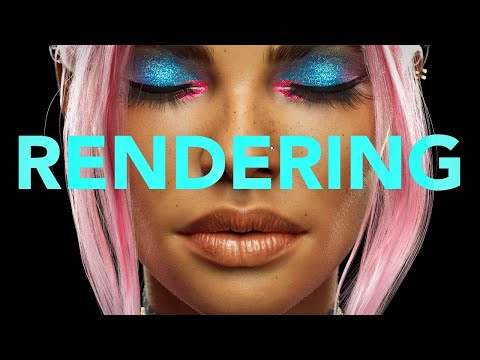
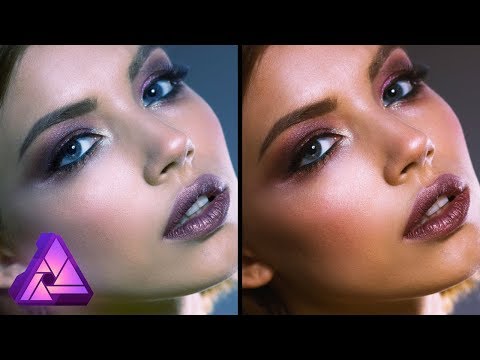
I agree with Padone 100% that the DAZ materials are optimized for DAZ and unfortunately need some work when being used anywhere else (blender, maya, unreal, etc). One way to adjust is to take a DAZ skin and adjust the color using the method in the video below. The target skin color can be a real life photo, a skin from the 3dscanstore.com, or search for 'Pantone skins' and experiment with those colors. This might get you closer to real world skin tones and then you can adjust further in Blender.
Hope this helps a little bit.
ps, the reason I posted a video using maya and arnold was because the dermis-shader advertises that their shader system is based on Arnold somehow. Arnold does not use a 3 layer system as far as I know and that is what I was trying to illustrate. I think all the big engines use a similar setup which is in the video I posted.
Thanks for the information. There are so many options for making skin with Cycles and everybody seems to take a different approach. I'm aware that doing realistic skin in Cycles from Daz figures requires some extra work. My goal is to take the Daz figures and textures as base for modification in Photoshop and Blender.
I found some ideas for baking details in this tutorial. They do characters from scratch but this tutorial is not free. Nevertheless I learned some things about pores, wrinkles and peach fuzz, as well as hair.
I still have to digest it.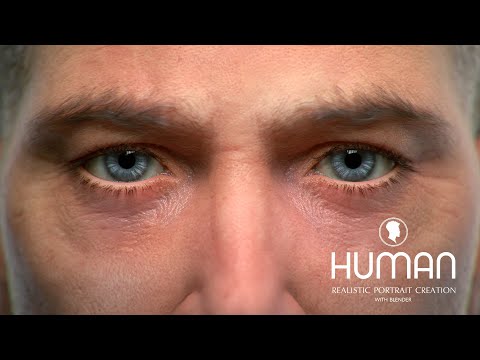
I also found this video interesting about the future of the Principled shader and the explanation about the purpose of the actual one.
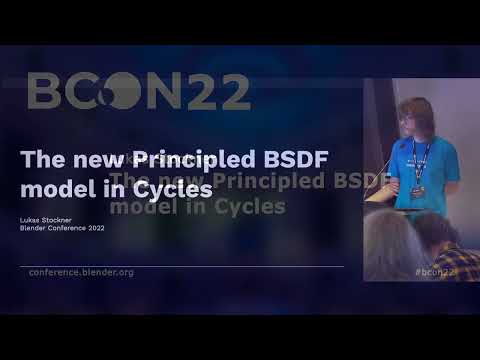
Arists tend to use the shader in their way, without really knowing what the implementers intended. We will come to a certain degree of realism, but I also try to create a set of assets to tell stories and define a personal workflow and I always have to keep myself from always trying to be perfect.
By the way, Krys, you tutorials for Diffeo have been a great help and Padone does an awesome job as well. Thanks to both of you and of course to Thomas for the plugin.
Holsters?Moved to Product Suggestions as it is not a Daz Studio topic.
https://www.daz3d.com/forums/discussion/595506/in-search-of-side-arm-gun-holster/p1
Weird search results - please donate"Dragon 3" gives 156 (153 when I refreshed) results. About a dozen are clothing - some have dragon in the name, some don't. About a dozen are the older dragons - not Dragon 3. If I click on Animals and Creatures, only 66 of them qualify as dragons - this result should be higher.
Dragon 3 gives me 162 results and only 65 of them qualify as Animals and Creatures / dragons - this result should be higher.
I would love it if the Dragon, Dog, Horse, Cat had their own little tick boxes like G8F, G8M, G3F, G3M, etc. I would end up buying more addons for the animals if I could find them.
One of the items that showed up in the "Dragon 3" is Asian SkinWorks L.I.E. Tattoos for Genesis 3 and 8 Male(s).
If I search "Dragon 3" tattoo it doesn't show up. Earlier in my testing about 5 items showed up. Now it says that there are 14, but none of them show up. I don't have Hide Items I Own ticked and I do have Show Mature ticked.
Dragon 3 tattoo shows me 6 tattoo sets, but not Asian SkinWorks L.I.E. Tattoos for Genesis 3 and 8 Male(s).
There are obviously keywords or tags attached to the products. This is great! Please let these same keywords/tags carry over into searching our Products Owned.
I do see that now Products Owned shows a bunch of thumbnails and seems to allow labeling, but doesn't work yet.
If I type Dragon, Dragon 3 in the search of Products Owned, I get 213 results. "Dragon" and "Dragon 3" have no results in Products Owned.
"Dragon 3" gives 153 results. If I Hide Products Owned, it still says 153 and still shows that there are 3 pages of results, with a total of 69 items.I finally used Daz Studio in a music video!I've used Daz Studio since version 1.0 and have been a Daz/Zygote customer since Victoria 1.0. I used to post art at DeviantArt under the name "mrwakko13us" and Renderosity as mrwakko13. Over the years I've had many hobbies and in the last year I began making videos for music I create on my iPad and posting them on YouTube. I've been wanting to somehow incorporate Daz Studio and I finally have. I've been wanting to share my excitement with people who might understand. I don't think the folks at the music forum I frequent would "get it". Maybe people here won't either, but for me it felt like an accomplishment. Fair warning. My music is loud so if you want to check it out I won't be offended if you watch with the volume off. The dancing figure is Victoria 4 with the Creature Creator morphs using a freebie texture for Victoria 3 I converted using a texture converter that sadly is no longer sold here.
The motion capture was from a free set offered here: https://awesomedog.com/
I apologize if this comes across as a shameless plug. I just was incredibly happy to have checked this item off my "things I want to eventually do" list.
Thanks for looking.Duplicate Formulas Found in Files
The dancing figure is Victoria 4 with the Creature Creator morphs using a freebie texture for Victoria 3 I converted using a texture converter that sadly is no longer sold here.
The motion capture was from a free set offered here: https://awesomedog.com/
I apologize if this comes across as a shameless plug. I just was incredibly happy to have checked this item off my "things I want to eventually do" list.
Thanks for looking.Duplicate Formulas Found in FilesI understand you sir. Once upon a time, many people wondered how to make Das Studio not show this annoying dialog that would suddenly stop loading the scene while the user went out for coffee and hoped that the scene had already loaded successfully. There were rumors on the net about some kind of script that magically eliminates duplication. Maybe it was your script, or maybe it was just a rumor. But I have read many of your scripts and explanations of these scripts on the forum. Basically, these are old forum threads. I think you just don't have time to code now. The forum has grown, and the administrators have more and more work to do. A very good forum. Known all over the world.
So what forum section do you frequent and why?Richard Haseltine said:
I've never understood the in-principle objection to necroposting - if a therad is relevant why not reply to it rather than starting a new one? Of course sometimes people will post to an old problem thread saying "same issue" when it probably isn't, but that is easily corrected.
Yep, it is a non-issue most of the time, my guess is that too many abused the practice now it's been adopted by most forums, another reason I like coming here, it's like a little holiday from the rest of the internet! :D
beregar said:
Commons. Sometimes Daz Studio discussion, PA Commercial Products and Freebies... I didn't even realize there's an art forum (wanders off to check the Art Studio forum).
Took me a while to know its existence when I first joined decades ago! :)
Best skins for Blender?I've spent a lot of time experimenting with skin in Cycles and Renderman. I'll throw out my opinions in an effort to help save you some time and money but I admit that I never got skins to look awesome in Cycles. If you take a gander at Artstation and look at the most realistic portraits, you'll see mostly Arnold and Unreal. I played around with Renderman and got good results but it is so complex I didn't want to put any more time into trying to learn it and get better at it. I've since switched over to Unreal. There are some good studio renders in Cycles, but I haven't really seen any in an environment with real world lighting. I'm sure there are some out there somewhere.
I don't think anyone uses the 3-layer system the dermis-shader is promoting. If you check out the video below, this artist is using Arnold in Maya (17:16 to about 18:50). One skin layer with correct SSS depths for red, green, and blue, and the correct scale. I think the old cycles shader I used was set up just like the video; sss depths were set to red=1, green=.33, and blue=0.20. Subsurface was set to a value of 1 and diffuse was set to 0. I put a big spotlight behind the character's head and adjusted the scale until I saw the ears glow the color red that I liked. I can dig up a shot of my node setup if you want it.
I agree with Padone 100% that the DAZ materials are optimized for DAZ and unfortunately need some work when being used anywhere else (blender, maya, unreal, etc). One way to adjust is to take a DAZ skin and adjust the color using the method in the video below. The target skin color can be a real life photo, a skin from the 3dscanstore.com, or search for 'Pantone skins' and experiment with those colors. This might get you closer to real world skin tones and then you can adjust further in Blender.
Hope this helps a little bit.
ps, the reason I posted a video using maya and arnold was because the dermis-shader advertises that their shader system is based on Arnold somehow. Arnold does not use a 3 layer system as far as I know and that is what I was trying to illustrate. I think all the big engines use a similar setup which is in the video I posted.
Knittingmommy's LaboratoryIceDragonArt said:
Knittingmommy said:
It's been a while since I've been active in the forum. I had some losses in my family which were hard to deal with. It's just been a rough last couple of years. When I have been on the forums, I've mostly just lurked in the background. Sadly, that also meant there wasn't a It's Raining Men contest last year, and there won't be one this year either. I do really hope things get back to normal for me and perhaps, I can resurrect the contest in 2023 if there is still interest in having it. I apologize for just ghosting on that, but I just didn't have the mental capacity to deal with all the issues that always comes up with having the contest. Normally, I don't mind, but I just can't yet.
So Genesis 9 seems to be out. I'm not sure if I'm impressed with it yet or not. I did pick up Victoria 9, not the bundle though. I have to say I'm surprised Victoria 9 only came with one eye color. Even Genesis 9 comes with the the normal base colors like blue, green, brown, etc. Usually Victoria has those same basic options. But no, she only has one eye color. I so hope that isn't a trend for Daz characters in the future.
At any rate, I did have fun playing with the new figures. I'll withhold judgment about the new generation until more characters come out and we have access to all the morphs. At the moment,there isn't really all that much I can until even the basic morph sets come out. I really need to work on taking figures out of Daz Studio and morphing characters on my own. That's not something I've been very successful at doing yet. I mostly rely on morph sets and spin dials. Not something I can do until I have dials to spin!
So here's my first renders of Victoria 9.

Closeup of V9:
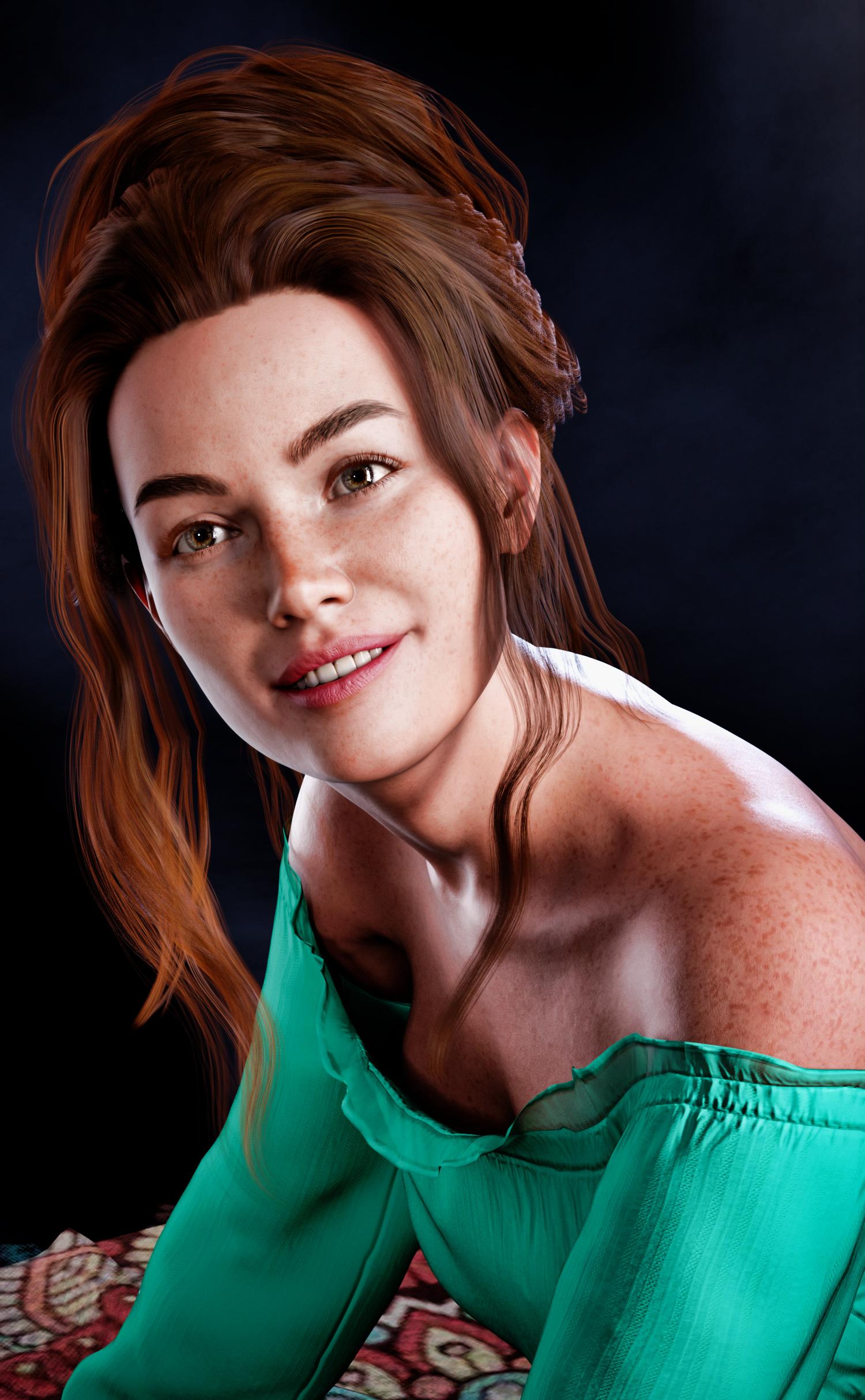
I haven't been happy, so far, with my test renders of Genesis 9. I'll keep working with her to see what I can do.
I haven't see anything that makes me want to go and buy Genesis 9 anything. I'm still waiting to be "wowed". Meanwhile I've got so much other content.... Its good to have you back. I'm sorry that its been so rough. I've had a ton of life changes myself, some good, some bad. Here's to a better 2023 all around!
I definitely hope that 2023 is better. The last few years have been rough, to say the least! It's good to be back though.
Getting on the 9 train, or notKeiku said:
Art2Eager said:
I've been thinking it over, and in retrospect, it's pretty obvious what they're going for with 9. Instead of making a figure that looks great out-of-the-box, they're making a base figure for content developers to sculpt in Zbrush/Max/Maya/Blender/whatever. In the long run, this will lead to lots more HD characters in the store, since developers won't have to waste time cancelling out G8F's details an instead can just start sculpting.
This is good for Daz, as a company, because HD characters are a big-ticket item that are time-consuming to produce. It's also good for Whales who throw money at their Runtime instead of actually learning 3D.
But it's bad for middle-of-the-road hobbyists who only dabble in character customization. The days of downloading a base character, making a few quick tweaks to the sculpt in blender and the textures in krita, and having something more or less production-ready, yet distinctly a new character, are pretty much over. No quickly-made characters means no cheap, low-end content. And all of this is happening during a period in human history where nearly everybody's personal income has been backsliding.
In this context, asking if we're "getting aboard the 9 train" basically boils down to asking us how much disposable income we think we're going to have over the next few years. Like... moreso than usual. For the first time in years, we know for a fact that non-premium content for a flagship Daz character simply won't exist. I mean, you could make a traditional morph from G9F, but it wouldn't really work in production. Look how hard it is to make a belly button.
Spend or subdivide. Retopo or retreat. There is no longer a third option.
Fortunately, Blender is free, and some of the tutorials for how to use it are also free, so there might yet emerge a space for hobbyists, indies, and casual end-users.
Leaning how is going to be work, though.
And once people get used to using Blender, they're not going to want to go back to Daz Studio. Oh, don't get me wrong, they will, because they kind of have to, but the UX is worse in every way. The only advantage DS has is your Runtime is already over here. When the old content becomes obsolete and the new content becomes too expensive to buy at scale because everything's HD... what does that leave?
That's not rhetorical. I genuinely do not have an answer. All I know is the future of Daz is changing. Open your wallets or open your search engines, folks. It's time to go watch some tutorial videos...
This perfectly sums it up. Perhaps this is the push for many of us to finally learn Blender in full. But once we do, where does that leave Daz? Initially importing characters into Blender will still be a thing, but as we learn more, eventually, that won't be necessary. But for now, I will stick with G8 (with some blender learning on the side) until such a time comes where I just can't use it anymore.
...indeed.
I'm not the best at modelling, actually rather bad at it, even for props & such. My goal is to create high quality detailed scenes and illustrations which is enough work in and of itself without having to sculpt #, create morphs, or model what i need. Granted since Blender 2.8 the UI has been improved to be a bit easier to learn and work with, but it takes a certain mindset to do 3D digital modelling (and this is coming from someone who worked with sale model display and radio control aircraft). it's different when you can actually touch the object you are working on.
Having to translate from "old school" painting and drawing to digitial 3D art has been quite the learning curve in and of itself.(which II am still on 15 years later). It has even involved learning how to build a workstation as back then, "off the shelf" systems were inadwquate while custom built ones were extremely expensive.
I pretty much have settled with G3 and G8 for now as they are easier to work with out of the box, even for the extent of morph and character mixing I do.
Still the one part of G9 that attracts me is the return to the unimesh (and a more refined one than G1), for as MattyManx illustrated, as it allows for more realistic breast scaling for younger or more petite female characters wihout all the struggles i've been going through for years. However I'll have to wait until more merchant resource and utility content is released, along with some way to bring in head and full body morphs of older generation characters as desired (like an update of Zev0s XTransfer or a resuscitated GeneraionX).
Getting on the 9 train, or notGator said:
IMO the secret sauce is in the JCMs, otherwise you have ugly bends.
Did a quick search, but I didn't find anything I could understand. What are JCMs and how do we use those to fix the ugly bends? I don't see anything in the parameters tab for G9.
Cyberware skin detailsI am not sure this will help but I did a search on 'cyber' and also have Kola 8.1 who is supposed to be part cyber. I found an outfit that looks a bit like your lower picture and something that may give you some other options:
https://www.daz3d.com/cyber-guardian-outfit-for-genesis-81-males
https://www.daz3d.com/cybersentinel-outfit-for-genesis-8-and-81-males-bundle
https://www.daz3d.com/the-protectors--addon-for-cybersentinel-outfit-for-genesis-8-and-81-males
https://www.daz3d.com/cyber-me-for-genesis-8
So what forum section do you frequent and why?Commons. Sometimes Daz Studio discussion, PA Commercial Products and Freebies... I didn't even realize there's an art forum (wanders off to check the Art Studio forum).
So what forum section do you frequent and why?takezo_3001 said:
Dandene said:
I'm mostly a Commons person, myself. I occassionally wander into Daz+ and peruse the other sections if there isn't much going on in here. I tend to miss a lot of conversations and don't want to necro.

Heheheh, don't worry about necroposting here, this forum is unique in that there is no such rule, spoken or otherwise, that discourages necroposting, so feel free to necropost as if you've never necroposted before!
I've never understood the in-principle objection to necroposting - if a therad is relevant why not reply to it rather than starting a new one? Of course sometimes people will post to an old problem thread saying "same issue" when it probably isn't, but that is easily corrected.
So what forum section do you frequent and why?Dandene said:
I'm mostly a Commons person, myself. I occassionally wander into Daz+ and peruse the other sections if there isn't much going on in here. I tend to miss a lot of conversations and don't want to necro.
Heheheh, don't worry about necroposting here, this forum is unique in that there is no such rule, spoken or otherwise, that discourages necroposting, so feel free to necropost as if you've never necroposted before!
Getting on the 9 train, or notKeiku said:
marble said:
The problem is that, very soon, all new content in the store will be for G9 only.
Perhaps we can hope for the impossible, and Daz will change it's mind?
No, because the final opinion is based on customers buy, whose behavior we don't know and is not necessarily similar to the opinions in the forum.
Looking for Ravenna's chairThis one is a close, but not quite exact, match.
https://sketchfab.com/3d-models/baroque-chair-b42db364ca094af787e9ab83a76719d3
There are also these. They're not the same, but are also baroque:
https://www.turbosquid.com/Search/Index.cfm?keyword=baroque+chair&media_typeid=2
Duplicate Formulas Found in FilesThis is the news.
First, about compression. In Genesis2 folders there is a file with the same name PHMFlirtingMasculineL.dsf And I was very curious to see if it has the tag "formulas".
As soon as I found out that this file was only pretending to be encrypted, I immediately unpacked it and looked inside.
Of course, this file turned out to be very similar to the old Genesis PHMFlirtingMasculineL.dsf file. But it doesn't have a "formulas" tag. It is not in the new Genesis PHMFlirtingMasculineL.dsf file either. In the old file, the "formulas" tag is between the "group" and "morph" tags. This is redundant because the same "formulas" is contained in the CTRLFlirtingMasculineL.dsf file in the same folder. Now it does not matter. The old files have been replaced by DAZ with new packed files, but I want to show what kind of error can cause the warning "Duplicate formulas found..." Two completely identical tags located in different files duplicate each other.
But there is at least one other error that results in a warning "Duplicate IDs were found while reading the file. See the log file for more details."
I was reminded of this when Richard mentioned "id". I searched and found a file that actually had two identical 'id's. Both of them were in the same file, but neither of them was redundant this time. In fact, they were mistakenly given the same name. This is where Richard's advice came in handy. One "id" belonged to a node and could not be renamed because the node name was referenced by many child elements in the file. I didn't even try to rename it. But the second "id" belonged to the figure mesh and nothing referred to it. Its name change was successful. The warning "Duplicate IDs were found..." no longer appeared. This applies to old files. They have long since been corrected by DAZ. But I'm surprised that the forum posts from time to time about such errors with new figures. Perhaps those errors have a different meaning.Best skins for Blender?Which skins work better in Blender? I've already seen some posts about the best skins on this forum, but the question has been geared toward which ones work best in Daz and I'm not sure if the ones that give the best results in iRay are also the best for Blender.
I have had mixed results with the skins I have purchased and realized that I understand very little about how they work in Daz. I compared the maps of some of the skins to understand the differences (see attachment) and would also like to know which maps are more important to get more realistic results in Blender. I'm thinking about mixing maps to get variety, but I'm not sure if it will work.
Additionally, which skin parameters are more critical to tweak to get better results? One of the problems I'm having is that some materials that work well with diffuse lighting indoors don't work so well with direct light outdoors, so I'd like to know which parameters I should pay more attention to. I'm only working in Cyles for now.
Thanks
Daz 3D is part of

Connect
DAZ Productions, Inc.
7533 S Center View Ct #4664
West Jordan, UT 84084Licensing Agreement | Terms of Service | Privacy Policy | EULA
© 2026 Daz Productions Inc. All Rights Reserved.