-
Applying [anatomical elements] on G9
felis said:
There is geometry for the anus.
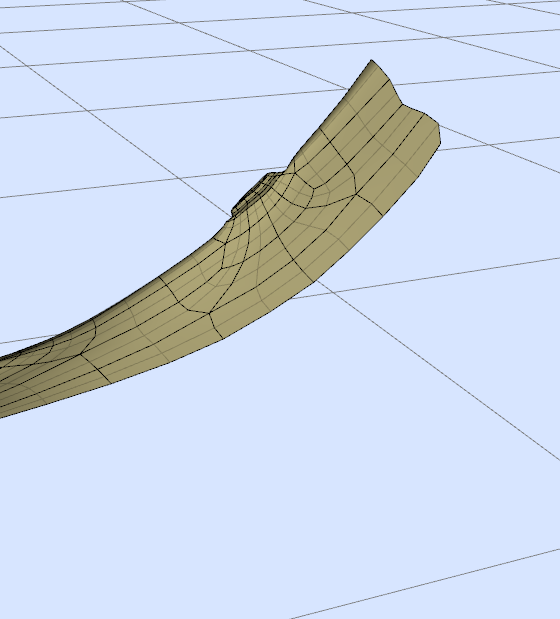
But there is no morphs.
There are some products morphs in the store, but those I looked through didn't include the anus.
There might be some 3rd party.
What kind of morphs are you after?
Indeed, the geometry is there, but adjusting it with morphs creates only hole in best case or shapes the surroundings and that's it. I have plenty of morph dials for the anus, but since the actual part is missing, those morphs do nothing. I'll attach a picture the soonest I'm on my PC.
Freebie Challenge March 2026 - "The Big Blue" - Main ThreadUnder the Sea
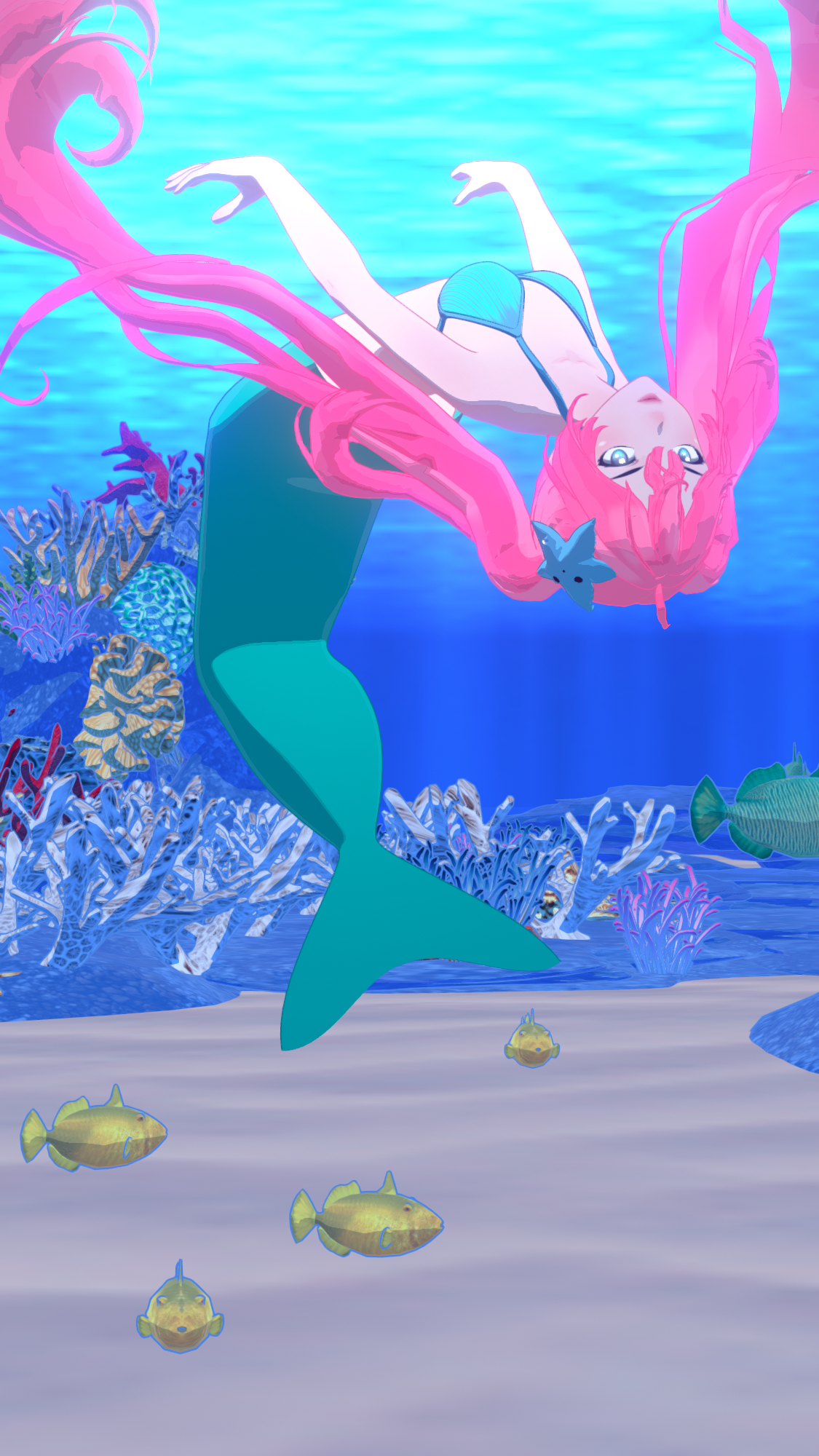
KT Child G9 by katyee (morph)
https://www.renderosity.com/freestuff/items/98181/kt-child-g9
Iuno for G9 by Shinteo (hair)
https://www.deviantart.com/shinteo/art/Iuno-for-G9-1244909157
Trekant Bikini G8F by pjz99
https://www.renderosity.com/freestuff/items/97491/trekant-bikini-g8f
Free Mermaid for V4 by Most Digital Creations
https://www.most-digital-creations.com/free_poser_poses_textures_morphs_props_16.htm
Little Star Plushy by paulawbs
https://www.renderhub.com/paulawbs/little-plush-star
G9 Underwater Poses 01 to 10 by richardandtracy
https://www.renderosity.com/freestuff/items/99579/g9-underwater-poses-01-to-10Coral Reef - Great Barrier Reef by Shreddder
https://www.renderosity.com/freestuff/items/94286/coral-reef-great-barrier-reef
Underwater Hdri by Namtaar
https://www.deviantart.com/namtaar/art/Underwater-Hdri-805776729PAID:
Filatoon Skies (for Underwater Hdri)
https://www.daz3d.com/filatoon-skiesdForce Archmagebarbult said:
It is not just you. It looks like a bug or undocumented limitation to me. I can reproduce this problem in DS 4.24.0.3 using G9M with his anatomical elements, a geoshell with geograft visibility off as you described, and a morph extracted from a simulated garment he is wearing. As soon as the morph is created by Archmage Morph Extractor, the geoshell graft visibility is turned back on.
Appreciate you testing it out to confirm. Thanks.
Hopefully it can be fixed; it's frustrating and slows productivity having to adjust all the geoshells after every morph extraction.
dForce ArchmageElor said:
A geoshell is creating surfaces on the fly, so when you're unfitting a geograft (which afaik you have to to create morphs for the figure to which it is fitted), all the surfaces from that geograft are removed from the geoshell, and created again from a blank state once that geograft is fitted to the figure again.
I don't see how this applies to the problem at hand. The geograft is not being unfitted from the character in the problematic scenario. The morph that is being created by Archmage is a morph on simulated clothing that the character is wearing. Neither the character nor the geograft are being morphed.
Pearly Whites Teeth Materials [Commercial]paulawp (marahzen) said:
3DSaga said:
This might sound dumb, but I would like a script that copies the fingernail color to the toenails for cases that don't include toenail color.
Actually, speaking of nails, is there a G9 resource for plain, ordinary, rough nails? You know: dull, uneven,chipped a bit, slightly dirty under the nails; but not full-on, freak-show creature nails. In my case, I have a cast of characters in a frontier town who work with horses; they're not going to have nice nails - but they're also not monsters.
@3DSaga I actually already have a nail-related script that's available: https://www.daz3d.com/omninail - whilst it doesn't copy fingers to toes or vice versa, you can set the same colors for both at the same time, or even a gradient :)
@Paula It looks like @ChangelingChick has a product designed for Genesis 9 creatures that has a chipped morph, see the last popup of this: https://www.daz3d.com/creature-nails-add-on-for-genesis-9
dForce ArchmageSonixUK said:
matew said:
SonixUK said:
Is this just happening to me, or is it a bug?
Whenever I extract a morph, all geograft settings in geoshells are reset back to their default values.Reproduction steps:
Load G8F default figure.
Add G8F anatomical elements (or any other geograft).
Add a new geoshell.
Turn off anatomical elements (or your chosen geograft) from surfaces in geoshell.
Add a dforce item of clothing and simulate.
Extract morph using Archmage.
Look at the geoshell - you will see that the added geografts surface has been turned back on.This happens to ALL geoshells in the scene, even if on other characters. It resets all geografts to their default values after every morph extraction.
Hmm, that's strange. I use DAZ 4.24.
Load G8F - Load G8 Female Genitalia - Create Geoshell - Make Genesis8FemaleGenitalia_Genitalia opacity = 0 - Load Dress - dForce Simulation - Morph Extractor.
Result: Morph created, Genesis8FemaleGenitalia_Genitalia opacity is still 0.
Thanks for getting back to me.
I'm not talking about opacity.
Shell Parameters -> Shell -> Visibility -> Surfaces -> ON/OFF
Whatever the default value of the geograft is on the geoshell, if you toggle it, after morph extraction, it resets back to the default value.
It only affects geoshell surfaces on the shell; default surfaces (Arms/legs/Ears/etc etc) don't reset.
This happens every time for me, every scene, and to every geoshell in that scene.
If it makes a difference, I'm still using 4.23.
It is not just you. It looks like a bug or undocumented limitation to me. I can reproduce this problem in DS 4.24.0.3 using G9M with his anatomical elements, a geoshell with geograft visibility off as you described, and a morph extracted from a simulated garment he is wearing. As soon as the morph is created by Archmage Morph Extractor, the geoshell graft visibility is turned back on.
dForce Archmagematew said:
SonixUK said:
Is this just happening to me, or is it a bug?
Whenever I extract a morph, all geograft settings in geoshells are reset back to their default values.Reproduction steps:
Load G8F default figure.
Add G8F anatomical elements (or any other geograft).
Add a new geoshell.
Turn off anatomical elements (or your chosen geograft) from surfaces in geoshell.
Add a dforce item of clothing and simulate.
Extract morph using Archmage.
Look at the geoshell - you will see that the added geografts surface has been turned back on.This happens to ALL geoshells in the scene, even if on other characters. It resets all geografts to their default values after every morph extraction.
Hmm, that's strange. I use DAZ 4.24.
Load G8F - Load G8 Female Genitalia - Create Geoshell - Make Genesis8FemaleGenitalia_Genitalia opacity = 0 - Load Dress - dForce Simulation - Morph Extractor.
Result: Morph created, Genesis8FemaleGenitalia_Genitalia opacity is still 0.
Thanks for getting back to me.
I'm not talking about opacity.
Shell Parameters -> Shell -> Visibility -> Surfaces -> ON/OFF
Whatever the default value of the geograft is on the geoshell, if you toggle it, after morph extraction, it resets back to the default value.
It only affects geoshell surfaces on the shell; default surfaces (Arms/legs/Ears/etc etc) don't reset.
This happens every time for me, every scene, and to every geoshell in that scene.
If it makes a difference, I'm still using 4.23.
Wounds PLEASE HELPHow deep? A really deep hole, or a right through the body hole, would probably best be handled with a Geometry Graft - essentially take the figure into a modeller, at base resolution and with no morphs or posing applied, then delete everything but the polygons around the area(s) to be effected. Don't touvh the edges or vertices around the area, but you can do what you like within to do the base shape of the hole (don't go mad on detail at this stage) - the main issue will be that you will probably need to do fresh UVs for the new area. Once done you import that into DS, use the Transfer Utility to rig it, refine that as needed (with luck it will be OK as is), fit it to the base figure, then select the base figure and use the Geometry Editor to select the area of the figure that is to be replaced with the graft (everything you kept to being the modelling) then right-click>Geometry Assignment>Set AutoHide Faces for Grafts. When you switch to a regular posing tool the skin over the hole should vanish as long as the graft is fitted, you then have the little issue of texturing it. Not a trivial task, and possibly not a New User task depending on your basic skillset, but it is doable.
dForce ArchmageSonixUK said:
Is this just happening to me, or is it a bug?
Whenever I extract a morph, all geograft settings in geoshells are reset back to their default values.Reproduction steps:
Load G8F default figure.
Add G8F anatomical elements (or any other geograft).
Add a new geoshell.
Turn off anatomical elements (or your chosen geograft) from surfaces in geoshell.
Add a dforce item of clothing and simulate.
Extract morph using Archmage.
Look at the geoshell - you will see that the added geografts surface has been turned back on.This happens to ALL geoshells in the scene, even if on other characters. It resets all geografts to their default values after every morph extraction.
Hmm, that's strange. I use DAZ 4.24.
Load G8F - Load G8 Female Genitalia - Create Geoshell - Make Genesis8FemaleGenitalia_Genitalia opacity = 0 - Load Dress - dForce Simulation - Morph Extractor.
Result: Morph created, Genesis8FemaleGenitalia_Genitalia opacity is still 0.
Ethin's Melody and Micah Dev LabTried my cave bunny texture out on my saber tooth morph. Not quite what I was looking for, but it's closer than what I had been using.
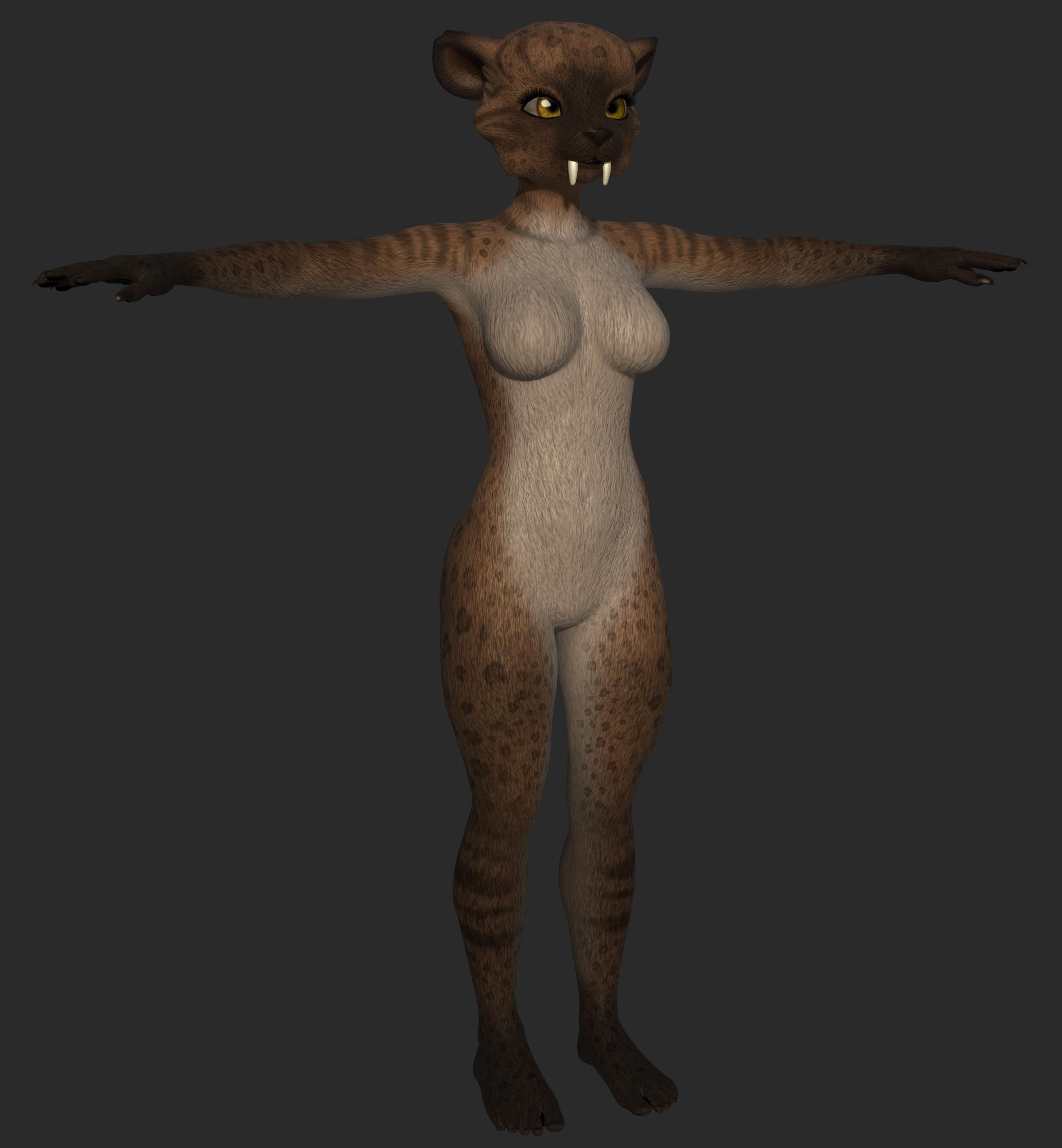
Also, some people might be wondering why my saber tooth project just sort of disappeared. That was because I discovered that the vertices in Micah's teeth got renumbered at some point in his creation. So a morph created on Melody cannot be transferred to Micah... easily. So I've been looking for a workaround for that. Of course, at this point, I could probably make a better morph for the teeth and mouth. So starting over from scratch might be a benefit as well.
Simulation help needed for dForce VYK Romantic Boho G3,8,81FNot a really easy case... but I would like to show one of my ways by using helpers.
1) Create two primitives of Sphere and parent them to Left / Right hands so as to prevent the cloth from being penerated by fingers... (screenshot 1)
2) Simulate with an animated range. (screenshot 2). Select the Boho, export it to OBJ file. Clear the simulation result !
3) Import OBJ with Morph Loader Pro to the Boho. Dial the morph and hide two Spheres ! (screenshot 3)
4) Now Simulate with Current Frame ! Done ~ (screenshot 4)I attached a Wearable Preset of two Spheres down below. You can load the helpers to the figure and give it a try if you'd like to ~~
Genesis 2 Appreciation ThreadConcerning G2:
I'm sure you're aware, but just in case you're not, 'Old Miner' at Rendo issues all their clothing freebies in G2/G3&G8 versions, with the most recent in February. You may find something useful in their work. Don't think I've seen many new characters for G2. There is a Bone Minion for G2 that converts poses from V4 thru G9 (except G1) to G2 to expand the range of poses available. Must admit I've never done a freebie pose transfer script to G2 myself, just G2 to other generations. I think It may be useful. Using fit suit techniques you should be able to get other textures on G2, and autofit clones can allow new clothes to be used (with sometimes limited success).
Concerning G3:
Do see occasional new pose sets at Rendo, and I've done a G3 underwater set myself (last December) which is at Rendo. As for clothes... Almost all G8 clothes work properly on G3 if the base character is set to Genesis 3 instead of Genesis 8, making G3 & G8 effectively different versions of the same figure. And it's rare for G8 mat files not to work on G3 in my experience.
Hope there's a little that is of use to you in the waffle.
Regards,
Richard
How to turn Geoshell into clothing item that can be fitted to Genesis 8 figure?A geoshell is a dynamic copy of the undelying figure with a little offset, so by definition it will always follow the figure's pose and morph exactly.
You can't expect the same behavior with a separate rigged mesh, it will usually require adjustment morphs for some poses or morphs (which you will find in most regular clothes). Transfer utility also only provides a starting point for rigging, you sometimes need to adjust the weight maps.
Regarding the rigged shell not aligning with the figure: what pose was the figure in when you exported the shell? Did the character use some morphs, or did you use the base figure? Tranfer utility expects clothing mesh to fit the base figure in default pose when using the default settings.
How to turn Geoshell into clothing item that can be fitted to Genesis 8 figure?Just a fyi I am a total newbie at this but basically I found some amazing assets in the renderosity site like Easy pants by Hameleon. It uses geoshells and I like the way it makes everything properly sit on the skin really nicely.
Now the problem is its a geoshell, and I want it to be a clothing item where I can use tools like fit control with morphs or create my own morphs if I ever need it. From googling, It told me to export the geoshell out as obj and then import it back in, and then use the transfer utility feature. I then try to fit to the genesis 8 female but the pants would no longer be aligned (it just moved away from the char ) and it doesn't seem to correctly react accordingly with different poses etc like normal clothing items.
Is there a guide or any sort of resource anyone can provide me regarding this? Idk if I am missing some steps/settings but I would greatly appreciate it if anyone can help guide me on this. Thanks
Morph Loader ProYou need to use the Adjust Rigging to Shape comand, then most likely use Joint Editor to tweak the results. Once the rigging matches the new shape you can use ERC Freeze to link the adjustments to the morph, so that they will apply as needed. Jay should have videos on this too, I think.
Morph Loader ProHey,
I created a morph for Genesis 9 from an exported .obj file as detailed in a video tutorial by Jay Versluis. The technique seems to work okay for the most part. Using Morph Loader Pro I am able to reimport the .obj file as a morph with a slider being added to the Parametes tab.
However, after I dial it into my Genesis 9 character, although it looks good, when I try to pose the figure I get some weird deformations. Here is a shot of what happens to the hands when I bend the fingers:
As can be seen - they become hugely distorted.
Any ideas?
Limited Time Freebies Discussion ThreadTorquinox said:
Re: v3 stuff: Why? There is still https://www.daz3d.com/aiko-3-0-professional-bundle and various other items from that time period, but even for free... there used to be a v3 m3 morph pack, and that's long gone. So, @RichardandTracy 's incorrigible enthusiasm for V3 aside, not sure what a lot of us would do with those ancient figures. I actually have V3, A3, and some small amount of stuff. I would not download any more. V4 is my lower limit.
I just bought for free both the Aiko starter & pro bundles, since I had everything in them from years ago. :) Two products I won't see when I peruse offers, and I can hide them in DIM. Or maybe even play with them.
Limited Time Freebies Discussion ThreadRe: v3 stuff: Why? There is still https://www.daz3d.com/aiko-3-0-professional-bundle and various other items from that time period, but even for free... there used to be a v3 m3 morph pack, and that's long gone. So, @RichardandTracy 's incorrigible enthusiasm for V3 aside, not sure what a lot of us would do with those ancient figures. I actually have V3, A3, and some small amount of stuff. I would not download any more. V4 is my lower limit.
A note to Daz hair developers...Masterstroke said:
I also wish, vendors would do different styles of the same hair, which also could be seperate products. That kind of varientions, that would be difficult to have as morph targets.
Like an all down version, a ponytail version and an up do version.
Same hair, different styles.IfIf you look at one PA's store, like OOT, you can find hair that is parted on one side or the other or in the center that is either long, pulled up into a ponytail, or an updo. Some are in combo packs, others not. But their hair textures are alike and can be matched across the different hairs.
A note to Daz hair developers...I also wish, vendors would do different styles of the same hair, which also could be seperate products. That kind of varientions, that would be difficult to have as morph targets.
Like an all down version, a ponytail version and an up do version.
Same hair, different styles.Daz 3D is part of

Connect
DAZ Productions, Inc.
7533 S Center View Ct #4664
West Jordan, UT 84084Licensing Agreement | Terms of Service | Privacy Policy | EULA
© 2026 Daz Productions Inc. All Rights Reserved.