-
VIctoria 4 Anatomy to Genesis 8
Hi All,
Trying to get the V4 Skeleton to fit into a Genesis 8 model
I've been following a few different threads and have seen some good V4 to Genesis to G8, but can't quite find anyone who's done the skeleton specifically.
Is it possible using this method?
https://www.daz3d.com/forums/discussion/193296/freebie-how-to-create-a-v4-clone-and-transfer-other-figures-for-g8f-now-with-video/p2
I can seem to get the V4 Skeleton into a Genesis correctly, but struggle to get it to go to a G8 from there. Any help would be much appreciated!Victoria 4.2 & Morphs ++ Show as not Installed in Studio Via DIM InstallationWe need more info. A screenshot of Studio's Content Management Directory with DAZ Studio Formats and Poser Formats expanded and a screenshot of DIM's Installation tab.
As requested - see attached. As you can see DIM is only used to install DS Content and the reason for 2 separate directories - Drive G: G1-G2 is older Studio Content for Genesis 1&2 content and Drive P: is everything else. This was necessary due to drive space limitations as drive G is 1 TB in size internal SSD drive and Drive P is an external 2 TB USB 3 drive... Also when downloding and installing content in DIM I use the drop down box that shows where each item is installed and in the case of multiple installs I 1st select the correct items to the correct drives as indicated by their respective install paths.
As for your earlier inquiry about the "DAZ Michael 4" and a "DAZ Victoria 4" content those refer not to charcters but other content like clothing and hair...
Hope this additional info is helpful in getting this resolved and thanks for your help so far.
EULA ClarificationWhat you are depicting doesn't matter (except with the Anne Marie Goddard digital Clone for Victoria 3)
Can I copy material and texture to another character?I assumed the character in question was Ravyn for Genesis 8 . As a teen character, she doesn't come with gens textures. But yeah, you'll need a Pro Bundle, probably Victoria 8, in order to have the genital prop in any case.
Victoria 4 LODThey are in the Victoria 4.2 Base. You can select which LOD's to load with V4 in the Power Loader -> Advanced tab -> Mesh Resolution tab. If you bypassed the Power Loader, hold <CTRL> when double clicking Victoria 4.2.
Victoria 4.2 & Morphs ++ Show as not Installed in Studio Via DIM InstallationI see a "DAZ Michael 4" and a "DAZ Victoria 4" besides the "DAZ People", do you have multiple installs of the 4th Generations?
Hi, thanks for asking. The only installs that have been done were through DIM and who knows where it chose to install them within Studio... Is there anyway of telling when these were installed. Also neither of you has addressed the main issue shown in the multiple screen prints included showing over 100 of those older content items with the [Triangle & ! inside it] with some of them being greyed out, and not showing as installed... Why is this issue being avoided as that is the main problem I am experiencing.
Please look into further and give me some clear guidance as I do not know what to do and would really like to get this resolved...
Thanks.
Using GV3 in DS4.10, a few oddities.I see no reason why your GV3 saved scenes shouldn't work. Do you have the same problem with V3?
Regarding the idea of transfering GV3 to G8, unfortunately the creator of GenX passed away before G8 release so GenX doesn't support G8, it only goes up to G3.
If you wanted to transfer a figure based on V3 to G3 using GenX you would need:
- The main program: https://www.daz3d.com/genesis-generation-x2
- The G2 add-on: https://www.daz3d.com/genx2-addon-for-genesis-2
- The G3 add-on: https://www.daz3d.com/genx2-addon-for-genesis-3
- The V3/M3 add-on: https://www.daz3d.com/genx-addon-gen3-for-v3-and-m3
From memory when using a poser figure based on V3 or V4 you can load a modified cr2 as the source figure.
You would also need this for the texture: https://www.daz3d.com/legacy-uvs-for-genesis-3-special-edition-victoria-3
It's possible to transfer morphs to Genesis figures manually using the transfer utility but it's a lot more work.
Using GV3 in DS4.10, a few oddities.I have been away from creating figure animation renders for 12-13 years originally using DS 0.7 to 1.3 after Poser 4. Now, well, launching into DS4.10 is a bit overwhelming given its features & capabilities.
My favourite figure back in the day was Jim Burton's Glamerous Vickie 3, based on a revised CR2 file from Victoria 3. Loading the figure into DS4.10, she imports well and everything works OK. The problem comes with saving the .duf file & re-opening it. After re-opening, none of GV3's special morphs (Breast Size A/AA/C/D, Slender, Butt etc) seem to work, and the figure reverts to the default GV3 shape.
Does anyone know why this might be & how I could correct it? It could be because the V3 based models are a bit elderly & no-longer completely compatible, but it would be nice to have what is saved being the same as what is re-opened.
V3 and GV3 have some pretty serious joint bend problems, so the G8 figures are - well - absolutely amazing for the range of operation and general realism. Unfortunately none of the current G8 figures have quite the classic shape of GV3. Is there any way of moving the GV3 shape to G8F? I have seen something called GenX, but cannot really tease out from the sales documentation whether it'll work on a derived mesh like GV3 or whether it needs to be a morph applied to a V3 model. Furthermore, the numbers of addons to GenX are a bit confusing. What would I need to get it to work from GV3/V3 to Genesis 8?
As for rendering with IRay; Rendering GV3 with IRay straight from the standard V3 textures is simply stunning in comparison to anything I could hope to get from the packages 12 years ago, and gives the promise of much better to come when I learn how to tweak everything. If I could get GV3 to stay in the shape saved or convert her to G8F, I'd be a really happy bunny.
Regards,
Richard
Victoria 4.2 & Morphs ++ Show as not Installed in Studio Via DIM InstallationI see a "DAZ Michael 4" and a "DAZ Victoria 4" besides the "DAZ People", do you have multiple installs of the 4th Generations?
IRAY Photorealism?Thanks tosome of the input I've gotten here, I decided to take the figure I used in the earlier renders of the woman in bed and place her in a studio setting with more light control and a neutral background. I think it helps. Please let me know what you think. There's minimal postwork in this. I added an ambient occlusion layer and a depth layer which gave the image more "pop".
Since you asked for it here's some notes. I will not hold back for the purpose to be constructive.
1) The very first thingy that comes to my attention is the fake smile. Facial muscles simply don't follow. That's a common issue specially in G8 poses I'm afraid. Specifically the cheecks need to be rised up, and the mouth corners need to be smoothed out of those spikes and widened up and better integrated with the mouth contour muscles. Basically the mouth as is seems just sticked-in into the face.
[...]
agree
... and lips do stretch when smiling. Most expression sets only move the mouth corners up and that's it. That is why all the preset smiles from Victoria 4 to Genesis 8 look weird.Victoria 4 LODHallo can somebody reminds me which V4 product contains LOD - level of detail lower resolution meshes? Thank you.
Side Renders in Honor of Misty the Awesome One - May the 4th Be with YouDouble Trouble

Adriana Hair for Genesis 2 & 3 Females & Victoria 4
Adult Hatchling Dragon
Adventure Girl 2
African Elephant
- Updated render
Carrara Challenge 45: Extinction and De-extinction! Less than two days to go!This is the crude rendered version.
As I used multipass rendering, after postwork:
pretty brilliant, once you get that lighting happening it will sing - great to use Fluidos :)
Looking great so far Alberto !
Thank you!
love the ideas and thinking that Carrara'ists come up with.. awesome work Alberto
Resurrection of Victoria One
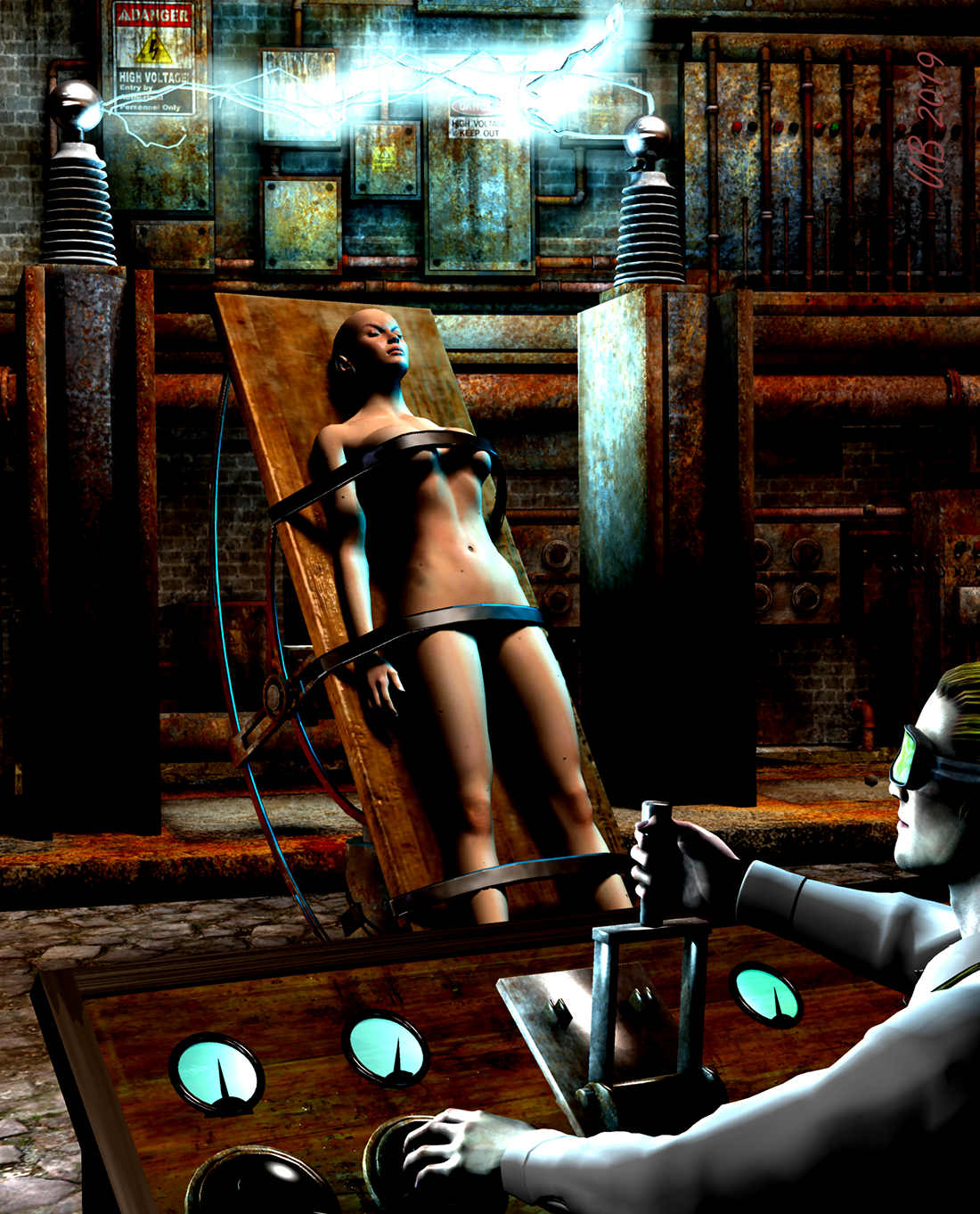
This is my second time to use V1 in a Challenge, so I guess this makes the resurrection official.

However, I discovered that this version of V1 (which comes in the Mimic Lite package) is not the "full" V1, but rather a low-res NG version. Still, it works for me.
The people are V1 and M3. Shirt is M3 everyday wear. Goggles come from B25 Steampunk Aviator. The set is The Mad Lab, with some alterations and additions in the model room. Carrara processes include, aura and text. GMIC was used, as always. No postwork.
just wow... you are getting mucherer better and betterer .. it's awesome seeing your development over time and how you have grasped the use of Carrara and it's tools.. very much enjoy viewing your works.
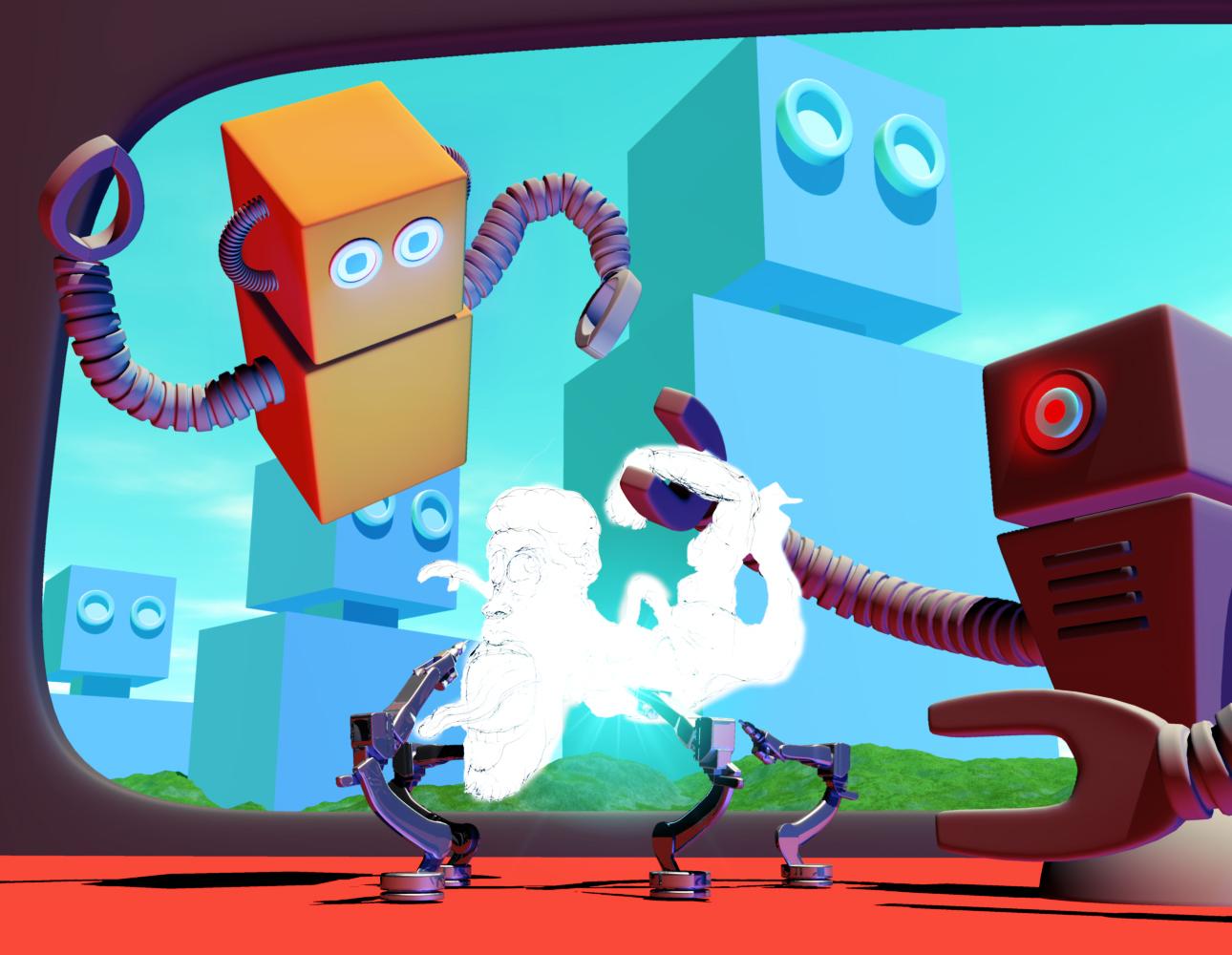
This is as much as I could get done for this image. Pretty simple modelingfor the most part - just some boxes and cylinders made in the Vertex Room, textured and assembled together. The two main robots have IK chains for their arms. A few of the objects have Aura enabled under the Effects Tab. The one industrial robot arm has a Bulb attached with some Light Effects turned on: CrossScreen, Glow and Stars. Industrial robot arms are textured with Anodized Aluminum from Carrara native content. I rendered the background robots serperate from the foreground and added a subtle Curves filter to each in post.
Thanks Headwax and Diomede for hosting the challenge!
this really grabs me... great work also.... so much great stuff by you all... and looks even betterer when viewing whilst sitting back with a coffee at lunch time
 help ID character & hair used in i13's Classroom Teacher Outfit for G3F
Hair looks like this one:
OK thank you, thats what i thought too.
Yea, I see now, apparently I just read the subject line not the comment. :)
What about the character? anyone recognize her? Victoria 7 maybe? hard for me to tell the face with the glasses and maybe because some eye posing might have been done.
Here's some general observations and common rules I've made after helping tracking down a lot of characters over the years:
Contrary to hairs and many other products characters can be extremely difficult to identify because there are so many of them, they share a lot of general characteristics, the original character can be morphed in an almost infinite number of ways and textures can be switched and altered as well, plus various cosmetic presets can be applied.
So first look at the release date of the product the promos are from (the readme page will tell you if there is one), the products used in promos are almost always from before that date.
The texture used is generally the easiest to identify, the eyebrows are usually unique and it may have spots, moles or freckles so if you have some possible candidates these characteristics can make it a lot easier to recognize which one among them it is. But it usually requires some good close up photos. It looks like the expression set belonging to the bundle for this product uses the same character, it has some better promos which may make it easier to identify it:
https://www.daz3d.com/i13-expressions-of-teaching-for-the-genesis-3-female-s
The spots over the left eyebrow and on the left cheek and the breast for example are good clues for the texture used. From these I think the texture may be from this character, the eyebrows also match quite well:
Jolina HD for Victoria 7 - https://www.daz3d.com/catalog/product/view/id/32449
The body must have been morphed quite a bit though, maybe also the face, perhaps the morph is from another character.
The texture may also be from another character using the same merchant resource for the skin, but I'm not aware of any, I was just browsing through my own V7 characters looking for these spots and found this one.
Genesis 9 delayed until at least 2020. Will you be buying it?The thing is, unless there is a big jump in the underlying tech or the kind of backwards compatibility that we got with Genesis 8, There is no compelling reason for myself to “go all in” when Genesis 9 releases. It’s definitely not a financially sound decision to move into Genesis 9 if it means that my previous content cannot transfer to the new figures. Of course I will play around with the starter essentials that we may be given for free based on previous release history but depending on the compatibility issue, it’s looking very likely that I will stay with just the “starter essentials” or maybe just get the Michael 9 and Victoria 9 characters and stop there until I start seeing the utilities, tutorials, morph packages and whatnot I would need to transfer things forward and backward. It’s just the most financially responsible way I can see at this point. None of us really knows what G9 is going to bring to the table at this point after all.
help ID character & hair used in i13's Classroom Teacher Outfit for G3FHair looks like this one:
OK thank you, thats what i thought too.
What about the character? anyone recognize her? Victoria 7 maybe? hard for me to tell the face with the glasses and maybe because some eye posing might have been done.
Carrara Challenge 45: Extinction and De-extinction! Voting Thread:Entry #25
Title: Resurrection of Victoria One
Artist: UnifiedBrain
Category: B
Links to WIP thread: https://www.daz3d.com/forums/discussion/comment/4450446/#Comment_4450446Credits/Discussion: The V1 model used here comes from the Mimic Lite package. It is a low-rez version with NG. Still does the job.
The people are V1 and M3. Shirt is M3 everyday wear. Goggles come from B25 Steampunk Aviator. The set is The Mad Lab, with some alterations and additions in the model room. Carrara processes include, aura and text. The GMIC plugin for Carrara was used, as always. No postwork.
Carrara Challenge 45: Extinction and De-extinction! Less than two days to go!Resurrection of Victoria One
This is my second time to use V1 in a Challenge, so I guess this makes the resurrection official.
However, I discovered that this version of V1 (which comes in the Mimic Lite package) is not the "full" V1, but rather a low-res NG version. Still, it works for me.
The people are V1 and M3. Shirt is M3 everyday wear. Goggles come from B25 Steampunk Aviator. The set is The Mad Lab, with some alterations and additions in the model room. Carrara processes include, aura and text. GMIC was used, as always. No postwork.
Help with Jenn HD PoseDoes anyone know if Jenn's pose ( the dark haired girl) is custom or part of a pose pack? I've been trying to recreate it, but I can't quite get it right.
 Genesis 9 delayed until at least 2020. Will you be buying it?
I'm only buying men. So if Genesis 8 coming this year, means females, then I'll wait for the male release. I have enough female figures and content, so unless there is some major breathrough in tech with the new Victoria 9, I'm passing.
Daz 3D is part of

Connect
DAZ Productions, Inc.
7533 S Center View Ct #4664
West Jordan, UT 84084Licensing Agreement | Terms of Service | Privacy Policy | EULA
© 2026 Daz Productions Inc. All Rights Reserved.