-
The older generation: Victoria 2/3, Michael 2/3 and their children renders
I don't have any experience with clothing convertors, sorry.
I have used the RS G3->G8 character convertor sucessfully and failed utterly with the V3/V4->G1/G2/G3 convertor (Genesis Generation X2). The best thing I can say about the resemblance was that 'It vaguely reminded me of the original character'.
I have written pose transfer scripts to transfer a pose from one character to a different character of a different generation. Consequently, actually managed to get 2 way pose transfer between V3 & G8F. It's what allowed me to convert the poses from G8F to V3 mentioned in the post here:
As for SolidWorks, hmm. I work for a company that needs everyone to have a wide range of skills in the Technical Department. Ideally everyone can do project management, documents, stress, testing & drawings. In practice some are better than others at different tasks. In 2006 we moved from 2D AutoCAD to 3D SolidWorks. I had 6 months working at 2D (which I was very bad at) and then started with 3D design & modelling, which I really enjoy. I can still use AutoCAD and its clones, but I'm not efficient at it.
Regards,
Richard
Importing and applying morph from blender causes the entire figure to rotate 90 degrees on axisRichard Haseltine said:
Did you use the Blender preset for both exporting the OBJ and importing the morph? Did the Blender Import/Export leave all settings of the mesh alone? Somewhere, in DS or Blender, the X/Y axes are being swapped and possibly inverted but then the reverse step isn't being applied.
Thank you both for the suggestions to the both of you.
Very strangley It stops rotating if I scale it up in the morph loader for some reason... I ipmorted the morph with the blender option for geometry. If I leave the scaling at the default it imprts the morph and when I apply it it rotates, often through its self, (turning inside out to a 90 degree angle) but if I up the scale to 1000% and in the morph loader and apply it, its fine and applies the morph correclty without the model transforming axis. very strange...
any ideas why this is the case? I alway export on "to blender settings" and import back to daz "from blender" settings. I have never had this issue before. but better than nothing I guess.
EDIT: My bad I realised for some reason the X Y Z axis conversion keeps defaulting to a setting where Z and Y are swapped everytime I load DAZ. not sure why it does it but I found the issue. Thank you.
New character Kaien Ren by Luthbel - request for alterationrogerjhardy100 said:
FJM1977 said:
rogerjhardy100 said:
Luthbel released a new character Kaien Ren today and he looks good. the only problem I found is that the HD morph has nipples that only work with the materials provided. I like to mix and match skins and morphs but those nipples pop out in all the wrong places on either male or female skins...ie, they are not centered on where the male or female nipple are usually located. I wonder if Luthbel can modify the HD morph to remove the nipples...maybe have them as an extra morph for those that want to yuse the Kaien Ren skins?
You might be able to message them directlyI've had a look at the various forums but can't see any way to conbtact Luthbel directly...anyone out there have any ideas?
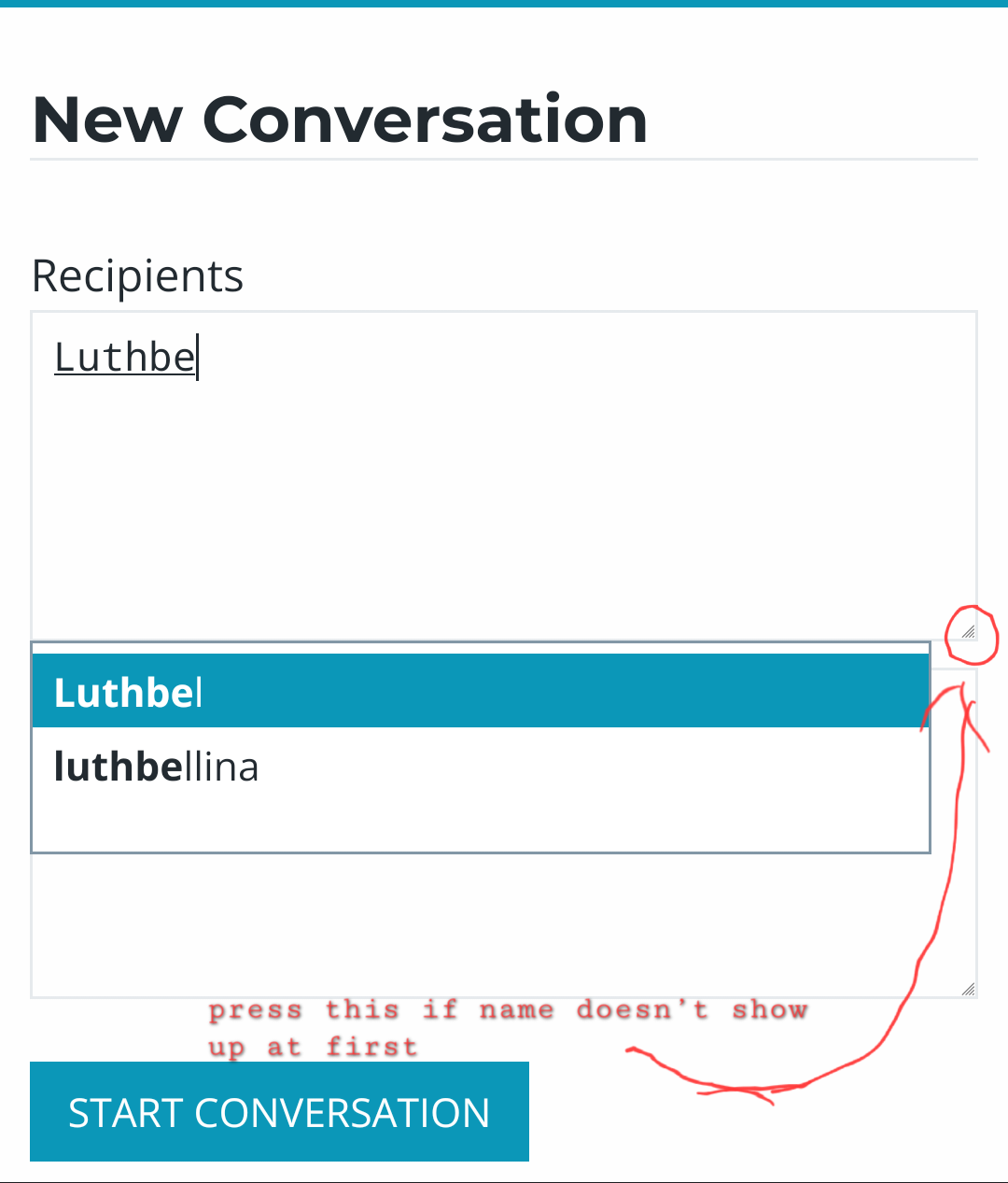
You can contact them via the forum inbox, I have done it with a few PA's the last few days.
 Need Help From DAZ to Blender and Back!
fayke-1 said:
So I took the time off today to figure this out, smoothed the ear as suggested. Worked faster and looks good, great. Now i'm fighting with brave's AI overlook trying to figure out how to get the obj from blender back into DAZ and recognizable as a genesis 9 figure again. AI is kinda stupid at times but I think it's figured out because the only good luck is dumb luck.
I needed to use the transfer utility to copy the face groups and surfaces to the no ears mesh BUT the no ears mesh facegroups in geometry editor's tool settings had a default group with 0 faces that was leftover from before the transfer utility was used. Deleting that made the H.material work.Also should note I had to change the scene identification for the no ears mesh to match base genesis 9 figure and manually create the surfaces (maybe not but i did this before using transfer utility so i'll mark it down just in case) using geometry editor.
This has been extremely frustrating and made me question my own existence and sanity, so hopefully this post helps some other newbie save themselves some time. Thanks for the info and for taking the time to read my frustrated word vomit.
You just need to make a G9 figure earless by using a Morph, so as barbult said, you should've imported OBJ as a morph by using Morph Loader Pro rather than Transfer Utility (TU is mostly used for rigging conformers ~~ ), just like the 2nd screenshot I showed you above.
Then export the figure to Unity / UE as a game asset (direct export / import or by using Daz to Unity / Daz to Unreal bridges....). Or maybe you want to decimate its mesh in Blender or by using https://www.daz3d.com/decimator-for-daz-studio
Need Help From DAZ to Blender and Back!Transfer Utility is for creating new figures, which then won't be Genesis 9 at all - or will overwrite Genesis 9, breaking other Genesis 9 content and being overwritten if there is an update. A morph is an option, another option is a GeoGraft (which sounds to be your original goal, judging by the steps you gave). A morph will do for many siituations, but a geoGraft lets you rework the mesh entirely (even adding more resolution inside the borders).
Problem with Transfering Figure With heelsHere is how mine looks when i send it in to Blender via Daz To Blender Bridge( latest) and Using Blender 3.6. Any help? By the way what are all those annoying circles, squares and something on the botom like a hexagon or something with arrows in four directions that appear after the Transfer. I've never used Daz To Blender Bridge and it's the first time i've seen it. And when i try to delete or hide those thing, they just dont go awway :)
Need Help From DAZ to Blender and Back!Why did you not just use Morph Loader Pro to import your smooth ear OBJ into the base G9 as a simple morph you could dial in, just like any other character morph?[SOLVED] Eyeballs, Eyelashes and Tears move after saving/loading.
I appreciate the assistance, I'll try this when I get back in front of my PC. The packaging of the morphs was a test to see what the issue was. The problem occured on the base model that I applied the original collection of morphs to - I was hoping a fresh model would fix it.crosswind said:Do not package multiple morph dials into a single dial unless you're pretty good at making corrective morphs. Instead, just save a Shaping Preset ~~
As for the position issue of anatomical wearables, you may try: delete eyelashes, eyebrows and tears, Adjust Rigging to Shape, then load eyelashes, eyebrows and tears back to the figure from G9 Starter Essentials product.
[SOLVED] Eyeballs, Eyelashes and Tears move after saving/loading.Do not package multiple morph dials into a single dial unless you're pretty good at making corrective morphs. Instead, just save a Shaping Preset ~~
As for the position issue of anatomical wearables, you may try: delete eyelashes, eyebrows and tears, Adjust Rigging to Shape, then load eyelashes, eyebrows and tears back to the figure from G9 Starter Essentials product.
[SOLVED] Eyeballs, Eyelashes and Tears move after saving/loading.I can't see your image (Imgur is blocking the UK).
If you mean you are taking multiiple morphs, exporting as OBJ, and importing as a new morph then that is not a good idea - it removes all joint adustments and breaks any links to corrective shapes for morphs or bends. Are the morphs you are applying (to Genesis 9 I assume) from add-on content or your own creations?
Need Help From DAZ to Blender and Back!So I took the time off today to figure this out, smoothed the ear as suggested. Worked faster and looks good, great. Now i'm fighting with brave's AI overlook trying to figure out how to get the obj from blender back into DAZ and recognizable as a genesis 9 figure again. AI is kinda stupid at times but I think it's figured out because the only good luck is dumb luck.
I needed to use the transfer utility to copy the face groups and surfaces to the no ears mesh BUT the no ears mesh facegroups in geometry editor's tool settings had a default group with 0 faces that was leftover from before the transfer utility was used. Deleting that made the H.material work.Also should note I had to change the scene identification for the no ears mesh to match base genesis 9 figure and manually create the surfaces (maybe not but i did this before using transfer utility so i'll mark it down just in case) using geometry editor.
This has been extremely frustrating and made me question my own existence and sanity, so hopefully this post helps some other newbie save themselves some time. Thanks for the info and for taking the time to read my frustrated word vomit.
Importing and applying morph from blender causes the entire figure to rotate 90 degrees on axisDid you use the Blender preset for both exporting the OBJ and importing the morph? Did the Blender Import/Export leave all settings of the mesh alone? Somewhere, in DS or Blender, the X/Y axes are being swapped and possibly inverted but then the reverse step isn't being applied.
Importing and applying morph from blender causes the entire figure to rotate 90 degrees on axisExporting a figure to blender as an OBJ file to edit the moprh. It exports fine, in the correct orientation.
But when importing the morph back and aplying it, it rotates the model 90 on the axis. I didnt have any issues before, I did mess around a while back with rotation limits ect, but not sure why this is happening.
I have attacthed an iamage of a figure before morph is applied. Then rotation that happend when morph is applied to 100%,
Any ideas why this is happening? it worked fine for a long time. I did mess around a while back with rotation limits ect, there was an issue with the export obj setting with my axis conversion being set wrong , but I fixed it and exporterd a new morph and imprting it back does the same thing.
Thanks in advance.
Resetting G9 Base FigureIIRC means "If I Remember Correctly". The pane I was thinking about was actually the "installed" sub-tab in the product view in Smart Content. If you search for Saga in the product view, you should get the option to uninstall it (at least I think, I never install anything from Smart Content). There's a sub-tab for "Updates" there too so if there's a fixed version of the character you should see it there.
The problem is not the base G9 itself, it's the additional character Saga files. And no, installing Sigrid would not fix it, it would simply change the resulting shape when Saga auto-applies.
The long-term fix would be to change the default value for the morph which loads automatically then resave the corresponding morph asset, but I'm not sure we can do that for content installed from within DS as the files are encoded.
The procedure to fix the morph would be something like this:- Load G9, select it, then zero the figure shape. When it asks you if you're sure you want to zero (=set everything to 0) and not restore (=set everything to default), choose zero.
- When you look in "Currently used" section in the shaping tab, you'll see morphs with values different from their default value. The dial for Saga should now be there, as it's currently 0 which is not its default value.
- Click the cogwheel on the right of the Saga morph dial and open the parameter settings. You should have a parameter for the default value of the morph, set that to 0.
- Save the modified morph asset (I think the command is "Edit->Save As->Support Asset->Save Modified Assets")
What you could try in the mean time would be to load G9, manually set the "Saga" dial to 0, and save a scene subset or character preset. As 0 is not the default value of the morph I think the file should explicitely include "set Saga to 0" so it would not be applied by default.
The older generation: Victoria 2/3, Michael 2/3 and their children rendersMust admit I've only used one version of Poser (P4) and came over to DS before LF was thought of, might explain why I didn't recognise the shape of the character. I like..
With regard to fitting G8F clothes on V3, the shapes are nowhere near close enough to use the clothes directly (even with smoothing modifiers), and I went through quite a process finding out how to do it (you can see my learning process starting on page 18 of this thread). I then wrote a step by step tutorial so everyone else could do it too. The turorial is aimed at A3, because I had already done it with GV3 and it was easier to get illustrations as I did another character, and Ethin was wanting an A3 version demonstrated. The tutorial is here: https://www.daz3d.com/forums/discussion/655676/tutorial-making-triax-figures-from-old-parametric-characters/p1, and is 68 pages long, but there are lots and lots of illustrations of every step, with screen shot snippets showing every menu option highlighted as you go through.
Anyway, after the tutorial, your modified TriAx V3 can wear V3, M3, A3, H3, F3, V4, M4, G3F, G3M, G8F and G8M clothing and hair through autofit and smoothing modifiers if need-be, can morph into any Generation 3 shape you have (V3, M3, A3, H3, F3, SF3, GND2, GV3 & IV and any V3 character morphs you choose to add to the character - that's quite hard work, though), and [hopefully] has an Iray shader skin too. It needs to be noted that, as a modeller is not used to create the Autofit clones, they're not perfect but do work when combined with smoothing modifiers and simulation of the clothing.
Hope this inspires you a little.
Regards,
Richard
New character Kaien Ren by Luthbel - request for alterationFJM1977 said:
rogerjhardy100 said:
Luthbel released a new character Kaien Ren today and he looks good. the only problem I found is that the HD morph has nipples that only work with the materials provided. I like to mix and match skins and morphs but those nipples pop out in all the wrong places on either male or female skins...ie, they are not centered on where the male or female nipple are usually located. I wonder if Luthbel can modify the HD morph to remove the nipples...maybe have them as an extra morph for those that want to yuse the Kaien Ren skins?
You might be able to message them directlyI've had a look at the various forums but can't see any way to conbtact Luthbel directly...anyone out there have any ideas?
Need Help From DAZ to Blender and Back!Because you imported OBJ as a new figure into DS and the figure has a wrong Node Name ... then Mat. Presets cannot apply.
Change its Node Name to Genesis8Female or Genesis8_1Female via Edit > Figure > Scene Identification... Correct Surface names with Geometry Editor, then Material Presets will work. However, since you recreated a new surface for ears but didn't recreate / imported any new UV Set for the Ears surface, you're not able to get correct textures on earless area...
I don't understand why you did the work in such a way of creating new ear surfaces... this way would be pretty cumbersome even if you want to make a another standalone "G8F figure" ~~
Instead, to make a G8 earless, you just need to sculpt its Mesh (in Base Resolution) with Smooth brush + a Mask + Symmetry mode, then import its OBJ as an Earless morph. (ss1)
Edit: To remove texture of ears if needed, you can retouch Face texture map in Ps, Affinity or GIMP with Healing Brush or sth. similar, then assign the map to Ears surface.
Revisiting saving material presetsI too suffer from this (and have for 4 years now...not just with Materials, also with Scenes/SubSets/and Poses) and since DAZ seems to want to pretend it doesn't exist, I had to come up with my own way...
First of all the PROBLEM is with CMS database, and when a NEW SAVE first writes the "/Default/Saved Files/WHATEVERITIS" catagory field....
So one work around for a fast save that read about a couple years ago,is to right clicking ont content Library tab and choosing "Stop CMS/SMART" Do your saving then Right Click Content Library tab Again and Choose "Stop CMS/Immediate" and Right Click Content Library AGAIN... (getting old....) and Choose "Start CMS". So you will see that when you do this it will save the file in under a Second.... EXCEPT now you have no Meta.... So you're going to have to manually but the meta data in with the Content DB editor....
Now you could also Save it outside of Daz in a TEMP location for a fast save and then copy it into your "Materials" file for the Asset, still won't have metadata and also will the wrong absolute path in file, (though I'm sure you know daz will ignore this and use a relative path for the file..)
Well that gets old too...
So the MAIN way I do this now, when I am Setting up my Character (Subsets),Wearables and Material Presets is to Create ALL the files FIRST as a TEXT file in the Character or ASSETS Folder...
and then change the .txt to .duf
Once I have that done I go into folder in DAZ for the file I made, hit refresh... and I see the ! (icon) now I right click Content Library Tab and Open the Content DB Editor.... and then select the new "Material files" Up top, then again in the Catagories, and Then Right and choose "Add Custome Categories to Selected File(s)" I then go to a list I made in text file, of ALL the "Default/Saved Files/" Catagories that Daz uses.... and Copy this:
/Default/Saved Files/Preset/Materials
And then Paste that into the Path(s): field, Hit Accept, Then Accept Again.... and THEN with the Asset selected I hit the (+) sing and save out a Material choosing the file made, and it will save WITH metadata in a second...
So here is a list of ALL the Default/Saved Files that DAZ writes when you are using the (+) sign to save ( there are more that it uses for when saving out as a Figure/Asset, and if you are having LONG saves while doing THAT, I would suggest NOT checking Set Catagory.... Because THAT is the same field that is causing the Slow down for the these Items... With it unchecked the Asset will save in a few seconds, not minutes...):
-----------------------------------------
/Default/Saved Files/Scene
/Default/Saved Files/Set
/Default/Saved Files/Prop
/Default/Saved Files/Preset/Wearables
/Default/Saved Files/Preset/Materials
/Default/Saved Files/Preset/Materials/Hierarchical
/Default/Saved Files/Preset/Layered-Image
/Default/Saved Files/Preset/Shader
/Default/Saved Files/Preset/Simulation-Settings
/Default/Saved Files/Preset/Pose
/Default/Saved Files/Preset/Pose/Hierarchical
/Default/Saved Files/Preset/Morph/Apply
/Default/Saved Files/Preset/Properties
/Default/Saved Files/Preset/Camera
/Default/Saved Files/Preset/Render-Settings
/Default/Saved Files/Preset/Light
-----------------------------------------------------------------------
It is Ridiculous to have to do it this way but it is MUCH faster then waiting 5 or 10 minutes PER first save of each item.... also if you later wanted to add a new preset to that file, you can "COPY" that catagory for the Item
from a similar one to a New MANUALLY created txt file turned into a duf with the method mentioned above (so it is visible in your folder in daz as an ! (icon), then in Content DB Editor with THAT and similar preset type (ie Material) that has Already been saved, open the triangle of the previously saved one under catagories and Right click on the"/Default/Saved Files/Preset/Materials" that it already has and choose Copy Selected Catagories to Listed Files...
Either way listed above requires alot of MANUAL work.... and while It will Save you time on the Saves, you are SPENDING time doing it Manually, So I too would love it if DAZ would fix this, The simplest way would be for them to create a Box that could be ticked to Save Metadata or NOT save Metadata. The Code line already exists as it IS an option you can toggle for Metadata in one of Riversofts Converter Scripts... (don't recall which one)
Last but not least there is Yet ANOTHER option... And that would be to create a new BAREBONES Content Library all together using the Content Directory Manager... Of course doing this requires ALOT of switching Back and forth between the new LOW ASSET BAREBONES Library, and your Main Library which you will THEN also note that everything you quickly saved in your new BAREBONES Library, shows up with NO metadata in your MAIN content Library.....So if you want them to have Metadata in your MAIN you will have to add that manually....
Which is why I eventually settled on the Method of just Manually creating the files myself and then manually adding the Metadata to them before I make my first real save in my MAIN Library.
DAZ Director Plugin (WIP)cain-x said:
Very interested in this PromptPose tool - does it work with non-Genesis characters or can it at least work with any character with the properly named bones your tool expects?
This currently works with any character in your library. The beta focus is Daz G1-G9 characters since most users have a ton of them along with their poses.
You can even ask for a supported character by name and Gx (the selected figure) will morph into a supported character. This can happen on frame 0 or over time if you want transformation. By specifying for example "Bishop over 30 frames" for a transformation from G9 to Bishop the G9 character will morph into Bishop. You can concat the request to then have Bishop transform to Desmond over 30 more frames with a gap of holding bishop for x amount of frames. G9 -> Bishop, wait x time -> Desmond.
There is a playback option to review your transformation so you can adjust it at any given time. Stop a transform in the middle and ask for different character target and it will do so.Glute - Thigh separation unnatural at thigh bend - Genesis 8 Female [SOLVED]crosswind said:
That depends on what body morphs (character body morphs or PBMs) that you dialed on the figure. Some morphs like fantasy, hourglass, apple, baboon, esp. with big size glutes may emphasize glute creases with certain poses of thigh bend (I reproduced a similar shape like yours in below screenshot 1...)
You can fix it to some extent if you have Bend Control for G8F like the screenshot 2 ~~ or may try dial negative values in Glute Crease or reduce glute depth like the screenshot 3.
Besides, if you give the figure more thigh bend (up), the glute crease will be also reduced (screenshot 4)... like the pose in your 3rd image.
Thank you for the suggestion.
I think indeed is a custom morph more precisely the body morph of the custom chanracter, because I checked with a default Genesis 8 and the gap looks natural and disappears while bending.
Thank you all for your time.Daz 3D is part of

Connect
DAZ Productions, Inc.
7533 S Center View Ct #4664
West Jordan, UT 84084Licensing Agreement | Terms of Service | Privacy Policy | EULA
© 2026 Daz Productions Inc. All Rights Reserved.