-
Diffeo vs FBX when to switch
As for diffeomorphic, I see there's a minor caveat with the cookie rig because daz studio can't keep dforms when converting to general weight. This may apply to other legacy figures too if they use dforms so I'm reporting here a easy workaround. Basically you export the figure converted to prop and use it as shapekey in blender.
in daz studio:
- make a copy of the figure and convert to prop (edit > figure > rigging > convert to prop)
- convert the figure materials to uber (select the materials and apply the uber shader)
- convert the figure rig to general weight (edit > figure > rigging > convert to weight mapping), here you will lose the dforms
- export to blender
in blender:
- import the figure
- use the prop as shapekey for the figure (shape keys panel > menu > join as shapes)
Below we see the cookie eyes that pop out when converting to general weight in daz studio because they lose the dform. Then the result in blender after applying the prop as shapekey.
edit. You can also convert the dform to a morph in daz studio using the dform panel, that's probably easier. This way you don't need the prop. Please note that for cookie the dform is used to animate the eyes, so it's not only for deformation but for animation too. In this case in blender you can animate the eye texture instead, that's a easy workaround.
Diffeo vs FBX when to switch
That Mixamo control rig add-on only works with Characters that have been uploaded/re-rigged with a mixamo skeleton Just FYIjuvesatriani said:@Wolf359 @Padone @Nonesuch00 Thanks for information. I`ll try each technique to see which handy for different scenarios .
One thing I need to know more about Hybrid/Frankestein method and how to export correctly without double mesh or skeleton rig .
I.E I`m using Chip /Cookie /Gumdrop head in G8 body . In Daz Studio I can easily hide body parts I dont need it .
Exporting in OBJ format definetly can help making those hybrib to be one mesh , but the rig will be lost right ? With Mixamo I can easily give them new rig but thats mean I cannot import G8 pose anymore .
Fortunately there is Mixamo Control Add on for blender so that will make easy for me to pose and animate those hybrid .
So I want to know if using FBX exporter I can ignore invisible body parts like G8 Head but keeping rig in another body part ? Or maybe there are another solution for my case ? Like Modifying Cloth to fit the original /non hybrid Cookie -Chip -Gumdrop models or doing frankenstein in Blender ?
Ohh I need to mention that main reason I`m doing hybrid so I can accessing G3-G8 Wardrobe library
Thanks again guys
How to trim the grass?Richard Haseltine said:
The Geoemtry eduitor in marquee selection mode would be the thing I used to edit the grasas, if there are no built-in options.
I'm not sure about the FBX issue - could you not use OBJ for this?
Yes, maybe. If not I'll import the obj to Blender and join them.
DAZ and world creator?Hi,
I gave it a quck try. You can export the mesh as .obj (and some other formats) in WC and import it in DAZ studio. But out of the box there are no materials in the obj. Hence you would have to do everything in DAZ but the you'd miss the point of WC which is biomes and all that. You can work fluidly with 1024x1024 (1M faces) but it doesn't look good in the nearfield. So you would need a very high mesh resolution to make it look good in the foreground and the DAZ starts to struggle. DAZ simply isn't made for things as such. FBX didn't work and Collada same like .obj
I'm waiting for years for WC to become an all in one solution for proper landscape creation, but it's simply come not that far yet. They set their emphasis on gorgeous looking and physically correct erosion patterns, and thats ok since thats their niche. Also It's becoming pretty expensive. On their website they started to sell material assets for roughly 50$ + their maintenence plan 170$ p.a. I wonder what it will cost if they add a whole packages with trees etc. like you can buy it in UE or Unity. So I'm not sure I'll continue my way with them. However I have to admit that I'm not an expert in WC and probably invested not enough time in finding out all the features.
For me the workflow probably will be: create a nice terrain in WC, populate it with plants in Unreal Engine and create a HDRI or background planes. The foreground I create in DAZ, since there has to be proper interaction with figures (shadows, reflections ...). Im still not that far but I'm working on it.
You could also check out NDunes which looks promising but seems not to have made any progress for over a year.
If somebody else reads along who is into this I would be interested in some experiences.
Diffeo vs FBX when to switch@juvesatriani As for diffeomorphic it will correctly import hidden nodes. So you'll get the same as daz studio.
Diffeo vs FBX when to switch@Wolf359 @Padone @Nonesuch00 Thanks for information. I`ll try each technique to see which handy for different scenarios .
One thing I need to know more about Hybrid/Frankestein method and how to export correctly without double mesh or skeleton rig .
I.E I`m using Chip /Cookie /Gumdrop head in G8 body . In Daz Studio I can easily hide body parts I dont need it .
Exporting in OBJ format definetly can help making those hybrib to be one mesh , but the rig will be lost right ? With Mixamo I can easily give them new rig but thats mean I cannot import G8 pose anymore .
Fortunately there is Mixamo Control Add on for blender so that will make easy for me to pose and animate those hybrid .
So I want to know if using FBX exporter I can ignore invisible body parts like G8 Head but keeping rig in another body part ? Or maybe there are another solution for my case ? Like Modifying Cloth to fit the original /non hybrid Cookie -Chip -Gumdrop models or doing frankenstein in Blender ?
Ohh I need to mention that main reason I`m doing hybrid so I can accessing G3-G8 Wardrobe library
Thanks again guys
Products for different figures (noob question)Lyrra Madril said:
Once upon a time there was Poser. Poser is, like its successor DAZ Studio, a program for setting up, costumising and rendering human and animal figures. In about 2000 DAZ the company made the 'Millenium Woman' or Victoria 1. As time and technology ground on, they made Michael 1, and eventual Victoria and Michaels 2,3, and 4 as well as various other named characters.
All of those figures are A) not particularly able to share content without extensive jumping through hoops B) made for Poser (although DS can use them) and C getting pretty old. Techbnology has advanced a great deal since then. Newer figures can take advantage of that.
Starting around the Victoria 4 days, DAZ the company started makign DAZ Studio the program. (this is why I try to differentiate the two). For quite a while content was _made_ in and for Poser, but was also _useable_ in DAZ Studio.
And then along came Genesis 1 - a non gendered figure, made in DS for DS. This added a whole pile more exciting technology under the hood that allows clothing to reshape to fit characters morphs, be converted on the fly, and so forth and so on. Genesis was more or less useable in Poser using a special addon thing,
However later versions Genesis 2, 3 and 8 - are entirely meant for use in DAZ Studio and can't be easily used in Poser (tnot that it stopped anyone from trying)
Genesis 2 would also import into Poser via the DSON Importer, though that doesn't work in the current version of Poser.
So for a new user what this boils down to - the bigger the number the more recent the content is, and the more likely it will be at least somewhat useable with a genesis 8 based figure. For the sake of your sanity matching the numbers is the easiest.
If you have a Victoria 4 outfit you want to use on g8. you can - but you will either need one of Riversoft and Sickleyields excelent Clothing Convertors, or a bit of time on your hands. it is in fact possible to convert from V4 to Gensis. From gensis to g2, to g3 to g8. but like xeroxing a thing a few times it can get ... messy.
Once converted to Genesis you can go straight to Genesis 8 as it has AutoFit clones for all of the pevious generations.
There are also 'autofit clones' which expand the ability of the autofit 'Fit to' dialog to convert clothing for X figure to Y figure.
Also. V4 era clothing predates DAZ S old 3delight shaders and DS Iray shader (the current) so it will take some fiddling around to get it to render nicely. There are many various shader kits about that will helpw ith this, but if you want load-and-go, stick to Genesis 3 or 8 products while you get used to things.
Also - some things do not convert well. Specifically shoes and long dresses. The autoconversion thing does its best but well. No. Not excellent.
LM
Plugin does not work in C4D R23chweintr said:
Some of the code has been updated for R23 - for instance, the DRAWFLAGS_NO_REDUCTION has been removed and they tried to change floats for integers, but the script still does not run.
I still can't get files to transfer. OIn the C4D side it says 'nothing to import'. On the DAZ side when trying to run the script, the screen flashes but does not go through the prep process. Any thoughts?
That's cos the C4D Bridge script is pointing to an empty location. Fix for Mac:
1. Replace the .pyp in the C4D scripts folder with the one posted earlier in the thread
2. Make a folder called 'temp3D' in Users/Shared
3. Export an FBX from Daz to the temp3D folder titled "DazToC4D.fbx".
It will import now with a nice IK rig but the face will be screwed up. I guess you can just replace the head with the one from the fbx file you made. idk, I'm gonna try going through blender.Diffeo vs FBX when to switchwolf359 said:
I tried a Diffeo import but the textures were a nightmare
Did you convert to uber first as explained above for legacy figures ?
Don't know about chip, but below it's cookie just converted and exported. Rendered in eevee. Did nothing else. Looks the same as daz studio to me and the textures are good.
Discovered an Introduction to Shader Mixer :-)Lucked into this discovery hiding over on YouTube! It covers a few topics including a decent introduction to Shader Mixer :-)
00:30 How to set up a boolean property morph
[including at 7:18 Enum property]
22:30 D-formers and weight maps (transferring to a different mesh)
22:50 Customising navigation to match other programs
35:17 Shader Mixer: creating texture rotation
[including at
37:50 Q&A: Distributing shaders (Iray Uber/MDL licensing)
44:39 Shader Mixer overview
53:33 Meaning of node lettering
56:29 Changing input types
58:01 Bulk adding properties
01:01:08 How to set up the rotating texture
01:11:32 How to import your own custom MDL, and layering materials
01:20:20 Q&A creating mappable properties]Enjoy :-)
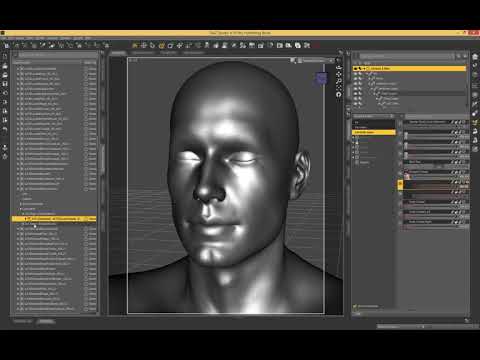 Every product tagged as 'New'
Phatmartino said:
I'm not at my PC to give exact details, but I just experienced this, too.
You can click in the area where the products are so that the focus is in that window/tab, then hit CTRL-A to Select All, then Right Click, Group As -> None.
EDIT: I'm not fully awake, didn't read to the end of your post... Hadn't noticed it in the Content Library, myself. Apologies, you must have already known what I mentioned above and if there isn't some similar way in the Content Library then I don't know either.
Hopefully someone knows because I agree there's something annoying about it!
I was thinking there must be some way to highlight everything in content library, just haven't found it yet.
Or maybe some way to do it through metadata. I'm pretty sure it marked them as new during the metadata update but I realised too late to stop it.
Diffeo vs FBX when to switch@Padone For clarification I only use matcap for quick and easy global anime shading because IMHO the node based toon shading techniques I have seen are extremely labor intensive and don't produce the look I prefer for anime.
I actually still have the chip figure by lady littlefox.
I tried a Diffeo import but the textures were a nightmare and there was some other error message regarding his shoes and shorts that did not Want to trouble shoot.
So I baked a legacy aniblock to the figure in Daz studio and exported him as FBX.
There were some problems with his fake mesh object eye reflections being offset from the rest of the eye but I easily fixed by simply deleting the
Animation from the fake eye reflection meshes And repositioning them in place.
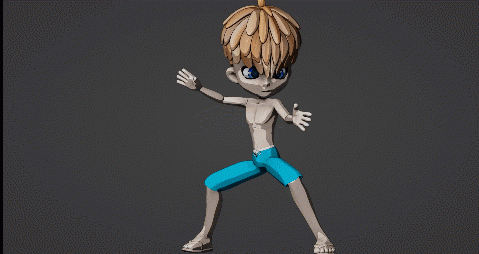 What are some good tutorials on posing DAZ imports in Blender?
If you using DIffeo there is cool feature so you can keep doing or creating pose in DAZ then import them with easy
An Attempt of a "Limited Time Freebie" Message Only Email Alert ThreadI did the download and installed the files as usual. Loaded the exhaust trail, and did a render, took about three min with nothing in else scene. That's not the problrm. on the DAZ page is the following:
How to Use VDB Files in Daz Studio
The easiest way to try your hand at volumetric rendering in Iray is to check out the collection of ready-made VDB items available in the Daz Store. However, you’re also able to import your own VDB files!
Before getting started, you can learn about the VDB file format at OpenVDB.org and browse a selection of free sample files. JangaFX also provides VDB samples you can download for free.
Importing a VDB File in Daz Studio
First, make sure you’re in the Iray render viewport so you can see what you’re doing. Your VDB files won’t show up in any other view. Next, follow the steps below to import your volume file.I downloaded a file (fire) from the listed site. The rar file only had vdb files. What I wanted to know is where to extract the files to, so DAZ can use them. Instruction given after that on the DAZ page doesn't say where to put the so you can use them in the shader. I tried following the instruction but it didn't do anything. I went to the "smart content" (I think) but I couldn't open the DAZ Default Resources because there is nothing there,so I couldn't find the 'Simple OpenVDB MDL Volume' shader. Don't have a clue what I did wrong.
Thanks for the help anyway.
An Attempt of a "Limited Time Freebie" Message Only Email Alert ThreadBronzeDragon said:
Being a bit slow about things, I have question. On the on turning up the heat page here at DAZ, a link is given for the free files (talk about monster sizes), anyway I down loaded one of the small ones. All that is in the ".rar" file are ".vdb" files. No structure, just files. So where in the **** do I put them for DAZ to use?
@BronzeDragon Just scroll down and follow the steps, “How to Use VDB Files in Daz Studio” located here: https://www.daz3d.com/turn-up-the-heat
Here's the section, “Import Your File” (Note: This step is after applying the OpenVDB shader):
1. Go to the 'Surfaces tab'
2. Click on the newly named surface 'Volume'
3. Find 'Volume File"
4. Open a .vdb file you’ve downloaded.So, you can keep the sample VDB files you downloaded anywhere on your storage drive, and then just navigate/browse to that folder.
Every product tagged as 'New'I installed Daz to a new machine and got everything up and running easily enough but, after updating the products (all of them) metadata, every item in my content library is marked as 'new'. It's really bugging me, is there some way to remove this 'new' tag from every item all at once? There are thousands of products in there so one at a time is going to take forever.
It was easy to solve in the Smart Content but I haven't found a way to do it for Content Library.
Thanks
Importing .max files into daz studioActually, using the DAZ preset in 3ds Max 2016 doesn't work. It seems to lose surface selection options, and remapping becomes impossible. I'm still trying different methods to get an import that's remappable.
Best 3dsMax obj export settings for DAZ import?Hi, I have an arcade scene made in 3ds max 2016 with cabinets I want to export to .obj and transfer to my DAZ scenes. I would like to know what the best settings are to ensure a smooth import. I'm aware that I need to edit the "Tr" property in the .mtl files.
The trouble I'm having when importing is a loss of mapping coordinates. I'm using default export options, and am switching options trial-and-error and getting nowhere.
Blender Addon: Daz For Blender Bridge: Everything from DTB 2022 + 14 more featuresDoes it import a figure with geo-grafts into Blender? I mean third party add-ons, not DAZ only.
DIM installed files and Smart ContentZatetic said:
Aaargh! Updated to the Studio 4.2 and now I have even more installation symbols in my Smart Content Directory and my Lost and Found Directory overfloweths. The display indicates that I am not logged on within Studio.
I assume you mean 4.20(.0.2) since 4.2 was a beta version about a decade ago.
Lost and Found is related to categorisation, not installation state, so might be accounted for by updating metadata; if you have connected to Daz then the database will have been updated with the products you purchased since your last connection, which might well tag things as available for install.
Daz 3D is part of

Connect
DAZ Productions, Inc.
7533 S Center View Ct #4664
West Jordan, UT 84084Licensing Agreement | Terms of Service | Privacy Policy | EULA
© 2026 Daz Productions Inc. All Rights Reserved.