-
Daz Studio BETA - version 4.24.0.4!
barbult said:
@crosswind What do you mean when you say "Environment path"? Do you mean the Environment Options node in the Scene pane, or the Environment section in Render Settings, or the Environment Map part of the Environment section of Render Settings? I have a startup Scene that contains Environment Options, Tonemapper Options, and Filament Draw Options. That Scene loads with the Environment and Tone Mapping sections in Render Settings, and the NVIDIA Iray (MDL) render engine. The default ruins HDRI is in the Environment Map. I think all that might be why I'm not fully understanding your scenario.
What I meant is the Environment section in Render Settings pane. It's officially named as Path (or Group...), isn't it ? (in ss1) Again, in DS 4.22, after loading a Render Settings preset, I get the result in ss2. In DS 4.23, I get the result in ss3 ~~
Daz Studio BETA - version 4.24.0.4!@crosswind What do you mean when you say "Environment path"? Do you mean the Environment Options node in the Scene pane, or the Environment section in Render Settings, or the Environment Map part of the Environment section of Render Settings? I have a startup Scene that contains Environment Options, Tonemapper Options, and Filament Draw Options. That Scene loads with the Environment and Tone Mapping sections in Render Settings, and the NVIDIA Iray (MDL) render engine. The default ruins HDRI is in the Environment Map. I think all that might be why I'm not fully understanding your scenario.(Released) - dForce Elegant Side Ponytail for Genesis 9 [Commercial]Oso3D said:
Fun hair that works, with some translation, in Filament!
Pretty ♥
Daz Studio BETA - version 4.24.0.4!Richard Haseltine said:
crosswind said:
barbult said:
crosswind said:
barbult said:
I wonder if the failure to apply Render Settings Presets has to do with switching render engines back and forth between Filament and Iray.
Most likely you are correct. I did some filament rendering as well. Then I just had some tests by switching back 'n forth, Environment is back. But I still think it's a bug.
I haven't figured out a repeatable scenario to recreate the problem, either, but it has happened to me twice in the last couple days.
It's easy to reproduce the issue on my side.
1) Clear the scene. Now Engine in Render Settings pane is Nvidia Iray. Load a Render Settings Preset. No Environment path appears in Render Settings pane.
2) Switch Engine to Viewport then switch it back to Nvidia Iray, Environement path appears ~~Enabling the Iray DrawStyle adds an enviornment settings node, the empty scene won't have one until that or a render are done. No settings node should tie the proeprties to their default values so I am surprised it wasn't an issue before.
Nope... applying a Render Settings Preset has nothing to do with enabling Iray Drawstyle. In DS 4.22, after applying a Render Settings Preset, Tone Mapper and Environment Options nodes are placed into Scene pane, and Environment path appears in Render Settings pane.
In DS 4.23, Environment path doesn't appear in Render Settings pane... even if switching to Iray Drawstyle. The only way to show Environment path by now is to swith options in Engine dropdown list.
Daz Studio BETA - version 4.24.0.4!crosswind said:
barbult said:
crosswind said:
barbult said:
I wonder if the failure to apply Render Settings Presets has to do with switching render engines back and forth between Filament and Iray.
Most likely you are correct. I did some filament rendering as well. Then I just had some tests by switching back 'n forth, Environment is back. But I still think it's a bug.
I haven't figured out a repeatable scenario to recreate the problem, either, but it has happened to me twice in the last couple days.
It's easy to reproduce the issue on my side.
1) Clear the scene. Now Engine in Render Settings pane is Nvidia Iray. Load a Render Settings Preset. No Environment path appears in Render Settings pane.
2) Switch Engine to Viewport then switch it back to Nvidia Iray, Environement path appears ~~Enabling the Iray DrawStyle adds an enviornment settings node, the empty scene won't have one until that or a render are done. No settings node should tie the proeprties to their default values so I am surprised it wasn't an issue before.
Daz Studio BETA - version 4.24.0.4!barbult said:
crosswind said:
barbult said:
I wonder if the failure to apply Render Settings Presets has to do with switching render engines back and forth between Filament and Iray.
Most likely you are correct. I did some filament rendering as well. Then I just had some tests by switching back 'n forth, Environment is back. But I still think it's a bug.
I haven't figured out a repeatable scenario to recreate the problem, either, but it has happened to me twice in the last couple days.
It's easy to reproduce the issue on my side.
1) Clear the scene. Now Engine in Render Settings pane is Nvidia Iray. Load a Render Settings Preset. No Environment path appears in Render Settings pane.
2) Switch Engine to Viewport then switch it back to Nvidia Iray, Environement path appears ~~Daz Studio BETA - version 4.24.0.4!crosswind said:
barbult said:
I wonder if the failure to apply Render Settings Presets has to do with switching render engines back and forth between Filament and Iray.
Most likely you are correct. I did some filament rendering as well. Then I just had some tests by switching back 'n forth, Environment is back. But I still think it's a bug.
I haven't figured out a repeatable scenario to recreate the problem, either, but it has happened to me twice in the last couple days.
Daz Studio BETA - version 4.24.0.4!barbult said:
I wonder if the failure to apply Render Settings Presets has to do with switching render engines back and forth between Filament and Iray.
Most likely you are correct. I did some filament rendering as well. Then I just had some tests by switching back 'n forth, Environment is back. But I still think it's a bug.
Daz Studio BETA - version 4.24.0.4!I wonder if the failure to apply Render Settings Presets has to do with switching render engines back and forth between Filament and Iray.
Pointless Prizeless Challenge #12: Render A (Stupid) Story TitleWell 2024 didn't end up being much fun either, so let's hope 2025 is an improvement - we're not really off to a good start though, are we ?
STICK NO BILLS HERE EITHER
(aka reserved space for a picture - this is the Art Studio forum after all)Here's a brand new post for the new year, a couple of weeks late but who's counting, for 2025 names and titles.
Onward and upward with the meat of this post (not to be confused with toast) - may gradually accumulate over 2025. Or may not.
Book titles for 2025:
Not a particularly good start - just a single volume.
- The Three Handed Monkey
- Uncle Carb's Carbuncle and Other Unlikely Stories
- The Man Who Didn't Know ...by Jack Schitt of course
Character names for 2025:
- Thaddeus Filament ...(co-inventor of the heavy bulb, apparently)
- Jomski the Gnome
- Erroneous Transcription ...I think he was a medieval scribe ?
- Syd Arter ...sounds familiar - I think he's already been mentioned ?
- Liberty Gusset ...sounds familiar - I think she's already been mentioned ?
And neither did 2025. So will 2026 be any better? Who knows. Who cares. Half of it's gone already.
Book titles for 2026:
- The Lymphomaniacs ...otherwise known as armpit vampires
Character names for 2026:
- Julie McHouly ...is it just me or is there something suspiciously Seussian about that name
- Fellatia Hornblower ...I finally found the perfect surname! Or perhaps Cockswill ?
- Algernon Kumquat
- Felicity Quimsent
(Released) - dForce Elegant Side Ponytail for Genesis 9 [Commercial]Fun hair that works, with some translation, in Filament!
Dartanbeck's Journey - CG FilmmakingI have changed clips in Animate and now my animation looks better.
By the way - great work on Creative Cart series - I have acquired some of them:
https://www.daz3d.com/the-creative-cart--filament-and-filatoon-fundamentals
https://www.daz3d.com/the-creative-cart--predatron-content-mastery
https://www.daz3d.com/the-creative-cart--epic-environments-and-dragon-dynamics
https://www.daz3d.com/the-creative-cart--discovering-ravnhearts-sci-fi-universeToon Themes by default?What's the problem with having both toon & Iray shaders in the base product? Over the years, there have been many products with at least 2. First products with both Poser & Daz Studio presets/MATS. Then both Iray & 3DL. Heck, I've seen products that DO have both Filament/Filatoon & Iray, including:
https://www.daz3d.com/teras-bedroom
https://www.daz3d.com/toon-style-long-hair-with-bangs-for-genesis-9
https://www.daz3d.com/nirv-anime-modern-bedroom
https://www.daz3d.com/dforce-nirv-zeros-shawl-double-ponytail-anime-hair-for-genesis-9-toon
I don't need the guitars for any projects, so wishlisted the base & add-on until they're in a good sale. Of course by that time I may have decided that "Those are COOL!" isn't a reason to buy & just remove them.
XI Demonic Guitar Set texture questionCharlie Judge said:
miladyderyni_173d399f47 said:
Richard Haseltine said:
Charlie Judge said:
XI Demonic Guitar Set is characterized as having a toon texture and there is also a seperate iray texture addon for it. However, the basic XI Demonic Guitar set description only lists iray textures. Could someone please clarify whether ot not the base set has iray textures. Thanks.
Probably a copy/psate issue but we will ask.
Any answer on this? Only textures listed on the base product page are "14 textures for Emissive maps (4096x4096)."
The iray textures were removed from the what's included listing. So, presumably, the base product is only toon.
Thanks. I also thought it was odd there were only Emissives listed in the base. But that just might be my lack of knowledge about Filament/Filatoon shaders showing.
Guess I am going to WL both until they are in a good sale.
Note: while I don't like that the Iray presets are a separate product I don't hold it against Xivon, whose work I like. For all I know, that was decided by Daz.
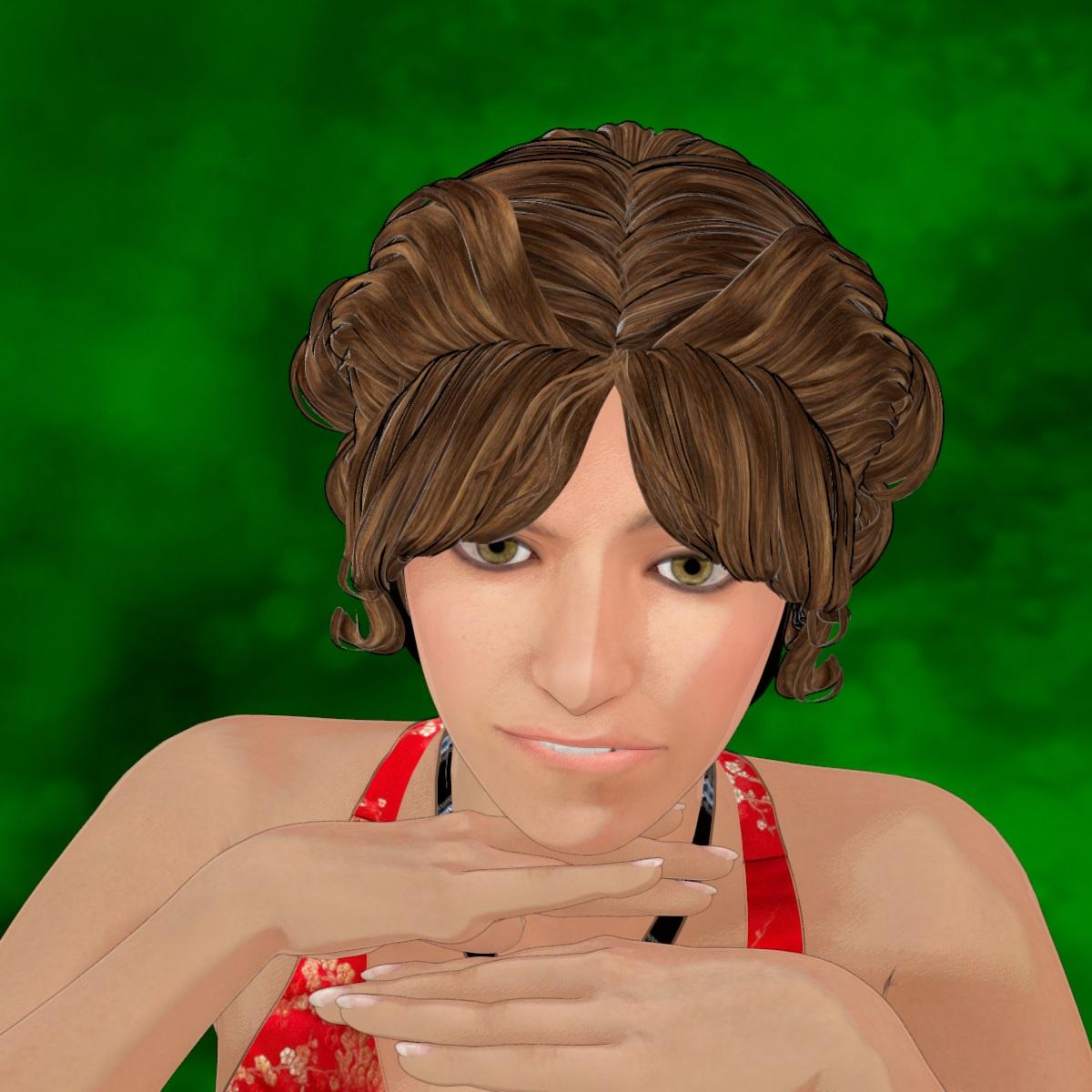
Released : V3D FilaToon Converter, Manager and Tools (Commercial)After adjustments in Outline Manager and changing some Filament Draw Options.
 DAZ3D Roadmap request
cain-x said:
I am glad that DAZ has developed Filament a bit more and added FilaToon to the mix (even though it is still somewhat unfinished). However, it is a step in the right direction and opens up more lower/middle end markets. Not everyone has a RTX 4090 but there is money in those markets. There exists willing spenders even if they do not have a higher end machine to render Iray all day. They just want to see a good result within a reasonable time. I hope the DAZ product team (and Tafi) will see this and consider it.
Rich, you are doing honest work on these forums and single handedly keeping the lights on - along with many willing helpers on the forum. Same with the DAZ dev team who uses their own personal time to shore up our knowledge and documentation. It goes to show how much folks within DAZ and everyone out here want to see DAZ succeed.
Upgrading the forum so there's a way to LIKE a comment such as the one thanking Richard without having to quote and post?
Released : V3D FilaToon Converter, Manager and Tools (Commercial)Lol thanks for your many share Artini :) I love the mood of your renders :)
edit : @Artini :
--> OK I'll have a look at the eyes issue on Generation 4 (Victoria/Michael 4), there is probably a specificity I did not see, but this should normally be pretty easy to fix! (I "skipped" Generation 4 during the test stage because in my memory, it was exactly like Genesis in term of surfaces)...
--> For the eyelashes : have you tried to "Store Trans Maps" before conversion, "Restore Trans Maps" after Conversion, and then adjust EyeLashes with the opacity tools included.
@Barbult :
OK thanks for all the inputs.
I had a brief look. Indeed, the opacity at 1 is actually embedded in the shaders (General, Hair, Constant, Metallic) provided by Daz.On the short term (on your side) there is a 2 or 3 minutes solution, using the "Create Custom Conversion Preset", to replace the shader currently used for conversion (Skin/General probably) on your problematic surfaces by the "Filatoon - Base" base shader located in the Default Resources Daz Package, category Shaders, which preserves opacity values and does not add outlines. In order to go faster to create your custom preset :
- find "FilaToon-Base" in your content Library (Daz Default Content/Shaders/Filament in Smart Content), right click the thumb and make "browse to file location"
- in your windows explorer, copy the folder path of your shader.
- Launch the Custom Preset Creator and (for General For instance if your surfaces are processed as General), click the corresponding button, and paste the folder path you just copied, and select the FilaToon-Base shader and accept.
- Save your new Preset and Close the Custom preset Creator. YOU ONLY HAVE to do it once, since after that you can reuse your preset as often as you want :)
- Launch the converter and immediately click on Load A Shader Conversion Preset (below the 3 buttons). You can check on the dedicated tab (with the path) that the new shader is now the one you chose
- Load the preset you saved and make the conversion.
I just tried on several 0 opacity objects, this way they remain with a 0 opacity, and use FilaToon Base Shader. (Note that this procedure does not add outlines on these nodes so you can use the outline add utility if you need it).On my side I'm going to try to implement a better solution (more straight forward) but I don't know which one to chose. I cannot do this tomorrow because I have some family I haven't seen for a while coming to visit me, but on monday I'll have a look :
- either if I can include the Opacity VALUE in the "Store trans Maps" text file and if I can easily add a "Restore Opacity Values" in the "Restore or Remove Trans Maps" script (I'm not sure how I can rewrite the reload to properly use either the maps or the values)
- OR I can include as an option the "keep Cutout Opacity Values" directly in the conversion script (this should be doable, but may slow down a bit the conversion, and I would like to be sure it does not add issue with semi transparent surfaces).Going to bed now, I'll do my best to answer tomorrow if there are still more questions, but tomorrow is an heavy day for me where I will be less available than usually (come on it does not happen often!).
AIUTO...CHI CONOSCE L’ITALIANO? PARTE QUATTORDICICrios said:
Ma scusate, c'era bisogno di creare un nuovo Genesis 9 e crackare Filament per ottenere il Filaroon, quando esiste questo: https://www.daz3d.com/visual-style-shaders
Quegli shader sono per 3Delight non per Filament.

E per l'appunto, le gente vuole Filament perchè è rapidissimo a differenza di 3Delight che necessita di venti secondi (mediamente) per renderizzare o di IRay che ci mette tre giorni (minimo).
AIUTO...CHI CONOSCE L’ITALIANO? PARTE QUATTORDICIMa scusate, c'era bisogno di creare un nuovo Genesis 9 e crackare Filament per ottenere il Filaroon, quando esiste questo: https://www.daz3d.com/visual-style-shadersReleased : V3D FilaToon Converter, Manager and Tools (Commercial)Hi all!
I wish you an happy new year, health, peace and harmony, and... tons of fun creating great images!
Thank you all for sharing all your renders here. I did not answer earlier since I was trying to rest and spend more time with my family, so, as I did not see any problems in the posts, I kinda decided to wait a bit to answer. I really appreciate that you shared here, and that this converter/manager is useful for you, that's my best reward!
Feel free to go on sharing, and asking whatever you want!
edit : Artini, for the shadows, play with color/shadow script first, and then if not enough, you have shadow settings also in the environent node of filament (they are not that tricky to be found, and there is no risk to experiment) !
Daz 3D is part of

Connect
DAZ Productions, Inc.
7533 S Center View Ct #4664
West Jordan, UT 84084Licensing Agreement | Terms of Service | Privacy Policy | EULA
© 2026 Daz Productions Inc. All Rights Reserved.