-
[Updated] Database issues after moving library (and frustration venting)
Are you logging in to your account from Studio? There is no need unless you want to use Connect. That is also how Studio knows that the products are available to install. When you "update metadata", are you using the Content Database Maintenance tool, or right-click on the Products from the Smart Content pane?
[Released] Substance Painter Assistant [Commercial]Blank_Canvas said:
I bought the script and exporting is working well once I wrapped my head around the preparations made to the Object_low.obj. I am having issue with the Import into DS side.
It would be so helpful if a video tutorial for the Import into DAZ Studio were made.
- It needs to show how to set up a naming system for BOTH SP and in the script.
The script is flexible enough it should be able to take any naming system from SP as you can define any acronym you want, which could even be something like "This is a long acronym"
- It needs to show how to deal with using the same channel file in more than one spot in the Iray shader. (Example: Glossiness from SP going into Glossy Layered Weight, Glossy Reflectivity, and Top Coat Weight.)
Unfortunately, the script can only assign automatically to one channel. You can multi-select channels and then assign one of the files on the right easily though.
If you made this video I would be greatly appreciative, because right now I'm still having to manually assign channel images to their spots in the Iray shader.
I don't plan to make another video at this time, sorry.
[Released] Substance Painter Assistant [Commercial]Blank_Canvas said:
I bought the script and exporting is working well once I wrapped my head around the preparations made to the Object_low.obj. I am having issue with the Import into DS side.
It would be so helpful if a video tutorial for the Import into DAZ Studio were made.
- It needs to show how to set up a naming system for BOTH SP and in the script.
The script is flexible enough it should be able to take any naming system from SP as you can define any acronym you want, which could even be something like "This is a long acronym"
- It needs to show how to deal with using the same channel file in more than one spot in the Iray shader. (Example: Glossiness from SP going into Glossy Layered Weight, Glossy Reflectivity, and Top Coat Weight.)
Unfortunately, the script can only assign automatically to one channel. You can multi-select channels and then assign one of the files on the right easily though.
If you made this video I would be greatly appreciative, because right now I'm still having to manually assign channel images to their spots in the Iray shader.
I don't plan to make another video at this time, sorry.
[Updated] Database issues after moving library (and frustration venting)Possibly resolved. I am hesitatingly calling this resolved.
What seems to have fixed it was scanning known drives for files, and then re-import metadata.
Right-click Content Tab > Scan Known Directories for Files...[Updated] Database issues after moving library (and frustration venting)Alright, I must say that one of the most frustrating 'features' of Daz Studio is the fact that every time I open DS, I never know what I am going to get. I can close the app, immediately reopen it and all of a sudden several preview images are missing from products. Close it and reopen it again, and this time get all missing metadata. And yet a third time can result in Iray not working. I apologize for the venting. It leads to this:
I moved my library to its own drive. I have moved the library multiple times in the past without issue. I opened DS and checked that all associations worked. Everything seemed fine. However, I came back to it this afternoon and this time ALL my products are grayed out. None of them show metadata. They all have the option of installing (using Connect which I refuse to use).
I get the feeling I am going to end up deleting the whole library and reinstalling. I hope not. <<Is there a way to repair this issue?>>
Thank you!!!
Request for animation tips and resourcesFree video editor/compositor? Blender? I've used that. DaVinci Resolve still has a free version I believe, I use that. On my old laptop I have Quicktime Pro (not free) which allows import of image sequences to create avi's
[Released] Substance Painter Assistant [Commercial]I bought the script and exporting is working well once I wrapped my head around the preparations made to the Object_low.obj. I am having issue with the Import into DS side.
It would be so helpful if a video tutorial for the Import into DAZ Studio were made.
- It needs to show how to set up a naming system for BOTH SP and in the script.
- It needs to show how to deal with using the same channel file in more than one spot in the Iray shader. (Example: Glossiness from SP going into Glossy Layered Weight, Glossy Reflectivity, and Top Coat Weight.)
If you made this video I would be greatly appreciative, because right now I'm still having to manually assign channel images to their spots in the Iray shader.
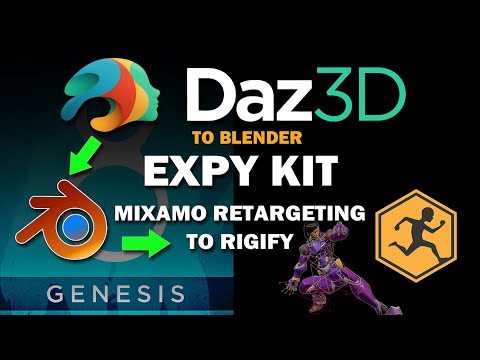
Retargeting motion to rigify after Diffeo import.Hi all
I did a quick video on a free addon to retarget Mixamo motions to your Genesis 8 characters after conversion to rigify in Blender.
 Forced to Re-install Genesis 8 Starter Essentials over and over
I just added something to my previous post - take a look at that, maybe.
Make sure the filter box (bottom of the Smart Content pane) is unchecked and type "Essentials" in the search box again. If the G8 Essentials shows in colour then there should be an uninstall option. If it's gray-shades then try right-clicking and picking "view in Content Library" (or something along those lines) - once there, try right-click and "Delete" - this should remove any rogue metadata still sitting in the database.
ETA: Follow Richard's instructions first - they are probably right!
[Released] Turbo Loader for Genesis 8 and 8.1 [Commercial]Rod Wise Driggo said:
Changing from my manual moving of files to turbo loader I do have two questions:
1) How is the ***unknown product*** defined?
I only install via DIM (3rd party stuff with Content Wizard). So all my stuff has metadata. Still what confuses me is that TL even declares some of my G8F base figures as *** unknown product ***. Sometimes I even get two entries like with Angharad 8:
Angharad 8 with 59 morphs
Angharad 8 *** Unknown Product *** with 7 Morphs
How is this possible?It all depends on what the Daz Studio database returns for a file. Turbo Loader asks the DS database what product a morph belongs to and then categorizes on that. If the DS database says it does not have any products for a file, TL categorizes the morph as from an unknown product. My recommendation... LOG IN. That makes a BIG difference as the DS database gets updated. If you never log in, the DS database gets woefully out of date and you will get lots of Unknown Products. (Note the name of the unknown products is going to change this week as the v1.1 update drops into the store and you will need to rescan (check out the v1.1 tutorial video:
2) I want to handle my extensive base figure collection only through TL. So install all the figures (and I own all gen 8 base figures I guess), have the ones disabled I do not use but have the textures available if I want to use them. Now it seems that TL does not alter the files in the projection morphs folder. Doesn't affect this load times? Or are the projection morphs only loaded if I load the particular base figure the projection morphs are made for?
You would have to check the DS log when you load a figure with projection morphs. I don't really have many that use projection morphs. On my system, there are so few that it doesn't seem to affect my load times.
Thx!
[Released] Turbo Loader for Genesis 8 and 8.1 [Commercial]Changing from my manual moving of files to turbo loader I do have two questions:
1) How is the ***unknown product*** defined?
I only install via DIM (3rd party stuff with Content Wizard). So all my stuff has metadata. Still what confuses me is that TL even declares some of my G8F base figures as *** unknown product ***. Sometimes I even get two entries like with Angharad 8:
Angharad 8 with 59 morphs
Angharad 8 *** Unknown Product *** with 7 Morphs
How is this possible?2) I want to handle my extensive base figure collection only through TL. So install all the figures (and I own all gen 8 base figures I guess), have the ones disabled I do not use but have the textures available if I want to use them. Now it seems that TL does not alter the files in the projection morphs folder. Doesn't affect this load times? Or are the projection morphs only loaded if I load the particular base figure the projection morphs are made for?
Thx!
Using Unity Products in Daz3DJust export such product as FBX or OBJ and import it to Daz Studio.
Probably you need to adjust materials / shaders and maybe scale in Daz Studio.
Does dforce suck?ragamuffin57 said:
marble said:
Cyberdene said:
Never liked Deforce. Its okay for working on getting characters to sit with certain clothing. But Marvelous Designer still makes it easier to drape clothes within seconds. Not 10 min. Deforce is even slower simulating clothes with memorized pose on. It only works slightly faster with it turned off. But the minute you turn on memorized pose, I swear it takes up to 16 minutes or longer just to simulate anything. And my GPU is a 3060
I have Marvelous Designer 8 (pre-subscription version) sitting idle on my Desktop PC and a bunch of paid-for tutorials which are also resting undistrubed. I do know that MD will simulate in a fraction of the time takes dForce but I wonder about the faff of getting the posed character out of DAZ Studio and into MD and then back again. So far I have not bothered with that faff but I have to say that I have a really powerful GPU (RTX 3090) which seems to have made minimal difference to the simulation time of dForce whereas MD8, using only CPU, is orders of magnitude quicker.
I had a chat with an artist on DevArt who is a Poser user who uses MD7 to drape his clothing for every scene (he, like me, creates stories in a series of scenes). He maintains that it is quicker and more accurate to do it in MD. I'm not so sure, given all the back-and-forth, whether it is worth the effort in DAZ Studio. Perhaps someone can suggest an expidited workflow because I'm probably not using the most efficient method in my trial runs.
By the way, a typical drape time for me is about 6 minutes, not 16, but that is still painfully slow.
Marble you have a faster machine with more memory than I. I have a 2070 super I also have a huge library of D force items all basically useless.
The time it takes to simulate and then the inevitable explosions. Has **#@! me off.
20 minutes it has taken with some simulations only to crash and burn in Daz .
Yet I can have a genesis 8 character in MD. Import a pose morph, drape, rearrange a garment and import it back into daz before daz has hardly got off the starting block !!
I really had high hopes for Dforce as poser did a half-decent job of draping what little dynamic cloth there was back in the day.
Marble go for it I have used poser for and age, late 90s and since iray was introduced Daz , I had MD before Deforce and let my MD licence laps thinking that Dforce word be a game-changer for me. But alas no and have bought a new MD subscription :( and slowly learning how to get the best out MD . Plus now you can use Adobe substance painter in MD. Painter was a present for my 65th birthday.
I have been so used to the daz universe and the ease of its use, Then there is the money I have spent I have been reluctant like a druggy to leave daz comfort zone .
So to reiterate Marble dust off your training vids and open up MD try a couple of simple garments and I think you just surprise yourself on the ease of simple garment making.
Thanks for your advice and yes, I do feel bad about having a marvelous tool sitting idle while I suffer the tedious wait for dForce simulations. I also have a large library of dForce clothes and I don't want to start over making my own (most likely inferior) versions. Ideally I could use MD8 to drape my dForce (or conforming) clothes on a posed G8 avatar in MD. I know this is possible because I have tried it but, as I said, there is probably a more effitcient workflow. Most of the tutorials deal with making clothes from scratch rather than importing ready made clothing from DAZ Studio. I still have the option of upgrading to MD 11 with a 60% discount but I don't want to spend another $200 just to have it languishing unused on my PC.
Ahh, yes, my 3090 GPU was also a birthday present (at least I was gifted the difference between the price of a 3070 and a 3090). Thank goodness for family. I'm 70 by the way. As for Substance Painter - nice that you have it but I am reluctant to spend any money with Adobe and I just hate subscriptions.
Does dforce suck?marble said:
Cyberdene said:
Never liked Deforce. Its okay for working on getting characters to sit with certain clothing. But Marvelous Designer still makes it easier to drape clothes within seconds. Not 10 min. Deforce is even slower simulating clothes with memorized pose on. It only works slightly faster with it turned off. But the minute you turn on memorized pose, I swear it takes up to 16 minutes or longer just to simulate anything. And my GPU is a 3060
I have Marvelous Designer 8 (pre-subscription version) sitting idle on my Desktop PC and a bunch of paid-for tutorials which are also resting undistrubed. I do know that MD will simulate in a fraction of the time takes dForce but I wonder about the faff of getting the posed character out of DAZ Studio and into MD and then back again. So far I have not bothered with that faff but I have to say that I have a really powerful GPU (RTX 3090) which seems to have made minimal difference to the simulation time of dForce whereas MD8, using only CPU, is orders of magnitude quicker.
I had a chat with an artist on DevArt who is a Poser user who uses MD7 to drape his clothing for every scene (he, like me, creates stories in a series of scenes). He maintains that it is quicker and more accurate to do it in MD. I'm not so sure, given all the back-and-forth, whether it is worth the effort in DAZ Studio. Perhaps someone can suggest an expidited workflow because I'm probably not using the most efficient method in my trial runs.
By the way, a typical drape time for me is about 6 minutes, not 16, but that is still painfully slow.
Marble you have a faster machine with more memory than I. I have a 2070 super I also have a huge library of D force items all basically useless.
The time it takes to simulate and then the inevitable explosions. Has **#@! me off.
20 minutes it has taken with some simulations only to crash and burn in Daz .
Yet I can have a genesis 8 character in MD. Import a pose morph, drape, rearrange a garment and import it back into daz before daz has hardly got off the starting block !!
I really had high hopes for Dforce as poser did a half-decent job of draping what little dynamic cloth there was back in the day.
Marble go for it I have used poser for and age, late 90s and since iray was introduced Daz , I had MD before Deforce and let my MD licence laps thinking that Dforce word be a game-changer for me. But alas no and have bought a new MD subscription :( and slowly learning how to get the best out MD . Plus now you can use Adobe substance painter in MD. Painter was a present for my 65th birthday.
I have been so used to the daz universe and the ease of its use, Then there is the money I have spent I have been reluctant like a druggy to leave daz comfort zone .
So to reiterate Marble dust off your training vids and open up MD try a couple of simple garments and I think you just surprise yourself on the ease of simple garment making.
Rigid Follower Node renders rotated incorrectlyI think what's going on is internally, D|S is making copies of the bits of geometry you see in preview and rendering those (I know it has to do this for subdivision and smoothing anyway) - at some point there's a -90 or +180 or something incorrectly applied, probably because that bit of code was adapted from code from a plugin for an app with a different coordinate orientation. Sort of like the frustrating orientation quirks associated with OBJ import/export.
GOZ from Zbrush to DAZ not workingHey,
I can send character from Daz to Zbrush, then I do really a really simple sculpt and the problem is that I'm not able to send the sculpt back to Daz with GoZ. The only info from Zbrush that I got is "file saved to disk sucessfully".
Daz doesn't seem to receive any info back, no pop-up message about back import.
I tried to reinstall both Zbrush and Daz and filepath from Zbrush to Daz seems correct
I have Zbrush 2022.05 and DAZ Studio 4.2 PRO
I work on a Mac
Could you please help?
How to import a room with multiple propHello David!
I would like to thank you, all has been fixed, however there is a new error that the new update make.
let's say i want import my mesh like this ( with the eyes move location )

the plugin will not import them in the correct location. but will keep the original position of the eye.
this is just an exemple.
( didn't have this error before you update the plugin)
Evermotion Blender scene import into DSwurger said:
I'm kind of getting that impression. The scenes look great in Blender, and I'm guessing the work getting them looking the same in DS would be brutal. I may just go with the DS to Blender route with the figures. At least then there are less material issues to correct.
Be sure to check out diffeomorphic for that. Makes the process a hell of a lot easier than tryin to export as OBJ or FBX then import into blender and relink everything by hand.
Evermotion Blender scene import into DSRL_Media said:
First thing I would do is export from blender as obj, import obj into DS, apply uber shader. Chances are it is going to look bad, or lag the hell out of DS viewport because of heavy poly count. That's usually the two results I get importing scenes like that into DS. DS is really not as good as other 3d programs with displaying geometry that has triangles, n-gons, or heavy polygon counts without lag.
If the geometry looks OK and is not lagging, then you are gonna have to look into adding the material maps back to the right places, which can be tedious. If material zones and maps are named in a way you can understand, it is not difficult though.
One of the reasons I am really trying to get DS people into blender to render instead of the other way is the geometry issue. I can make some really nice hard surface detailed things, it looks amazing in bleder. But when imported into DS there is all kinds of shading artifacts, holes get covered over, all kinds of weirdness.I'm kind of getting that impression. The scenes look great in Blender, and I'm guessing the work getting them looking the same in DS would be brutal. I may just go with the DS to Blender route with the figures. At least then there are less material issues to correct.
Evermotion Blender scene import into DSFirst thing I would do is export from blender as obj, import obj into DS, apply uber shader. Chances are it is going to look bad, or lag the hell out of DS viewport because of heavy poly count. That's usually the two results I get importing scenes like that into DS. DS is really not as good as other 3d programs with displaying geometry that has triangles, n-gons, or heavy polygon counts without lag.
If the geometry looks OK and is not lagging, then you are gonna have to look into adding the material maps back to the right places, which can be tedious. If material zones and maps are named in a way you can understand, it is not difficult though.
One of the reasons I am really trying to get DS people into blender to render instead of the other way is the geometry issue. I can make some really nice hard surface detailed things, it looks amazing in bleder. But when imported into DS there is all kinds of shading artifacts, holes get covered over, all kinds of weirdness.Daz 3D is part of

Connect
DAZ Productions, Inc.
7533 S Center View Ct #4664
West Jordan, UT 84084Licensing Agreement | Terms of Service | Privacy Policy | EULA
© 2026 Daz Productions Inc. All Rights Reserved.