-
Toenail coloring tutorial please???
Catherine3678ab said:
Um, you can't redistribute a cap made from the figure's geometry. Any 3D modeler can produce a sphere. Fit it around the head area, deleting any unneeded mesh. Add enough subdivision so it can morph nicely with whichever character is dialed into the figure. In D/S rig it and save as a figure/prop file.
Hair can be built off of the skullcap.
So, the sphere would have some sort of colliders that prevent the strands from folding into the mesh of the scalp? Is that the correct understanding?
Face Transfer 2 Trial VS HeadShop pro 23DGEC said:
I'm confused... Why do I need DS beta? Will Transfer 2 be included in the DS program? Oh! Like FT1, the trial is part of the DS system but you have to install the new build for version 2. Got you. Thanks! Have you/anyone tried both? How does quality and ease of use compare? Not sure if I want to install the beta version since it seems like you can't have both installed in case it's flakier.
Currently Face Transfer 2 is onyl available in the Public Build (the beta0 - the next update to the General Release should also contain it.
Face Transfer 2 Trial VS HeadShop pro 23I'm confused... Why do I need DS beta? Will Transfer 2 be included in the DS program? Oh! Like FT1, the trial is part of the DS system but you have to install the new build for version 2. Got you. Thanks! Have you/anyone tried both? How does quality and ease of use compare? Not sure if I want to install the beta version since it seems like you can't have both installed in case it's flakier.Help fix ponytail boneDarknessvaltier said:
crosswind said:
You may try to zero the morph (you applied on the figure) in the hidden properties of the hair, or fix the morph on the hair by re-rigging the tail ( will be a bit cumbersome...). Or just directly parent the hair to the figure's head instead of fitting it to the figure.
u mean did the hair like a prop?
Yes, like a smart prop, because some conformed hair will bring you the above-mentioned issue, then you have to fix the full head morph and the rigging on the hair. So direct parenting is frequently used in such a case to avoid cumbersome fixing.
PS: If you make this hair as a product, you better fix some morphs at least for the popular characters from Daz Originals...
Help fix ponytail bonecrosswind said:
You may try to zero the morph (you applied on the figure) in the hidden properties of the hair, or fix the morph on the hair by re-rigging the tail ( will be a bit cumbersome...). Or just directly parent the hair to the figure's head instead of fitting it to the figure.
u mean did the hair like a prop?
Darwins' Schtuff Pt DeuxSo, unfortunately the honeycomb tattoo idea did not make it into JeanPierre's set, but that has been added to one of my future projects.
For now, I'm slapping down a set of test renders of the next project, who says we don't need more leading males for our renders? Not I.
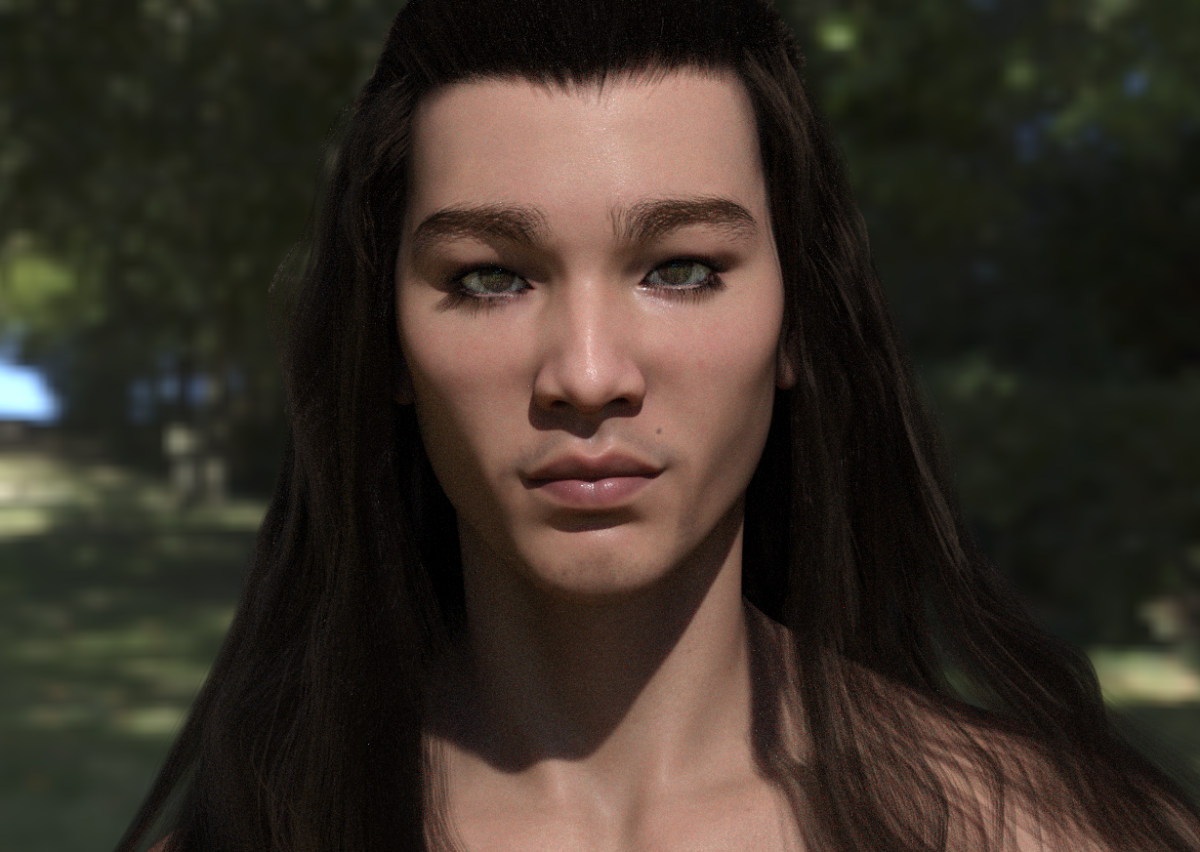
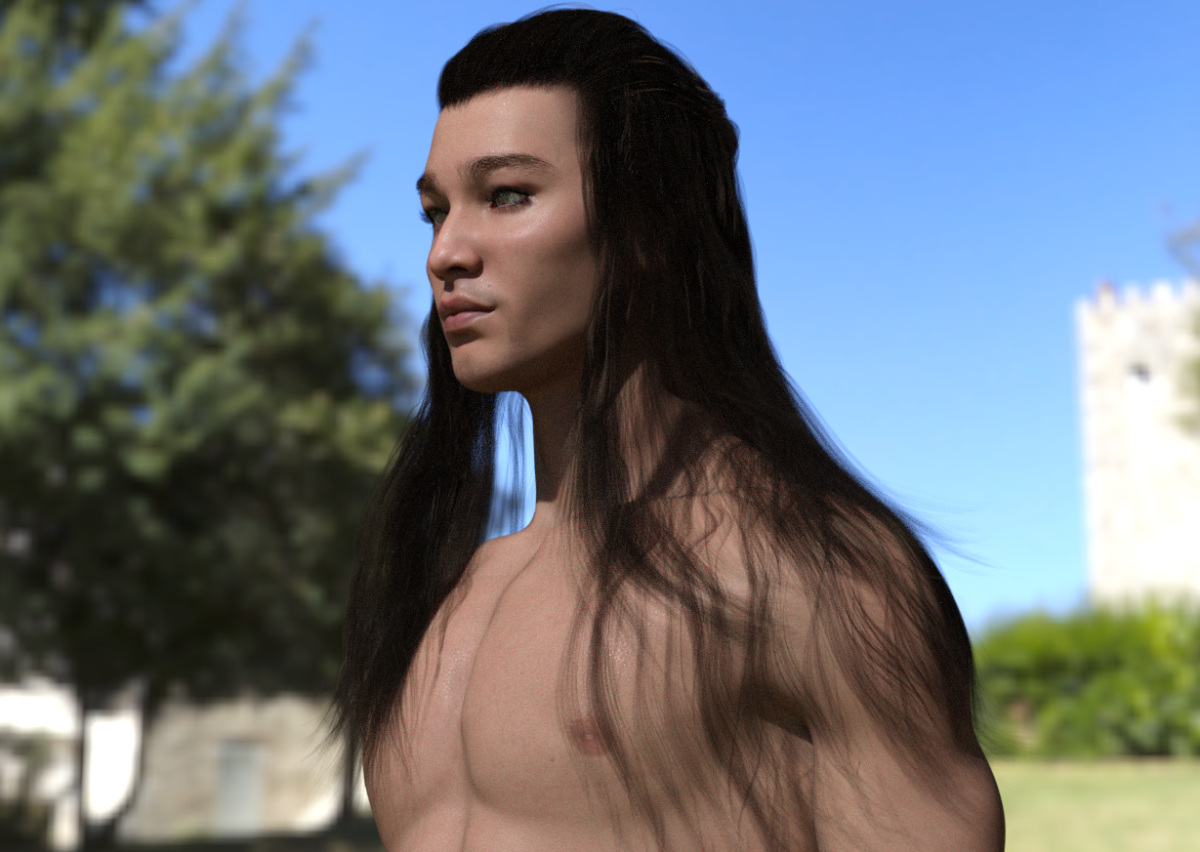
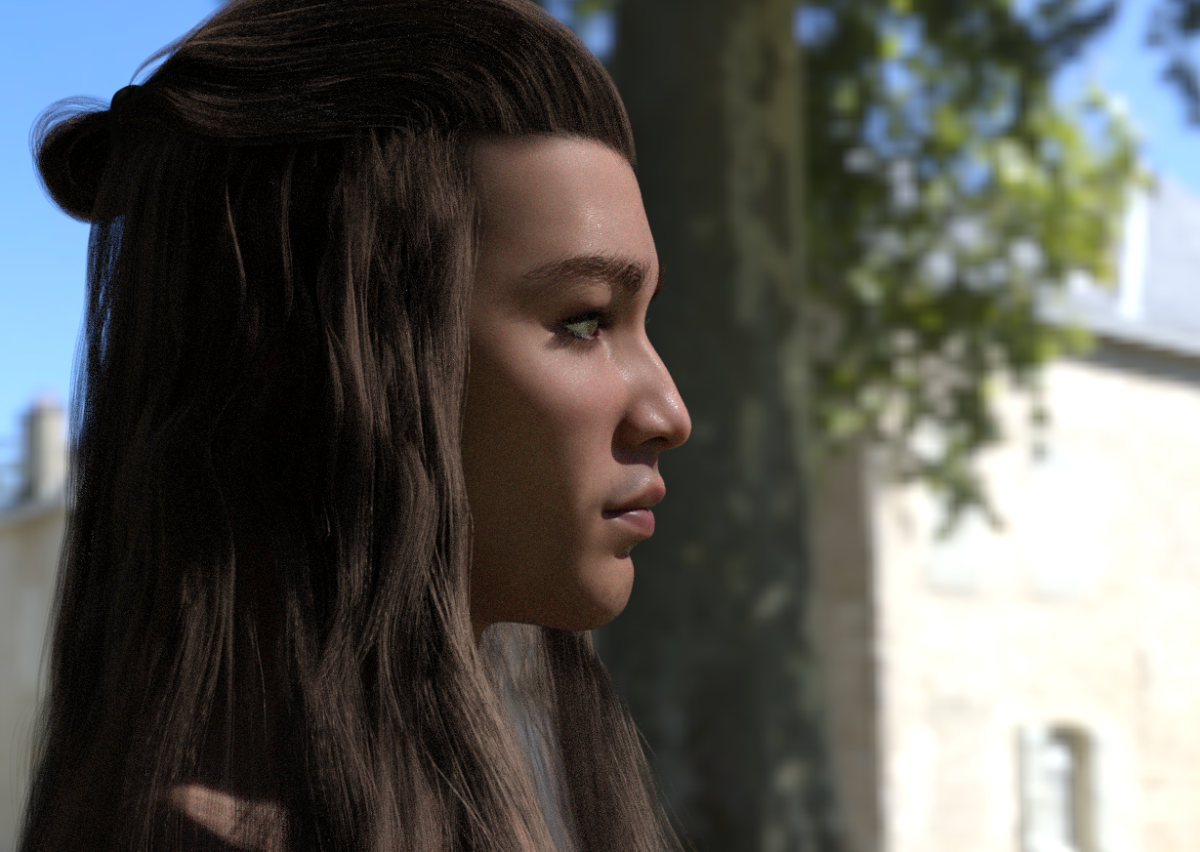
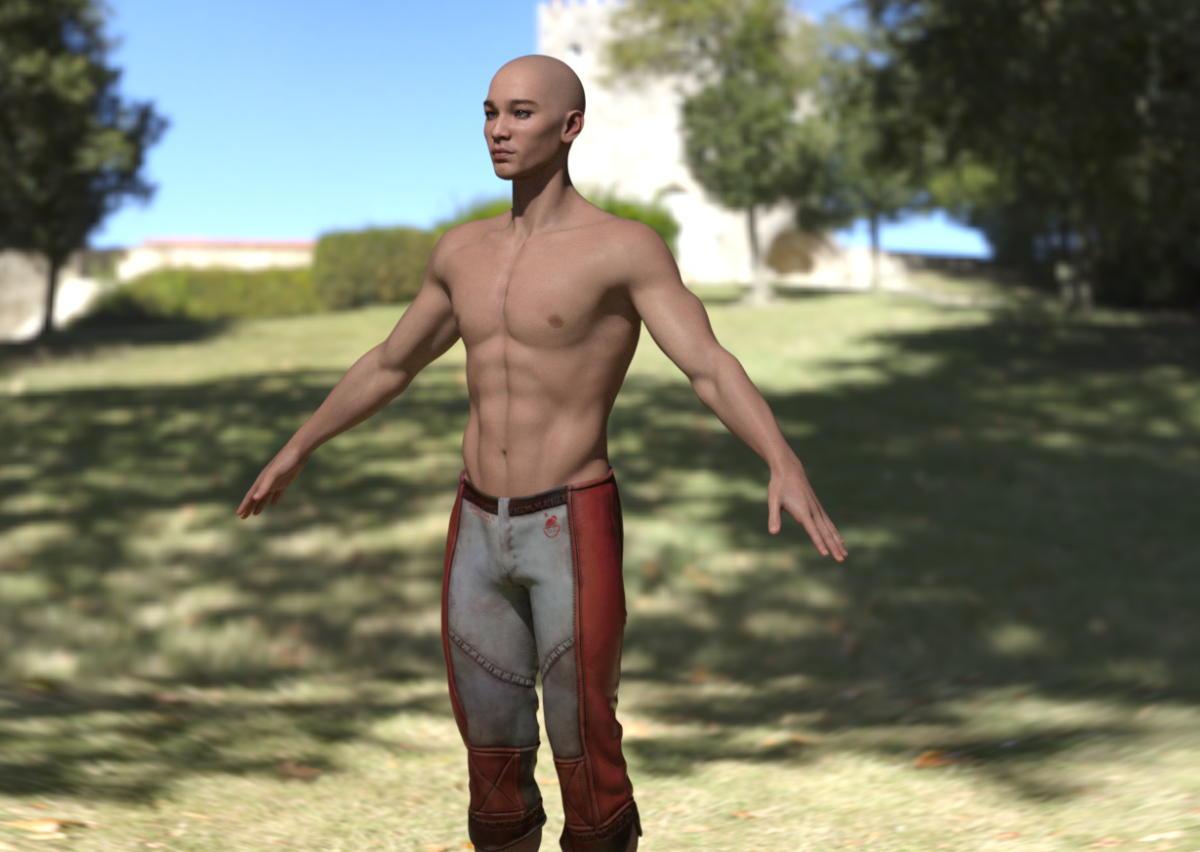
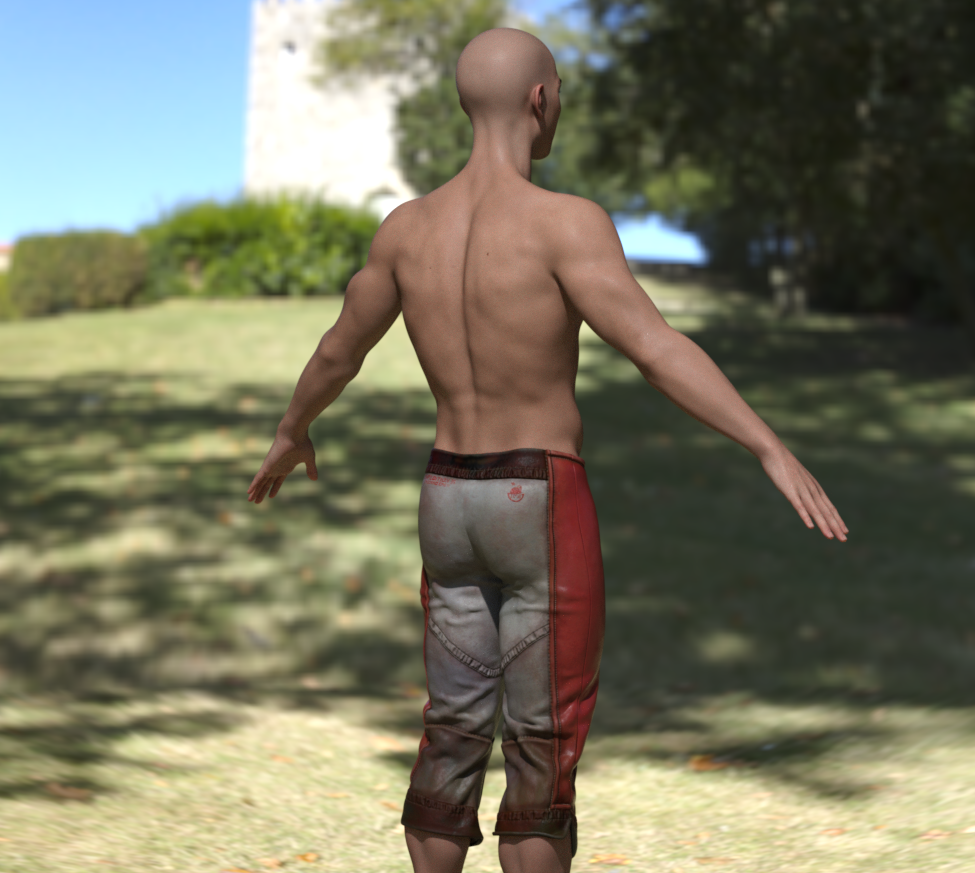
The skin is one of the G9 base male skins to see how the sculpt looks in HDRI lighting. I like his look, so it'll be on to the morph or joint corrections before the next dude. XD
Face Transfer 2 Trial VS HeadShop pro 23DGEC said:
I have head shop Pro 23 bud I'm interested in the new AI driven face transfer program. I'd like to be able to compare the output with the trial version before purchasing a lender program but I can't find a trial version of either ft one or two. Is the description of a trial version out of date?
You need to download and install the latest version of DS Public Build... Place an order in here (if you've not done it before) - https://www.daz3d.com/daz-studio-beta Then download and install it with DIM.
Face Transfer 2 Trial VS HeadShop pro 23I have head shop Pro 23 bud I'm interested in the new AI driven face transfer program. I'd like to be able to compare the output with the trial version before purchasing a lender program but I can't find a trial version of either ft one or two. Is the description of a trial version out of date?Face Transfer 2Another Face Transfer 2 creation decorated with:
https://www.daz3d.com/cc-character-kit-classy-cosmetics-mr-for-genesis-9
 Help fix ponytail bone
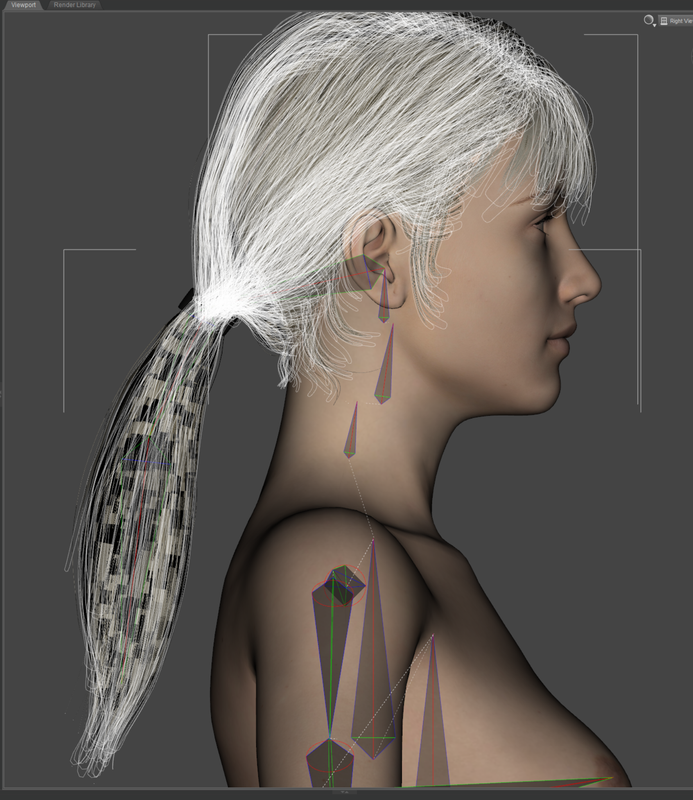
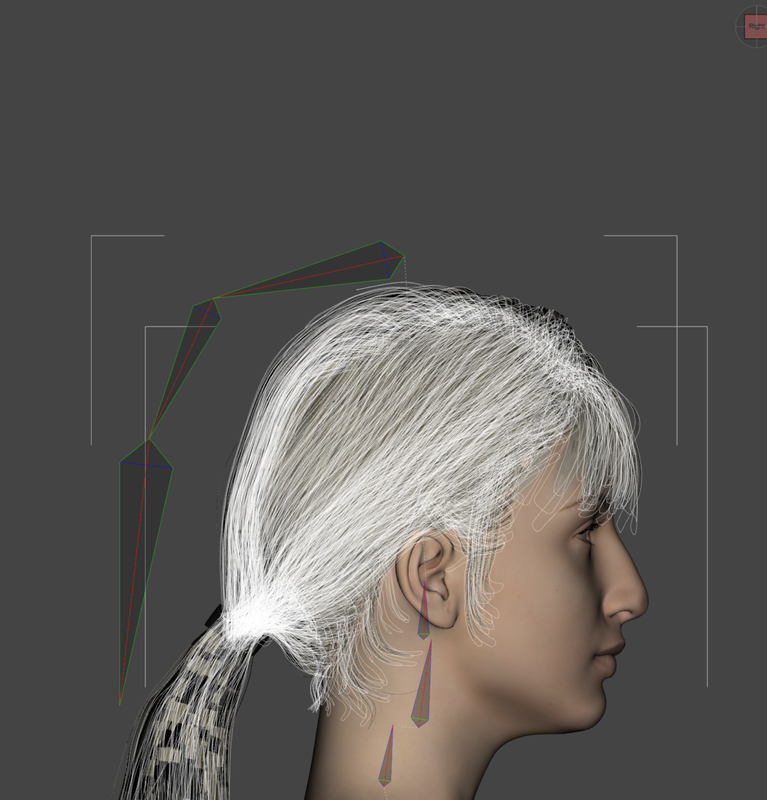
You may try to zero the morph (you applied on the figure) in the hidden properties of the hair, or fix the morph on the hair by re-rigging the tail ( will be a bit cumbersome...). Or just directly parent the hair to the figure's head instead of fitting it to the figure.
Help fix ponytail boneSomeone can help me? i did that ponytail model, works fine with G8 base, but when i apply a morph, the tail bones not follow the head
 Face Transfer 2d character
Mythocentric said:
Mariya. Character created with a combination of Face Transfer, Face Transfer Shapes for G8 and Growing Up for G8F from a pencil drawing by Andrij Bilchenko. While the quality of the drawing (or painting) is important like any good image it is well worth the effort!

Nice transfer. I'm curious about how that pencil drawing looks like. Is it possible you post a screenshot in here?
Face Transfer 2d characterMariya. Character created with a combination of Face Transfer, Face Transfer Shapes for G8 and Growing Up for G8F from a pencil drawing by Andrij Bilchenko. While the quality of the drawing (or painting) is important like any good image it is well worth the effort!
Daz 4.22 clean install4.22.0.1 has a bug with FBX export, which is what you saw. The General reelase has bnot been updated so the issue remains, but ti was fairly quickly fixed in the Public Builds (beats) and we assume it will not be long before there is an update from those to the General Release channel (for this and some other fixes, and for Face Transfer 2) though I wouldn't expect a formal announcement of the timing before the version actually lands.
Introduce Yourself, Hello, my name is.....titanium.allan said:
My name is Allan and my first exposure to DAZ has been unpleasant.
Firstly, I installed to a drive different from the default and now I can't save any scenes becuase "location not found". Checking directory paths, there are a lot of them. Which ones do I need to change and how many more are wrong because of my change of install locations? Why weren't the drive paths changed automatically?
You can use http://docs.daz3d.com/doku.php/public/software/dazstudio/4/referenceguide/scripting/api_reference/samples/file_io/install_manager_config_import/start (download using the linkl abocve the code and drag into the Daz Studio Viewport) to add the paths used by Install Manager to Daz Studio. Which save function are you using then it fails, and to which location are you trying to save?
Secondly, I see many tutorials and that's great, but which figure should I use (G8, G8.1,G9)? and more importantly why? Are they cross compatiable? Will one eventuantly go out of date and my purchases.
That probably depends on when the tutotrials were made, and the preferences of the maker. So far none of the Genesis figures has been removed, nut older add-on content does periodically get removed from the store. I would say 8/8.1 or 9 would be the obvious choices, but you can mix in a scene and there are conversion options for many types of content (Daz provides the tools for converting fitted items, mainly clothes, up a generation or more as part of the free content and those can form the basis for transferring (non-HD) morphs and textures).
I see an adult male and an adult female? I think Akira is a teen. Do I use that figure and some how magically create a child?
The growing Up add-ons for teh figure you are using are one way to create older children through to adults, and there are various teen characters which could be further customised with morph sets.
But nobody talks about these really simple beginner concepts. Some background as to which figures to use. Can bodies be morphed, probably? But I want to know that before I start to ensure I starting the right way.
Yes, all figures can be morphd - therea re morph packs, and you can create your own morphs (not HD) with dForms or in an external 3D modelling application.
All the tutorials are the same...drop in a figure, put on some clothes, hair and go. I'm a detail planner, I don't want to jump in and go. I want to understand why the decisions I am to make are needed. I don't want to spend 3-4 hours or more to find out, "oh, you should have started this way instead".
I really want to learn 3D figures. I know Blender and other packages, but it just seems DAZ expects you to know a whole lot about the product before using the product.
Thats my two cents.
AIUTO...CHI CONOSCE L’ITALIANO? PARTE QUATTORDICICrios said:
Chi era il venditore, che non mi ricordo. Che se poi vendono poco, metterli freebie no? Almeno uno, così si vede la qualità e si possono vendere gli altri.
Da quel che vedo tutti i PA hanno almeno un freebie nel loro curriculum.
E comunque, non c'entra la qualità del prodotto ma quanto questo interessa gli utenti.
Da quel che ricordo Visnù (o come si chiama) aveva pubblicato dei modelli stand-alone di vari giovincelli e fanciulle. Quanto utenti di DAZ Studio conosci che comprerebbero uno stand-alone senza morph e senza accessori avendo a disposizione G1/2/3/8/9?
Eppure la qualità dei modelli era davvero eccezionale.
Face Transfer 2I have just installed Daz Studio beta 4.22.0.14
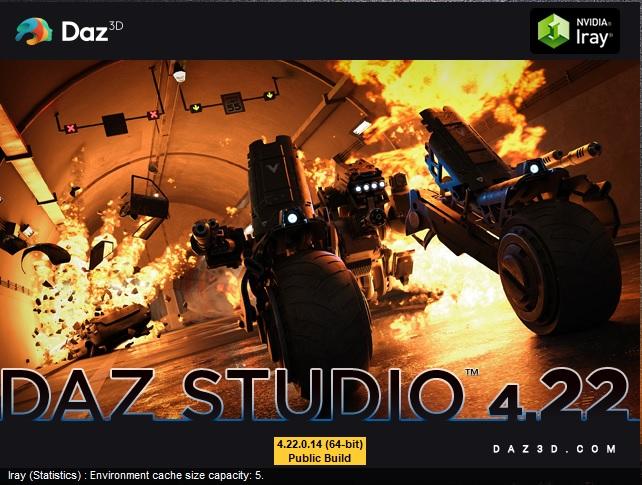
and can confirm that it is still works on my computer with Face Transfer 2.
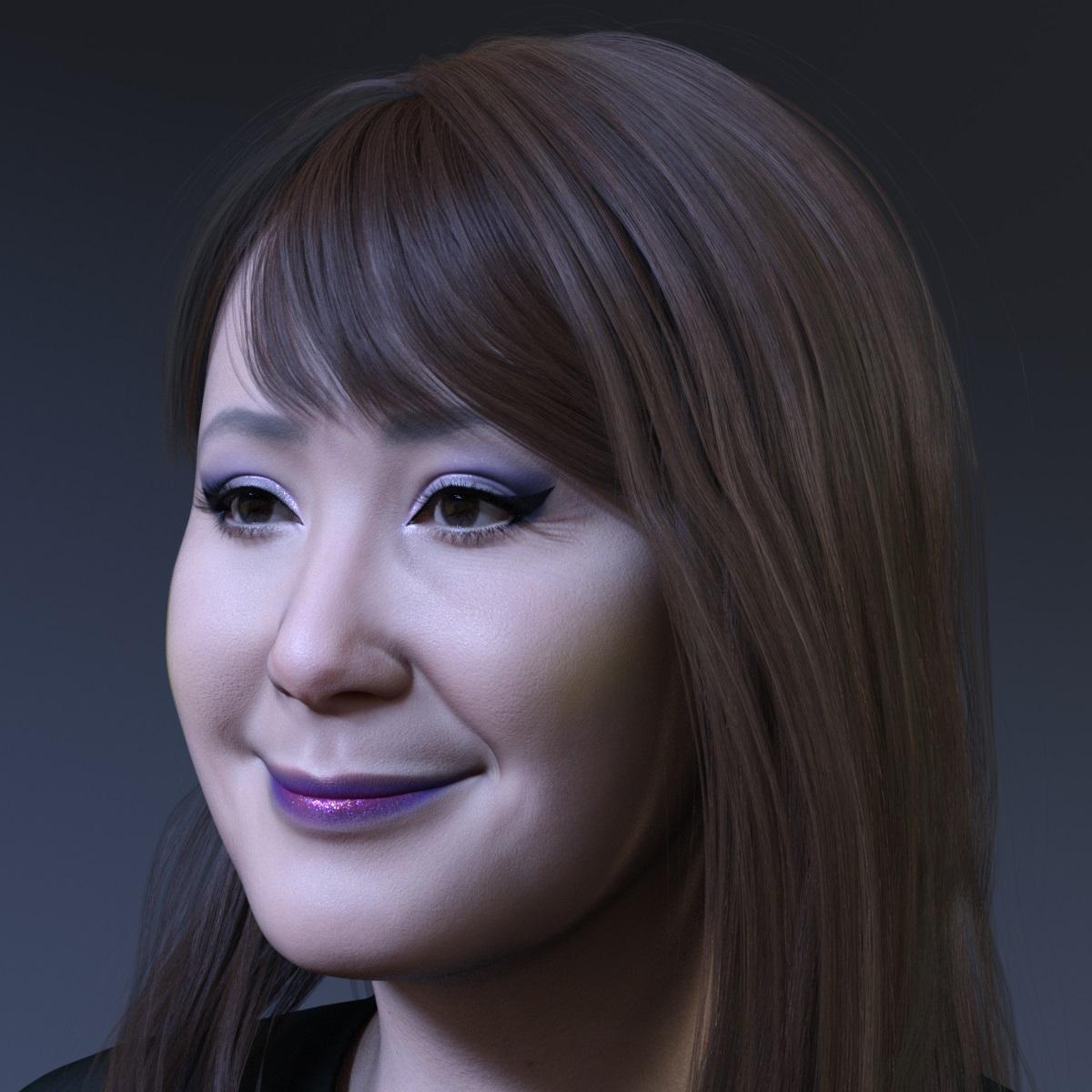
Below is a render of a new Genesis 9 character created with Face Transfer 2.
Hair used is https://www.daz3d.com/gala-bob-hair-for-genesis-8-and-81-females-and-genesis-9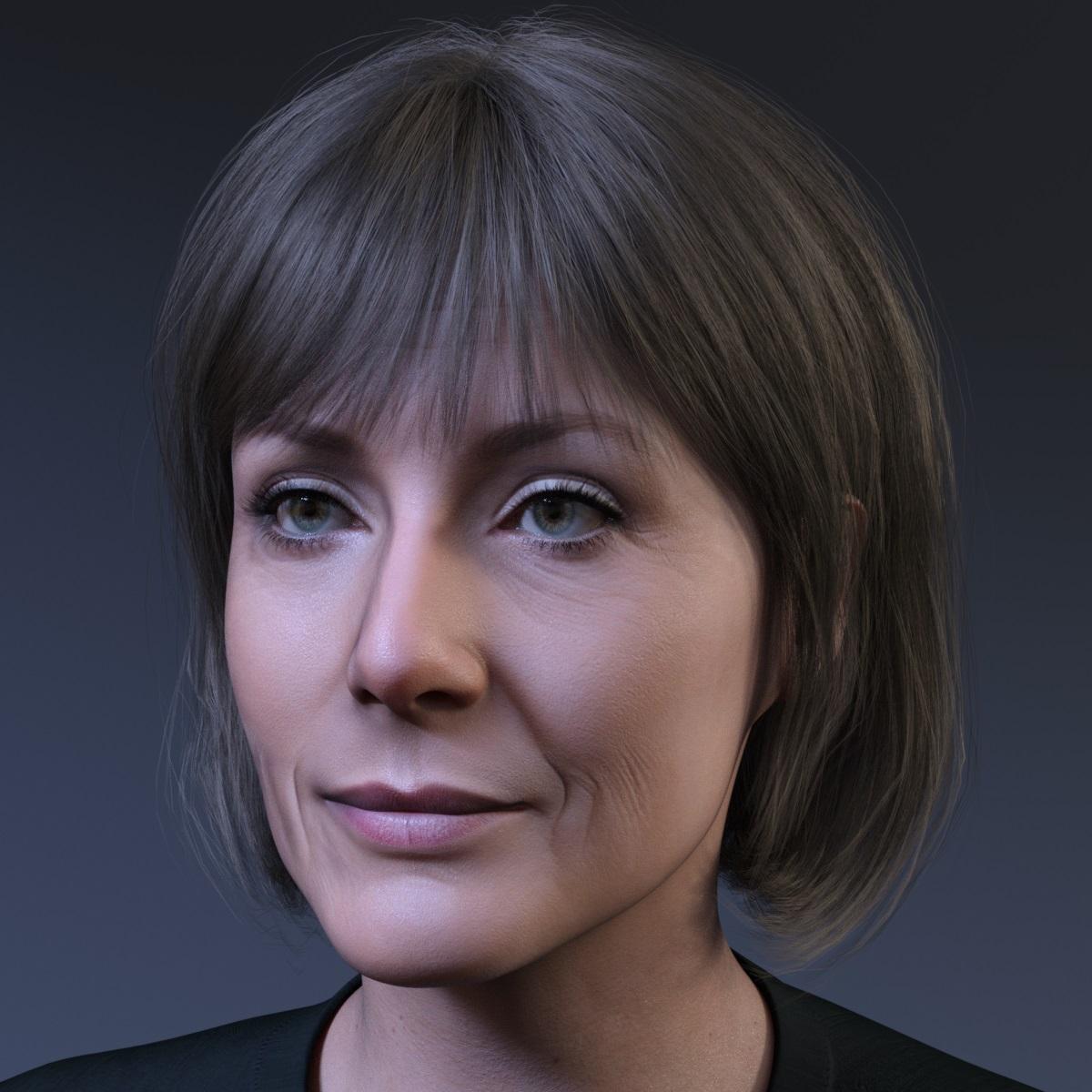 Tris High Heels - Wanting to Hide Socks
bombenleger58 said:
Look there: Tutorial: DAZ Auto Hide Faces Remove by PrefoX on DeviantArt
And this was accepted by Daz as a product? A shoe that won't even let you morph the foot? Hm. Very curious, I must say!
 Face Transfer 2d character
If you don't know well about sculpting, using Face Transfer with photo(s) plus some tweaking with morph packages would be a better way for newbies... But if it's a drawing, you still may try using morph packages to make it as per the drawing.
Star Trek Builders Unite 8: THE REBOOTThank you gentlemen for your talent and generosity!
I'm glad at least the Spock morph is of use to you...
Daz 3D is part of

Connect
DAZ Productions, Inc.
7533 S Center View Ct #4664
West Jordan, UT 84084Licensing Agreement | Terms of Service | Privacy Policy | EULA
© 2026 Daz Productions Inc. All Rights Reserved.