-
The [Disco Chives] Misplaced Parrot Complaint Thread
Diomede said:
PerttiA said:
kyoto kid said:
Diomede said:
Non-Complaint - Happy New Year! I stayed home and started to watch three versions of dracula on the Universal Monsters Channel, but fell asleep before midnight local.
Complaint - Greyhound Bus company closed its downtown location, and now it costs more to Uber to the new location than it does to bus half way across the country.
...they did the same where I live and donm't understand why as we had a nice fairly new terminal which had a roof over where the buses loaded/unloaded. Now buses stop at a curb totally in the open along a street that parallels the tracks leading into Union Station (Portland OR). No protection from the weather or even a place to sit while waiting and definitely not a great place after sundown.
The ticket office is 4 blocks away. and you have to carry your own luggage over to the stop (no more checked luggage). or waste monbey for a short taxi ride,
I can understand this in a small town, but in a major city it is ridiculous
What?... You still have ticket offices? Ours has gone to Web/Mobile apps/whatever tags and if one manages to find a bus going anywhere, one may not be able to pay for it (cash not accepted)
Apparently, Greyhound Bus was recently bought by a German bus company, Flixbus. Looks like there is some growing pains! There are no shortage of options to use as a bus station. We have an Amtrak terminal, a large downtown city bus transfer station, and a large under-utilized riverside market, all capable of serving as a place for Greyhound/Flixbus to use. Instead, Greyhound/Flixbus directs me to a city 57 miles away. The cynic in me suspects that Greyhound/Flixbus tried to get the city to pay for a new bus station and the mayor/council refused. The really cynical person in me suspects Greyhound/Flixbus didn't even bother to try.
...ah that explains why I have been seeing FlixBus here instead of Bolt as of late. I just thought Bolt changed their name.
One would imagine a European company understood the need for a central terminal facility as they tend to be further ahead of us when it comes transportation options to the automobile. Portland really needs a better option than what I described. There are empty buildings/properties in the city centre I'm sure would be more adequate Crikey, even our local transit system has shelters at most bus stops.
G8M Hoodies?barbult said:
crosswind said:
Loony said:
No zippers allowed.
And I don't think I can convert G9, because my Daz3D is not even updated to load G9^^.
I use 4.20. And I don't really want to buy a G9 cloth just to convert it down, which then also maybe requires a converter.
Do you have this product -https://www.daz3d.com/genesis-8-cross-figure-resource-kit ... a nice product for converting garments cross F/M with more accurate morph projection ~
And these old ones are still my favorites as I'm more or leass a hoodie lover as well ~~
https://www.daz3d.com/hc-hoodie--training-wear-for-genesis-8-females
https://www.daz3d.com/hoodie-skinny-jeans-outfit-for-genesis-3-female-s
https://www.daz3d.com/i13-hq-hoodie-for-the-genesis-3-female-s
No problem with auto-fit and dForce modifier could be also added...though that'll take some time.
For Comfy Hoodie, have you simulated it with the figure? It should be fine after simulation.
I read it as also a request for "hoodies without the belly pocket".
Actually the pockets on some of the products can be easily hidden, then manipulate the hoodies in various ways. Do not limit possibilities...
Crook and FlailYes, but I still use V3 + 4 because the new figures came out so fast I couldn't keep up. I decided thaI didn't need the epense and hassle.
Understood.
In which case there's a chance you may be interested in ways of using newer stuff on V3 (or V4). There is an awful lot of free stuff for G8F, and generally has quite good quality material. I still regularly use a V3 character (Jim Burton's Glamorous Vickie 3) but wanted to use a wider range of poses, clothing and hair than fitted to the unusual morph. As a result, I came up wih a pose transfer script from G8F to V3 and a way of converting V3 into a Native DS TriAx figure and creating autofit clones for V4, G3F, G3M, G8F and G8M so V3 and the Generation 3 characters can wear the new stuff too. The TriAx conversion works equally well making a TriAx V4 base figure too, and I've done Male & Female pose Transfers to Generation 4 here: https://www.daz3d.com/forums/discussion/450206/g8f-pose-transfer-to-v4-a4 https://www.daz3d.com/forums/discussion/448936/m4-h4-f4-g8m-bi-directional-pose-transfer https://www.daz3d.com/forums/discussion/448391/v4-a4-pose-transfer-to-g8f/p1 (I have also done bi-directional pose transfer scripts for Genesis 3 & Generation 4, so Genesis 3 poses aren't left out)
Regards,
Richard
G8M Hoodies?crosswind said:
Loony said:
No zippers allowed.
And I don't think I can convert G9, because my Daz3D is not even updated to load G9^^.
I use 4.20. And I don't really want to buy a G9 cloth just to convert it down, which then also maybe requires a converter.
Do you have this product -https://www.daz3d.com/genesis-8-cross-figure-resource-kit ... a nice product for converting garments cross F/M with more accurate morph projection ~
And these old ones are still my favorites as I'm more or leass a hoodie lover as well ~~
https://www.daz3d.com/hc-hoodie--training-wear-for-genesis-8-females
https://www.daz3d.com/hoodie-skinny-jeans-outfit-for-genesis-3-female-s
https://www.daz3d.com/i13-hq-hoodie-for-the-genesis-3-female-s
No problem with auto-fit and dForce modifier could be also added...though that'll take some time.
For Comfy Hoodie, have you simulated it with the figure? It should be fine after simulation.
I read it as also a request for "hoodies without the belly pocket".
Daz crash when using face transfer on genesis 9 or when creating a new one~~~You mentioned that it works fine for G8. Which Face Transfer are you using? My understanding is that Face Transfer 2 only works on G9, and Face Transfer works on G8.
G8M Hoodies?Loony said:
No zippers allowed.
And I don't think I can convert G9, because my Daz3D is not even updated to load G9^^.
I use 4.20. And I don't really want to buy a G9 cloth just to convert it down, which then also maybe requires a converter.
Do you have this product -https://www.daz3d.com/genesis-8-cross-figure-resource-kit ... a nice product for converting garments cross F/M with more accurate morph projection ~
And these old ones are still my favorites as I'm more or leass a hoodie lover as well ~~
https://www.daz3d.com/hc-hoodie--training-wear-for-genesis-8-females
https://www.daz3d.com/hoodie-skinny-jeans-outfit-for-genesis-3-female-s
https://www.daz3d.com/i13-hq-hoodie-for-the-genesis-3-female-s
No problem with auto-fit and dForce modifier could be also added...though that'll take some time.
For Comfy Hoodie, have you simulated it with the figure? It should be fine after simulation.
Madskills disappeared???They offered texture conversion, an AI powered face transfer. It only worked for Genesis 8 female though they were working on being able to do Genesis 8 male and eventually Genesis 9. It usually worked pretty well. The person was running it off of their home computer so every now and then there were glitches. I believe one time the power went out while they were away once. I only had the one time where any of the services took over an hour. I posted because usually when they had issues they would post on their website what the issue was. That particular time they did not so I posted here to see if anyone else had heard anything. And now since Face Transfer 2 has come out, their site is unreachable. Today I checked on a whim to see if they might be back and I got some hosting company's default page. So it looks like they are gone. It's a real shame cause it was pretty good.
G9 eye geoshell to fix seeing eye socketsAhhh... I'm very sorry that I did miss the toon style char with big eyes !! Yes, there'll be gap around eyes... but even so, I believe you still can make it with no issue. I convert characters with Faceform Wrap and fix things with Blender most of the time. It's pretty easy to align G9 eyeballs with any type / size of another pair of eyeballs in Blender. Then bring OBJ back to update head morph on G9's eyeballs.
If you just fix eyeballs with scaling / transforms in DS, there's still a nearly flawless way you may try: (I've not converted a toon char and I only have one - https://www.daz3d.com/rin-for-genesis-8-female, I quickly converted it as an example)
- Keep Rin's eyeballs in the scene with proper Opacity, hide other surfaces on G8F. Export left side of G9's eyeballs to OBJ with Base resolution (hide right side of eyeballs with Geometry editor beforehand).
- Hide G9. Import OBJ, Joint Editor, adjust Y position of Center Point and End Point to the center of eye ball for much easier scaling / transforming. (Screenshot 1)
- Resize and move the eyeball accurately (better move it a bit forward...). Duplicate it as right eyeball and move it to the right side. Save them as Subset for future use.... Select Eyeballs, export to OBJ. (Screenshot 2 ~ 3)
- Show G9, hide G8F. Select Genesis 9 Eyes, import OBJ with Morph Loader Pro to update the head morph in hidden property. (Screenshot 4)
- Adjust Eye Rigging as needed.(Screenshot 5)As for Eye Blinks, the expression properties need to be manually fixed : it's the same way you convert a morph with Eyes Closed or Eye Blink from G8F, import OBJ to G9 to create corrective morphs with ERC links to Eye Blink dials. (Screenshot 6 ~ 7)
Or directly fix them in Blender or other sculpting software...Importing objs into Daz at their relative world position vs world center?I'm not sure if this is something that changed in a recent Daz update, or if I changed a setting somewhere that I don't remember, but when I used to import in objs, they would come in at the same world position as when I exported them. So for example, a bed placed in a room, if exported, would reimport back to the same position. However, now when I do that same process, objs are always imported into the scene at the world center. Does anyone have any insight on this?
Specifically, this seems only to apply when using the import process, objects loaded with morph loader pro are still in the correct position.
Issues with Face Transfer 2 Head MorphingSecondarily, it's too late to add the fine-tuning head morphs of Genesis 8 into Genesis 9, you've sadly burned your bridges and created an inferior new character that is clearly meant for gamers, not photorealistic CGI art. The fact that G9 is an entirely new species that is not backward compatible with earlier Genesis figures (I get it, you gotta sell new assets instead of users simply reusing their existing content). But, is there a way to transfer the improved clarity and accuracy of the facial figures (aside from the jaw issue, but then again, that could be corrected) back into Face Transfer I? One feature of FT2 I especially love is how FT2 doesn't tranfer hair as dark reddish patches, it's a challenge to find images of a neutral expression, non-shadowed figure with the hair pulled back from their face. I want to use FT2 but not on Genesis 9 figures. It gets a D- grade as far as realism goes on G9... Below is Vanessa Hudgens from the High School Musicals (click thumbnail to enlarge details). Her FT1 skin tone is yellowish from the source pic and you can see the lack of detail in the facial features, but the FT2 figure looks better as far as the facial features go, but there is no way to adjust her head to the G8 figure next to her, notedly her pointed jaw and cleft chin. Because she is a Latina, I'll give passing grade on the skin tone on the G9 figure. But all my FT2 characters have that same skin tone.
Issues with Face Transfer 2 Head MorphingI went ahead and made the plunge and unlocked FT2, because I was impressed by the vastly improved resolution of the images; yet two issues remain... one, the skin tone is generic and much darker than many of the fair-skinned models I have tested it on. Moreover, the head shaping morphs are entirely lacking, they remain default with the heavy wide jaw which makes the characters look overweight and loutish.... while the facial features and eyes are amazingly clear and accurate, the skin and head shape remain non-binary and eerily creepy with G9's default uniform heavy rounded jaw. Why this is an issue is that G9 does not have intricate controls over shaping the jaw angle, corner width, and chin morphs as Genesis 8 has that could correct this issue. Non binary characters do not highligh the specific features that define gender, and the result is that all the characters I've converted so far just don't look real. Is there any way to resolve this?
[Released] RSSY Character And Material Conversion Bundle Genesis 8 to Genesis 9 [Commercial]I watched a couple videos. 1st thing I noticed was a Add Preset prompt that appeared when I initiated the regular character script offline (see attached images). The prompt went away after running the script online. It re-appeared only once today while I tried to convert DeviousDolls Apryl, DeviousDolls Alyx, Girl 8 offline, each seperately. One guy live-streamed himself trying to use the product prior to reading the manual. Took forever. My entire G8F library only took a second to load. The deselect all was a nice addition. I only selected the one I was testing at the time. When I tried Girl 8 I had a subdirectory named "G8_to_G9." Re-reading the manual I deleted that & set the output to the default G9 directory. I had some Girl 8 morphs in the G9 subdirectory I found tucked away after running the script & deleted them as well. Glad I did a thorough search otherwise those would have just been lurking waiting to cause proplems down the road. Not sure if they were created because when I tried Girl 8 I had that subdirectory of if it's because it is an official DAZ product. I purchased RSSY Character and Material Conversion Bundle after breaking G9 trying to create a custom version of Girl8 for G9 (see images). I had too much going on in the background and accidentally created dups. Had to scrap the project. There were no errors in the Character Converter log. If you want DS log.txt DM me. Bad Imagery posted a workflow video 16 days ago as of viewing last night that is probably more suited to my requirements though I don't like to have a lot of Blender plugins: hXXps://youtu.be/Ch2aF9eFIJ8
I think to do the GC Heroine project morphs I'd have to save each morph as a character, run the script, then delete the FHM but first I have to get the regular script working.
Face Transfer 2GRFK DSGN Unlimited said:
Ok, so I'm still not understanding how anyone is solving the ear deformation issue. And why haven't they fixed the plugin for this?
Bear in mind that Face Transfer 2 is using a third-party library, which Daz cannot edit directly, so it may not be something they can fix in-house.
MSO Sophie HD for G9F - which hair is it?TesseractSpace said:
I'm, guessing https://www.daz3d.com/hs-city-braids-hair-for-genesis-98-and-81- since it's listed as a product used in promo on the item page
Oh yeah!
I forgot to check there... but it was the LAST item in the list, after clicking on the arrows^^.

Thanks :) Now is still the question: is it possible to transfer her body/face to G8?
MSO Sophie HD for G9F - which hair is it?Hello,
2 questions to this product:
https://www.daz3d.com/mso-sophie-hd-for-genesis-9-feminine
1. which hair got used?
2. Is there a way to transfer the shape to G8? I don't want to use G9, but I like her face really... :)
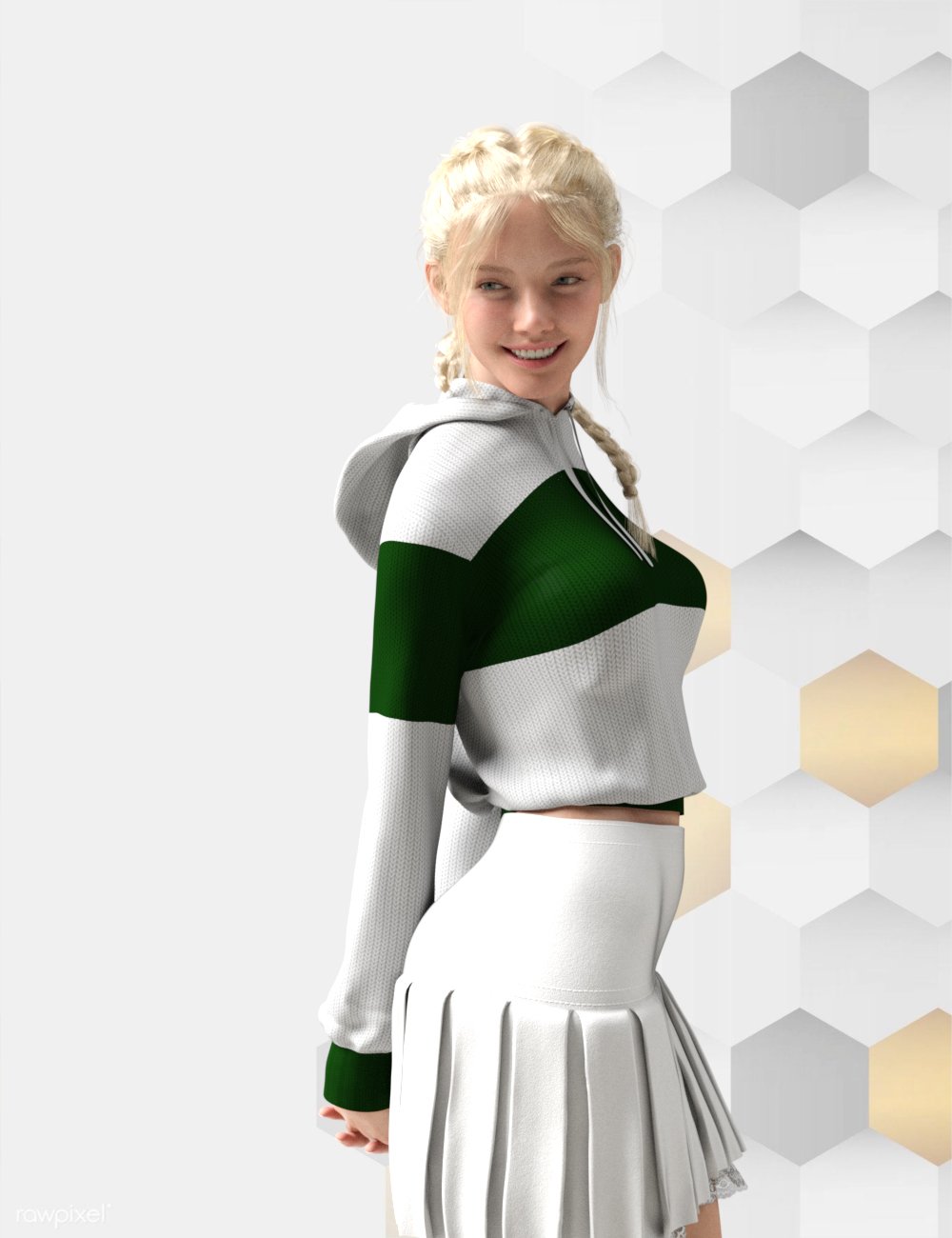
I absolutely love this smile!
Please help to identify attached character with Lindsay hairUpdate: Just stumbled across the thread below, where it looks like Linday reveals the character morph settings and skin.
https://www.daz3d.com/forums/discussion/comment/8290111
"Millawa 8 Head 30%, Monique 8 Head 20% and Twosret 8 Head 60%, skin asset is Millawa 8"
Madskills disappeared???Well it looks like they are officially gone. I just went to their website and got the hosting company's default page. Shame too cause they had a good product that would transfer Genesis 8 textures to Genesis 9 without having to use grafts to make it happen. Unfortunately all services offered were online.
Daz crash when using face transfer on genesis 9 or when creating a new one~~~I got a crash dialog that says Daz studio has encountered a fatal error, and must close. It asked me to save the error report and submit a bug report. I installed my Genesis 9 Starter Essentials on 28/12/2023 so it is the latest version maybe? Should i sent the error report? or maybe my pc just can't support face transfer 2?
Face Transfer 2I've been doing mostly male characters. I tried eliminating the ears from an image thinking that it would help. It didn't the ears weren't as badly deformed but they were still affected. Maybe there's a setting to use in the plugin so it doesn't deform the ears. I left it on "Auto" and had the "Male" button clicked. Maybe I should "Auto" to one of the other settings. I tried using geometry editor to remove the altered ears from the morph, but then the ears sink into the skull as the FT2 morph appears to be a bit wider than the regular Genesis 9 figure.
How to create a Daz product from Marvelous Designer? (animated)In Daz you would usually make clothes by rigging or simulating using dforce. Or a combination of both.
Transfer utility works by transfering the rigging from the base figure to the clothing but doesnt work so well on loose clothing. That's because loose clothing is too disimilar from the base mesh. In those cases, sometimes using a template (dress, skirt, robe, or whatever template) in transfer utility window is better, although once again it depends on how similar the garment you are trying to rig is compared to the template.
The problem with rigging and dforce is the result is usually worse than Marvelous Designer. Marvelous Designer has good cloth simulation quality whereas dforce is lacking, and of course rigging is just an approximation so will never look as good as a proper simulation.
Daz 3D is part of

Connect
DAZ Productions, Inc.
7533 S Center View Ct #4664
West Jordan, UT 84084Licensing Agreement | Terms of Service | Privacy Policy | EULA
© 2026 Daz Productions Inc. All Rights Reserved.