-
[Released] RSSY Character And Material Conversion Bundle Genesis 8 to Genesis 9 [Commercial]
RiverSoftArt said:
844d1cc615 said:
I watched a couple videos. 1st thing I noticed was a Add Preset prompt that appeared when I initiated the regular character script offline (see attached images). The prompt went away after running the script online. It re-appeared only once today while I tried to convert DeviousDolls Apryl, DeviousDolls Alyx, Girl 8 offline, each seperately. One guy live-streamed himself trying to use the product prior to reading the manual. Took forever. My entire G8F library only took a second to load. The deselect all was a nice addition. I only selected the one I was testing at the time. When I tried Girl 8 I had a subdirectory named "G8_to_G9." Re-reading the manual I deleted that & set the output to the default G9 directory. I had some Girl 8 morphs in the G9 subdirectory I found tucked away after running the script & deleted them as well. Glad I did a thorough search otherwise those would have just been lurking waiting to cause proplems down the road. Not sure if they were created because when I tried Girl 8 I had that subdirectory of if it's because it is an official DAZ product. I purchased RSSY Character and Material Conversion Bundle after breaking G9 trying to create a custom version of Girl8 for G9 (see images). I had too much going on in the background and accidentally created dups. Had to scrap the project. There were no errors in the Character Converter log. If you want DS log.txt DM me. Bad Imagery posted a workflow video 16 days ago as of viewing last night that is probably more suited to my requirements though I don't like to have a lot of Blender plugins: hXXps://youtu.be/Ch2aF9eFIJ8
I think to do the GC Heroine project morphs I'd have to save each morph as a character, run the script, then delete the FHM but first I have to get the regular script working.
- The Add Preset prompt is when you have something selected in Smart Content pane or Content Library Pane and start the script. The script is asking if you want to add that character preset to the list of presets
- I don't know what you mean by running the script online.
- The output should not be "output to the default G9 directory" (i.e., My DAZ 3D Library\People\Genesis 9\Characters or where DIM installs characters). It should be your own library, usually a My Library\People\Genesis 9\Characters
- The My Library should also the first directory listed in the Daz Studio Formats section of the Content Directory Manager. Otherwise, the newly created morphs get mixed into the installed directories.
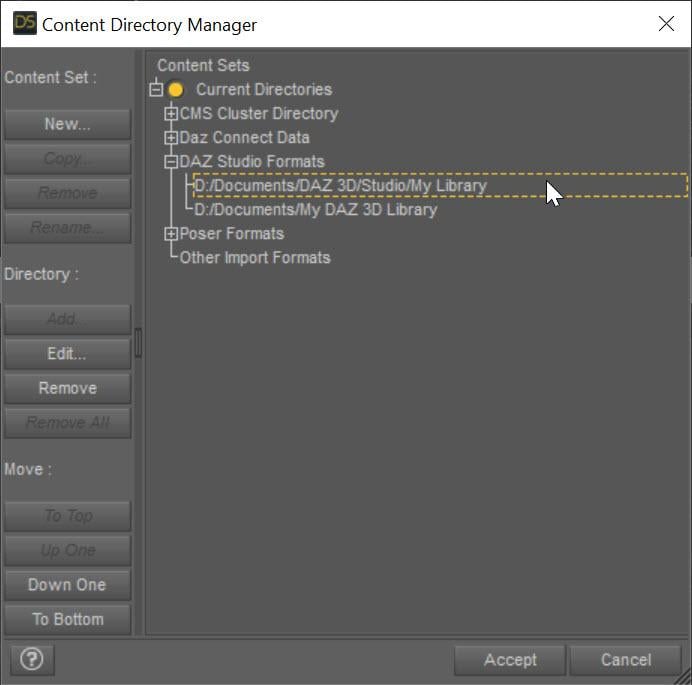
Migraine days have just begun again. Would explain why I previously missed my custom directory being on top, not below in the Content Directory Manager. Ironically I can see a little better now. Thanks for the help. Lol oh man this must have been one big headache for you & SY. Hang in there. We appreciate you.
Daz Studio 4.22[.0.x] Pro, General Release!Richard Haseltine said:
Beensaind said:
Richard Haseltine said:
Beensaind said:
Has anyone figured out why any custom morph saved under "save as" (morph asset) is not showing up? Is there a new way to save your custom morphs now with the Daz Studios 4.22 release?
What settings are you using on saving? How was the morph created? What is its path (group in the Parameters pane)? Is it on a model that had already been saved as an asset?
All my custom morphs were made via shaping parameters, then I exported them to Hexagon and re-imported them to Daz. Once I was satisfied with the designs I would "bake" the rotations, edit the bones so that they can auto adjust to the character, and then I would right-click on the created morph parameter so That I could edit, freeze it, and right-click again to close the edit option. After all of that is done I would select the "save as" option and save as a morph asset.
Bake rotations? Do you meana djust rigging to shape? Which figure is this?
I always adjust the feet on the Genesis 8 Models so that they can be completely flat.
Daz Studio 4.22[.0.x] Pro, General Release!Beensaind said:
Richard Haseltine said:
Beensaind said:
Has anyone figured out why any custom morph saved under "save as" (morph asset) is not showing up? Is there a new way to save your custom morphs now with the Daz Studios 4.22 release?
What settings are you using on saving? How was the morph created? What is its path (group in the Parameters pane)? Is it on a model that had already been saved as an asset?
All my custom morphs were made via shaping parameters, then I exported them to Hexagon and re-imported them to Daz. Once I was satisfied with the designs I would "bake" the rotations, edit the bones so that they can auto adjust to the character, and then I would right-click on the created morph parameter so That I could edit, freeze it, and right-click again to close the edit option. After all of that is done I would select the "save as" option and save as a morph asset.
Bake rotations? Do you meana djust rigging to shape? Which figure is this?
Daz Studio 4.22[.0.x] Pro, General Release!Richard Haseltine said:
Beensaind said:
Has anyone figured out why any custom morph saved under "save as" (morph asset) is not showing up? Is there a new way to save your custom morphs now with the Daz Studios 4.22 release?
What settings are you using on saving? How was the morph created? What is its path (group in the Parameters pane)? Is it on a model that had already been saved as an asset?
All my custom morphs were made via shaping parameters, then I exported them to Hexagon and re-imported them to Daz. Once I was satisfied with the designs I would "bake" the rotations, edit the bones so that they can auto adjust to the character, and then I would right-click on the created morph parameter so That I could edit, freeze it, and right-click again to close the edit option. After all of that is done I would select the "save as" option and save as a morph asset.
Daz Studio 4.22[.0.x] Pro, General Release!Beensaind said:
Has anyone figured out why any custom morph saved under "save as" (morph asset) is not showing up? Is there a new way to save your custom morphs now with the Daz Studios 4.22 release?
What settings are you using on saving? How was the morph created? What is its path (group in the Parameters pane)? Is it on a model that had already been saved as an asset?
Daz Studio 4.22[.0.x] Pro, General Release!Has anyone figured out why any custom morph saved under "save as" (morph asset) is not showing up? Is there a new way to save your custom morphs now with the Daz Studios 4.22 release?
Ethin's Art and ... stuff.DollyGirl said:
So darn cute Ethin
richardandtracy said:
They are nice, very nice.
Thanks, both of you!
richardandtracy said:
I presume (due to a 'family' likeness) that they are all A3 based still.
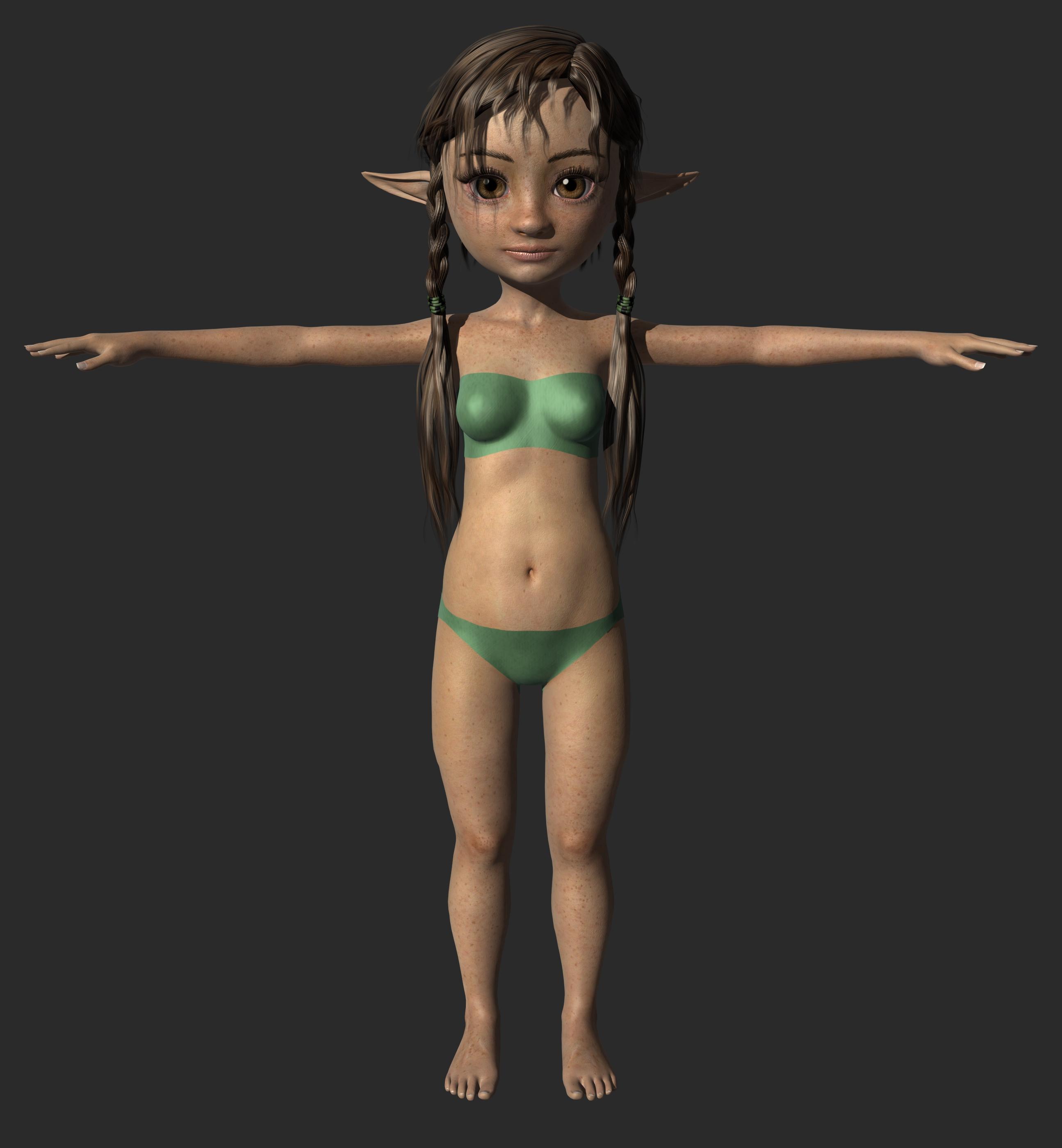
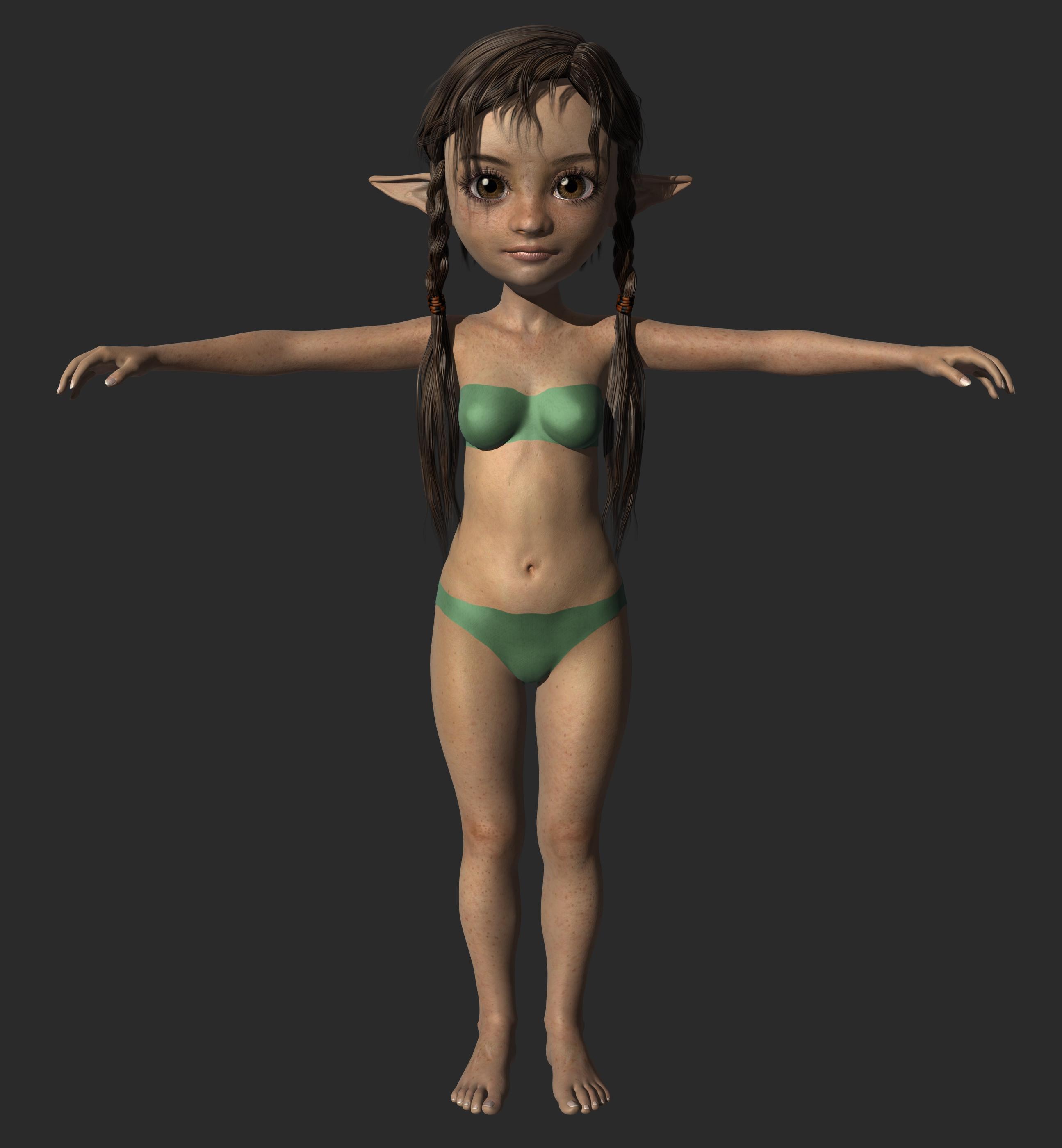
Nah, the first two are V4, she's wear'n my free Dody character preset I converted from A3 to V4.
richardandtracy said:
I really don't know how you do it.
That makes two of us, I look back at my own work and am astounded, "how can that be mine?", even though I clearly remember making it.
I have two time-laps videos on youtube of me doing characters if you want to see the process (v link in my sig v).
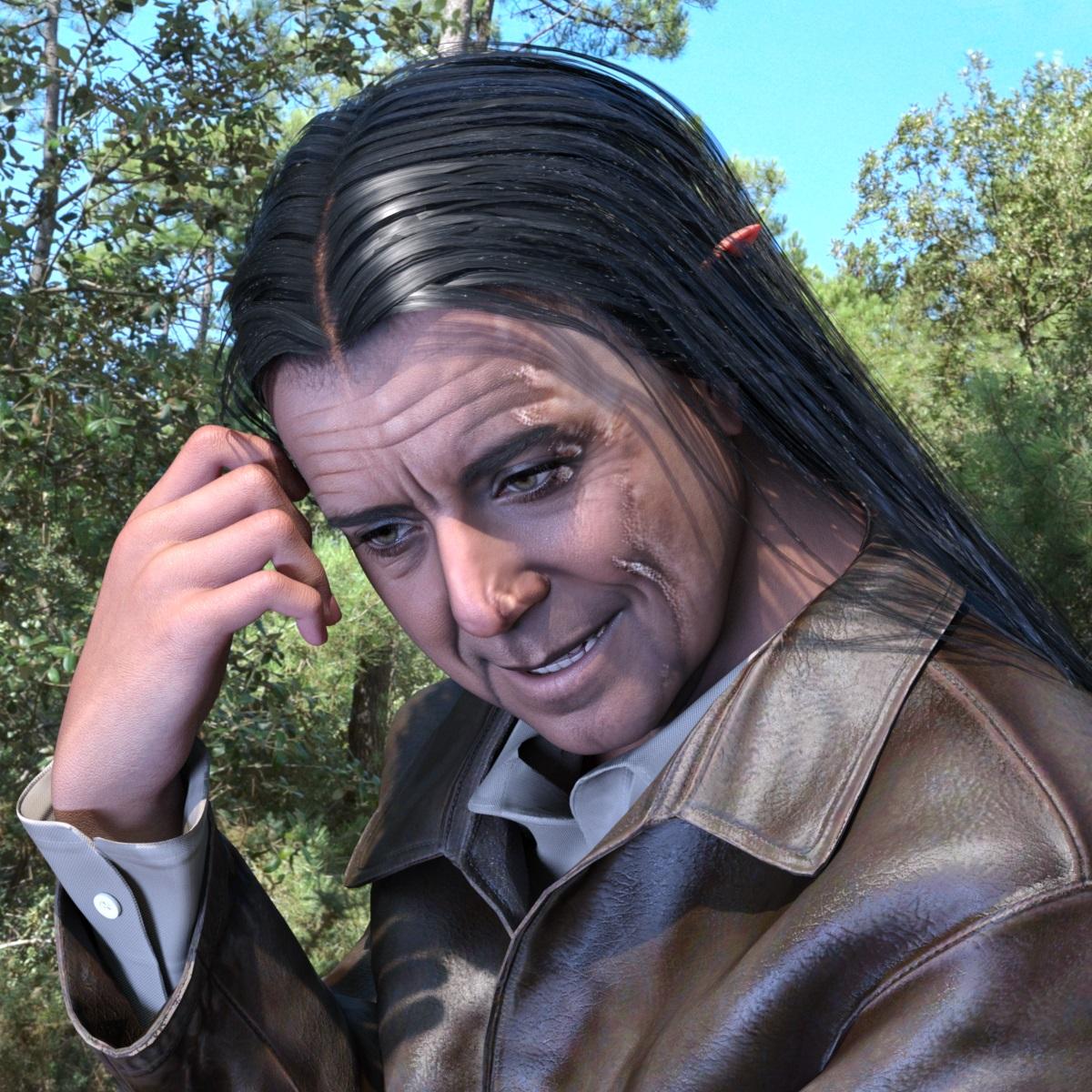
Face Transfer 2Closeup render of the above character.
I think for me ears on the characters created with Face Transfer 2 are not a big deal,
because I rarely render bald characters in Daz Studio.
Bigger problems are stains and discolorations of the skin on the face.
 Face Transfer 2
GRFK DSGN Unlimited said:
I understand that. But it sounded like one of the other posters had come up with a solution, a workaround. I'm just not understanding how they are making it happen. I tried what I thought I understood to do and it didn't work. Only thing I can think to try at this point is to put hair over the ears and see if that helps in some way.
I think they just masked out the ears on the image and left Face Transfer to assign generic ears.
Daz crash when using face transfer on genesis 9 or when creating a new one~~~Yes it works really fine with G8. I'm guessing that Daz automatically use face transfer 1 when you create or use on G8 and use face transfer 2 on G9. After playing around a bit with G9, I found that it really taxing on my system. It reverted back to cpu rendering on Victoria 9 with no hair on. Maybe my pc can't use face transfer 2 on G9 and cause the crash. Guess I'll use G8 for now and learn more on how to get better at using Daz until I upgrade my PC.
Face Transfer 2Have you tried input image with the male character in which both ears are covered by the hair?
It works for me on the female characters, so far.
Sorry, it looks like you have already tried it.
I do not think that Face Transfer 2 can be used as ears modeller,
if that is what you want.
For changing ear shape I use Genesis 9 morphs from different packages from Daz 3D.
Hot New (Northern) Season, New Sales Thread: Report Issues Here "Reporting Only"Richard Haseltine said:
Wonderland said:
Where is the Puppy Add-On? When I click, it just goes to a bunch of older dog items.
That is it, just as the plant and pose add-on options are groups of plants and poses you can pick from.
Thats disappointing and misleading... It makes it look like there's a new actual puppy morph add-on. They need to rewrite the text.
[Released] RSSY Character And Material Conversion Bundle Genesis 8 to Genesis 9 [Commercial]844d1cc615 said:
I watched a couple videos. 1st thing I noticed was a Add Preset prompt that appeared when I initiated the regular character script offline (see attached images). The prompt went away after running the script online. It re-appeared only once today while I tried to convert DeviousDolls Apryl, DeviousDolls Alyx, Girl 8 offline, each seperately. One guy live-streamed himself trying to use the product prior to reading the manual. Took forever. My entire G8F library only took a second to load. The deselect all was a nice addition. I only selected the one I was testing at the time. When I tried Girl 8 I had a subdirectory named "G8_to_G9." Re-reading the manual I deleted that & set the output to the default G9 directory. I had some Girl 8 morphs in the G9 subdirectory I found tucked away after running the script & deleted them as well. Glad I did a thorough search otherwise those would have just been lurking waiting to cause proplems down the road. Not sure if they were created because when I tried Girl 8 I had that subdirectory of if it's because it is an official DAZ product. I purchased RSSY Character and Material Conversion Bundle after breaking G9 trying to create a custom version of Girl8 for G9 (see images). I had too much going on in the background and accidentally created dups. Had to scrap the project. There were no errors in the Character Converter log. If you want DS log.txt DM me. Bad Imagery posted a workflow video 16 days ago as of viewing last night that is probably more suited to my requirements though I don't like to have a lot of Blender plugins: hXXps://youtu.be/Ch2aF9eFIJ8
I think to do the GC Heroine project morphs I'd have to save each morph as a character, run the script, then delete the FHM but first I have to get the regular script working.
- The Add Preset prompt is when you have something selected in Smart Content pane or Content Library Pane and start the script. The script is asking if you want to add that character preset to the list of presets
- I don't know what you mean by running the script online.
- The output should not be "output to the default G9 directory" (i.e., My DAZ 3D Library\People\Genesis 9\Characters or where DIM installs characters). It should be your own library, usually a My Library\People\Genesis 9\Characters
- The My Library should also the first directory listed in the Daz Studio Formats section of the Content Directory Manager. Otherwise, the newly created morphs get mixed into the installed directories.
Male genital texture for G8M basic male?Is there a texture for the G8m male genitals that matches the base textures for the G8M basic male? If so, where will I find it please.
The contet is that Face Transfer(1) does some wizardly things in both molding the mesh to minic the face picture given and adjusting all the D-maps colour tone to match the face picture given. But Face Transfer appears to only work with the "basic male" textures (/runtime/textures/daz/characters/genesis8/malebase/...
So if you wish to make your new male whole, there doesn't appear to be a congruent genital D-map that can be worked with.
The [Disco Chives] Misplaced Parrot Complaint ThreadDiomede said:
PerttiA said:
kyoto kid said:
Diomede said:
Non-Complaint - Happy New Year! I stayed home and started to watch three versions of dracula on the Universal Monsters Channel, but fell asleep before midnight local.
Complaint - Greyhound Bus company closed its downtown location, and now it costs more to Uber to the new location than it does to bus half way across the country.
...they did the same where I live and donm't understand why as we had a nice fairly new terminal which had a roof over where the buses loaded/unloaded. Now buses stop at a curb totally in the open along a street that parallels the tracks leading into Union Station (Portland OR). No protection from the weather or even a place to sit while waiting and definitely not a great place after sundown.
The ticket office is 4 blocks away. and you have to carry your own luggage over to the stop (no more checked luggage). or waste monbey for a short taxi ride,
I can understand this in a small town, but in a major city it is ridiculous
What?... You still have ticket offices? Ours has gone to Web/Mobile apps/whatever tags and if one manages to find a bus going anywhere, one may not be able to pay for it (cash not accepted)
Apparently, Greyhound Bus was recently bought by a German bus company, Flixbus. Looks like there is some growing pains! There are no shortage of options to use as a bus station. We have an Amtrak terminal, a large downtown city bus transfer station, and a large under-utilized riverside market, all capable of serving as a place for Greyhound/Flixbus to use. Instead, Greyhound/Flixbus directs me to a city 57 miles away. The cynic in me suspects that Greyhound/Flixbus tried to get the city to pay for a new bus station and the mayor/council refused. The really cynical person in me suspects Greyhound/Flixbus didn't even bother to try.
...ah that explains why I have been seeing FlixBus here instead of Bolt as of late. I just thought Bolt changed their name.
One would imagine a European company understood the need for a central terminal facility as they tend to be further ahead of us when it comes transportation options to the automobile. Portland really needs a better option than what I described. There are empty buildings/properties in the city centre I'm sure would be more adequate Crikey, even our local transit system has shelters at most bus stops.
G8M Hoodies?barbult said:
crosswind said:
Loony said:
No zippers allowed.
And I don't think I can convert G9, because my Daz3D is not even updated to load G9^^.
I use 4.20. And I don't really want to buy a G9 cloth just to convert it down, which then also maybe requires a converter.
Do you have this product -https://www.daz3d.com/genesis-8-cross-figure-resource-kit ... a nice product for converting garments cross F/M with more accurate morph projection ~
And these old ones are still my favorites as I'm more or leass a hoodie lover as well ~~
https://www.daz3d.com/hc-hoodie--training-wear-for-genesis-8-females
https://www.daz3d.com/hoodie-skinny-jeans-outfit-for-genesis-3-female-s
https://www.daz3d.com/i13-hq-hoodie-for-the-genesis-3-female-s
No problem with auto-fit and dForce modifier could be also added...though that'll take some time.
For Comfy Hoodie, have you simulated it with the figure? It should be fine after simulation.
I read it as also a request for "hoodies without the belly pocket".
Actually the pockets on some of the products can be easily hidden, then manipulate the hoodies in various ways. Do not limit possibilities...
Crook and FlailYes, but I still use V3 + 4 because the new figures came out so fast I couldn't keep up. I decided thaI didn't need the epense and hassle.
Understood.
In which case there's a chance you may be interested in ways of using newer stuff on V3 (or V4). There is an awful lot of free stuff for G8F, and generally has quite good quality material. I still regularly use a V3 character (Jim Burton's Glamorous Vickie 3) but wanted to use a wider range of poses, clothing and hair than fitted to the unusual morph. As a result, I came up wih a pose transfer script from G8F to V3 and a way of converting V3 into a Native DS TriAx figure and creating autofit clones for V4, G3F, G3M, G8F and G8M so V3 and the Generation 3 characters can wear the new stuff too. The TriAx conversion works equally well making a TriAx V4 base figure too, and I've done Male & Female pose Transfers to Generation 4 here: https://www.daz3d.com/forums/discussion/450206/g8f-pose-transfer-to-v4-a4 https://www.daz3d.com/forums/discussion/448936/m4-h4-f4-g8m-bi-directional-pose-transfer https://www.daz3d.com/forums/discussion/448391/v4-a4-pose-transfer-to-g8f/p1 (I have also done bi-directional pose transfer scripts for Genesis 3 & Generation 4, so Genesis 3 poses aren't left out)
Regards,
Richard
G8M Hoodies?crosswind said:
Loony said:
No zippers allowed.
And I don't think I can convert G9, because my Daz3D is not even updated to load G9^^.
I use 4.20. And I don't really want to buy a G9 cloth just to convert it down, which then also maybe requires a converter.
Do you have this product -https://www.daz3d.com/genesis-8-cross-figure-resource-kit ... a nice product for converting garments cross F/M with more accurate morph projection ~
And these old ones are still my favorites as I'm more or leass a hoodie lover as well ~~
https://www.daz3d.com/hc-hoodie--training-wear-for-genesis-8-females
https://www.daz3d.com/hoodie-skinny-jeans-outfit-for-genesis-3-female-s
https://www.daz3d.com/i13-hq-hoodie-for-the-genesis-3-female-s
No problem with auto-fit and dForce modifier could be also added...though that'll take some time.
For Comfy Hoodie, have you simulated it with the figure? It should be fine after simulation.
I read it as also a request for "hoodies without the belly pocket".
Daz crash when using face transfer on genesis 9 or when creating a new one~~~You mentioned that it works fine for G8. Which Face Transfer are you using? My understanding is that Face Transfer 2 only works on G9, and Face Transfer works on G8.
G8M Hoodies?Loony said:
No zippers allowed.
And I don't think I can convert G9, because my Daz3D is not even updated to load G9^^.
I use 4.20. And I don't really want to buy a G9 cloth just to convert it down, which then also maybe requires a converter.
Do you have this product -https://www.daz3d.com/genesis-8-cross-figure-resource-kit ... a nice product for converting garments cross F/M with more accurate morph projection ~
And these old ones are still my favorites as I'm more or leass a hoodie lover as well ~~
https://www.daz3d.com/hc-hoodie--training-wear-for-genesis-8-females
https://www.daz3d.com/hoodie-skinny-jeans-outfit-for-genesis-3-female-s
https://www.daz3d.com/i13-hq-hoodie-for-the-genesis-3-female-s
No problem with auto-fit and dForce modifier could be also added...though that'll take some time.
For Comfy Hoodie, have you simulated it with the figure? It should be fine after simulation.
Daz 3D is part of

Connect
DAZ Productions, Inc.
7533 S Center View Ct #4664
West Jordan, UT 84084Licensing Agreement | Terms of Service | Privacy Policy | EULA
© 2026 Daz Productions Inc. All Rights Reserved.