-
Animation: Carrara Vs. DAZ Studio
WendyLuvsCatz said:
well it's a lot easier than it used to be, that's for sure
I too am using DAZ studio a lot now there is iray and Filament precisely because the newer content is made to work in it
back in the Poser days Carrara was the obvious choice, 3Delight was abysmally slow and openGL looked awful
things have improved drastically
I still use Carrara as well myself but certainly you should give D|S a try too
if you have a good Nvidia graphics card iray is a no brainer even if you only render characters as png series to add to scenes in post
I myself do that a lot and so does Dartanbeck
Great, many thanks! I do have a good nVidia card and have done some DS still renders using Iray, very impressive and useful as backgrounds for Carrara animations. I did a quick search on "Filament Daz Studio" - is it required for reasonably fast DS animations?
But OK, sounds like a mix of Carrara and DS might be the answer for animations. Another learning curve ... sigh.
 Animation: Carrara Vs. DAZ Studio
well it's a lot easier than it used to be, that's for sure
I too am using DAZ studio a lot now there is iray and Filament precisely because the newer content is made to work in it
back in the Poser days Carrara was the obvious choice, 3Delight was abysmally slow and openGL looked awful
things have improved drastically
I still use Carrara as well myself but certainly you should give D|S a try too
if you have a good Nvidia graphics card iray is a no brainer even if you only render characters as png series to add to scenes in post
I myself do that a lot and so does Dartanbeck
Animation: Carrara Vs. DAZ StudioI'm getting ready for anohter 48 Hour Film contest, doing some Carrara animation just shake the rust off. As always, it's a lot of fun doing animation in Carrara, especially when it's become second nature after all these years. But I've lost track of animation in DS, which I'm tempted to get more into because of all the products available. Any comments on the comparison? Not trying to start an argument, just curious about folks experiences.
Swarm Scripts: Now includes spheroidal swarm.well Draagonstorm won't care I think from her new plane of existence
so arrays would be fine as long as you script it yourself not looking at hers
as you are
some others may appreciate it
I am sure there are many options like a circle or elipse or rectangle edge not covered
That Carrara replicators for example do and I miss
(have to use ultrascatter on primitives those shapes)
Free Software that Makes Life EasierThanks for the comments and interest.
I had another longer play today and find the program to be very impressive. Help documentation seems to be a work in progress unless I'm missing something.
My work is still amateurish but I never hesitate to show rubbish like the Carrara render I posted above if it makes a point. My last screenshot from today shows how an extremely simple pattern can be drwn out in 2d to be stitched and simulated in 3d. The pattern drawing can be much more precise with tons of features that I will never get into. I really only want tunics and robes with shawls and belts but easy dresses are also useful to learn from and use.
I'm showing a screenshot where the Avatar is DAZ G8 'Clarisse' both in Style 3d and in a frame from a cloth sim test of the garment in Poser. In each program I put in a wind force to add extra movement.
I guess that's about all.
Free Software that Makes Life EasierHermit Crab said:
OK, I downloaded Style 3d Atelier and had about 30 minutes play only with it.
The program started with an avatar and T-shirt pattern. I added 4 freehand rectangles to stitch together and to stitch on to the botttom of the shirt. I exported the avatar and garment as an object and imported to Carrara.
What you see in Carrara was the first result but I went back and shortened the T-shirt which you see in Atelier.
That's as far as I've tried tonight but will probably not use again for a couple of weeks. The trial seems to be the fully functional version with many export options - so you might want to have a shot at garment creation. Even if the results are only to be used as a general starting point for future refinement.
The figure can be animated but I didn't have time to find out how to get the simulation to animate with it. There is a wind object but I haven't found yet how to control it.
It goes without saying that what I finished with is the result of an extremely slapdash session. I think it can produce garments on a par with MD.
Thanks for checking it out and reporting back with screenshots. Looks promising.
Free Software that Makes Life EasierOK, I downloaded Style 3d Atelier and had about 30 minutes play only with it.
The program started with an avatar and T-shirt pattern. I added 4 freehand rectangles to stitch together and to stitch on to the botttom of the shirt. I exported the avatar and garment as an object and imported to Carrara.
What you see in Carrara was the first result but I went back and shortened the T-shirt which you see in Atelier.
That's as far as I've tried tonight but will probably not use again for a couple of weeks. The trial seems to be the fully functional version with many export options - so you might want to have a shot at garment creation. Even if the results are only to be used as a general starting point for future refinement.
The figure can be animated but I didn't have time to find out how to get the simulation to animate with it. There is a wind object but I haven't found yet how to control it.
It goes without saying that what I finished with is the result of an extremely slapdash session. I think it can produce garments on a par with MD.
July 2025 - Daz 3D New User Challenge - Portrait Rendering and L.I.E.Beginner Challenge - July, 2025
"Portrait Rendering (Expressions and Lighting)"
This month's focus will be Portrait Rendering, with an emphasis on the character's expression and lighting. Portraits are the way we show off the unique aspects of each individual. Expressions should convey their personality. Good lighting will enhance your portrait and set the mood. Portraits don't have to look like yearbook headshots. Get creative, hone your skills, and have some fun in this months contest.
A portrait is a representation of a person, group of people, or even a pet, that displays the expression, personality, and mood of the subject. The focus of a portrait is usually the subject's face, although the entire body and the background or context may be included. Depth of Field is often used to blur the surrounding environment to draw the eye to the subject.
Inspiration:
Portrait Tips and Examples:
Google Search - Portrait Expressions
Beginner's Guide to Portrait Composition
Foundations of Portrait Composition Part I: Framing Your Model
Lighting:
Mastering Lighting in Blender (The first 25 minutes of the video are basic lighting theory and insights.)
Other Helpful Links:
When following tutorials, be cognizant of the different applications (Bryce, Daz Studio, Poser, Carrara, Blender, etc.) and different render engines (3Delight, Iray, Reality, etc). Techniques for one may not apply directly to another. If you have some favorite portrait lighting and composition tips, please share them in this thread.
Composition Golden Ratio helpers:
Bryce
DAZ Studio (Also, DS has a built in Rule of Thirds guide; just select Show Thirds Guide in the Viewport context menu)Rule of Thirds Guide in Daz Studio
Lighting Tutorials:
Tutorials by Szark (Credit is given to Szark for this wonderful thread with links to many tutorials.)
6 Tips for Better Lighting - Blender Guru (Most is general lighting tips, not Blender specific)
Creating And Lighting A Scene With Iray In DAZ Studio
Great Lighting for Dark Backgrounds
High Key Portraits: Take and Make Great Photography with Gavin Hoey
Low Key Portraits: Take and Make Great Photography with Gavin Hoey
Laws of Light: 5 Portrait Lighting Setups
How to Set-Up Camera, Lights, & Displacement in Daz Studio Octane
How to Create the Perfect 3D Scene Lighting with Daz3D
Portrait Tutorials:
Let's Make a Character Portrait - In the Studio with Daz 3D (live streamed in February, 2022 – tutorial starts approximately 14:45)
Daz3D Portrait Tutorial ( magazine article )
Create a realistic portrait in Daz Studio 03: setting up the scene
Some good information on useful portrait cropping
https://digital-photography-school.com/good-crop-bad-crop-how-to-crop-portraits/
The Rule of Thirds in 5 minutes | Creating More Dynamic Framing
And of course its always a good idea to check the portraits contests from the last years:
Freebie Challenge July 2025 - "Design a Book Cover" - Main Thread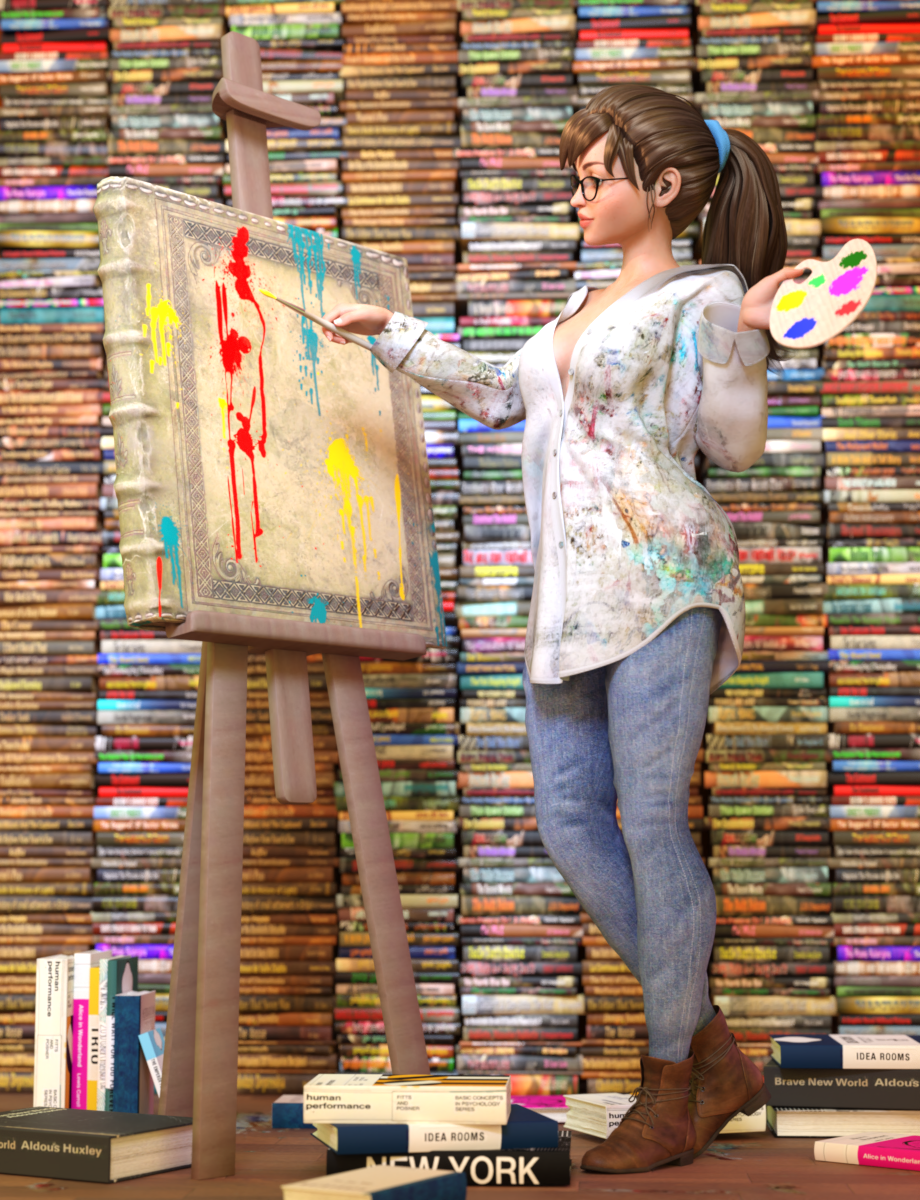
What's your favourite book? What's your least favourite book? Which book have you read most recently? What books do you remember from your childhood? And what about those classics? Romeo and Juliet, The Iliad, The Lord of the Rings, 1984, Alice in Wonderland, Dune, The Hunger Games...
For the July challenge, pick a book that exists in the real world - any published book - and design a new cover for it!
I think it would be fun to include the title and author, like a real book cover. You could use a service like Canva, which can be used for free (they will try and upsell you to a paid subscription... you can ignore that, just use the free version.) However this is optional, you can also submit your render without author and title.
I can't wait to see what you bookworms come up with!
The use of image generating AI technology (midjourney, stable diffusion, DAZ AI Studio, etc.) is not allowed. The use of items (freebies or paid) that have been created with such technology is also not allowed. We realise it's not always easy to tell; let's all use our best judgement, and you can always ask the person hosting the contest if you're not sure.
The Rules For This Months Freebie Challenge are:
1. A minimum of (5) Freebies must be included in your image along with Links to the freebies you have used. For an item to be considered free it must be offered as a freebie for the whole month. The exception to this rule is all Daz Bi-Weekly Freebies will be allowed throughout the entire month in which they are free as well as the month following their release as a freebie (For a total of 2 months). Also, if a freebie is broken down into multiple downloads/links/parts (IE like if the freebie is broken down into 3 zips etc...)it only counts as 1 freebie, not 3.
2. There will be a Maximum of 5 purchased items.
3. Base figures (All Gen 2,3,4, and Genesis 1,2,3,8 and 9) as well as their general morphs packs (Morphs++ and similar) do not count as a purchased item or a freebie and may be used as needed
4.Your Rendered Picture must be a new render and postwork is allowed but you MUST include a before and after Postwork versions of your entry in the Entry Thread.
5. All DAZ 3D Programs are allowed (IE Bryce, Carrara, Daz Studio and Hexagon) plus Poser for the contest.
6. All entries are subject to the Daz3D TOS Found Here: Terms Of Service
7. You may enter a Maximum of 4 Entries per month.8. You may edit your entry as much as you like in the main thread but once it is posted to the "Entries Thread" it may not be further modified. Also, if you edit or add things, be sure you update any links or freebie changes you make.
9. The use of image generating AI technology (midjourney, stable diffusion, etc.) is not allowed. The use of items (freebies or paid) that have been created with such technology is also not allowed. We realise it's not always easy to tell; let's all use our best judgement, and you can always ask the person hosting the contest if you're not sure.This Freebie Challenge will end July 31th, 2025 @ 23:59 Daz time.
*Please Note: Please allow 7 days from the Announcement of the Winners to receive your prize*
If you have not recived your prize, or have any questions, please contact Hylas in a PM here on the forums.Post your images and freebie links here for link verification. Once the links are verified, you can post your image and links in Entries Thread for judging.
First Place: $15 store credit from KindredArts
Second Place: $10 store credit from KindredArts
Third Place: $5 store credit from KindredArtsPast Freebie Contests (the links to previous years can still be found in last years challenges):
January 2022 - Around and around and around...
February 2022 - Mysteries of the heart
March 2022- Luck Of The Draw
April 2022 - New Beginnings
May 2022 - Cozy Corner
June/July 2022 - The Secret Life Of...
August 2022- Sniff, sniff... what's that smell?
September 2022-Cars Cars and More Cars
October 2022 - Horror Movies
November 2022 - Thieves, Robbers, and Fraudsters all around!
December 2022 - The Night is Darkest...
January 2023 Speed Demons and Slowpokes
February 2023- I See Red
March / April 2023 Magical
May 2023 - Sweet Music
June/July 2023 Holes, Gaps, Caves, Tunnels
August 2023 Fabulous Pink
September 2023 Gardening
October 2023 Hallowed Night
November 2023 Wobble, jiggle, sway, and shake
December 2023 / January 2024 Driving Home For...
February 2024 The Glow Up
March 2024 Power Source
April/Mai 2024 Soft as Plush, Smooth as Silk
June 2024 An Octopus' Garden
July/August 2024 Take A Break
September 2024 Fake Smiles and Real Joy
October 2024 "Monster Mash '24!"
November 2024 - Dreams
December 2024 - A Curious Christmas
January 2025 - Thank you, Saphirewild!
February 2025 - My Hallowed Valentine
March 2025 - Pride, Prejudice and other Shenanigans
April 2025 - The Little Ball of Calm
May 2025 - To Be Beautiful
June 2025 - Summer and Piracy
Freebie Challenge July 2025 - "Design a Book Cover" - Entries ThreadWhat's your favourite book? What's your least favourite book? Which book have you read most recently? What books do you remember from your childhood? And what about those classics? Romeo and Juliet, The Iliad, The Lord of the Rings, 1984, Alice in Wonderland, Dune, The Hunger Games...
For the July challenge, pick a book that exists in the real world - any published book - and design a new cover for it!
I think it would be fun to include the title and author, like a real book cover. You could use a service like Canva, which can be used for free (they will try and upsell you to a paid subscription... you can ignore that, just use the free version.) However this is optional, you can also submit your render without author and title.
I can't wait to see what you bookworms come up with!
The use of image generating AI technology (midjourney, stable diffusion, DAZ AI Studio, etc.) is not allowed. The use of items (freebies or paid) that have been created with such technology is also not allowed. We realise it's not always easy to tell; let's all use our best judgement, and you can always ask the person hosting the contest if you're not sure.
The Rules For This Months Freebie Challenge are:
1. A minimum of (5) Freebies must be included in your image along with Links to the freebies you have used. For an item to be considered free it must be offered as a freebie for the whole month. The exception to this rule is all Daz Bi-Weekly Freebies will be allowed throughout the entire month in which they are free as well as the month following their release as a freebie (For a total of 2 months). Also, if a freebie is broken down into multiple downloads/links/parts (IE like if the freebie is broken down into 3 zips etc...)it only counts as 1 freebie, not 3.
2. There will be a Maximum of 5 purchased items.
3. Base figures (All Gen 2,3,4, and Genesis 1,2,3) as well as their general morphs packs (Morphs++ and similar) do not count as a purchased item or a freebie and may be used as needed
4.Your Rendered Picture must be a new render and postwork is allowed but you MUST include a before and after Postwork versions of your entry in the Entry Thread.
5. All DAZ 3D Programs are allowed (IE Bryce, Carrara, Daz Studio and Hexagon) plus Poser for the contest.
6. All entries are subject to the Daz3D TOS Found Here: Terms Of Service
7. You may enter a Maximum of 4 Entries per month.
8. You may edit your entry as much as you like in the main thread but once it is posted to the "Entries Thread" it may not be further modified. Also, if you edit or add things, be sure you update any links or freebie changes you make.9. The use of image generating AI technology (midjourney, stable diffusion, etc.) is not allowed. The use of items (freebies or paid) that have been created with such technology is also not allowed. We realise it's not always easy to tell; let's all use our best judgement, and you can always ask the person hosting the contest if you're not sure.
This Freebie Challenge will end July 31th, 2025 @ 23:59 Daz time.
*Please Note: Please allow 7 days from the Announcement of the Winners to recive your prize*
If you have not recived your prize, or have any questions, please contact Hylas in a PM here on the forumsPost your images and freebie links here for judging after verification. For the verification you can post your image and links in Main Thread.
First Place: $15 store credit from KindredArts
Second Place: $10 store credit from KindredArts
Third Place: $5 store credit from KindredArtsAny other donations for prizes will be gratefully accepted. Please send a PM to Hylas
VWD in Carrara - installation and updatesBunyip02 said:
Headwax said:
WendyLuvsCatz said:
FBX should include the morphs along the timeline
thanks I'll check , carrara just crashed and i lost the scene
What a PITA !!!
Ha ha yes, I am doing a ship of fools on my 3d printer, a cast of thousands, well about 11 , have no idea where they will all fit, but that's the fun .... I think.
VWD in Carrara - installation and updatesHeadwax said:
WendyLuvsCatz said:
FBX should include the morphs along the timeline
thanks I'll check , carrara just crashed and i lost the scene
What a PITA !!!
VWD in Carrara - installation and updatesWendyLuvsCatz said:
FBX should include the morphs along the timeline
thanks I'll check , carrara just crashed and i lost the scene
more....Wacky Modelling ~ In Carrara ~Stezza said:
lol
I won't show what is on the rear board as it will be back to 1984

the lighting set is one of the best Carrara products I bought way back then long time ago when grass was green....

use them in probably 99% of my renders
thanks, I no longer use any lights at all, my renders look better black ;)
more....Wacky Modelling ~ In Carrara ~lol
I won't show what is on the rear board as it will be back to 1984
the lighting set is one of the best Carrara products I bought way back then long time ago when grass was green....
use them in probably 99% of my renders
VWD in Carrara - installation and updates
I would read that as a path directory was changed or it's state.Don't have C available,but if they are referring to a scratchdisk setting that could mean the size allocated.Headwax said:mindsong said:
I believe I had to return my Carrara tmp dir back to its default for VWD to work as well.
Philemo, pleased to see you are well. We were worried for your well being, and happy you are fine and able to rejoin us!
cheers!
--ms
Anyone know what returning tmp directory back to its default means?
Show Us Your Bryce Renders Part 13Bunyip02 - great spaceship. Did you model it in Carrara? The scene with the farm has yet potential for a great scene.
Past as Future - thank you, always nice to see you here..
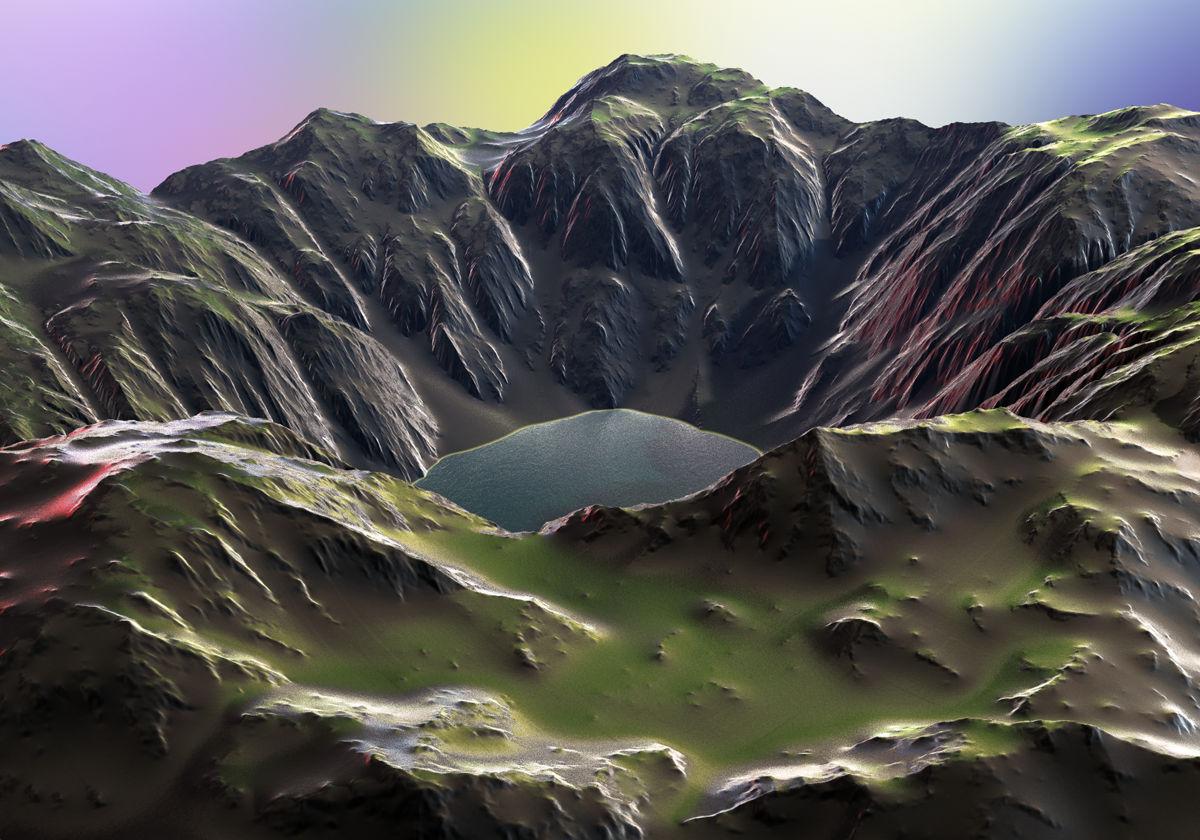
The terrain is from Gritstone Hills with the material Bryce Pro Material Tau Variant by David Brinnen. The water is a 2D-Face with my own material. Sky, colours and ambient light by an HDRI from Hyper Textures Base. Additional light and specular by the sun.
 A Reminder of Why I Don't Just Use Blender for Everything
Omega Man said:
WendyLuvsCatz said:
oh lots of things open exr but not many render exr image series into mp4
Very interesting. Please could I respectfully ask what a typical workflow for your projects might look like ? Are you making indie films shot in MP4 and matching Carrara assets back into the footage as MP4 ? I would love to know anything more about that workflow and usuage of Carrara.
while I still use Carrara a lot I probably use other software more these days
nanely DAZ studio, Twinmotion, Unreal Engine and occasionally iClone
but I don't always render in the thing I worked in, it's complicated
I use Ai a lot too
I do crappy Youtube videos
2 of several channels I have
https://youtube.com/@madcatlady?si=NhBZtqiPXC7QJf7g
https://youtube.com/@dreamingkitty?si=8M6k_X47IoOVNmU4
its just a hobby, I am not doing this seriously

and as to your question
ai often accidentally render in EXR using Octane render as iits the default
and after hours just don't want to render it again
A Reminder of Why I Don't Just Use Blender for EverythingWendyLuvsCatz said:
oh lots of things open exr but not many render exr image series into mp4
Very interesting. Please could I respectfully ask what a typical workflow for your projects might look like ? Are you making indie films shot in MP4 and matching Carrara assets back into the footage as MP4 ? I would love to know anything more about that workflow and usuage of Carrara.
VWD in Carrara - installation and updatesNBV unticking used GPU seemed to fix the latest version. GPU gets ticked again the next time you run it I think, so keep that in mind. The other fix might have been running an old version firts, then the new one - but probably nothing to do with anything. I also deleted a whole lot of old files in one subdirectory for VWD - don't think this did anything.
edit: and the way to save the morphed/clothed mesh out as an obj is to go to the vertex room, select frame 1 (in this case) and then click 'save' and you can save it as a car file or an obj file etc

https://www.daz3d.com/forums/discussion/133641/dynamic-clothing/p6#Comment_1966681
This is Gooood thread https://www.daz3d.com/forums/discussion/218511/help-from-anyone-please-with-vwdcloth-experience?srsltid=AfmBOopNQdX3x_t5D889GBMWP28fIiu-LS7xaIXUF2BT2PAfZ2OuHDkm
Daz 3D is part of

Connect
DAZ Productions, Inc.
7533 S Center View Ct #4664
West Jordan, UT 84084Licensing Agreement | Terms of Service | Privacy Policy | EULA
© 2026 Daz Productions Inc. All Rights Reserved.