-
Creating custom characters
G3Renderworks said:
- Check the individual terms for merchant resources but so far what I've seen is that you have to rename any textures you use and stuff like eyebrows/eyelashes have to be morphed, exported, and brought back in so it doesn't contain any of the morphs used to create it. Then you use the transfer utility to apply them to the figure.
One thing to keep in mind, most if not all the merchant resource3s i have seen for skin textures require heavy editing /modification in order to be used for a commercial product (most don't allow for free products). So any user that uses your method can't just take a merchant resource skin and apply it as is and sell it.
Bone Minion not workingThe limits on V4 are quite tight compared to many other characters, and matching G8F's default pose takes you close to those limits without any pose on top of that. Some poses really don't transfer well to V4, and I'm not too sure why. They should... I find it hard to believe that there's a problem with the Riversoft script. However, to check, it might be worth trying an alternative script, and as you've paid for RiverSoft's one, can I recommend that you try a freebie so you're not put to any further expense. I have done one here, but there are other freebies in the 'Freestuff' forum (some digging may be needed). Then you could see if you get a similar result. If you get the same result as with the RiverSoft script, it really suggests that limits are the problem. If the result is the expected pose, then the RiverSoft script may be having an issue applying the pose to V4 - unlikely , I think, but if it happened with my script Id start investigating rotation lock where two rotations seem to work against each other somehow. The can occasionally be cured by switching the order of application of the rotations to a bone. Anyway, hope some of this waffle is useful. Regards, Richard.Daz Studio BETA - version 4.23.0.4! (*UPDATED*)Richard Haseltine said:
huelya_keskin said:
Until 4,21 I have worked with Windows 7 on a desktop worktation and when I installed 4.22.0.15 I suddenly have got purple renders.
Update your Flipmode environent sets.
Another installation on a Windows 10 laptop did work nice but the facetransfer 2 had warning message ... "failed to load the base material preset. the image will still transfer but with reduced quality"... but did continue to create the face transfer at the end with watermark.
Update Genesis 9 Starter Essentials
I decided to upgradefrom Windows 7 pro 64bit to Windows 10 pro 64bit and it did took its time and it was frustrating to see, how Studio crashes immedately when a face-picture is loaded on a Genesis 9 figurre, (Genesis 8 is still working well...) Searching forums and installing 4.22.1.41 beta crashes also immediately with male and female faces. XEON W3580, RTX 3060, Nvidia driver 546.33 and here is only a few warning messages on start up, which are probably not causing the crash with Genesisi 9 figure... Is there a remedy... (crash-report attached...)
Do I have to install all essentials into the same directory nearest to Studio 4 folder...? Now I have especially sorted all genesis starters into a seperate directory and added this into the studio. Some other clothing and figures are somewhere else on a different HDD... This is pobably not the problem, as all locations will be seen from the Studio content library...
Can I get the cloth specific JCM morphs into blender with diffeomorphic?I know that you can use "Transfer shapekeys" in blender when you have imported the jcm for the character / body - but cloth creators can define their own morphs for their specific cloth item. I believe copying the shapekeys from body to cloth will just copy the body morphs to the cloth mesh?! But if there are customized JCM for the clothing it would be much better to use them in blender as well... is this possible?
Diffeomorphic: body morph "fist" not working after rig is coverted to rigifyI find the bodymorph which makes the hand a fist very useful as it makes it so much easier - at least I did not find another easy way to make a fist with the rigify rig. But as soon as I turn the daz rig into a rigify rig this morph is not working anymore. Is there something I need to turn on / of in the rigify rig?
Unexpected Clothing Change After Transfer Utilityfelis said:
If it isn't the default G9 base character, you must use 'current' in shape and tick 'reverse source shape from target' in options.
Or bake the rotations before doing transfer, and then after transfer adjust to original pose, and rebake the pants.
If there is any best method I don't know.
You are a gentleman and a scholar. Worked like an absolute charm! Thanks a ton!
Saving a Single Frame in a TimelineMelissaGT said:
benniewoodell said:
Just go to the frame you want and save as a pose preset and save current frame (I believe that's the option). If not, save it as an animation and put the frame range as that frame.
There's way more to the scene than that. Lights. Environments. Clothing that has been simulated. Everything has been moved and shuffled throughout the timeline to get to the end which is what I want to keep. I know I can save each piece of clothing out as a morph (pain). And I know I can save a pose preset for each individual object in the scene...but why? There should just be a way to cut all the other frames out like if you go back to frame 0 and save it off.
Gotcha, from the post I thought it was a figure on a specific frame that you wanted to pull the pose to put in another scene or something.
Face Transfer 2Face Transfer 2 rocks...
 Saving a Single Frame in a Timeline
benniewoodell said:
Just go to the frame you want and save as a pose preset and save current frame (I believe that's the option). If not, save it as an animation and put the frame range as that frame.
There's way more to the scene than that. Lights. Environments. Clothing that has been simulated. Everything has been moved and shuffled throughout the timeline to get to the end which is what I want to keep. I know I can save each piece of clothing out as a morph (pain). And I know I can save a pose preset for each individual object in the scene...but why? There should just be a way to cut all the other frames out like if you go back to frame 0 and save it off.
Face Transfer 2I am glad to confirm that new Daz Studio beta (4.22.1.54)
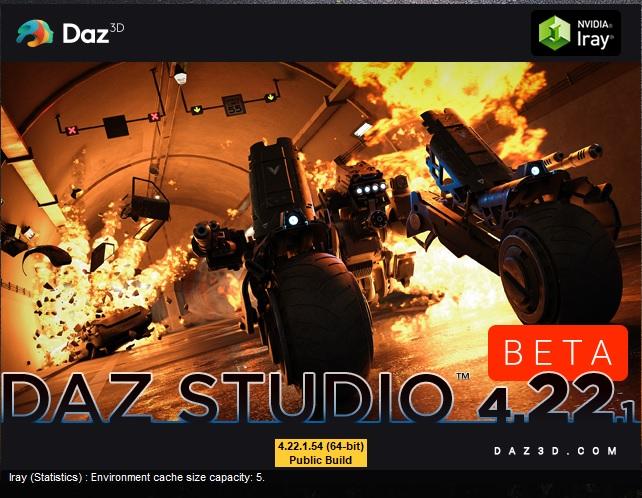
still works on my computer with Face Transfer 2.
 Autofit Clones
Lyrra Madril said:
an autofit clones is a morph saved a special way. it ends up in the data folder of the figure it is converting TO.
So if I have say a v4 to g8f autofit clone it will be in the G8f data folder probably named something like 'Vicrtoria 4' and with special settings so DS knows its a clone and not another type of morph
So you can have however many clones you like FOR any figure TO any figure as long as the file names dont conflict on the figure they convert two. so you could have Victoria4clone and victo4ia4dressclone on g8f and be fine.
Clone morphs are that thing that gives you the list when you apply clothing to the figure and it satys ' what figure was this made for' Add autofit clones, see more options in your list.
LM
Thank you!
Modular ItemsNot correct... You misunderstood the way, it's not making Part B as a morph of Part A by importing or vice versa ! If so, of course the polycount / vertices won't match... It is the way of making a morph on Part A or Part B itself separately and use a property on each of them to control one another !
I've already done it in the above example, it's the very standard way of using morph and ERC controlling to make the effect in place. Trust me, I almost work on these stuff everyday for my clients.... You'll make it as long as you do it right.
Good luck ~
Face Transfer and Surfaces - how to restore surfaceskatherine_4a0d2c0d5e said:
Woops!. I see on closer examination. The FaceTransfer photo was added painted detail. It was not actually sculpting the figure.
It does "sculpt" the face (applies morphs) but you're correct, some of the detail you see is also "painted textures". You can replace "all but the face textures" with the figure's original, but you'll v likely get a colour mismatch with those and the FT face-texture..
When I use FT, I've a large collection of Morphs that I apply after the transfer, which help make the transfer "look better" and get closer to the face transferred in. Those morphs (tweaks to "settings") seem to be "made available" via various products.Products like:
https://www.daz3d.com/face-transfer-shapes-for-genesis-8
https://www.daz3d.com/face-morph-kit-for-genesis-8-female
https://www.daz3d.com/genesis-8-female-head-morphs
https://www.daz3d.com/aging-morphs-for-genesis-8-female-s
https://www.daz3d.com/aging-face-details-hd-for-genesis-3-and-8-bundle
https://www.daz3d.com/mesh-grabber-morph-editor-win ; <-- Is also vv helpful "creating" morphs (and editing those applied)
Autofit Clonesan autofit clones is a morph saved a special way. it ends up in the data folder of the figure it is converting TO.
So if I have say a v4 to g8f autofit clone it will be in the G8f data folder probably named something like 'Vicrtoria 4' and with special settings so DS knows its a clone and not another type of morph
So you can have however many clones you like FOR any figure TO any figure as long as the file names dont conflict on the figure they convert two. so you could have Victoria4clone and victo4ia4dressclone on g8f and be fine.
Clone morphs are that thing that gives you the list when you apply clothing to the figure and it satys ' what figure was this made for' Add autofit clones, see more options in your list.
LM
Modular ItemsMaking Part B a morph of Part A will simply not work because of geometry changes. And no, it physically would not be possible to keep the same vertex count or even order across all parts. I already tried once (IE, a guard that can have either a square, rectangular, or circular cross section). Even maintaining the same vertex count just made a colossal mess, and trying to apply other morphs on top of the section changes (IE changing how much the guard tapers to its end) just ended up breaking the mesh.
Jennie 9 HDThere's appears to be a good amount of detail in her normal/bump maps zoomed in, but she looks very uniform from a distance. Seems to be a recurring thing with G9 colour maps, but it feels like they've been particularly weak in that area recently. I just can't see myself buying her. Certainly not the pro bundle, even at $50 with the banner.
There's a hair in there I like the first glance of and that's it really. Looks a bit Anniston.
The dress appears well done but is a bit hyper-girly and hyper-sexualised for my tastes. Not an aesthetic I like at all.
The additional shapes aren't anything special at all. Previous alt shapes were generational and some of them had quite a bit of sub-D work put into them, which I liked as they brought options, fidelity and character to figures, but I'm struggling to see how these ones differ from what's in the starter packs or other morph packs. They look a bit base resolution to me - starting points not render points. But apparently they've HD versions *shrug*. And $28? Daz is having a laugh.
Face Transfer and Surfaces - how to restore surfacesOne more note. If the full material map is applied for the skin after Face Transfer, it reshaped the figure's face.
Face Transfer and Surfaces - how to restore surfacesI altered my figure's face with Face Transfer and it did a great job. BUT the surfaces were also transferred from the photo to the figure.
How can I restore the skin color maps?
Thanks for Any hints on this topic.
Jennie 9 HDI like the character and stuff in the bundle, but was annoyed seeing the three alternate shapes as three separate bundle items as that does seem like filler to me, or just selling each morph individually made me roll my eyes, but then I saw the price of the bundle in my cart and said no thank you there.
Face Transfer and Genesis 9Daz Studio gives you demo versions of Face Transfer (Genessi 8) and Face Transfer 2, both good for three saves. You have now used the three demo saves for Face Transfer 2, so you get just the temporary, watermarked maps.
Daz 3D is part of

Connect
DAZ Productions, Inc.
7533 S Center View Ct #4664
West Jordan, UT 84084Licensing Agreement | Terms of Service | Privacy Policy | EULA
© 2026 Daz Productions Inc. All Rights Reserved.