-
*Released* dforce Soft Curls {Commercial}
https://www.daz3d.com/dforce-soft-curls-for-genesis-8-and-genesis-3-females
YAY for Strand Based Hair!!!
I'd like to include some general information and helpful tips for you to use my new sets in the store :)
What is the difference between strand based hair and fibermesh?
Strand Based Hair is generated inside Daz Studio. Fibermesh is actual mesh generated within Zbrush. Fibermesh can bring even the nicest computers to a painful crawl once it is imported into Daz Studio. Strand Based Hair is so much lighter!! There are a lot less hairs in your viewport, and the rest are generated during the render. I don't know all the magic behind that part, but its really awesome.
SBH ( Strand Based Hair ) is DYNAMIC! - Yes!!!!!!!!!!!!!. As an artist that has been working with Daz Studio and Poser for almost 20 years, this is what I always dreamed of!!!!!! Well I have also dreamed of being a millionaire too, but I'll settle for this
 .
.But what if I don't want to run a simulation? With the ones currently in the store, you do not need to run a simulation unless you want to. There are morphs that will move the hairs around like a traditional hair model too! The coolest part is that you can use the morphs before a simulation, without a simulation, and/ or after a simulation.
How do I use it? Select your figure and load the model like you normally would. Make sure that you do not have the geometry editor tool or the awesome Mesh Grabber Tool selected, pose your figure and render.
How do I use the morphs? These SBH hair models are currently in pieces to add more versatility. Selecting it in the scene tab will make the morphs appear in the parameters tab ( They are parented to the head) . Keep in mid that because these hairs are separate pieces they are grouped. So you will have to expand the options in the scene tab to find the individual pieces. Then just play with the sliders to your liking!
How do I simulate the hair? Welll there are several ways to do this, but the easiest way is to click on the simulate tab and click simulate. No extra settings needed. You can also use a timeline animation, or use the settings provided to use just gravity.
There will be so much versatility!! I have added a ton of separate surfaces so you will be able to easily kitbash these. Shut off certain surfaces to combine them with other SBH hairs orrrr maybe even combine them with some of the regular 3d hair models in the store and make a hybrid!
Technical Stuff:
Line Start With & Line End Width - This is how thick your hair is and how it tapers. I kept mine slightly thicker @ .09. and .03 to keep the amount of generated hairs to a minimum. If you want the hair to be thinner or taper more, you can turn this amount down, but oviously you will have to add more hairs.
Root Radius - This is the mode I have chosen to favor. It doesn't require painted maps or interpolation algorithms ( where hairs can go off in crazy directions for almost no good reason) and it is much more predictable for me when I import my hair from outside programs. With that said, there are no options for the cool stuff like frizz. Sorry guys :(
PS Points (per hair) - for those of you that model this is similar to CVS in a curve. It can control how smooth the hair will look. If you do a simulation and the hair just turns to a straight mess, try turning this down. The lower the setting, the more stiff the hair itself will behave and keep it's shape. Too low and you may end up with some jaggy edges. I feel like 20 to 30 is a good start for these stiffer styles.
PS Hairs (Per guide)- This is fairly self explanatory. If you want a fuller look, you can try adding more hairs. More hairs will probably require more computing power. But feel free to play with the setting.
PS Hair Tip Separation - This is a clumping option. Positive direction moves the hair away from the tip. Negative direction forms a clump at the tip.
Bias and Gain - This also has to do with clumping.
Bias is where along the hair shaft the clumping/non clumping starts. The lower the number the higher up the hair shaft the tip separation starts and vice versa.
Gain is how the bias transitions along the hair shaft.
I don't bother messing with these too much, but feel free to play with them.
PS Hairs and PR Hairs - PS hairs are supposed to be more accurate when simming than PR hairs. Also, I have found that PS hairs have a more delicate, natural look to them. PR hairs are great for adding a little extra bulk or frizz depending on how you use it. To get hair more dense looking, you can add PR hairs one or two at a time. I like to think of PR hairs as a multiplier, so you don't need to add a whole lot. If you want to make the hair appear a little more frizzy, you can play with the distribution radius and the tip separation for the PR hairs.
More Technical Questions * This will be added to as questions come up so all info can be placed in one convenient place
I want a certain section of my hair to drape more. Is there a way to do that? Yes! There are a few options you can use to adjust the draping so it suits your particular scene better. You can adjust the PS Points on the surface you select to something higher. The double dutch braids in particular are kept fairly low around 20. This keeps the whole hairstyle fairly stiff. I would start fairly high at maybe 60 and see what results you get and what you are exactly looking for. If it drapes better but its lost too much of your shape you can adjust other options as well.
You can also adjust the Local Shape Constraint Stiffness. Turning this down lower will also make the hair drape more while keeping the shape of the hair more in tact.
You can also adjust the tips of the hair with Local Shape Constraint Tip Stiffness. This will loosen up how the tips drape more. A lower number will spread those tips out more during a simulation.
All of this is a process of trial and error and what exactly you are looking for in an end result.
I want to simulate hair on a figure that is on a floor. When I sim the hair it makes an explosive mess. Help! This wasn't a question posed here yet but I know it's on the way :) You have a few options to handle this situation. If you are on an older computer that doesn't do so well with simulations, try keeping the model's head height as the same level the default figure loads in. I hope that makes sense. When a simulation is going it is essentially pulling those hairs to the end pose. Further away from default equals more pulling.
If you have a decent computer and you don't have an issue with simulations then you can simply change the simulation settings - Pose Transition Time to something higher than 1. The promos I did with Victoria on the floor all had a pose transition time of 3 - but I believe 2 probably would have done just fine.
Now go have some fun and be creative already!
I will be here checking this thread as often as I can to help, should you get stuck, have questions, or just wanna show off pretty pictures :
Josephene 8It's like Victoria's taller and younger looking sister. Put CJ and Victoria in at about 50% (and 20% of Edie) and you've basically got her.
She's the same height as me at least (people will likely complain about this), and the outfits and hair all look of good quality.
[Released] RSSY Clothing Converter from Victoria 4 to Genesis 8 Female [Commercial]I just bought RSSY Clothing Converter from Victoria 4 to Genesis 8 Female a couple of days ago and cannot get this to work. I read the manual and tried different things but it didn't work. Any suggestions?
I need more information. What error are you getting?
3D Art Freebie Challenge-March 2020-"March Winds" -Main Thread OnlyAlso, I note that using any of the base models (Genesis - Genesis 8) are considered no count items, however I saw another entrant in this content list a few other things as "no count" items. May I ask what qualifies something as a no-count item? Thank you.
No counts (as I understand it):
- All Genesis base figures, Pre-Genesis base figures (Michael 3 & 4, Victoria 3 & 4, The Kids 4, Aiko 3, Hiro 3...)
- Items that come with the base program (eg the Shadow Thief Outfit, Aldora Hair, etc)
- Items that were originally free but are now unavailable (such as most PA XMas Freebies)
- Basic Morph Packs:
M4 Shapes++, V4 Shapes++
Genesis Evolution Body, Genesis Evolution Head
G2M Body, G2M Head, G2F Body, G2F Head
G3M Body, G3M Head, G3F Body, G3F Head
G8M Body, G8M Head, G8F Body, G8F HeadThanks for the help on this question @Hylas
Aurora for Genesis 8 FemaleDoes anyone have any renders of her using non-styled character shapes (Victoria 8, Charlette 8, etc)?
Product:
https://www.daz3d.com/aurora-for-genesis-8-female Looking for hair suggestions - Jessica Jonesish
Maybe one of these:
Caprice Hair for Genesis 3 and 8 Female(s) - https://www.daz3d.com/catalog/product/view/id/058225
Delphi Hair for Genesis 3 & 8 Female(s) - https://www.daz3d.com/catalog/product/view/id/052435
Annabelle Hair for Genesis 8 Female(s) - https://www.daz3d.com/catalog/product/view/id/050265
Sophia Hair for Genesis 3 and 8 Female(s) - https://www.daz3d.com/catalog/product/view/id/048707
Sunny Hair for Genesis 3 Female(s) - https://www.daz3d.com/catalog/product/view/id/033581
Seema Hair for Genesis 3 Female(s) - https://www.daz3d.com/catalog/product/view/id/030772
Selvana Hair for Genesis 3 Female(s) - https://www.daz3d.com/catalog/product/view/id/023851
Charice Hair for Genesis 3 Female(s) - https://www.daz3d.com/catalog/product/view/id/023036
Lilyanne Hair for Genesis 2 Female(s) and Victoria 4 - https://www.daz3d.com/catalog/product/view/id/020535
Kelsie Hair for Genesis 2 Female(s) and Victoria 4 - https://www.daz3d.com/catalog/product/view/id/019424
Dream Hair - https://www.daz3d.com/catalog/product/view/id/016238
CitySwan Hair - https://www.daz3d.com/catalog/product/view/id/013053
Thank you. I think Seema is closest to what I'm looking for. If I were any good with Blender, I'd probably have tried to lengthen Annabelle.
Looking for hair suggestions - Jessica JonesishMaybe one of these:
Caprice Hair for Genesis 3 and 8 Female(s) - https://www.daz3d.com/catalog/product/view/id/058225
Delphi Hair for Genesis 3 & 8 Female(s) - https://www.daz3d.com/catalog/product/view/id/052435
Annabelle Hair for Genesis 8 Female(s) - https://www.daz3d.com/catalog/product/view/id/050265
Sophia Hair for Genesis 3 and 8 Female(s) - https://www.daz3d.com/catalog/product/view/id/048707
Sunny Hair for Genesis 3 Female(s) - https://www.daz3d.com/catalog/product/view/id/033581
Seema Hair for Genesis 3 Female(s) - https://www.daz3d.com/catalog/product/view/id/030772
Selvana Hair for Genesis 3 Female(s) - https://www.daz3d.com/catalog/product/view/id/023851
Charice Hair for Genesis 3 Female(s) - https://www.daz3d.com/catalog/product/view/id/023036
Lilyanne Hair for Genesis 2 Female(s) and Victoria 4 - https://www.daz3d.com/catalog/product/view/id/020535
Kelsie Hair for Genesis 2 Female(s) and Victoria 4 - https://www.daz3d.com/catalog/product/view/id/019424
Dream Hair - https://www.daz3d.com/catalog/product/view/id/016238
CitySwan Hair - https://www.daz3d.com/catalog/product/view/id/013053
Hiking Outfit for Genesis figures?I am wondering if there are any hiking outfits for Genesis figures? Like khaki shorts and a T-shirt or an appropriate kind of short-sleeved shirt?
I can make allowances for such outfits for Victoria 4/Michael 4/Stephanie 3, as the Wear Them All can allow for the outfits to be applied to Genesis 3 figures.
Novica & Forum Members Tips & Product Reviews Pt 12By the shape of the lips and eyes definitly the other one FW Beatrix Different skin though? looks like a birth mark 2nd image right shoulder and the skin looks darker than the promos (could be lighting though)
I'd say so too, but it looks like the rather thin eyebrows (eyebrows are one of the best ways to recognize a character) have been overlaid by another thicker and brighter set of eyebrows but so you still can see the original darker ones shine through.
Speaking of eyebrows I tried to use the painted-brow eraser included with Beautiful Brows for Genesis 8 Female(s) and it works very well. Here's JingLing again (head dialed back to 30% this time) with her painted brows removed and then replaced by fiber brows.
Novica & Forum Members Tips & Product Reviews Pt 12By the shape of the lips and eyes definitly the other one FW Beatrix Different skin though? looks like a birth mark 2nd image right shoulder and the skin looks darker than the promos (could be lighting though)
Novica & Forum Members Tips & Product Reviews Pt 12LY Beatrix HD (G3F) ? dForce Saul Hair (G8F / G8M)
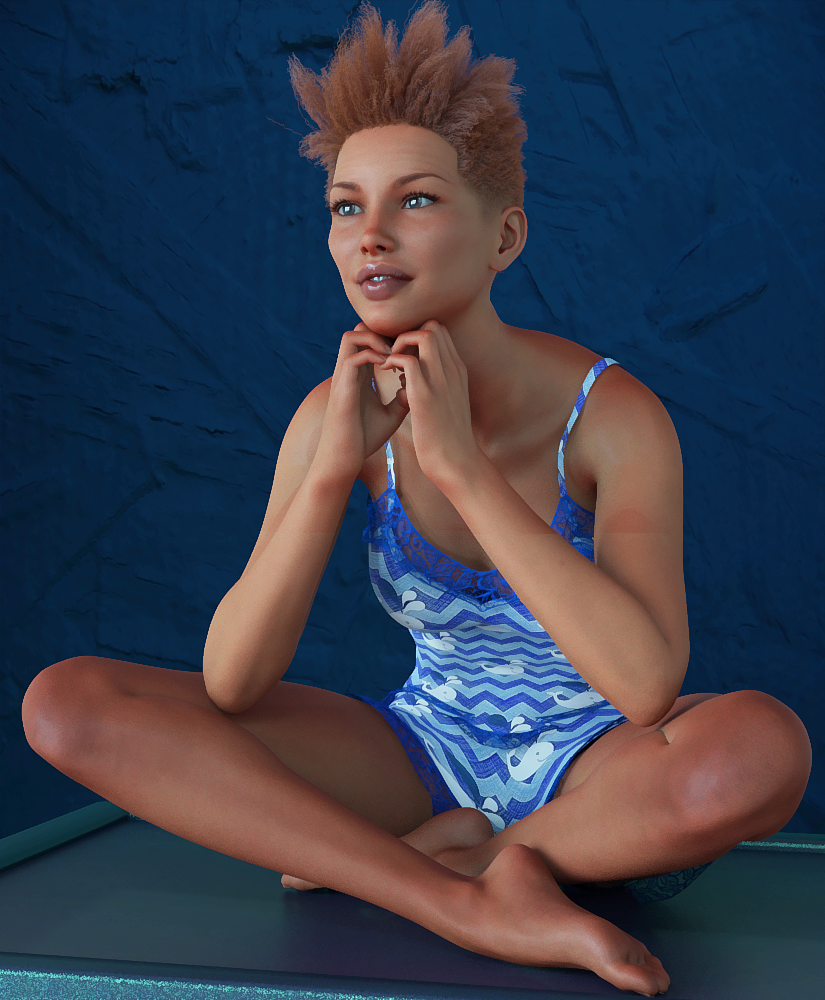
Well, I'm in a pickle. I did this render two weeks ago and forgot to post her. Now I'm not sure which Beatrix it is, or if it was a Beatrice. I also checked Rendo just in case. Here's the other culprit she could be, I think she's LY. And now I can't remember the outfit either. If this IS LY, that would be a Genesis 3 outfit I assume. So what do you guys think? I'd hate to link to the wrong product. Edit- just be aware this is either the LY or the FW gal, and just focus on the Saul Hair.
 [Released] RSSY Clothing Converter from Victoria 4 to Genesis 8 Female [Commercial]
I just bought RSSY Clothing Converter from Victoria 4 to Genesis 8 Female a couple of days ago and cannot get this to work. I read the manual and tried different things but it didn't work. Any suggestions?
How to tell if the pose pack product is good?_ and have Subtle Poses Bundle by Elele _ and quite nice , natural looking _
_ although is for : Genesis 2 Female, Genesis, Victoria 5, Michael 5
Carrara Challenge #51 - Here There Be Dragons! Folk/Fairy Tales Entry Thread. Winners Announced!Entry #: 4
Title: Under attack - needs Prince Valiant to come to her rescue !
Artist: Bunyip02
Links to WIP thread: https://www.daz3d.com/forums/discussion/comment/5383166/#Comment_5383166
Discussion: (eg tell us about the tale you are illustrating or tell us your secret ingredients for how you made the image) Used mmoir's superb Mystic Gorge as the base for the scene. Trusty old SubDragon used with my favouite skin pack for it Draconia. Used Topaz Adjust to bring out the colours in the render.Newcomer Category (Y/N) No
Items Used:- Victoria 4.2 Base - https://www.daz3d.com/victoria-4-2-base
V4 Morphing Fantasy Dress - https://www.daz3d.com/v4-morphing-fantasy-dress
V4 Hooded Cloak - https://www.daz3d.com/v4-hooded-cloak
V4 MFD & Expansion Packs Green And Gold Textures - https://www.sharecg.com/v/54109/related/11/Poser/V4-MFD-Expansion-Packs-Green-And-Gold-Textures
Millennium SubDragon - https://www.daz3d.com/millennium-subdragon
Draconica- SubDragon and MilDragon by blazewolf01 - Renderosity
Daz Dog 8 - https://www.daz3d.com/daz-dog-8
Great Dane for Daz Dog 8 - https://www.daz3d.com/great-dane-for-daz-dog-8
Mystic Gorge - mmoir - no longer available Carrara Challenge #51 - Here There Be Dragons! Folk/Fairy Tales Entry Thread. Winners Announced!
Entry #: 3
Title: Not so Little Red Riding Hood
Artist: Bunyip02
Links to WIP thread: https://www.daz3d.com/forums/discussion/comment/5339451/#Comment_5339451
Discussion: (eg tell us about the tale you are illustrating or tell us your secret ingredients for how you made the image) Used Tango Alpha's excellent Helock Folly as the base, rotated it around until I got a perspective of one of the tracks as a basis for the scene. Used Topaz Adjust to bring out the colours of the render.Newcomer Category (Y/N) No
Items Used:- Victoria 4.2 Base - https://www.daz3d.com/victoria-4-2-base
V4 Eurydice Hair - https://www.daz3d.com/eurydice-hair
Adventure Girl 2 - https://www.daz3d.com/adventure-girl-2
In Her Defense - https://www.daz3d.com/in-her-defense
Grey Wolf for Daz Dog 8 - https://www.daz3d.com/grey-wolf-for-daz-dog-8
Hemlock Folly - https://www.daz3d.com/hemlock-folly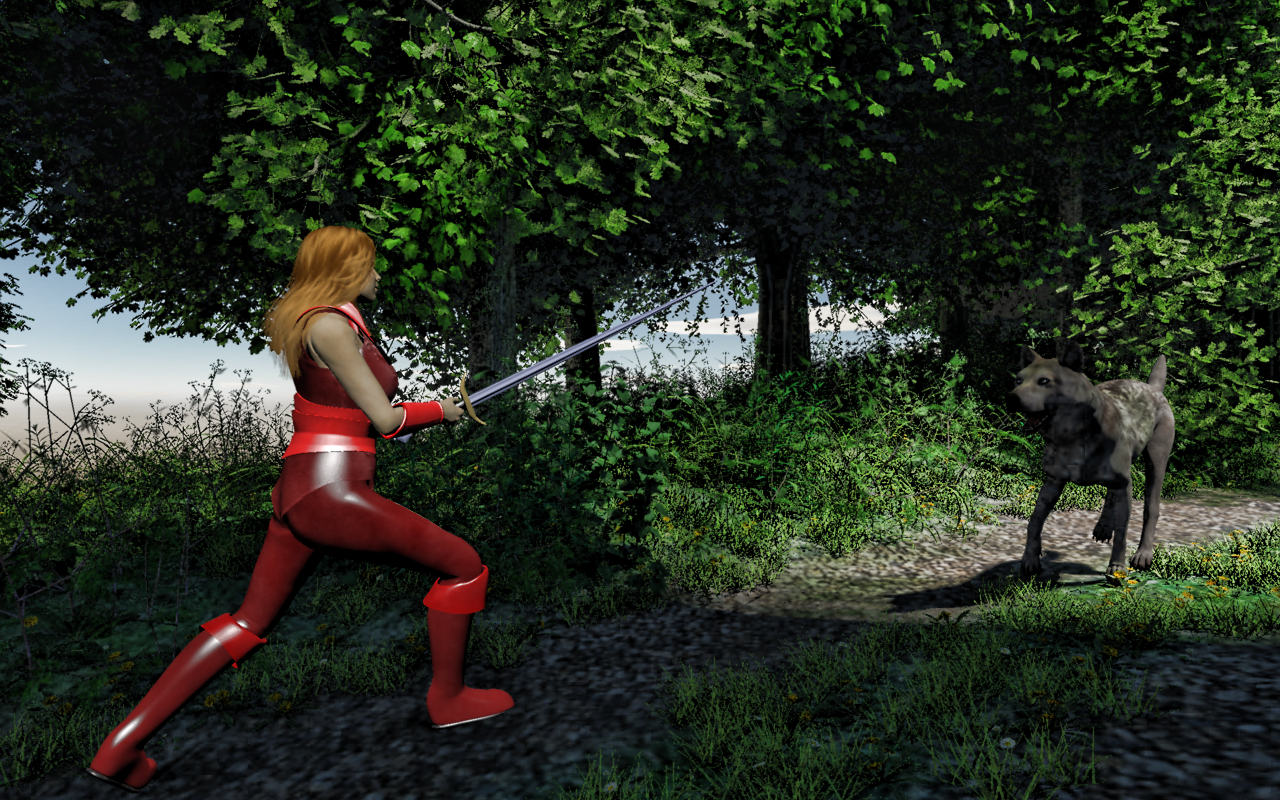 Carrara Challenge #51 - Here There Be Dragons! Folk/Fairy Tales Entry Thread. Winners Announced!
Entry #: 2
Title: Hi-Ho, Hi-Ho, it's off to work we go.....
Artist: Bunyip02
Links to WIP thread: https://www.daz3d.com/forums/discussion/comment/5338991/#Comment_5338991https://www.daz3d.com/forums/discussion/comment/5339421/#Comment_5339421
https://www.daz3d.com/forums/discussion/comment/5340876/#Comment_5340876
Discussion: (eg tell us about the tale you are illustrating or tell us your secret ingredients for how you made the image) Used a Carrara terrain as the base, scoured the item library for content. Used Lorenzo for the 7 dwarves, for his clothes I used the one clothing item but adjusted the shaders to get a different outfit on each dwarf. A couple of hill terrains from Bryce were imported as background fillers. Wanted a non-photo-realistic finish, so used Topaz Adjust to bring out the colours, then used a Filter Forge filter to get the end result, blended a little bit in Paint Shop Pro.Newcomer Category (Y/N) No
Items Used:- Lorenzo Lorez - https://www.daz3d.com/lorenzo-lorez
Lorenzo Clothes - Lowres medieval river ship - https://www.sharecg.com/v/64871/related/11/Poser/Lowres-medieval-river-ship
Victoria 4.2 Base - https://www.daz3d.com/victoria-4-2-base
SnowWhite Hair - https://www.daz3d.com/snowwhite-hair
V4 Morphing Fantasy Dress - https://www.daz3d.com/v4-morphing-fantasy-dress
MFD Peasant Dress - mylochka - https://www.sharecg.com/v/82103/browse/11/Poser/Peasant-Dress-Textures-for-Morphing-Fantasy-Dress
Terrain - Carrara
Hills - Bryce
Arboretum Volume 1 - https://www.daz3d.com/arboretum-volume-1
Country Lane - https://www.daz3d.com/country-lane
FR15 Prunus domestica Plum - XFrog
Oak Trees - Lisa Botanicals
FlinksFlowers - Flower3 - Daisy Fleabane - Renderosity
Predatron Geraniums - https://www.daz3d.com/predatron-geraniums
Veranda House - Dark_Anvil - Renderosity
Bench Seat - Fairytale Collection -- Cottage - https://www.daz3d.com/fairytale-collection-cottage
Old Well - Free_Teknology3d
Tim Payne Lightdomes - https://www.daz3d.com/carrara-skies-lightdomes-1 (no longer available)
Tim Payne Skies - https://www.daz3d.com/carrara-skies-volume-1 (no longer available) Downgraded to Genesis 3 from Genesis 8
Maybe i am missing something, but I had asked for V4 clones for GF8 and I can't seem to find them, only tutorials, am I blind?
Had that, had to return it because it is broken and doesn't work as advertised. When it was released I posted examples of the conversion with that set and the old method of autofitting to G3, saving and then autofitting to G8 and I had far superior fits with the old method
Downgraded to Genesis 3 from Genesis 8Maybe i am missing something, but I had asked for V4 clones for GF8 and I can't seem to find them, only tutorials, am I blind?
3D Art Freebie Challenge-March 2020-"March Winds" -Main Thread OnlyAlso, I note that using any of the base models (Genesis - Genesis 8) are considered no count items, however I saw another entrant in this content list a few other things as "no count" items. May I ask what qualifies something as a no-count item? Thank you.
No counts (as I understand it):
- All Genesis base figures, Pre-Genesis base figures (Michael 3 & 4, Victoria 3 & 4, The Kids 4, Aiko 3, Hiro 3...)
- Items that come with the base program (eg the Shadow Thief Outfit, Aldora Hair, etc)
- Items that were originally free but are now unavailable (such as most PA XMas Freebies)
- Basic Morph Packs:
M4 Shapes++, V4 Shapes++
Genesis Evolution Body, Genesis Evolution Head
G2M Body, G2M Head, G2F Body, G2F Head
G3M Body, G3M Head, G3F Body, G3F Head
G8M Body, G8M Head, G8F Body, G8F HeadThe "Animators Assemble!" thread for Daz animation WIPs, clips, and tipsI wanted to point out a recent discovery using older Generation 4 & poser compatiable characters with the new daz timeline and the IK-chain. Some of you may already know this anyway.
I work a lot with poser for the fun of it and their ik/fk-chains in poser are prretty decent. so I was rather surprised when i loaded a victoria 4 in the new daz timeline to find that all the poser Ik-chains are already in place for the hip, arms and legs.. and they work in the daz timeline perfectly . So if you use ik-chains a lot . going back to older generations may save you some set up time.
I know its not a big wow moment. its just something I discovered today and wanted to share with the group in case someone didn't t know it already, I notice the ik-chains are in place for pretty much for any poser character or creature loaded into the daz studio 4.12 version . and the ik-chains can be moved rather easily if they are not placed right for your needs & as a added bonus older generations seems to be much lighter on gpu resources for rendering once converted to iray. I just thought it was cool find.
DAZ Dog 8 has IK chains as well as the Old Eastern Dragon, many old 3DU products, and I'm sure others I don't remeber as well.
I knew Daz Dog8 & Daz Horse had ik-chains and after you mentioned the others, I went checked and so does the orignal Daz Dog & Mill dragon. I just thought it was cool those old generations had ik-chains built into them and never knew it .
 .
.Daz 3D is part of

Connect
DAZ Productions, Inc.
7533 S Center View Ct #4664
West Jordan, UT 84084Licensing Agreement | Terms of Service | Privacy Policy | EULA
© 2026 Daz Productions Inc. All Rights Reserved.