-
Genesis 9 Coming Soon! Preorder Victoria 9 HD Today
Catherine3678ab said:
PerttiA said:
Catherine3678ab said:
My understanding [hope it's correct] is that, without additional mesh resolutions, G9 is itself HD [compared to G8] so that would make for better morphing possibilities by everybody.
The problem is that one can only import morphs at base resolution. No use exporting G9 at higher mesh resolution to Blender, make morphs there, when you can't import them back to the figure in DS.
One could only use the mesh tools that work inside DS to make the morphs.
Yes, but if that 'base' resolution is a higher resolution than the 'base' resolution of G8, it would enable more detailed morphs none the less.
We have been shown the G9 base resolution mesh, doesn't look much higher resolution than G8/G81, and it's missing vertices to build smaller details like the pokies and navel.
Genesis 9 Coming Soon! Preorder Victoria 9 HD TodayCatherine3678ab said:
PerttiA said:
Catherine3678ab said:
My understanding [hope it's correct] is that, without additional mesh resolutions, G9 is itself HD [compared to G8] so that would make for better morphing possibilities by everybody.
The problem is that one can only import morphs at base resolution. No use exporting G9 at higher mesh resolution to Blender, make morphs there, when you can't import them back to the figure in DS.
One could only use the mesh tools that work inside DS to make the morphs.
Yes, but if that 'base' resolution is a higher resolution than the 'base' resolution of G8, it would enable more detailed morphs none the less.
As I see it, it is not the average mesh densoty that is relevant, but the mesh density where it matter, such as the face.
That the mesh density is higher on the arms is of little interrest as it usually wouldn't be where you made the detailed morphs.
So I agree that non-Daz PAs will get a much harder time, even though the polygon count is higher.
Genesis 9 Coming Soon! Preorder Victoria 9 HD TodayPerttiA said:
Catherine3678ab said:
My understanding [hope it's correct] is that, without additional mesh resolutions, G9 is itself HD [compared to G8] so that would make for better morphing possibilities by everybody.
The problem is that one can only import morphs at base resolution. No use exporting G9 at higher mesh resolution to Blender, make morphs there, when you can't import them back to the figure in DS.
One could only use the mesh tools that work inside DS to make the morphs.
Yes, but if that 'base' resolution is a higher resolution than the 'base' resolution of G8, it would enable more detailed morphs none the less.
Genesis 9 Coming Soon! Preorder Victoria 9 HD TodayCatherine3678ab said:
My understanding [hope it's correct] is that, without additional mesh resolutions, G9 is itself HD [compared to G8] so that would make for better morphing possibilities by everybody.
The problem is that one can only import morphs at base resolution. No use exporting G9 at higher mesh resolution to Blender, make morphs there, when you can't import them back to the figure in DS.
One could only use the mesh tools that work inside DS to make the morphs.
City Building Shaders Vol1Kitbash3D assets are quite easy to get into Daz. If you purchase them as Blender files then they come as separate object in a single large Blender scene. Then all you have is to export what you want as separate .OBJ files and import those into Daz. Then you have to adjust materials.
It can be time consuming, but it's not very complex.
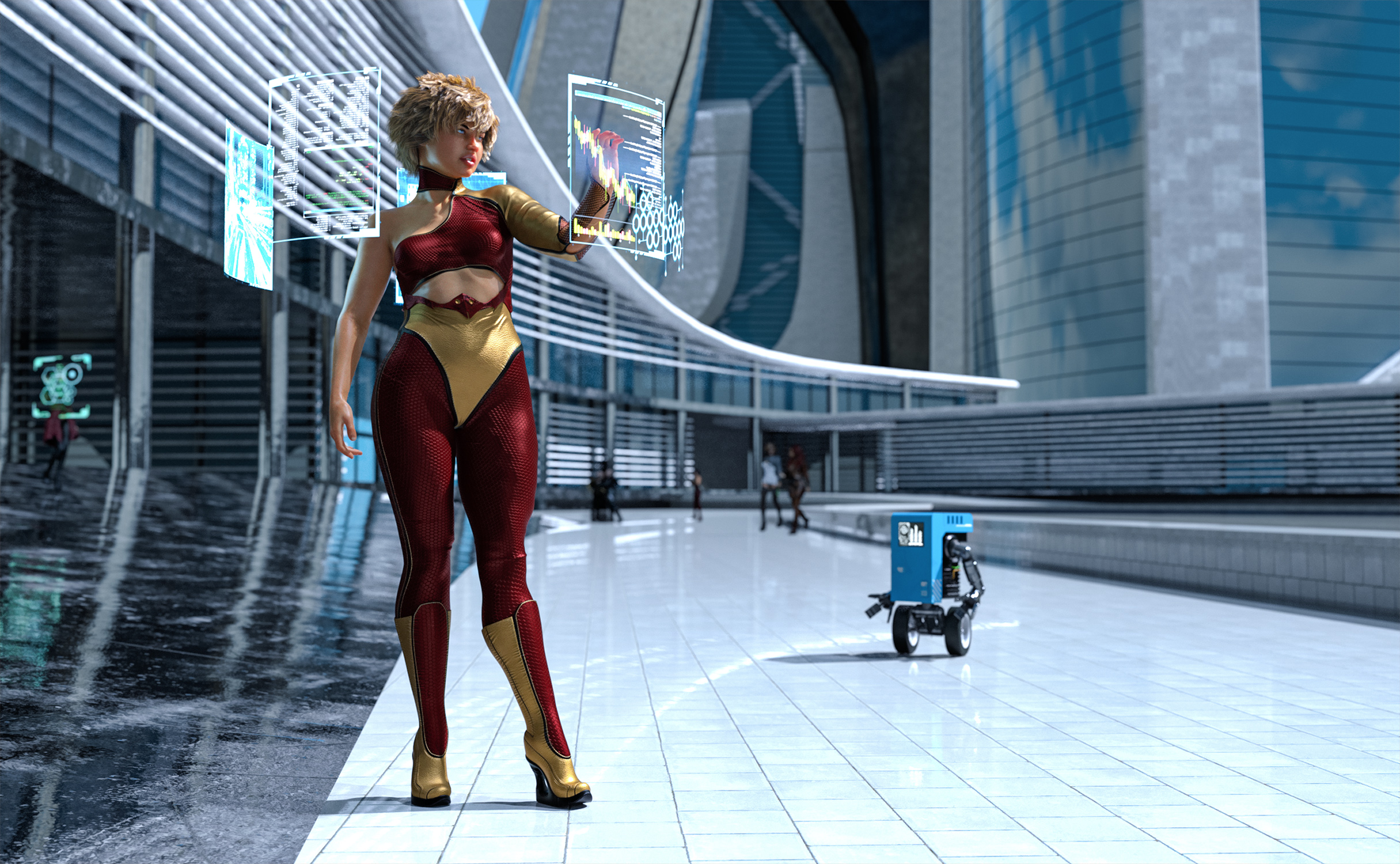
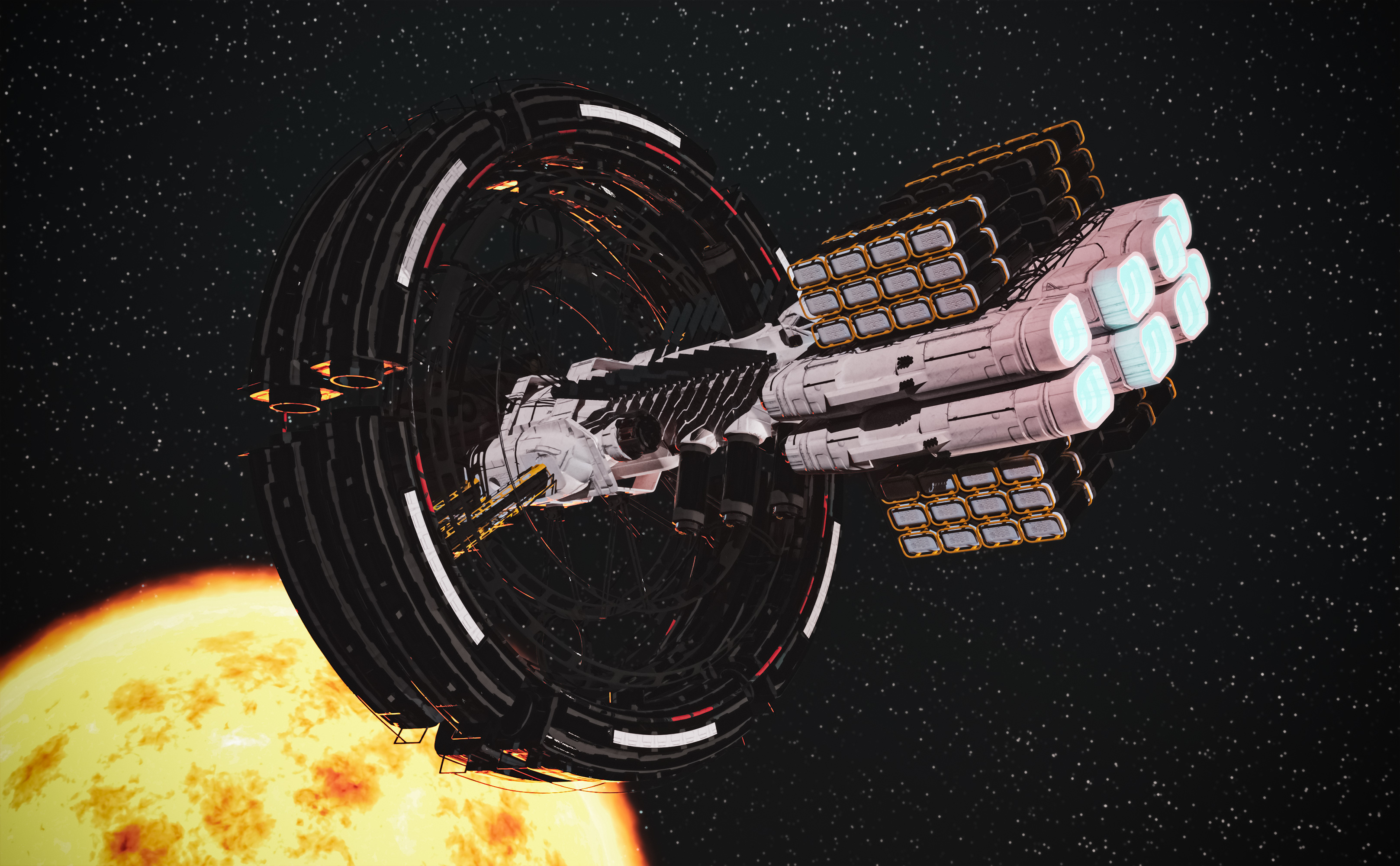
A word of warning, though. Objects in those sets are scaled to human characters. Everything is live-sized. Things like ships and buildings are huge.
Daz File LocationHave you tried "bridge" between Bryce and DAZ Studio instead of trying to import files?
I usually do it like this:
1. Start Bryce
2. Make a cube
3. Select it and choose "Send to Daz Studio"
4. Which makes Daz Studio being launched and you see cube from Bryce over there.
5. Delete cubes both in Studio and Bryce
6. Load needed figure in Daz, select it and then do "Send to Bryce"
7. Enjoy
If you have two different DAZ Studio installed at same time (e.g. you have beta version of Studio as well), to make Bryce decide which to use, you can just launch and then close the needed version of Daz Studio before the whole procedure. As Bryce seems to remember which Studio was used in your OS the last time.
City Building Shaders Vol1WendyLuvsCatz said:
you will need to lasso invert delele save as support assets to split them up with the geometry editor
... or simply download the Blender file, open in Blender, export whatever piece you want as .obj and import to DS. Then use the Multi Map Loader from Code66 to plop on the maps and adjust the materials to taste. I can convert a complete Kitbash3d set in about an hour.
ciaoTD
Export fbx without smoothingI am seeing the same unwanted smoothing on export from DS. Blender can be used to get rid of it - just import the model into an empty Blender scene, right-click on it>Shade Flat, and reexport it seems to lose the smoothing.
Bringing a model to Daz from Blend or SFM?Hello, so I see a lot of posts on how to export from Daz, but not really any on how to import.
I assume one needs to convert sfm to Blend before converting to Daz and I've seen it done with a car but I'm attempting to convert a figure model (IE player model) to Daz for use in posing and whatnot.
Is there a long process? Will the bodyparts still move?
Is there anyone that offers such service?
Thank you, sorry for the odd question.
Daz File LocationI know Daz files are not a Bryce thing but I'm thinking of actually doing a picture for the challenge and need an animal to import.
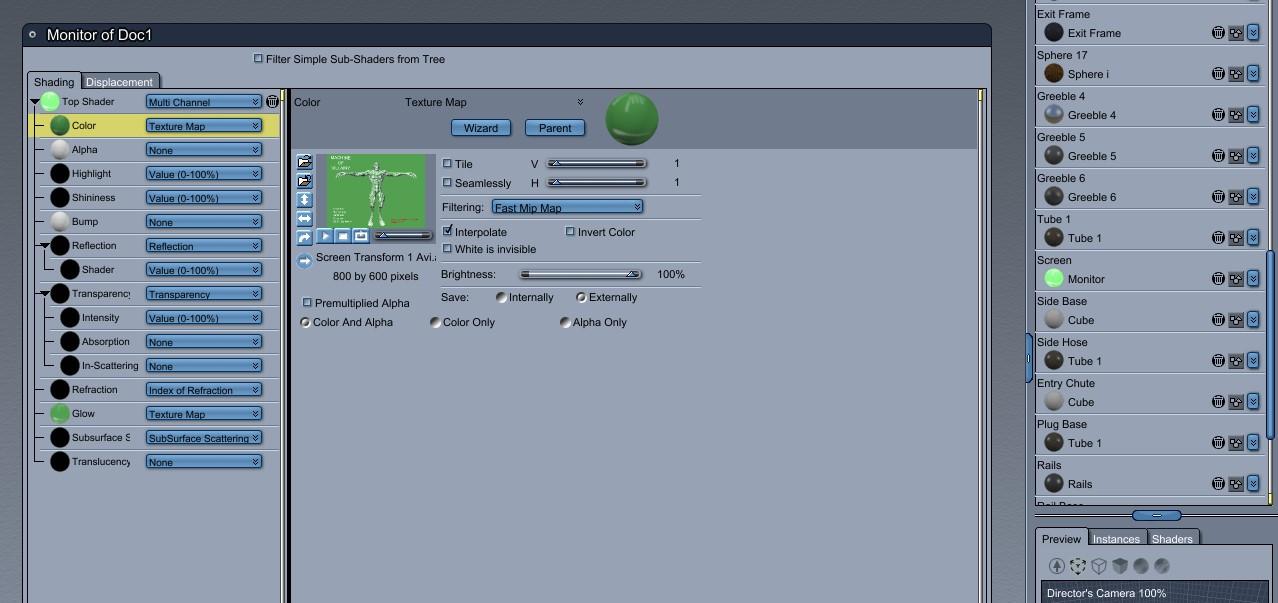
OT - Does anyone have a model of a bikini machine? - Now You DoTo use a movie file as an animated shader...
- open the color channel of the shader tree and choose Texture Map
- click the open folder to import a file
- in the list of file types, go to the 'movie files' list
- in this case, I had rendered to AVI format, so that is what I chose.
- I also put the movie file in the Glow channel, but that is optional - use to taste.
 Bridge required to convert to .NIF format for Steam [Skyrim SSE]
Basically you have two ways, NifSkope which only imports OBJ, Outfit Studio which is part of BodyShop & CBBE, this lets you import in OBJ and FBX.
Bridge required to convert to .NIF format for Steam [Skyrim SSE]This Blender plugin can import or export NetImmese file formats
https://github.com/niftools/blender_niftools_addonSteering on a car I built (I gave up, so we can close this)Imoprting piece by piece is not a good idea for vehicles. Its will be far easier to deal with if its a single figure. Below is a basic write up i did for someone else:
Just to clairify the basic method and order of operation for setting up rigged models in Daz Studio:
Before you begin, if the model is not to the correct scale in Daz Studio, scale it in Daz Studio to figure out how much it has to change and then go back to the modeler and make the change there and follow the steps below. Always make sure the model is 100% scale when you rig it, otherwise the rigging will not work.
1. In the modeling program, make sure that each item that is going to be a seperate node in Daz Studio, is its own seperate item in the modeler (not seperate pieces as one item can be made of multiple pieces welded together)
2. Export the entire model as an OBJ in its default position/pose
3. In Daz Studio, open up the Figure Setup tab and on the left side, import the model.
4. Drag it to the right hand side and organize the bone nodes hierarchy as well as the XYZ orientation. You can rename things here if you need to. Then click on the Create button
5. Once its in the scene, select the figure in the scene tab, choose the Weight Map brush and right click and go to "Weight Editing > Fill by Bone Selection Group". Do this before the next setp or you will NOT see the nodes move when testing your joint set up during the next step.
6. Open the Tool Tab and select the Joint Editor Tool and adjust your center and end points. And then choose Memorize figure rigging in the menu. This is still needed so that you dont loose the center and end points you set up if the figure gets reset in Daz Studio when you choose the "Restore Figure" or "Reset Figure" options.
7. Proceed with everything else. Make sure to save as "Figure/Prop Asset"
Opportunity here - Can we get Genesis 9 to start on a nice new clean slate?Richard Haseltine said:
AllenArt said:
I've tried in the past to organize my library myself, but I always invariably end up moving something that a script relies on and screwing that up. (UltraScenery was a BIG one). LOL It would be nice if Daz would set up an organizational system that the PA's were required to stick to that made more sense than, well, what we get now - which isn't much better than the old Poser days where ppl just put things wherever. And have I said how much I hate vanity folders (even tho I do it myself for my freebie props)? LOL If the internal search inside Daz Studio actually found what I was looking for, that'd be one thing, but it's as bad if not worse than the store search here. Urgh. Thankfully, I haven't run up against too many duplicate forumula errors, but I have a couple times.
You can use categories to organise, or link (.djl) files to set up a shadow library organised as you wish while the real library keeps the organisation required for cross-product references like those in Ultra Scenery.
Oh, I've tried that. Mostly what I get are EMPTY category folders. Since I don't know what I'm doing wrong, I just gave up on it. I spent a lot of time in categories just to get a bunch of folders with nothing (no links) in them. If categories relies on smart content, half the stuff I have HAS no metadata and half of what does have metadata is uncategorized. If that's the case and it does rely on metadata, that needs fixed too.
Edges sharps Blender and DazLimun said:
Hi,
anyone know why the object what I created in Blender are Edges sharps and when I import object in Daz are strange and smooth
Thank you
Check that your normals are not flipped, too... Daz and Blender have opposite winding order and so the normal vectors are usually wrong.
Edges sharps Blender and DazHi,
anyone know why the object what I created in Blender are Edges sharps and when I import object in Daz are strange and smooth
Thank you
Diffeomorphic: Adding Custom Morphs to clothingcopy all the shape keys from the character to the clothing using Diffeomorphic. (instructions on the diffeomorphic blog).
If you still want to add a shape key, create a new custom shape key and sculpt one. In sculpt mode you really only need 'grab', 'smooth', and maybe 'inflate/deflate'. You might be able to import some custom morps from daz to blender for clothing with diffeomorphic but I never tried it. I think it would be easier in most cases to just make your own since it would take less time and would likely give better results.
Transferring presets to a new PCThis may well not be an issue with where the files are - do you see them in the Content Library under Daz Studio Formats? Smart Content uses the database, not file location, so you wil need to have exported user data on the older system, transferred it to the new system, and reimported metadata on the new system. Export Userdata and reimport Metadata are both in the Content DB Maintenance dialogue available from the Content Library option menu (the lined/hamburger button in the top corner, orr right-click the tab) and the files are written to the /Runtime/Suport folder in the first Daz Studio Format content directory.
going online, Metadata update breaks productsYou didn't really have to do all those repairs manually (it sounds like). The Content DB Maintenace utility can re-import the metadata for everything from the DIM install manifests, which would not have been touched by Connect.
Daz 3D is part of

Connect
DAZ Productions, Inc.
7533 S Center View Ct #4664
West Jordan, UT 84084Licensing Agreement | Terms of Service | Privacy Policy | EULA
© 2026 Daz Productions Inc. All Rights Reserved.