-
[SOLVED] Already rigged and fitted asset > getting rid of a morph by modifying the base shape.
When I was using mostly only ZBrush, I enjoyed very much a GoZ option : Update Base Mesh. When modifying an object in ZBrush we could modify the object in Daz, without having to create a morph slider. Which is damn cool.
Now that I'm way more a Blender user, having to go through obj and Morph Loader Pro, I miss very much such an option.
Example of workflow to illustrate what I need :
1/ I create a cloth in Blender.
2/ Once in Daz, I use the Transfer Utility to rig it.
3/ I weight vertices.
4/ Now, let's say I changed my mind and would like to modify a bit the shape of that object (not its geometry of course). So I export it, modify its shape in Blender, import it back in Daz as a morph with Morph Loader Pro. And I end up with : a slider. The one I wanna get rid of.
Question, is it possible somehow to :
- Import a morph so that it modifies the mesh rather than creates a slider, the way GoZ forces Daz to do it somehow.
- or, once the morph slider is created, is it possible to set it at 100%, then "apply" that morph so that modifications become integrant part of the base object, getting rid of the slider as it's now "applied" definitely ?
If GoZ can import back in Daz modifications, so that they modify definitely the mesh rather than create a slider, then it sounds reasonable to think the same can be done manually, doesn't it ?
Please advise. Thanks.
Daz Studio 4.21[.0.x] Pro, General Release!akiraxsojiki said:
anyone try importing a new garment that you created from like lets say MD? My usually workflow seems bugged
Export Base Model to MD
Create Garment > Export out to substance > Import into Daz
Click on the obj from the scene tab > Select the menu drop down to transfermorphs>
Throws error Tried a few things but iono lol many issues much confuse.
how do you go back a build lol >.>I'm not following what you are trying to do - tranferring morphs usally requires that the target be a figure rigged to fit to the source, via Transfer Utility, and you don't seem to be doing that.
Daz Studio 4.21[.0.x] Pro, General Release!anyone try importing a new garment that you created from like lets say MD? My usually workflow seems bugged
Export Base Model to MD
Create Garment > Export out to substance > Import into Daz
Click on the obj from the scene tab > Select the menu drop down to transfermorphs>
Throws error Tried a few things but iono lol many issues much confuse.
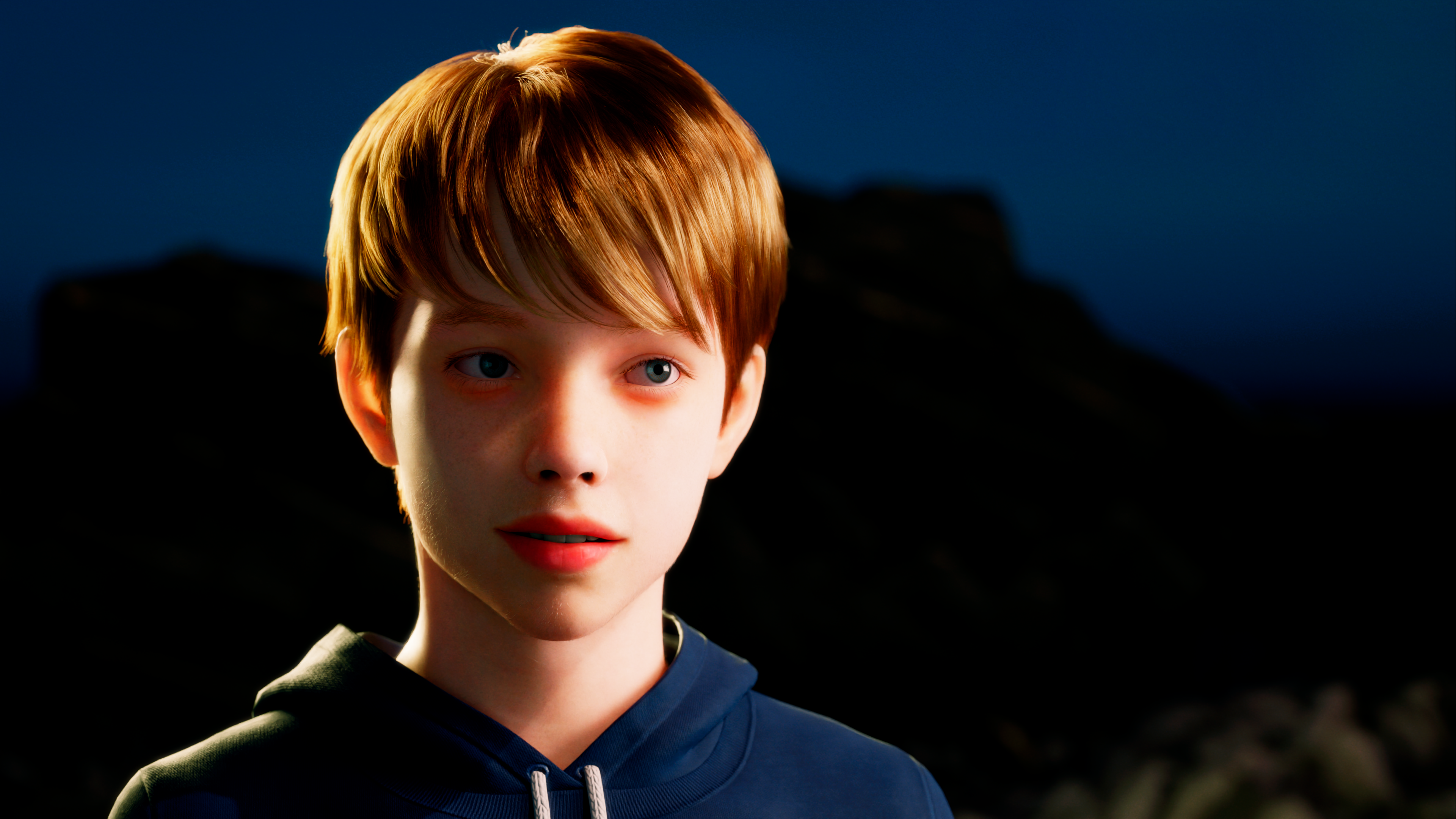
how do you go back a build lol >.>The Cute Kids ThreadHello everyone!. I'm trying to learn Unreal Engine 5 and imported one of my characters to Metahuman. I like the hair but selection is limited and I'm too amateur in the 3D world to import DAZ clothes into it (yet). Hope you like it!
 [Released] Content Wizard [Commercial]
RiverSoftArt said:
tsroemi said:
If the question has been answered before I do apologize, I couldn't find it in this thread: I would like to use Content Wizard to split up zips that contain different types of products, like a figure and her hair, or her clothes etc. I want clothes, hairs and characters to be in different installations. Unfortunately, there seems to be no preset to differentiate things this way; I can only split up between props, figures, data and so on, but neither hairs nor clothes are mentioned. Can I manually install these parts of a mixed zip to a specific destination that I set up beforehand, or is that impossible?
Thanks and cheers! Tina
CW is not designed for splitting up products, but for creating smart content metadata for a product.
You *could* copy the zips yourself and for each zip copy leave in only the user facing files for each type of product (I wouldn't touch the data directory unless you really know what you are doing. Since all the split zips will install to the same data directory, it won't matter for the installations). Then when CW analyzes the zip it will only find the hair and create smart content for that, only find the figure and create smart content for that, etc.
Thank you, I will try that!
[Released] Content Wizard [Commercial]tsroemi said:
If the question has been answered before I do apologize, I couldn't find it in this thread: I would like to use Content Wizard to split up zips that contain different types of products, like a figure and her hair, or her clothes etc. I want clothes, hairs and characters to be in different installations. Unfortunately, there seems to be no preset to differentiate things this way; I can only split up between props, figures, data and so on, but neither hairs nor clothes are mentioned. Can I manually install these parts of a mixed zip to a specific destination that I set up beforehand, or is that impossible?
Thanks and cheers! Tina
CW is not designed for splitting up products, but for creating smart content metadata for a product.
You *could* copy the zips yourself and for each zip copy leave in only the user facing files for each type of product (I wouldn't touch the data directory unless you really know what you are doing. Since all the split zips will install to the same data directory, it won't matter for the installations). Then when CW analyzes the zip it will only find the hair and create smart content for that, only find the figure and create smart content for that, etc.
the miserable woes of selection in the vertex roomProPose said:
Holy Crap Wendy!!! How did you get it to load in Carrara? At first I got the fbx/obj version. That's some massive obj file. still trying to load that in Carrara, but it may take till next wee some time. Then I got the blend version. At least the blend file loads fairly quick, and it loads with the proper groups. Managed to export the greenhouse as a separate obj. Still loading.....
needed 21GB RAM took 5 hours to import FBX
once in consolidating shaders saved as .car file not too bad
I saved out each prop
see
discussion https://www.daz3d.com/forums/discussion/comment/7759056/#Comment_7759056
cms not bringing in my contentSplatterbaby said:
So recently I got a cms error. Couldnt find it etc. I deleted cms and reinstalled it and now it works . Ive set up my drives to find the content like normal and it sees everything I own but it does not read it as installed. I cant reinstall everything again I have it all on my drive already and its alot. Any help would be massively appreciated. I tried restarting cms, refreshing , content DB maintenance reset, reimport metadata.
Its not reading my drive with content
Any help would be appreciated:)
Thanks
It starts happening to me a lot recently if I left my daz open overnight, one time it even messed up my entire metadata content cause 30% of my stuff lost their bones & riging files, I had to reinstall the whole thing and all those contents to fix it.
This is what worked for me when CMS is not pull up smart content
1. a PC restart usually fix it more often then not 2. Open task manager -> find the postgrsql task -> end it -> restart daz
One thing I always suspect and I wish to confirm with a Daz staff, is that by the time you open Daz, the meta content fetch to your local postgrsqal before it fetch with daz serer? And why even offline metacontent has to fetch to postgrsql?
Daz Studio 4.21[.0.x] Pro, General Release!cain-x said:
bishbosch said:
Is there up-to-date documentation for the new (and old) FBX export settings? The environment I'm trying to transfer to Unreal as an FBX is exploding, with parented things like windows and doors scattering, which wasn't happening before.
Is this using the DAZ to Unreal bridge? FBX export from DAZ has always been a crapshoot as there hasn't been a way to apply the transforms on export. Has this changed now? Also FBX import into DAZ usually ends up with a spegetti monster in the Scene.
http://docs.daz3d.com/doku.php/public/software/dazstudio/4/change_log_4_21_0_5
Search for FBX
Daz Studio 4.21[.0.x] Pro, General Release!bishbosch said:
Is there up-to-date documentation for the new (and old) FBX export settings? The environment I'm trying to transfer to Unreal as an FBX is exploding, with parented things like windows and doors scattering, which wasn't happening before.
Is this using the DAZ to Unreal bridge? FBX export from DAZ has always been a crapshoot as there hasn't been a way to apply the transforms on export. Has this changed now? Also FBX import into DAZ usually ends up with a spegetti monster in the Scene.
Solution Share: Import MMD motion into Daz Studio with body, facial and camera motion[Need Blender]marble said:
butaixianran said:
marble said:
Looks interesting but a couple of questions spring to mind. Why export back to DAZ Studio? Why not render in Blender using Eevee or even Cycles which is still probably a lot faster than IRay. I hate to imagine how long it would take to render 3000 frames (that was a number mentioned in the video) in IRay. Even at only a minute per frame that's over 2 days. Then there's the version with the dress which needs cloth simulation. Perhaps it isn't possible to do that in Blender with clothing exported from DAZ Studio? So that would require DAZ Studio and dForce over those 3000 frames. OK for someone with a spare PC which happens to have a 3090 installed. Or maybe a professional studio.
1. Some Daz and MMD user may not familiar blender. But they can handle just import and export a model.
2. In most cases, after converting motion onto Daz character, you gonna still want to try other clothes, hairs and stages to find the best choices for your song and animation. In mmd, people may try a dance motion on 30+ characters with different hairs and clothes before rendering.
3. People may not want to ajust material again. But if you don't adjust material for cycles, your rendering result won't be as good as in Daz with iray. The converted material is just an ok level, and not very easy to adjust.
Did you make the video sample (IRay) and, if so, how long did it take to render the one with the dForce dress? Just out of interest - and what GPU do you have? I have a 3090 and I struggle to get a frame in under a minute. I guess in this case with no background props and a single light, sub-one-minute frames might be possible.
Seems you don't know about this dance animation world. It's ok, this is not for every one. You can just ignore it if you don't need.
For your question:
There are so many ways to cut down rendering time.
1. Set max sample to 150, with denoise, you will get a frame about 30-45s. With 1 character and a good enough stage.
2. Rendering 48 hours for a ray-traced dance animation is normal.
3. If you do not rotate camera, only push, pull and move, then you can render background scene into an image. And render character's dance motion with alpha backgound in 6-8 hours. Then put them together in video editing tools. That means, you can start rendering at night, then get a full iray rendered dance animation when you wake up in the morning.
Diffeomorphic DAZ Importer version 1.6.0 releasedThank you I will try that but I have another problem right now. I think it happened after I change my render settings so IDK what causing this. There are purple or blue lines between uv seams. Do you know what causes this? I guess it probably happens because of volume because when I set my volume to 0 in light path it disappears but dont I need volume? What to do?
Note: It didn't happen when I tried to import with principled materials selected but Im not satisfied with look when I use principle so I prefer bdsf.
Solution Share: Import MMD motion into Daz Studio with body, facial and camera motion[Need Blender]butaixianran said:
marble said:
Looks interesting but a couple of questions spring to mind. Why export back to DAZ Studio? Why not render in Blender using Eevee or even Cycles which is still probably a lot faster than IRay. I hate to imagine how long it would take to render 3000 frames (that was a number mentioned in the video) in IRay. Even at only a minute per frame that's over 2 days. Then there's the version with the dress which needs cloth simulation. Perhaps it isn't possible to do that in Blender with clothing exported from DAZ Studio? So that would require DAZ Studio and dForce over those 3000 frames. OK for someone with a spare PC which happens to have a 3090 installed. Or maybe a professional studio.
1. Some Daz and MMD user may not familiar blender. But they can handle just import and export a model.
2. In most cases, after converting motion onto Daz character, you gonna still want to try other clothes, hairs and stages to find the best choices for your song and animation. In mmd, people may try a dance motion on 30+ characters with different hairs and clothes before rendering.
3. People may not want to ajust material again. But if you don't adjust material for cycles, your rendering result won't be as good as in Daz with iray. The converted material is just an ok level, and not very easy to adjust.
Did you make the video sample (IRay) and, if so, how long did it take to render the one with the dForce dress? Just out of interest - and what GPU do you have? I have a 3090 and I struggle to get a frame in under a minute. I guess in this case with no background props and a single light, sub-one-minute frames might be possible.
Solution Share: Import MMD motion into Daz Studio with body, facial and camera motion[Need Blender]marble said:
Looks interesting but a couple of questions spring to mind. Why export back to DAZ Studio? Why not render in Blender using Eevee or even Cycles which is still probably a lot faster than IRay. I hate to imagine how long it would take to render 3000 frames (that was a number mentioned in the video) in IRay. Even at only a minute per frame that's over 2 days. Then there's the version with the dress which needs cloth simulation. Perhaps it isn't possible to do that in Blender with clothing exported from DAZ Studio? So that would require DAZ Studio and dForce over those 3000 frames. OK for someone with a spare PC which happens to have a 3090 installed. Or maybe a professional studio.
1. Some Daz and MMD user may not familiar blender. But they can handle just import and export a model.
2. In most cases, after converting motion onto Daz character, you gonna still want to try other clothes, hairs and stages to find the best choices for your song and animation. In mmd, people may try a dance motion on 30+ characters with different hairs and clothes before rendering.
3. People may not want to ajust material again. But if you don't adjust material for cycles, your rendering result won't be as good as in Daz with iray. The converted material is just an ok level, and not very easy to adjust.
Metadata problems - (Reason found)NorthOf45 said:
If the conflict is indeed the GUID, why not simply change it? You are aware that there is a button to generate a new one in the DB Editor (from the Products view)...
Thx for the suggestion, actually I did change the GUID for the not installed product and DIM was happy. Still it's annoying that in case there should be an update for the package I will have to redo the change. OK it won't probably happen at all, but still...
If this problem was good for anything then to give me a good grasp of the structure of their metadata, I actually made installation packages for items from other sources without an installer and so far had no further problems.
Looking for a script to identify the selected figureThis should hekp if you want more than the bare name http://docs.daz3d.com/doku.php/public/software/dazstudio/4/referenceguide/scripting/api_reference/samples/metadata/list_products_used/start
Solution Share: Import MMD motion into Daz Studio with body, facial and camera motion[Need Blender]Ok, now this old topic has a good solution.
If you don't know what is MMD:
MMD means MikuMikuDance. Most of its motion files are high quality dance motion. Most of its animations are dance animations. For years, people ask how to convert MMD's dance motion into Daz Studio. Now this issue ends. Because we have a perfect solution now!!
You need Blender to make this work. This solution uses 3 blender addons. These addons do everything for you. You just import a mmd motion, bake motion, then export to Daz Studio. Everything is done.
Just check this video tutorial, it's only 8 minutes, and shows everything.
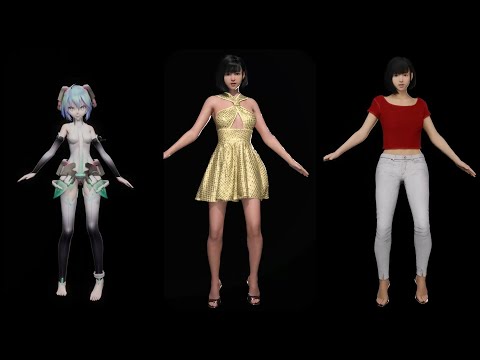
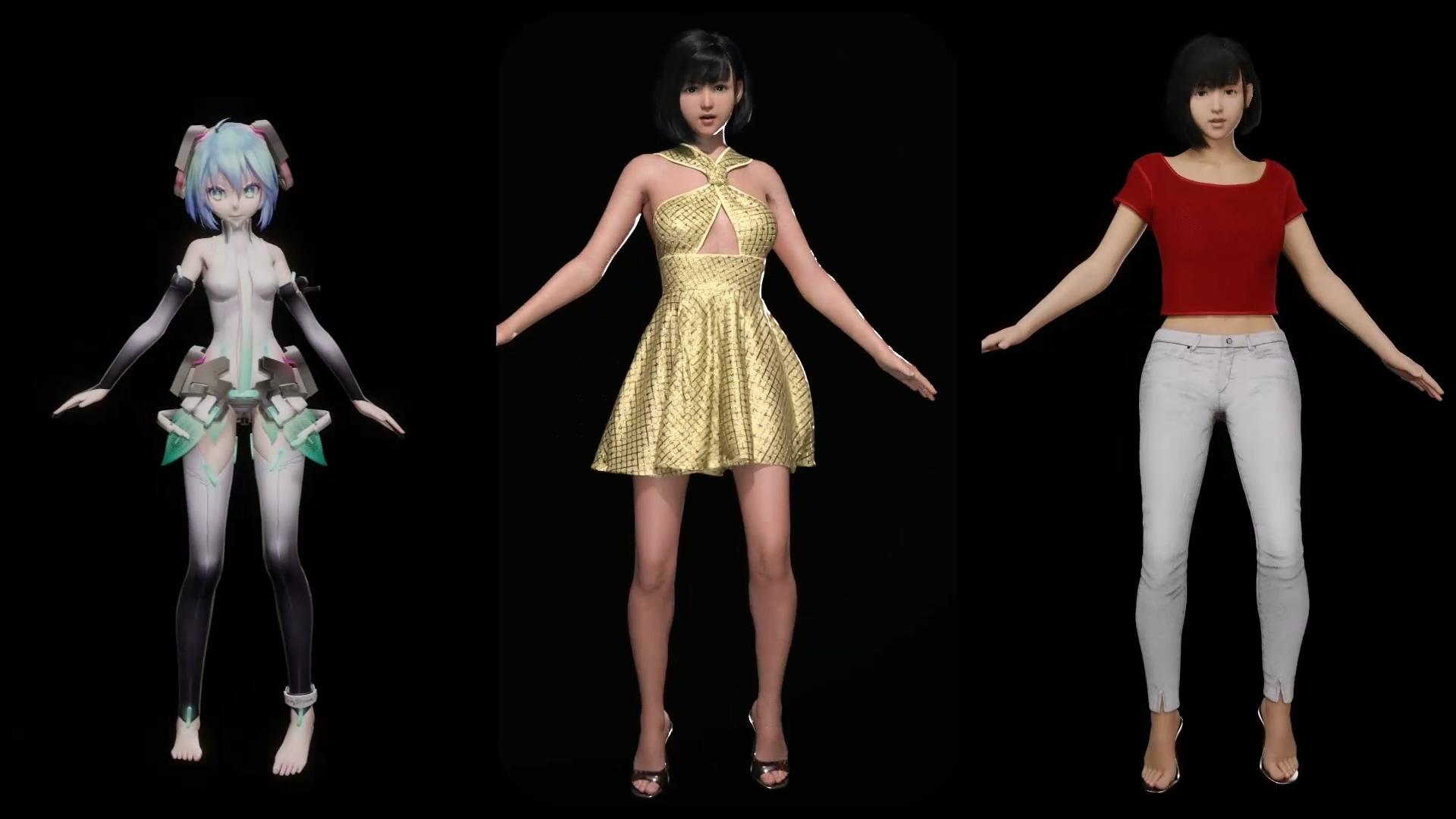
Result example:
Following video got about 3million views for using a Daz character and a mmd dance motion. In the past, it takes a lot of effort to achieve this. But by following above tutorial, everyone can do this in a few minutes now.
 [Released] RSSY Clothing Converter from Victoria 4 to Genesis 8 Female [Commercial]
kyoto kid said:
...I have the V4 to G3F converter but when I open it for some reason it doesn't see the folder "Poser Formats/Library" where all my Gen4 content is on even though it is mapped in the Content Directory Manager.
It doesn't see it or it doesn't recognize any of the files as clothing files? The older stuff is notorious for poor metadata. Unfortunately, you will need to add them yourself (and uncheck the "Check Content Type")
Can I delete files in the Daz Connect system folder?D|S would be a shortcut way of referring to Daz Studio.
The CMS Database referrs to the "Content Management System" which is a database that runs on PostgreSQL. It contains data about your installed products which allows the searching and categorisation to work much faster than if Daz Studio had to go through and read all the installed files every time. One of the things it records is the path to a product's main thumbnail. DIM will set this to the file that sits in /Runtime/Support but if you allow Daz Studio to connect to the servers it will download an aditional thumbnail, put it in that folder you found (along with the JSON file) and update the CMS database to specify that this is the true thumbnail to use.
If you check the date modified on those JSON and image files it should give you a hint as to when your copy of Daz Studio last connected to the servers.
If you exclusively use DIM to install purchases (as I do also) then AFAIK you should never login on the Daz Studio application itself since it will override and somewhat break things that DIM has done.
If you do/did delete those files and are indeed missing thumbnail images then it might be possible to fix them by going to the installed list in DIM, checking the box next to the products and selecting Re-install Metadata -> All Selected. However, I have not checked to see if that does resolve that particular issue. A full re-install of the product should definitely do it but that would suck if you don't keep the downloaded packages on your hard-drive.
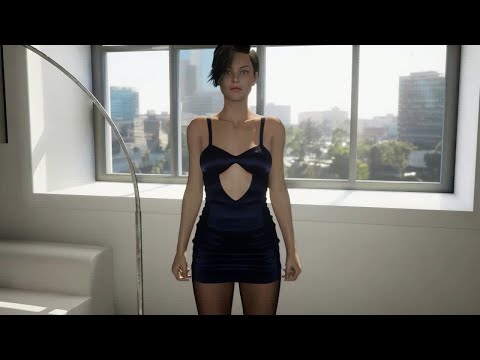
Tighter fitting clothes.You could create your own custom morphs. Just export the clothing item as an OBJ and then import it into a 3D modeling software like Blender and then make your modifications and then create a morph out of the modified OBJ using the Morph Loader Pro in DAZ Studio. Then just dial the morph until the fits is perfect. I do this a lot with clothing for the Genesis 8 Female figures that I import into Unreal Engine. Here I have a G8F character whose pantyhose mesh kept poking through the dress. I fixed the poke through by making custom morph for the dress.
Daz 3D is part of

Connect
DAZ Productions, Inc.
7533 S Center View Ct #4664
West Jordan, UT 84084Licensing Agreement | Terms of Service | Privacy Policy | EULA
© 2026 Daz Productions Inc. All Rights Reserved.