-
Valentino 8 Is here!
At this point, I think the big question is just how many more Core figures/ProBundles going to make for G8? Valentino is the 68th G8 core so far, which means that there have been more G8 base figures than for all of the previous Genesis products combined.
I'm guessing maybe 3 more, and hopefully one of those is Cat 8, we can hope. Victoria's Bday is coming in June. We might be seeing Genesis 9 very soon. We are already at 3 years for Gen 8 cycle. Which I think is one of the longest between Generations.
Generation 4, (Victoria 4/4.2 and Michael 4,) was in the seven year range, based on the info in the readmes. I'm sure someone who was around back then can be more exact. Three years would definitely be the longest of any Genesis generations. Like many others, I don't want to see G9 until there are some definitive changes to the tech, like soft body physics. A new generation for the sake of releasing a new generation does not appeal to me. Or my wallet.
I think V4.2 came out in December of 2006, that is when I bought her around her release. It's been so many years, I can't recall when 4.0 was released.
I'm sure Daz has been working on Gen 9 the last 3+ years. Hopefully some of your ideas will be part of it.
Valentino 8 Is here!At this point, I think the big question is just how many more Core figures/ProBundles going to make for G8? Valentino is the 68th G8 core so far, which means that there have been more G8 base figures than for all of the previous Genesis products combined.
I'm guessing maybe 3 more, and hopefully one of those is Cat 8, we can hope. Victoria's Bday is coming in June. We might be seeing Genesis 9 very soon. We are already at 3 years for Gen 8 cycle. Which I think is one of the longest between Generations.
Generation 4, (Victoria 4/4.2 and Michael 4,) was in the seven year range, based on the info in the readmes. I'm sure someone who was around back then can be more exact. Three years would definitely be the longest of any Genesis generations. Like many others, I don't want to see G9 until there are some definitive changes to the tech, like soft body physics. A new generation for the sake of releasing a new generation does not appeal to me. Or my wallet.
Valentino 8 Is here!At this point, I think the big question is just how many more Core figures/ProBundles going to make for G8? Valentino is the 68th G8 core so far, which means that there have been more G8 base figures than for all of the previous Genesis products combined.
I'm guessing maybe 3 more, and hopefully one of those is Cat 8, we can hope. Victoria's Bday is coming in June. We might be seeing Genesis 9 very soon. We are already at 3 years for Gen 8 cycle. Which I think is one of the longest between Generations.
Eyelashes are fixed (not animated) on Collada .dae walk animation exportEyelashes are fixed (not animated) on Collada .dae walk animation export
Please check bellow:
https://gyazo.com/1a6f9772a11e5ccdeab0c31c29b0b627Figure: Victoria 8
Tried all possible .dae settings: merged bones, no morphs, with morphs, etc
Really appreciate any help! : )
Which Genesis generation puts smallest load on processor and memory?There are two things that drive up memory, geometry and textures. It is true that newer models like Genesis 3 and 8 actually have slightly less geometry than say Victoria 4, though HD morphs can increase that a lot. So just don't use the HD morphs then.
HD morphs don't in themselves change the mesh resolution - DS/Iray uses the Render division parameter (or the displacement SubD value from the model's surfaces if greater) to dtermine how much mesh Iray handles, HD morphs and displacement potentially move the vertices of that divided mesh from their creation location.
But textures have grown wildly since the days of Victoria 3 and 4. Many textures are often 4096 x 4096, but some characters might have a few 8192 x 8192 size textures. Some textures might be saved in giant tiff files, I have seen single textures for a normal map that are 80+ MB in size. Not many do that, but many characters have a lot more textures than the old days, too. There are a lot of different surface options for Iray, and you might have 5 or 6 textures for every surface. Many use at least 4.
All of these textures add up real fast when they are large.
But it doesn't have to be that way. You can resize and compress textures to save memory. There are even several products all dedicated to optimizing scenes to use less memory.
So while new models generally do use a lot more memory, it is possible to optimize them down quite a bit. How much you save depends on just how much you want to do and how far you take the compression. If you make a texture 1024 x 1024 and compress it even more, you will probably notice the drop in quality. But maybe if this character is far away from the camera you might not notice. Its all variable on what you do.
Which Genesis generation puts smallest load on processor and memory?There are two things that drive up memory, geometry and textures. It is true that newer models like Genesis 3 and 8 actually have slightly less geometry than say Victoria 4, though HD morphs can increase that a lot. So just don't use the HD morphs then.
But textures have grown wildly since the days of Victoria 3 and 4. Many textures are often 4096 x 4096, but some characters might have a few 8192 x 8192 size textures. Some textures might be saved in giant tiff files, I have seen single textures for a normal map that are 80+ MB in size. Not many do that, but many characters have a lot more textures than the old days, too. There are a lot of different surface options for Iray, and you might have 5 or 6 textures for every surface. Many use at least 4.
All of these textures add up real fast when they are large.
But it doesn't have to be that way. You can resize and compress textures to save memory. There are even several products all dedicated to optimizing scenes to use less memory.
So while new models generally do use a lot more memory, it is possible to optimize them down quite a bit. How much you save depends on just how much you want to do and how far you take the compression. If you make a texture 1024 x 1024 and compress it even more, you will probably notice the drop in quality. But maybe if this character is far away from the camera you might not notice. Its all variable on what you do.
Large tiff files should not make any difference to the resources used by Daz Studio, since any graphic files read in will be converted into an internal format used by the program. Big tiff files do however waste a lot of disk space, and personally I would prefer it if PAs avoided that format.
Create New Character From Morphs QuestionOh and i have a follow up question. Say i created this new character by applying morphs to Victoria 8. Can i create a single Morph/Shape-Slider so that i can apply this shape (the altered Vicotira 8 Shape) to the Genesis 8 Base Figure. So that i dont have to load Victoria 8 first and then apply the slider but do that with the Genesis Base Figure? I hope you know what i mean. Thanks
Create New Character From Morphs QuestionHello everyone,
How can i save a figure that i applied a variety of morphs on as a new base character? What i mean is this: I load Victoria 8, i apply about 30 different morphs. Now i want to save this character in a way so that if i load the figure, it has the shape i created with the morphs BUT the sliders are all zero. So essentially like all the characters i can buy on DAZ, they have different shapes but only one Dial to apply its shape (Like the Victoria 8 Body and Head sliders). How do i do that?
Thanks
ISO Figure in Cold Weather Outfit promos?Can anyone help me identify the figure used in the Cold Weather Outfit promos? I know the hair is Viola Braid, but haven't been able to find the figure yet. Thanks in advance!
https://www.daz3d.com/cold-weather-outfit-for-genesis-8-female-s
Looks like Victoria 8.
Which Genesis generation puts smallest load on processor and memory?There are two things that drive up memory, geometry and textures. It is true that newer models like Genesis 3 and 8 actually have slightly less geometry than say Victoria 4, though HD morphs can increase that a lot. So just don't use the HD morphs then.
But textures have grown wildly since the days of Victoria 3 and 4. Many textures are often 4096 x 4096, but some characters might have a few 8192 x 8192 size textures. Some textures might be saved in giant tiff files, I have seen single textures for a normal map that are 80+ MB in size. Not many do that, but many characters have a lot more textures than the old days, too. There are a lot of different surface options for Iray, and you might have 5 or 6 textures for every surface. Many use at least 4.
All of these textures add up real fast when they are large.
But it doesn't have to be that way. You can resize and compress textures to save memory. There are even several products all dedicated to optimizing scenes to use less memory.
So while new models generally do use a lot more memory, it is possible to optimize them down quite a bit. How much you save depends on just how much you want to do and how far you take the compression. If you make a texture 1024 x 1024 and compress it even more, you will probably notice the drop in quality. But maybe if this character is far away from the camera you might not notice. Its all variable on what you do.
Help aligning sleeve tattoo - Gen3/8 femaleIs the tattoo a jpg or a png file? If it's a PNG you could use the Layered Image Editor to place it on the torso and arm individually and use the movement/scaling dials in the LIE to fit it.
I did find a tutorial from L'Adair on using the Map Transfer in studio to go from Genesis 3 to 8 you should be able to just swap in Genesis 2 for the Genesis 3 references and be good.
There are also a couple of products from Cayman Studios in the store that will automatically transfer the Genesis 2 skins to Genesis 8 if you don't want to go through a ton of work:
Legacy UVs for Genesis 8: Genesis 2 Female
Legacy UVs for Genesis 8: Victoria 6
As a side note I do own most of Cayman's UV transfer sets and they are all really well done.Hope this helps!
ElliWhich Genesis generation puts smallest load on processor and memory?Poly count is only one part. Skin texture is another. G8 is by far the heaviest, as G8 uses (by default) chromatic SSS. You could have two same exact G8 base characters...put a chromatic skin on one (say...CJ8's skin for example) and then a mono skin on the other (say...Victoria 7's skin for example)...and the mono skin character will render out much faster. The size and amount of texture maps used are the same...but chromatic SSS is way heavier due to the way it utilizes scattered light.
Vyusur Janna etc in CarraraMay the Fourth be with you - Attack of the Clones
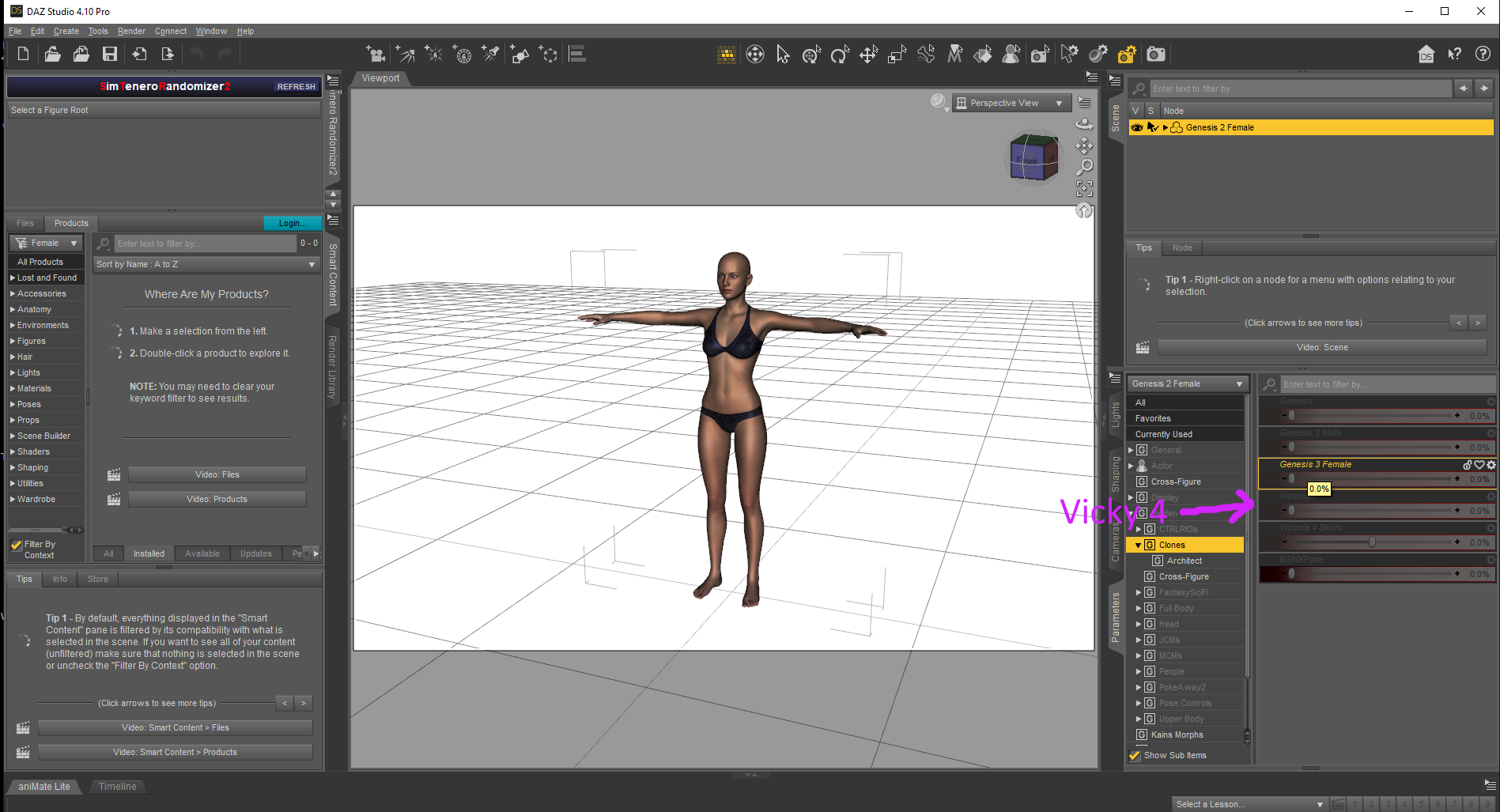
I often use that Carrara Plugin that they have to give away to convert clothing using clones !
Genesis 3 Female for Genesis 2 Female(s) - https://www.daz3d.com/genesis-3-female-for-genesis-2-female-s
Genesis 3 Male for Genesis 2 Male(s) - https://www.daz3d.com/genesis-3-male-for-genesis-2-male-s
Wear Them All - Autofitting Clones and Clothing Smoothers for Genesis 3 Female(s) - https://www.daz3d.com/wear-them-all-autofitting-clones-and-clothing-smoothers-for-genesis-3-female-s
Wear Them All - Autofitting Clones and Clothing Smoothers for Genesis 3 Male(s) - https://www.daz3d.com/wear-them-all-autofitting-clones-and-clothing-smoothers-for-genesis-3-male-s
Victoria 4 for Genesis 2 Female - https://www.daz3d.com/victoria-4-for-genesis-2-female
Not clones but in DAZ Studio you can morph away
Generation 4 Legacy Shapes for Genesis 2 Female(s) - https://www.daz3d.com/generation-4-legacy-shapes-for-genesis-2-female
Generation 4 Legacy Shapes for Genesis 2 Male(s) - https://www.daz3d.com/generation-4-legacy-shapes-for-genesis-2-male
How to use eyebrow props?If you have a base Victoria 8 character and attach the fibermesh eyebrow prop that came with it, is the intended design that you remove the 2D eyebrow texture on the skin and only use the prop? Does the seperate eyebrow prop require the 2D eyebrow texture on the skin to work properly?
Im sure there are cases where having both or one or the other looks better, but I am mostly curious what the intended functionality is.
40% off PC+ MembershipThanks to everyone!
It finally worked here are details:
I had the stuff I wanted in my cart and decided to buy a couple more items before checking out. So, I went to another page [I think it was the Victoria page] and ended up getting a new release from THAT page so that I could get the victoria stuff free. When I went back to the cart, everything was exactly what it was supposed to be!
So, I ended up removing the more expensive product that I really didn't need atm, but was only getting to get the discount on the membership and just bought the Victoria stuff that was in my cart.
Also realized that some of the coupons do NOT work if you have ANYTHING that has a cost of $0.00 in your cart. So be aware of that.
Good luck to everyone else, hope your stuff works out for you too![Released] Character Converter from Genesis 3 Female to Genesis 8 Female(Now Conv JCMs) [Commercial]I tried to convert the lydiahd character (https://www.daz3d.com/lydia-hd-for-victoria-7) and it looks pretty good with one exception.
There is a "seam" visible on the right arm but strangely not on the left.
Is there a way to correct that?
Perhaps it is a UV problem on the material. Do you have
https://www.daz3d.com/genesis-3-character-uvs-for-genesis-8-female
No, I don't have that product.
But what use would it be?
I think that LydiaHD is not a "Daz Original '7' figure"?
I would like t apply the lydiaHD skin on the figure correctly.
Lydia probably uses a different UV layout than Genesis 8. Default materials copied to your new Genesis 8 characters may have ugly seams and/or misaligned features due to the different UV layout.
I know that it probably uses a different UV layout. I wanted to know if there is maybe a way to correct that. I guess not.
Sorry, not from this script. This script just copies the materials to G8F. The UV Layouts have to match.
Tears HD Plentiful Tearshttps://www.daz3d.com/tears-hd-plentiful-tears
I have tried this product every way I ncan think of but I am not seeing any tears. It shows up in my materials tab but nly as materials. No Props etc. I have tried rendering it as iray and mdle and viewing it in the iray mde but nothing. Where should the prop be appearing in my content or sliders. The figure in the image is victoria 7 wich is supposed to be supported.
40% off PC+ MembershipHi Sabastina!
First off, don't panic too much about this. Although the Daz sales team are not available right now, they'll see you contacted them when the sale was valid/on offer. How they handle tickets is 100% at their discretion BUT they are extremely fair, understanding and kind from my experience. You've done the right thing raising the ticket at the time that you have

In terms of assistance, is there anything else in your cart? PC is usually $70 so if you're seeing $7 off then that's 10%... which is perhaps the discount offer without a new release. I can suggest clearing your cart, clearing your cache, make sure you don't have any coupons applied in case that's throwing it off, and then add the new release and THEN the membership using the "Buy Now" button in the sales banner. I'd test this for you myself, but I am PC+ so the offer doesn't extend to me (sadly lol as I'd love a wee 40% off my continued membership haha)
If that still doesn't work... the site can be a little unpredictable sometimes (I couldn't get the free Victoria offer to work at all yesterday but now it's working fine!) so can only suggest keep trying later today and tomorrow and if still no joy, well, I'm sure CS will do all they can to help fix the issue for you come Monday
 How does the 'Free Victorias' offer work?
The 'Free Victorias' offer https://www.daz3d.com/victoria-for-free says 'Items must be in cart simultaneously for discount to apply' so my assumption was that when I put both a new release and a Victoria Base in the shopping cart the final price for Victoria should go to $0. It doesn't seem to happen so either I'm getting that wrong or the promo is over - any clues?
Report sales errors here: "There's Always Another Sale™"It was already corrected, its only 3 times for "05-20PLATCLUB"
And the victoria code already expired.
Is that 3x use for the month of May? or only for the weekend?
Daz 3D is part of

Connect
DAZ Productions, Inc.
7533 S Center View Ct #4664
West Jordan, UT 84084Licensing Agreement | Terms of Service | Privacy Policy | EULA
© 2026 Daz Productions Inc. All Rights Reserved.