-
How to keep daz3d cloth surface name when exporting to marvelous designer?
That's not what I want to do. Because the geometry is changed, I create a rip version of the cloth. Thus can't import it as a morph.
I need the name of the surface stay the same so I can copy paste the material settings from the original.By using blender and that script, I can manipulate the rip verison, and still can copy paste the material.
How to keep daz3d cloth surface name when exporting to marvelous designer?Yea, I remember this tutorial which is a good one.
So, if you want to make some fold / crease on the clothing by real-time sim and grabbing, pls go ahead with doing it in MD. Then you just need to import the morph back to DS to either update Base geometry or create morph properties on the clothing. Actually you don't need surface definition or names...
Marahzen's Musings on Creating Characters (and other matters)In the spring of 2023, there was chatter on multiple threads here at Daz about creating G9 characters with the major character-creator options (FaceGen, Face Transfer, HeadShop), and I found myself having exchanges with a committed FaceGen user. He had a couple of fair points on his side: Face Transfer Unlimited had not been updated since it came out in 2019, and there was no obvious sign at the time that it would be updated to do G9. Meanwhile, FaceGen was still in active development, and its developers had specifically indicated that a G9 version was in the works. Moreover, FaceGen created cleaner textures and also had the option to pick custom mat files.
It was something that caused me to rethink my process in a fundamental way.
Having given a fair test to all three options - FaceGen, Face Transfer and HeadShop - I continued to prefer the shape created by Face Transfer/Face Transfer Shapes, but I agreed that FaceGen produced the best textures.
And therein were the first seeds sown that changed up everything by the end of the year.
Need help transfering runtime to another drive..Hello Folks
As my hard drive is filling up I want to be able to transfer my runtime over to an external storage (a 560 GB SD card) so I can free up space on my PC. Can anyone recomend tutorials or point me in the right direction of forum threads so I can do it without messing everything up. Also I have noticed that there are duplicate studio files on my PC: whats the best way of deleting them without screwing up the runtime?
Many thanks,
Andrew
Celebrity Look-a-Likes for 3D figures Part 4Any recommendations for a Michael J. Fox / Marty McFly character or morph?
Superheroes Rebooted - Renders Assemblesouravpadhi89 said:
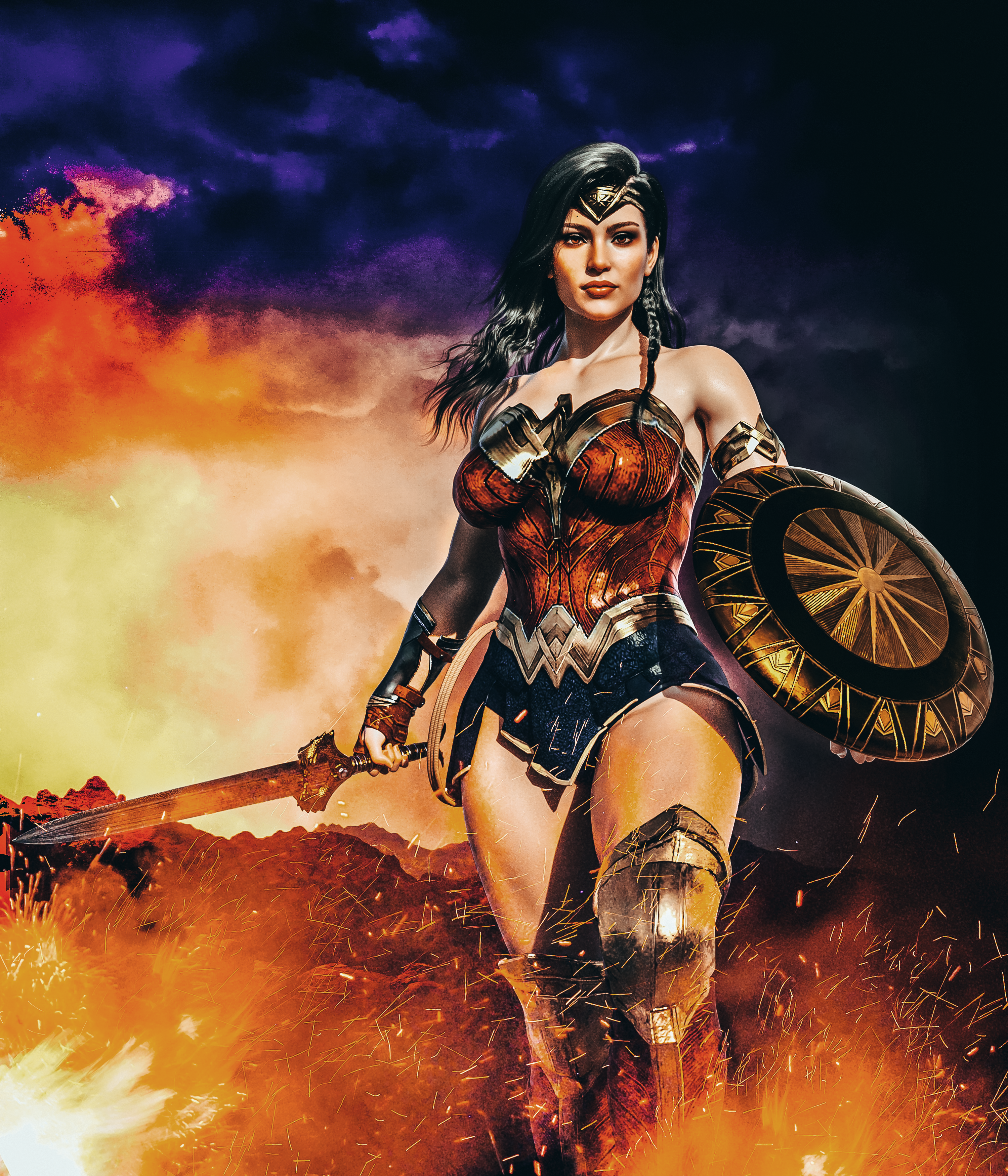
Gallery: https://www.daz3d.com/gallery/user/5122151826849792#gallery=newest&page=1
I'd love to know what body morph you used here. It's muscular yet feminine.
currently usedtomasball said:
If I'm understanding you, I will still have to figure out which morph has the wrong default value, by searching through every morph dial?
Zero the figure and then look ar the "Currently Used", the dial(s) with a non-zero default value should be shown with a value of "0" in white
currently usedIf I'm understanding you, I will still have to figure out which morph has the wrong default value, by searching through every morph dial?
Marahzen's Musings on Creating Characters (and other matters)For a long time thereafter, my character creation process hardly changed at all. Toward the end of 2022, I retired Altern8 in favor of a custom process for doing skin textures that a friend who was pursuing his own Daz projects had created. But other than that, the year went by without much modification to my character creation.
And then everything changed.
Two gig seasons came and went, and spring 2023 found me at a crossroads. Genesis 9 had come out the previous fall, and I had by then invested in some G9 shape/morph utilities and even a few commercial characters. (Not for the characters, but because there were times when there was such an attractive, stacking deal on the bundle that it was worth it to me, even if I never used the characters themselves for anything.) I was getting close to two years spent on Daz, and I hadn't actually created any new final characters in over a year. I think I had been looking for that "next great thing" and the arrival of G9 threw an additional complication into the mix. Of course, 2023 dawned with no easy path to creating G9 characters but I knew it was only a matter of time before that changed, and I was going to have to decide whether to stay the course with G8 or switch to G9 (or, possibly, use both).
Of the major players, it was HeadShop that was first out of the gate to offer the ability to create G9 characters. I had not done anything with HeadShop yet - I had not strayed from Face Transfer since switching in late 2021. Given a lucky opportunity to test drive it, I found it was an useful experience and created a few interesting characters. But for all of my careful, evolving procedures with creating characters in G8, I had almost no tools in the toolbox to reach for in creating a G9 character. It was, in so many respects, like starting over again.
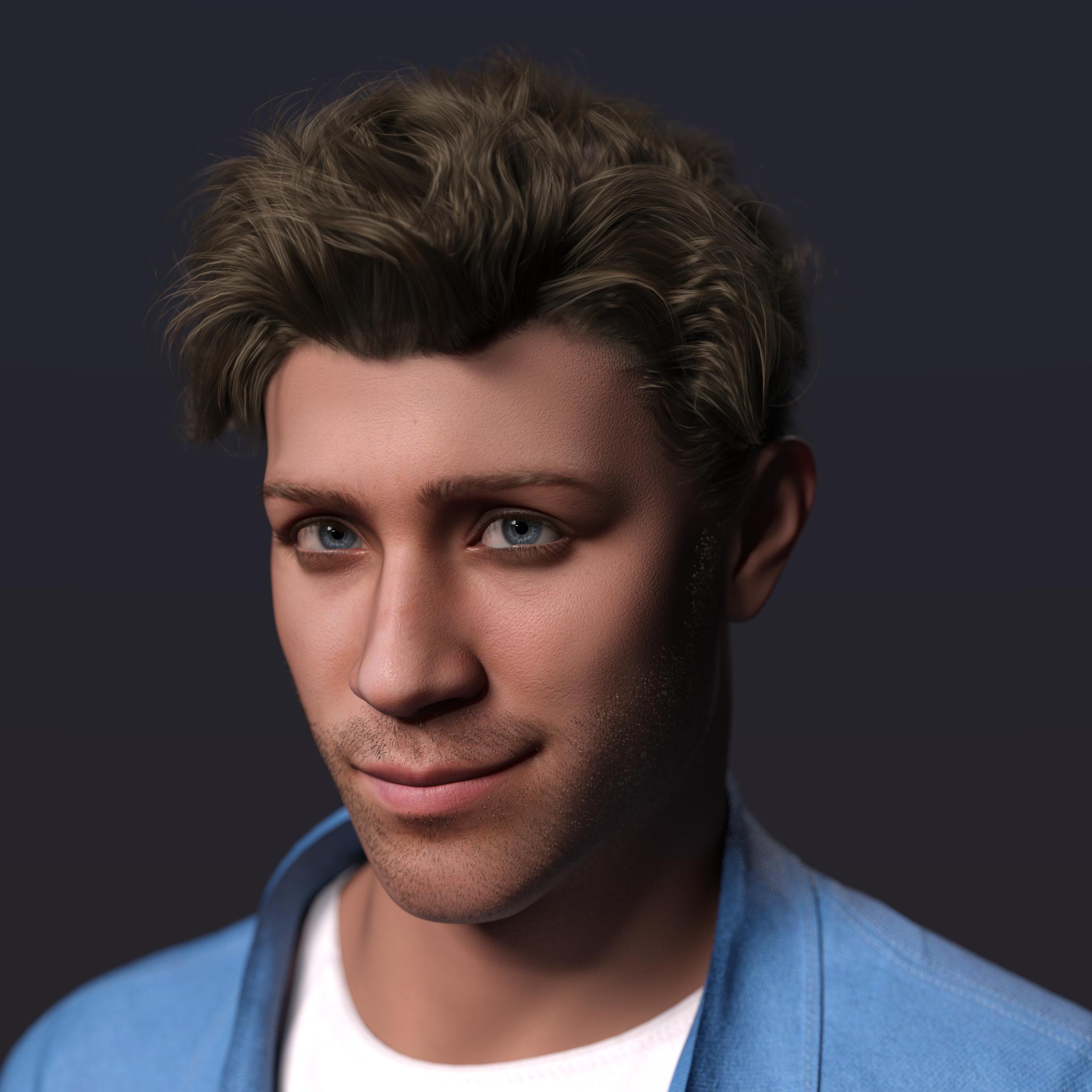
This one is retrospectively my favorite of the HeadShop creations. It's a cute variant of one of my major characters, but it wasn't "the thing" I was looking for, and I moved on to a new challenge - converting my G8 Face Transfer shapes to G9.
Unable to apply hair assets after transferring filesYou just copied user-facing files of this product but left the required geometry / morph files in data folder as well as texture maps in runtime\textures folder...
You can copy the IM package of this product from Package Archive folder to another PC and install or dump the content folder to your Daz Library accordingly. If you've deleted the package, you can also get the full File List of the product in here - http://docs.daz3d.com/doku.php/public/read_me/index/93660/file_list
Then copy them to another PC.
Unable to apply hair assets after transferring filesI just can't find an answer to this. Using Daz 4.22 I purchased Suri Hair G9. It works fine on one machine but I can't get it to run on another machine. I've transferred the entire SWAM folder from Local Disk (C:) > Users > Public Documents > My DAZ 3D Library > People > Genisis 9 > Hair > SWAM > Suri Hair Genisis9. The folder consists of an Iray folder and Presets: both containing .duf, tip.duf, tip png, .jpg etc. The other three files: Suri Hair G9.duf, Suri Hair G9.duf.png, and Suri Preset Style short front.tip.png. No other files.
I then transfer the SWAM file to the other machine. The assets appear where they should be but when I try to apply them I get missing file error messages as shown in the provided images below. I must be missing something here but I have no idea what. Please help. Thanks
(Link removed by mod. Please review this thread and repost https://www.daz3d.com/forums/discussion/3279/acceptable-ways-of-handling-nudity)Getting on the 9 train, or notSilent Winter said:
kyoto kid said:
...this will let you move G3 morphs to G8, and it's even on sale right now.
https://www.daz3d.com/xtransfer--genesis-3-to-genesis-8-converter
it even works with morph kits. and Genisis X Utilities
Also check Genesis X which as well as the add-ons will let you transfer morphs from Gen4 and G1/G2 to G3 Morphs and shapes transferred to G3 are also transferable to G8 with the above.
https://www.daz3d.com/genesis-generation-x2
https://www.daz3d.com/genx2-addon-for-genesis-2
https://www.daz3d.com/genx2-addon-for-genesis-3 (this will lt you transfer Genesis 2 morphs and shapes to Genesis 3.
All are also on sale.
Yes - except it won't transfer HD morphs - so depending on the character, results may vary.
I noticed. Nothing to do for it. Still, it's increasing my possibilities, and I'm pleased with the results.
Getting on the 9 train, or notkyoto kid said:
Torquinox said:
I'm increasingly moving to G8 with a fair amount of G3 and still some G2. I have no mechanism for moving hd morphs across generations. That's a limitation and some of .the earlier work is still great! I'll probably do something with G9 some day. It's just, today is not that day.
...this will let you move G3 morphs to G8, and it's even on sale right now.
https://www.daz3d.com/xtransfer--genesis-3-to-genesis-8-converter
it even works with morph kits. and Genisis X Utilities
Also check Genesis X which as well as the add-ons will let you transfer morphs from Gen4 and G1/G2 to G3 Morphs and shapes transferred to G3 are also transferable to G8 with the above.
https://www.daz3d.com/genesis-generation-x2
https://www.daz3d.com/genx2-addon-for-genesis-2
https://www.daz3d.com/genx2-addon-for-genesis-3 (this will lt you transfer Genesis 2 morphs and shapes to Genesis 3.
All are also on sale.
Thanks my friend. I already bought and have been using all of them! Very cool! I'm even moving my favorite V4s up the ladder.
 currently used
From what I understand, the "Currently Used" only shows dials that are at non-default value - rather than non-zero value. So it seems that your naughty morph has a non-zero default which you can fix by loading either the base or dev version of the figure, setting the morph to zero, memorising the figure and then saving modified assets. This last stage should show a dialog box showing that the morph you adjusted will be amended.
currently usedI am having a frequent problem: I load a figure from my library, and it obviously has some morph activated that I didn't want, but when I click on "currently used" the offending morph does not show up. I have to go line by line through all the parameters to find the morph that, although it is set at much more than zero, does not appear under "Currently used."
Is there some way to get Daz Studio to actually show you which morphs are active in a figure?
4in1 Sporty Ponytails for Genesis 9 large anomaly on foreheadAs others have said, this isn't a fault with the hair. Every hair product has the potential to do this and there are a couple of ways to fix it:
OOT usually hides the scale parameter but you can expose it by turning on hidden parameters. Scale the base to 100.5% and the problem should go away. For hairs with separate elements like tails, though, this scaling might cause problems but it's usually fine for single object hairs. You can also set Instancing Optimization in Render Settings to 'speed' and that will often cure it too, however I don't think either of these methods is really the way to do it.
For your particular hair, the highlighted morph in the image is the thing you want to change. A 2 to 3% change usually cures it. Do have a look through the parameters of your hairs. OOT in particular includes a lot of morphs which can completely transform the hair enabling you to use it on multiple characters without it looking remotely the same.
4in1 Sporty Ponytails for Genesis 9 large anomaly on foreheadWith the head cap selected, try to check if there isn't a morph to adjust the size of the cap
Getting on the 9 train, or notkyoto kid said:
Torquinox said:
I'm increasingly moving to G8 with a fair amount of G3 and still some G2. I have no mechanism for moving hd morphs across generations. That's a limitation and some of .the earlier work is still great! I'll probably do something with G9 some day. It's just, today is not that day.
...this will let you move G3 morphs to G8, and it's even on sale right now.
https://www.daz3d.com/xtransfer--genesis-3-to-genesis-8-converter
it even works with morph kits. and Genisis X Utilities
Also check Genesis X which as well as the add-ons will let you transfer morphs from Gen4 and G1/G2 to G3 Morphs and shapes transferred to G3 are also transferable to G8 with the above.
https://www.daz3d.com/genesis-generation-x2
https://www.daz3d.com/genx2-addon-for-genesis-2
https://www.daz3d.com/genx2-addon-for-genesis-3 (this will lt you transfer Genesis 2 morphs and shapes to Genesis 3.
All are also on sale.
Yes - except it won't transfer HD morphs - so depending on the character, results may vary.
Getting on the 9 train, or not
I'm lucky to have Texture Converter 2 that makes it easy to convert V4 textures to G3 UVs. Unfortunately it is no longer available. So, I can even use V4 textures easily with G3 and even mix them with native G3 textures. Helps a lot.richardandtracy said:Wonderland said:
I'm finding I'm spending way too much time trying to morph G9 to look more like G3 and it's dawning on me, why don't I just use G3? I like the body proportions and faces so much better. Even the bends are better IMO. I like G8 too but I have so much content, she takes like 45 minutes to load. I was thinking of converting some G3 or G8 characters to G9, but why? The make-up system is awful and I can't tweak iris colors or lip gloss easily. After all this time, I still find no advantage to G9. At least these sales are great for scooping up older content at great prices.
Agree totally. I must admit I rarely bother differentiating between G3 & G8. Most clothing and hair is swappable (shoes less so, but that's the only biggish problem), poses can be cross applied and corrected with ease. Virtually all textures and skins can be used on both. The only exclusively G3 texture thingy I've come across is Wet & Tanned Skins for G3, and I have an idea how to spoof G8 as G3 for long enough to get it to work - have yet to try it, but the idea is there. The product was definitely the right price, and if all else fails, getting the material right on G3 & saving a temporary material setting isn't a great hardship.
Regards,
Richard
John 9!I like the character's modeling, he's definately not the usual character here at DAZ, and while the crown of thorns and such really did happen, it still always makes me cringe, in a real way, even though I've seen, in Catholic churches and areas, countless carvings and paintings of Jesus in just such a crucifix.
I'll buy him, and hope for a Mother Mary, Joseph, and a smattering of others from that area too, even if as just morph shapes with different skin shader presets from existing products.
Daz 3D is part of

Connect
DAZ Productions, Inc.
7533 S Center View Ct #4664
West Jordan, UT 84084Licensing Agreement | Terms of Service | Privacy Policy | EULA
© 2026 Daz Productions Inc. All Rights Reserved.