-
Daz3d export d-force cloth animation
Hello again. I am trying to export from daz to blender and it is completely working with the better fbx import addon in blender. But it seems like my dforce clothing is not has the deformation that is simulated in the daz3d. So how do i export that? Also it needs to be animated like in daz3d.
As you can see in the attached files, the animation is exported correctly but only d-force item is not.
Metadata problems - (Reason found)According to the OP, a duplicate GUID will prevent the product from installing, so it would not even be available to not work, so for you they must have installed successfully. Not working in Smart Content is more likely another metadata problem, since that is what drives the whole system.
When you say it doesn't work, what exactly are the symptoms? For example, I can see all assets of the CC Angelic Accoutrements in Smart Content, in several default categories, as expected, with, say, a G8 character in the scene and selected, with Filter by Context checked (along with a bunch of other compatible items from other products, an "angelic" filter helps narrow it down).
Metadata problems - (Reason found)If you click "Export content metadata" while selecting every smart product, it saves all of their dsx files wherever you specify, and they have GUIDs.
I tried your advice and used notepad++ to search my Manifest folder and it only pulled up the GUIDs from the product files of the ones that are broken. So nothing else has a conflicting GUID that I can find. I searched my custom content folder as well and found nothing. I'm not sure where else I can search. I've had the CC Angelic product for a long time and it has literally never worked right. It's so frustrating.
I really appreciate all your help!
Metadata problems - (Reason found)Personally, I use notepad++ for all things text. In this case you can use Find In Files to search for a specific string in a set of files in any folder hierarchy. The Manifest Archive is a folder (I use DIM, configured in the settings) with a record of every product you have installed, and each .dsx file has all sorts of information about the product, including GlobalID and MetadataID.
Exporting all the metadata from Content DB Maintenance only saves the UserData, and that does not have any GUIDs. To search the vendor data, just go to the Runtime/Support folder and search the metadata .dsx files. That or the manifest archive has all the info you need to find the GUID. Together they have the info that gets entered into the database to begin with, and maybe some other behind-the-scenes data, when installing a product.
Metadata problems - (Reason found)I did the tip from mpadubrin, export all metadata stored in the content database.
Edit: Finished searching and have found no GUIDs that match the ones I'm having problems with. I did make a work-around, though, to at least let me access the products.
1. Navigate to your Daz 3D/My DAZ 3D Library/Runtime/Support folder
2. Open the DSX file for whichever product you're having trouble with. Modify the GUID number in that file, I just went up a number on the last digit, then save.
3. With DAZ closed, open the DAZ Script 2 file of the broken product, it will open DAZ and let you import the product with the altered GUID number you just did. I went a step further and edited the metadata to generate a new GUID for it. If you're doing multiple products, you have to close DAZ each time so it's opening for the import. Don't know why but it doesn't work if DAZ is already open.
Now the broken products are imported into DAZ so I can use them, but it hasn't fixed the issue internally.
Metadata problems - (Reason found)The GUID appears once in the manifest inside the zip archive, and once in the metadata support file. Hopefully they are the same...
Which products are involved? If you have the conflict, anyone esle with the same products will have the same GUID conflicts.
Diffeomorphic DAZ Importer version 1.6.0 releasedI am trying to import an old cow model to blender from daz. Tried a free poser format model that was free, as well as the daz original cow. I get error messages because of legacy skinning.
So I converted the rigging to weight mapping, which avoided the error on import, but there are still some problems, seems that rigging cannot be converted to mhx or rigify.
Sorry if I missed something, I am new at this, I scanned this thread but couldn't find anything useful.
DS 4.21.0.5
Blender 3.4
Diffeo 1.7.0.1332
G8.1 tear clipping with the eyesoutrider42 said:
You can add a smoothing modifier to the tear prop, and your clipping problem will go away. It works so well that I am surprised it is not applied by default.
In the scene tab, highlight the tear prop and click the drop down menu in the scene tab.
Edit>Geometry>Add Smoothing
If you make your morph the same, then it will work the same. Many pro morphs will contain hidden corrective morphs which allow them to work better when posing. You can find these in the data folder itself for the product. You can also look up the readme page for that product, which lists all files it includes. You will probably find a number of items that have MCM or JCM in their file name. These are the correctives. As your morph gets further from the default base Genesis shape, the more important these corrective morphs become.
Thank you so, so much! I will try it as soon as I get back to the PC!
Dannie's eyes move a long way, so I can now understand exactly how that is accounted for in the actual product but not in my simple obj export / import.
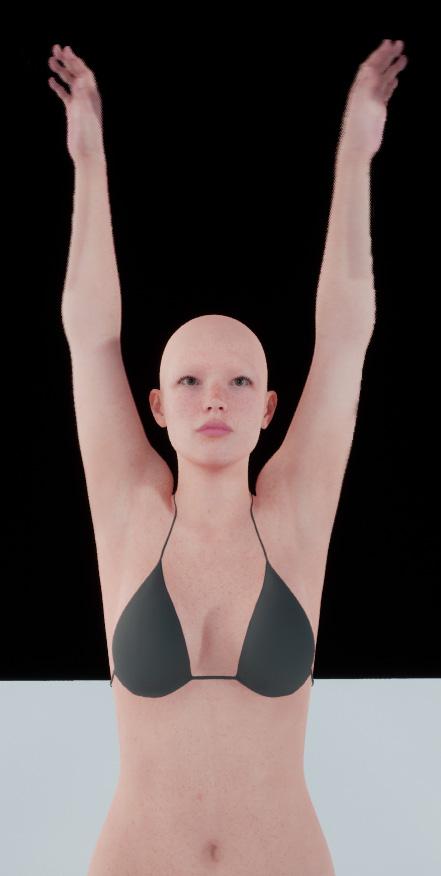
Experimenting with ML Deformer in UE5.1I updated my Houdini asset to support processing of Genesis 9 figures.
This figure is 129,728 polygons with the clothing.
Trained with the Vertex Delta Model on default settings. Took about 20 minutes for the training to complete.
On a somewhat related note, I'm not sure where Daz are going with Genesis 9. In some ways it's a step forward but in other ways it seems to be quite a few steps backwards.
For example, moving the twist bones to be leaf bones rather than inline is a good step forward, although I'm not convinced they needed two twist bones per joint. I think one would have been enough.
However, the face rig now seem to have far fewer bones, meaning they're relying on morphs a lot more to achieve good facial poses, rather than relying more on bones, with the morphs just performing minor corrections.
But the really odd thing, and someone please correct me if I'm wrong, is that the Genesis 9 figure has all these muscle flex morphs, but they don't seem to be connected to any joints. For example, when the forearm bends, the bicep flex morph doesn't trigger automatically. I looks like you have to add it manually but adjusting the slider yourself. This seems very strange to me.
This is going to make creating a training animation for Genesis 9 figures much more complicated.
Presumably it's also going to mean that the offocial Daz to Unreal bridge will need to include many more morph targets for Genesis 9 figures if they want to have realistic muscle deformations.
On the plus side, I've worked out that I can unpack the Alembic cache in Houdini, modify it and repack it without breaking things in terms of the ML training. This has some interesting implications. For example, you could import a single character with clothing into Houdini, separate the character and it's clothing out into different streams and export each separately. Which might be useful for having a character with changable clothing. That is, you can training the character mesh and the clothing separately.
Another thing that would be possible is to automatically delete the polygons on the character mesh that are obscued by the clothing, which could be a useful optimisation step.
Anyway, the next thing I'm going to look into is adding morphs for facial animations.
Improved search features and the best favorite menu?The Content Library search uses file names, the Smart Content pane search uses metadata - freebies and content from other stores can include metadata, or you can add your own
Daz to Blender Animation not workingPadone said:
You can try easy import, be sure to check jcms, then import your animation. Unfortunately for animals and custom figures you may also need to load the custom morphs to make the animation work. Standard figures are easier.
https://diffeomorphic.blogspot.com/p/import-into-blender-version-16.html
Again thank you for taking time to help. I think this is moving beyond my newb-basic Blender knowledge -mainly wanted to do a short animation of Daz horses moving through snow- and I found a snow prop to make it look like a path had been made and I think I'll go with that for now. Going to go learn more about Blender and try tackling Blender-Daz animating once I level up a bit
 but thank you and happy holidays!Daz to Blender Animation not working
You can try easy import, be sure to check jcms, then import your animation. Unfortunately for animals and custom figures you may also need to load the custom morphs to make the animation work. Standard figures are easier.
https://diffeomorphic.blogspot.com/p/import-into-blender-version-16.html
Daz to Blender Animation not workingHello and happy holidays. I have both the Blender bridge and the diffeomorphic (??) script recommended here. Both seem to be set up correctly and work when I send posed and static figures and environments. However when I send over figures with animation things get weird. Either completely distorted or upside down and like .01% of the original size. I watched a couple of Youtube videos and it seemed like no additional steps were needed just export via the daz bridge with no settings changed and then import in Blender. (but the video was older).
How can I get my Daz animated figure (a man on top of a horse riding 30 frames) to import correctly into Blender with the animation???
Thanks in advance!
Diffeomorphic DAZ Importer version 1.6.0 releasedSo I decided to work with evee rather than cycles. I have RTX 3090 but even with that my cycle animations tooks 1 frame 40 second to render. Roughly if I want to render 200 frame animations it tooks nearly 2 hours.
I own three PC’s and a 2017 Imac.
if you have one fully juiced up main machine and one(or two )lesser/oldermachines
the issue of render times can become nearly moot.I personally prefer the look of EEVEE for most things (Particularly blooms)
However EEVEE just plain sucks for volumetrics &Pyro that I import as VDB from Houdini ,so I use Cycles and let the big machine render for however many hours it takes.I am willing to go up to 90 seconds per frame because I can be over on my older toshiba laptop working on a another character animation in a second seat of blender
or totally goofing off online, over on the Imac watching youtube videos etc.Transfer utility from custom poseHi ! Since a really long time i try to use transfer utility with a custom pose. I mean,
- I use a G8F model
- i apply a custom pose
- I send my G8F as OBJ to marvelous designer
- I create my clothe, simulate on my G8F pose (not the basic T pose)
- I import the clothe create with marvelous designer to DAZ.
- NOW i want to use Transfer Utilty to create a figure.
The problem is, when you use transfer utility DAZ always restore your pose to ZERO and then create the figure.
Someone can help me ?
Daz Studio Pro BETA - version 4.22.0.15! (*UPDATED*)f7eer said:
In the beta version of Daz Studio (4.21.1.26), the new version of IRAY (NVIDIA Iray 2022.1.1 (363600.1657)) breaks hdri environment domes which are .exr files.
I have four Flipmode products (FMEETreeOfLife (sku: 31867), FMEE GreenHills (sku: 15465), FMEE HighPeaks (sku: 36123), FMEE Eternal White (sku: 36141)), which use files of this type.
I get the following error message when rendering:
2022-12-23 14:04:14.081 [WARNING] :: ..\..\..\..\..\src\pluginsource\DzIrayRender\dzneuraymgr.cpp(377): Iray [ERROR] - IMAGE:IO :: 1.0 IMAGE io error: The image plugin "oiio_exr" failed to import "C:\Users\Public\Documents\My DAZ 3D Library\Runtime\textures\FM_EasyEnvironments\GreenHills\EEGreenHills.exr".
The result of the render is a sky dome colored bright magenta.
I get exactly the same result - error message and magenta sky.
Daz Studio Pro BETA - version 4.22.0.15! (*UPDATED*)In the beta version of Daz Studio (4.21.1.26), the new version of IRAY (NVIDIA Iray 2022.1.1 (363600.1657)) breaks hdri environment domes which are .exr files.
I have four Flipmode products (FMEETreeOfLife (sku: 31867), FMEE GreenHills (sku: 15465), FMEE HighPeaks (sku: 36123), FMEE Eternal White (sku: 36141)), which use files of this type.
I get the following error message when rendering:
2022-12-23 14:04:14.081 [WARNING] :: ..\..\..\..\..\src\pluginsource\DzIrayRender\dzneuraymgr.cpp(377): Iray [ERROR] - IMAGE:IO :: 1.0 IMAGE io error: The image plugin "oiio_exr" failed to import "C:\Users\Public\Documents\My DAZ 3D Library\Runtime\textures\FM_EasyEnvironments\GreenHills\EEGreenHills.exr".
The result of the render is a sky dome colored bright magenta.
Why does G8F take FOREVER to load?SofaCitizen said:
Wonderland said:
I just added to my last post while you were posting this. DS was updating metadata through Connect so I must have several items installed through Connect which maybe leads to duplicate formulas. I logged out of DS and now all products are in the wrong order but how do I uninstall all Connect items/?
Yeah, having Daz Studio able to connect to the internet just seems to break stuff unfortunately. You'll want to specifically uninstall all products that Daz Connect thinks is installed and then reinstall them dia DIM (or Central I suppose). Working out which products to uninstall is the tricky part. It's been a while since I have done that and I know how to find them by connecting directly to the CMS using a PostgresSQL client but again that is a route for someone who is comfortable with such things.
It might be possible to find them within the filesystem, however as I don't have any Connect products installed this is a bit of guess-work: See if you can find a folder called "My Daz Connect Library" - for some reason on my machine this is in the Documents/DAZ 3D/Studio folder. In there you can ignore the files in the data/cloud/meta subfolder as those are Connect's updated metadata and not related to Connect installs. However, if there are any other files/folders in there then I think that will be what you are looking for to tell you what products Connect has installed. If you find any references to a product in there then try and uninstall that product from within Daz Studio and the file/folder should hopefully disappear which means you are on the right track.
Thanks, I will try that. For now I logged out and set it up so it won't connect me automatically. I'm now not getting the Migration Failed notice but it's already been 30 minutes and G8 still has not loaded. Just says reading asset... I'll check the log after it finally loads...
Why does G8F take FOREVER to load?Wonderland said:
I just added to my last post while you were posting this. DS was updating metadata through Connect so I must have several items installed through Connect which maybe leads to duplicate formulas. I logged out of DS and now all products are in the wrong order but how do I uninstall all Connect items/?
Yeah, having Daz Studio able to connect to the internet just seems to break stuff unfortunately. You'll want to specifically uninstall all products that Daz Connect thinks is installed and then reinstall them dia DIM (or Central I suppose). Working out which products to uninstall is the tricky part. It's been a while since I have done that and I know how to find them by connecting directly to the CMS using a PostgresSQL client but again that is a route for someone who is comfortable with such things.
It might be possible to find them within the filesystem, however as I don't have any Connect products installed this is a bit of guess-work: See if you can find a folder called "My Daz Connect Library" - for some reason on my machine this is in the Documents/DAZ 3D/Studio folder. In there you can ignore the files in the data/cloud/meta subfolder as those are Connect's updated metadata and not related to Connect installs. However, if there are any other files/folders in there then I think that will be what you are looking for to tell you what products Connect has installed. If you find any references to a product in there then try and uninstall that product from within Daz Studio and the file/folder should hopefully disappear which means you are on the right track.
[Released] Legacy Set Converter * Commercial *Thank you for that shameless plug!
 . Just ahead and grabbed the AMC to add to my toolbox. I believe that the blade blur might be a morph. I know that if I import the Ju88 to DS, the slider for "Prop Blur" does just that.
Daz 3D is part of

Connect
DAZ Productions, Inc.
7533 S Center View Ct #4664
West Jordan, UT 84084Licensing Agreement | Terms of Service | Privacy Policy | EULA
© 2026 Daz Productions Inc. All Rights Reserved.