-
[TEST] Iray render fails in 4.24 but succeeds in daz beta 2026
frank0314 said:
Please make sure to have your as well. What graphics card do you have?
Nvidia RTX 3070 Ti (as mentioned in the post) – I’m currently running some tests to check the stability of DAZ 2026 before buying a nvidia 50-series card.
What do you mean by “question in the text/post box”? I’m sorry, but I’ve never posted on this forum beforeD*cktator morph issueAs long as the discussion is clinical then it is fine, though it may be true that the support forum for the store from which you purchased would be better.
However, this is not about the Daz Studio application but about content so I am moving it to Technical Help.
Let's talk about Holdensid said:
If you search for Uncanny Valet artstation store the rest of the stuff they've made for Daz come up. Very worth a look.
Thanks, I'll take a look.
The 'Eat Your Food and Like It' Complaint ThreadTSasha Smith said:
Apparently if I want a picture of naked chicks in a nest, I need to add bird to search query.
LOL
Let's talk about HoldenIf you search for Uncanny Valet artstation store the rest of the stuff they've made for Daz come up. Very worth a look.
The 'Eat Your Food and Like It' Complaint Thread
+1 LOLTSasha Smith said:
Apparently if I want a picture of naked chicks in a nest, I need to add bird to search query.
A lot of products are missing in smart contenthillside3d said:
Recently I noticed that a lot of products are missing in smart content.
So I asked google and the daz forum for advice...and I couldn't believe what I saw.Appearantly a lot of products found in the official daz store don't have the necessary metadata to work properly with their own software.
What's baffling me, is that daz isn't adressing this issue.This wouldn't bother me if it would only be a few products. But in the last purchase I made, almost half the products I bought were affected. And I bought a lot.
Does the community just accept this?
A lot of products are missing in smart content. -
Yep-, always have been. SmartContent is an idea that has never worked up to the way it was promoted, and everytime DAZ acquires a new bunch of existing products from other stores, the vast majority of them have never been processed into smart content.
What's baffling me, is that daz isn't adressing this issue.DAZ hasn't updated their usuer manual in nearly 13 years old, even though it only addresses how to use the no longer licensed 3DL renderer and lists the pre-iray Genesis 2 as the latest figure base. A large percentage of the catalog don't have read-mes in the product wiki. Why? I can't speculate as forumn rules don't allow us to do that.
Does the community just accept this?
Well, a lot of us simply don't use SmartContent, given that nothing sold by a non-DAZ store is going to work with it anyway, so those of use who don't generally don't care. For those who do, there are some products that let you convert outside product to SmartContent, but it's quite labor intensive. Outside of that, it's DAZ's store and their product, so there's not much we can do otherwise except just not buy here.
The 'Eat Your Food and Like It' Complaint ThreadApparently if I want a picture of naked chicks in a nest, I need to add bird to search query.
New Year, New Sales Thread: Report Issues Here 4 "Reporting Only"3DMinh said:
By the way, I don't understand why in the 1st step: "Search for an item in your wishlist that is not discounted at all". So this sale is only applied correctly for items that have no other discount ?
No, it's just an easy way to check if the sale is working, because there are no other discounts muddying the waters.
The sale definitely works for me, but I tried it Still News, not New Releases.New Year, New Sales Thread: Report Issues Here 4 "Reporting Only"Elor said:
It does work and you can check it:
1. Search for an item in your wishlist that is not discounted at all (so not at Daz Originals) and add it to your cart. It should only have the star discount (so either 10 or 30%)
2. Add a Newly Mad to your cart and you should see the extra 30% discount applied on the item added at the first step (leading to a 51% discount if you have a gold star).
3. Add another Newly Mad to your cart, the extra 50% will now be applied to the item added at the first step (leading to a 65% discount if you have a gold star).
Remove the two Newly Mad from your cart and to Step 2 and 3 again with a Still Mad. You should see the same effect.
I understand how this sale is supposed to work. But on my account currently it is not working. Here are the pictures, you can see 1 or 2 Newly Mad resulting in the same discount number. AND replacing a Newly Mad with a Still Mad item results in a lower discount rate.
By the way, I don't understand why in the 1st step: "Search for an item in your wishlist that is not discounted at all". So this sale is only applied correctly for items that have no other discount ?New Year, New Sales Thread: Report Issues Here 4 "Reporting Only"It does work and you can check it:
1. Search for an item in your wishlist that is not discounted at all (so not at Daz Originals) and add it to your cart. It should only have the star discount (so either 10 or 30%)
2. Add a Newly Mad to your cart and you should see the extra 30% discount applied on the item added at the first step (leading to a 51% discount if you have a gold star).
3. Add another Newly Mad to your cart, the extra 50% will now be applied to the item added at the first step (leading to a 65% discount if you have a gold star).
Remove the two Newly Mad from your cart and to Step 2 and 3 again with a Still Mad. You should see the same effect.
New character Kaien Ren by Luthbel - request for alterationrogerjhardy100 said:
FJM1977 said:
rogerjhardy100 said:
Luthbel released a new character Kaien Ren today and he looks good. the only problem I found is that the HD morph has nipples that only work with the materials provided. I like to mix and match skins and morphs but those nipples pop out in all the wrong places on either male or female skins...ie, they are not centered on where the male or female nipple are usually located. I wonder if Luthbel can modify the HD morph to remove the nipples...maybe have them as an extra morph for those that want to yuse the Kaien Ren skins?
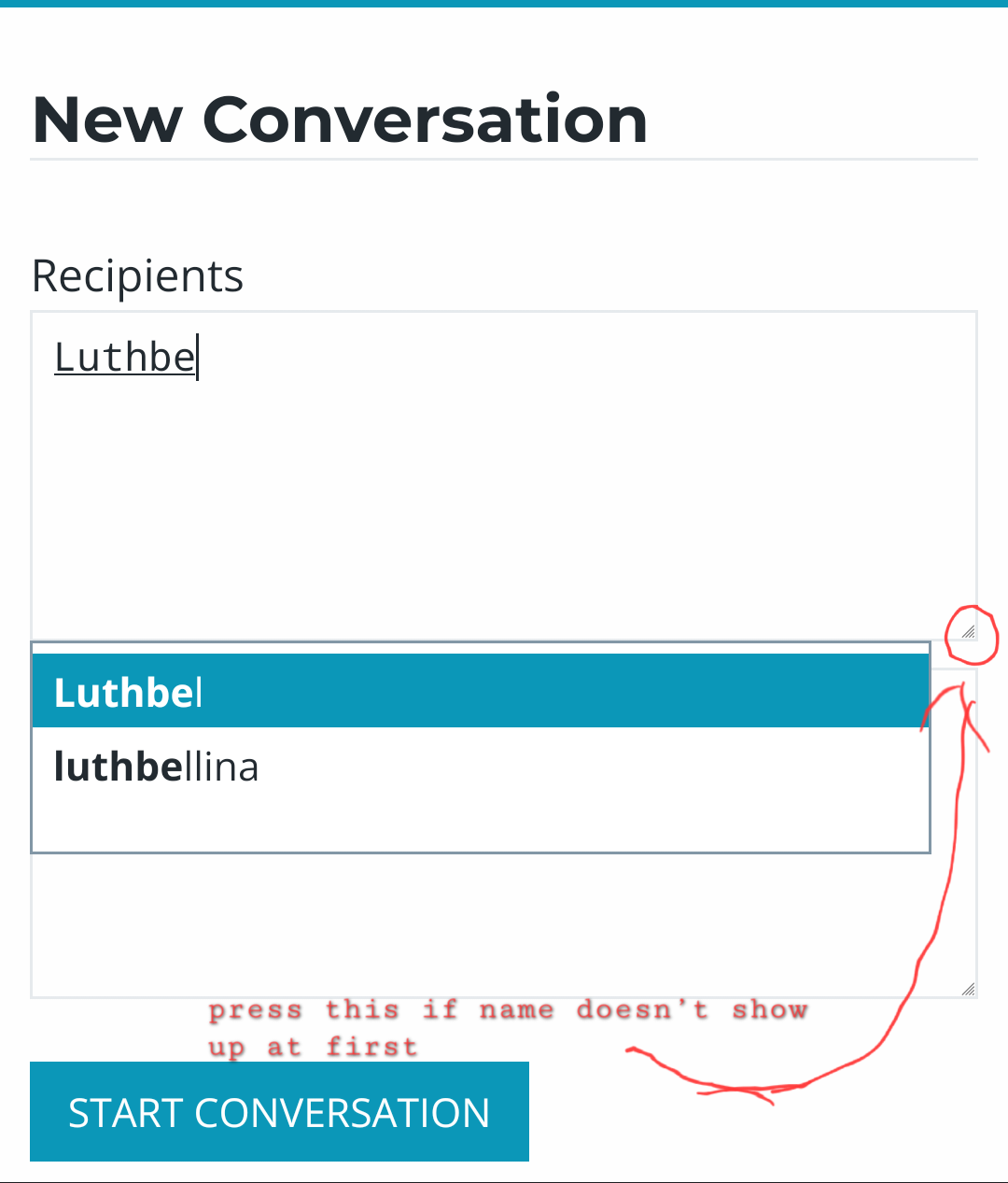
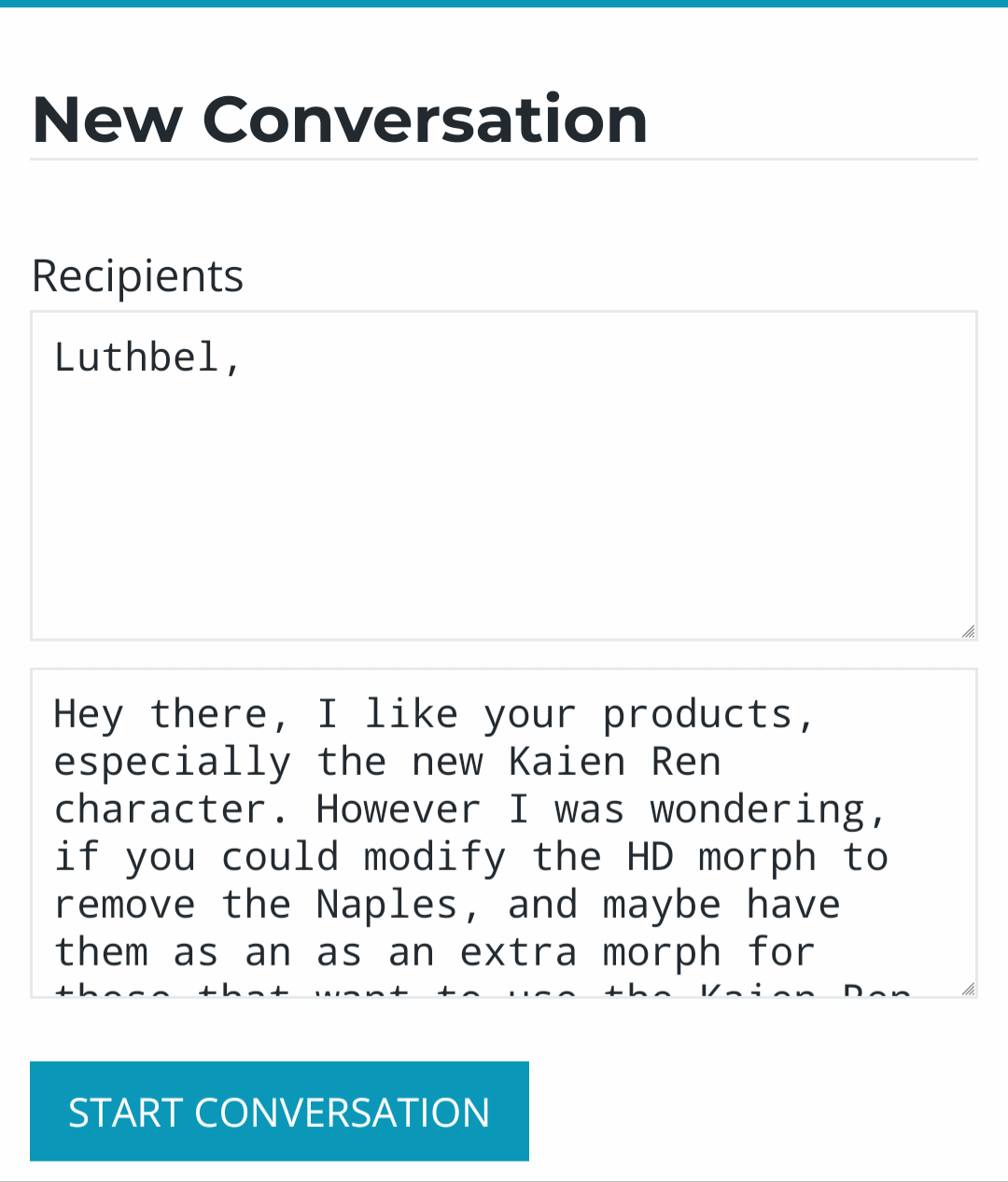
You might be able to message them directlyI've had a look at the various forums but can't see any way to conbtact Luthbel directly...anyone out there have any ideas?
You can contact them via the forum inbox, I have done it with a few PA's the last few days.
 Off Topic Thread #2
wasn't sure if this in fact belongs in the Blender forum

something from Dr Karoly to sing along to while rendering
How do I make eyes look more alive in close-up Iray renders?Firstly, there's lots of eyesets available - some come with characters, some are standalone and paid-for. They can make a big difference. Many of the standalone also come with tricks (catchlights in the eyes is one trick that can work).And you can buy just the catchlights themselves: https://www.daz3d.com/catalogsearch/result?q=catchlights
You can though do much yourself for free.
Lights in the eyes: https://www.daz3d.com/gallery/#gallery=all&sort=popular&page=1&image=1390761 <-- like these
Any decent eyeset will reflect, it's just a matter of lighting - and, sometimes, having something in the eyeline to reflect (light, positioning of model and the 'thing to reflect')..
Use your fav search engine to find a bunch of youtube videos, and typed how-tos, on "Daz Studio lighting eyes" - here's one by Jay (there are tons of others): https://www.versluis.com/2018/12/creating-eye-reflections-in-daz-studio/
And then it's practice and patience
 Need Help From DAZ to Blender and Back!
I don't know how to quote multiple comments in one reply and i'm not going to have much DAZ time today so i'll just reply normally, sorry for wall of text ill try to be clean about it lol
"or are they a modifier" I dont have any modifiers on the mesh I copied the main genesis 8 mesh and deleted the rig and modifiers (Suggested by a different forum, figure setup applies the rig from genesis 8 when imported back to DAZ unless I misunderstood). I unwrapped the new poly's and scaled/moved them to where the deleted polys were in the UV layout, on a second or third attempt I exported the UV's and manually imported them to DAZ but that didnt really make a difference the same UV's were already on the mesh it was just another step to try. That's how I always handled UV's I don't know if DAZ has another specific method for Genesis meshes lol
"Materials preset or a Hierarchiical Materials preset?" I was using Hierarchal as it was first in the list, H.mats are a DAZ specific thing and i'm still learning DAZ so this is actually one of the things where I was wrong. Thank you for pointing it out i'll take some time to research how they work
"come with UVs as part of the material/That error you get is the one you get when the vertex count does not match what the UV set expects " Yes I think deleting the geometry and making my own is my issue mainly, seems to be the general consensus and as I was thinking and losing sleep over it last night the thought occured to me as well. Thanks for pointing it out and for the explanation of how to make it simpler!
"it looks like while importing your new .obj it changed the TRUE name of the surfaces" Sort of? I used figure setup on the mesh and that's what created those things initially when I imported the mesh the only item in the surfaces tab was the Gen8 mesh, but you're right, from my research the name changes contribute to the hierarchal mats I was trying not recognizing where to go. Probably other issues too but it's how I learn lol
"I don't understand why you did the work in such a way of creating new ear surfaces... this way would be pretty cumbersome even if you want to make a another standalone "G8F figure" I work mainly in blender and unity/unreal as a game artist making environments and VFX, not people, gimme a break lol. I should point out that in my work deleting and recreating with less topology when possible is the way to go. But DAZ isn't game development so I understand I need to change my approach, thank you for pointing it out.
"Instead, to make a G8 earless, you just need to sculpt its Mesh (in Base Resolution) with Smooth brush + a Mask + Symmetry mode" Thank you for this, as stated i'm not a character artist (still learning) so this is a helpful tip!
Thank you for taking the time to reply folks, i'm sure all your replies were correct and I need to start at the beginning and change my way of thinking. For reference i've only been using DAZ for a month but my schedule only lets me get into the software a few nights a week, but I think i'm doing ok. A steep learning curve isn't enough to stop progress!
New character Kaien Ren by Luthbel - request for alterationI don't think they have a forum presence. Your best bet would be to submit a ticket to DAZ as they are the ones that handle customer enquiries for PAs.
Resetting G9 Base FigureIIRC means "If I Remember Correctly". The pane I was thinking about was actually the "installed" sub-tab in the product view in Smart Content. If you search for Saga in the product view, you should get the option to uninstall it (at least I think, I never install anything from Smart Content). There's a sub-tab for "Updates" there too so if there's a fixed version of the character you should see it there.
The problem is not the base G9 itself, it's the additional character Saga files. And no, installing Sigrid would not fix it, it would simply change the resulting shape when Saga auto-applies.
The long-term fix would be to change the default value for the morph which loads automatically then resave the corresponding morph asset, but I'm not sure we can do that for content installed from within DS as the files are encoded.
The procedure to fix the morph would be something like this:- Load G9, select it, then zero the figure shape. When it asks you if you're sure you want to zero (=set everything to 0) and not restore (=set everything to default), choose zero.
- When you look in "Currently used" section in the shaping tab, you'll see morphs with values different from their default value. The dial for Saga should now be there, as it's currently 0 which is not its default value.
- Click the cogwheel on the right of the Saga morph dial and open the parameter settings. You should have a parameter for the default value of the morph, set that to 0.
- Save the modified morph asset (I think the command is "Edit->Save As->Support Asset->Save Modified Assets")
What you could try in the mean time would be to load G9, manually set the "Saga" dial to 0, and save a scene subset or character preset. As 0 is not the default value of the morph I think the file should explicitely include "set Saga to 0" so it would not be applied by default.
Headwear: Slim Beretrichardandtracy said:
Cabin crew with beret. Going as far back as Victoria 3 there is this: Flight Crew. There are others, do a store search for "Cabin Crew". Hope these are vaguely along the lines of what you're looking for. Regards, Richard
Thank you. The search term "Cabin Crew" was indeed helpfull:
https://www.daz3d.com/sexy-stewardess-outfit-for-genesis-8-female
Ultra Scenery 2 Has Me All [Muddled] Up!First in DAZ Studio I'd check to make sure it is actually installed correctly by going to Help then clicking About Installed Plugins and scroll down to the bottom (Since its a U) and if it IS installed correctly, you will see it with a Checkmark and a Green Plug, if you don't see that, you know it did not install Correctly...
If you do see that, now go to Window/ Panes (tabs) and look down the list and you will see UltraScenery2 near the bottom, Click on that open and new Pane, and then I would put it somewhere on your left side list (where SmartContent, ContentLibrary, etc Tabs are. Also to see it listed in DIM you need to either search by sku::98176 or ultrascenery2 as one word.
If you DON'T see it, I would then either uninstall it from DAZCentral /or DIM and reinstall it WITH DAZ Studio turned shut down. Then Restart DAZ Studio once it's installed. I have had a few Plugins install Bad when I had DAZ Studio running when I installed them, and then after uninstalling/reinstalling with it off, they worked fine after that.
Hope that Helps.
Need Help From DAZ to Blender and Back!Despite the positive seeming title this is more of a call for help, I recently got into DAZ on the side and holy smokes is it an exercise in patience! :)
This was probably asked and answered multiple times, sorry if this is the wrong place for the topic I don't normally do forum stuff.
Currently for practice I'm trying to take the genesis 8 female base mesh into Blender so I can remove the ear and replace it with a flat surface, like an alien head or something.
Using diffeomorphic, got mesh into blender. So far so good > Select loop around ear and hide it, press L on the ear itself to select the whole ear, press alt+h to unhide the loop i hid earlier and deselect the loop > Delete ear > Create polygons in new hole to make a flat surface > Smooth the area little by little in sculpt mode so it's flat but still organic > Unwrap uv's > Rescale/Realign/Reposition UV island over ear UV to blend texture > Export/Import to DAZ > Apply PBR Skin shader > Try to apply literally any material > Doesn't work? Mesh stays white > Manually apply textures to face, body, arms, it works > try to apply skin material again > Fail, you suck, terrible artist, go work at mcdonalds.
So... where did I go wrong?
I attached an image from DAZ to show the skin "working" and also the error message that comes up when I try to apply a skin material and the other image is the UV's in blender. I'm not worried about the visible seam although it lined up and blends kinda nice without playing with the vertices tooooo much. My issue is when I try to apply materials or assets... computa says no. Any help with this, or any general tips for DAZ that will cause less ulcers moving forward would be fan-fricken-tastic!
Daz 3D is part of

Connect
DAZ Productions, Inc.
7533 S Center View Ct #4664
West Jordan, UT 84084Licensing Agreement | Terms of Service | Privacy Policy | EULA
© 2026 Daz Productions Inc. All Rights Reserved.