-
Gene Pool Morph Problem for Genesis3 Female
Could you have accidently overwritten the main G3F dsf and/or duf file? It is possible to make this mistake when saving a morph asset. To fix this issue, you might try uninstalling the G3F essentials package, and then reinstalling it again.
The Kids 4I think I see the problem. All the files installed into the users/public/documents/My Daz 3d Library. I also have a users/amandaalexandria/documents/M Daz 3d Library. I think all is supposed to be installed in the amandaalexandria and not the public, correct? I believe that the public folder is the recommended one for install manager...so maybe I need to transfer everything in the amanda alexandria/documents/My Daz 3D Library to the public/documents/My Daz 3d Library. I do see some of the kids4 files in the public folder. but when I click on them, it says files are missing...maybe because some support files are in the amanda alexandria/documents/My Daz 3d Library?
virtual penny 4 yor carrara thoughts ?Genesis has been developed as a means of being able to produce and sell realistic (and not-so-realistic) poseable 3d figures and assets that make them turn into such a variety of things that it will appeal to home users and pro studios alike. That's the business of Daz3d.
Daz Studio 4+ has been developed right along side of the original Genesis figure as Daz3d's very own type of software which allows its customers to easily load in, pose, and change these figures - as well as the legacy generations - and is meant to do so without a lot of confusion.
That's why it's default interface isn't all set up for content creation, but for loading, dressing, styling, posing, and shooting a render.
Content Creators are often quite savvy to figuring out how to find ways to access more advanced tools. To help them with this, Daz Studio developers included very simple ways to set up the interface geared more for the workflow of creation, like the City Limits interface preset, for example, but also having easy ways to design our own DS interface layouts. When we're still learning, however, it's best to not change it to a point where tutorials no longer make sense! LOL
Anyways... I say all of this because, when Daz3d first began, it was pushing the edge of technology for figures for use in Poser. Well it started to look like Poser was going to be dropped, its development haulted. Daz3d started in earnest to create a replacement Poser-style software - and D|S beta was born... and it was temporarily Free.
Back then it used the Poser Runtime structure as it's main source library, but eventually grew into its own, while still being able to accept the Poser structure.
===================================================================================
Genesis creation and development never had any intention of Carrara compatibility. But while DS 4 and Genesis (then called "Unimesh") were still under development - not released to the public yet, Daz3d did come into the old forum at the time and proposed a poll to anyone interested to use it - it asked if we were interested in them adding compatibility to their up-coming new figure platform, among many other questions about the future of Carrara.
I was amazed to find out that some people didn't vote for the figure compatibility development, and still disagree that it's important to Carrara development. I mean... I can understand that some people don't want to use what they call Daz Dollies. But how does anyone ever expect Carrara to survive if it can't help draw sales of modern products from the Daz3d store?
Anyways... so when it comes to Genesis, Daz3d really only supports its compatibility with Daz Studio - as those two elements are actually kind of one-in-the-same. DS = Genesis, Genesis = DS.
Just before Eovia sold out to Daz3d, they've ported Carrara to be able to import Poser figures and work with them natively, as if we were working within Poser - as far as working with Poser figures is concerned. This was Carrara 5 Pro, and it had "TransPoser", an Import interface fro bringing in Poser stuff. I saw a guy working with this version the first time I've ever heard of Carrara.
Daz3d bought Carrara, and I think that development was already well underway to help in them releasing their first Daz3d version of Carrara - Carrara 6, Carrara 6 Pro and Carrara Express came in there somewhere, which was a cheaper version with just a taste (?) of the functionality.
Carrara 6 Pro is the version that introduced Carrara's first dynamic hair - not including the cool DCG plugin, Anything Grows. It also removed TransPoser and added the Content tab, so we can just load Poser stuff in just like we would do in Poser... except that (at least on my computer) Carrara's content tab refesh was a LOT faster than Poser!
So Carrara is a special case. Although it was ported to be able to work with Poser and Daz3d content like no other modeler software can, it's not to be expected to be 'the compatible' software to which the products are developed.
Daz3d is still cool to artists creating stuff for Poser. These things still work in Daz Studio. They are also cool ablout making content FOR Carrara. But we Carrara users must never put the hammer down on them if some of the DS or even Poser products don't work properly in Carrara. The last thing we want to do as Carrara users is to give Daz3d a headache every time the word Carrara comes up. My opinion.
We really are lucky that this stuff works as well as it does in Carrara. It's not like that with the $12,000 (? or whatever) Maya suite, or Modo, or Zbrush, or LightWave... I'm not sure about C4D. A former Carrara user whom never really caught on to the poser-style interface eventually moved on to C4D and swears that Daz3d content just works as expected in C4D without issue. When I look into it in forums or on YouTube, however (haven't tried that in a long time though), that doesn't seem to be true.
I don't think Daz3d or Poser content works (like ahving morph dials, poseable, animateable rigging, etc,) in any version of Vue, Bryce... anything. I was looking for such a software option before buying Carrara... I couldn't find any 3d modeler that had this capability. I'm simply not interested in the import/export back and forth thing - not for what I'm doing. And working directly in Poser or DS wasn't working either. I needed to have a modeler on hand. I need to be able to tweak on the fly.
Anyways... I'm hoping that this story (I think it's fairly accurate, but is coming from my memory, and I just came from surgery, so the anesthesia is still messing with my head) helps to soften the blow when we come across Daz3d or other marketplace content that doesn't quite work as expected in Carrara. Carrara does a really decent job with this stuff for the most part... we truly are a lucky breed, us Carraraists! ;)
Gene Pool Morph Problem for Genesis3 FemaleLook at the Currently Used group in the Parameters pane, with Show Hidden proeprties checked in the option menu if nothing appears otherwise - that should show the underlying morph that is driving the scale and Teen Josie morphs.
Dynamic cloth as in poserFor years I used poser but found that it is increasingly clumsy and slow to use with more modern Daz figures since the introduction of DSON so I now use daz studio most of the time and have become moderately competent with it. I quite like it now but miss some things that were available in poser.( One is that with poser I could seamlassly transfer poser figures to Vue if I wanted to use them in a landscape. They could even be reposed in Vue. With Daz I have to convert them to .obj files which are static and sometimes the material renders come out pretty weird; but that is another story and I guess that daz will never make this intergration available because it wants to sell Bryce and all its addons).
The one thing I miss most of all is an equivalent of the cloth room in poser. With that I could convert many conforming clothes to dynamic clothes. which are so much better in many complex situations and in animations. I could even make simple clothes as Obj files using Carrara and then clothify them in the cloth room. I could drape bits of cloth all over the place with great ease. and get them blowing in the wind.
Now in daz I find that I have to buy dynamic clothes and then fiddle with them in a plug in; there is no possibility of making an ordinary mesh dynamic without buying optitex at great expense. It is all so very inflexible! My number one wish is for studio to have a cloth room similar to poser. Meanwhile I waver between the two figure modelling programmes, because neither give me fully what I want.
Genx2 Exagerated MorphsHi everyone,
Lately, my genx2 morph transfer is causing all my new transfers to "over morph?" on the generation base figure targeted when dialed out. all the older transfer morphs dial corectly. Thanks.
Gene Pool Morph Problem for Genesis3 FemaleSomewhere along the way I picked up a product that changes the default load for every G3 female I try to load. It now defaults to adding Teen Josie 7 to every load at 100% with a 85% size, including scene subsets where I have dialed that out. Any idea what I should do to correct for this? I remember this happening with Genesis with the freebie Warrior Princess, and fixing it required removing some .dsf files and resetting the default load. I am not sure what product is causing the problem, but I have my suspicians. I didn't notice it happening until after I added a number of things so I don't want to point fingers here, I could be wrong.
terradomeLook at this video from the product page. Watch it the entire way through and you should understand. :)
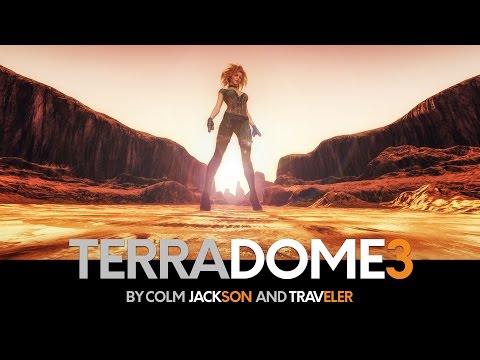
It consists of four elements...
A Zone: The foreground terrain. You can morph this into different terrain features and apply relevant shaders.
B Zone: The background terrain. Same as above for landscape features shown in the distance. This doesn't have to match the A Zone if you want to create some kind of difference between them.
Atmosphere: This is a 'volumetric' thing, which basically allows you to create mist and haze - seperate to any HDRI skies you put in (the product also includes some of these, but you can apparently use any you already have). This is a great selling point, because of the added realism this feature would then provide.
Water: A realistic water plane, complete with stuff like foam effects and so on, which is also transluscent enough to potentially show whatever is underneath, should you choose the settings to do so.So, basically, you choose whatever you need, apply whichever materials/shaders you might require and dial in the most suitable morphs for the general shape. It's an all-in-one, go-to solution for an incredibly diverse array of Iray landscapes. Additional products will do things like give it extra morphing/material features.
Generation X WoesUntil recently I used just Genesis 1 with Gen X 1. I recently switched over to GenX 2 and started using Genesis 2. I have the Genesis Clone for G2 as well.
I guess the main problem is that when I go in and look at the GenX directory for Genesis 2, there are tons of files there from GenX1 that I do not have the GenX2 support for - such as all of the generation 3 characters. Additionally, other morphs seem to have found there way into this folder as well - such as Ram Works morph package files.
I am assuming that the figure not supported message is due to the fact that I do not have V3, A3, etc., for GenX2.. Since I have Gen X2, all these morphs will become availalbe when I load a fresh Genesis2 character. I suppose there is no way around that, but is there a way to strip out most of these morphs other than deleting them from the directory? I would like to have a Genesis 2 Female and Male that only had supported morphs available if at all possible.
Best Morph For Facial ExpressionHi guys, I'm new here and although I can already fiddle with some basic face morphs given
by GF3... It is still hard to accurately portray some expressions. Do you think buying the DAZ GF3 Head Morph will help me?
Or is it only good for, jawlines, temple, and so on (Bone structure) .
And then I noticed that other artists also made head morphs, so I was not sure what to buy, since the one from DAZ originaldid not list what can or can not be morphed.
Thank you :)
TerraDome 3 - FeatureSet ComparisonI tried using Bryce but was somewhat bothered by the user interface....to much, to many, to slow, now I used version 5.5 if memory serves, and integration with DAZ 4.5 wasn't great back then. Now that was on a budget i5 system no idea how it would perform on my new multicore i5820 machine. What I used up till now was Blender and ANT-landscape. Texturing done in Substance Designer and Painter.....no problemo. But controlability may be high, so is time consumption. And in this gap sits Terradome 3......
Pro's:
- Fast and easy and cognitive within DAZ.....add Azone, find morph and material, add Bzone, find morph and material, rotate, add rendersetting and rotate and add water and atmosphere as desired.
Con's
- Geared for exotic landscapes (in the Netherlands were I live these are rare, verry rare up to the point of non existent)
- Geared for the wild outdoors (give or take a few roads)
- Not content aware......water does not invoke a beach for instance (or an embankment, or a tidal zone) AFAIK.
So for non Bryce users (like me at the moment) great, Bryce junkies won't be impressed (except for the speed of working).
Greets, Ed.
does the process changeThe only thing that changes from time to time (up to now) is the place where and how you load/edit the morphs you created with Hexagon.
The options in Morph Loader Pro and the editing of the morphs (limits, morph follower off/on, place of morph) have changed from time to time.
Why should DAZ Studio User try Carrara?And, my first full render in Carrara 8.5 following PhilW's tutorial for loading V4, adding a character morph, clothes, hair, posing the figure and using Point At.
I'd be disappointed if this were a DAZ Render. I suspect I'll be spending most of my time in Studio still... but I can see the potential for Carrara, for sure.not bad for your first one!
a few check boxes
1) 'always' turn ambient down to zero (looks like you have) - it's wone of the scene properties
2) in the render room you'll find a gamma thing - which is turned off. Try using it at 2.2 - it increases the tonal range of your renders
3) for a portrait like this a three point lighting system will work pretty well
4) PhilW has a good BrightEyes product which will be handy to get at some time if you like doing people - puts a glint in their eye. Also things that reflect need something to reflect - so maybe a sky in the pic would add more reflection in her corneas?
5) some objects come in which can benefit from smoothing - maybe the hair in this could ??? not sure- If you select the hair object and go into the mesh room you can access smoothing in there
6) a lot of objects come into carrara with too much shine and no bump textures - you can address that in texture room - Fenric also has a shader plugin which fixes those things automagically
Standardize rigging and posing between 3D programs!"DAZ studio only could exist because Poser allowed other software inc Carrara, Shade and Vue to use cr2 etc which seems to have been forgotten,."
Yes as a temporay hedge against the potential loss of the singular platform that supported its content business model,
Zygote/Daz created an alternative to the floundering poser application based on the CR2 Figure format.However The poser based CR2 is a Bloated& unweildy format not given to Expandability or innovation.
There are very good technical reasons why Daz has adandoned it
for its native figures.
"it stands to reason more DAZ models would be sold if other softwares could natively open duf. "Forgive me but to what "other softwares" do you refer??
I hear this quite often from DS users and it is quite an incorrect leap in Logic.Note how the aspring games content division of The parent company that own owns Daz3D,( Morph 3D) is not trying to convince the makers of unity to support the "DUF" format.
Proprietary formats tend not to do well in a competitive consumer market..ask Sony about this.Well the big one for me would be if someone could create a python script for Blender, DAZ developers themselves could find this in their interests.
Vue also, I never went beyond Pioneer but not getting content in nicely was one main reason I never bothered with it. The collada worked sometimes and Poser if you ran Poser on the PLE but was too buggy to throw money at for a Pioneer module.
Not in my budget but Maxscripts and Maya plugins are obvious like the existing transposer, and C4D importers, I may consider oneday buying Lightwave though if there was an easy way to get DAZ content in and use its rigging and morphs.
OT Tech questionI looked at that option just now... not sure if that's the route I need. I looked at AC USB powered hubs and found that most folks mentioned that they are not used for actually powering up a drive only for data transfer. :-( Since the RCA using USB 2 tech I guess any drive I attach to it needs an external ac power supply to make it go zoom zoom!
This is not quite true, only partially. If the PSU for the USB hub provides enough amps then it will power any device that draws less than those amps. All that is necessary is that the power supplied is high enough to actually pull the spin-up of the drive (the largest draw). In general, if you can get a powered hub that has 2A you should be golden as far as power goes. Many cheap powered hubs only provided the base 1A that USB1 specifies as necessary, for many USB powered drives 1A is not quite enough to get everything moving.
EDIT: I had a Rosewill 7-port powered USB3 hub (with 8th port for charging only) that was a beast. It was less than $30 and could be found for much less than that at times. I loaned it to a "friend" and it never made its way back home. :( I routinely used multiple USB powered drive on that hub.
Kendall
Why should DAZ Studio User try Carrara?And, my first full render in Carrara 8.5 following PhilW's tutorial for loading V4, adding a character morph, clothes, hair, posing the figure and using Point At.
I'd be disappointed if this were a DAZ Render. I suspect I'll be spending most of my time in Studio still... but I can see the potential for Carrara, for sure.Who said Blender was hard?Cris:
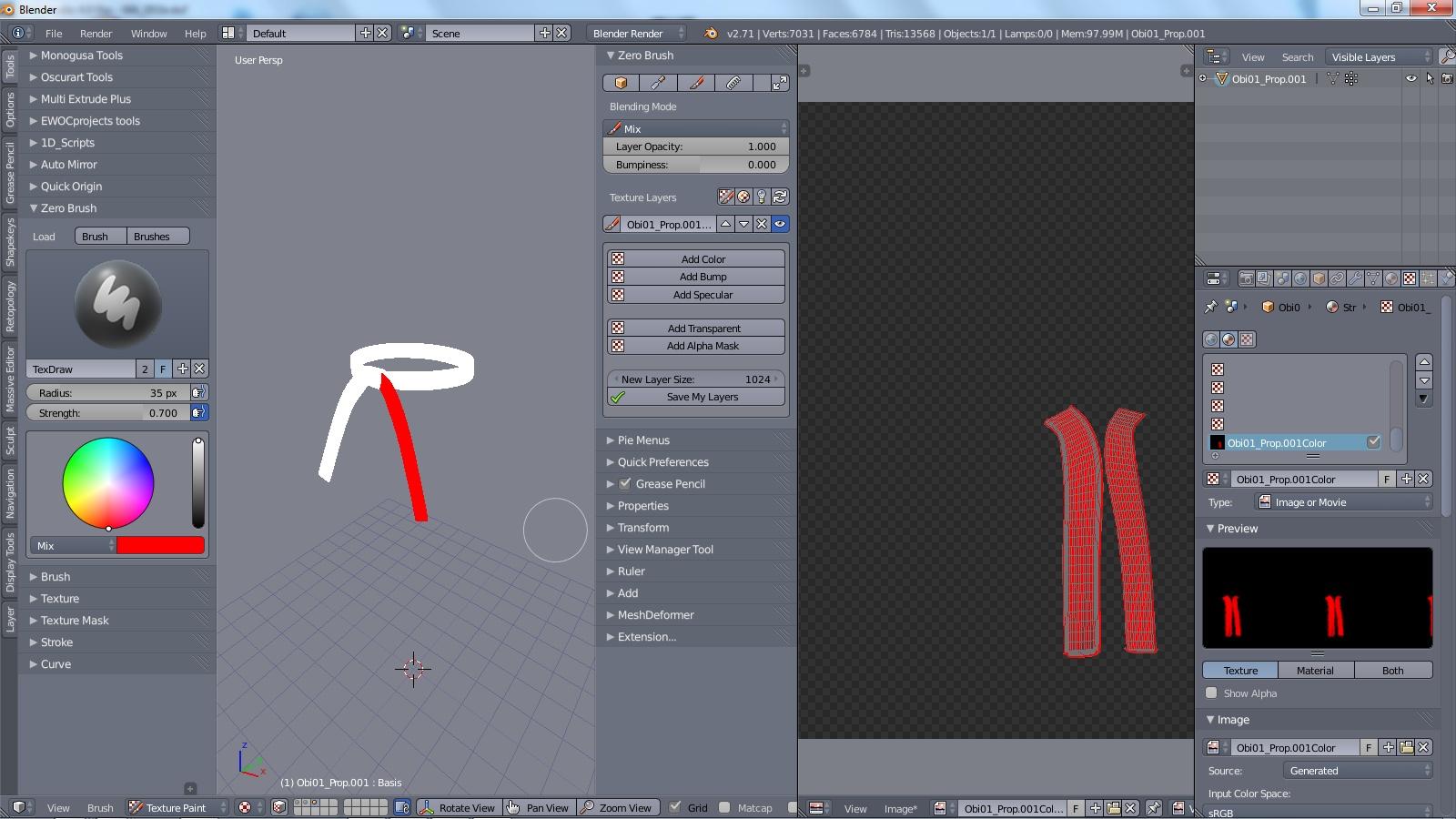
The Zero Brush add-on was actually installed on my workhorse 2.71. I saw it today when I was doing morph target work, and gave it a quick play.
I forgot one good aspect of it is it does respect already created UV's as evidence in my screenshot below. However, it appears to treat the UV based on sub-meshes. The mesh is comprised of five sub-meshes, but all sharing the same UV.
So, my earlier assessment of working with it for Poserverse is wrong. As long as you create your UV's first, and not depend on ZB's auto-UV, it would be a vialbe tool for painting Poser/DS meshes. I would suggest downloading, and trying Sensei Format just to see how you like working with Zero Brush, and then making a decision to purchase the stand-alone add-on from there. I believe the lite version is what is available in SF, but will give you a taste of what can be accomplished.
Zero Brush Lite add-on in Blender 2.71:
Gedd:
I use left click select with a right click context sensitive menus add-on in the pre-trunk pie menus 2.71 build. Coming from Wings3D for modeling, I was used to right click menus, so I really missed that aspect in Blender until I found the add-on. That is why it is my workhorse, and I like the pre-trunk pie menus better than the trunk version.
You have a lot of great ideas for your build. I think a lot of new users would appreciate what you are trying to accomplish.
Heard a rumor about V8+1 for underwear realism. We need them to release a package for um...the package! I do a lot of superhero renders and tight underwear are de rigueur for your average superhero; Massively muscular dudes are often sadly lacking...in that department. Just looks weird.
That said, some PAs do include a "bulge" morph for their figures that are meant to be used with underwear to simulate something being there. Male M3dia is very good about this, and I usually base my superheros off of one of his characters just for that reason. It's so much easier than having to fiddle with geografting - especially since in my case, the end result of the geograft is just to cover it up.
Heard a rumor about V8I do wish for more realism in underwear especially with the shape of male gens. There are fifty million morphs for women's breasts (okay an exaggeration) and a ton of women's skimpwear but hardly any sets of guy undergear.
Well I do have trouble with the collision & smoothing making these huge triangles no matter what percent you set the morph at so I'll either turn FBM way up or Collision & Smoothing off.
Morph WIP: Christopher Reeve for GenesisHopefully you can see some of the difference in the angle on the face and where the top of the forehead is and how much longer your lower face is. Don't forget the ears.

didn't want to go off topic, but gotta ask . . how did you do that Cris ?
I took the image of Gregorius' morph into Photoshop with a desaturated image of Chris Reeve. I overlayed one over the other and lowered the opacity so you can see how they line up.
thank you, there is a model I just cant get the nose right, and cheeks, doing something like that might help me get her dialed in closer.
which is why I asked, I tried something like that but never could get it to work, seemed I just covered up the image with another, never had thought of desaturation or doing anything like that.
Daz 3D is part of

Connect
DAZ Productions, Inc.
7533 S Center View Ct #4664
West Jordan, UT 84084Licensing Agreement | Terms of Service | Privacy Policy | EULA
© 2026 Daz Productions Inc. All Rights Reserved.